ECU NISSAN FRONTIER 2001 D22 / 1.G User Guide
[x] Cancel search | Manufacturer: NISSAN, Model Year: 2001, Model line: FRONTIER, Model: NISSAN FRONTIER 2001 D22 / 1.GPages: 290, PDF Size: 3.14 MB
Page 45 of 290
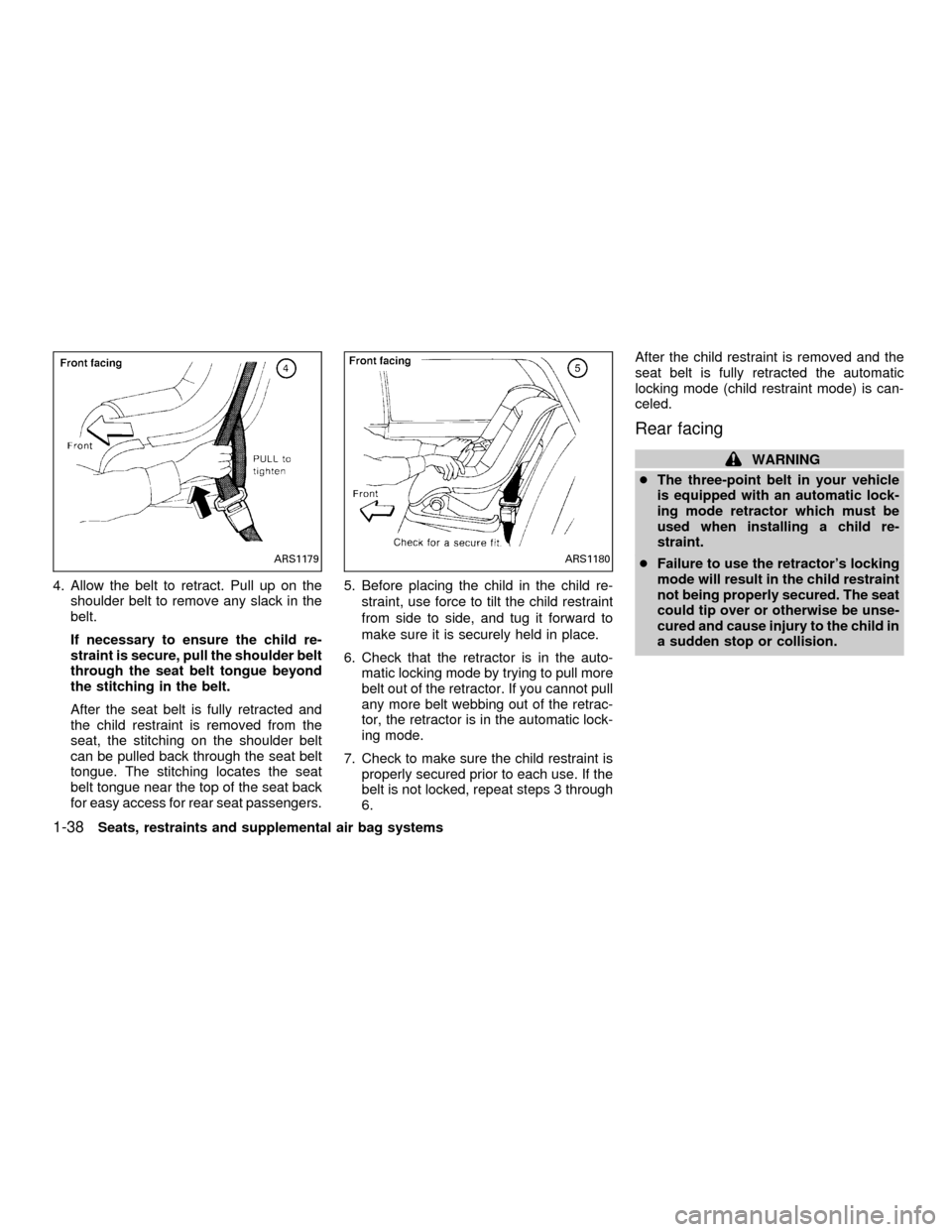
4. Allow the belt to retract. Pull up on the
shoulder belt to remove any slack in the
belt.
If necessary to ensure the child re-
straint is secure, pull the shoulder belt
through the seat belt tongue beyond
the stitching in the belt.
After the seat belt is fully retracted and
the child restraint is removed from the
seat, the stitching on the shoulder belt
can be pulled back through the seat belt
tongue. The stitching locates the seat
belt tongue near the top of the seat back
for easy access for rear seat passengers.5. Before placing the child in the child re-
straint, use force to tilt the child restraint
from side to side, and tug it forward to
make sure it is securely held in place.
6. Check that the retractor is in the auto-
matic locking mode by trying to pull more
belt out of the retractor. If you cannot pull
any more belt webbing out of the retrac-
tor, the retractor is in the automatic lock-
ing mode.
7. Check to make sure the child restraint is
properly secured prior to each use. If the
belt is not locked, repeat steps 3 through
6.After the child restraint is removed and the
seat belt is fully retracted the automatic
locking mode (child restraint mode) is can-
celed.
Rear facing
WARNING
cThe three-point belt in your vehicle
is equipped with an automatic lock-
ing mode retractor which must be
used when installing a child re-
straint.
cFailure to use the retractor's locking
mode will result in the child restraint
not being properly secured. The seat
could tip over or otherwise be unse-
cured and cause injury to the child in
a sudden stop or collision.
ARS1179ARS1180
1-38Seats, restraints and supplemental air bag systems
ZX
Page 47 of 290

4. Allow the belt to retract. Pull up on the
shoulder belt to remove any slack in the
belt.
If necessary to ensure the child re-
straint is secure, pull the shoulder belt
through the seat belt tongue beyond
the stitching in the belt.
After the seat belt is fully retracted and
the child restraint is removed from the
seat, the stitching on the shoulder belt
can be pulled back through the seat belt
tongue. This stitching locates the seat
belt tongue near the top of the seat back
for easy access for rear seat passengers.5. Before placing the child in the child re-
straint, use force to tilt the child restraint
from side to side, and tug it forward to
make sure it is securely held in place.
6. Check that the retractor is in the auto-
matic locking mode by trying to pull more
belt out of the retractor. If you cannot pull
any more belt webbing out of the retrac-
tor, the retractor is in the automatic lock-
ing mode.
7. Check to make sure the child restraint is
properly secured prior to each use. If the
belt is not locked, repeat steps 3 through
6.After the child restraint is removed and the
seat belt is fully retracted the automatic
locking mode (child restraint mode) is can-
celed.
ARS1184ARS1185
1-40Seats, restraints and supplemental air bag systems
ZX
Page 48 of 290
TOP TETHER STRAP CHILD
RESTRAINT
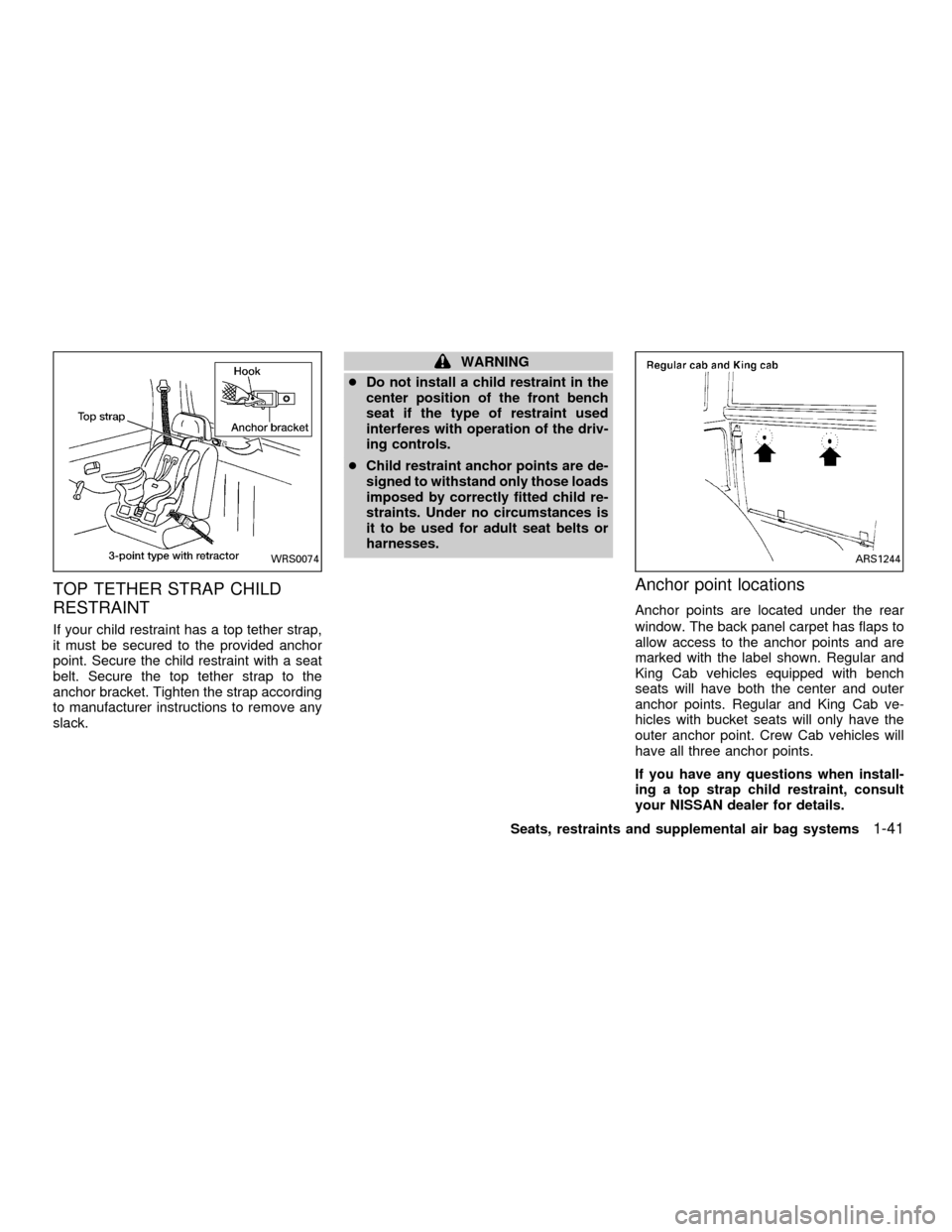
If your child restraint has a top tether strap,
it must be secured to the provided anchor
point. Secure the child restraint with a seat
belt. Secure the top tether strap to the
anchor bracket. Tighten the strap according
to manufacturer instructions to remove any
slack.
WARNING
cDo not install a child restraint in the
center position of the front bench
seat if the type of restraint used
interferes with operation of the driv-
ing controls.
cChild restraint anchor points are de-
signed to withstand only those loads
imposed by correctly fitted child re-
straints. Under no circumstances is
it to be used for adult seat belts or
harnesses.
Anchor point locations
Anchor points are located under the rear
window. The back panel carpet has flaps to
allow access to the anchor points and are
marked with the label shown. Regular and
King Cab vehicles equipped with bench
seats will have both the center and outer
anchor points. Regular and King Cab ve-
hicles with bucket seats will only have the
outer anchor point. Crew Cab vehicles will
have all three anchor points.
If you have any questions when install-
ing a top strap child restraint, consult
your NISSAN dealer for details.
WRS0074ARS1244
Seats, restraints and supplemental air bag systems1-41
ZX
Page 50 of 290
cNISSAN recommends that child re-
straints be installed in the rear seat.
However, if you must install a
forward-facing child restrain in the
front passenger seat, move the pas-
senger seat to the rear most posi-
tion.
cNever install a rear facing child re-
straint in the front seating position
of crew cab models. Install a rear
facing child restraint in the rear seat
only. The force of the inflating air
bag could cause serious injury or kill
the child in the child restraint.
cThe three-point belt in your vehicle
is equipped with a locking mode re-
tractor which must be used when
installing a child restraint.
cFailure to use the retractor's locking
mode will result in the child restraint
not being properly secured. The re-
straint could tip over or otherwise be
unsecured and cause injury to the
child in a sudden stop or collision.
c
If the supplemental air bag warning
light located in the instrument panelnext to the speedometer comes on-
when the passenger supplemental air
bag OFF indicator light is also illumi-
nated, something may be wrong with
the supplemental air bag system. Do
not use a child restraint in the front
passenger seat until the system is
checked by your NISSAN dealer.
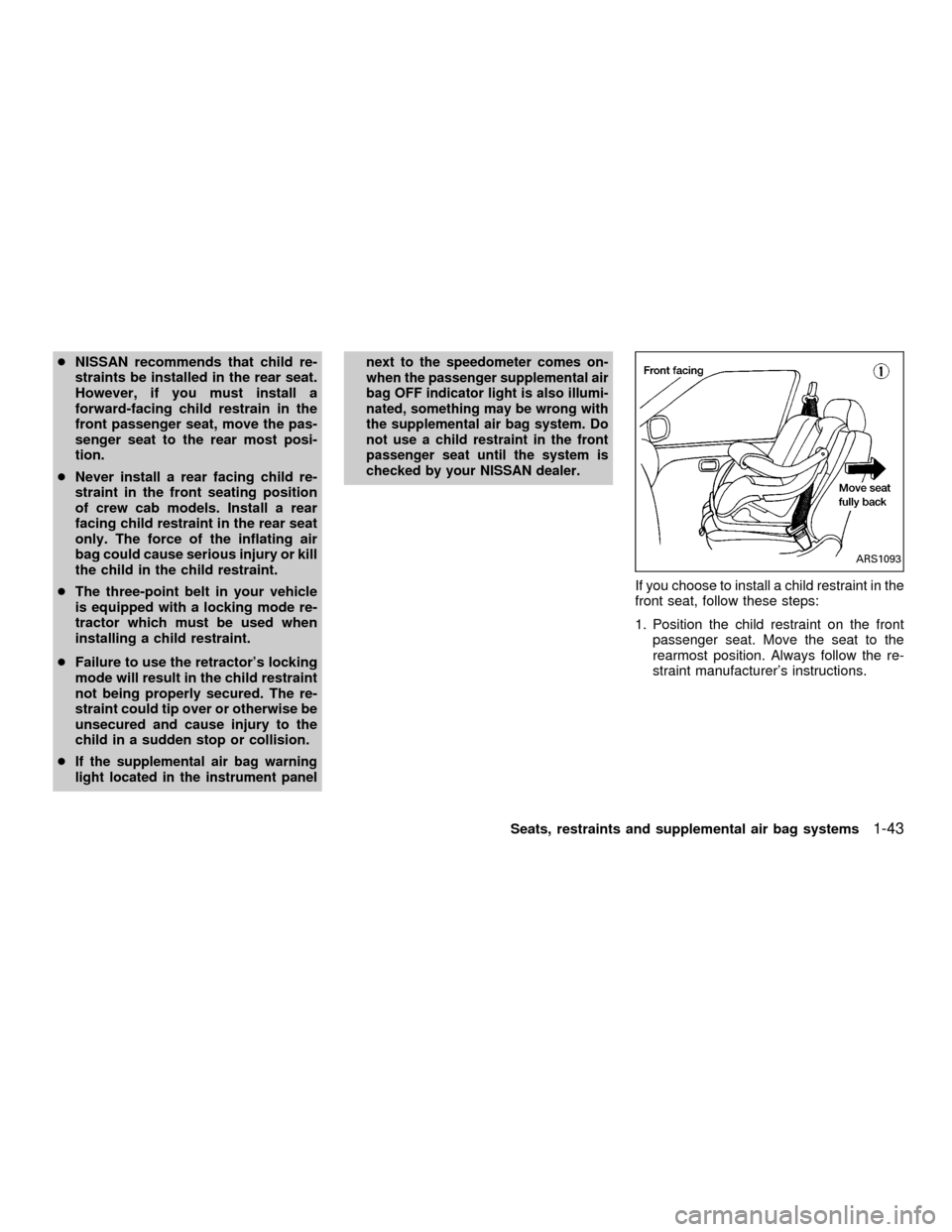
If you choose to install a child restraint in the
front seat, follow these steps:
1. Position the child restraint on the front
passenger seat. Move the seat to the
rearmost position. Always follow the re-
straint manufacturer's instructions.
ARS1093
Seats, restraints and supplemental air bag systems1-43
ZX
Page 52 of 290
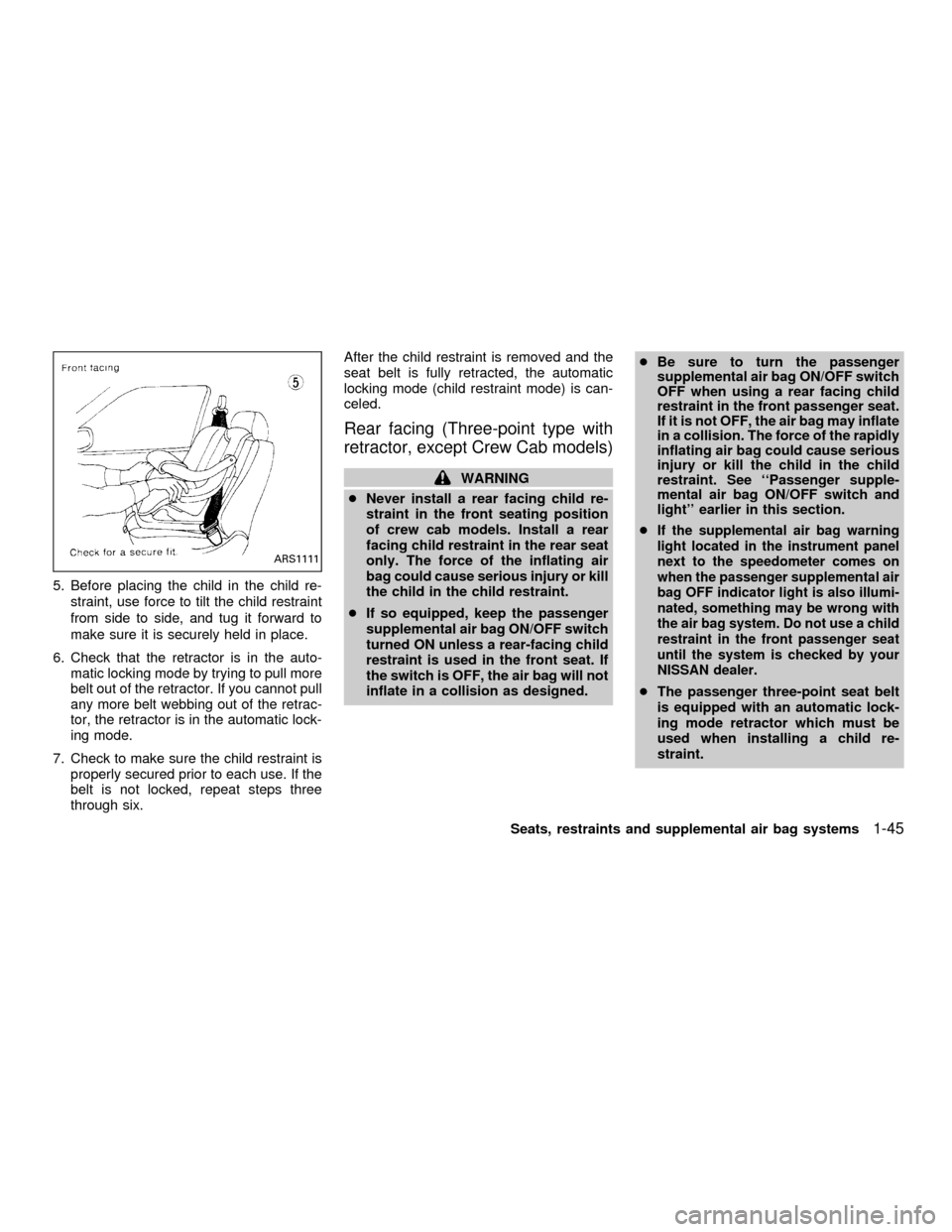
5. Before placing the child in the child re-
straint, use force to tilt the child restraint
from side to side, and tug it forward to
make sure it is securely held in place.
6. Check that the retractor is in the auto-
matic locking mode by trying to pull more
belt out of the retractor. If you cannot pull
any more belt webbing out of the retrac-
tor, the retractor is in the automatic lock-
ing mode.
7. Check to make sure the child restraint is
properly secured prior to each use. If the
belt is not locked, repeat steps three
through six.After the child restraint is removed and the
seat belt is fully retracted, the automatic
locking mode (child restraint mode) is can-
celed.
Rear facing (Three-point type with
retractor, except Crew Cab models)
WARNING
cNever install a rear facing child re-
straint in the front seating position
of crew cab models. Install a rear
facing child restraint in the rear seat
only. The force of the inflating air
bag could cause serious injury or kill
the child in the child restraint.
cIf so equipped, keep the passenger
supplemental air bag ON/OFF switch
turned ON unless a rear-facing child
restraint is used in the front seat. If
the switch is OFF, the air bag will not
inflate in a collision as designed.cBe sure to turn the passenger
supplemental air bag ON/OFF switch
OFF when using a rear facing child
restraint in the front passenger seat.
If it is not OFF, the air bag may inflate
in a collision. The force of the rapidly
inflating air bag could cause serious
injury or kill the child in the child
restraint. See ``Passenger supple-
mental air bag ON/OFF switch and
light'' earlier in this section.
c
If the supplemental air bag warning
light located in the instrument panel
next to the speedometer comes on
when the passenger supplemental air
bag OFF indicator light is also illumi-
nated, something may be wrong with
the air bag system. Do not use a child
restraint in the front passenger seat
until the system is checked by your
NISSAN dealer.
cThe passenger three-point seat belt
is equipped with an automatic lock-
ing mode retractor which must be
used when installing a child re-
straint.
ARS1111
Seats, restraints and supplemental air bag systems1-45
ZX
Page 53 of 290
cFailure to use the automatic locking
mode will result in the child restraint
not being properly secured. The re-
straint could tip over or otherwise be
unsecured and cause injury to the
child in a sudden stop or collision.
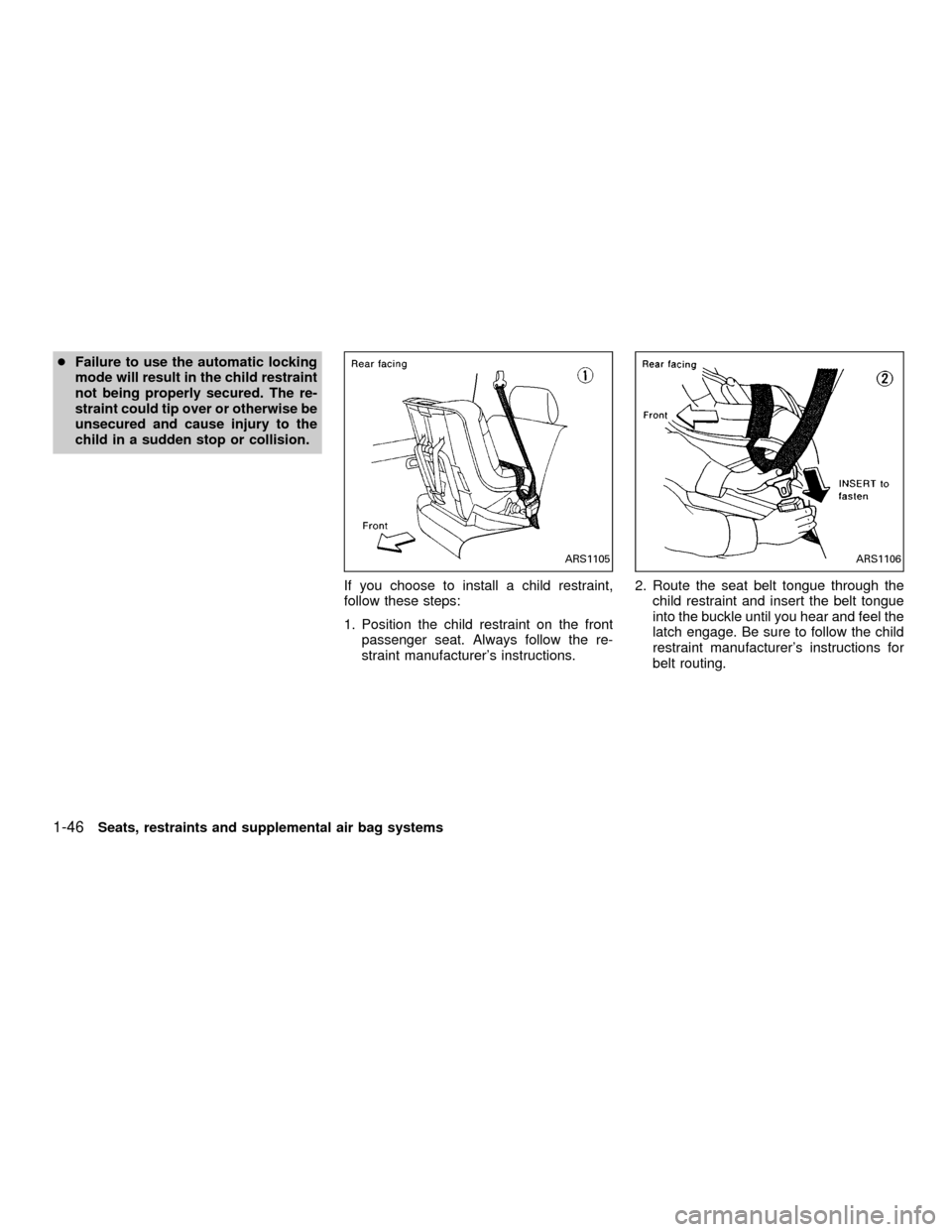
If you choose to install a child restraint,
follow these steps:
1. Position the child restraint on the front
passenger seat. Always follow the re-
straint manufacturer's instructions.2. Route the seat belt tongue through the
child restraint and insert the belt tongue
into the buckle until you hear and feel the
latch engage. Be sure to follow the child
restraint manufacturer's instructions for
belt routing.
ARS1105ARS1106
1-46Seats, restraints and supplemental air bag systems
ZX
Page 54 of 290

3. Pull on the shoulder belt until all of the
belt is fully extended. At this time, the belt
retractor is in the automatic locking mode
(child restraint mode). It reverts back to
emergency locking mode when the belt is
fully retracted.4. Allow the belt to retract. Pull up on the
belt to remove any slack in the belt.5. Before placing the child in the child re-
straint, use force to tilt the child restraint
from side to side, and tug it forward to
make sure it is securly held in place.
6. Ensure the retractor is in the automatic
locking mode by trying to pull more belt
out of the retractor. If you cannot pull any
more belt webbing out of the retractor,
the retractor is in the automatic locking
mode.
7. Check to make sure the child restraint is
properly secured prior to each use. If the
lap belt is not locked, repeat steps three
through six.
ARS1092ARS1107ARS1108
Seats, restraints and supplemental air bag systems1-47
ZX
Page 56 of 290

2 Instruments and controls
Meters and gauges ................................................2-2
Speedometer and odometer .............................2-3............................................2-3
Tachometer........................................................2-5
Engine coolant temperature gauge ...................2-5
Fuel gauge ........................................................2-6
Warning/indicator lights and chimes ......................2-7
Checking bulbs ..................................................2-7
Warning lights ....................................................2-8
Indicator lights .................................................2-10
Chimes.............................................................2-12
Security system ..................................................2-12
Vehicle security system (if so equipped) ........2-12
Windshield wiper and washer switch ...................2-15
Switch operation ..............................................2-16
Rear window defogger switch (Crew Cab
models only) .........................................................2-16
Headlight and turn signal switch ..........................2-17
Headlight switch ..............................................2-17
Turn signal switch............................................2-18
Front fog light switch (if so equipped)..................2-18
Hazard warning flasher switch .............................2-19Horn ......................................................................2-19
Power point (if so equipped) ................................2-20
Cigarette lighter (accessory) and ash tray ...........2-20
Storage .................................................................2-21
Storage compartment (Crew Cab
models only) ....................................................2-21
Cup holders (if so equipped) ...........................2-21
Glove box ........................................................2-22
Grocery hooks (King Cab only) .......................2-23
Windows ...............................................................2-23
Power windows (if so equipped) .....................2-23
Manual windows ..............................................2-25
Rear sliding window (if so equipped) ..............2-25
Sunroof (if so equipped).......................................2-25
Tilting the sunroof ............................................2-25
Removing/installing..........................................2-26
Interior lights .........................................................2-28
Map lights (if so equipped)...................................2-29
Illuminated entry system ......................................2-29
Battery saver ...................................................2-29
ZX
Page 64 of 290
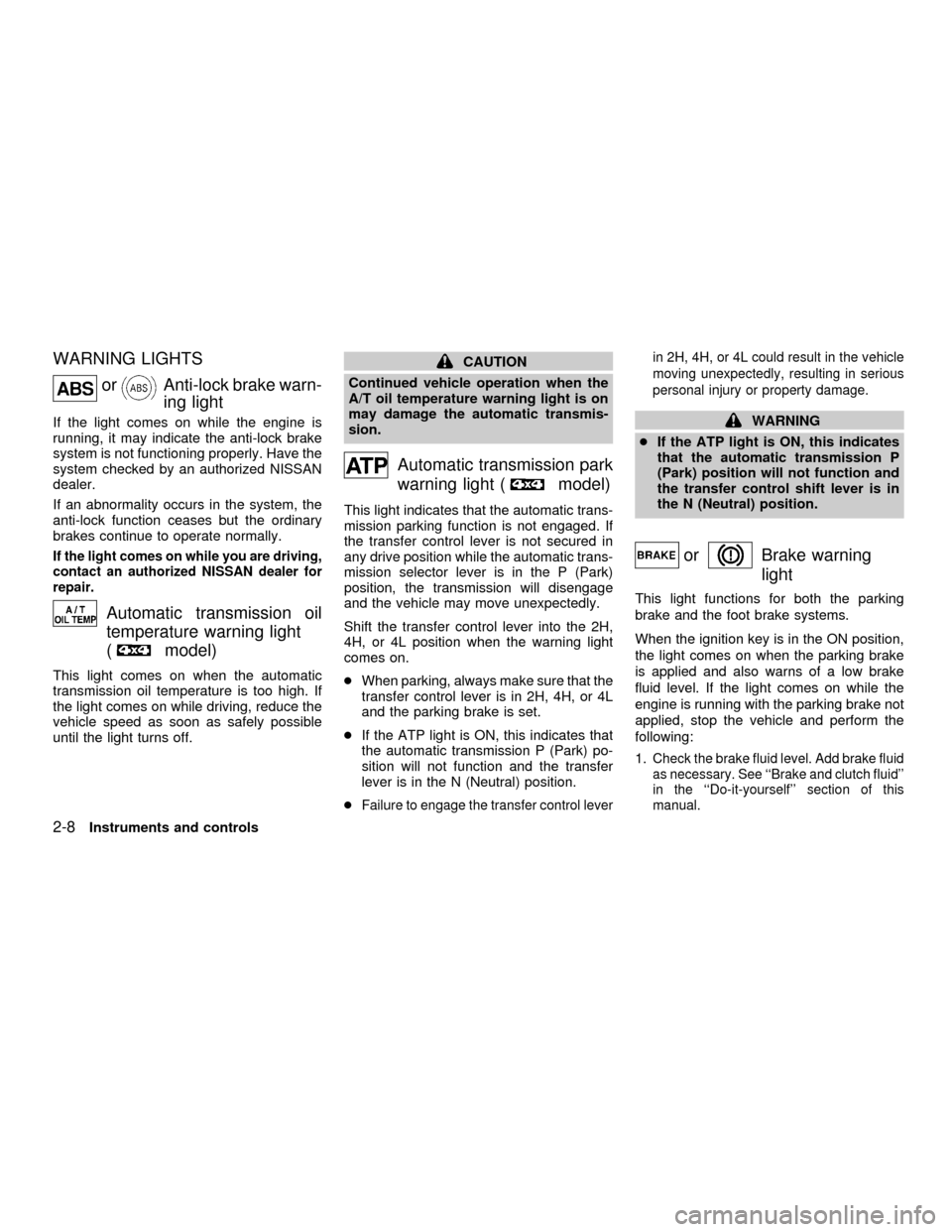
WARNING LIGHTS
orAnti-lock brake warn-
ing light
If the light comes on while the engine is
running, it may indicate the anti-lock brake
system is not functioning properly. Have the
system checked by an authorized NISSAN
dealer.
If an abnormality occurs in the system, the
anti-lock function ceases but the ordinary
brakes continue to operate normally.
If the light comes on while you are driving,
contact an authorized NISSAN dealer for
repair.
Automatic transmission oil
temperature warning light
(
model)
This light comes on when the automatic
transmission oil temperature is too high. If
the light comes on while driving, reduce the
vehicle speed as soon as safely possible
until the light turns off.
CAUTION
Continued vehicle operation when the
A/T oil temperature warning light is on
may damage the automatic transmis-
sion.
Automatic transmission park
warning light (
model)
This light indicates that the automatic trans-
mission parking function is not engaged. If
the transfer control lever is not secured in
any drive position while the automatic trans-
mission selector lever is in the P (Park)
position, the transmission will disengage
and the vehicle may move unexpectedly.
Shift the transfer control lever into the 2H,
4H, or 4L position when the warning light
comes on.
cWhen parking, always make sure that the
transfer control lever is in 2H, 4H, or 4L
and the parking brake is set.
cIf the ATP light is ON, this indicates that
the automatic transmission P (Park) po-
sition will not function and the transfer
lever is in the N (Neutral) position.
c
Failure to engage the transfer control leverin 2H, 4H, or 4L could result in the vehicle
moving unexpectedly, resulting in serious
personal injury or property damage.
WARNING
cIf the ATP light is ON, this indicates
that the automatic transmission P
(Park) position will not function and
the transfer control shift lever is in
the N (Neutral) position.
orBrake warning
light
This light functions for both the parking
brake and the foot brake systems.
When the ignition key is in the ON position,
the light comes on when the parking brake
is applied and also warns of a low brake
fluid level. If the light comes on while the
engine is running with the parking brake not
applied, stop the vehicle and perform the
following:
1.
Check the brake fluid level. Add brake fluid
as necessary. See ``Brake and clutch fluid''
in the ``Do-it-yourself'' section of this
manual.
2-8Instruments and controls
ZX
Page 65 of 290
2. If the brake fluid level is correct, have the
warning system checked by an autho-
rized NISSAN dealer.
WARNING
c
Your brake system may not be work-
ing properly if the warning light is on.
Driving could be dangerous. If you
judge it to be safe, drive carefully to
the nearest service station for repairs.
Otherwise have your vehicle towed
because driving it could be danger-
ous.
cPressing the brake pedal with the
engine stopped and/or low brake
fluid level may increase your stop-
ping distance and require greater
pedal effort as well as pedal travel.
cIf the brake fluid level is below the
MINIMUM or MIN mark on the brake
fluid reservoir, do not drive until the
brake system has been checked at
an authorized NISSAN dealer.
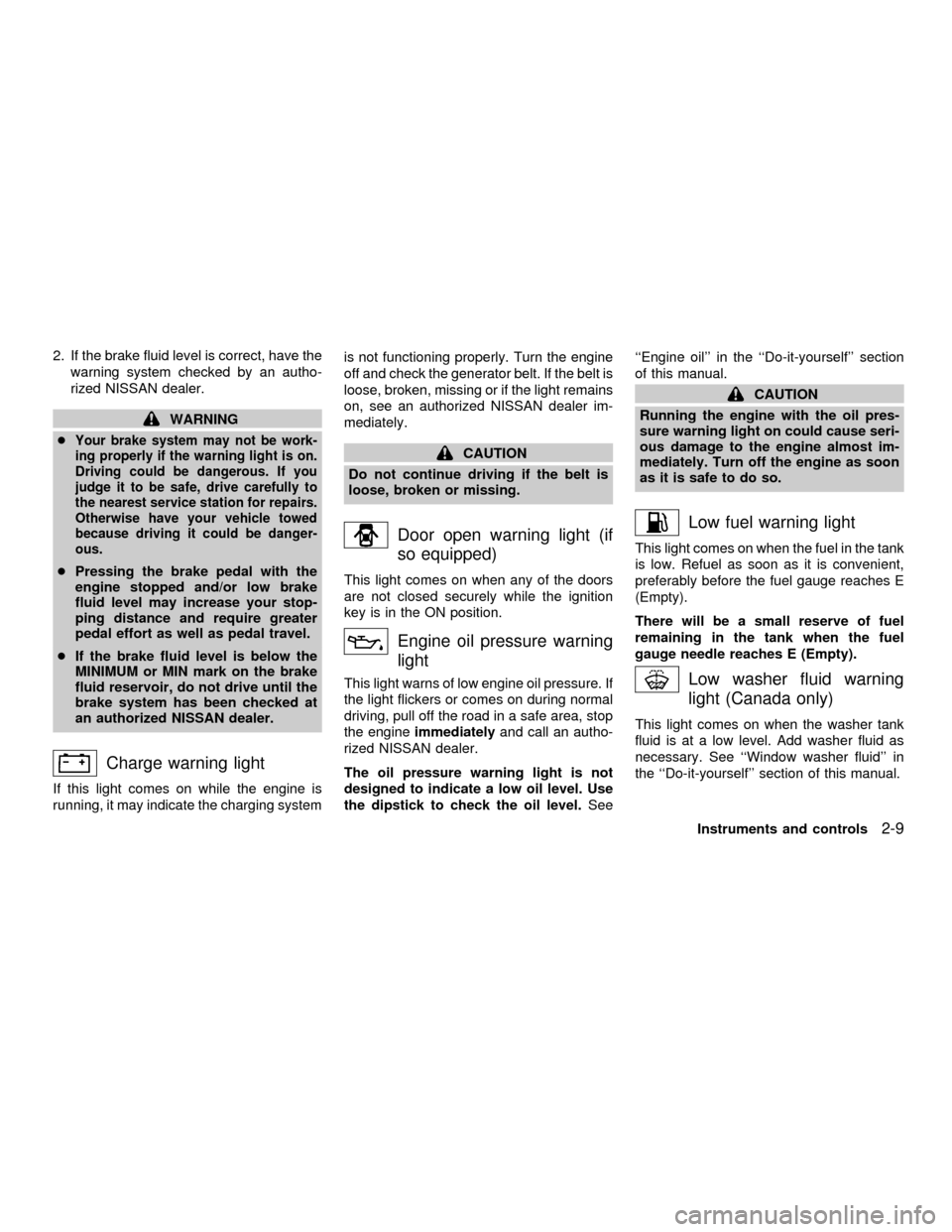
Charge warning light
If this light comes on while the engine is
running, it may indicate the charging systemis not functioning properly. Turn the engine
off and check the generator belt. If the belt is
loose, broken, missing or if the light remains
on, see an authorized NISSAN dealer im-
mediately.
CAUTION
Do not continue driving if the belt is
loose, broken or missing.
Door open warning light (if
so equipped)
This light comes on when any of the doors
are not closed securely while the ignition
key is in the ON position.
Engine oil pressure warning
light
This light warns of low engine oil pressure. If
the light flickers or comes on during normal
driving, pull off the road in a safe area, stop
the engineimmediatelyand call an autho-
rized NISSAN dealer.
The oil pressure warning light is not
designed to indicate a low oil level. Use
the dipstick to check the oil level.See``Engine oil'' in the ``Do-it-yourself'' section
of this manual.
CAUTION
Running the engine with the oil pres-
sure warning light on could cause seri-
ous damage to the engine almost im-
mediately. Turn off the engine as soon
as it is safe to do so.
Low fuel warning light
This light comes on when the fuel in the tank
is low. Refuel as soon as it is convenient,
preferably before the fuel gauge reaches E
(Empty).
There will be a small reserve of fuel
remaining in the tank when the fuel
gauge needle reaches E (Empty).
Low washer fluid warning
light (Canada only)
This light comes on when the washer tank
fluid is at a low level. Add washer fluid as
necessary. See ``Window washer fluid'' in
the ``Do-it-yourself'' section of this manual.
Instruments and controls
2-9
ZX