Console NISSAN FRONTIER 2003 D22 / 1.G Owners Manual
[x] Cancel search | Manufacturer: NISSAN, Model Year: 2003, Model line: FRONTIER, Model: NISSAN FRONTIER 2003 D22 / 1.GPages: 272, PDF Size: 3.67 MB
Page 55 of 272

2 Instruments and controls
Instrument panel...................................2-2
Meters and gauges................................2-3
Speedometer and odometer.....................2-3
Tachometer....................................2-5
Engine coolant temperature gauge...............2-5
Fuel gauge....................................2-6
Compass and outside temperature display
(if so equipped)...................................2-6
Outside temperature display.....................2-7
Compass display...............................2-7
Warning/indicator lights and audible reminders.......2-9
Checking bulbs................................2-9
Warning lights................................2-10
Indicator lights................................2-13
Audible reminders.............................2-15
Security systems.................................2-15
Vehicle security system (if so equipped)..........2-15
Windshield wiper and washer switch...............2-18
Switch operation..............................2-18
Rear window defroster switch
(Crew Cab models only)..........................2-19
Headlight and turn signal switch....................2-20Headlight control switch........................2-20
Fog light switch (if so equipped)...................2-22
Hazard warning flasher switch.....................2-22
Cargo lamp switch...............................2-23
Horn............................................2-23
Vehicle dynamic control (VDC) off switch
(if so equipped)..................................2-23
Power outlet (if so equipped)......................2-24
Storage.........................................2-25
Storage compartment..........................2-25
Cup holders..................................2-25
Glove box....................................2-26
Console box..................................2-26
Grocery hooks (King Cab only)..................2-27
Windows........................................2-28
Power windows (if so equipped)................2-28
Manual windows..............................2-30
Rear sliding window (if so equipped)............2-30
Interior lights.....................................2-30
Map lights (if so equipped)........................2-32
Illuminated entry system...........................2-32
Battery saver..................................2-32
ZREVIEW COPY:Ð2003 Truck/Frontier(d22)
Owners Manual(owners)ÐUSA English(nna)
01/15/03Ðarosenma
X
Page 78 of 272
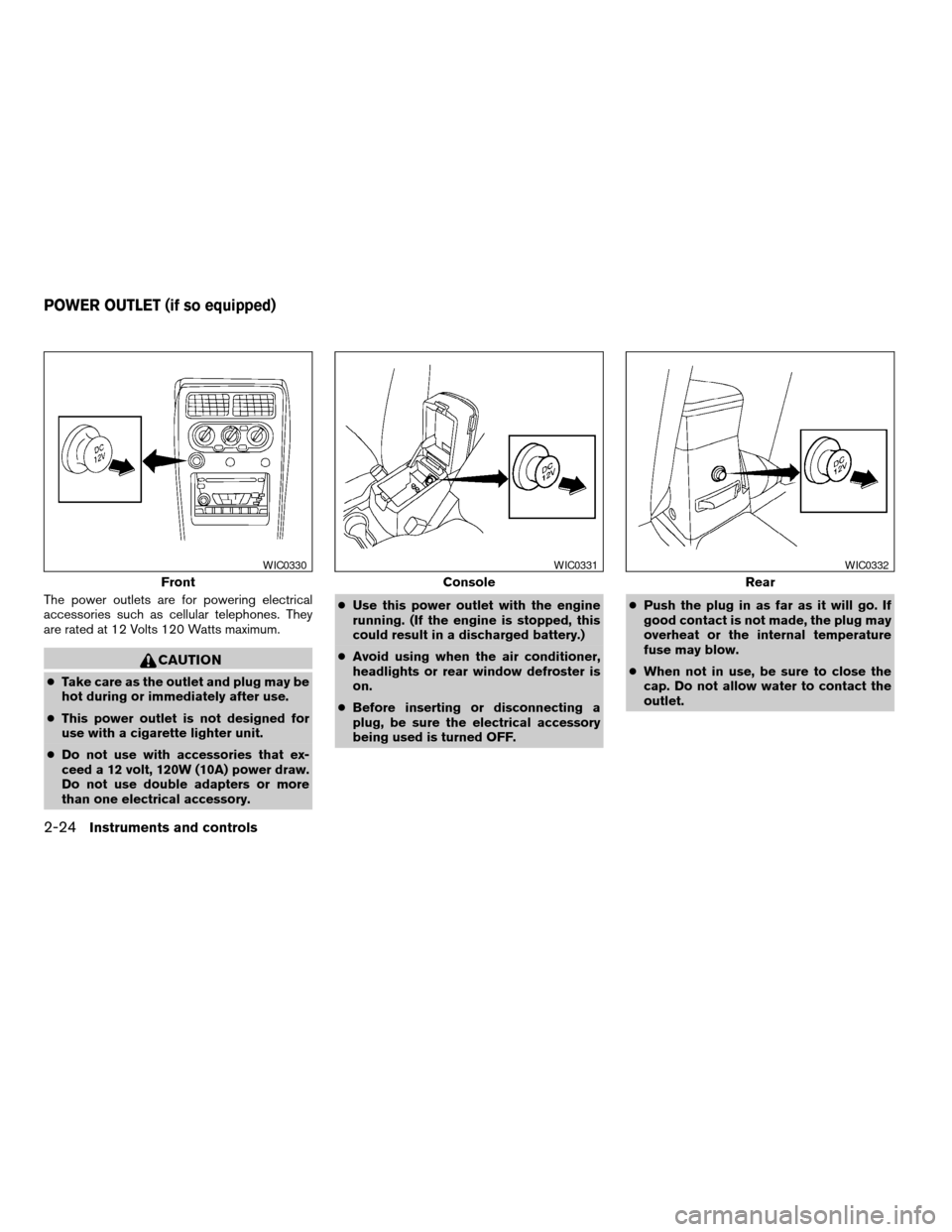
The power outlets are for powering electrical
accessories such as cellular telephones. They
are rated at 12 Volts 120 Watts maximum.
CAUTION
cTake care as the outlet and plug may be
hot during or immediately after use.
cThis power outlet is not designed for
use with a cigarette lighter unit.
cDo not use with accessories that ex-
ceed a 12 volt, 120W (10A) power draw.
Do not use double adapters or more
than one electrical accessory.cUse this power outlet with the engine
running. (If the engine is stopped, this
could result in a discharged battery.)
cAvoid using when the air conditioner,
headlights or rear window defroster is
on.
cBefore inserting or disconnecting a
plug, be sure the electrical accessory
being used is turned OFF.cPush the plug in as far as it will go. If
good contact is not made, the plug may
overheat or the internal temperature
fuse may blow.
cWhen not in use, be sure to close the
cap. Do not allow water to contact the
outlet.
Front
WIC0330
Console
WIC0331
Rear
WIC0332
POWER OUTLET (if so equipped)
2-24Instruments and controls
ZREVIEW COPY:Ð2003 Truck/Frontier(d22)
Owners Manual(owners)ÐUSA English(nna)
01/15/03Ðarosenma
X
Page 80 of 272
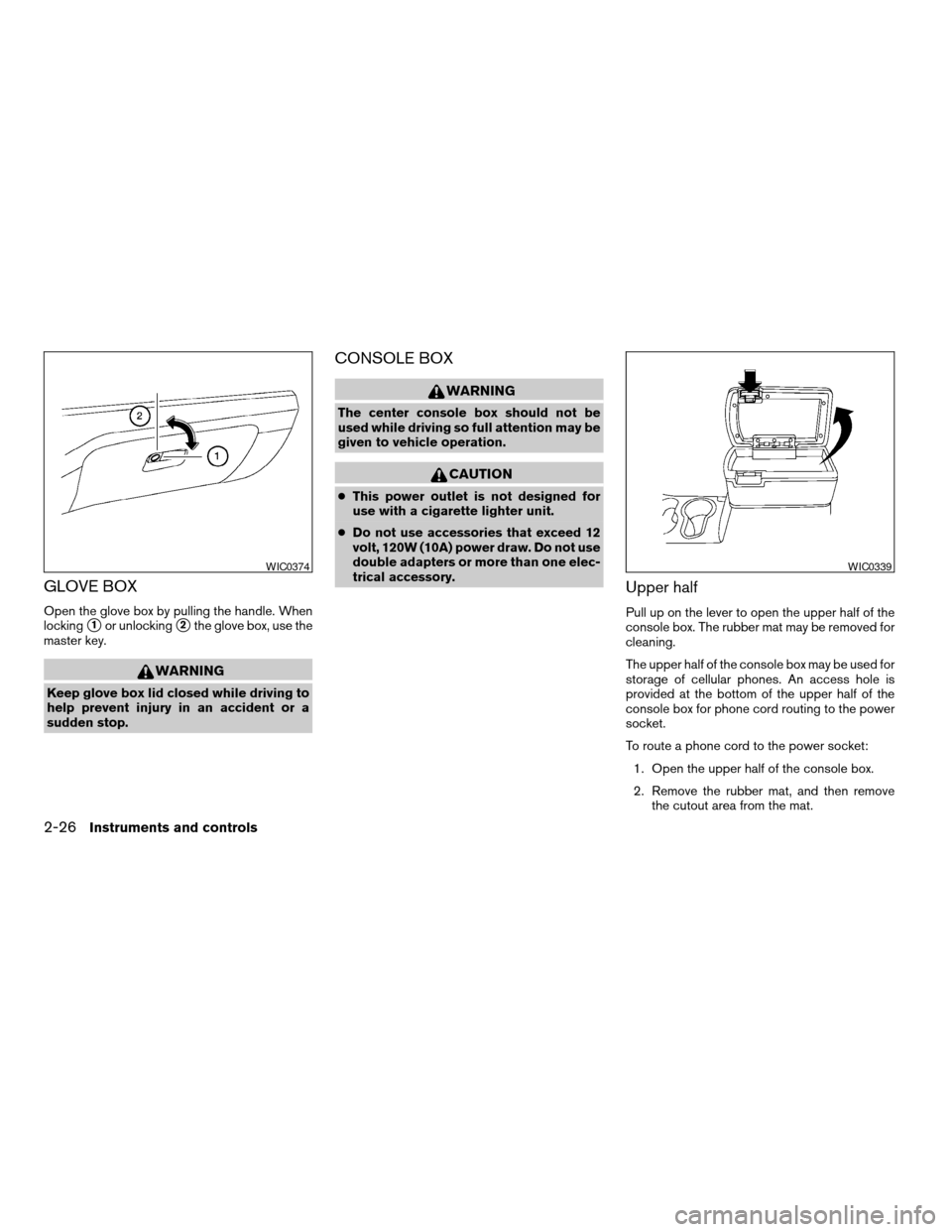
GLOVE BOX
Open the glove box by pulling the handle. When
locking
s1or unlockings2the glove box, use the
master key.
WARNING
Keep glove box lid closed while driving to
help prevent injury in an accident or a
sudden stop.
CONSOLE BOX
WARNING
The center console box should not be
used while driving so full attention may be
given to vehicle operation.
CAUTION
cThis power outlet is not designed for
use with a cigarette lighter unit.
cDo not use accessories that exceed 12
volt, 120W (10A) power draw. Do not use
double adapters or more than one elec-
trical accessory.
Upper half
Pull up on the lever to open the upper half of the
console box. The rubber mat may be removed for
cleaning.
The upper half of the console box may be used for
storage of cellular phones. An access hole is
provided at the bottom of the upper half of the
console box for phone cord routing to the power
socket.
To route a phone cord to the power socket:
1. Open the upper half of the console box.
2. Remove the rubber mat, and then remove
the cutout area from the mat.
WIC0374WIC0339
2-26Instruments and controls
ZREVIEW COPY:Ð2003 Truck/Frontier(d22)
Owners Manual(owners)ÐUSA English(nna)
01/15/03Ðarosenma
X
Page 81 of 272

3. Remove the access hole cover.
4. Install the rubber mat.
5. Route the phone cord through the access
hole and plug into the power socket.
Lower half
Pull up on the lever to open the lower half of the
console box. A power socket is located inside the
console box and there is storage for compact
discs.
GROCERY HOOKS (King Cab only)
The grocery hooks allow for 2 standard size plas-
tic grocery bags to hang side by side.
Do not apply a total load of more than 55 lbs (25
kg) to a single grocery hook.
WIC0340LIC0373
Instruments and controls2-27
ZREVIEW COPY:Ð2003 Truck/Frontier(d22)
Owners Manual(owners)ÐUSA English(nna)
01/15/03Ðarosenma
X