audio NISSAN FRONTIER 2009 Owner´s Manual
[x] Cancel search | Manufacturer: NISSAN, Model Year: 2009, Model line: FRONTIER, Model: NISSAN FRONTIER 2009Pages: 366, PDF Size: 6.43 MB
Page 207 of 366
The transfer procedure varies according to each
cellular phone. See the cellular phone Owner’s
Manual for details. You can also visit
www.nissanusa.com/bluetooth for instructions
on transferring phone numbers from NISSAN
recommended cellular phones.
The system repeats the number and prompts you
for the next command. When you have finished
entering numbers, choose “Store.”
The system confirms the name, location and
number, then announces that the entry has been
stored. The system then ends the VR session.
“Delete”
sC
Use the Delete command to erase one entry from
the phone book, all entries from the phone book,
the current redial number or the current call back
number.
To delete entries from the phone book, say a
name or “All entries” when prompted by the sys-
tem.
The system acknowledges the command and
asks you to confirm the deletion.
To delete the current redial number or call back
number, say “redial number” or “call back num-
ber” when prompted by the system.If a redial number or a call back number exists, the
system deletes them without asking for confirma-
tion.
If there is no number for the entry you are trying to
delete, the system says so and ends the VR
session.
“List names”
sD
Use the List Names command to hear all the
names and locations in the phone book.
The system recites the phone book entries but
does not include the actual phone numbers.
When the playback of the list is complete, the
system goes back to the main menu.
You can stop the playback of the list at any time
by pressing the
button on the steering
wheel. The system ends the VR session.
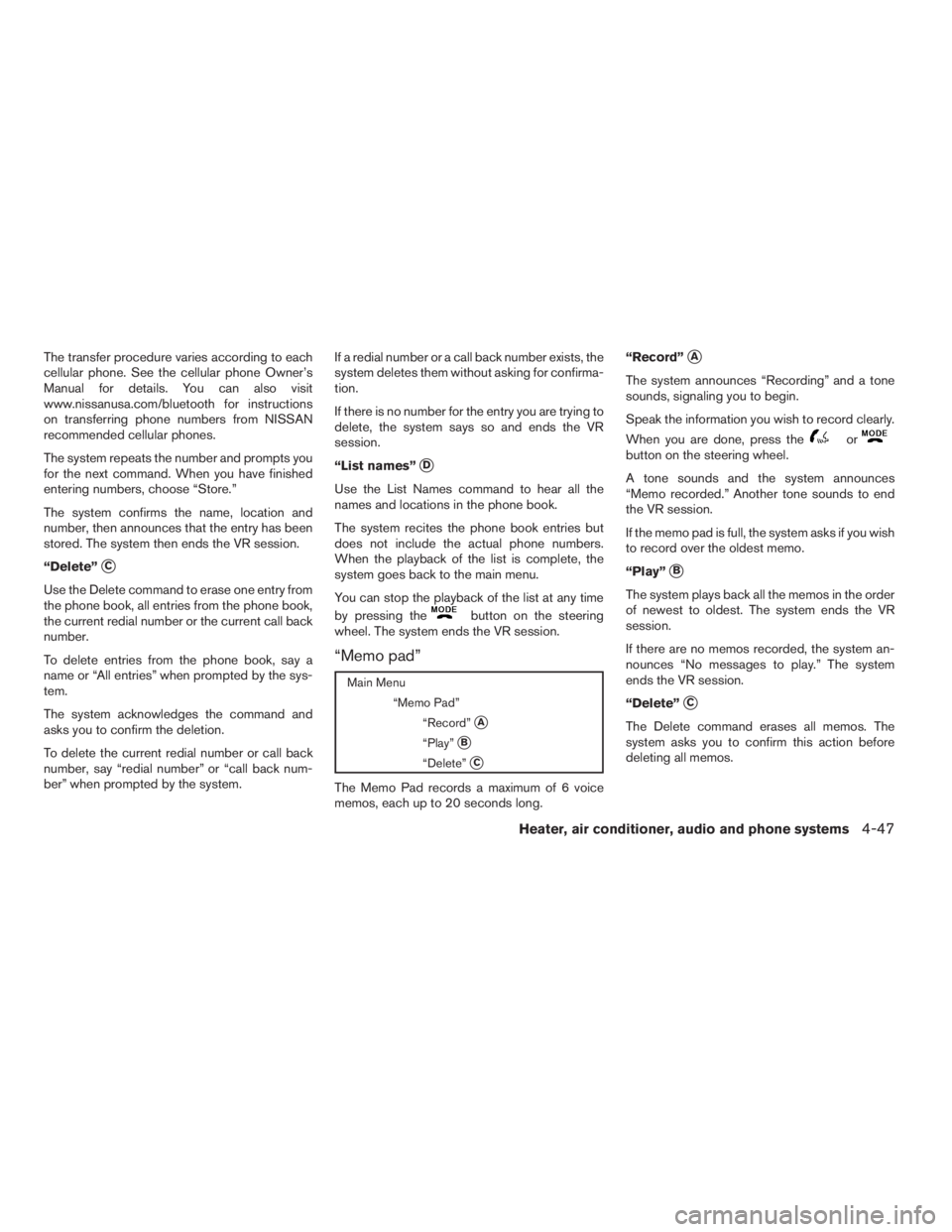
“Memo pad”
Main Menu
“Memo Pad”
“Record”
sA
“Play”sB
“Delete”sC
The Memo Pad records a maximum of 6 voice
memos, each up to 20 seconds long.“Record”
sA
The system announces “Recording” and a tone
sounds, signaling you to begin.
Speak the information you wish to record clearly.
When you are done, press the
orbutton on the steering wheel.
A tone sounds and the system announces
“Memo recorded.” Another tone sounds to end
the VR session.
If the memo pad is full, the system asks if you wish
to record over the oldest memo.
“Play”
sB
The system plays back all the memos in the order
of newest to oldest. The system ends the VR
session.
If there are no memos recorded, the system an-
nounces “No messages to play.” The system
ends the VR session.
“Delete”
sC
The Delete command erases all memos. The
system asks you to confirm this action before
deleting all memos.
Heater, air conditioner, audio and phone systems4-47
ZREVIEW COPYÐ2009 08+ Truck/Frontier(fro)
Owners ManualÐUSA_English(nna)
05/27/08Ðdebbie
X
Page 208 of 366
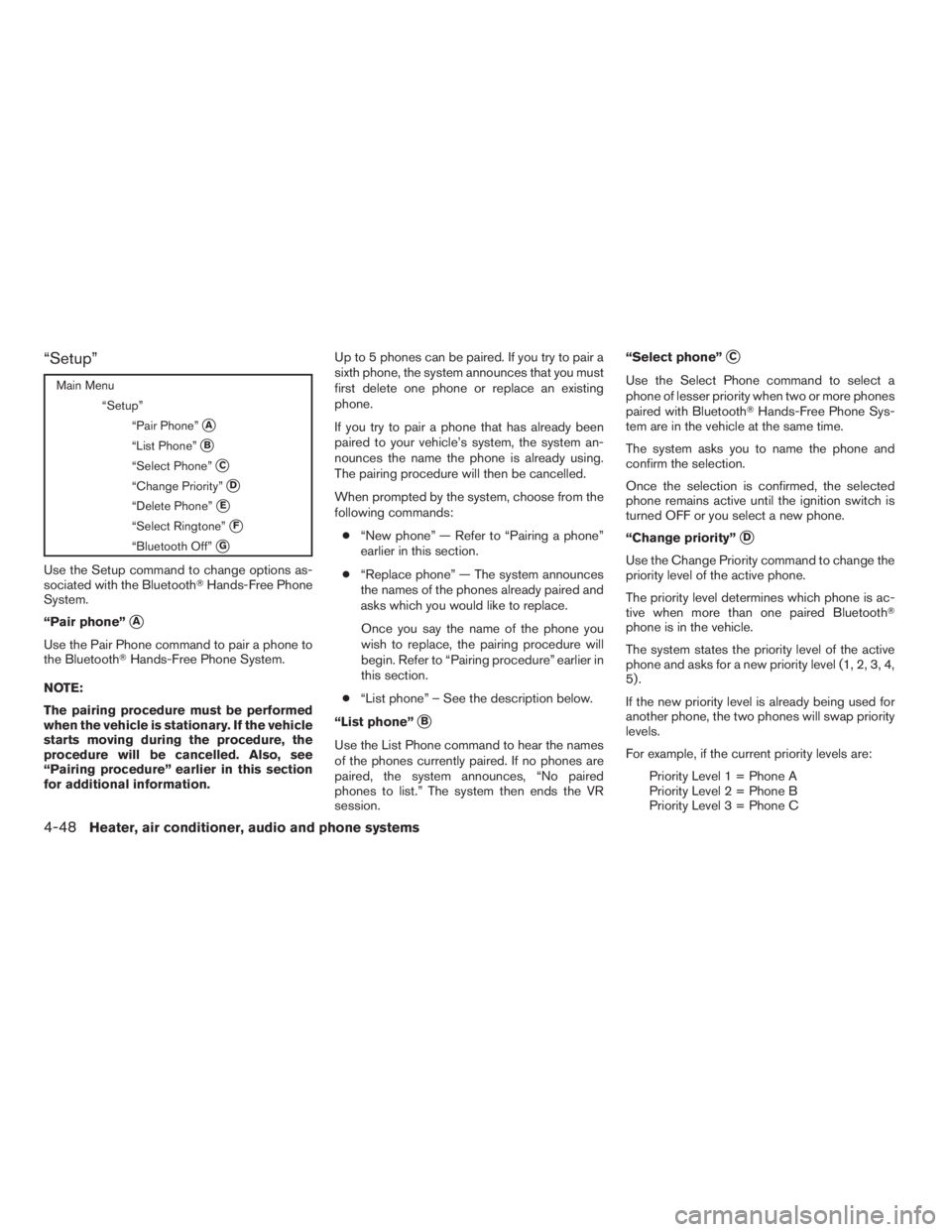
“Setup”
Main Menu
“Setup”
“Pair Phone”
sA
“List Phone”sB
“Select Phone”sC
“Change Priority”sD
“Delete Phone”sE
“Select Ringtone”sF
“Bluetooth Off”sG
Use the Setup command to change options as-
sociated with the BluetoothTHands-Free Phone
System.
“Pair phone”
sA
Use the Pair Phone command to pair a phone to
the BluetoothTHands-Free Phone System.
NOTE:
The pairing procedure must be performed
when the vehicle is stationary. If the vehicle
starts moving during the procedure, the
procedure will be cancelled. Also, see
“Pairing procedure” earlier in this section
for additional information.Up to 5 phones can be paired. If you try to pair a
sixth phone, the system announces that you must
first delete one phone or replace an existing
phone.
If you try to pair a phone that has already been
paired to your vehicle’s system, the system an-
nounces the name the phone is already using.
The pairing procedure will then be cancelled.
When prompted by the system, choose from the
following commands:
c“New phone” — Refer to “Pairing a phone”
earlier in this section.
c“Replace phone” — The system announces
the names of the phones already paired and
asks which you would like to replace.
Once you say the name of the phone you
wish to replace, the pairing procedure will
begin. Refer to “Pairing procedure” earlier in
this section.
c“List phone” – See the description below.
“List phone”
sB
Use the List Phone command to hear the names
of the phones currently paired. If no phones are
paired, the system announces, “No paired
phones to list.” The system then ends the VR
session.“Select phone”
sC
Use the Select Phone command to select a
phone of lesser priority when two or more phones
paired with BluetoothTHands-Free Phone Sys-
tem are in the vehicle at the same time.
The system asks you to name the phone and
confirm the selection.
Once the selection is confirmed, the selected
phone remains active until the ignition switch is
turned OFF or you select a new phone.
“Change priority”
sD
Use the Change Priority command to change the
priority level of the active phone.
The priority level determines which phone is ac-
tive when more than one paired BluetoothT
phone is in the vehicle.
The system states the priority level of the active
phone and asks for a new priority level (1, 2, 3, 4,
5) .
If the new priority level is already being used for
another phone, the two phones will swap priority
levels.
For example, if the current priority levels are:
Priority Level 1 = Phone A
Priority Level 2 = Phone B
Priority Level 3 = Phone C
4-48Heater, air conditioner, audio and phone systems
ZREVIEW COPYÐ2009 08+ Truck/Frontier(fro)
Owners ManualÐUSA_English(nna)
05/27/08Ðdebbie
X
Page 209 of 366
and you change the priority level of Phone C to
Level 1, then:
Priority Level 1 = Phone C
Priority Level 2 = Phone B
Priority Level 3 = Phone A
“Delete phone”
sE
Use the Delete Phone command to delete a
specific phone or all phones from the BluetoothT
Hands-Free Phone System.
The system announces the names of the phones
already paired with the system and their priority
level. The system then gives you the option to
delete a specific phone, all phones or listen to the
list again.
Once you choose to delete a phone or all phones,
the system asks you to confirm this action.
NOTE:
When you delete a phone, the associated
phone book for that phone will also be
deleted.
“Select ringtone”
sF
Use the Select Ringtone command to select the
tone heard in the vehicle when an incoming call is
received.The system announces the name of the active
phone and asks you to choose from the following
commands:
c“
Ringtone” — The system plays a ringtone and
asks if you would like to select that tone. If you
say “No”, the system plays the next ringtone
available and continues to cycle through the
ringtones until you select one or quit.
c“Silent” — The system asks you to confirm
your wish to disable the ringtone.
“Bluetooth off”
sG
Use the Bluetooth Off command to turn off the
BluetoothTHands-Free Phone System.
When the BluetoothTHands-Free Phone Sys-
tem is off, you will not be able to make or receive
calls using NISSAN Voice Recognition. Also, you
will not have access to the Phone Book.
You can still use the Memo Pad and access
Setup.
SPEAKER ADAPTATION (SA) MODE
Speaker Adaptation allows up to two out-of-
dialect users to train the system to improve rec-
ognition accuracy. By repeating a number of
commands, the users can create a voice model of
their own voice that is stored in the system. The
system is capable of storing a different speaker
adaptation model for memory A and memory B.If memory A is available, the system will use
memory A to store the model. If memory A is in
use and memory B is available, the system will
use memory B to store the model. If both of the
memory locations are in use, the system will ask
the user to select which memory location should
be overwritten.
Training procedure
The procedure for training a voice is as follows.
1. Position the vehicle in a reasonably quiet
outdoor location.
2. Sit in the driver’s seat with the engine run-
ning, the parking brake on, and the transmis-
sion in P (Park) .
3. Press and hold the
button for more
than 5 seconds.
4. The system announces: “Press the PHONE/
SEND (
) button for the hands-free
phone system to enter the speaker adapta-
tion mode or press the PHONE/END
(
) button to select a different lan-
guage.”
5. Press the
button.
For information on selecting a different lan-
guage, see “Choosing a language” earlier in
this section.
Heater, air conditioner, audio and phone systems4-49
ZREVIEW COPYÐ2009 08+ Truck/Frontier(fro)
Owners ManualÐUSA_English(nna)
05/27/08Ðdebbie
X
Page 210 of 366
6. Voice memory A or memory B is selected
automatically. If both memory locations are
already in use, the system will prompt you to
overwrite one. Follow the instructions pro-
vided by the system.
7. When preparation is complete and you are
ready to begin, press the
button.
8. The SA mode will be explained. Follow the
instructions provided by the system.
9. When training is finished, the system will tell
you an adequate number of phrases have
been recorded.
10. The system will ask you to say your name.
Follow the instructions to register your
name.
11. The system will announce that speaker ad-
aptation has been completed and the sys-
tem is ready.
The SA mode will stop if:
cThe
button is pressed for more than 5
seconds in SA mode.
cThe vehicle begins moving during SA mode.
cThe ignition switch is turned to the OFF or
LOCK position.
Training phrases
During the SA mode, the system instructs the
trainer to say the following phrases. (The system
will prompt you for each phrase.)
cphone book new entry
cdial three oh four two nine
cdelete call back number
csetup pair phone
cmemo pad play
ceight pause nine three two pause seven
cdelete all entries
ccall seven two four zero nine
cphone book delete entry
cmemo pad record
cdial star two one seven oh
cYe s
cNo
cselect ring tone
cdial eight five six nine two
cBluetooth on
csetup change priority
ccall three one nine oh twocnine seven pause pause three oh eight
cCancel
ccall back number
ccall star two zero nine five
cdelete phone
cdial eight three zero five one
cHome
cfour three pause two nine pause zero
cdelete redial number
cphone book list names
ccall eight oh five four one
cCorrection
csetup change ring tone
cdial seven four oh one eight
csetup main menu
cDelete
cdial nine seven two six six
cmemo pad delete
ccall seven six three oh one
cgo back
ccall five six two eight zero
cdial six six four three seven
4-50Heater, air conditioner, audio and phone systems
ZREVIEW COPYÐ2009 08+ Truck/Frontier(fro)
Owners ManualÐUSA_English(nna)
05/27/08Ðdebbie
X
Page 211 of 366
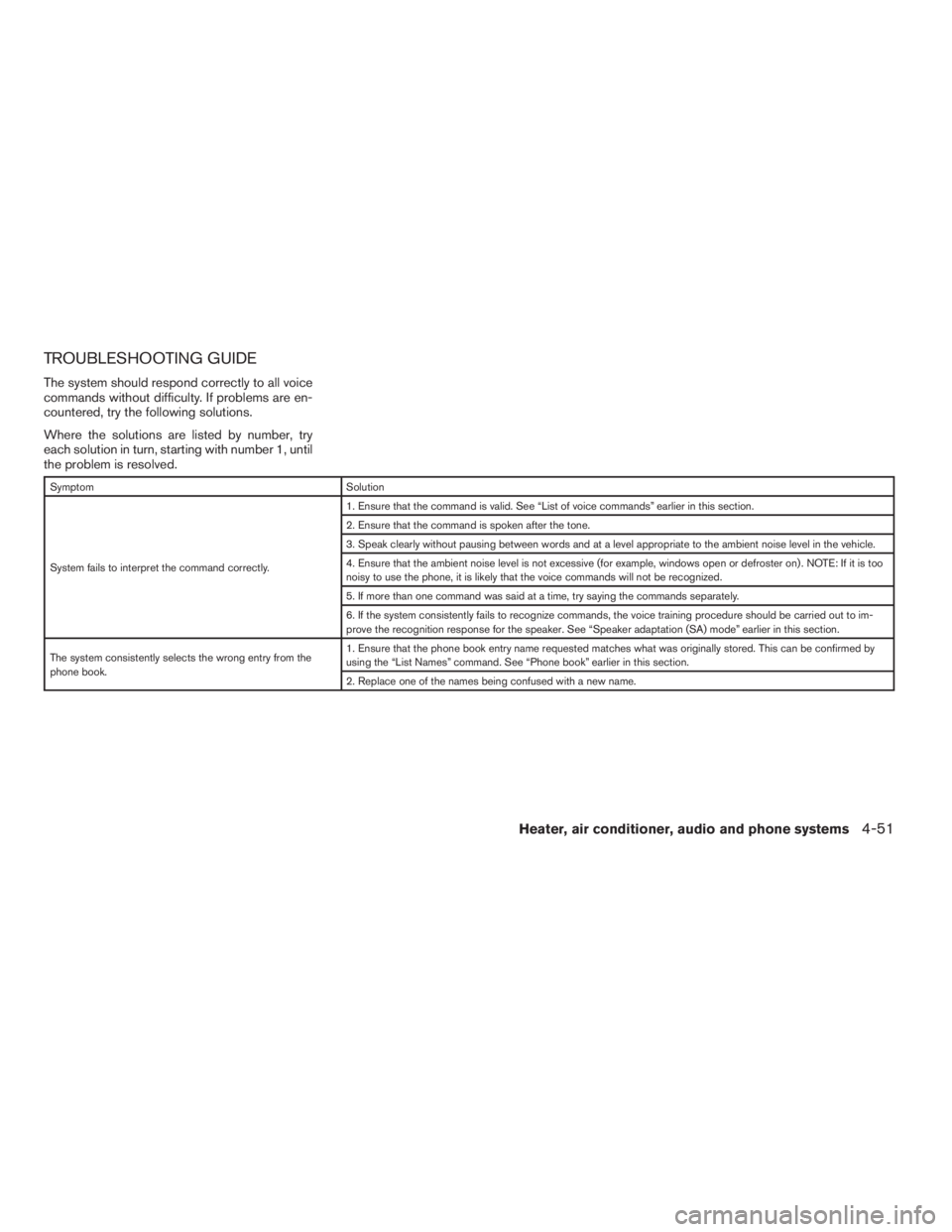
TROUBLESHOOTING GUIDE
The system should respond correctly to all voice
commands without difficulty. If problems are en-
countered, try the following solutions.
Where the solutions are listed by number, try
each solution in turn, starting with number 1, until
the problem is resolved.
Symptom Solution
System fails to interpret the command correctly.1. Ensure that the command is valid. See “List of voice commands” earlier in this section.
2. Ensure that the command is spoken after the tone.
3. Speak clearly without pausing between words and at a level appropriate to the ambient noise level in the vehicle.
4. Ensure that the ambient noise level is not excessive (for example, windows open or defroster on) . NOTE: If it is too
noisy to use the phone, it is likely that the voice commands will not be recognized.
5. If more than one command was said at a time, try saying the commands separately.
6. If the system consistently fails to recognize commands, the voice training procedure should be carried out to im-
prove the recognition response for the speaker. See “Speaker adaptation (SA) mode” earlier in this section.
The system consistently selects the wrong entry from the
phone book.1. Ensure that the phone book entry name requested matches what was originally stored. This can be confirmed by
using the “List Names” command. See “Phone book” earlier in this section.
2. Replace one of the names being confused with a new name.
Heater, air conditioner, audio and phone systems4-51
ZREVIEW COPYÐ2009 08+ Truck/Frontier(fro)
Owners ManualÐUSA_English(nna)
05/27/08Ðdebbie
X
Page 359 of 366
10 Index
4WD warning light...............2-16
A
Active brake limited slip (ABLS) system
(if so equipped).................5-34
Active Head Restraint..............1-6
Air bag (See supplemental restraint
system).....................1-52
Air bag system
Front (See supplemental front impact
air bag system)...............1-60
Air bag warning labels.............1-67
Air bag warning light...........1-67, 2-18
Air cleaner housing filter............8-20
Air conditioner
Air conditioner operation.......4-5, 4-13
Air conditioner service...........4-17
Air conditioner specification label.....9-12
Air conditioner system refrigerant and
oil recommendations.............9-7
Heater and air conditioner
controls.................4-2, 4-10
Servicing air conditioner..........4-17
Air flow charts...............4-7, 4-14
Alarm system
(See vehicle security system).........2-23
Anchor point locations.............1-27
Antenna.....................4-36
Anti-lock brake warning light..........2-14
Anti-lock Braking System (ABS)........5-33Audible reminders................2-22
Audio system..................4-18
Compact Disc (CD) changer. . . .4-29, 4-33
Compact disc (CD) player.........4-27
FM-AM radio with compact disc (CD)
changer...................4-29
FM/AM radio with compact disc (CD)
player....................4-25
Radio....................4-18
Steering wheel audio control switch. . . .4-36
Autolight switch.................2-28
Automatic
Automatic power window switch.....2-47
Automatic transmission position indicator
light.....................2-18
Driving with automatic transmission. . . .5-13
Automatic anti-glare inside mirror.......3-14
AUX jack.....................4-34
B
Battery......................8-16
Charge warning light............2-15
Before starting the engine...........5-12
Belt (See drive belt)..............8-18
Block heater
Engine....................5-39
BluetoothThands-free phone system.....4-37
Booster seats..................1-46
Brake
Anti-lock Braking System (ABS)......5-33Brake fluid..................8-14
Brake light (See stop light).........8-30
Brake system................5-32
Brake warning light.............2-15
Brake wear indicators........2-22, 8-23
Parking brake operation..........5-19
Self-adjusting brakes............8-23
Brakes......................8-23
Break-in schedule................5-21
Brightness control
Instrument panel..............2-30
Bulb check/instrument panel..........2-14
Bulb replacement................8-30
C
Capacities and recommended
fuel/lubricants...................9-2
Car phone or CB radio.............4-37
Cargo light switch...............2-32
Cargo (See vehicle loading information) . . .9-13
CD care and cleaning.............4-35
CD changer (See audio system). . . .4-29, 4-33
CD player (See audio system).........4-27
Child restraint with top tether strap......1-24
Child restraints..........1-14, 1-21, 1-23
Precautions on child
restraints............1-21, 1-32, 1-46
Top tether strap anchor point locations . .1-27
Child safety rear door lock............3-6
Chimes, audible reminders...........2-22
ZREVIEW COPYÐ2009 08+ Truck/Frontier(fro)
Owners ManualÐUSA_English(nna)
05/27/08Ðdebbie
X
Page 360 of 366
Cleaning exterior and interior..........7-2
Clock......................4-26
Clutch
Clutch fluid.................8-15
Clutch interlock (clutch start) switch.....2-35
C.M.V.S.S. certification label..........9-11
Cold weather driving..............5-37
Compact disc (CD) player...........4-27
Compass display.................2-9
Console box...................2-40
Controls
Audio controls (steering wheel)......4-36
Heater and air conditioner
controls.................4-2, 4-10
Coolant
Capacities and recommended
fuel/lubricants.................9-2
Changing engine coolant..........8-9
Checking engine coolant level........8-8
Engine coolant temperature gauge.....2-6
Corrosion protection...............7-5
Cruise control..................5-20
Cup holders...................2-42
Curtain side-impact and rollover air bag . . .1-64
D
Daytime running light system
(Canada only)..................2-29
Defogger switch
Rear window defogger switch.......2-26
Dimensions and weights.............9-9
Dimmer switch for instrument panel......2-30
Door locks....................3-3
Door open warning light............2-15Drive belt....................8-18
Driving
Cold weather driving............5-37
Driving with automatic transmission. . . .5-13
Driving with manual transmission.....5-17
Precautions when starting and driving . . .5-2
E
Economy - fuel.................5-22
Electronic locking rear differential (E-Lock)
system......................5-30
Electronic locking rear differential (E-Lock)
system switch..................2-34
Emission control information label.......9-12
Emission control system warranty.......9-37
Engine
Before starting the engine.........5-12
Block heater.................5-39
Capacities and recommended
fuel/lubricants.................9-2
Changing engine coolant..........8-9
Changing engine oil............8-11
Changing engine oil filter..........8-12
Checking engine coolant level........8-8
Checking engine oil level..........8-9
Engine compartment check locations. . . .8-6
Engine coolant temperature gauge.....2-6
Engine cooling system............8-8
Engine oil...................8-9
Engine oil and oil filter recommendation . .9-6
Engine oil pressure warning light.....2-15
Engine oil viscosity..............9-6
Engine serial number............9-11
Engine specifications.............9-8Starting the engine.............5-12
Engine oil pressure gauge............2-8
Event data recorders..............9-38
Exhaust gas (Carbon monoxide)........5-2
F
First aid kit....................6-2
Flashers
(See hazard warning flasher switch)......2-31
Flat tire......................6-3
Floor mat positioning aid.............7-4
Fluid
Brake fluid..................8-14
Capacities and recommended
fuel/lubricants.................9-2
Clutch fluid.................8-15
Engine coolant................8-8
Engine oil...................8-9
Power steering fluid.............8-13
Window washer fluid............8-15
F.M.V.S.S. certification label..........9-11
Fog light switch.................2-30
Front air bag system (See supplemental
restraint system)................1-60
Front seats....................1-2
Fuel
Capacities and recommended
fuel/lubricants.................9-2
Fuel economy................5-22
Fuel gauge..................2-7
Fuel octane rating..............9-5
Fuel recommendation............9-4
Fuel-filler cap................3-10
Fuel-filler door and cap...........3-10
10-2
ZREVIEW COPYÐ2009 08+ Truck/Frontier(fro)
Owners ManualÐUSA_English(nna)
05/27/08Ðdebbie
X
Page 363 of 366
Compact Disc (CD) changer. . . .4-29, 4-33
FM-AM radio with compact disc (CD)
changer...................4-29
FM/AM radio with compact disc (CD)
player....................4-25
Steering wheel audio control switch. . . .4-36
Readiness for inspection maintenance (I/M)
test........................9-37
Rear power windows..............2-47
Rear sliding window..............2-48
Rear window defogger switch.........2-26
Recorders
Event data..................9-38
Refrigerant recommendation..........9-7
Registering your vehicle in another country . .9-10
Remote keyless entry system..........3-6
Reporting safety defects (US only)......9-37
Roof rack....................2-44
S
Safety
Child safety rear door lock..........3-6
Child seat belts........1-21, 1-32, 1-46
Reporting safety defects (US only). . . .9-37
Seat
Jump seat...................1-5
Seat adjustment
Front manual seat adjustment........1-2
Front power seat adjustment........1-4
Seat belt
Child safety.................1-14
Infants and small children.........1-14
Injured Person................1-15
Larger children...............1-15Precautions on seat belt usage......1-11
Pregnant women..............1-15
Pre-tensioner seat belt system.......1-65
Seat belt extenders.............1-20
Seat belt maintenance...........1-20
Seat belts..................1-11
Shoulder belt height adjustment......1-19
Three-point type with retractor.......1-15
Seat belt warning light.............2-18
Seatback pockets................2-42
Seats
Adjustment..................1-2
Front seats..................1-2
Heated seats................2-32
Manual front seat adjustment........1-2
Security indicator light.............2-20
Security system (NISSAN vehicle immobilizer
system) , engine start........2-24, 3-2, 5-11
Self-adjusting brakes..............8-23
Service manual order form...........9-39
Servicing air conditioner............4-17
Shift lock release................5-15
Shifting
Automatic transmission...........5-13
Manual transmission............5-17
Shoulder belt height adjustment........1-19
Side air bag system (See supplemental side air
bag, curtain and rollover air bag systems). . .1-64
Spark plug replacement............8-19
Speedometer...................2-4
SRS warning label...............1-67
Starting
Before starting the engine.........5-12
Jump starting.................6-9
Precautions when starting and driving . . .5-2
Push starting................6-11Starting the engine.............5-12
Steering
Power steering fluid.............8-13
Power steering system...........5-32
Tilting steering wheel............3-12
Steering wheel audio control switch......4-36
Stop light....................8-30
Storage.....................2-37
Storage tray...............2-37, 2-39
Sun visors....................3-12
Sunglasses case................2-40
Sunroof (see Moonroof)............2-48
Supplemental air bag warning labels.....1-67
Supplemental air bag warning light . . .1-67, 2-18
Supplemental front impact air bag system . .1-60
Supplemental restraint system
Information and warning labels.......1-67
Precautions on supplemental restraint
system....................1-52
Supplemental restraint system
(Supplemental air bag system).........1-52
Switch
Autolight switch...............2-28
Automatic power window switch.....2-47
Clutch interlock (clutch start) switch . . .2-35
Electronic locking rear differential (E-Lock)
system switch................2-34
Fog light switch...............2-30
Hazard warning flasher switch.......2-31
Headlight and turn signal switch......2-27
Headlight control switch..........2-27
Hill descent control switch.........2-33
Ignition switch................5-9
Overdrive switch..............5-16
Power door lock switch...........3-4
Rear window defogger switch.......2-26
10-5
ZREVIEW COPYÐ2009 08+ Truck/Frontier(fro)
Owners ManualÐUSA_English(nna)
05/27/08Ðdebbie
X