horn NISSAN FRONTIER 2010 Owner´s Manual
[x] Cancel search | Manufacturer: NISSAN, Model Year: 2010, Model line: FRONTIER, Model: NISSAN FRONTIER 2010Pages: 373, PDF Size: 6.21 MB
Page 12 of 373

1. Vents (P. 4-2)
2. Headlight/fog light (if so equipped)/turn
signal switch (P. 2-26)
3. Steering wheel switch for audio control
(if so equipped)/BluetoothTHands-
Free Phone System (if so equipped)
(P. 4-35, P. 4-37)
4. Driver supplemental air bag/horn
(P. 1-57, P. 2-31)
5. Meters, gauges and warning/indicator
lights (P. 2-3, 2-13)
6. Cruise control main/set switches
(if so equipped) (P. 5-20)
7. Windshield wiper/washer switch
(P. 2-25)
8. Storage (P. 2-36)
9. Audio system controls (if so equipped)
(P. 4-17)
10. Front passenger supplemental air bag
(P. 1-57)
11. Upper and lower glove box (P. 2-40)
12. Passenger air bag status light (P. 1-66)
13. Auxiliary audio input jack
(if so equipped) (P. 4-34)
14. Power outlet (P. 2-35)
LIC1422
INSTRUMENT PANEL
0-6Illustrated table of contents
Page 92 of 373
2 Instruments and controls
Instrument panel...................................2-2
Meters and gauges................................2-3
Speedometer and odometer.....................2-4
Trip computer (if so equipped)...................2-5
Tachometer....................................2-6
Engine coolant temperature gauge...............2-6
Fuel gauge....................................2-7
Engine oil pressure gauge (if so equipped)........2-8
Voltmeter (if so equipped).......................2-8
Compass and outside temperature display
(if so equipped)...................................2-9
Outside temperature display.....................2-9
Compass display..............................2-10
Warning/indicator lights and audible reminders......2-13
Checking bulbs...............................2-14
Warning lights................................2-14
Indicator lights................................2-18
Audible reminders.............................2-22
Security systems (if so equipped)..................2-23
Vehicle security system (if so equipped)..........2-23
NISSAN vehicle immobilizer system
(if so equipped)...............................2-24
Windshield wiper and washer switch...............2-25Switch operation..............................2-25
Rear window and outside mirror defroster switch
(if so equipped)..................................2-26
Headlight and turn signal switch....................2-26
Headlight control switch........................2-26
Daytime running light system (Canada only)......2-29
Instrument brightness control...................2-29
Turn signal switch.............................2-30
Fog light switch (if so equipped)................2-30
Hazard warning flasher switch.....................2-30
Horn............................................2-31
Cargo lamp switch...............................2-31
Heated seat (if so equipped).......................2-32
Vehicle Dynamic Control (VDC) off switch
(if so equipped)..................................2-32
Hill descent control switch (if so equipped)..........2-33
Electronic locking rear differential (E-Lock) system
switch (if so equipped)............................2-34
Clutch interlock (clutch start) switch
(if so equipped)..................................2-35
Power outlet.....................................2-35
Storage.........................................2-36
Storage trays.................................2-36
Under-seat storage bins........................2-38
Page 94 of 373

1. Vents (P. 4-2)
2. Headlight/fog light (if so equipped)/turn
signal switch (P. 2-26)
3. Steering wheel switch for audio control
(if so equipped)/BluetoothTHands-
Free Phone System (if so equipped)
(P. 4-35, P. 4-37)
4. Driver supplemental air bag/horn
(P. 1-57, P. 2-31)
5. Meters, gauges and warning/indicator
lights (P. 2-3, 2-13)
6. Cruise control main/set switches
(if so equipped) (P. 5-20)
7. Windshield wiper/washer switch
(P. 2-25)
8. Storage (P. 2-36)
9. Audio system controls (if so equipped)
(P. 4-17)
10. Front passenger supplemental air bag
(P. 1-57)
11. Upper and lower glove box (P. 2-40)
12. Passenger air bag status light (P. 1-66)
13. Auxiliary audio input jack
(if so equipped) (P. 4-34)
14. Power outlet (P. 2-35)
LIC1422
INSTRUMENT PANEL
2-2Instruments and controls
Page 115 of 373
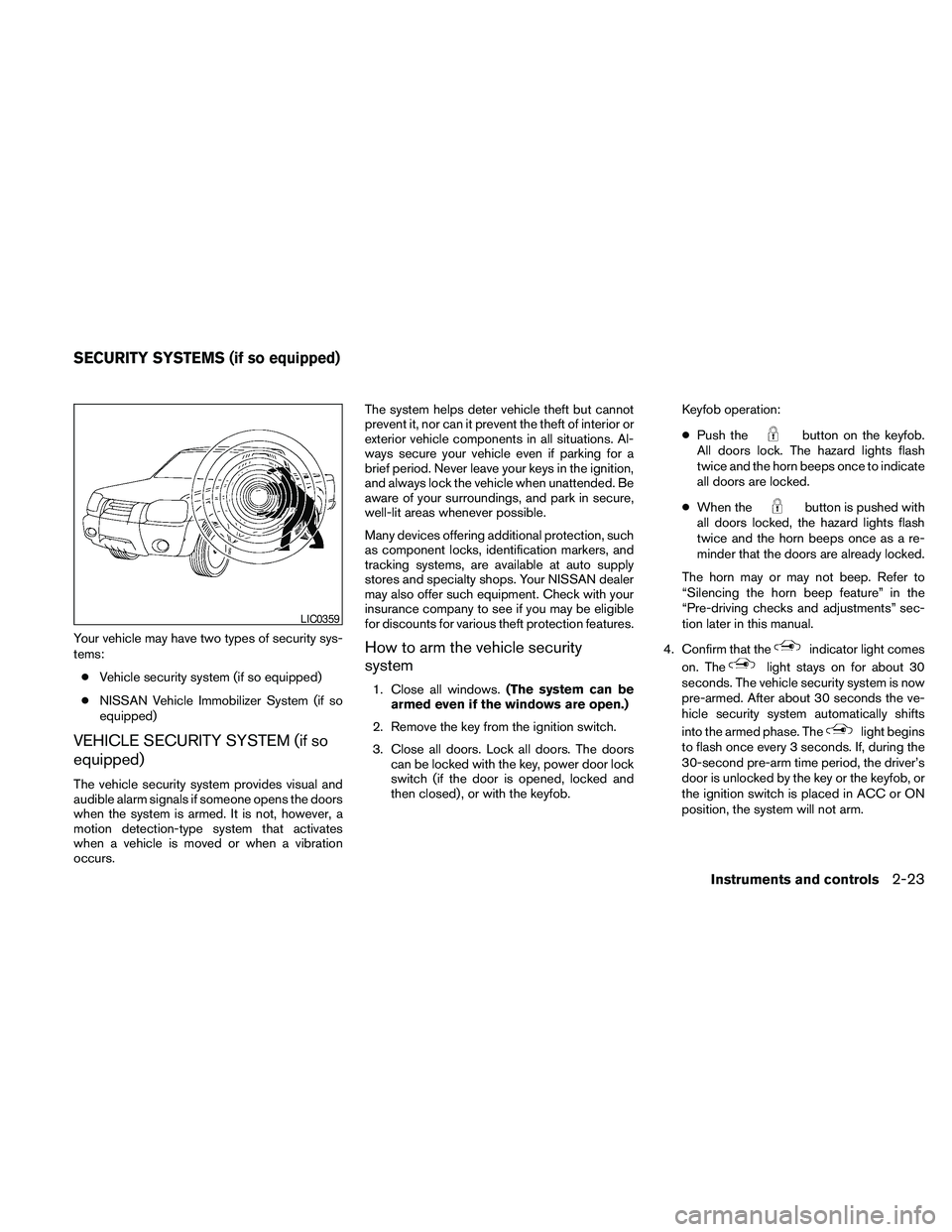
Your vehicle may have two types of security sys-
tems:
cVehicle security system (if so equipped)
cNISSAN Vehicle Immobilizer System (if so
equipped)
VEHICLE SECURITY SYSTEM (if so
equipped)
The vehicle security system provides visual and
audible alarm signals if someone opens the doors
when the system is armed. It is not, however, a
motion detection-type system that activates
when a vehicle is moved or when a vibration
occurs.The system helps deter vehicle theft but cannot
prevent it, nor can it prevent the theft of interior or
exterior vehicle components in all situations. Al-
ways secure your vehicle even if parking for a
brief period. Never leave your keys in the ignition,
and always lock the vehicle when unattended. Be
aware of your surroundings, and park in secure,
well-lit areas whenever possible.
Many devices offering additional protection, such
as component locks, identification markers, and
tracking systems, are available at auto supply
stores and specialty shops. Your NISSAN dealer
may also offer such equipment. Check with your
insurance company to see if you may be eligible
for discounts for various theft protection features.
How to arm the vehicle security
system
1. Close all windows.(The system can be
armed even if the windows are open.)
2. Remove the key from the ignition switch.
3. Close all doors. Lock all doors. The doors
can be locked with the key, power door lock
switch (if the door is opened, locked and
then closed) , or with the keyfob.Keyfob operation:
cPush the
button on the keyfob.
All doors lock. The hazard lights flash
twice and the horn beeps once to indicate
all doors are locked.
cWhen the
button is pushed with
all doors locked, the hazard lights flash
twice and the horn beeps once as a re-
minder that the doors are already locked.
The horn may or may not beep. Refer to
“Silencing the horn beep feature” in the
“Pre-driving checks and adjustments” sec-
tion later in this manual.
4. Confirm that the
indicator light comes
on. The
light stays on for about 30
seconds. The vehicle security system is now
pre-armed. After about 30 seconds the ve-
hicle security system automatically shifts
into the armed phase. The
light begins
to flash once every 3 seconds. If, during the
30-second pre-arm time period, the driver’s
door is unlocked by the key or the keyfob, or
the ignition switch is placed in ACC or ON
position, the system will not arm.
LIC0359
SECURITY SYSTEMS (if so equipped)
Instruments and controls2-23
Page 116 of 373
cIf the key is turned slowly when locking
the driver’s door, the system may not
arm. Furthermore, if the key is turned
beyond the vertical position toward the
unlock position to remove the key, the
system may be disarmed when the key
is removed. If the indicator light fails to
glow for 30 seconds, unlock the door
once and lock it again.
cEven when the driver and/or passen-
gers are in the vehicle, the system will
arm with all doors closed and locked
with the ignition switch placed in the
OFF position.
Vehicle security system activation
The vehicle security system will give the following
alarm:
cThe headlights blink and the horn sounds
intermittently.
cThe alarm automatically turns off after ap-
proximately 50 seconds. However, the alarm
reactivates if the vehicle is tampered with
again. The alarm can be shut off by unlocking
the driver’s door with the key or by pressing
the
button on the keyfob.The alarm is activated by:
copening a door without using the key or
keyfob (even if the door is unlocked by using
the inside lock knob or the power door lock
switch) .
How to stop an activated alarm
The alarm stops only by unlocking the driver’s
door with the key or by pressing the
button
on the keyfob.
NISSAN VEHICLE IMMOBILIZER
SYSTEM (if so equipped)
The NISSAN Vehicle Immobilizer System will not
allow the engine to start without the use of a
registered key.
If the engine fails to start using a registered key
(for example, when interference is caused by
another registered key, an automated toll road
device or automatic payment device on the key
ring) , restart the engine using the following pro-
cedures:
1. Leave the ignition switch in the ON position
for approximately 5 seconds.
2. Turn the ignition switch to the OFF or LOCK
position, and wait approximately 10 sec-
onds.3. Repeat steps 1 and 2.
4. Restart the engine while holding the device
(which may have caused the interference)
separate from the registered key.
If the no start condition re-occurs, NISSAN rec-
ommends placing the registered key on a sepa-
rate key ring to avoid interference from other
devices.
Statement related to Section 15 of FCC
Rules for NISSAN Vehicle Immobilizer Sys-
tem (CONT ASSY — IMMOBILIZER, ANT
ASSY — IMMOBILIZER)
This device complies with part 15 of the
FCC Rules and RSS-210 of Industry
Canada. Operation is subject to the follow-
ing two conditions;
(1) This device may not cause harmful in-
terference, and (2) this device must accept
any interference received, including inter-
ference that may cause undesired opera-
tion of the device.
CHANGES OR MODIFICATIONS NOT EX-
PRESSLY APPROVED BY THE PARTY RE-
SPONSIBLE FOR COMPLIANCE COULD
VOID THE USER’S AUTHORITY TO OPER-
ATE THE EQUIPMENT.
2-24Instruments and controls
Page 123 of 373

The flashers will operate with the ignition switch
placed in any position.
Some state laws may prohibit the use of
the hazard warning flasher switch while
driving.
To sound the horn, push the area between the
horn icons on the steering wheel.
WARNING
Do not disassemble the horn. Doing so
could affect proper operation of the
supplemental front air bag system. Tam-
pering with the supplemental front air bag
system may result in serious personal
injury.To turn on the cargo lamp, push the switch down
to the ON position.
CAUTION
Be sure to turn the light switch to the OFF
position when you leave the vehicle for
extended periods of time, otherwise the
battery will go dead.
WIC1449LIC0616
HORN CARGO LAMP SWITCH
Instruments and controls2-31
Page 153 of 373
As many as 5 keyfobs can be used with one
vehicle. For information concerning the purchase
and use of additional keyfobs, contact a NISSAN
dealer.
The keyfob will not function when:
cthe battery is discharged
cthe distance between the vehicle and the
keyfob is over 33 ft (10 m)
The panic alarm will not activate when the
key is in the ignition switch.
CAUTION
Listed below are conditions or occur-
rences which will damage the keyfob:
cDo not allow the keyfob, which contains
electrical components, to come into
contact with water or salt water. This
could affect the system function.
cDo not drop the keyfob.
cDo not strike the keyfob sharply against
another object.
cDo not change or modify the keyfob.
cWetting may damage the keyfob. If the
keyfob gets wet, immediately wipe until
it is completely dry.cDo not place the keyfob for an extended
period in an area where temperatures
exceed 140°F (60°C) .
cDo not attach the keyfob with a key
holder that contains a magnet.
cDo not place the keyfob near equip-
ment that produces a magnetic field,
such as a TV, audio equipment and per-
sonal computers.
If a keyfob is lost or stolen, NISSAN rec-
ommends erasing the ID code of that key-
fob. This will prevent the keyfob from un-
authorized use to unlock the vehicle. For
information regarding the erasing proce-
dure, please contact a NISSAN dealer.HOW TO USE REMOTE KEYLESS
ENTRY SYSTEM
Locking doors
1. Close all windows.
2. Remove the key from the ignition switch.
3. Close the hood and all doors.
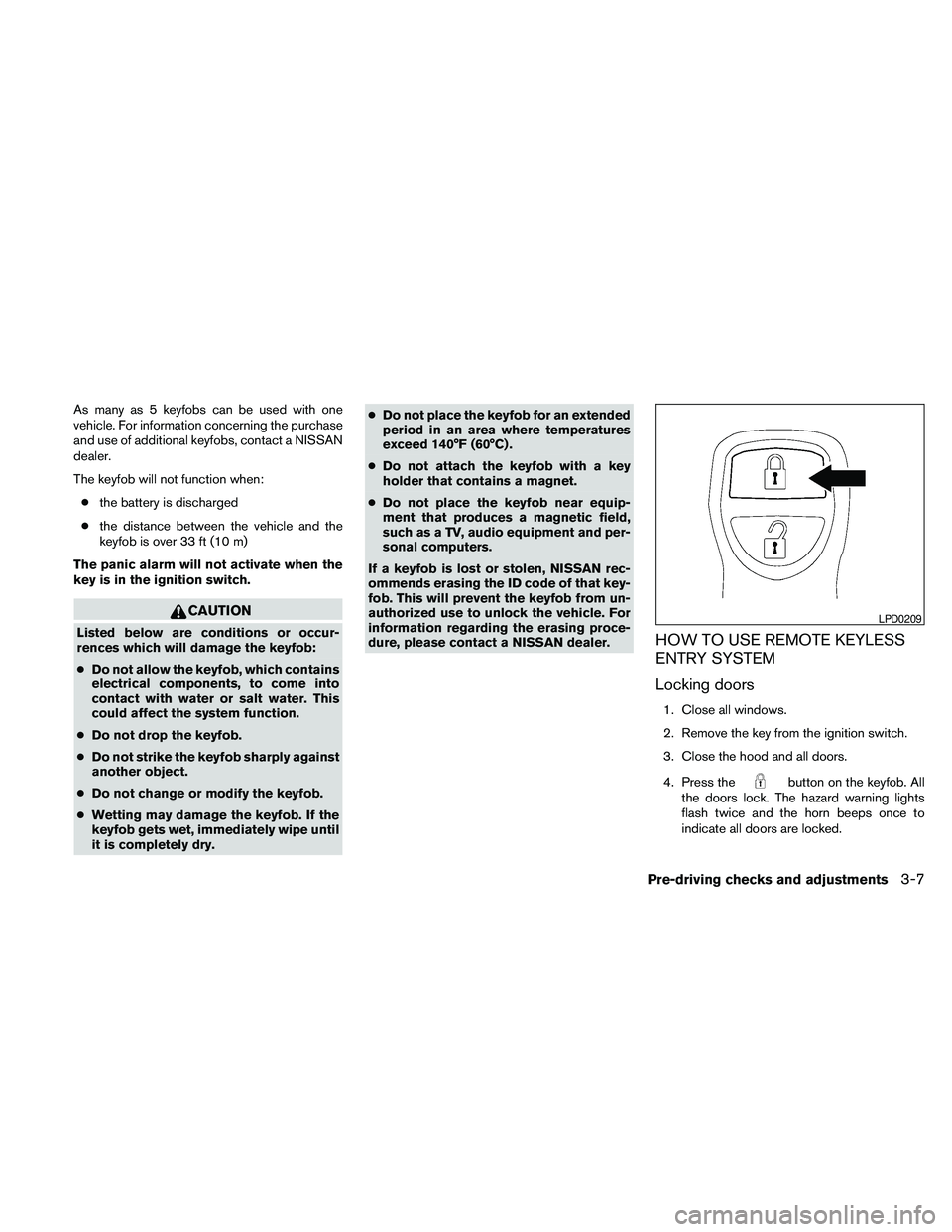
4. Press the
button on the keyfob. All
the doors lock. The hazard warning lights
flash twice and the horn beeps once to
indicate all doors are locked.
LPD0209
Pre-driving checks and adjustments3-7
Page 154 of 373
cWhen thebutton is pressed with
all doors locked, the hazard warning lights
flash twice and the horn beeps once as a
reminder that the doors are already
locked.
cIf a door is open and you press
the
button, the doors will lock
but the horn will not beep and the hazard
lights will not flash.
The horn may or may not beep. Refer to “Silenc-
ing the horn beep feature” in this section for
details.
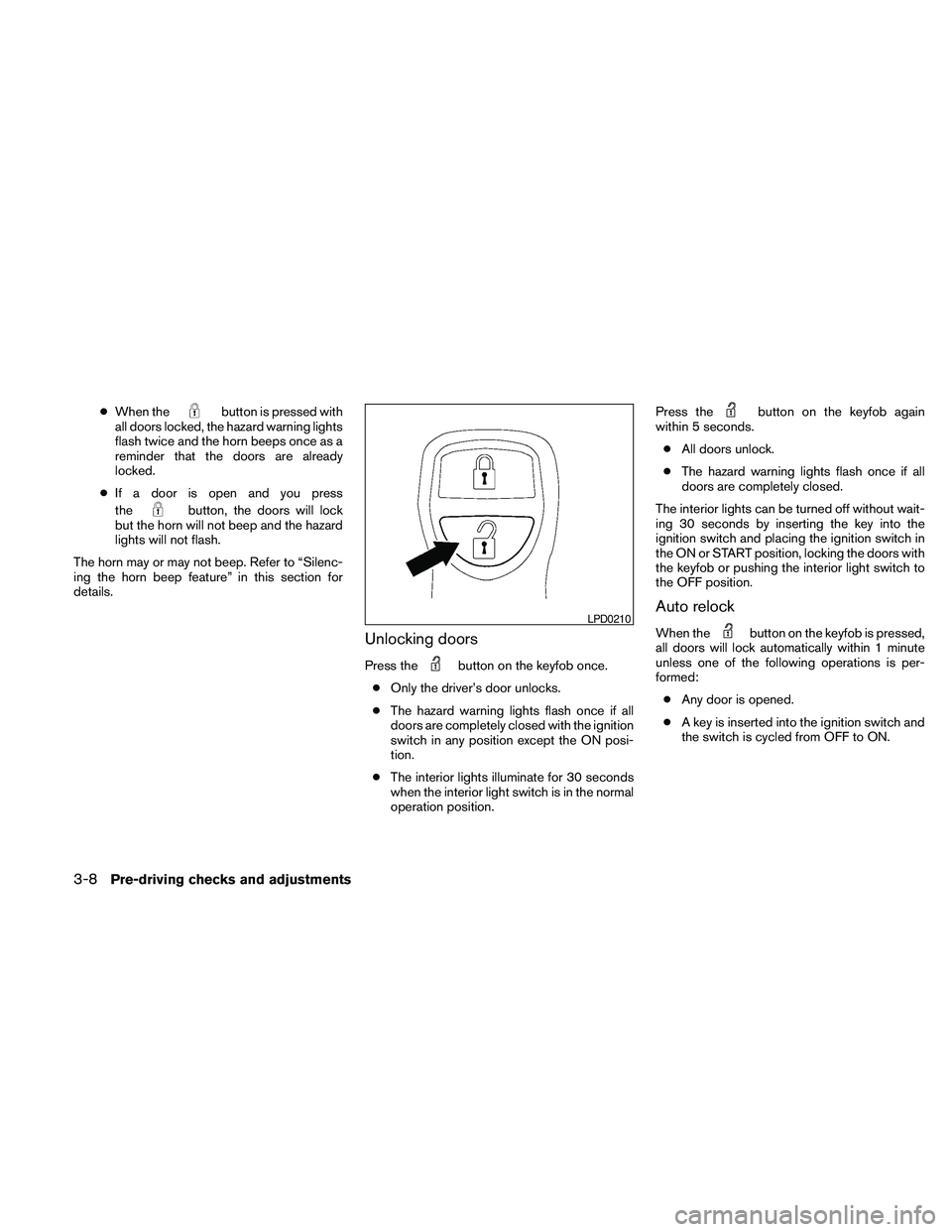
Unlocking doors
Press thebutton on the keyfob once.
cOnly the driver’s door unlocks.
cThe hazard warning lights flash once if all
doors are completely closed with the ignition
switch in any position except the ON posi-
tion.
cThe interior lights illuminate for 30 seconds
when the interior light switch is in the normal
operation position.Press the
button on the keyfob again
within 5 seconds.
cAll doors unlock.
cThe hazard warning lights flash once if all
doors are completely closed.
The interior lights can be turned off without wait-
ing 30 seconds by inserting the key into the
ignition switch and placing the ignition switch in
the ON or START position, locking the doors with
the keyfob or pushing the interior light switch to
the OFF position.
Auto relock
When thebutton on the keyfob is pressed,
all doors will lock automatically within 1 minute
unless one of the following operations is per-
formed:
cAny door is opened.
cA key is inserted into the ignition switch and
the switch is cycled from OFF to ON.LPD0210
3-8Pre-driving checks and adjustments
Page 155 of 373
Using the panic alarm
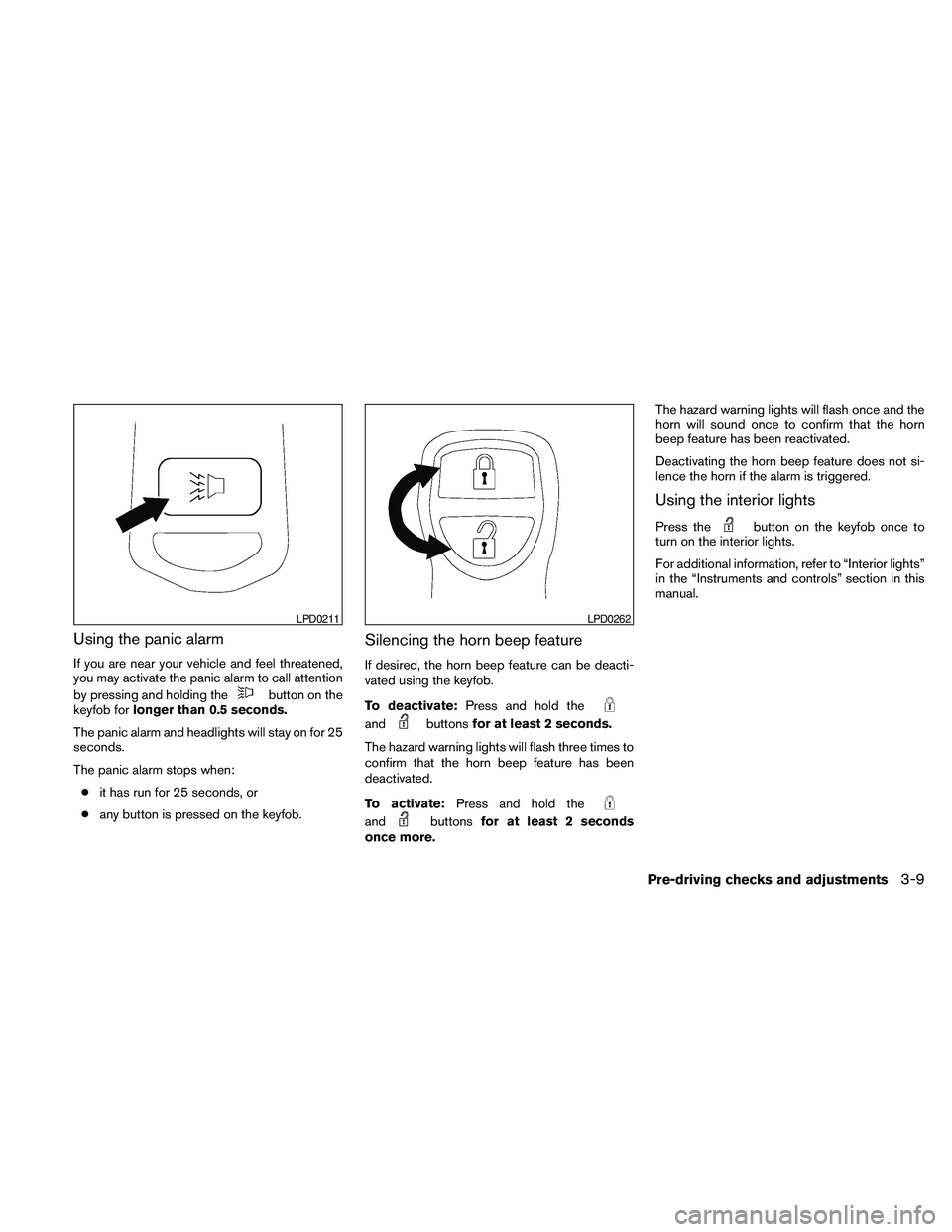
If you are near your vehicle and feel threatened,
you may activate the panic alarm to call attention
by pressing and holding the
button on the
keyfob forlonger than 0.5 seconds.
The panic alarm and headlights will stay on for 25
seconds.
The panic alarm stops when:
cit has run for 25 seconds, or
cany button is pressed on the keyfob.
Silencing the horn beep feature
If desired, the horn beep feature can be deacti-
vated using the keyfob.
To deactivate:Press and hold the
andbuttonsfor at least 2 seconds.
The hazard warning lights will flash three times to
confirm that the horn beep feature has been
deactivated.
To activate:Press and hold the
andbuttonsfor at least 2 seconds
once more.The hazard warning lights will flash once and the
horn will sound once to confirm that the horn
beep feature has been reactivated.
Deactivating the horn beep feature does not si-
lence the horn if the alarm is triggered.
Using the interior lights
Press thebutton on the keyfob once to
turn on the interior lights.
For additional information, refer to “Interior lights”
in the “Instruments and controls” section in this
manual.
LPD0211LPD0262
Pre-driving checks and adjustments3-9
Page 367 of 373
G
Garage door opener, HomeLinkTUniversal
Transceiver....................2-51
Gascap..................3-10, 3-10
Gauge
Engine coolant temperature gauge.....2-6
Engine oil pressure gauge..........2-8
Fuel gauge...................2-7
Odometer...................2-4
Speedometer.................2-4
Tachometer..................2-6
Trip computer.................2-5
Trip odometer.................2-4
Voltmeter....................2-8
General maintenance...............8-2
Glove box.....................2-40
H
Hands-free phone system, BluetoothT.....4-37
Hazard warning flasher switch.........2-30
Headlight and turn signal switch........2-26
Headlight control switch............2-26
Headlights....................8-28
Heated seats...................2-32
Heater
Heater and air conditioner controls . .4-2, 4-10
Heater operation............4-4, 4-11
Hill descent control switch...........2-33
Hill descent control system...........5-36
Hill start assist system..............5-37
HomeLinkTUniversal Transceiver........2-51
Hood release...................3-10Horn.......................2-31
I
Ignition switch...................5-9
Immobilizer system.........2-24, 3-2, 5-11
Important vehicle information label.......9-11
In-cabin microfilter................8-20
Increasing fuel economy.............5-22
Indicator lights and audible reminders
(See warning/indicator lights and audible
reminders)....................2-13
Inside automatic anti-glare mirror........3-14
Inside mirror...................3-13
Instrument brightness control..........2-29
Instrument panel...............0-6, 2-2
Instrument panel dimmer switch........2-29
Interior light....................2-50
ISOFIX child restraints.............1-28
J
Jump seat.....................1-5
Jump starting...................6-9
K
Key.........................3-2
Keyfob battery replacement...........8-26
Keyless entry system (See remote keyless entry
system).......................3-6L
Labels
Air conditioner specification label.....9-12
C.M.V.S.S. certification label........9-11
Emission control information label.....9-12
Engine serial number............9-11
F.M.V.S.S. certification label.........9-11
Tire and Loading Information label.....9-12
Vehicle identification number (VIN) plate . .9-10
Warning labels (for SRS)..........1-71
LATCH (Lower Anchors and Tethers for CHildren)
System......................1-28
License plate
Installing the license plate..........9-13
Light
Air bag warning light.........1-72, 2-18
Brake light (See stop light).........8-30
Bulb check/instrument panel........2-14
Bulb replacement..............8-30
Charge warning light............2-15
Fog light switch...............2-30
Headlight and turn signal switch......2-26
Headlight control switch..........2-26
Headlights..................8-28
Interior light..................2-50
Light bulbs..................8-28
Low tire pressure warning light.......2-16
Low washer fluid warning light.......2-18
Passenger air bag and status light.....1-66
Security indicator light............2-20
Warning/indicator lights and audible
reminders...................2-13
Lights
Map lights..................2-51
10-3