seats NISSAN FRONTIER 2017 D23 / 3.G Owners Manual
[x] Cancel search | Manufacturer: NISSAN, Model Year: 2017, Model line: FRONTIER, Model: NISSAN FRONTIER 2017 D23 / 3.GPages: 478, PDF Size: 4.22 MB
Page 129 of 478
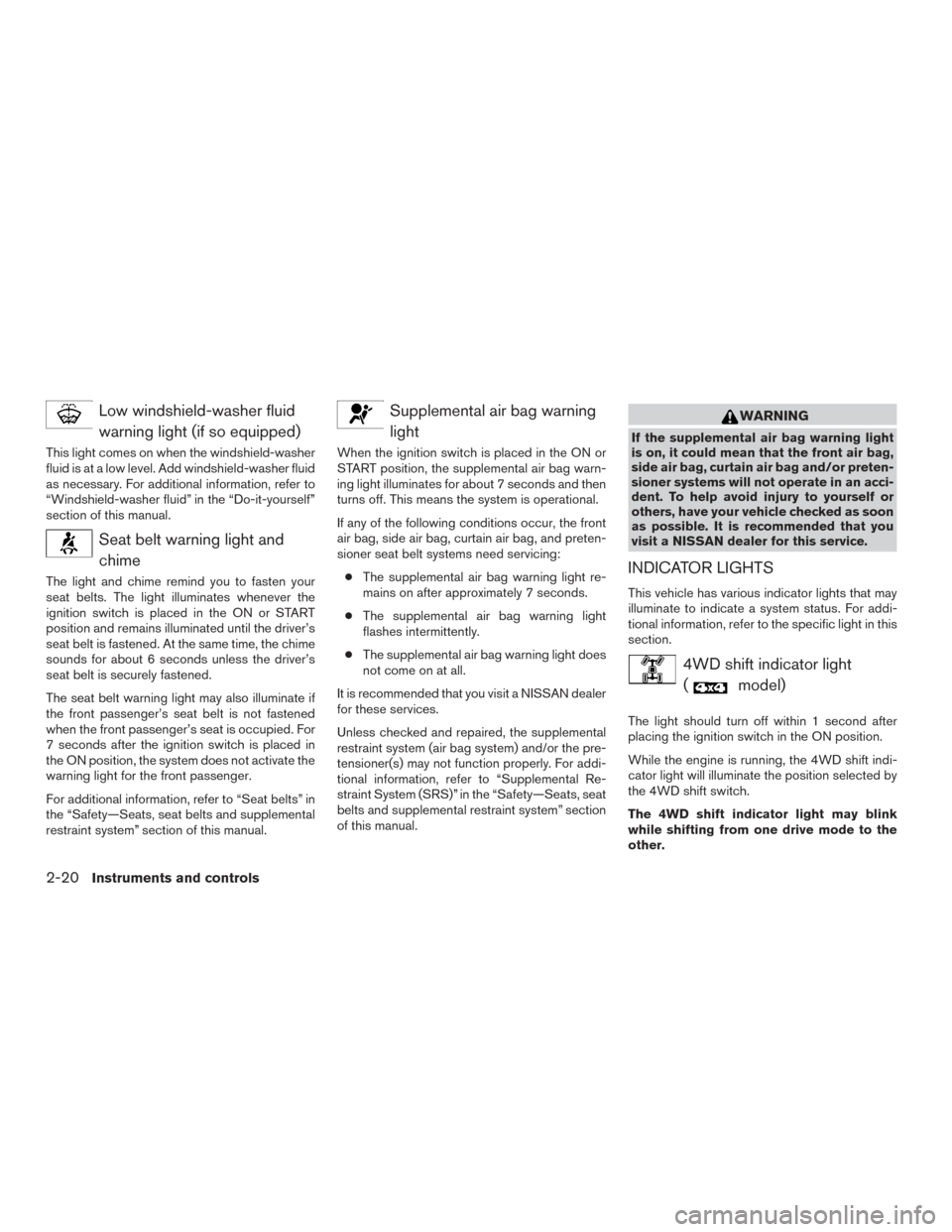
Low windshield-washer fluidwarning light (if so equipped)
This light comes on when the windshield-washer
fluid is at a low level. Add windshield-washer fluid
as necessary. For additional information, refer to
“Windshield-washer fluid” in the “Do-it-yourself”
section of this manual.
Seat belt warning light andchime
The light and chime remind you to fasten your
seat belts. The light illuminates whenever the
ignition switch is placed in the ON or START
position and remains illuminated until the driver’s
seat belt is fastened. At the same time, the chime
sounds for about 6 seconds unless the driver’s
seat belt is securely fastened.
The seat belt warning light may also illuminate if
the front passenger’s seat belt is not fastened
when the front passenger’s seat is occupied. For
7 seconds after the ignition switch is placed in
the ON position, the system does not activate the
warning light for the front passenger.
For additional information, refer to “Seat belts” in
the “Safety—Seats, seat belts and supplemental
restraint system” section of this manual.
Supplemental air bag warninglight
When the ignition switch is placed in the ON or
START position, the supplemental air bag warn-
ing light illuminates for about 7 seconds and then
turns off. This means the system is operational.
If any of the following conditions occur, the front
air bag, side air bag, curtain air bag, and preten-
sioner seat belt systems need servicing:
● The supplemental air bag warning light re-
mains on after approximately 7 seconds.
● The supplemental air bag warning light
flashes intermittently.
● The supplemental air bag warning light does
not come on at all.
It is recommended that you visit a NISSAN dealer
for these services.
Unless checked and repaired, the supplemental
restraint system (air bag system) and/or the pre-
tensioner(s) may not function properly. For addi-
tional information, refer to “Supplemental Re-
straint System (SRS)” in the “Safety—Seats, seat
belts and supplemental restraint system” section
of this manual.
WARNING
If the supplemental air bag warning light
is on, it could mean that the front air bag,
side air bag, curtain air bag and/or preten-
sioner systems will not operate in an acci-
dent. To help avoid injury to yourself or
others, have your vehicle checked as soon
as possible. It is recommended that you
visit a NISSAN dealer for this service.
INDICATOR LIGHTS
This vehicle has various indicator lights that may
illuminate to indicate a system status. For addi-
tional information, refer to the specific light in this
section.
4WD shift indicator light (
model)
The light should turn off within 1 second after
placing the ignition switch in the ON position.
While the engine is running, the 4WD shift indi-
cator light will illuminate the position selected by
the 4WD shift switch.
The 4WD shift indicator light may blink
while shifting from one drive mode to the
other.
2-20Instruments and controls
Page 130 of 478
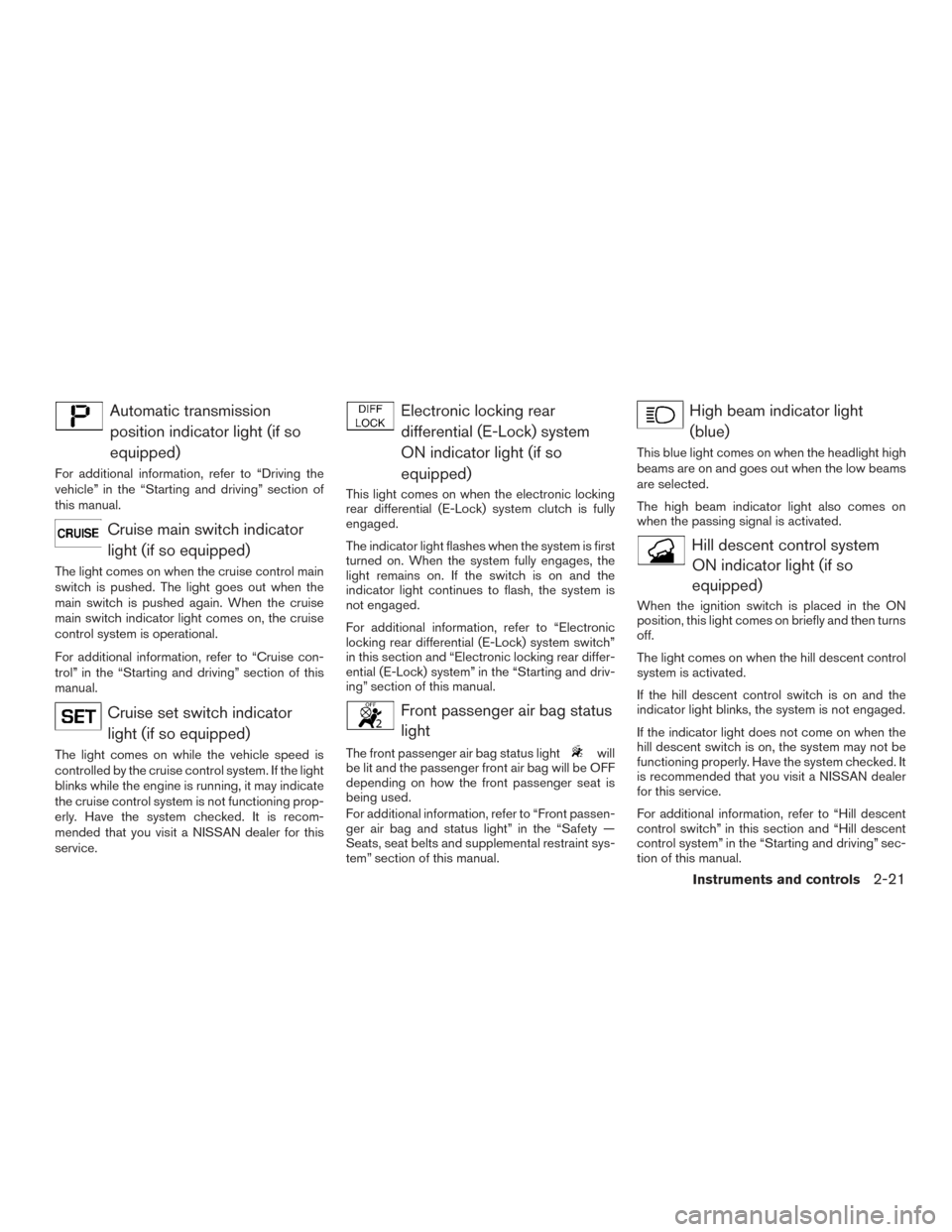
Automatic transmissionposition indicator light (if so
equipped)
For additional information, refer to “Driving the
vehicle” in the “Starting and driving” section of
this manual.
Cruise main switch indicatorlight (if so equipped)
The light comes on when the cruise control main
switch is pushed. The light goes out when the
main switch is pushed again. When the cruise
main switch indicator light comes on, the cruise
control system is operational.
For additional information, refer to “Cruise con-
trol” in the “Starting and driving” section of this
manual.
Cruise set switch indicatorlight (if so equipped)
The light comes on while the vehicle speed is
controlled by the cruise control system. If the light
blinks while the engine is running, it may indicate
the cruise control system is not functioning prop-
erly. Have the system checked. It is recom-
mended that you visit a NISSAN dealer for this
service.
Electronic locking reardifferential (E-Lock) system
ON indicator light (if so
equipped)
This light comes on when the electronic locking
rear differential (E-Lock) system clutch is fully
engaged.
The indicator light flashes when the system is first
turned on. When the system fully engages, the
light remains on. If the switch is on and the
indicator light continues to flash, the system is
not engaged.
For additional information, refer to “Electronic
locking rear differential (E-Lock) system switch”
in this section and “Electronic locking rear differ-
ential (E-Lock) system” in the “Starting and driv-
ing” section of this manual.
Front passenger air bag statuslight
The front passenger air bag status lightwill
be lit and the passenger front air bag will be OFF
depending on how the front passenger seat is
being used.
For additional information, refer to “Front passen-
ger air bag and status light” in the “Safety —
Seats, seat belts and supplemental restraint sys-
tem” section of this manual.
High beam indicator light
(blue)
This blue light comes on when the headlight high
beams are on and goes out when the low beams
are selected.
The high beam indicator light also comes on
when the passing signal is activated.
Hill descent control systemON indicator light (if so
equipped)
When the ignition switch is placed in the ON
position, this light comes on briefly and then turns
off.
The light comes on when the hill descent control
system is activated.
If the hill descent control switch is on and the
indicator light blinks, the system is not engaged.
If the indicator light does not come on when the
hill descent switch is on, the system may not be
functioning properly. Have the system checked. It
is recommended that you visit a NISSAN dealer
for this service.
For additional information, refer to “Hill descent
control switch” in this section and “Hill descent
control system” in the “Starting and driving” sec-
tion of this manual.
Instruments and controls2-21
Page 143 of 478
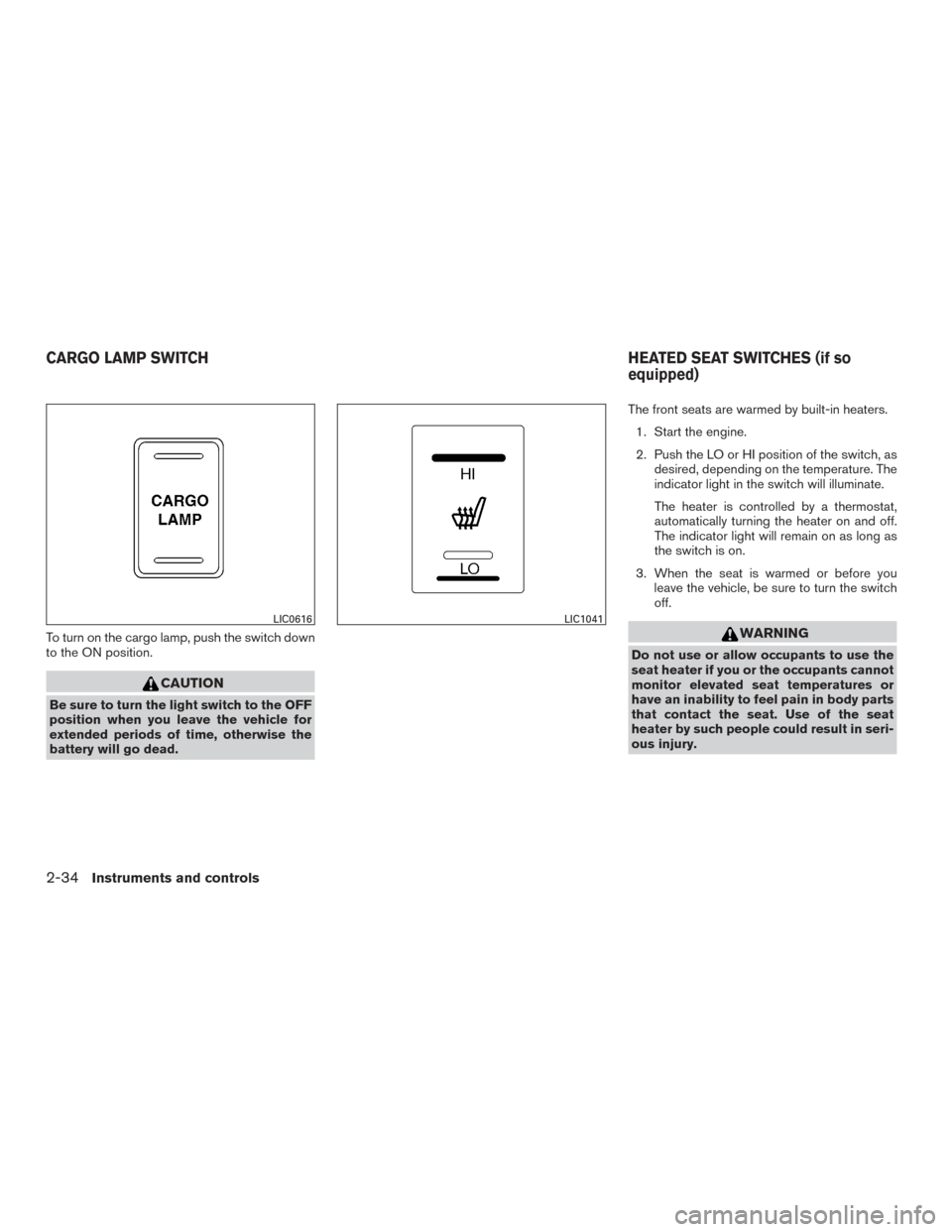
To turn on the cargo lamp, push the switch down
to the ON position.
CAUTION
Be sure to turn the light switch to the OFF
position when you leave the vehicle for
extended periods of time, otherwise the
battery will go dead.The front seats are warmed by built-in heaters.
1. Start the engine.
2. Push the LO or HI position of the switch, as desired, depending on the temperature. The
indicator light in the switch will illuminate.
The heater is controlled by a thermostat,
automatically turning the heater on and off.
The indicator light will remain on as long as
the switch is on.
3. When the seat is warmed or before you leave the vehicle, be sure to turn the switch
off.
WARNING
Do not use or allow occupants to use the
seat heater if you or the occupants cannot
monitor elevated seat temperatures or
have an inability to feel pain in body parts
that contact the seat. Use of the seat
heater by such people could result in seri-
ous injury.
LIC0616LIC1041
CARGO LAMP SWITCH HEATED SEAT SWITCHES (if so
equipped)
2-34Instruments and controls
Page 151 of 478
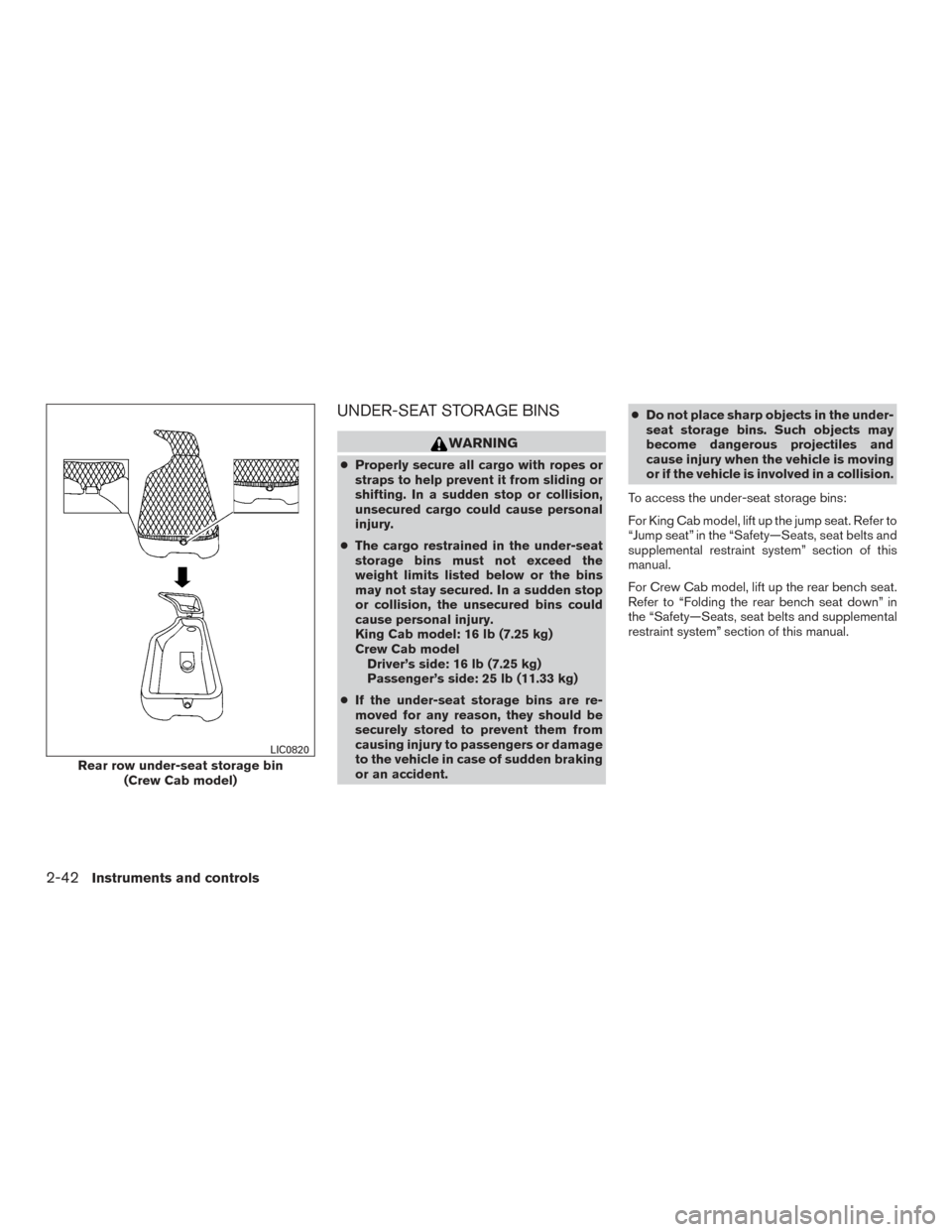
UNDER-SEAT STORAGE BINS
WARNING
●Properly secure all cargo with ropes or
straps to help prevent it from sliding or
shifting. In a sudden stop or collision,
unsecured cargo could cause personal
injury.
● The cargo restrained in the under-seat
storage bins must not exceed the
weight limits listed below or the bins
may not stay secured. In a sudden stop
or collision, the unsecured bins could
cause personal injury.
King Cab model: 16 lb (7.25 kg)
Crew Cab model
Driver’s side: 16 lb (7.25 kg)
Passenger’s side: 25 lb (11.33 kg)
● If the under-seat storage bins are re-
moved for any reason, they should be
securely stored to prevent them from
causing injury to passengers or damage
to the vehicle in case of sudden braking
or an accident. ●
Do not place sharp objects in the under-
seat storage bins. Such objects may
become dangerous projectiles and
cause injury when the vehicle is moving
or if the vehicle is involved in a collision.
To access the under-seat storage bins:
For King Cab model, lift up the jump seat. Refer to
“Jump seat” in the “Safety—Seats, seat belts and
supplemental restraint system” section of this
manual.
For Crew Cab model, lift up the rear bench seat.
Refer to “Folding the rear bench seat down” in
the “Safety—Seats, seat belts and supplemental
restraint system” section of this manual.
Rear row under-seat storage bin (Crew Cab model)
LIC0820
2-42Instruments and controls
Page 187 of 478
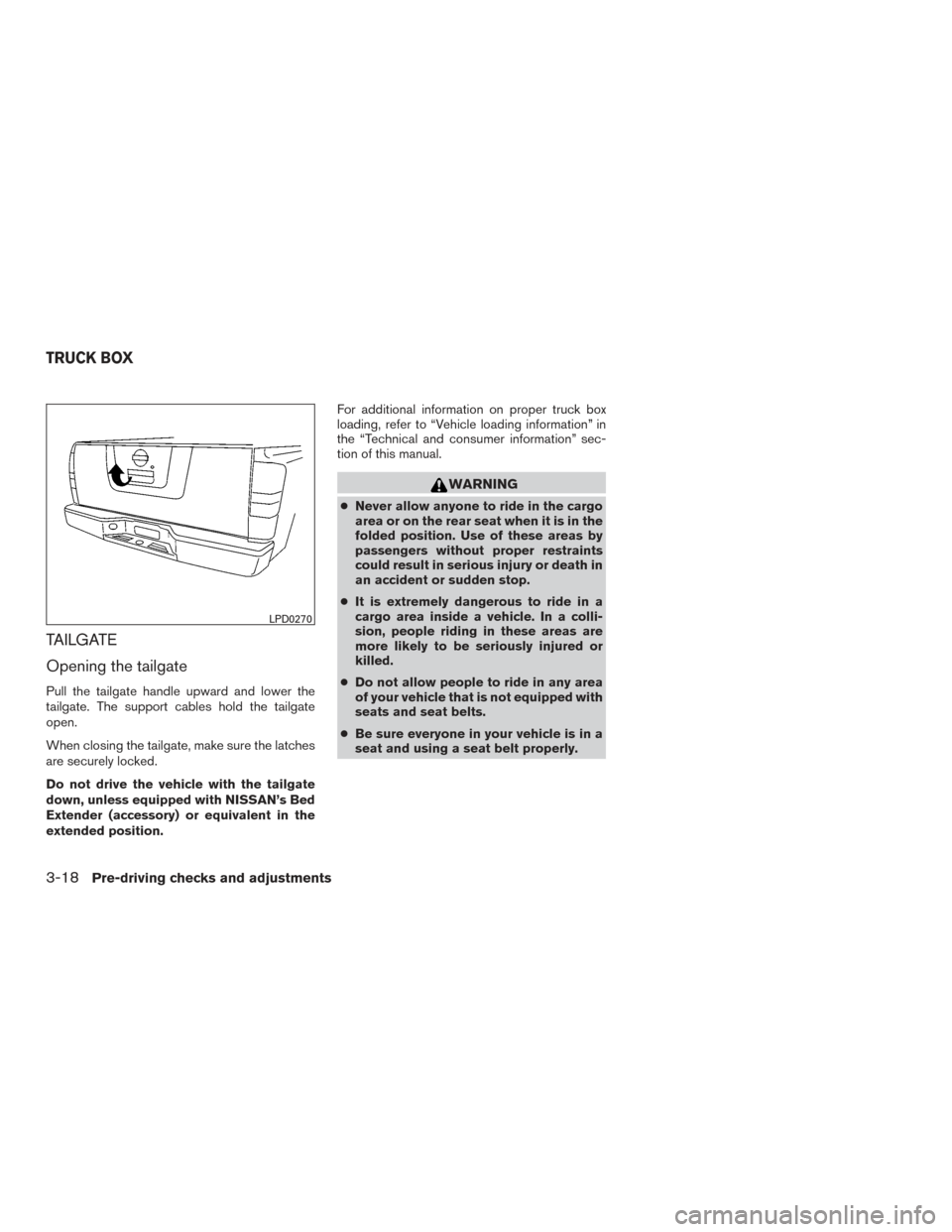
TAILGATE
Opening the tailgate
Pull the tailgate handle upward and lower the
tailgate. The support cables hold the tailgate
open.
When closing the tailgate, make sure the latches
are securely locked.
Do not drive the vehicle with the tailgate
down, unless equipped with NISSAN’s Bed
Extender (accessory) or equivalent in the
extended position.For additional information on proper truck box
loading, refer to “Vehicle loading information” in
the “Technical and consumer information” sec-
tion of this manual.
WARNING
●
Never allow anyone to ride in the cargo
area or on the rear seat when it is in the
folded position. Use of these areas by
passengers without proper restraints
could result in serious injury or death in
an accident or sudden stop.
● It is extremely dangerous to ride in a
cargo area inside a vehicle. In a colli-
sion, people riding in these areas are
more likely to be seriously injured or
killed.
● Do not allow people to ride in any area
of your vehicle that is not equipped with
seats and seat belts.
● Be sure everyone in your vehicle is in a
seat and using a seat belt properly.
LPD0270
TRUCK BOX
3-18Pre-driving checks and adjustments
Page 235 of 478
USB (Universal Serial Bus)
Connection Port (if so equipped)
WARNING
Do not connect, disconnect, or operate the
USB device while driving. Doing so can be
a distraction. If distracted you could lose
control of your vehicle and cause an acci-
dent or serious injury.
CAUTION
●Do not force the USB device into the
USB port. Inserting the USB device
tilted or up-side-down into the port may
damage the port. Make sure that the
USB device is connected correctly into
the USB port.
● Do not grab the USB port cover (if so
equipped) when pulling the USB device
out of the port. This could damage the
port and the cover.
● Do not leave the USB cable in a place
where it can be pulled unintentionally.
Pulling the cable may damage the port. The vehicle is not equipped with a USB device.
USB devices should be purchased separately as
necessary.
This system cannot be used to format USB de-
vices. To format a USB device, use a personal
computer.
In some jurisdictions, the USB device for the front
seats plays only sound without images for regu-
latory reasons, even when the vehicle is parked.
This system supports various USB memory de-
vices, USB hard drives and iPod® players. Some
USB devices may not be supported by this sys-
tem.
● Partitioned USB devices may not play cor-
rectly.
● Some characters used in other languages
(Chinese, Japanese, etc.) may not appear
properly in the display. Using English lan-
guage characters with a USB device is rec-
ommended.
General notes for USB use ● Refer to your device manufacturer’s owner
information regarding the proper use and
care of the device. Notes for iPod® use
iPod® is a trademark of Apple Inc., registered in
the U.S. and other countries.
● Improperly plugging in the iPod® may cause
a checkmark to be displayed on and off
(flickering) . Always make sure that the
iPod® is connected properly.
● An iPod® nano (1st Generation) may remain
in fast forward or rewind mode if it is con-
nected during a seek operation. In this case,
please manually reset the iPod®.
● An iPod® nano (2nd Generation) will con-
tinue to fast-forward or rewind if it is discon-
nected during a seek operation.
● An incorrect song title may appear when the
Play Mode is changed while using an iPod®
nano (2nd Generation) .
● Audiobooks may not play in the same order
as they appear on an iPod®.
● Large video files cause slow responses in an
iPod®. The vehicle center display may mo-
mentarily black out, but will soon recover.
● If an iPod® automatically selects large video
files while in the shuffle mode, the vehicle
center display may momentarily black out,
but will soon recover.
4-42Monitor, climate, audio, phone and voice recognition systems
Page 303 of 478
NOTE:
Changes or modification not expressly ap-
proved by the party responsible for compli-
ance could void the user’s authority to op-
erate the equipment.
For Canada:
This device complies with Industry Canada
license-exempt RSS standard(s) . Opera-
tion is subject to the following two condi-
tions: (1) this device may not cause inter-
ference, and (2) this device must accept any
interference, including interference that
may cause undesired operation of the de-
vice.
ON-PAVEMENT AND OFF-ROAD
DRIVING PRECAUTIONS
Utility vehicles have a significantly higher
rollover rate than other types of vehicles.
They have higher ground clearance than passen-
ger cars to make them capable of performing in a
variety of on-pavement and off-road applications.
This gives them a higher center of gravity than
ordinary vehicles. An advantage of higher ground
clearance is a better view of the road, allowing
you to anticipate problems. However, they are not
designed for cornering at the same speeds as
conventional 2-wheel drive vehicles any morethan low-slung sports cars are designed to per-
form satisfactorily under off-road conditions. If at
all possible, avoid sharp turns at high speeds. As
with other vehicles of this type, failure to operate
this vehicle correctly may result in loss of control
or vehicle rollover. In a rollover crash, an unbelted
person is significantly more likely to die than a
person wearing a seat belt.
For additional information, refer to “Driving safety
precautions” in this section.
AVOIDING COLLISION AND
ROLLOVER
WARNING
Failure to operate this vehicle in a safe
and prudent manner may result in loss of
control or an accident.
Be alert and drive defensively at all times. Obey
all traffic regulations. Avoid excessive speed,
high speed cornering, or sudden steering ma-
neuvers, because these driving practices could
cause you to lose control of your vehicle.
As with any vehicle, loss of control could
result in a collision with other vehicles or
objects or cause the vehicle to roll over,
particularly if the loss of control causes the
vehicle to slide sideways. Be attentive at all times, and avoid driving when
tired. Never drive when under the influence of
alcohol or drugs (including prescription or over-
the-counter drugs which may cause drowsi-
ness) . Always wear your seat belt as outlined in
the “Safety – Seats, seat belts and supplemental
restraint system” section of this manual, and also
instruct your passengers to do so.
Seat belts help reduce the risk of injury in colli-
sions and rollovers.
In a rollover crash, an
unbelted or improperly belted person is
significantly more likely to be injured or
killed than a person properly wearing a
seat belt.OFF-ROAD RECOVERY
While driving, the right side or left side wheels
may unintentionally leave the road surface. If this
occurs, maintain control of the vehicle by follow-
ing the procedure below. Please note that this
procedure is only a general guide. The vehicle
must be driven as appropriate based on the con-
ditions of the vehicle, road and traffic.
1. Remain calm and do not overreact.
2. Do not apply the brakes.
3. Maintain a firm grip on the steering wheel with both hands and try to hold a straight
course.
5-6Starting and driving
Page 344 of 478
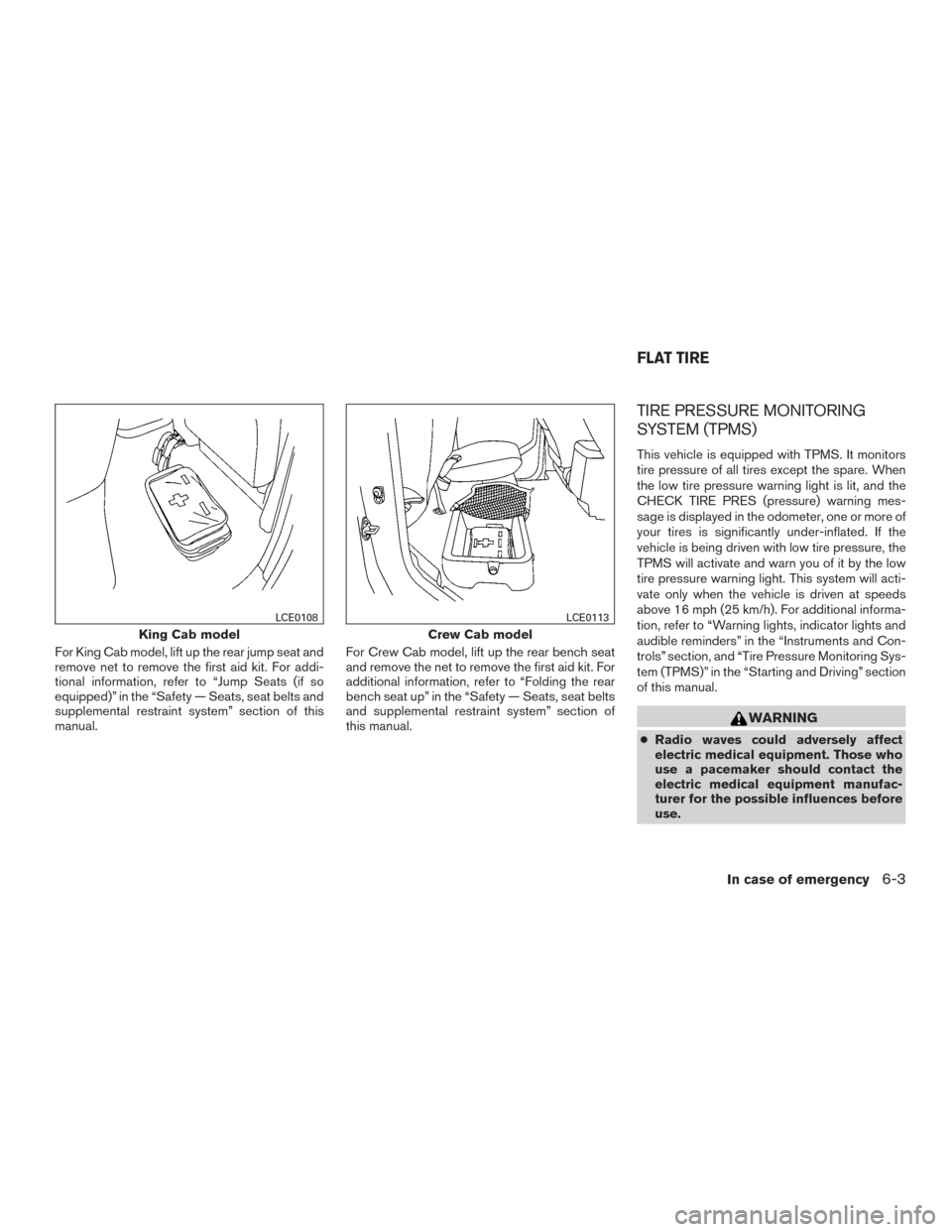
For King Cab model, lift up the rear jump seat and
remove net to remove the first aid kit. For addi-
tional information, refer to “Jump Seats (if so
equipped)” in the “Safety — Seats, seat belts and
supplemental restraint system” section of this
manual.For Crew Cab model, lift up the rear bench seat
and remove the net to remove the first aid kit. For
additional information, refer to “Folding the rear
bench seat up” in the “Safety — Seats, seat belts
and supplemental restraint system” section of
this manual.
TIRE PRESSURE MONITORING
SYSTEM (TPMS)
This vehicle is equipped with TPMS. It monitors
tire pressure of all tires except the spare. When
the low tire pressure warning light is lit, and the
CHECK TIRE PRES (pressure) warning mes-
sage is displayed in the odometer, one or more of
your tires is significantly under-inflated. If the
vehicle is being driven with low tire pressure, the
TPMS will activate and warn you of it by the low
tire pressure warning light. This system will acti-
vate only when the vehicle is driven at speeds
above 16 mph (25 km/h). For additional informa-
tion, refer to “Warning lights, indicator lights and
audible reminders” in the “Instruments and Con-
trols” section, and “Tire Pressure Monitoring Sys-
tem (TPMS)” in the “Starting and Driving” section
of this manual.
WARNING
●
Radio waves could adversely affect
electric medical equipment. Those who
use a pacemaker should contact the
electric medical equipment manufac-
turer for the possible influences before
use.
King Cab model
LCE0108
Crew Cab model
LCE0113
FLAT TIRE
In case of emergency6-3
Page 346 of 478
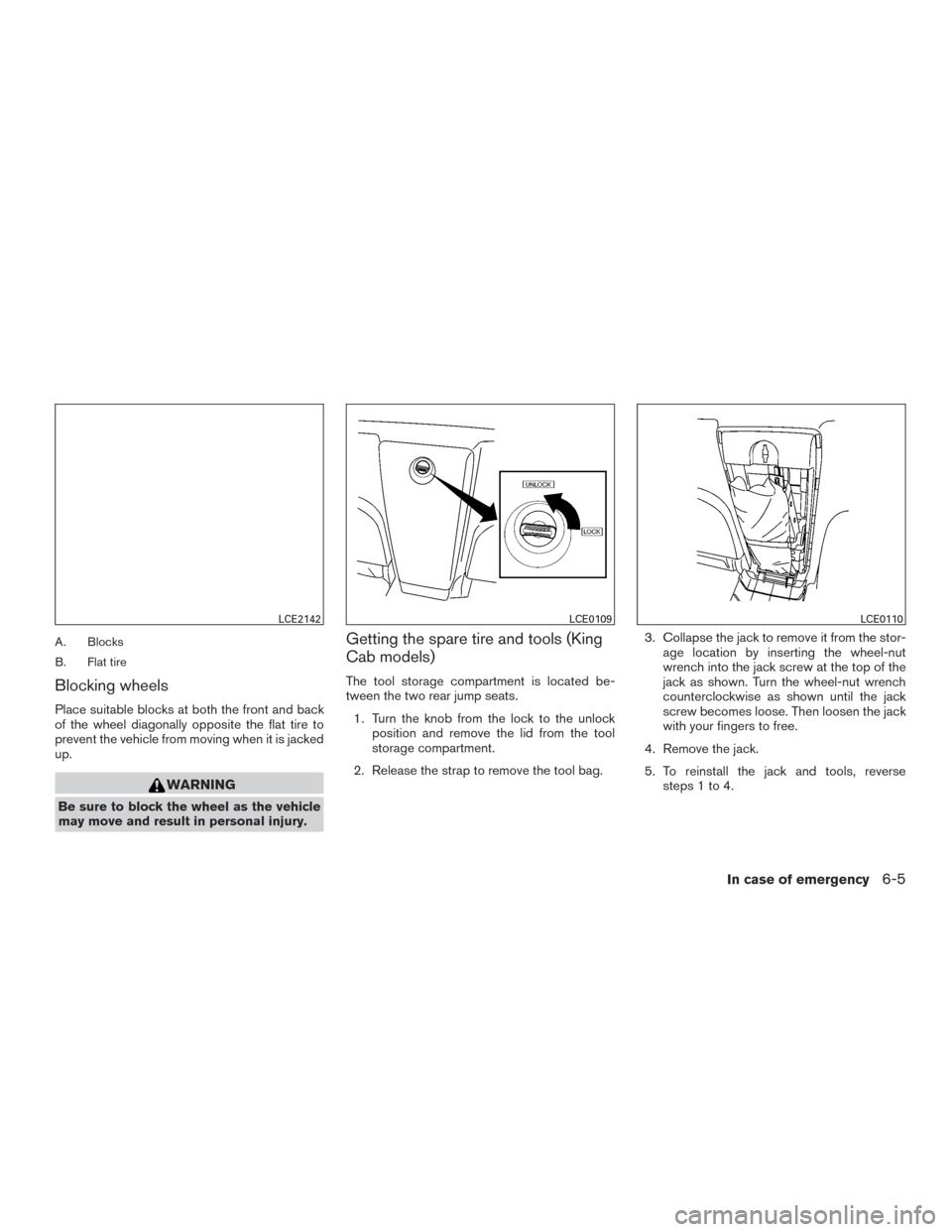
A. Blocks
B. Flat tire
Blocking wheels
Place suitable blocks at both the front and back
of the wheel diagonally opposite the flat tire to
prevent the vehicle from moving when it is jacked
up.
WARNING
Be sure to block the wheel as the vehicle
may move and result in personal injury.
Getting the spare tire and tools (King
Cab models)
The tool storage compartment is located be-
tween the two rear jump seats.1. Turn the knob from the lock to the unlock position and remove the lid from the tool
storage compartment.
2. Release the strap to remove the tool bag. 3. Collapse the jack to remove it from the stor-
age location by inserting the wheel-nut
wrench into the jack screw at the top of the
jack as shown. Turn the wheel-nut wrench
counterclockwise as shown until the jack
screw becomes loose. Then loosen the jack
with your fingers to free.
4. Remove the jack.
5. To reinstall the jack and tools, reverse steps 1 to 4.
LCE2142LCE0109LCE0110
In case of emergency6-5
Page 347 of 478
Getting the spare tire and tools (Crew
Cab models)
The tools and tool bag are located behind the
rear bench seat.1. Remove the head restraints/headrests and fold the rear bench seat down. For additional
information, refer to “Folding the rear bench
seat down ” in the “Safety–Seats, seat belts
and supplemental restraint system” section
of this manual.
2. Remove the tool bag and locate the wheel- nut wrench. 3. Collapse the jack to remove it from the stor-
age location by inserting the wheel-nut
wrench into the jack screw as shown and
turning the wheel-nut wrench towards you
until the jack becomes loose. Then loosen
the jack screw with your fingers until it is
free.
4. Remove the jack from behind the seat.
5. To reinstall the jack and tools, reverse steps 1 to 4.
LCE2164LCE2159LCE2165
6-6In case of emergency