transmission control mode NISSAN FRONTIER 2019 Owner´s Manual
[x] Cancel search | Manufacturer: NISSAN, Model Year: 2019, Model line: FRONTIER, Model: NISSAN FRONTIER 2019Pages: 516, PDF Size: 5.04 MB
Page 128 of 516
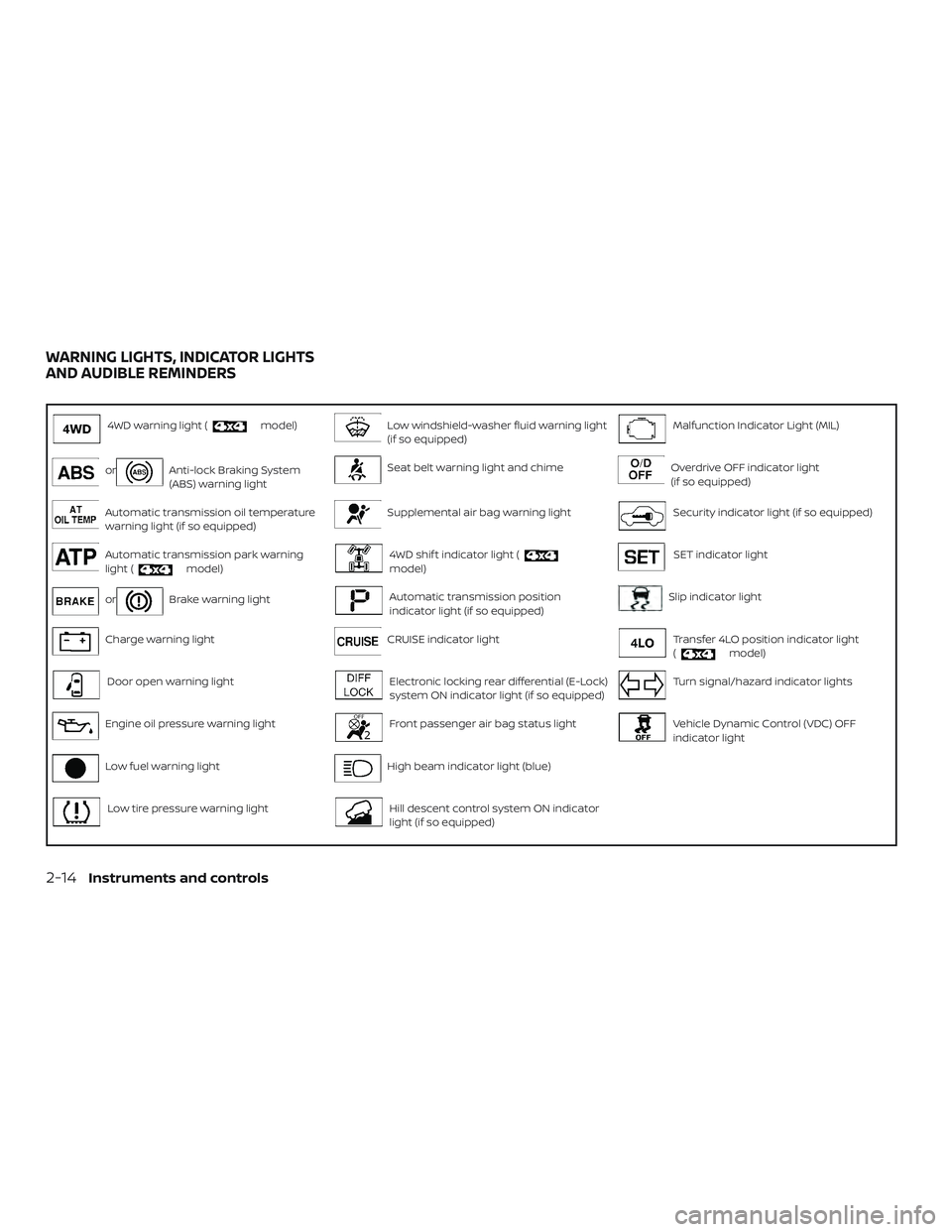
4WD warning light (model)Low windshield-washer fluid warning light
(if so equipped)Malfunction Indicator Light (MIL)
orAnti-lock Braking System
(ABS) warning lightSeat belt warning light and chimeOverdrive OFF indicator light
(if so equipped)
Automatic transmission oil temperature
warning light (if so equipped)Supplemental air bag warning lightSecurity indicator light (if so equipped)
Automatic transmission park warning
light (model)4WD shif t indicator light (model)SET indicator light
orBrake warning lightAutomatic transmission position
indicator light (if so equipped)Slip indicator light
Charge warning lightCRUISE indicator lightTransfer 4LO position indicator light
(model)
Door open warning lightElectronic locking rear differential (E-Lock)
system ON indicator light (if so equipped)Turn signal/hazard indicator lights
Engine oil pressure warning lightFront passenger air bag status lightVehicle Dynamic Control (VDC) OFF
indicator light
Low fuel warning lightHigh beam indicator light (blue)
Low tire pressure warning lightHill descent control system ON indicator
light (if so equipped)
WARNING LIGHTS, INDICATOR LIGHTS
AND AUDIBLE REMINDERS
2-14Instruments and controls
Page 129 of 516
CHECKING LIGHTS
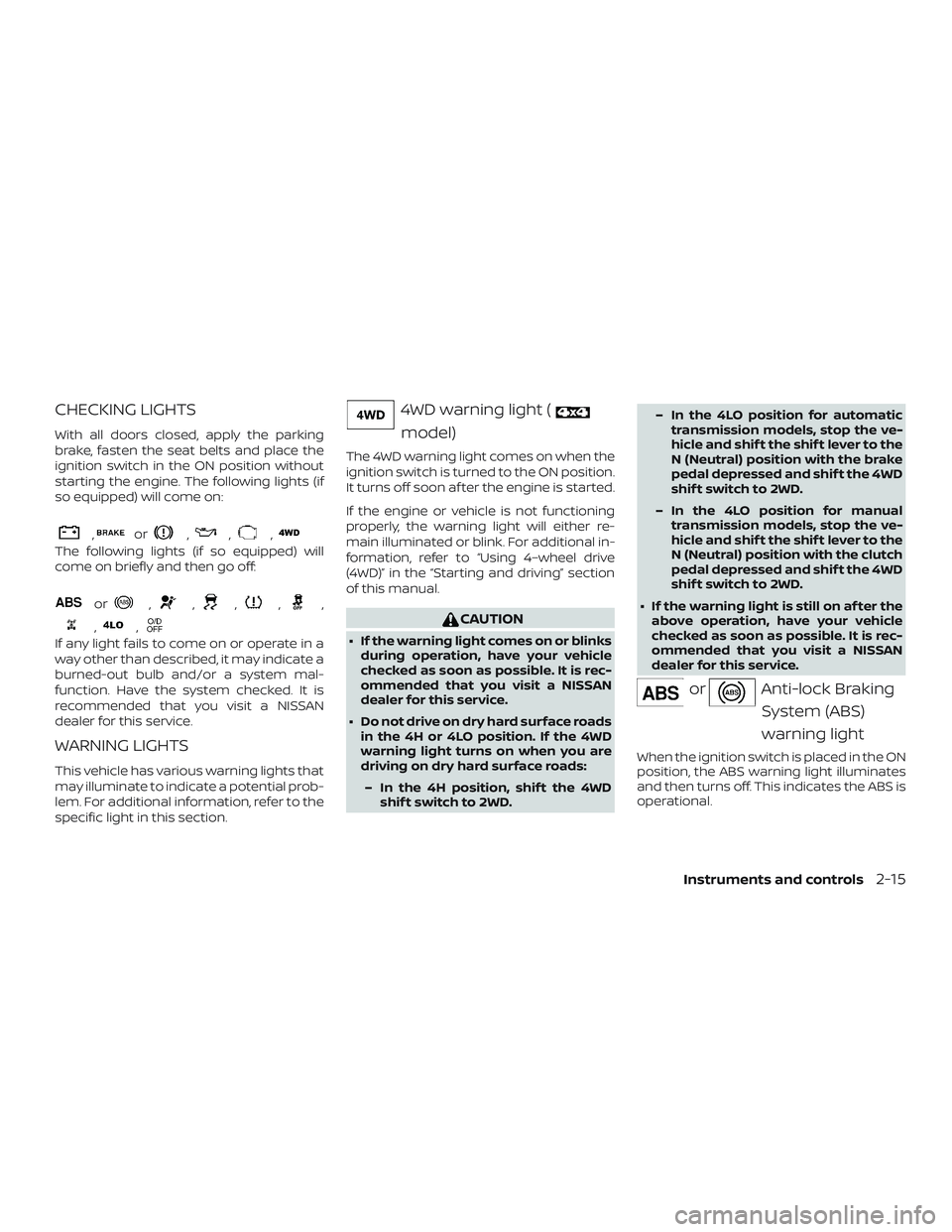
With all doors closed, apply the parking
brake, fasten the seat belts and place the
ignition switch in the ON position without
starting the engine. The following lights (if
so equipped) will come on:
,or,,,
The following lights (if so equipped) will
come on briefly and then go off:
or,,,,,
,,
If any light fails to come on or operate in a
way other than described, it may indicate a
burned-out bulb and/or a system mal-
function. Have the system checked. It is
recommended that you visit a NISSAN
dealer for this service.
WARNING LIGHTS
This vehicle has various warning lights that
may illuminate to indicate a potential prob-
lem. For additional information, refer to the
specific light in this section.
4WD warning light (
model)
The 4WD warning light comes on when the
ignition switch is turned to the ON position.
It turns off soon af ter the engine is started.
If the engine or vehicle is not functioning
properly, the warning light will either re-
main illuminated or blink. For additional in-
formation, refer to “Using 4–wheel drive
(4WD)” in the “Starting and driving” section
of this manual.
CAUTION
∙ If the warning light comes on or blinksduring operation, have your vehicle
checked as soon as possible. It is rec-
ommended that you visit a NISSAN
dealer for this service.
∙ Do not drive on dry hard surface roads in the 4H or 4LO position. If the 4WD
warning light turns on when you are
driving on dry hard surface roads:
– In the 4H position, shif t the 4WD shif t switch to 2WD. – In the 4LO position for automatic
transmission models, stop the ve-
hicle and shif t the shif t lever to the
N (Neutral) position with the brake
pedal depressed and shif t the 4WD
shif t switch to 2WD.
– In the 4LO position for manual transmission models, stop the ve-
hicle and shif t the shif t lever to the
N (Neutral) position with the clutch
pedal depressed and shif t the 4WD
shif t switch to 2WD.
∙ If the warning light is still on af ter the above operation, have your vehicle
checked as soon as possible. It is rec-
ommended that you visit a NISSAN
dealer for this service.
orAnti-lock Braking
System (ABS)
warning light
When the ignition switch is placed in the ON
position, the ABS warning light illuminates
and then turns off. This indicates the ABS is
operational.
Instruments and controls2-15
Page 130 of 516
If the ABS warning light illuminates while
the engine is running or while driving, it
may indicate the ABS is not functioning
properly. Have the system checked. It is
recommended that you visit a NISSAN
dealer for this service.
If an ABS malfunction occurs, the anti-lock
function is turned off. The brake system
then operates normally but without anti-
lock assistance. For additional information,
refer to “Brake system” in the “Starting and
driving” section of this manual.
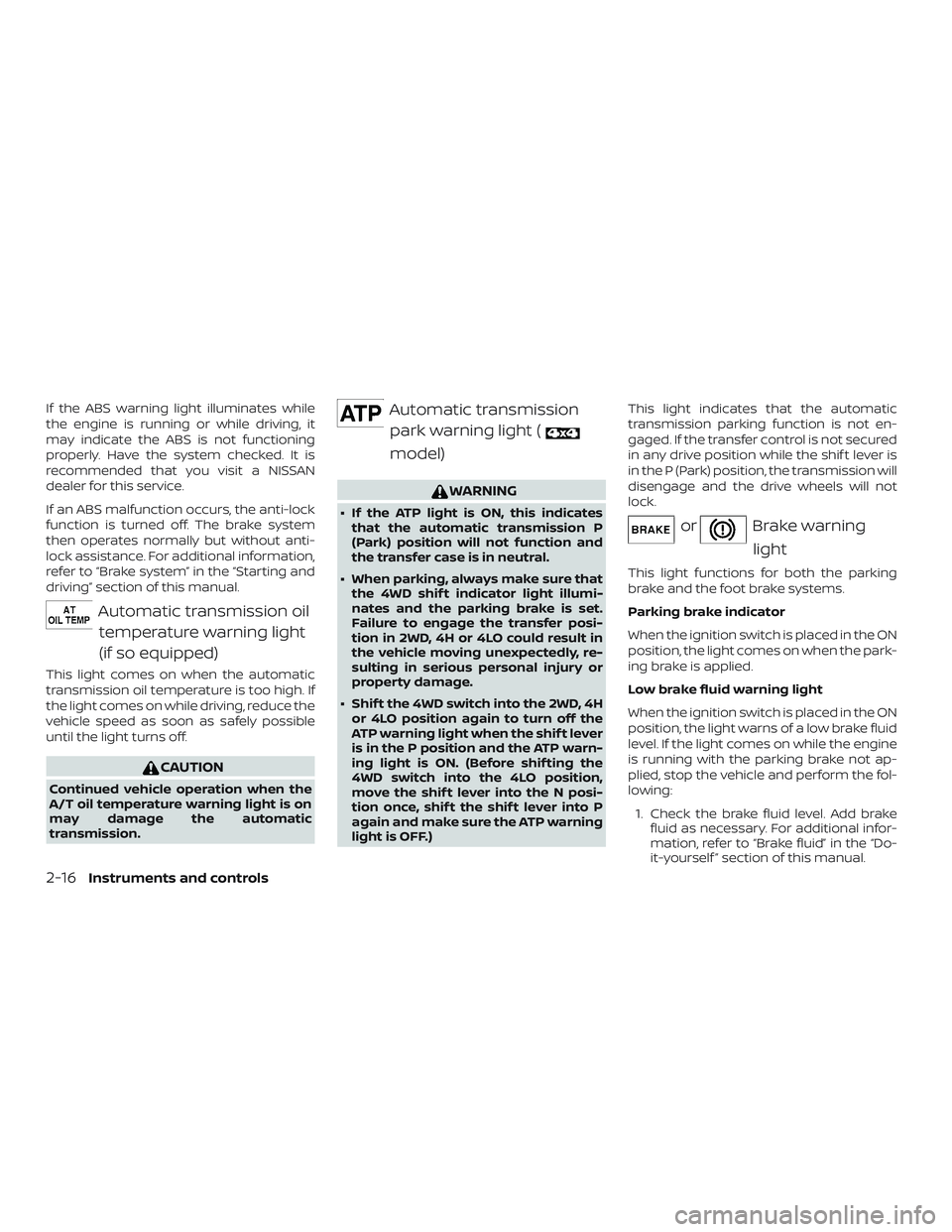
Automatic transmission oiltemperature warning light
(if so equipped)
This light comes on when the automatic
transmission oil temperature is too high. If
the light comes on while driving, reduce the
vehicle speed as soon as safely possible
until the light turns off.
CAUTION
Continued vehicle operation when the
A/T oil temperature warning light is on
may damage the automatic
transmission.
Automatic transmissionpark warning light (
model)
WARNING
∙ If the ATP light is ON, this indicates that the automatic transmission P
(Park) position will not function and
the transfer case is in neutral.
∙ When parking, always make sure that the 4WD shif t indicator light illumi-
nates and the parking brake is set.
Failure to engage the transfer posi-
tion in 2WD, 4H or 4LO could result in
the vehicle moving unexpectedly, re-
sulting in serious personal injury or
property damage.
∙ Shif t the 4WD switch into the 2WD, 4H or 4LO position again to turn off the
ATP warning light when the shif t lever
is in the P position and the ATP warn-
ing light is ON. (Before shif ting the
4WD switch into the 4LO position,
move the shif t lever into the N posi-
tion once, shif t the shif t lever into P
again and make sure the ATP warning
light is OFF.) This light indicates that the automatic
transmission parking function is not en-
gaged. If the transfer control is not secured
in any drive position while the shif t lever is
in the P (Park) position, the transmission will
disengage and the drive wheels will not
lock.orBrake warning
light
This light functions for both the parking
brake and the foot brake systems.
Parking brake indicator
When the ignition switch is placed in the ON
position, the light comes on when the park-
ing brake is applied.
Low brake fluid warning light
When the ignition switch is placed in the ON
position, the light warns of a low brake fluid
level. If the light comes on while the engine
is running with the parking brake not ap-
plied, stop the vehicle and perform the fol-
lowing:
1. Check the brake fluid level. Add brake fluid as necessary. For additional infor-
mation, refer to “Brake fluid” in the “Do-
it-yourself ” section of this manual.
2-16Instruments and controls
Page 134 of 516
For additional information, refer to “Seat
belts” in the “Safety—Seats, seat belts and
supplemental restraint system” section of
this manual.
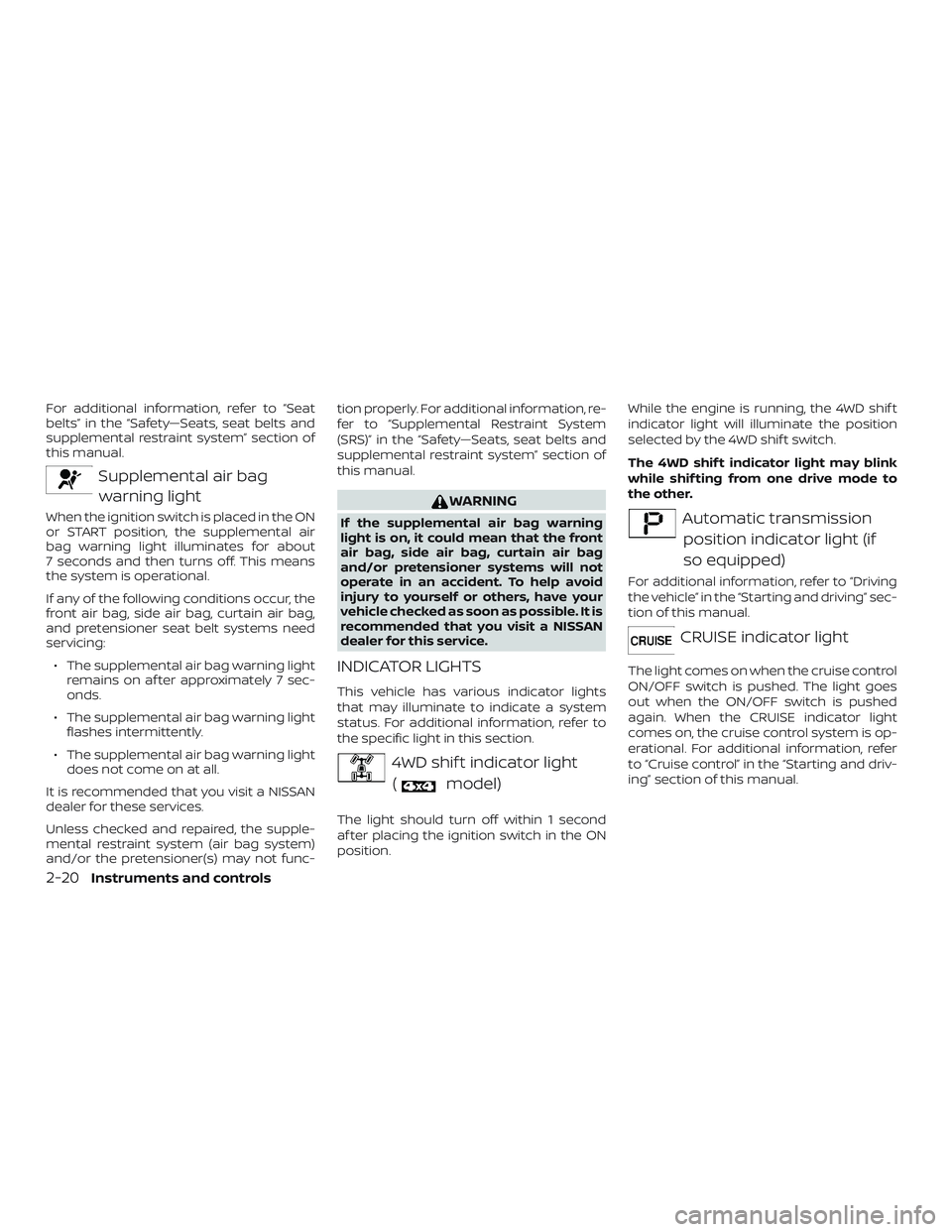
Supplemental air bagwarning light
When the ignition switch is placed in the ON
or START position, the supplemental air
bag warning light illuminates for about
7 seconds and then turns off. This means
the system is operational.
If any of the following conditions occur, the
front air bag, side air bag, curtain air bag,
and pretensioner seat belt systems need
servicing:
∙ The supplemental air bag warning light remains on af ter approximately 7 sec-
onds.
∙ The supplemental air bag warning light flashes intermittently.
∙ The supplemental air bag warning light does not come on at all.
It is recommended that you visit a NISSAN
dealer for these services.
Unless checked and repaired, the supple-
mental restraint system (air bag system)
and/or the pretensioner(s) may not func- tion properly. For additional information, re-
fer to “Supplemental Restraint System
(SRS)” in the “Safety—Seats, seat belts and
supplemental restraint system” section of
this manual.
WARNING
If the supplemental air bag warning
light is on, it could mean that the front
air bag, side air bag, curtain air bag
and/or pretensioner systems will not
operate in an accident. To help avoid
injury to yourself or others, have your
vehicle checked as soon as possible. It is
recommended that you visit a NISSAN
dealer for this service.
INDICATOR LIGHTS
This vehicle has various indicator lights
that may illuminate to indicate a system
status. For additional information, refer to
the specific light in this section.
4WD shif t indicator light
(
model)
The light should turn off within 1 second
af ter placing the ignition switch in the ON
position. While the engine is running, the 4WD shif t
indicator light will illuminate the position
selected by the 4WD shif t switch.
The 4WD shif t indicator light may blink
while shif ting from one drive mode to
the other.
Automatic transmission
position indicator light (if
so equipped)
For additional information, refer to “Driving
the vehicle” in the “Starting and driving” sec-
tion of this manual.
CRUISE indicator light
The light comes on when the cruise control
ON/OFF switch is pushed. The light goes
out when the ON/OFF switch is pushed
again. When the CRUISE indicator light
comes on, the cruise control system is op-
erational. For additional information, refer
to “Cruise control” in the “Starting and driv-
ing” section of this manual.
2-20Instruments and controls
Page 137 of 516
You may feel or hear the system working;
this is normal.
The light will blink for a few seconds af ter
the VDC system stops limiting wheel spin.
The
indicator light also comes on
when you place the ignition switch in the
ON position. The light will turn off af ter ap-
proximately 2 seconds if the system is op-
erational. If the light does not come on
have the system checked. It is recom-
mended that you visit a NISSAN dealer for
this service.
Transfer 4LO position
indicator light (
model)
This light comes on when the 4WD shif t
switch is set in the 4LO position with the
ignition switch in the ON position.
The transfer case may be damaged if you
shif t the switch while driving.
Make sure the transfer 4LO position indica-
tor light turns on when you shif t the 4WD
shif t switch to 4LO.
The indicator light may blink while shif t-
ing from one drive mode to the other. The 4LO indicator light must stop blinking
and remain illuminated or turn off before
shif ting the transmission into gear. If the
shif t lever is shif ted from the N (Neutral)
position to any other gear when the 4LO
indicator light is blinking, the vehicle may
move unexpectedly.
When you shif t between 4H and 4LO, follow
the instructions below:
∙ For automatic transmission (A/T) mod- els, stop the vehicle and shif t the shif t
lever to the N (Neutral) position with the
brake pedal depressed, then depress
and turn the 4WD shif t switch to 4LO or
4H.
∙ For manual transmission (M/T) models, stop the vehicle and shif t the shif t lever
to the N (Neutral) position with the
clutch pedal depressed, then depress
and turn the 4WD shif t switch to 4LO or
4H.
You cannot move the transfer 4WD shif t
switch between 4H and 4LO unless you
stop the vehicle and shif t the shif t lever to
the N position with the brake pedal (A/T
models) or clutch pedal (M/T models) de-
pressed.
Turn signal/hazard indicator lights
The appropriate light flashes when the turn
signal switch is activated.
NOTE:
In case of turn signal light bulb malfunc-
tion, the turn signal will flash at a higher
frequency when the turn signal switch is
activated.
Both lights flash when the hazard switch is
turned on.
Vehicle Dynamic Control(VDC) OFF indicator light
This indicator light comes on when the
VDC OFF switch is pushed to the OFF posi-
tion, the transfer case is in the 4LO position
(
model), or when the VDC system
is not functioning properly. This indicates
the VDC system is not operating.
Push the VDC OFF switch again or restart
the engine and the system will operate
normally. For additional information, refer
to “Vehicle Dynamic Control (VDC) system”
in the “Starting and driving” section of this
manual.
Instruments and controls2-23
Page 327 of 516
WARNING
∙ Never remove the ignition key or placethe ignition switch in the LOCK posi-
tion while driving. The steering wheel
will lock (for models with a steering
lock mechanism). This may cause the
driver to lose control of the vehicle
and could result in serious vehicle
damage or personal injury.
AUTOMATIC TRANSMISSION (if so
equipped)
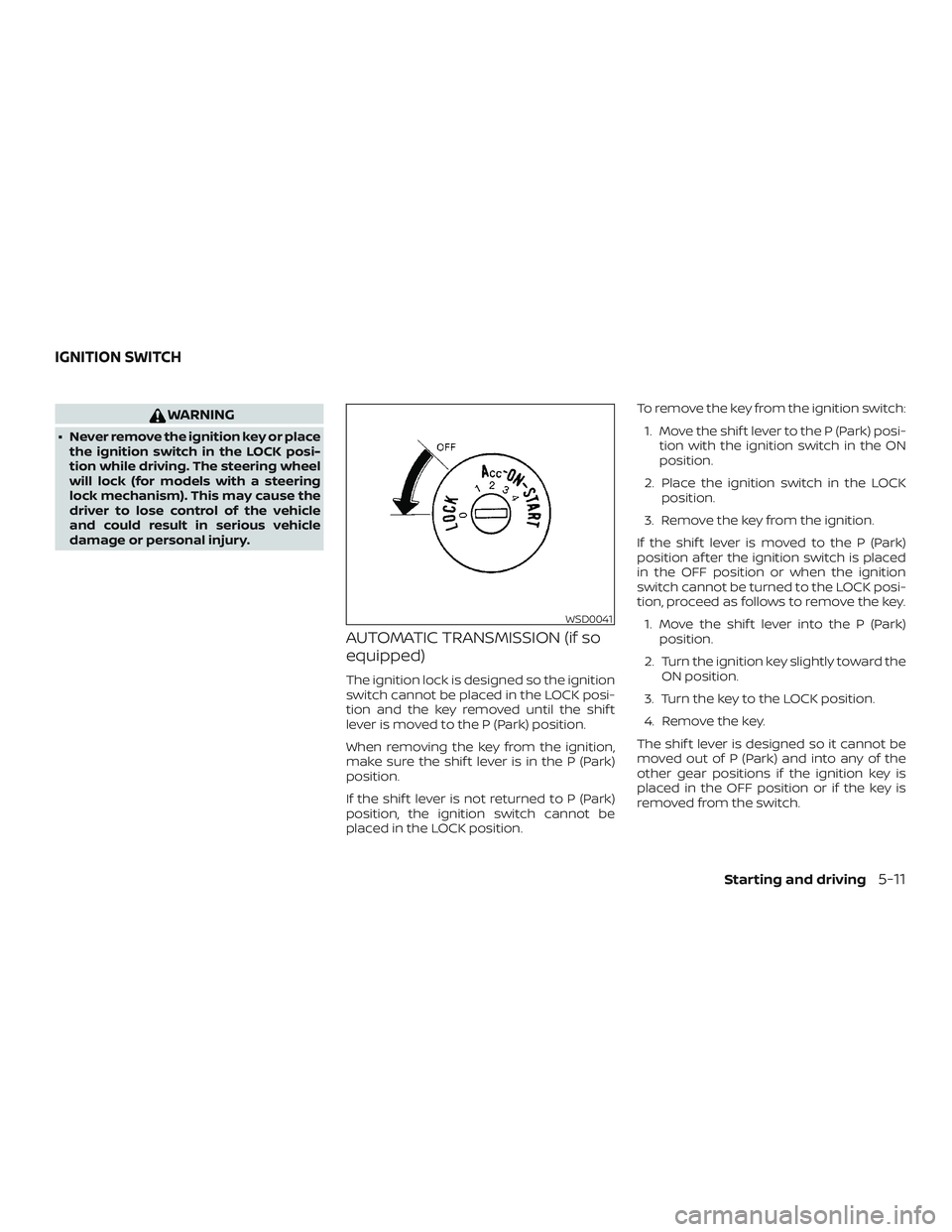
The ignition lock is designed so the ignition
switch cannot be placed in the LOCK posi-
tion and the key removed until the shif t
lever is moved to the P (Park) position.
When removing the key from the ignition,
make sure the shif t lever is in the P (Park)
position.
If the shif t lever is not returned to P (Park)
position, the ignition switch cannot be
placed in the LOCK position. To remove the key from the ignition switch:
1. Move the shif t lever to the P (Park) posi- tion with the ignition switch in the ON
position.
2. Place the ignition switch in the LOCK position.
3. Remove the key from the ignition.
If the shif t lever is moved to the P (Park)
position af ter the ignition switch is placed
in the OFF position or when the ignition
switch cannot be turned to the LOCK posi-
tion, proceed as follows to remove the key. 1. Move the shif t lever into the P (Park) position.
2. Turn the ignition key slightly toward the ON position.
3. Turn the key to the LOCK position.
4. Remove the key.
The shif t lever is designed so it cannot be
moved out of P (Park) and into any of the
other gear positions if the ignition key is
placed in the OFF position or if the key is
removed from the switch.
WSD0041
IGNITION SWITCH
Starting and driving5-11
Page 330 of 516
∙ If the engine is very hard to start inextremely cold weather or when re-
starting, depress the accelerator
pedal a little (approximately 1/3 to the
floor) and hold it and then crank the
engine. Release the key and the ac-
celerator pedal when the engine
starts.
∙ If the engine is very hard to start be- cause it is flooded, depress the accel-
erator pedal all the way to the floor
and hold it. Crank the engine for
5-6 seconds. Af ter cranking the en-
gine, release the accelerator pedal.
Crank the engine with your foot off
the accelerator pedal by placing the
ignition in the START position. Re-
lease the key when the engine starts.
If the engine starts, but fails to run,
repeat the above procedure.
CAUTION
Do not operate the starter for more
than 15 seconds at a time. If the engine
does not start, turn the key off and wait
10 seconds before cranking again, oth-
erwise the starter could be damaged. 4. Allow the engine to idle for at least
30 seconds af ter starting. Do not race
the engine while warming it up. Drive at
a moderate speed for a short distance
first, especially in cold weather.
NOTE:
Care should be taken to avoid situations
that can lead to potential battery dis-
charge and potential no-start conditions
such as: 1. Installation or extended use of elec-
tronic accessories that consume bat-
tery power when the engine is not
running (phone chargers, GPS, DVD
players, etc.).
2. The vehicle is not driven regularly
and/or only driven short distances.
In these cases, the battery may need to
be charged to maintain battery health.
AUTOMATIC TRANSMISSION (A/T)
(if so equipped)
WARNING
∙ Do not depress the accelerator pedal while shif ting from P (Park) or N (Neu-
tral) to R (Reverse), D (Drive), 3, 2 or 1.
Always depress the brake pedal until
shif ting is completed. Failure to do so
could cause you to lose control and
have an accident.
∙ Cold engine idle speed is high, so use caution when shif ting into a forward
or reverse gear before the engine has
warmed up.
∙ Never shif t to either the P (Park) or R (Reverse) position while the vehicle is
moving forward and P (Park) or D
(Drive) position while the vehicle is re-
versing. This could cause an accident
or damage the transmission.
∙ Do not downshif t abruptly on slippery roads. This may cause a loss of
control.
DRIVING THE VEHICLE
5-14Starting and driving
Page 335 of 516
MANUAL TRANSMISSION (if so
equipped)
WARNING
∙ Do not downshif t abruptly on slipperyroads. This may cause a loss of
control.
∙ Do not over-rev the engine when shif ting to a lower gear. This may
cause a loss of control or engine
damage.
CAUTION
∙ Do not rest your foot on the clutchpedal while driving. This may cause
clutch damage.
∙ Fully depress the clutch pedal before shif ting to help prevent transmission
damage.
∙ Stop your vehicle completely before shif ting into R (Reverse).
∙ When the vehicle is stopped with the engine running (for example, at a stop
light), shif t to N (Neutral) and release
the clutch pedal with the foot brake
applied.
Shif ting
To change gears, or when upshif ting or
downshif ting, depress the clutch pedal
fully, shif t into the appropriate gear, then
release the clutch slowly and smoothly.
To ensure smooth gear changes, fully de-
press the clutch pedal before operating the
shif t lever. If the clutch pedal is not fully
depressed before the transmission is
shif ted, a gear noise may be heard. Trans-
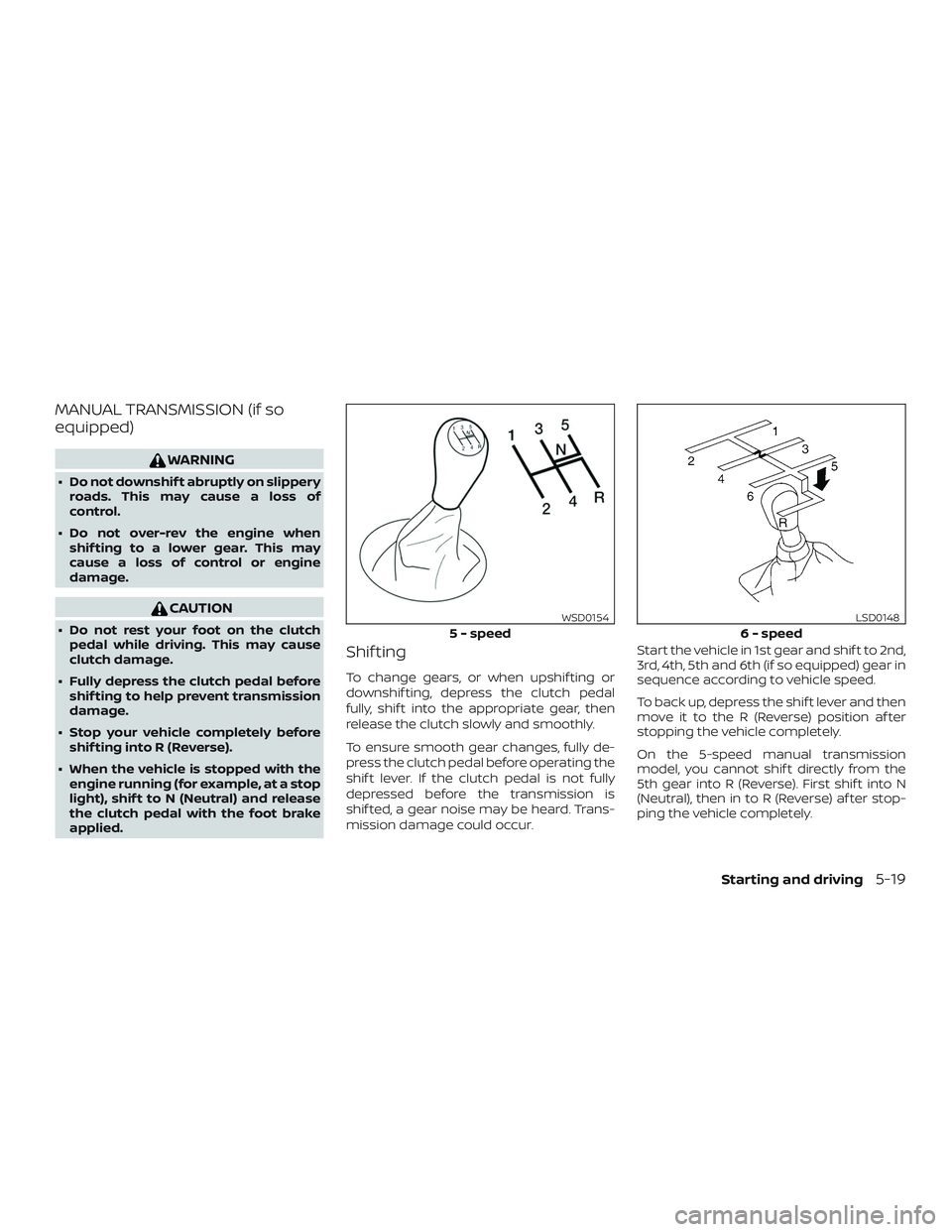
mission damage could occur. Start the vehicle in 1st gear and shif t to 2nd,
3rd, 4th, 5th and 6th (if so equipped) gear in
sequence according to vehicle speed.
To back up, depress the shif t lever and then
move it to the R (Reverse) position af ter
stopping the vehicle completely.
On the 5-speed manual transmission
model, you cannot shif t directly from the
5th gear into R (Reverse). First shif t into N
(Neutral), then in to R (Reverse) af ter stop-
ping the vehicle completely.
5 - speed
WSD0154
6 - speed
LSD0148
Starting and driving5-19
Page 339 of 516
CAUTION
On manual transmission models, do not
shif t into N (Neutral) without depress-
ing the clutch pedal when the cruise
control is set. Should this occur, depress
the clutch pedal and turn the ON•OFF
switch off immediately. Failure to do so
may cause engine damage.
CRUISE CONTROL OPERATIONS
The cruise control allows driving at a speed
between 25 - 89 mph (40 - 144 km/h) with-
out keeping your foot on the accelerator
pedal.
To turn on the cruise control,push the
ON•OFF switch. The CRUISE indicator light
in the instrument panel comes on.
To set cruising speed, accelerate the ve-
hicle to the desired speed, push the COAST-
•SET switch and release it. The SET indica-
tor light in the instrument panel comes on.
Take your foot off the accelerator pedal.
Your vehicle maintains the set speed.
∙ To pass another vehicle, depress the
accelerator pedal. When you release the
pedal, the vehicle returns to the previ-
ously set speed. ∙ The vehicle may not maintain the set
speed when going up or down steep
hills. If this happens, drive without the
cruise control.
To cancel the preset speed, use one of the
following three methods:
∙ Push the CANCEL switch; the SET indi- cator light in the instrument panel goes
out.
∙ Tap the brake pedal; the SET indicator light goes out.
∙ Turn the ON•OFF switch off. Both the CRUISE indicator light and SET indicator
light in the instrument panel go out.
The cruise control is automatically can-
celed and the SET indicator light in the in-
strument panel goes out if: ∙ You depress the brake or clutch pedal (if so equipped) while pushing the ACCEL-
•RES or COAST•SET switch. The preset
speed is deleted from memory.
∙ The vehicle slows down more than 8 mph (13 km/h) below the set speed.
∙ You depress the clutch pedal (manual transmission), or move the shif t lever to
N (Neutral) (automatic transmission). To reset at a faster cruising speed,
use
one of the following three methods:
∙
Depress the accelerator pedal. When the
vehicle attains the desired speed, push
and release the COAST•SET switch.
∙ Push and hold the ACCEL•RES switch. When the vehicle attains the speed you
desire, release the switch.
∙ Push and release the ACCEL•RES switch. Each time you do this, the set speed
increases by about 1 mph (1.6 km/h).
To reset at a slower cruising speed, use
one of the following three methods:
∙ Lightly tap the brake pedal. When the vehicle attains the desired speed, push
the COAST•SET switch and release it.
∙ Push and hold the COAST•SET switch. Release the switch when the vehicle
slows to the desired speed.
∙ Push and release the COAST•SET switch. Each time you do this, the set
speed decreases by about 1 mph
(1.6 km/h).
To resume the preset speed, push and
release the ACCEL•RES switch. The vehicle
returns to the last set cruising speed when
the vehicle speed is over 25 mph (40 km/h).
Starting and driving5-23
Page 345 of 516
The transfer case 4WD shif t switch is used
to select either 2WD or 4WD depending on
the driving conditions. There are three
types of drive modes available, 2WD, 4H and
4LO.
The 4WD shif t switch electronically controls
the transfer case operation. Rotate the
switch to move between each mode, 2WD,
4H and 4LO.
To change into or out of 4LO, the vehicle
MUST be stationary, move the shif t lever
to N (Neutral), and for A/T vehicles de-
press the brake pedal or for M/T vehicles
depress the clutch pedal. The switch
must be depressed and turned when
changing into or out of 4LO.
WARNING
∙ When parking, apply the parkingbrake before stopping the engine and
make sure that the 4WD shif t indica-
tor light is on and the ATP warning
light goes off. Otherwise, the vehicle
could unexpectedly move even if the
A/T is in the P (Park) position. ∙ The transfer 4LO position indicator
light must stop blinking and remain
illuminated or turn off before shif ting
the transmission into gear. If the shif t
lever is shif ted from the N (Neutral)
position to any other gear when the
transfer 4LO position indicator light is
blinking, the vehicle may move
unexpectedly.
CAUTION
∙ Never shif t the 4WD shif t switch be-tween 4LO and 4H while driving.
∙ The 4H position provides greater trac- tion. Avoid excessive speed, as it will
cause increased fuel consumption
and higher oil temperatures, and
could damage drivetrain compo-
nents. Speeds over 62 mph
(100 km/h) in 4H is not recommended.
∙ The 4LO position provides maximum power and traction. Avoid raising ve-
hicle speed excessively, as the maxi-
mum speed is approximately 31 mph
(50 km/h). ∙ When driving straight, shif t the 4WD
shif t switch to the 2WD or 4H position.
Do not move the 4WD shif t switch
when making a turn or reversing.
∙ Do not shif t the 4WD shif t switch (be- tween 2WD and 4H) while driving on
steep downhill grades. Use the engine
brake and low A/T gears 2 (Second
gear) or 1 (Low gear), or M/T (1st gear
or 2nd gear) for engine braking.
∙ Do not operate the 4WD shif t switch (between 2WD and 4H) with the rear
wheels spinning.
∙ Do not drive on dry hard surface roads in the 4H or 4LO position. Driving on
dry hard surfaces in 4H or 4LO may
cause unnecessary noise and tire
wear. NISSAN recommends driving in
the 2WD position under these
conditions.
∙ The 4WD transfer case may not be shif ted between 4H and 4LO at low
ambient temperatures and the trans-
fer 4LO position indicator light may
blink even when the 4WD shif t switch
is shif ted. Af ter driving for a while you
can change the 4WD transfer case be-
tween 4H and 4LO.
Starting and driving5-29