change wheel NISSAN FRONTIER 2020 Owner´s Manual
[x] Cancel search | Manufacturer: NISSAN, Model Year: 2020, Model line: FRONTIER, Model: NISSAN FRONTIER 2020Pages: 492, PDF Size: 3.05 MB
Page 314 of 492
FCC Notice:
For USA:
This device complies with Part 15 of the
FCC Rules. Operation is subject to the fol-
lowing two conditions: (1) This device
may not cause harmful interference, and
(2) this device must accept any interfer-
ence received, including interference
that may cause undesired operation.
NOTE:
Changes or modifications not ex-
pressly approved by the party re-
sponsible for compliance could void
the user's authority to operate the
equipment.
For Canada:
This device complies with Industry
Canada licence-exempt RSS standard(s).
Operation is subject to the following two
conditions: (1) this device may not cause
interference, and (2) this device must ac-
cept any interference, including interfer-
ence that may cause undesired opera-
tion of the device.
ON-PAVEMENT AND OFF-ROAD
DRIVING PRECAUTIONS
Utility vehicles have a significantly
higher rollover rate than other types of
vehicles.
They have higher ground clearance than
passenger cars to make them capable of
performing in a variety of on-pavement
and off-road applications. This gives them
a higher center of gravity than ordinary ve-
hicles. An advantage of higher ground
clearance is a better view of the road, allow-
ing you to anticipate problems. However,
they are not designed for cornering at the
same speeds as conventional 2-Wheel
Drive vehicles any more than low-slung
sports cars are designed to perform satis-
factorily under off-road conditions. If at all
possible, avoid sharp turns at high speeds.
As with other vehicles of this type, failure to
operate this vehicle correctly may result in
loss of control or vehicle rollover. In a roll-
over crash, an unbelted person is signifi-
cantly more likely to die than a person
wearing a seat belt.
For additional information, refer to “Driving
safety precautions” in this section.
AVOIDING COLLISION AND
ROLLOVER
WARNING
Failure to operate this vehicle in a safe
and prudent manner may result in loss
of control or an accident.
Be alert and drive defensively at all times.
Obey all traffic regulations. Avoid excessive
speed, high speed cornering, or sudden
steering maneuvers, because these driving
practices could cause you to lose control of
your vehicle.
As with any vehicle, loss of control could
result in a collision with other vehicles or
objects or cause the vehicle to roll over,
particularly if the loss of control causes
the vehicle to slide sideways.
Be attentive at all times, and avoid driving
when tired. Never drive when under the in-
fluence of alcohol or drugs (including pre-
scription or over-the-counter drugs which
may cause drowsiness). Always wear your
seat belt as outlined in the “Safety – Seats,
seat belts and supplemental restraint sys-
tem” section of this manual, and also in-
struct your passengers to do so.
5-6Starting and driving
Page 316 of 492
4. Gradually steer the vehicle to a safe lo-cation off the road and away from traffic
if possible.
5. Lightly apply the brake pedal to gradu- ally stop the vehicle.
6. Turn on the hazard warning flashers and contact a roadside emergency service
to change the tire. For additional infor-
mation, refer to “Changing a flat tire” in
the “In case of emergency” section of
this manual.
DRINKING ALCOHOL/DRUGS AND
DRIVING
WARNING
Never drive under the influence of alco-
hol or drugs. Alcohol in the blood-
stream reduces coordination, delays
reaction time and impairs judgement.
Driving af ter drinking alcohol increases
the likelihood of being involved in an
accident injuring yourself and others.
Additionally, if you are injured in an ac-
cident, alcohol can increase the sever-
ity of the injury. NISSAN is committed to safe driving. How-
ever, you must choose not to drive under
the influence of alcohol. Every year thou-
sands of people are injured or killed in
alcohol-related collisions. Although the lo-
cal laws vary on what is considered to be
legally intoxicated, the fact is that alcohol
affects all people differently and most
people underestimate the effects of alco-
hol.
Remember, drinking and driving don't mix!
That is true for drugs (over-the-counter,
prescription) and illegal drugs, too. Don't
drive if your ability to operate your vehicle is
impaired by alcohol, drugs, or some other
physical condition.
DRIVING SAFETY PRECAUTIONS
Your NISSAN is designed for both normal
and off-road use. However, avoid driving in
deep water or mud as your NISSAN is
mainly designed for leisure use, unlike a
conventional off-road vehicle.
Remember that 2-Wheel Drive models are
less capable than 4–Wheel Drive (4WD)
models for rough road driving and extrica-
tion when stuck in deep snow or mud, or
the like. Please observe the following precautions:
WARNING
• Drive carefully when off the road and
avoid dangerous areas. Every person
who drives or rides in this vehicle
should be seated with their seat belt
fastened. This will keep you and your
passengers in position when driving
over rough terrain.
• Do not drive across steep slopes. In-
stead drive either straight up or
straight down the slopes. Off-road
vehicles can tip over sideways much
more easily than they can forward or
backward.
• Many hills are too steep for any ve-
hicle. If you drive up them, you may
stall. If you drive down them, you may
not be able to control your speed. If
you drive across them, you may roll
over.
• Do not shif t gears while driving on
downhill grades as this could cause
loss of control of the vehicle.
• Stay alert when driving to the top of a
hill. At the top there could be a drop-
off or other hazard that could cause
an accident.
5-8Starting and driving
Page 318 of 492
•Always use tires of the same type,
size, brand, construction (bias, bias-
belted, or radial), and tread pattern
on all four wheels. Install tire chains
on the rear wheels when driving on
slippery roads and drive carefully.
• Be sure to check the brakes immedi-
ately af ter driving in mud or water.
For additional information, refer to
“Wet brakes” in this section.
• Avoid parking your vehicle on steep
hills. If you get out of the vehicle and
it rolls forward, backward or side-
ways, you could be injured.
• Whenever you drive off-road through
sand, mud or water as deep as the
wheel hub, more frequent mainte-
nance may be required. For addi-
tional information, refer to “Mainte-
nance under severe operating
conditions” in the “Maintenance and
schedules” section of this manual.
WARNING
Do not operate the push-button igni-
tion switch while driving the vehicle ex-
cept in an emergency. (The engine will
stop when the ignition switch is pushed
three consecutive times in quick suc-
cession or the ignition switch is pushed
and held for more than 2 seconds.) If
the engine stops while the vehicle is
being driven, this could lead to a crash
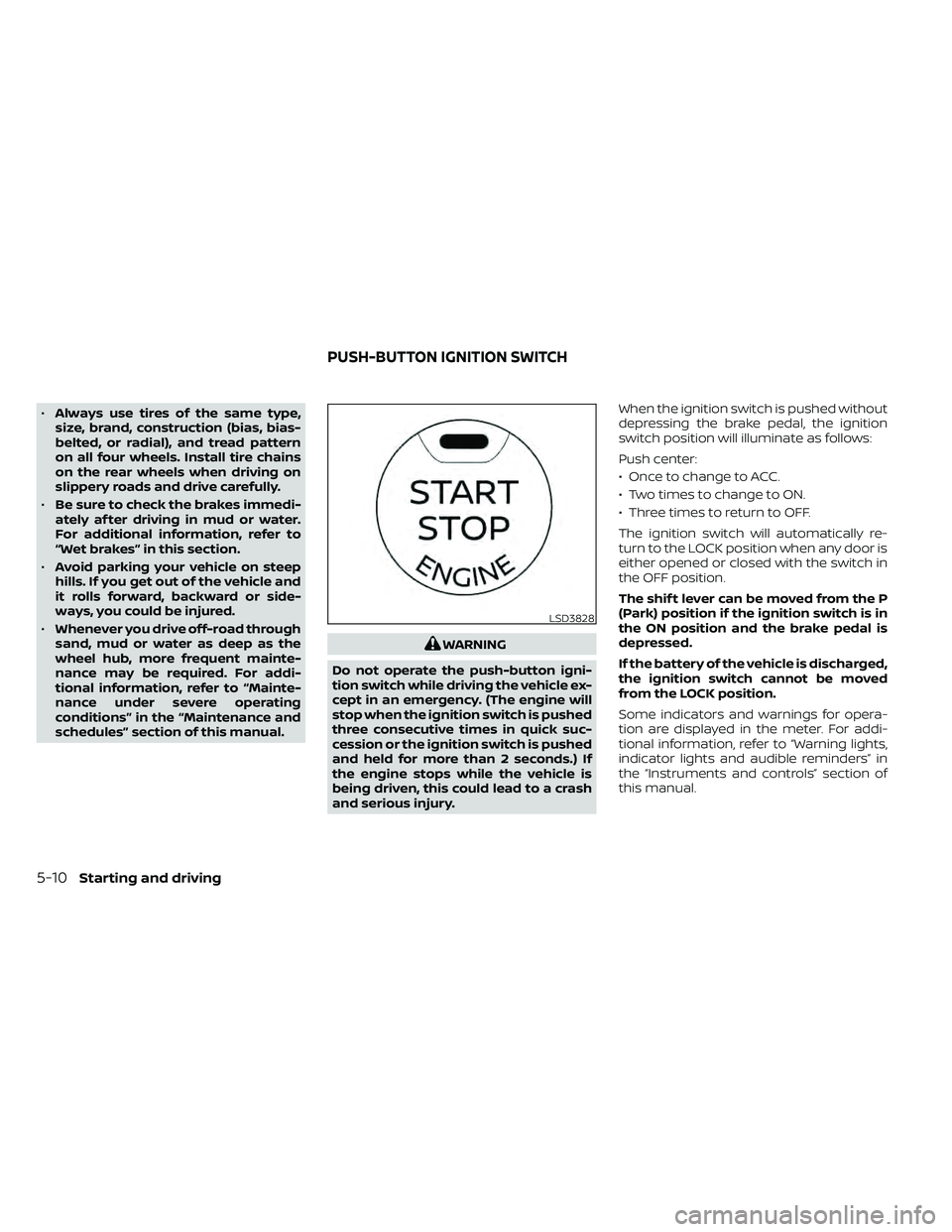
and serious injury. When the ignition switch is pushed without
depressing the brake pedal, the ignition
switch position will illuminate as follows:
Push center:
• Once to change to ACC.
• Two times to change to ON.
• Three times to return to OFF.
The ignition switch will automatically re-
turn to the LOCK position when any door is
either opened or closed with the switch in
the OFF position.
The shif t lever can be moved from the P
(Park) position if the ignition switch is in
the ON position and the brake pedal is
depressed.
If the battery of the vehicle is discharged,
the ignition switch cannot be moved
from the LOCK position.
Some indicators and warnings for opera-
tion are displayed in the meter. For addi-
tional information, refer to “Warning lights,
indicator lights and audible reminders” in
the “Instruments and controls” section of
this manual.
LSD3828
PUSH-BUTTON IGNITION SWITCH
5-10Starting and driving
Page 332 of 492
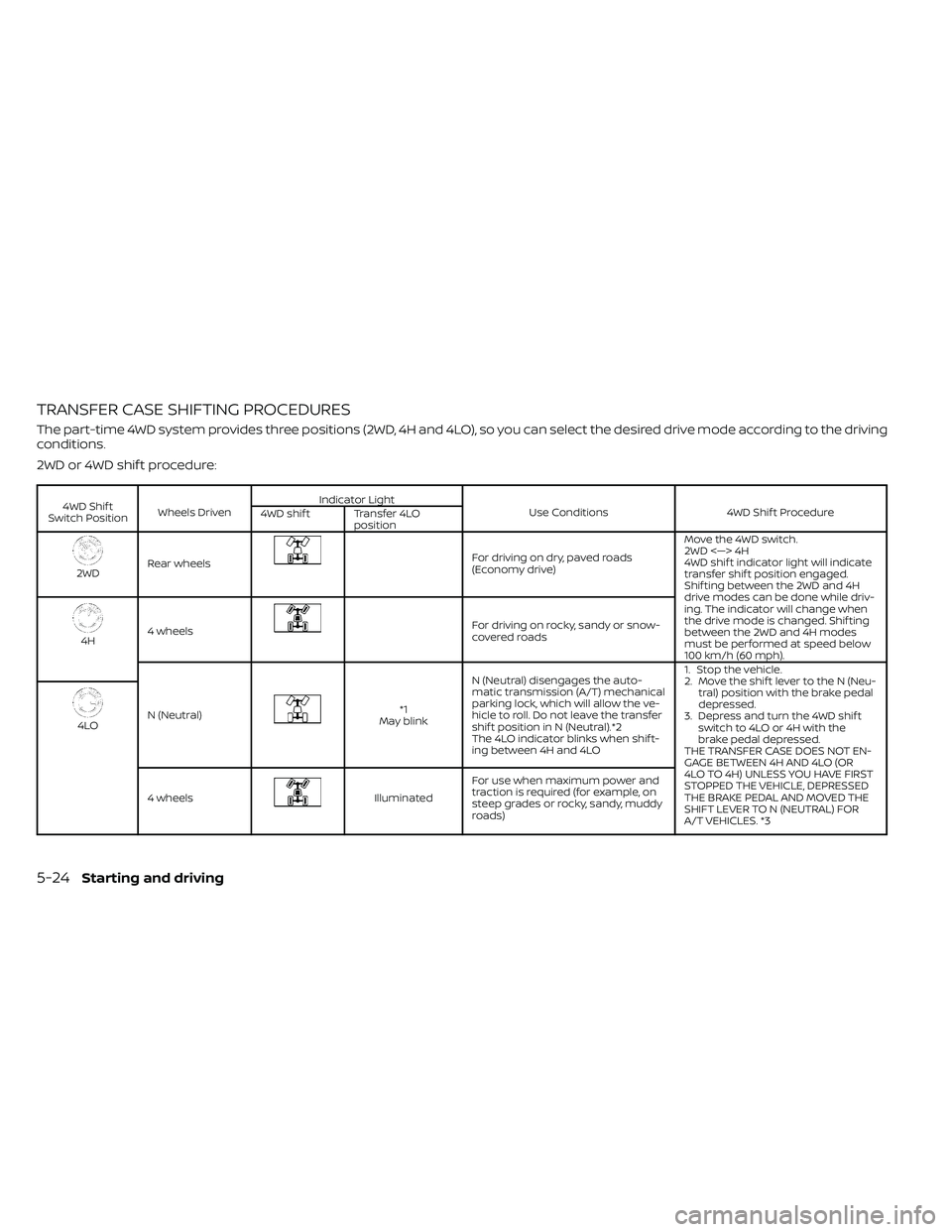
TRANSFER CASE SHIFTING PROCEDURES
The part-time 4WD system provides three positions (2WD, 4H and 4LO), so you can select the desired drive mode according to the driving
conditions.
2WD or 4WD shif t procedure:
4WD Shif t
Switch Position Wheels Driven Indicator Light
Use Conditions 4WD Shif t Procedure
4WD shif t Transfer 4LO
position
2WDRear wheels
For driving on dry, paved roads
(Economy drive) Move the 4WD switch.
2WD <—> 4H
4WD shif t indicator light will indicate
transfer shif t position engaged.
Shif ting between the 2WD and 4H
drive modes can be done while driv-
ing. The indicator will change when
the drive mode is changed. Shif ting
between the 2WD and 4H modes
must be performed at speed below
100 km/h (60 mph).
4H
4 wheels
For driving on rocky, sandy or snow-
covered roads
N (Neutral)
*1
May blink N (Neutral) disengages the auto-
matic transmission (A/T) mechanical
parking lock, which will allow the ve-
hicle to roll. Do not leave the transfer
shif t position in N (Neutral).*2
The 4LO indicator blinks when shif t-
ing between 4H and 4LO 1. Stop the vehicle.
2. Move the shif t lever to the N (Neu-
tral) position with the brake pedal
depressed.
3. Depress and turn the 4WD shif t switch to 4LO or 4H with the
brake pedal depressed.
THE TRANSFER CASE DOES NOT EN-
GAGE BETWEEN 4H AND 4LO (OR
4LO TO 4H) UNLESS YOU HAVE FIRST
STOPPED THE VEHICLE, DEPRESSED
THE BRAKE PEDAL AND MOVED THE
SHIFT LEVER TO N (NEUTRAL) FOR
A/T VEHICLES. *3
4LO
4 wheels
Illuminated For use when maximum power and
traction is required (for example, on
steep grades or rocky, sandy, muddy
roads)
5-24Starting and driving
Page 334 of 492
The transfer case 4WD shif t switch is used
to select either 2WD or 4WD depending on
the driving conditions. There are three
types of drive modes available, 2WD, 4H and
4LO.
The 4WD shif t switch electronically controls
the transfer case operation. Rotate the
switch to move between each mode, 2WD,
4H and 4LO.
To change into or out of 4LO, the vehicle
MUST be stationary, move the shif t lever
to N (Neutral), and depress the brake
pedal. The switch must be depressed
and turned when changing into or out of
4LO.
WARNING
• When parking, apply the parking
brake before stopping the engine
and make sure that the 4WD shif t in-
dicator light is on and the ATP warn-
ing light goes off. Otherwise, the ve-
hicle could unexpectedly move even
if the A/T is in the P (Park) position. •
The transfer 4LO position indicator
light must stop blinking and remain
illuminated or turn off before shif ting
the transmission into gear. If the shif t
lever is shif ted from the N (Neutral)
position to any other gear when the
transfer 4LO position indicator light
is blinking, the vehicle may move
unexpectedly.
CAUTION
• Never shif t the 4WD shif t switch be-
tween 4LO and 4H while driving.
• The 4H position provides greater
traction. Avoid excessive speed, as it
will cause increased fuel consump-
tion and higher oil temperatures, and
could damage drivetrain compo-
nents. Speeds over 62 mph (100
km/h) in 4H is not recommended.
• The 4LO position provides maximum
power and traction. Avoid raising ve-
hicle speed excessively, as the maxi-
mum speed is approximately 31 mph
(50 km/h).
•
When driving straight, shif t the 4WD
shif t switch to the 2WD or 4H position.
Do not move the 4WD shif t switch
when making a turn or reversing.
• Do not shif t the 4WD shif t switch (be-
tween 2WD and 4H) while driving on
steep downhill grades. Use the en-
gine brake and low gears 2 (Second
gear) or 1 (Low gear), for engine
braking.
• Do not operate the 4WD shif t switch
(between 2WD and 4H) with the rear
wheels spinning.
• Do not drive on dry hard surface
roads in the 4H or 4LO position. Driv-
ing on dry hard surfaces in 4H or 4LO
may cause unnecessary noise and
tire wear. NISSAN recommends driv-
ing in the 2WD position under these
conditions.
• The 4WD transfer case may not be
shif ted between 4H and 4LO at low
ambient temperatures and the
transfer 4LO position indicator light
may blink even when the 4WD shif t
switch is shif ted. Af ter driving for a
while you can change the 4WD trans-
fer case between 4H and 4LO.
5-26Starting and driving
Page 336 of 492
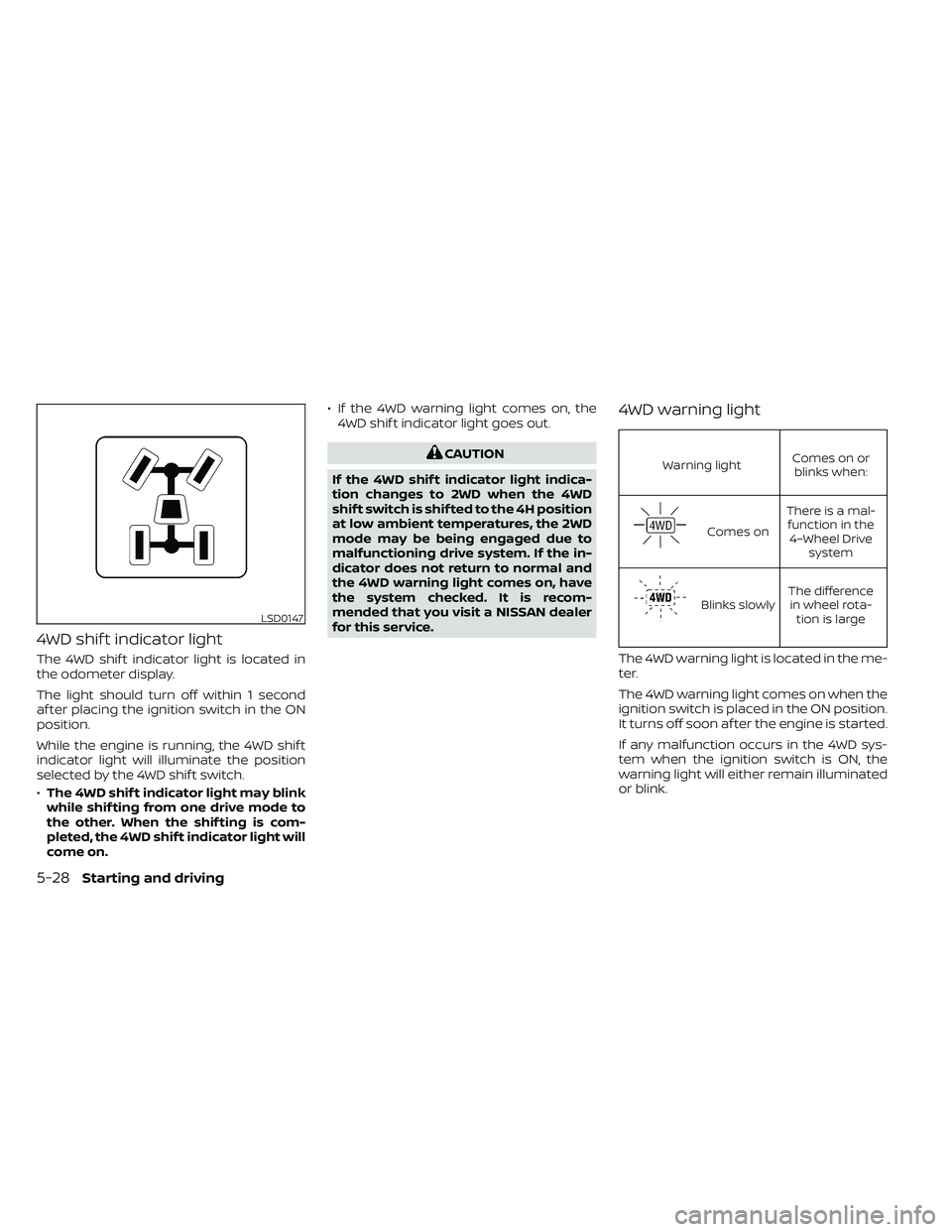
4WD shif t indicator light
The 4WD shif t indicator light is located in
the odometer display.
The light should turn off within 1 second
af ter placing the ignition switch in the ON
position.
While the engine is running, the 4WD shif t
indicator light will illuminate the position
selected by the 4WD shif t switch.
•The 4WD shif t indicator light may blink
while shif ting from one drive mode to
the other. When the shif ting is com-
pleted, the 4WD shif t indicator light will
come on. • If the 4WD warning light comes on, the
4WD shif t indicator light goes out.
CAUTION
If the 4WD shif t indicator light indica-
tion changes to 2WD when the 4WD
shif t switch is shif ted to the 4H position
at low ambient temperatures, the 2WD
mode may be being engaged due to
malfunctioning drive system. If the in-
dicator does not return to normal and
the 4WD warning light comes on, have
the system checked. It is recom-
mended that you visit a NISSAN dealer
for this service.
4WD warning light
Warning light Comes on or
blinks when:
Comes on There is a mal-
function in the 4–Wheel Drive system
Blinks slowly The difference
in wheel rota- tion is large
The 4WD warning light is located in the me-
ter.
The 4WD warning light comes on when the
ignition switch is placed in the ON position.
It turns off soon af ter the engine is started.
If any malfunction occurs in the 4WD sys-
tem when the ignition switch is ON, the
warning light will either remain illuminated
or blink.
LSD0147
5-28Starting and driving
Page 337 of 492
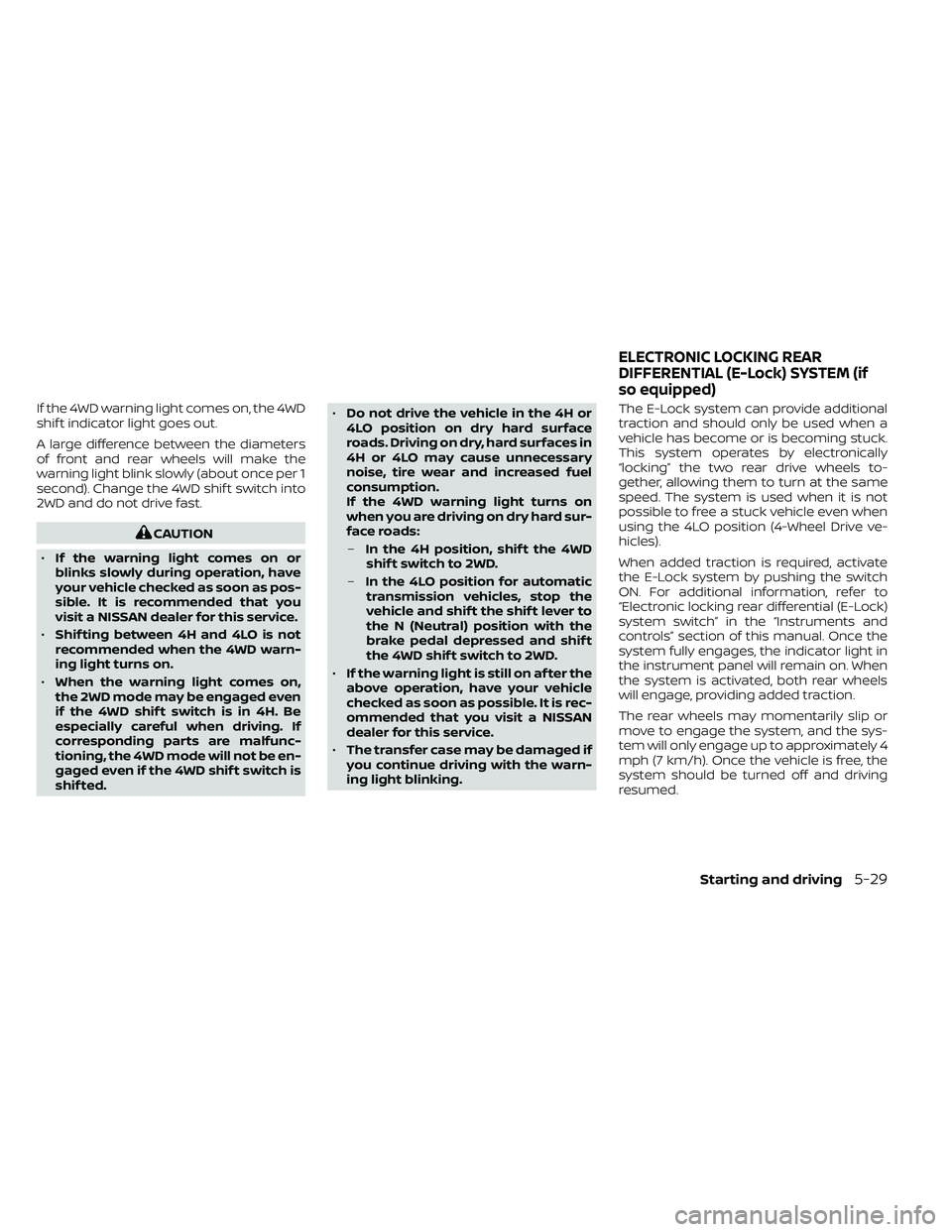
If the 4WD warning light comes on, the 4WD
shif t indicator light goes out.
A large difference between the diameters
of front and rear wheels will make the
warning light blink slowly (about once per 1
second). Change the 4WD shif t switch into
2WD and do not drive fast.
CAUTION
• If the warning light comes on or
blinks slowly during operation, have
your vehicle checked as soon as pos-
sible. It is recommended that you
visit a NISSAN dealer for this service.
• Shif ting between 4H and 4LO is not
recommended when the 4WD warn-
ing light turns on.
• When the warning light comes on,
the 2WD mode may be engaged even
if the 4WD shif t switch is in 4H. Be
especially careful when driving. If
corresponding parts are malfunc-
tioning, the 4WD mode will not be en-
gaged even if the 4WD shif t switch is
shif ted. •
Do not drive the vehicle in the 4H or
4LO position on dry hard surface
roads. Driving on dry, hard surfaces in
4H or 4LO may cause unnecessary
noise, tire wear and increased fuel
consumption.
If the 4WD warning light turns on
when you are driving on dry hard sur-
face roads:
– In the 4H position, shif t the 4WD
shif t switch to 2WD.
– In the 4LO position for automatic
transmission vehicles, stop the
vehicle and shif t the shif t lever to
the N (Neutral) position with the
brake pedal depressed and shif t
the 4WD shif t switch to 2WD.
• If the warning light is still on af ter the
above operation, have your vehicle
checked as soon as possible. It is rec-
ommended that you visit a NISSAN
dealer for this service.
• The transfer case may be damaged if
you continue driving with the warn-
ing light blinking. The E-Lock system can provide additional
traction and should only be used when a
vehicle has become or is becoming stuck.
This system operates by electronically
“locking” the two rear drive wheels to-
gether, allowing them to turn at the same
speed. The system is used when it is not
possible to free a stuck vehicle even when
using the 4LO position (4-Wheel Drive ve-
hicles).
When added traction is required, activate
the E-Lock system by pushing the switch
ON. For additional information, refer to
“Electronic locking rear differential (E-Lock)
system switch” in the “Instruments and
controls” section of this manual. Once the
system fully engages, the indicator light in
the instrument panel will remain on. When
the system is activated, both rear wheels
will engage, providing added traction.
The rear wheels may momentarily slip or
move to engage the system, and the sys-
tem will only engage up to approximately 4
mph (7 km/h). Once the vehicle is free, the
system should be turned off and driving
resumed.
ELECTRONIC LOCKING REAR
DIFFERENTIAL (E-Lock) SYSTEM (if
so equipped)
Starting and driving5-29
Page 354 of 492
•When replacing a wheel without the
TPMS such as the spare tire, the TPMS
will not function and the low tire
pressure warning light will flash for
approximately 1 minute. The light will
remain on af ter 1 minute. Have your
tires replaced and/or TPMS system
reset as soon as possible. It is recom-
mended that you visit a NISSAN
dealer for these services.
• Replacing tires with those not origi-
nally specified by NISSAN could af-
fect the proper operation of the
TPMS.
• Do not inject any tire liquid or aerosol
tire sealant into the tires, as this may
cause a malfunction of the tire pres-
sure sensors.
CHANGING A FLAT TIRE
If you have a flat tire, follow the instructions
below:
Stopping the vehicle
1. Safely move the vehicle off the road and away from traffic.
2. Turn on the hazard warning flashers. 3. Park on a level surface and apply the
parking brake. Move the shif t lever to P
(Park).
4. Turn off the engine.
5. Raise the hood to warn other traffic and to signal professional road assistance
personnel that you need assistance.
6. Have all passengers get out of the ve- hicle and stand in a safe place, away
from traffic and clear of the vehicle.
WARNING
• Make sure the parking brake is se-
curely applied and the shif t lever is
shif ted into P (Park).
• Never change tires when the vehicle
is on a slope, ice or slippery areas.
This is hazardous.
• Never change tires if oncoming traf-
fic is close to your vehicle. Wait for
professional road assistance.
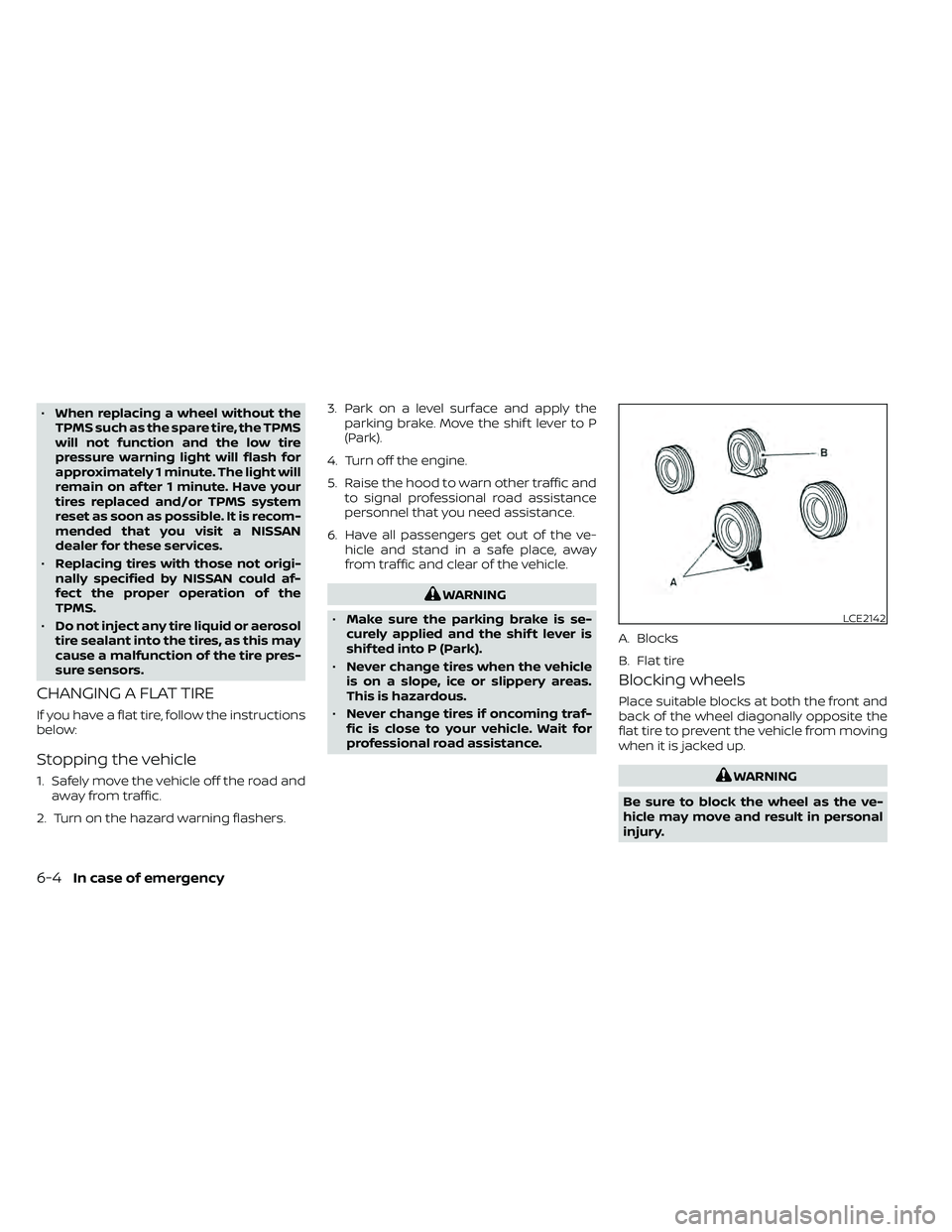
Blocking wheels
Place suitable blocks at both the front and
back of the wheel diagonally opposite the
flat tire to prevent the vehicle from moving
when it is jacked up.
WARNING
Be sure to block the wheel as the ve-
hicle may move and result in personal
injury.
LCE2142
A. Blocks
B. Flat tire
6-4In case of emergency
Page 358 of 492
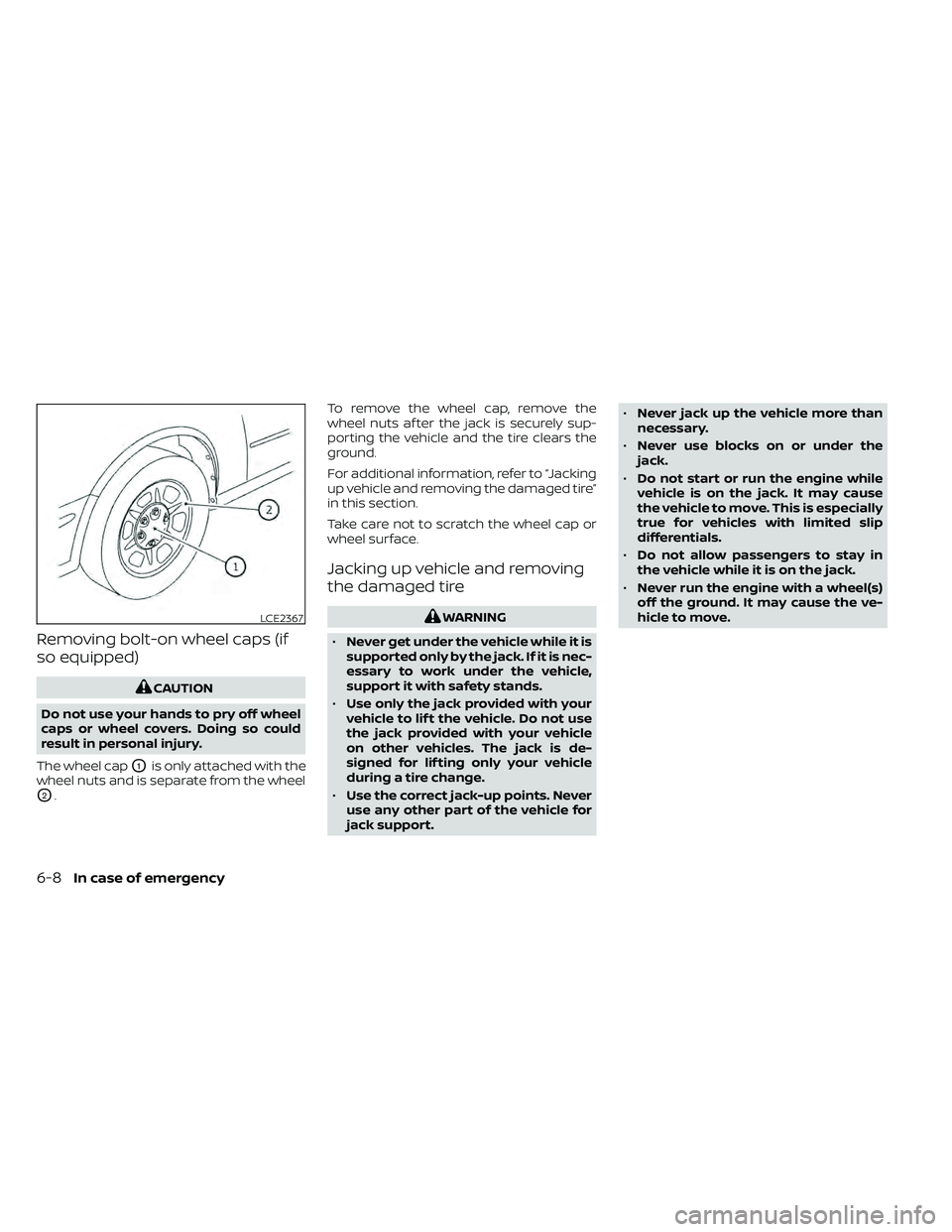
Removing bolt-on wheel caps (if
so equipped)
CAUTION
Do not use your hands to pry off wheel
caps or wheel covers. Doing so could
result in personal injury.
The wheel cap
O1is only attached with the
wheel nuts and is separate from the wheel
O2. To remove the wheel cap, remove the
wheel nuts af ter the jack is securely sup-
porting the vehicle and the tire clears the
ground.
For additional information, refer to “Jacking
up vehicle and removing the damaged tire”
in this section.
Take care not to scratch the wheel cap or
wheel surface.
Jacking up vehicle and removing
the damaged tire
WARNING
• Never get under the vehicle while it is
supported only by the jack. If it is nec-
essary to work under the vehicle,
support it with safety stands.
• Use only the jack provided with your
vehicle to lif t the vehicle. Do not use
the jack provided with your vehicle
on other vehicles. The jack is de-
signed for lif ting only your vehicle
during a tire change.
• Use the correct jack-up points. Never
use any other part of the vehicle for
jack support. •
Never jack up the vehicle more than
necessary.
• Never use blocks on or under the
jack.
• Do not start or run the engine while
vehicle is on the jack. It may cause
the vehicle to move. This is especially
true for vehicles with limited slip
differentials.
• Do not allow passengers to stay in
the vehicle while it is on the jack.
• Never run the engine with a wheel(s)
off the ground. It may cause the ve-
hicle to move.LCE2367
6-8In case of emergency
Page 416 of 492
•If the wheels are changed for any
reason, always replace with wheels
which have the same off-set dimen-
sion. Wheels of a different off-set
could cause premature tire wear, de-
grade vehicle handling characteris-
tics, affect the VDC system and/or in-
terference with the brake discs. Such
interference can lead to decreased
braking efficiency and/or early brake
pad wear. For additional information
on wheel off-set dimensions, refer to
“Wheels and tires” in the “Technical
and consumer information” section
of this manual.
• When replacing a wheel without the
TPMS such as the spare tire, the TPMS
will not function and the low tire
pressure warning light will flash for
approximately 1 minute. The light will
remain on af ter 1 minute. Have your
tires replaced and/or TPMS system
reset as soon as possible. It is recom-
mended that you visit a NISSAN
dealer for this service.
• Replacing tires with those not origi-
nally specified by NISSAN could af-
fect the proper operation of the
TPMS. •
The TPMS sensor may be damaged if
it is not handled correctly. Be careful
when handling the TPMS sensor.
• When replacing the TPMS sensor, the
ID registration may be required. It is
recommended that you visit a
NISSAN dealer for ID registration.
• Do not use a valve stem cap that is
not specified by NISSAN. The valve
stem cap may become stuck.
• Be sure that the valve stem caps are
correctly fitted. Otherwise the valve
may be clogged up with dirt and
cause a malfunction or loss of
pressure.
• Do not install a damaged or de-
formed wheel or tire even if it has
been repaired. Such wheels or tires
could have structural damage and
could fail without warning.
• The use of retread tires is not
recommended.
• For additional information regarding
tires, refer to “Important Tire Safety
Information” (US) or “Tire Safety In-
formation” (Canada) in the Warranty
Information Booklet.Four-wheel drive models
CAUTION
Always use tires of the same type, size,
brand, construction (bias, bias-belted
or radial), and tread pattern on all four
wheels. Failure to do so may result in a
circumference difference between tires
on the front and rear axles which will
cause excessive tire wear and may
damage the transmission, transfer
case and differential gears.
If excessive tire wear is found, it is recom-
mended that all four tires be replaced with
tires of the same size, brand, construction
and tread pattern. The tire pressure and
wheel alignment should also be checked
and corrected as necessary. It is recom-
mended that you visit a NISSAN dealer for
this service.
Wheel balance
Unbalanced wheels may affect vehicle
handling and tire life. Even with regular use,
wheels can get out of balance. Therefore,
they should be balanced as required.
Wheel balance service should be per-
formed with the wheels off the vehicle.
8-40Do-it-yourself