bluetooth NISSAN FRONTIER 2020 Owner´s Manual
[x] Cancel search | Manufacturer: NISSAN, Model Year: 2020, Model line: FRONTIER, Model: NISSAN FRONTIER 2020Pages: 492, PDF Size: 3.05 MB
Page 304 of 492
BLUETOOTH® HANDS-FREE
PHONE SYSTEM VOICE
COMMANDS
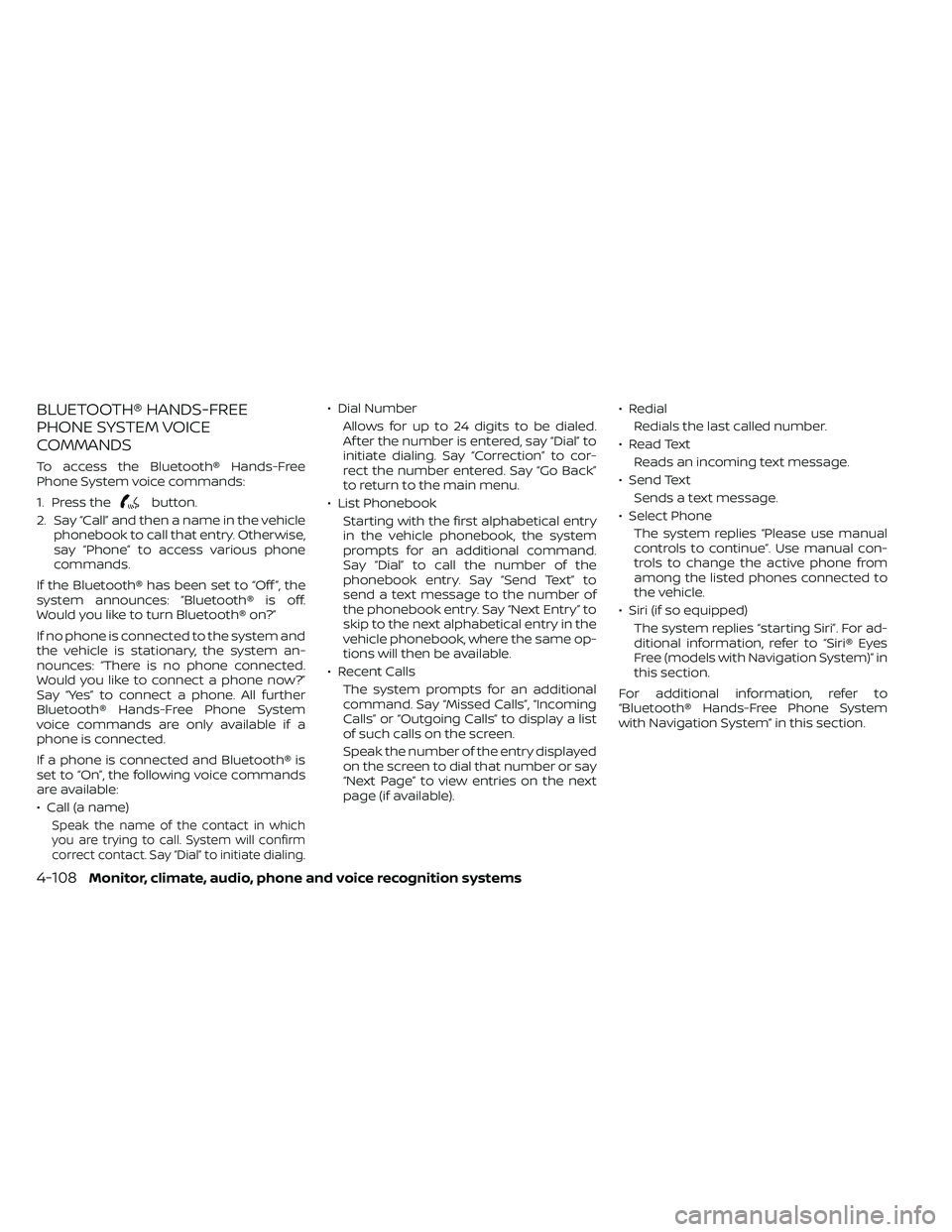
To access the Bluetooth® Hands-Free
Phone System voice commands:
1. Press the
button.
2. Say “Call” and then a name in the vehicle phonebook to call that entry. Otherwise,
say “Phone” to access various phone
commands.
If the Bluetooth® has been set to “Off ”, the
system announces: “Bluetooth® is off.
Would you like to turn Bluetooth® on?”
If no phone is connected to the system and
the vehicle is stationary, the system an-
nounces: “There is no phone connected.
Would you like to connect a phone now?”
Say “Yes” to connect a phone. All further
Bluetooth® Hands-Free Phone System
voice commands are only available if a
phone is connected.
If a phone is connected and Bluetooth® is
set to “On”, the following voice commands
are available:
• Call (a name)
Speak the name of the contact in which
you are trying to call. System will confirm
correct contact. Say “Dial” to initiate dialing.
• Dial Number Allows for up to 24 digits to be dialed.
Af ter the number is entered, say “Dial” to
initiate dialing. Say “Correction” to cor-
rect the number entered. Say “Go Back”
to return to the main menu.
• List Phonebook Starting with the first alphabetical entry
in the vehicle phonebook, the system
prompts for an additional command.
Say “Dial” to call the number of the
phonebook entry. Say “Send Text” to
send a text message to the number of
the phonebook entry. Say “Next Entry” to
skip to the next alphabetical entry in the
vehicle phonebook, where the same op-
tions will then be available.
• Recent Calls The system prompts for an additional
command. Say “Missed Calls”, “Incoming
Calls” or “Outgoing Calls” to display a list
of such calls on the screen.
Speak the number of the entry displayed
on the screen to dial that number or say
“Next Page” to view entries on the next
page (if available). • Redial
Redials the last called number.
• Read Text Reads an incoming text message.
• Send Text Sends a text message.
• Select Phone The system replies “Please use manual
controls to continue”. Use manual con-
trols to change the active phone from
among the listed phones connected to
the vehicle.
• Siri (if so equipped) The system replies “starting Siri”. For ad-
ditional information, refer to “Siri® Eyes
Free (models with Navigation System)” in
this section.
For additional information, refer to
“Bluetooth® Hands-Free Phone System
with Navigation System” in this section.
4-108Monitor, climate, audio, phone and voice recognition systems
Page 320 of 492
AUTO ACC:
With the vehicle in the P (Park) position, the
Intelligent Key with you, and the ignition
switch placed from the ON to the OFF po-
sition, the radio can still be used for a period
of time, or until the driver’s door is opened.
Af ter a period of time, functions such as
radio, navigation, and Bluetooth® Hands-
Free Phone System may be restarted by
pressing the “ON-OFF button/VOLUME
control knob” or the key fob unlock button.
For additional information, refer to “Monitor,
climate, audio, phone and voice recogni-
tion systems” in this manual.
EMERGENCY ENGINE SHUT OFF
To shut off the engine in an emergency
situation while driving, perform the follow-
ing procedure:
• Rapidly push the ignition switch threeconsecutive times in less than 1.5 sec-
onds, or
• Push and hold the ignition switch for more than 2 seconds.
NISSAN INTELLIGENT KEY®
BATTERY DISCHARGE
If the battery of the NISSAN Intelligent Key®
is discharged or environmental conditions
interfere with the Intelligent Key operation,
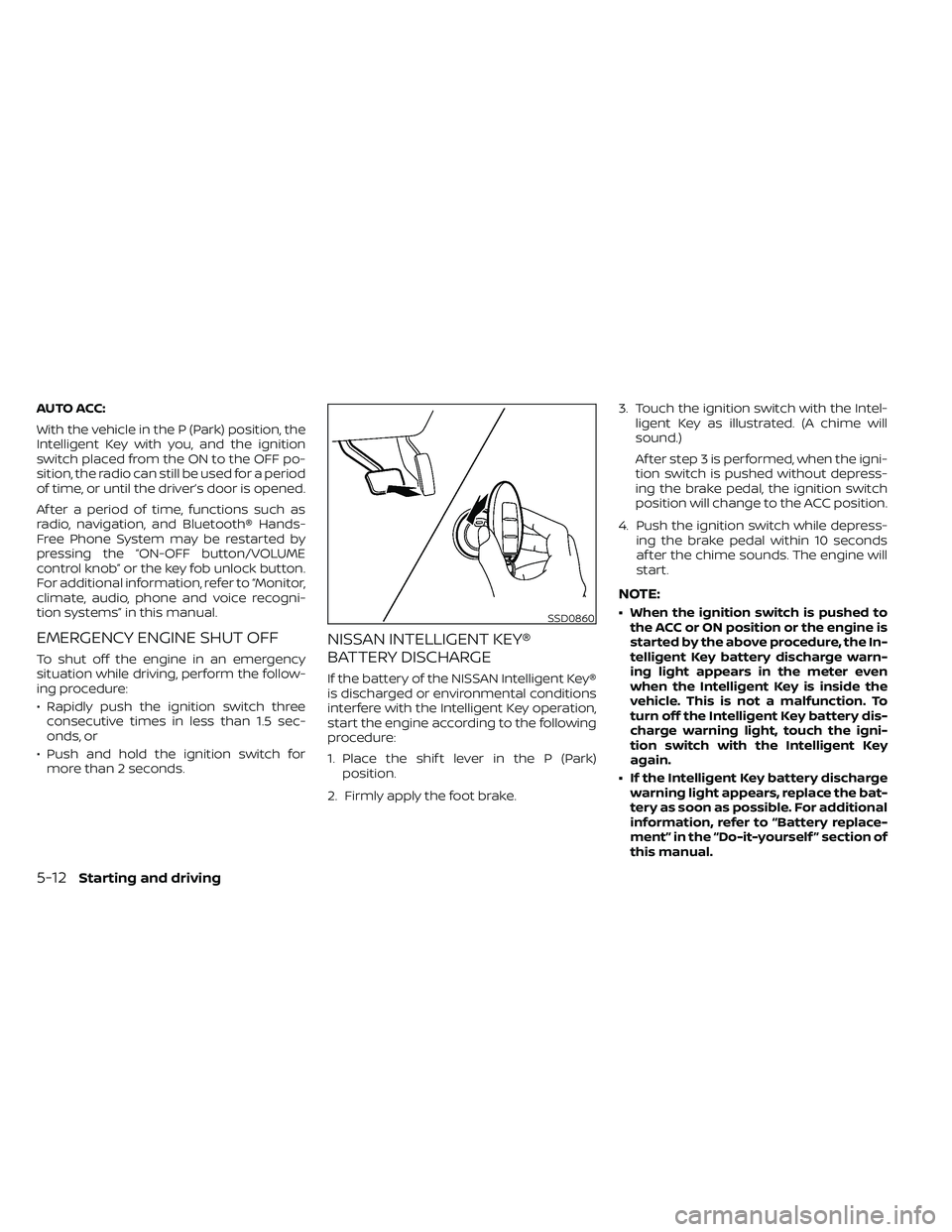
start the engine according to the following
procedure:
1. Place the shif t lever in the P (Park) position.
2. Firmly apply the foot brake. 3. Touch the ignition switch with the Intel-
ligent Key as illustrated. (A chime will
sound.)
Af ter step 3 is performed, when the igni-
tion switch is pushed without depress-
ing the brake pedal, the ignition switch
position will change to the ACC position.
4. Push the ignition switch while depress- ing the brake pedal within 10 seconds
af ter the chime sounds. The engine will
start.
NOTE:
• When the ignition switch is pushed tothe ACC or ON position or the engine is
started by the above procedure, the In-
telligent Key battery discharge warn-
ing light appears in the meter even
when the Intelligent Key is inside the
vehicle. This is not a malfunction. To
turn off the Intelligent Key battery dis-
charge warning light, touch the igni-
tion switch with the Intelligent Key
again.
• If the Intelligent Key battery discharge warning light appears, replace the bat-
tery as soon as possible. For additional
information, refer to “Battery replace-
ment” in the “Do-it-yourself ” section of
this manual.SSD0860
5-12Starting and driving
Page 477 of 492
11 Index
4WD warning light..............2-15
A
Active Brake Limited Slip (ABLS)
system.....................5-34Air bag (See supplemental restraint
system).....................1-70Air bag system
Front (See supplemental front impact
air bag system)
..............1-77Air bag warning labels............1-85Air bag warning light.........1-85, 2-20Air bag warning light,
supplemental.............1-85, 2-20Air cleaner housing filter..........8-17Air conditionerAir conditioner operation. . . .4-26, 4-34Air conditioner service..........4-36Air conditioner specification label. .10-13Air conditioner system refrigerant
recommendations............10-8Air conditioner system refrigerant
and oil recommendations.......10-8Heater and air conditioner
controls.................. .4-34Servicing air conditioner........4-36Air flow charts.................4-27Alarm system
(See vehicle security system).......2-25
Anchor point locations...........1-33Antenna....................4-72Anti-lock brake warning light.......2-15Anti-lock Braking System (ABS)......5-33Antifreeze...................5-40Apps......................4-72Audio system.................4-36AM radio reception............4-37AM/FM radio................4-46Auxiliary (AUX) devices operation. . .4-47Bluetooth® audio.............4-66Bluetooth® streaming audio......4-69Compact disc (CD) player........4-54FM radio reception............4-36FM/AM/SAT radio with compact disc (CD)
player................4-44, 4-49iPod® Player............4-60, 4-63iPod® player operation......4-60, 4-63Radio................... .4-36Steering wheel audio control
switch....................4-71USB Connections.............4-56Autolight switch................2-31Automatic
Automatic power window switch. . .2-51Automatic transmission position
indicator light...............2-21Driving with automatic
transmission................5-14Automatic anti-glare inside mirror. . . .3-18Automatic door locks.............3-7
AUX jack................... .4-55
B
Back button..................4-13Battery.................5-40, 8-13Charge warning light...........2-17Battery replacement............8-24Key fob...................8-24NISSAN Intelligent Key®.........8-24Before starting the engine.........5-13Belt (See drive belt)..............8-15Bluetooth® audio...........4-66, 4-69Bluetooth® hands-free phone
system.................... .4-96Bluetooth® connections........4-93Connecting procedure......4-84, 4-99Phone indicators.............4-83Text messaging.........4-89, 4-100Voice commands............4-85Bluetooth® Hands-Free Phone System
without Navigation System........4-79Booster seats.................1-65Brake
Anti-lock Braking System (ABS). . . .5-33Brake fluid..................8-11Brake light (See stop light).......8-28Brake system...............5-32Brake warning light............2-16Brake wear indicators......2-24,8-20
Page 479 of 492
EngineBefore starting the engine........5-13Capacities and recommended
fuel/lubricants...............10-2Changing engine coolant.........8-5Changing engine oil............8-6Changing engine oil filter.........8-6Checking engine coolant level......8-5Checking engine oil level.........8-6Engine coolant temperature gauge. . .2-7Engine cooling system...........8-4Engine oil.................. .8-6Engine oil and oil filter
recommendation.............10-7Engine oil pressure warning light. . . .2-17Engine oil viscosity.............10-7Engine serial number...........10-11Engine specifications...........10-9Engine Block Heater.............5-41Engine coolant temperature gauge. . . .2-7Enter button...............4-5, 4-10Event Data recorders............10-40Exhaust gas (Carbon monoxide)......5-2Explanation of maintenance items.....9-2Explanation of scheduled maintenance
items...................... .9-5Extended storage switch..........8-23Eyeglass case.................2-45
F
First aid kit....................6-2
Flashers
(See hazard warning flasher switch). . . .6-2Flat tire.................. .6-3, 6-4Floor mat positioning aid...........7-6Fluid
Brake fluid..................8-11Capacities and recommended
fuel/lubricants...............10-2Engine coolant................8-4Engine oil.................. .8-6Power steering fluid............8-10Windshield-washer fluid.........8-12Fog light switch................2-33Front air bag system
(See supplemental restraint system). . .1-77Front power seat adjustment........1-5Front seats....................1-2Front-door pocket..............2-40Fuel
Capacities and recommended
fuel/lubricants
...............10-2Fuel economy................5-23Fuel gauge................. .2-8Fuel octane rating.............10-6Fuel recommendation..........10-4Fuel-filler cap................3-13Fuel-filler lid.................3-13Loose fuel cap warning..........2-6Fuel efficient driving tips...........5-21Fuel gauge................... .2-8Fuel-filler door.................3-13Fuses......................8-20Fusible links..................8-22
G
Garage door opener, HomeLink® Universal
Transceiver............2-56, 2-58, 2-59Gas cap.....................3-13Gauge
Engine coolant temperature gauge. . .2-7Fuel gauge................. .2-8Odometer.................. .2-5Speedometer................2-5Tachometer..................2-7Trip computer................2-9Trip odometer................2-5General maintenance.............9-2Glove box................... .2-44
H
Hands-free phone system, Bluetooth®. .4-96Hazard warning flasher switch........6-2Head restraints.................1-10Headlight and turn signal switch.....2-30Headlight control switch...........2-30Headlights...................8-26Heated seat switches............2-35Heater
Heater and air conditioner controls. .4-34Heater operation..........4-25, 4-35Hill descent control switch.........2-36Hill descent control system.........5-37Hill start assist system............5-38HomeLink® Universal
Transceiver............2-56, 2-58, 2-59
11-3
Page 481 of 492
M
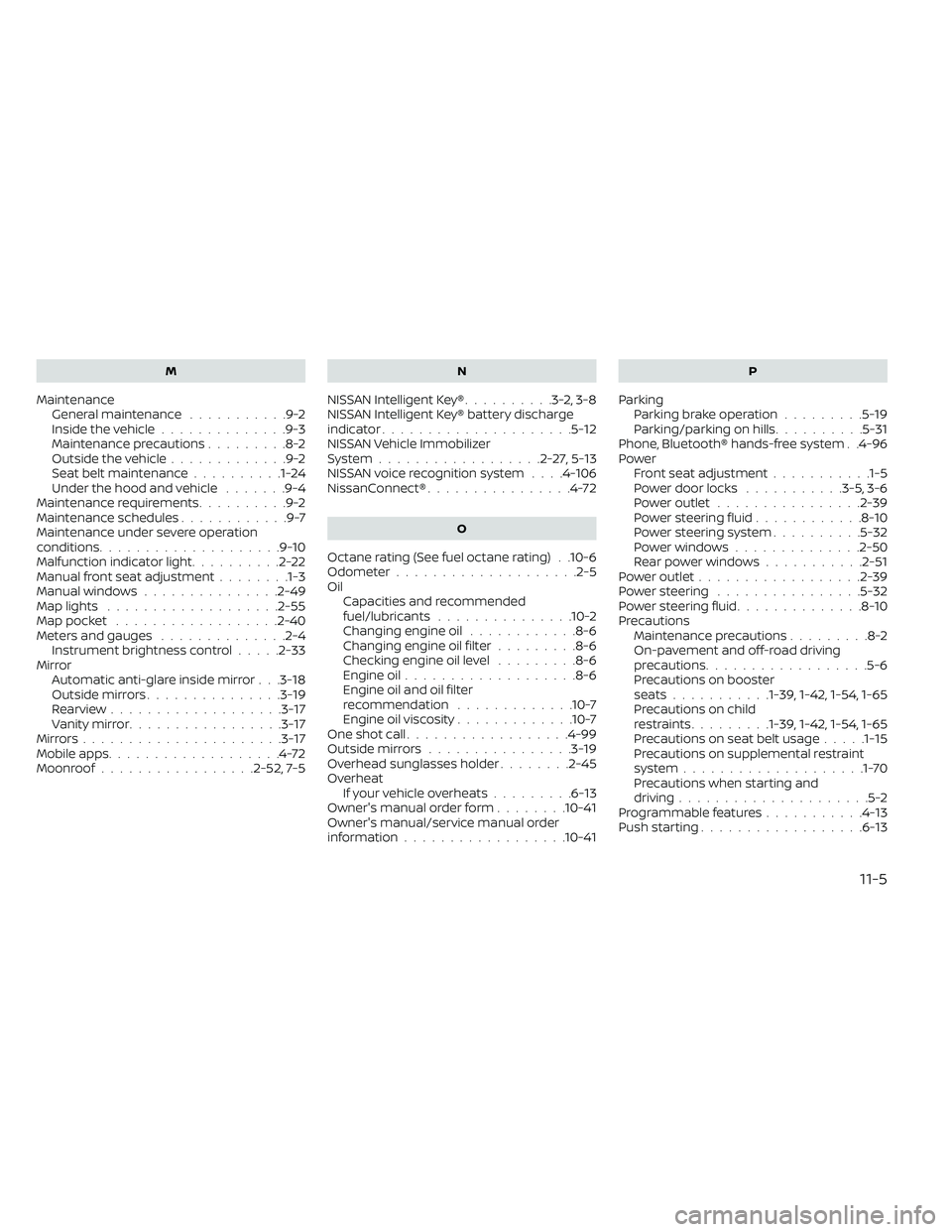
MaintenanceGeneral maintenance...........9-2Inside the vehicle..............9-3Maintenance precautions.........8-2Outside the vehicle.............9-2Seat belt maintenance..........1-24Under the hood and vehicle.......9-4Maintenance requirements..........9-2Maintenance schedules............9-7Maintenance under severe operation
conditions....................9-10Malfunction indicator light..........2-22Manual front seat adjustment........1-3Manual windows...............2-49Map lights.................. .2-55Map pocket..................2-40Meters and gauges..............2-4Instrument brightness control.....2-33Mirror
Automatic anti-glare inside mirror. . .3-18Outside mirrors...............3-19Rearview...................3-17Vanity mirror.................3-17Mirrors......................3-17Mobile apps...................4-72Moonroof................ .2-52, 7-5
N
NISSAN Intelligent Key®..........3-2,3-8NISSAN Intelligent Key® battery discharge
indicator.....................5-12NISSAN Vehicle Immobilizer
System..................2-27,5-13NISSAN voice recognition system. . . .4-106NissanConnect®................4-72
O
Octane rating (See fuel octane rating). .10-6Odometer................... .2-5Oil
Capacities and recommended
fuel/lubricants
...............10-2Changing engine oil............8-6Changing engine oil filter.........8-6Checking engine oil level.........8-6Engine oil.................. .8-6Engine oil and oil filter
recommendation.............10-7Engine oil viscosity.............10-7One shot call..................4-99Outside mirrors................3-19Overhead sunglasses holder........2-45Overheat
If your vehicle overheats.........6-13Owner's manual order form........10-41Owner's manual/service manual order
information................. .10-41
P
Parking
Parking brake operation.........5-19Parking/parking on hills..........5-31Phone, Bluetooth® hands-free system. .4-96PowerFront seat adjustment...........1-5Power door locks...........3-5, 3-6Power outlet................2-39Power steering fluid............8-10Power steering system..........5-32Power windows..............2-50Rear power windows...........2-51Power outlet................. .2-39Power steering................5-32Power steering fluid..............8-10Precautions
Maintenance precautions.........8-2On-pavement and off-road driving
precautions................. .5-6Precautions on booster
seats...........1-39, 1-42, 1-54, 1-65Precautions on child
restraints.........1-39, 1-42, 1-54, 1-65Precautions on seat belt usage.....1-15Precautions on supplemental restraint
system....................1-70Precautions when starting and
driving.....................5-2Programmable features...........4-13Push starting..................6-13
11-5