mirror NISSAN FRONTIER 2020 Owner´s Manual
[x] Cancel search | Manufacturer: NISSAN, Model Year: 2020, Model line: FRONTIER, Model: NISSAN FRONTIER 2020Pages: 492, PDF Size: 3.05 MB
Page 13 of 492
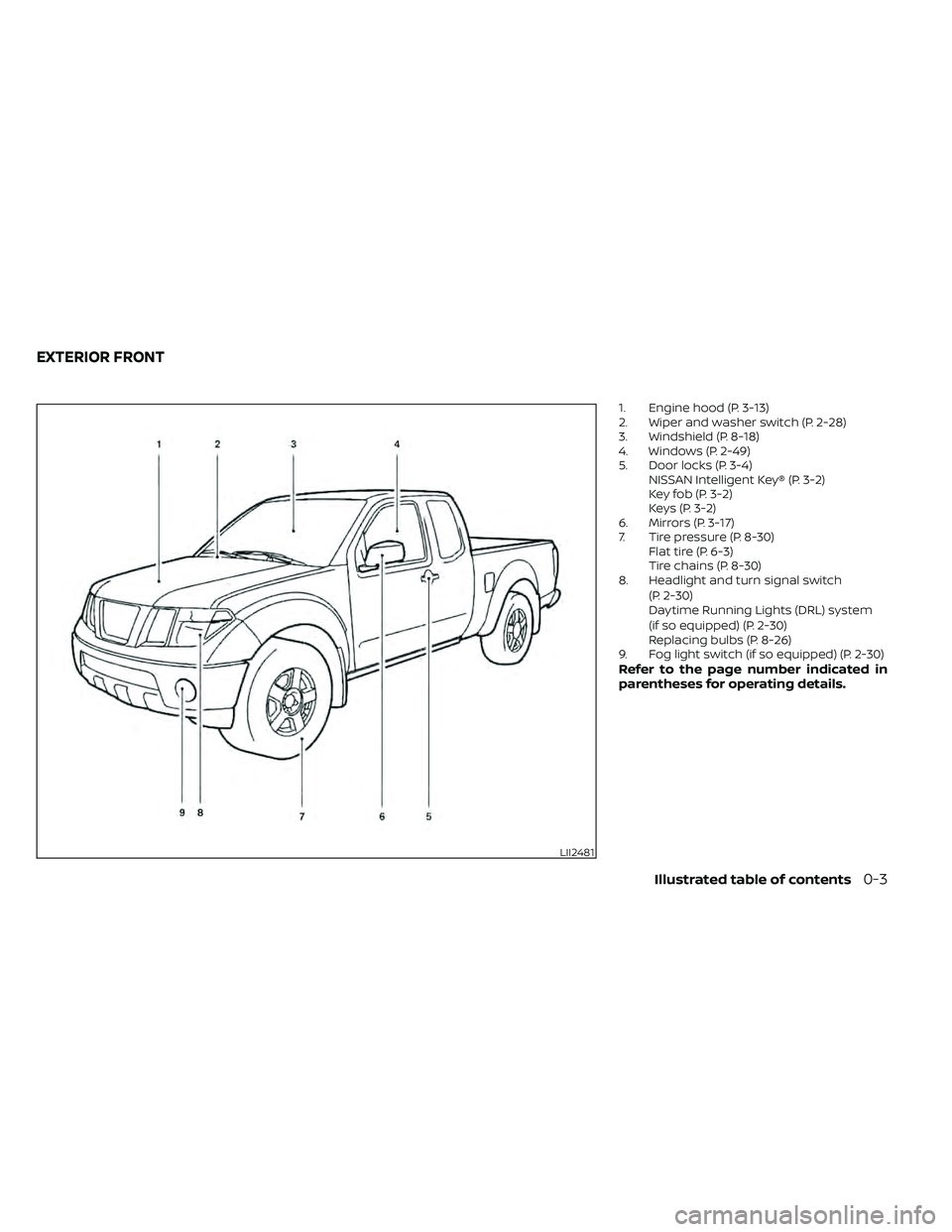
1. Engine hood (P. 3-13)
2. Wiper and washer switch (P. 2-28)
3. Windshield (P. 8-18)
4. Windows (P. 2-49)
5. Door locks (P. 3-4)NISSAN Intelligent Key® (P. 3-2)
Key fob (P. 3-2)
Keys (P. 3-2)
6. Mirrors (P. 3-17)
7. Tire pressure (P. 8-30) Flat tire (P. 6-3)
Tire chains (P. 8-30)
8. Headlight and turn signal switch
(P. 2-30)
Daytime Running Lights (DRL) system
(if so equipped) (P. 2-30)
Replacing bulbs (P. 8-26)
9. Fog light switch (if so equipped) (P. 2-30)
Refer to the page number indicated in
parentheses for operating details.
LII2481
EXTERIOR FRONT
Illustrated table of contents0-3
Page 15 of 492
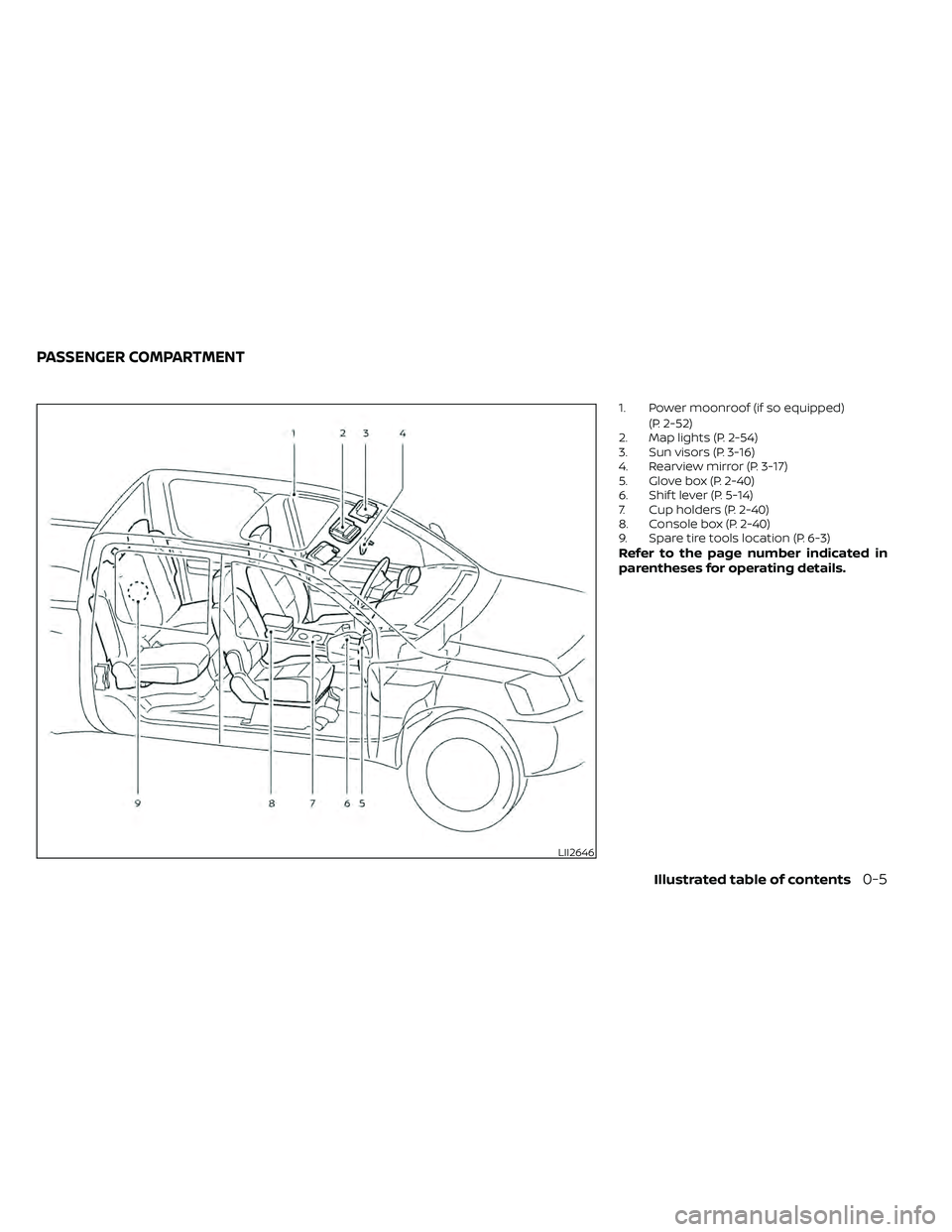
1. Power moonroof (if so equipped)(P. 2-52)
2. Map lights (P. 2-54)
3. Sun visors (P. 3-16)
4. Rearview mirror (P. 3-17)
5. Glove box (P. 2-40)
6. Shif t lever (P. 5-14)
7. Cup holders (P. 2-40)
8. Console box (P. 2-40)
9. Spare tire tools location (P. 6-3)
Refer to the page number indicated in
parentheses for operating details.
LII2646
PASSENGER COMPARTMENT
Illustrated table of contents0-5
Page 17 of 492
16. Shif t lever (P. 5-14)
17. Push-button ignition switch (P. 5-10)
18. 4WD shif t switch (if so equipped)(P. 5-23)
19. Climate controls (P. 4-22, P. 4-31)
20. Hazard warning flasher switch (P. 6-2)
21. Tilt steering wheel control (P. 3-16)
22. Cargo lamp switch (P. 2-34) Hill descent control switch
(if so equipped) (P. 2-36)
Outside mirror controls (if so equipped)
(P. 3-17)
Illustrated table of contents0-7
Page 110 of 492
2 Instruments and controls
Instrument panel................................2-2
Meters and gauges .............................2-4
Speedometer and odometer .................2-4
Tachometer .................................. 2-7
Engine coolant temperature gauge .......... 2-7
Fuel gauge ...................................2-8
Distance To Empty (DTE) .....................2-8
Trip computer (if so equipped) ................2-9
Compass and outside temperature display
(if so equipped) ................................. 2-10
Outside temperature display ................2-10
Compass .................................... 2-11
Warning lights, indicator lights and audible
reminders ...................................... 2-14
Checking lights .............................. 2-15
Warning lights ............................... 2-15
Indicator lights .............................. 2-21
Audible reminders ........................... 2-24
Security systems (if so equipped) ...............2-25
Vehicle security system (if so equipped) .....2-25
NISSAN Vehicle Immobilizer System
(if so equipped) .............................. 2-27
Wiper and washer switch .......................2-28
Switch operation ............................ 2-28
Rear window or outside mirror defroster
switch (if so equipped) ......................... 2-29Headlight and turn signal switch
...............2-30
Headlight control switch ....................2-30
Daytime Running Lights (DRL) system
(if so equipped) .............................. 2-32
Instrument brightness control ..............2-33
Turn signal switch ........................... 2-33
Fog light switch (if so equipped) .............2-33
Horn ........................................... 2-34
Cargo lamp switch ............................. 2-34
Heated seat switches (if so equipped) ..........2-35
Vehicle Dynamic Control (VDC) OFF switch .....2-36
Hill descent control switch (if so equipped) .....2-36
Electronic locking rear differential (E-Lock)
system switch (if so equipped) .................2-37
Rear Sonar System (RSS) OFF switch
(if so equipped) .................................
2-38
P
ower outlets .................................. 2-39
Storage ........................................ 2-40
Front-door pockets ......................... 2-40
Rear-door pockets .......................... 2-40
Seatback pocket (if so equipped) ............2-41
Under-seat storage bins
(if so equipped) .............................. 2-42
Storagetrays................................ 2-44
Glovebox ................................... 2-44
Page 113 of 492
16. Shif t lever (P. 5-14)
17. Push-button ignition switch (P. 5-10)
18. 4WD shif t switch (if so equipped)(P. 5-23)
19. Climate controls (P. 4-22, P. 4-31)
20. Hazard warning flasher switch (P. 6-2)
21. Tilt steering wheel control (P. 3-16)
22. Cargo lamp switch (P. 2-34) Hill descent control switch
(if so equipped) (P. 2-36)
Outside mirror controls (if so equipped)
(P. 3-17)
Instruments and controls2-3
Page 120 of 492
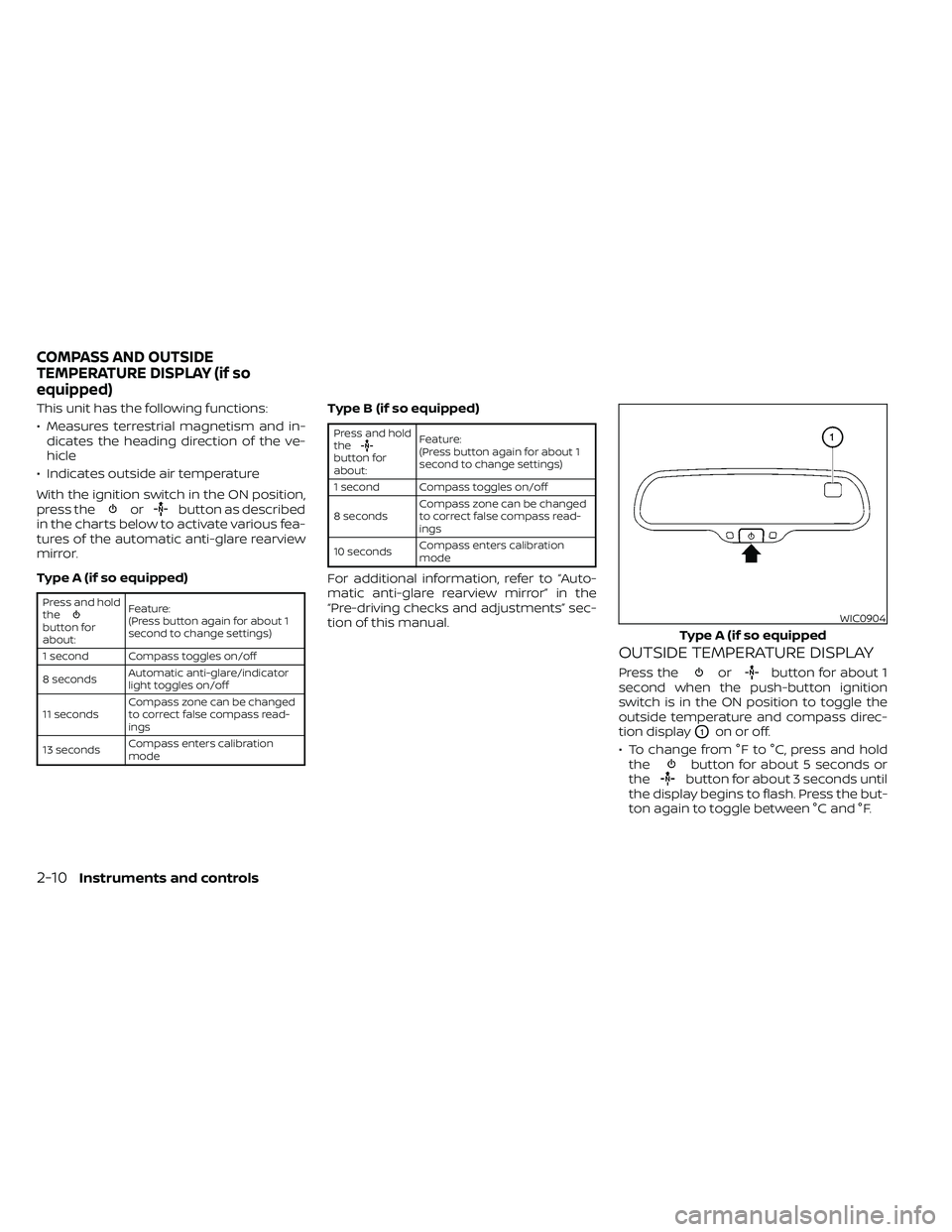
This unit has the following functions:
• Measures terrestrial magnetism and in-dicates the heading direction of the ve-
hicle
• Indicates outside air temperature
With the ignition switch in the ON position,
press the
orbutton as described
in the charts below to activate various fea-
tures of the automatic anti-glare rearview
mirror.
Type A (if so equipped)
Press and hold
the
button for
about: Feature:
(Press button again for about 1
second to change settings)
1 second Compass toggles on/off
8 seconds Automatic anti-glare/indicator
light toggles on/off
11 seconds Compass zone can be changed
to correct false compass read-
ings
13 seconds Compass enters calibration
mode
Type B (if so equipped)
Press and hold
the
button for
about:Feature:
(Press button again for about 1
second to change settings)
1 second Compass toggles on/off
8 seconds Compass zone can be changed
to correct false compass read-
ings
10 seconds Compass enters calibration
mode
For additional information, refer to “Auto-
matic anti-glare rearview mirror” in the
“Pre-driving checks and adjustments” sec-
tion of this manual.
OUTSIDE TEMPERATURE DISPLAY
Press theorbutton for about 1
second when the push-button ignition
switch is in the ON position to toggle the
outside temperature and compass direc-
tion display
O1on or off.
• To change from °F to °C, press and hold the
button for about 5 seconds or
thebutton for about 3 seconds until
the display begins to flash. Press the but-
ton again to toggle between °C and °F.
WIC0904
Type A (if so equipped
COMPASS AND OUTSIDE
TEMPERATURE DISPLAY (if so
equipped)
2-10Instruments and controls
Page 123 of 492
Inaccurate compass direction
The compass display is equipped with au-
tomatic correction function. If the correct
direction is not shown, follow this proce-
dure.
1. With the display turned on, press andhold the
button for about 13 sec-
onds or thebutton for about 10
seconds. The “C” icon in the compass
display will illuminate.
2. Calibrate the compass by driving the ve- hicle in three complete circles at a maxi-
mum speed of 5 mph (8 km/h).
3. Af ter completing the circles, the display should return to normal.
CAUTION
• Do not install a ski rack, antenna, etc.,
which are attached to the vehicle by
means of a magnet. They affect the
operation of the compass.
• When cleaning the mirror, use a pa-
per towel or similar material damp-
ened with glass cleaner. Do not spray
glass cleaner directly on the mirror
as it may cause the liquid cleaner to
enter the mirror housing.
Instruments and controls2-13
Page 139 of 492
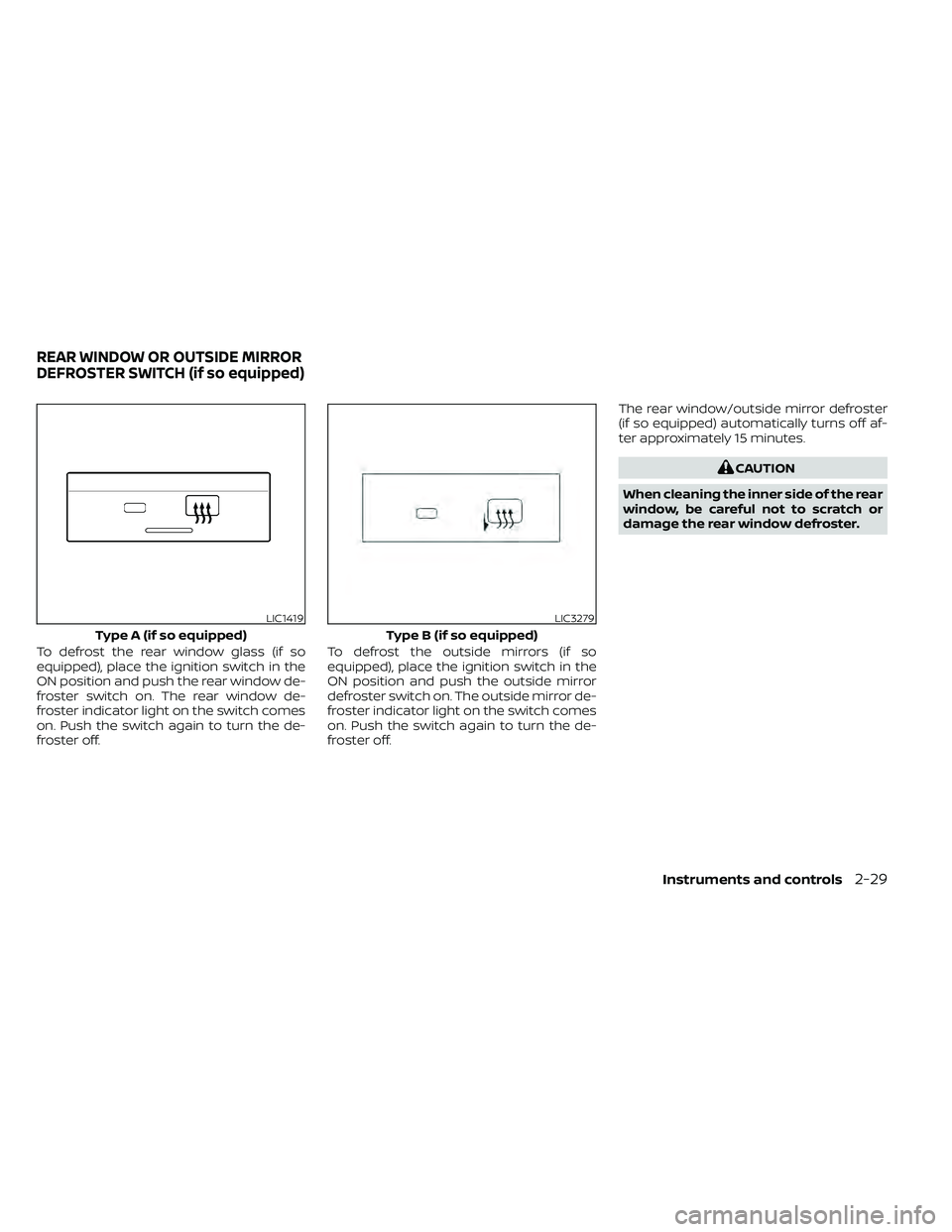
To defrost the rear window glass (if so
equipped), place the ignition switch in the
ON position and push the rear window de-
froster switch on. The rear window de-
froster indicator light on the switch comes
on. Push the switch again to turn the de-
froster off.To defrost the outside mirrors (if so
equipped), place the ignition switch in the
ON position and push the outside mirror
defroster switch on. The outside mirror de-
froster indicator light on the switch comes
on. Push the switch again to turn the de-
froster off.The rear window/outside mirror defroster
(if so equipped) automatically turns off af-
ter approximately 15 minutes.
CAUTION
When cleaning the inner side of the rear
window, be careful not to scratch or
damage the rear window defroster.
LIC1419
Type A (if so equipped)
LIC3279
Type B (if so equipped)
REAR WINDOW OR OUTSIDE MIRROR
DEFROSTER SWITCH (if so equipped)
Instruments and controls2-29
Page 171 of 492
3 Pre-driving checks and adjustments
Keys.............................................3-2NISSAN Intelligent Key® .......................3-2
NISSAN Vehicle Immobilizer System
keys..........................................3-4
Doors ...........................................3-4
Locking with key .............................3-5
Locking with inside lock knob ................3-5
Locking with power door lock switch .........3-6
Rear doors (King Cab® models) ...............3-6
Automatic door locks ........................ 3-7
Child safety rear door lock
(if so equipped) ............................... 3-7
NISSAN Intelligent Key® ..........................3-8
How to use the remote keyless entry
function ......................................3-9
Warning signals .............................. 3-11
Troubleshooting guide ......................3-12Hood
........................................... 3-13
Fuel-filler door .................................. 3-13
Fuel-filler cap ................................ 3-13
Steering wheel ................................. 3-16
Tilt operation ................................ 3-16
Sun visors ...................................... 3-16
Vanity mirrors (if so equipped) ...............3-17
Mirrors ......................................... 3-17
Manual anti-glare rearview mirror
(if so equipped) .............................. 3-17
Automatic anti-glare rearview mirror ........3-18
Outside mirrors ............................. 3-19
Truck box ...................................... 3-20
Tailgate ..................................... 3-20
Bed extender (if so equipped) ...............3-24
Tie down hooks (if so equipped) .............3-25
Page 187 of 492
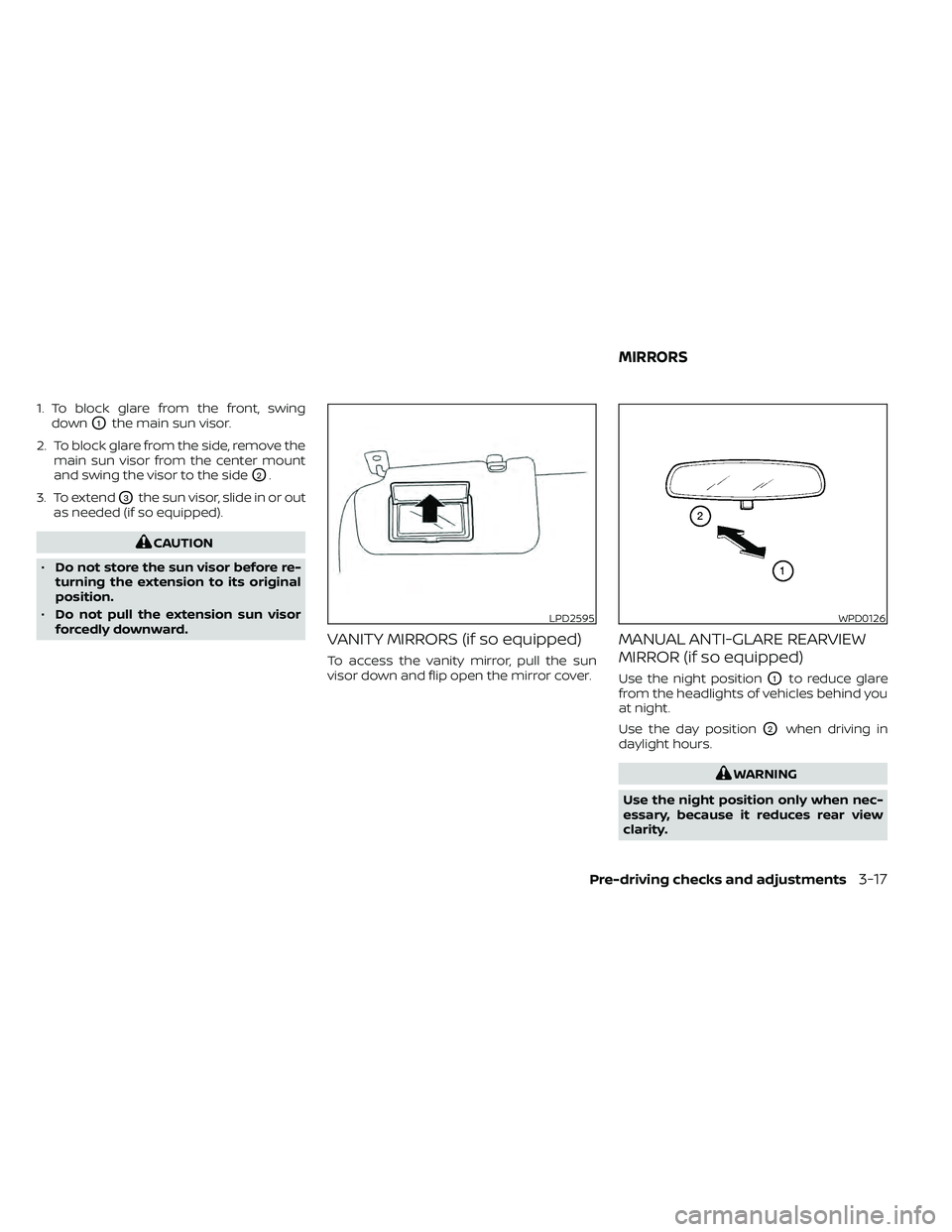
1. To block glare from the front, swingdown
O1the main sun visor.
2. To block glare from the side, remove the main sun visor from the center mount
and swing the visor to the side
O2.
3. To extend
O3the sun visor, slide in or out
as needed (if so equipped).
CAUTION
• Do not store the sun visor before re-
turning the extension to its original
position.
• Do not pull the extension sun visor
forcedly downward.
VANITY MIRRORS (if so equipped)
To access the vanity mirror, pull the sun
visor down and flip open the mirror cover.
MANUAL ANTI-GLARE REARVIEW
MIRROR (if so equipped)
Use the night positionO1to reduce glare
from the headlights of vehicles behind you
at night.
Use the day position
O2when driving in
daylight hours.
WARNING
Use the night position only when nec-
essary, because it reduces rear view
clarity.
LPD2595WPD0126
MIRRORS
Pre-driving checks and adjustments3-17