120v NISSAN FRONTIER 2022 Owner´s Manual
[x] Cancel search | Manufacturer: NISSAN, Model Year: 2022, Model line: FRONTIER, Model: NISSAN FRONTIER 2022Pages: 556, PDF Size: 6.11 MB
Page 119 of 556
Tow mode switch (if so equipped)..............2-53
Emergency call (SOS) button (if so equipped) . . . 2-53
Rear Door Alert ................................. 2-54
Power outlets .................................. 2-55
12v Outlets .................................. 2-55
120v outlets (if so equipped) .................2-56
USB charging ports (if so equipped) ............2-58
Wireless charger (if so equipped) ...............2-59
Wireless charger indicator ...................2-60
Wireless charger operation ..................2-60
Extended storage switch .......................2-61
Storage ........................................ 2-62
Front-door pockets ......................... 2-62
Rear-door pockets .......................... 2-62
Seatback pocket (if so equipped) ............2-63
Under-seat storage bins ....................2-64
Storagetrays................................ 2-65
Glovebox ................................... 2-66
Console box ................................. 2-66
Overhead sunglasses storage
(if so equipped) .............................. 2-67
Cup holders ................................. 2-67Ladder rack (if so equipped)
....................2-69
Windows ....................................... 2-69
Manual windows (if so equipped) ............2-69
Power windows (if so equipped) .............2-69
Rear sliding window (if so equipped) .........2-72
Moonroof (if so equipped) ......................2-72
Power moonroof ............................ 2-72
Interior lights ...................................2-74
Map lights ................................... 2-75
Cargo light .................................. 2-75
HomeLink® Universal Transceiver
(if so equipped) ................................. 2-76
Programming HomeLink® ...................2-77
Programming HomeLink® for Canadian
customers and gate openers ...............2-78
Operating the HomeLink® Universal
Transceiver .................................. 2-79
Programming trouble-diagnosis ............
2-79
Cle
aring the programmed information ......2-79
Reprogramming a single HomeLink®
button ...................................... 2-80
If your vehicle is stolen ......................2-80
Page 169 of 556
When the E-Lock switch is turned on, the
indicator light will flash until the system
engages. However, if all operation condi-
tions listed above are not met or the sys-
tem becomes disengaged, the indicator
light will continue to flash.
The Anti-lock Braking System (ABS) is dis-
abled and the ABS light illuminates when
the E-Lock system is on. Also, the Vehicle
Dynamic Control (VDC) system is disabled
and the VDC light illuminates when the
E-Lock system is on.
For additional information, see “Electronic
locking rear differential (E-Lock) system”
(P. 5-116) for further explanation and system
limitations.
WARNING
• Never leave the E-Lock system on
when driving on paved or hard-
surfaced roads. Turning the vehicle
may result in the rear wheels slipping
and result in an accident and per-
sonal injury. Af ter using the E-Lock
system to free the vehicle, turn the
system off. •
Use the E-Lock system only when
freeing a stuck vehicle. Try the 4LO
position before using the E-Lock sys-
tem. Never use the E-Lock system on
a slippery road surface such as snow
or ice surface. Using the E-Lock sys-
tem when driving in these road con-
ditions may cause unexpected
movement of the vehicle during en-
gine braking, accelerating or turning,
which may result in an accident and
serious personal injury.
CAUTION
• Af ter using the E-Lock system, turn
the switch off to prevent possible
damage to driveline components
from extended use.
• Do not drive over 12 mph (20 km/h)
when the system is engaged. Doing
so could result in possible damage to
the driveline.
• Do not turn on the E-Lock system
while the tires are spinning. Doing so
could damage drivetrain
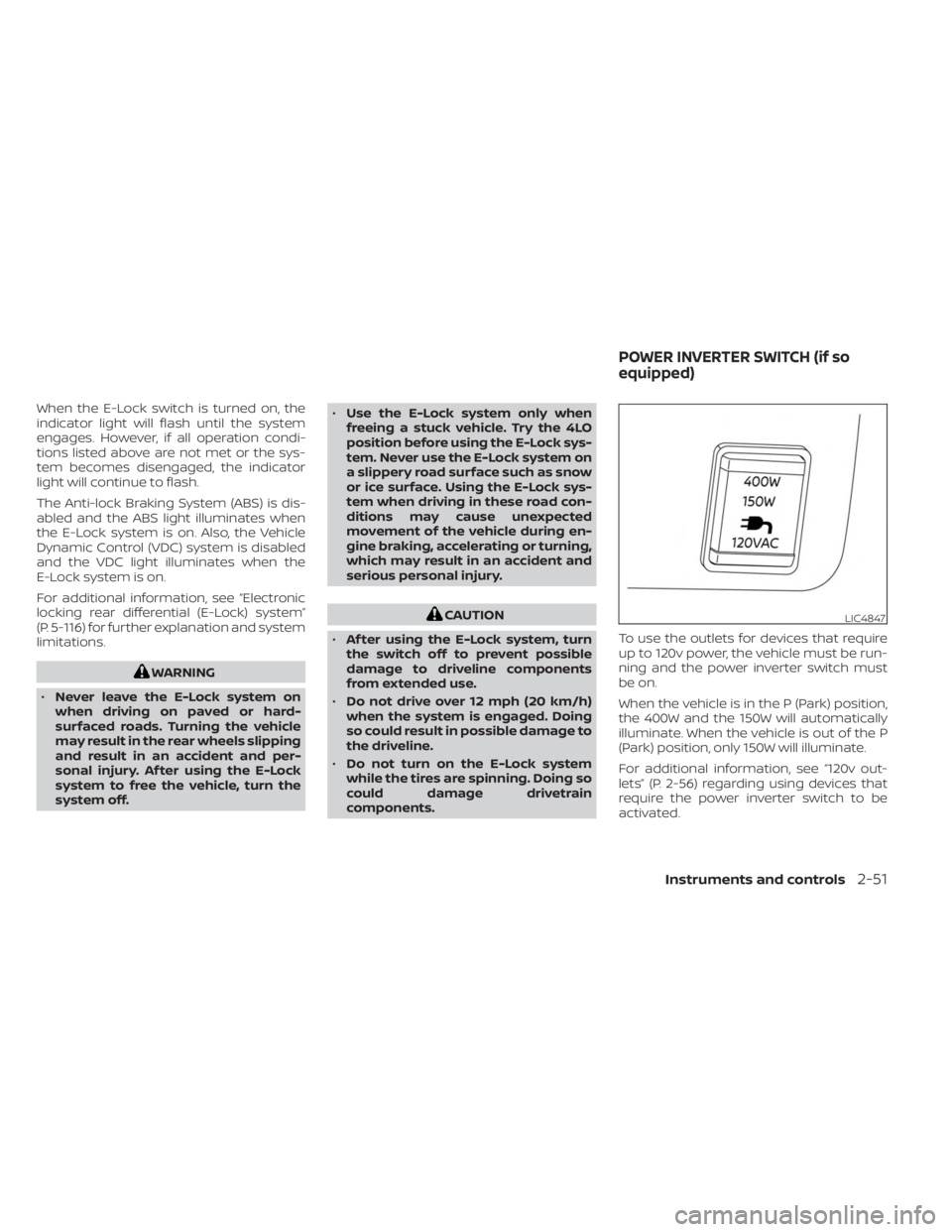
components. To use the outlets for devices that require
up to 120v power, the vehicle must be run-
ning and the power inverter switch must
be on.
When the vehicle is in the P (Park) position,
the 400W and the 150W will automatically
illuminate. When the vehicle is out of the P
(Park) position, only 150W will illuminate.
For additional information, see “120v out-
lets” (P. 2-56) regarding using devices that
require the power inverter switch to be
activated.LIC4847
POWER INVERTER SWITCH (if so
equipped)
Instruments and controls2-51
Page 174 of 556
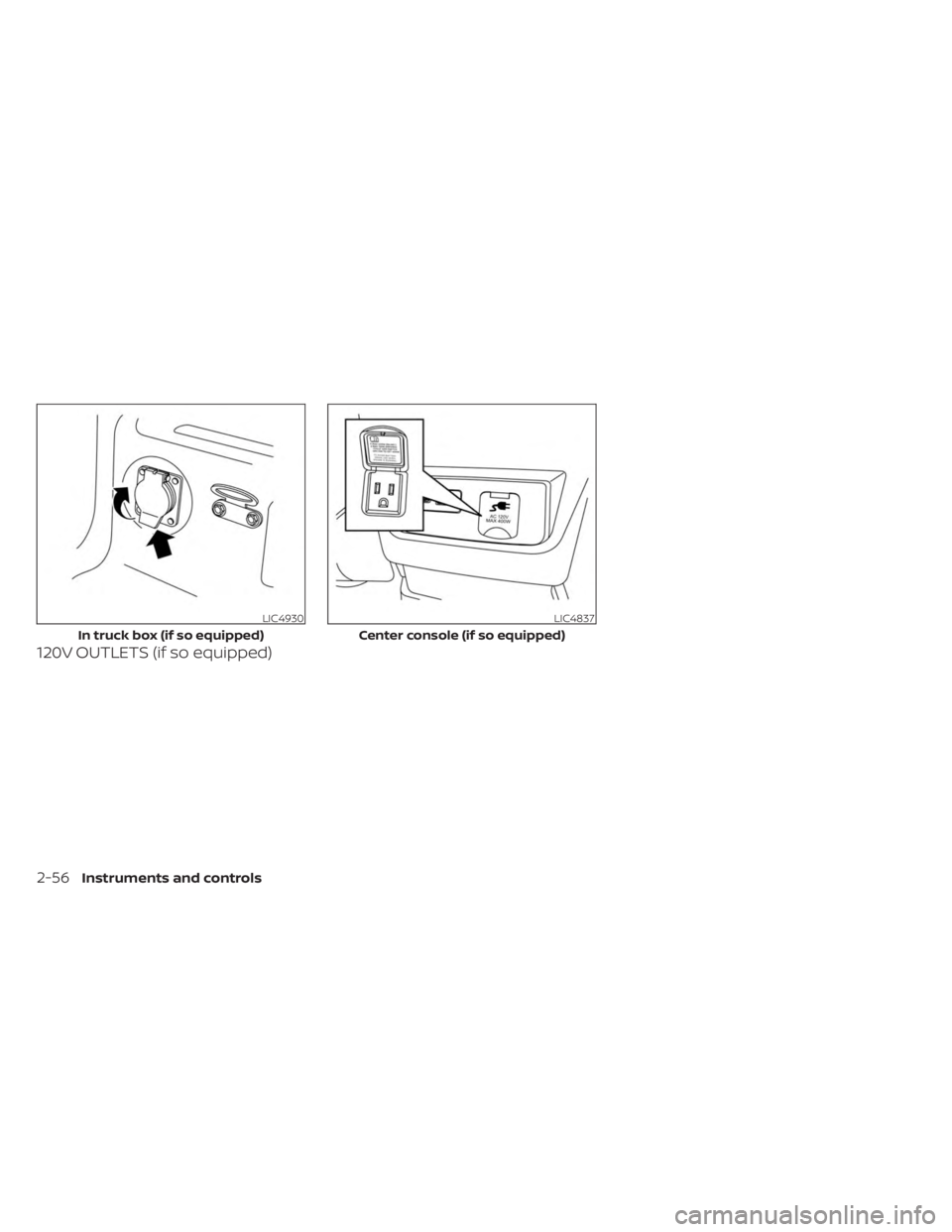
120V OUTLETS (if so equipped)
LIC4930
In truck box (if so equipped)
LIC4837
Center console (if so equipped)
2-56Instruments and controls
Page 175 of 556
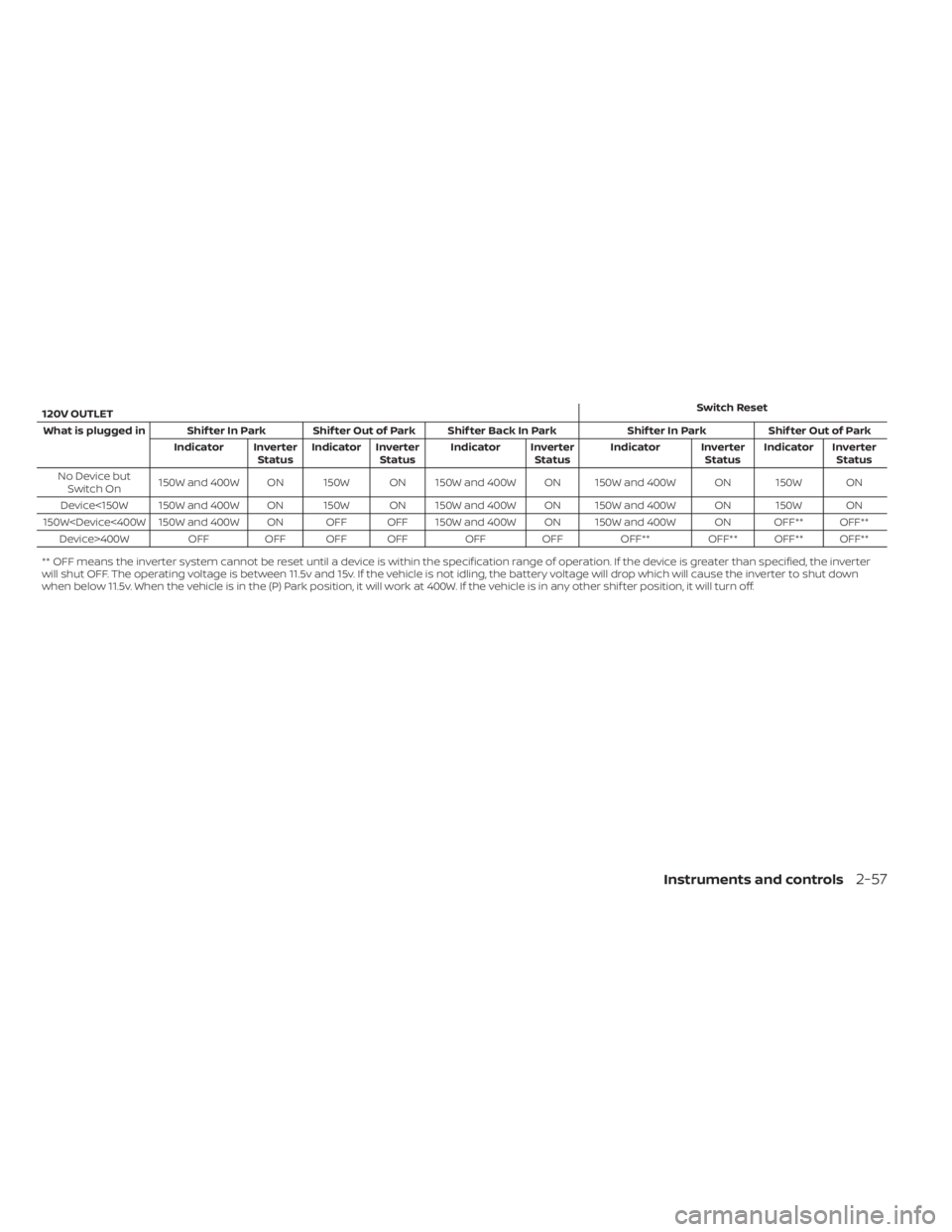
120V OUTLETSwitch Reset
What is plugged in Shif ter In Park Shif ter Out of Park Shif ter Back In Park Shif ter In ParkShif ter Out of Park
Indicator Inverter StatusIndicator Inverter
Status Indicator Inverter
StatusIndicator Inverter
StatusIndicator Inverter
Status
No Device but Switch On 150W and 400W ON 150W ON 150W and 400W ON 150W and 400W ON 150W ON
Device<150W 150W and 400W ON 150W ON 150W and 400W ON 150W and 400W ON 150W ON
150W
** OFF means the inverter system cannot be reset until a device is within the specification range of operation. If the device is greater than specified, the inverter
will shut OFF. The operating voltage is between 11.5v and 15v. If the vehicle is not idling, the battery voltage will drop which will cause the inverter to shut down
when below 11.5v. When the vehicle is in the (P) Park position, it will work at 400W. If the vehicle is in any other shif ter position, it will turn off.
Instruments and controls2-57