warning light NISSAN FRONTIER 2023 Owners Manual
[x] Cancel search | Manufacturer: NISSAN, Model Year: 2023, Model line: FRONTIER, Model: NISSAN FRONTIER 2023Pages: 572, PDF Size: 6.58 MB
Page 365 of 572
AEB WITH PEDESTRIAN
DETECTION SYSTEM LIMITATIONS
WARNING
Listed below are the system limitations
for the AEB with Pedestrian Detection
system. Failure to operate the vehicle in
accordance with these system limita-
tions could result in serious injury or
death.
• The AEB with Pedestrian Detection
system cannot detect all vehicles or
pedestrians under all conditions.
•
The AEB with Pedestrian Detection
system does not detect the following:
– Pedestrians that are small (for ex- ample, children), in a sitting posi-
tion, operating toys/skateboards,
on scooters or in wheelchairs, or
not in an upright standing or
walking position.
– Animals of any size.
–
Obstacles (for example, cargo or
debris) on the roadway or roadside.
– Oncoming or crossing vehicles.
–Vehicles where the tires are difficult
to see or the shape of the rear of the
vehicle is unclear or obstructed.
– Parked vehicles. •
The AEB with Pedestrian Detection
system has some performance limi-
tations.
– If a stationary vehicle is in the ve-
hicle’s path, the system will not
function when the vehicle ap-
proaches the stationary vehicle at
speeds over approximately 50
mph (80 km/h).
– Pedestrian detection will not
function when the vehicle is
driven at speeds over approxi-
mately 37 mph (60 km/h) or below
approximately 6 mph (10km/h).
• The AEB with Pedestrian Detection
system may not function properly or
detect a vehicle or pedestrians
ahead in the following conditions:
– In poor visibility conditions (such
as rain, snow, fog, dust storms,
sand storms, smoke, and road
spray from other vehicles).
– If dirt, ice, snow, fog or other ma-
terial is covering the radar sensor
area or camera area of the
windshield. –
If strong light (for example, sun-
light or high beams) enters the
front camera or a sudden change
in brightness occurs (for example,
entering a tunnel or driving in
lightning).
– In dark or dimly lit conditions,
such as at night or in tunnels, in-
cluding cases where your vehi-
cle’s headlights are off or dim, or
the tail lights of the vehicle ahead
are off.
– When the direction of the camera
is misaligned.
– When driving on a steep downhill
slope, on roads with sharp curves,
and/or bumpy or dirt roads.
– If there is interference by other ra-
dar sources.
– When your vehicle’s position or
movement is changed quickly or
significantly (for example, lane
change, turning vehicle, abrupt
steering, sudden acceleration or
deceleration).
– Wheels or tires other than NISSAN
recommended are used.
Starting and driving5-85
Page 369 of 572
Condition A:
In the following conditions, the AEB with
Pedestrian Detection system warning light
blinks and the system will be turned off
automatically:
• The radar sensor picks up interferencefrom another radar source.
• The camera area of the windshield is misted or frozen.
• Strong light is shining from the front.
• The cabin temperature is over approxi- mately 104°F (40°C) in direct sunlight.
• The camera area of the windshield glass is continuously covered with dirt, etc.
Action to take
When the above conditions no longer exist,
the AEB with Pedestrian Detection system
will resume automatically.
NOTE:
When the inside of the windshield on the
camera area is misted or frozen, it will
take a period of time to remove it af ter
the A/C turns on. If dirt appears on this
area, it is recommended that you visit a
NISSAN dealer. Condition B:
When there is inclement weather (rain, fog,
snow, etc.) blocking the front radar sensor,
the AEB with Pedestrian Detection system
will be canceled, the chime will sound and
the “Forward Driving Aids Temporarily Dis-
abled Front Sensor Blocked See Owner’s
Manual” warning message will appear in
the vehicle information display.
Action to take:
When the conditions listed above are no
longer present, the warning message will
no longer be available in the vehicle infor-
mation display. If the “Forward Driving Aids
Temporarily Disabled Front Sensor Blocked
See Owner’s Manual” warning message
continues to be displayed, have the system
checked. It is recommended that you visit a
NISSAN dealer for this service.
Condition C:
When the radar sensor of the front bumper
is covered with dirt or is obstructed, the
AEB with Pedestrian Detection system will
automatically be canceled. The chime will
sound and the “Forward Driving Aids Tem-
porarily Disabled Front Sensor Blocked See
Owner’s Manual” warning message will ap-
pear in the vehicle information display.Action to take:
If the warning message appears, stop the ve-
hicle in a safe place, place the shif t lever in the
P (Park) position, and turn the engine off. When
the radar signal is temporarily interrupted,
clean the sensor area of the front bumper and
restart the engine. If the “Forward Driving Aids
Temporarily Disabled Front Sensor Blocked
See Owner’s Manual” warning message con-
tinues to be displayed, have the system
checked. It is recommended that you visit a
NISSAN dealer for this service.
Condition D
When driving on roads with limited road
structures or buildings (for example, long
bridges, deserts, snowfields, driving next to
long walls), the system may illuminate the
system warning light and display the “For-
ward Driving Aids Temporarily Disabled
Front Sensor Blocked See Owner’s Manual”
message.
Action to take:
When the above driving conditions no lon-
ger exist, turn the system back on.
NOTE:
If the AEB with Pedestrian Detection
system stops working, the I-FCW sys-
tem will also stop working.
Starting and driving
5-89
Page 370 of 572
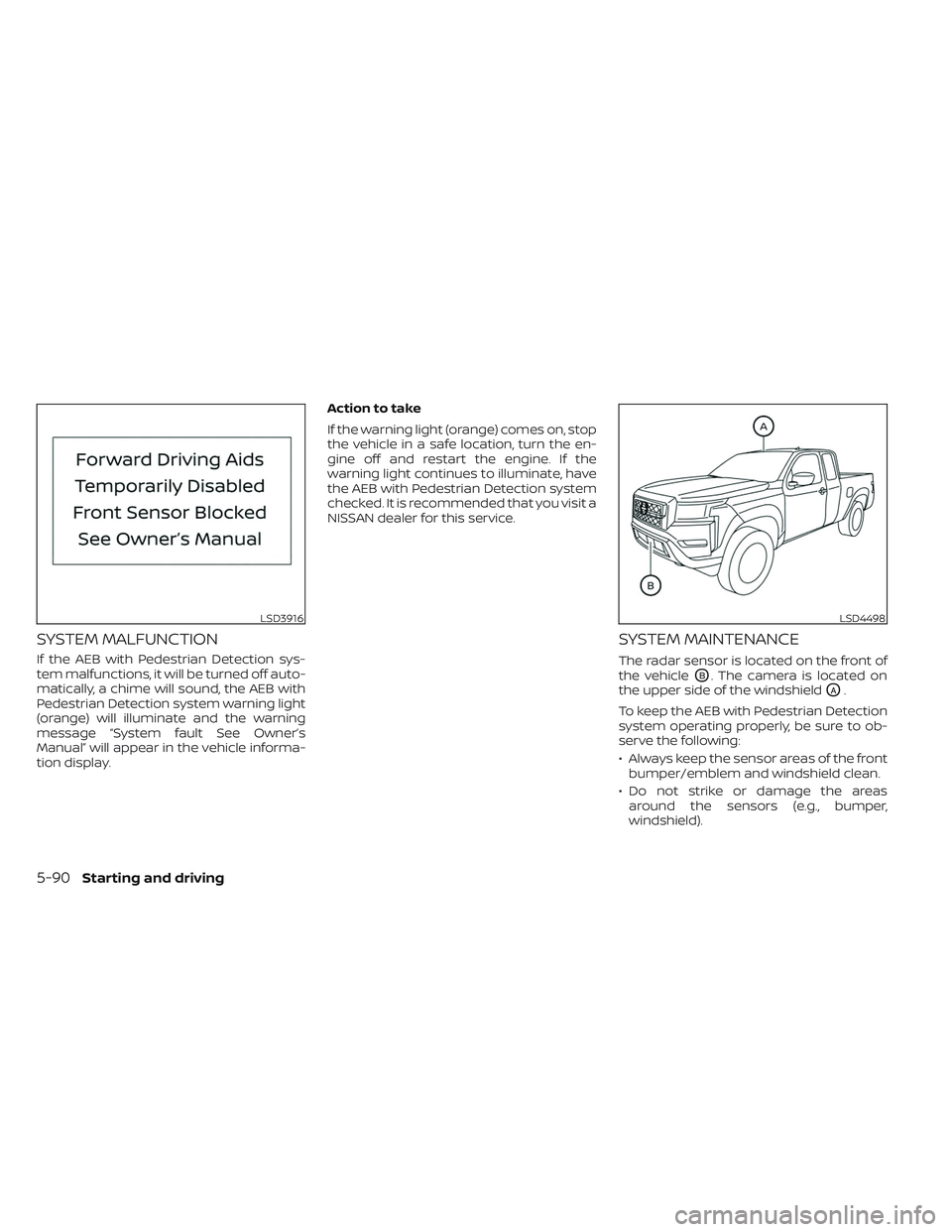
SYSTEM MALFUNCTION
If the AEB with Pedestrian Detection sys-
tem malfunctions, it will be turned off auto-
matically, a chime will sound, the AEB with
Pedestrian Detection system warning light
(orange) will illuminate and the warning
message “System fault See Owner’s
Manual” will appear in the vehicle informa-
tion display.Action to take
If the warning light (orange) comes on, stop
the vehicle in a safe location, turn the en-
gine off and restart the engine. If the
warning light continues to illuminate, have
the AEB with Pedestrian Detection system
checked. It is recommended that you visit a
NISSAN dealer for this service.
SYSTEM MAINTENANCE
The radar sensor is located on the front of
the vehicle
OB. The camera is located on
the upper side of the windshield
OA.
To keep the AEB with Pedestrian Detection
system operating properly, be sure to ob-
serve the following:
• Always keep the sensor areas of the front bumper/emblem and windshield clean.
• Do not strike or damage the areas around the sensors (e.g., bumper,
windshield).
LSD3916LSD4498
5-90Starting and driving
Page 373 of 572
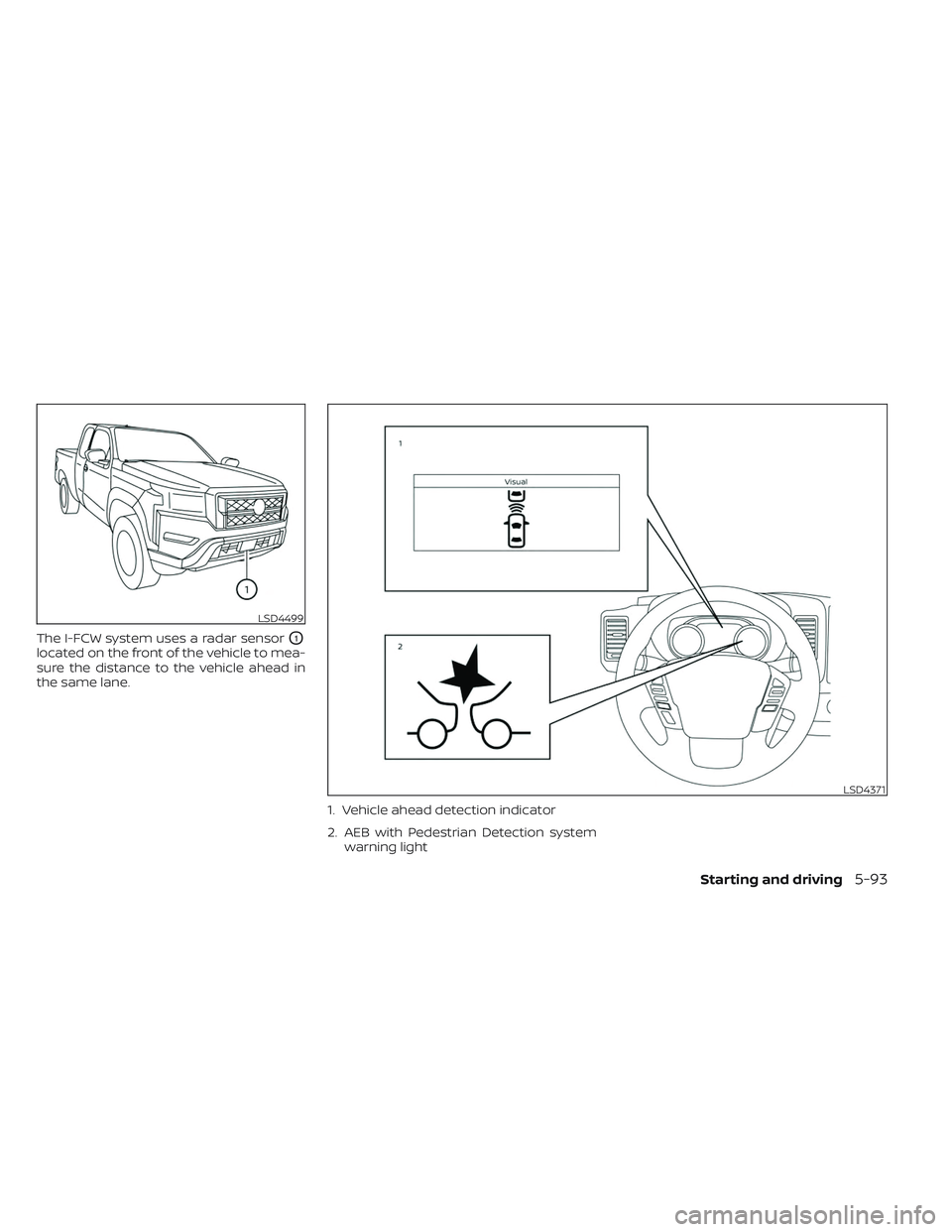
The I-FCW system uses a radar sensorO1
located on the front of the vehicle to mea-
sure the distance to the vehicle ahead in
the same lane.1. Vehicle ahead detection indicator
2. AEB with Pedestrian Detection systemwarning light
LSD4499
LSD4371
Starting and driving5-93
Page 375 of 572
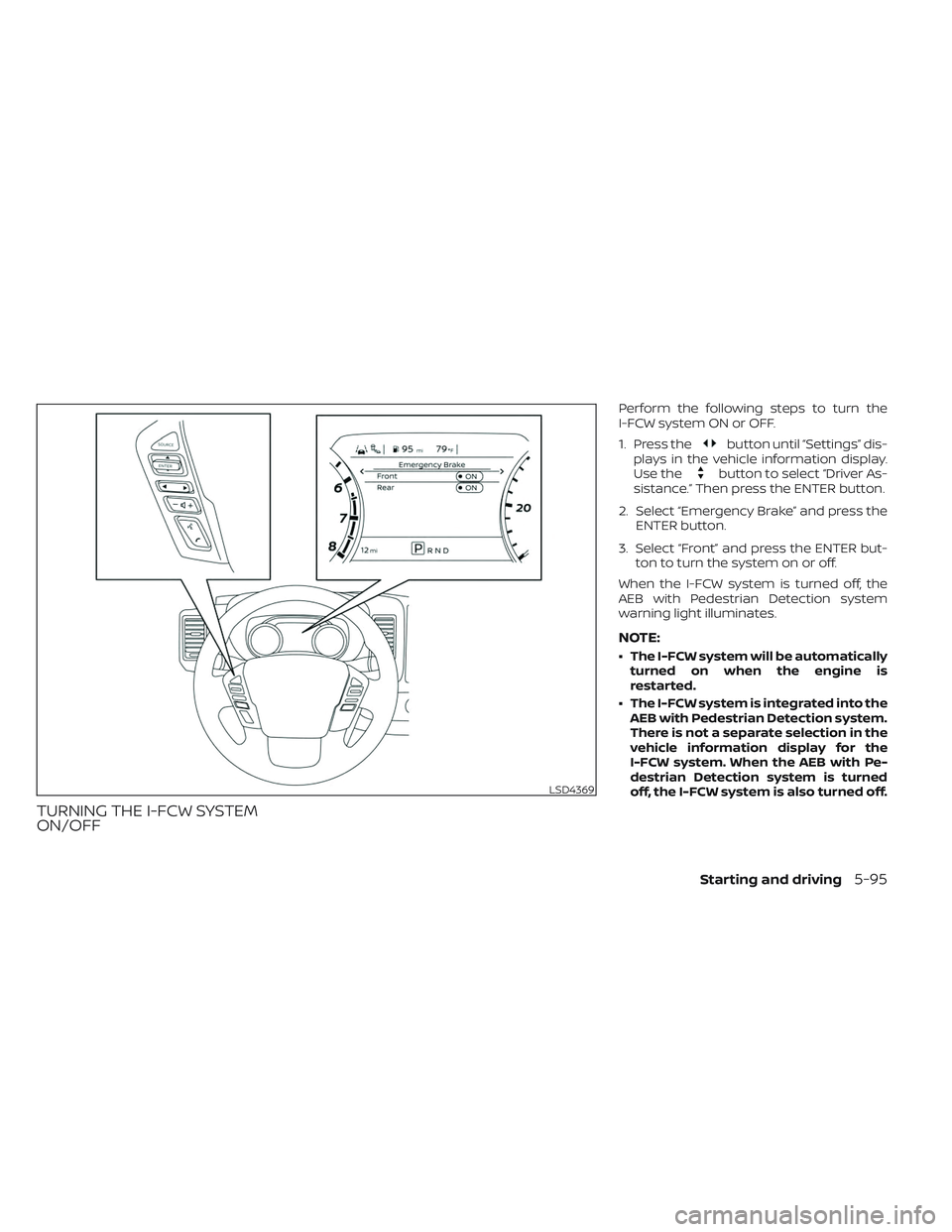
TURNING THE I-FCW SYSTEM
ON/OFF
Perform the following steps to turn the
I-FCW system ON or OFF.
1. Press the
button until “Settings” dis-
plays in the vehicle information display.
Use the
button to select “Driver As-
sistance.” Then press the ENTER button.
2. Select “Emergency Brake” and press the ENTER button.
3. Select “Front” and press the ENTER but- ton to turn the system on or off.
When the I-FCW system is turned off, the
AEB with Pedestrian Detection system
warning light illuminates.
NOTE:
• The I-FCW system will be automatically turned on when the engine is
restarted.
• The I-FCW system is integrated into the AEB with Pedestrian Detection system.
There is not a separate selection in the
vehicle information display for the
I-FCW system. When the AEB with Pe-
destrian Detection system is turned
off, the I-FCW system is also turned off.
LSD4369
Starting and driving5-95
Page 381 of 572
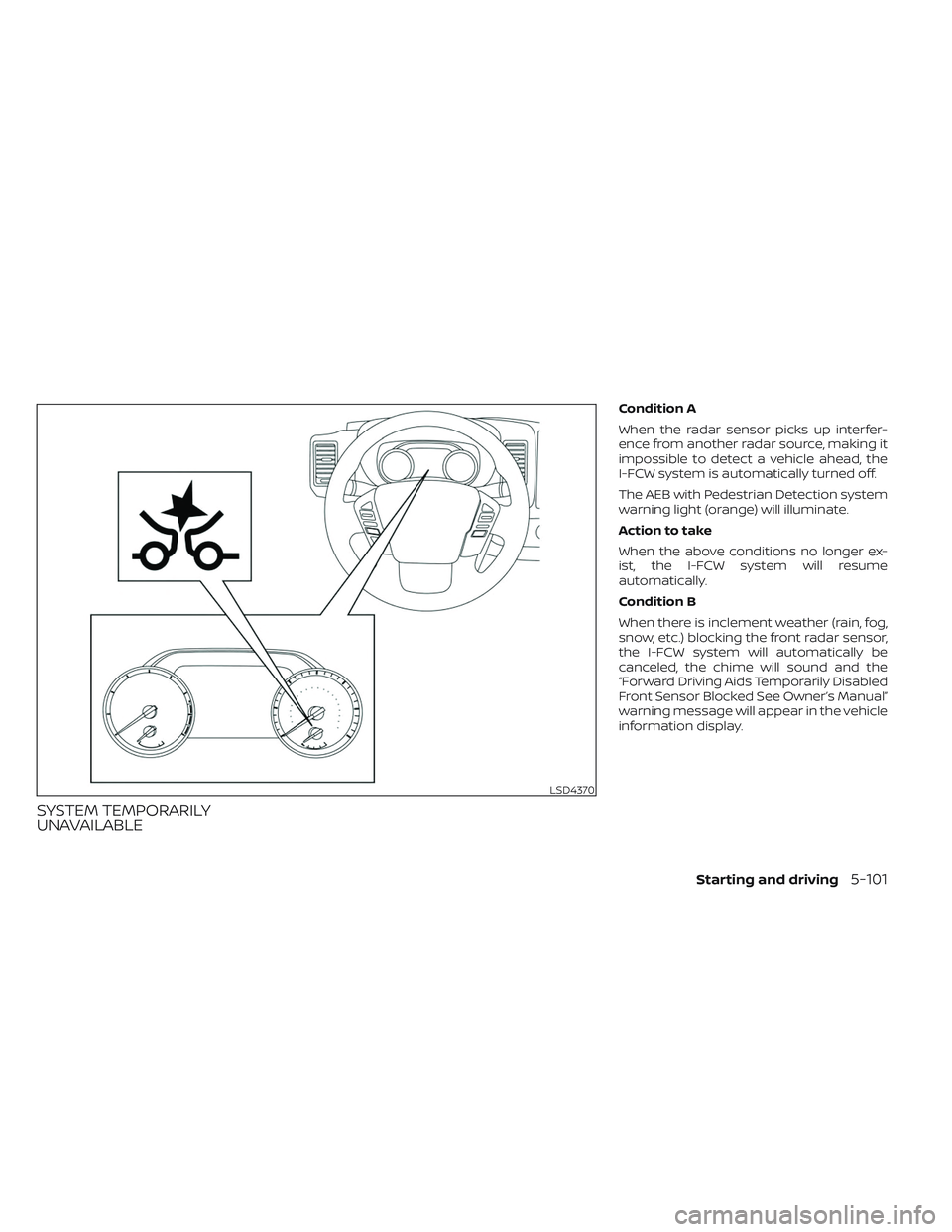
SYSTEM TEMPORARILY
UNAVAILABLE
Condition A
When the radar sensor picks up interfer-
ence from another radar source, making it
impossible to detect a vehicle ahead, the
I-FCW system is automatically turned off.
The AEB with Pedestrian Detection system
warning light (orange) will illuminate.
Action to take
When the above conditions no longer ex-
ist, the I-FCW system will resume
automatically.
Condition B
When there is inclement weather (rain, fog,
snow, etc.) blocking the front radar sensor,
the I-FCW system will automatically be
canceled, the chime will sound and the
“Forward Driving Aids Temporarily Disabled
Front Sensor Blocked See Owner’s Manual”
warning message will appear in the vehicle
information display.
LSD4370
Starting and driving5-101
Page 382 of 572
Action to take:
When the conditions listed above are no
longer present, the warning message will
no longer be available in the vehicle infor-
mation display. If the “Forward Driving Aids
Temporarily Disabled Front Sensor Blocked
See Owner’s Manual” warning message
continues to be displayed, have the system
checked. It is recommended that you visit a
NISSAN dealer for this service.
Condition C
When the radar sensor of the front bumper
is covered with dirt or is obstructed, the
I-FCW system will automatically be can-
celed. The chime will sound and the “For-
ward Driving Aids Temporarily Disabled
Front Sensor Blocked See Owner’s Manual”
warning message will appear in the vehicle
information display.
Action to take:
If the warning message appears, stop the
vehicle in a safe place, place the shif t lever
in the P (Park) position, and turn the engine
off. When the radar signal is temporarily
interrupted, clean the sensor area of the
front bumper and restart the engine. If the
“Forward Driving Aids Temporarily Disabled
Front Sensor Blocked See Owner’s Manual”
warning message continues to be dis-played, have the system checked. It is rec-
ommended that you visit a NISSAN dealer
for this service.
Condition D
When driving on roads with limited road
structures or buildings (for example, long
bridges, deserts, snowfields, driving next to
long walls), the system may illuminate the
system warning light and display the “For-
ward Driving Aids Temporarily Disabled
Front Sensor Blocked See Owner’s Manual”
warning message.
Action to take:
When the above driving conditions no lon-
ger exist, turn the system back on.
NOTE:
If the AEB with Pedestrian Detection sys-
tem stops working, the I-FCW system will
also stop working.
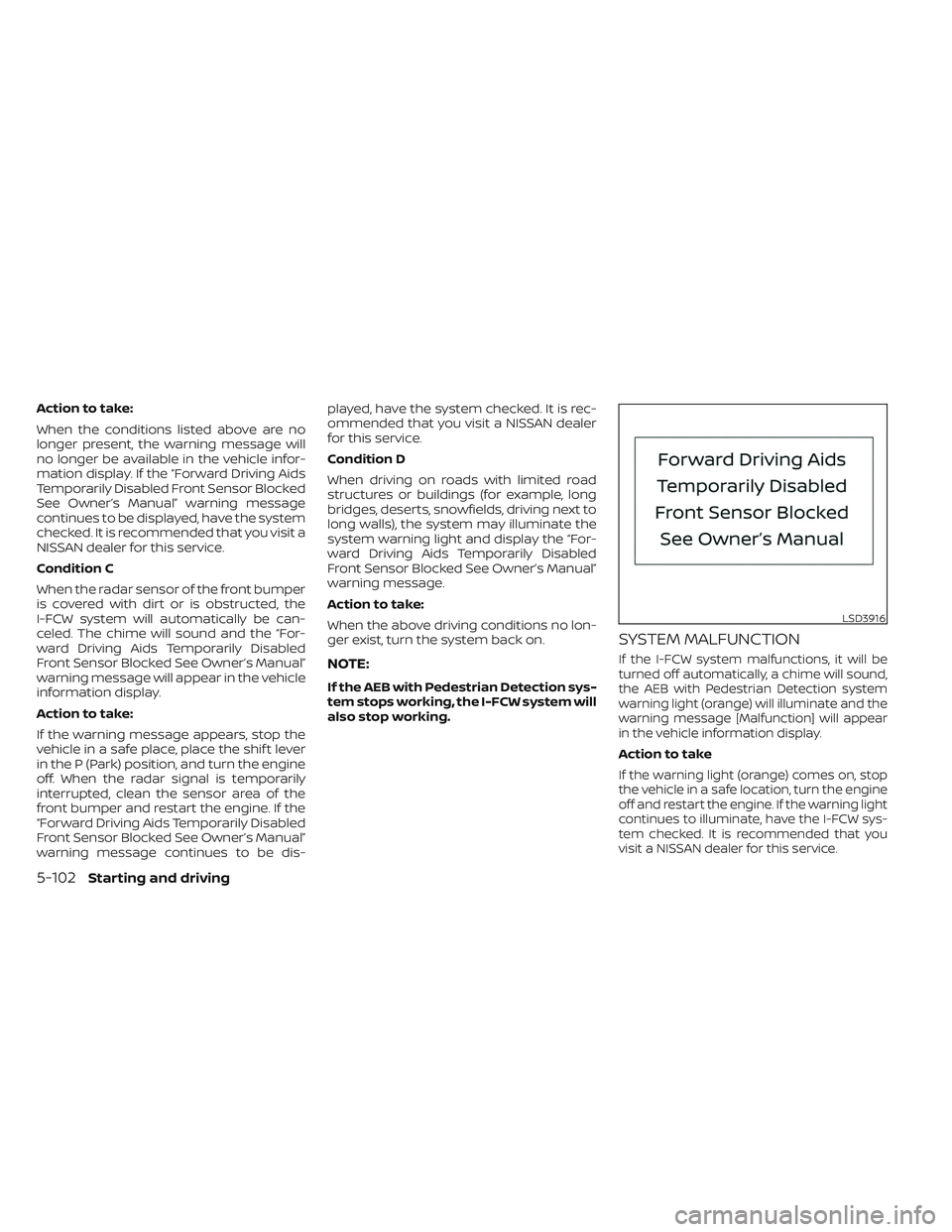
SYSTEM MALFUNCTION
If the I-FCW system malfunctions, it will be
turned off automatically, a chime will sound,
the AEB with Pedestrian Detection system
warning light (orange) will illuminate and the
warning message [Malfunction] will appear
in the vehicle information display.
Action to take
If the warning light (orange) comes on, stop
the vehicle in a safe location, turn the engine
off and restart the engine. If the warning light
continues to illuminate, have the I-FCW sys-
tem checked. It is recommended that you
visit a NISSAN dealer for this service.
LSD3916
5-102Starting and driving
Page 391 of 572
*1: Before moving the shif t lever from N
(Neutral), wait until the 4LO indicator stays
on steady. This indicates that the 4WD shif t
procedure is completed and the transfer
gear is correctly set in the 4LO position. If
the vehicle is shif ted into gear before the
indicator is on steady, the transfer gear
may grind, not engage correctly or stay in
the N (Neutral) position.
- If the 4WD vehicle information display
warning message illuminates, perform the
following procedure to return the transfer
case to correct operating condition.
1. Turn off the engine by placing the ignition
switch in the OFF position.
2. Start the engine.
- Check that the 4WD vehicle information
display warning message turns off. If the
warning message in the vehicle informa-
tion display stays on, have the system
checked. It is recommended that you visit a
NISSAN dealer for this service.
3. Apply the parking brake, depress the
brake pedal and move the shif t lever to the
N (Neutral) position.
4. With the brake pedal depressed, move
the 4WD shif t switch to the desired mode.- Be sure to wait until the transfer gear
change completes before shif ting the shif t
lever from the N (Neutral) position.
*2: While changing in and out of 4LO, the
ignition switch must be in the ON position
and the vehicle's engine must be running
for a shif t to take place and for the 4WD
shif t and 4LO position indicators to be op-
erable. Otherwise, the shif t will not take
place and no indicators will be on or
flashing.
*3: Make sure the transfer 4LO position in-
dicator turns on when you shif t the 4WD
shif t switch to 4LO. The
indicator light
will also turn on when 4LO is selected. For
additional information, see “Vehicle Dy-
namic Control (VDC) system” (P. 5-121).
When the 4LO position is selected, the VDC
system is disabled and the VDC off indica-
tor light illuminates, see “Vehicle Dynamic
Control (VDC) OFF indicator light”(P. 2-20).
The transfer case 4WD shif t switch is used
to select either 2WD or 4WD depending on
the driving conditions. There are three
types of drive modes available, 2WD, 4H and
4LO. The 4WD shif t switch electronically controls
the transfer case operation. Rotate the
switch to move between each mode, 2WD,
4H and 4LO.
To change into or out of 4LO, the vehicle
MUST be stationary, move the shif t lever
to N (Neutral), and depress the brake
pedal. The switch must be pushed and
turned to select 4LO.
WARNING
• When parking, apply the parking
brake before stopping the engine
and make sure that the 4WD shif t
indicator is on and the Automatic
Transmission Park (ATP) warning
light goes off. Otherwise, the vehicle
could unexpectedly move even if the
A/T is in the P (Park) position.
• The 4LO indicator must stop blinking
and remain illuminated or turn off
before shif ting the transmission
into gear. If the shif t lever is shif ted
from the N (Neutral) position to any
other gear when the 4LO indicator is
blinking, the vehicle may move
unexpectedly.
Starting and driving5-111
Page 395 of 572
•If the warning message is still on af-
ter the above operation, have your
vehicle checked as soon as possible.
It is recommended that you visit a
NISSAN dealer for this service.
• The transfer case may be damaged if
you continue driving with the
warning message on.The E-Lock system can provide additional
traction and should only be used when a
vehicle has become or is becoming stuck.
This system operates by electronically “lock-
ing” the two rear drive wheels together, al-
lowing them to turn at the same speed. The
system is used when it is not possible to free
a stuck vehicle even when using the 4LO
position (4-Wheel Drive vehicles).
When added traction is required, activate
the E-Lock system by pushing the switch
ON. For additional information, see “Elec-
tronic locking rear differential (E-Lock) sys-
tem switch” (P. 2-55). Once the system fully
engages, the indicator light in the instru-
ment panel will remain on. When the sys-
tem is activated, both rear wheels will en-
gage, providing added traction.
The rear wheels may momentarily slip or
move to engage the system, and the sys-
tem will only engage up to approximately 4
mph (7 km/h). Once the vehicle is free, the
system should be turned off and driving
resumed.
The Anti-Lock Braking (ABS) system is dis-
abled and the ABS light illuminates when
the E-Lock system is on. Also, the Vehicle
Dynamic Control (VDC) system is disabled
and the
indicator light illuminates
when the E-Lock system is on.
WARNING
• Never leave the E-Lock system on
when driving on paved or hard-
surfaced roads. Turning the vehicle
may result in the rear wheels slipping
and result in an accident and per-
sonal injury. Af ter using the E-Lock
system to free the vehicle, turn the
system off.
• Use the E-Lock system only when
freeing a stuck vehicle. Try the 4LO
position before using the E-Lock sys-
tem. Never use the E-Lock system on
a slippery road surface such as snow
or ice surface. Using the E-Lock sys-
tem when driving in these road con-
ditions may cause unexpected
movement of the vehicle during en-
gine braking, accelerating or turning,
which may result in an accident and
serious personal injury.
• Observe the above warnings. Other-
wise, loss of normal steering control
may result. This may result in an ac-
cident and serious personal injury.
ELECTRONIC LOCKING REAR
DIFFERENTIAL (E-Lock) SYSTEM (if
so equipped)
Starting and driving5-115
Page 398 of 572
The brake system has two separate hy-
draulic circuits. If one circuit malfunctions,
you will still have braking at two wheels.
BRAKE PRECAUTIONS
Using the brakes
Avoid resting your foot on the brake pedal
while driving. This will overheat the brakes,
wear out the brake pads faster, and reduce
gas mileage.
To help reduce brake wear and to prevent
the brakes from overheating, reduce speed
and downshif t to a lower gear before going
down a slope or long grade. Overheated
brakes may reduce braking performance
and could result in loss of vehicle control.
WARNING
• While driving on a slippery surface,
be careful when braking, accelerat-
ing or downshif ting. Abrupt braking
or accelerating could cause the
wheels to skid and result in an
accident.
• If the engine is not running or is
turned off while driving, the power
assist for the brakes will not work.
Braking will be harder.
Wet brakes
When the vehicle is washed or driven
through water, the brakes may get wet. As
a result, your braking distance will be lon-
ger and the vehicle may pull to one side
during braking.
To dry the brakes, drive the vehicle at a safe
speed while lightly pressing the brake
pedal to heat up the brakes. Do this until
the brakes return to normal. Avoid driving
the vehicle at high speeds until the brakes
function correctly.
Parking brake break-in
Break in the parking brake shoes whenever
the stopping effect of the parking brake is
weakened or whenever the parking brake
shoes and/or drums/rotors are replaced,
in order to assure the best braking
performance.
This procedure is described in the vehicle
service manual. It is recommended that
you visit a NISSAN dealer for this service.
ANTI-LOCK BRAKING SYSTEM (ABS)
WARNING
• The ABS is a sophisticated device, but
it cannot prevent accidents resulting
from careless or dangerous driving
techniques. It can help maintain ve-
hicle control during braking on slip-
pery surfaces. Remember that stop-
ping distances on slippery surfaces
will be longer than on normal sur-
faces even with ABS. Stopping dis-
tances may also be longer on rough,
gravel or snow covered roads, or if
you are using tire chains. Always
maintain a safe distance from the ve-
hicle in front of you. Ultimately, the
driver is responsible for safety.
• Tire type and condition may also af-
fect braking effectiveness.
– When replacing tires, install the
specified size of tires on all four
wheels.
BRAKE SYSTEM
5-118Starting and driving