change NISSAN FRONTIER 2023 User Guide
[x] Cancel search | Manufacturer: NISSAN, Model Year: 2023, Model line: FRONTIER, Model: NISSAN FRONTIER 2023Pages: 572, PDF Size: 6.58 MB
Page 106 of 572
NOTE:
A system check will be performed during
which the front passenger air bag status
light will remain lit for about 7 seconds
initially.
If the light is still ON af ter this, the person
should be advised not to ride in the front
passenger seat and the vehicle should be
checked as soon as possible. It is recom-
mended that you visit a NISSAN dealer for
this service.
2. If the light is OFF with a small adult, childor child restraint occupying the front
passenger seat.
This may be due to the following condi-
tions that may be interfering with the
weight sensors:
• Small adult or child is not sitting upright, leaning against the seatback, and cen-
tered on the seat cushion with his/her
feet comfortably extended to the floor.
• The child restraint is not properly in- stalled, as outlined in the “Child restraints”
section of this manual.
• An object weighing over 9.1 lbs. (4 kg) hanging on the seat or placed in the seat-
back pocket. • A child restraint or other object pressing
against the rear of the seatback.
• A rear passenger pushing or pulling on the back of the front passenger seat.
•
Forcing the front seat or seatback against
an object on the seat or floor behind it.
• An object placed under the front passen- ger seat.
• An object placed between the seat cush- ion and center console.
If the vehicle is moving, please come to a
stop when it is safe to do so. Check and
correct any of the above conditions. Re-
start the vehicle and wait 1 minute.
NOTE:
A system check will be performed during
which the front passenger air bag status
light will remain lit for about 7 seconds
initially.
If the light is still OFF af ter this, the small
adult, child or child restraint should be re-
positioned in the rear seat and the vehicle
should be checked as soon as possible. It is
recommended that you visit a NISSAN
dealer for this service. 3. If the light is OFF with no front passenger
and no objects on the front passenger
seat, the vehicle should be checked. It is
recommended that you visit a NISSAN
dealer as soon as possible.
Other supplemental front-impact air
bag precautions
WARNING
• Do not place any objects on the
steering wheel pad or on the instru-
ment panel. Also, do not place any
objects between any occupant and
the steering wheel or instrument
panel. Such objects may become
dangerous projectiles and cause in-
jury if the front air bags inflate.
• Immediately af ter inflation, several
front air bag system components will
be hot. Do not touch them; you may
severely burn yourself.
•
No unauthorized changes should be
made to any components or wiring of
the supplemental air bag system. This
is to prevent accidental inflation of the
supplemental air bag or damage to
the supplemental air bag system.
1-84Safety-Seats, seat belts and supplemental restraint system
Page 107 of 572
•Do not make unauthorized changes
to your vehicle's electrical system,
suspension system or front end
structure. This could affect proper
operation of the front air bag system.
• Tampering with the front air bag sys-
tem may result in serious personal
injury. Tampering includes changes
to the steering wheel and the instru-
ment panel assembly by placing ma-
terial over the steering wheel pad
and above the instrument panel or
by installing additional trim material
around the air bag system.
• Removing or modif ying the front
passenger seat may affect the func-
tion of the air bag system and result
in serious personal injury. •
Modif ying or tampering with the
front passenger seat may result in
serious personal injury. For example,
do not change the front seats by
placing material on the seat cushion
or by installing additional trim mate-
rial, such as seat covers, on the seat
that are not specifically designed to
assure proper air bag operation. Ad-
ditionally, do not stow any objects
under the front passenger seat or the
seat cushion and seatback. Such ob-
jects may interfere with the proper
operation of the occupant classifica-
tion sensor (weight sensor).
• No unauthorized changes should be
made to any components or wiring
of the seat belt system. This may af-
fect the front air bag system. Tam-
pering with the seat belt system may
result in serious personal injury. •
It is recommended that you visit a
NISSAN dealer for work on and
around the front air bag. It is also rec-
ommended that you visit a NISSAN
dealer for installation of electrical
equipment. The Supplemental Re-
straint System (SRS) wiring har-
nesses* should not be modified or
disconnected. Unauthorized electri-
cal test equipment and probing de-
vices should not be used on the air
bag system.
• A cracked windshield should be re-
placed immediately by a qualified re-
pair facility. A cracked windshield
could affect the function of the
supplemental air bag system.
*
The SRS wiring harness connectors are
yellow and orange for easy identification.
When selling your vehicle, we request that
you inform the buyer about the front air
bag system and guide the buyer to the
appropriate sections in this Owner's
Manual.
Safety-Seats, seat belts and supplemental restraint system1-85
Page 109 of 572
WARNING
• Do not place any objects near the
seatback of the front seats. Also, do
not place any objects (an umbrella,
bag, etc.) between the front door fin-
isher and the front seat. Such objects
may become dangerous projectiles
and cause injury if a side air bag
inflates.
•
Right af ter inflation, several side air
bag and curtain air bag system com-
ponents will be hot. Do not touch
them; you may severely burn yourself.
• No unauthorized changes should be
made to any components or wiring
of the side air bag and curtain air bag
systems. This is to prevent damage
to or accidental inflation of the side
air bag and curtain air bag systems.
• Do not make unauthorized changes
to your vehicle's electrical system,
suspension system or side panel.
This could affect proper operation of
the curtain air bag systems. •
Tampering with the side air bag sys-
tem may result in serious personal
injury. For example, do not change
the front seats by placing material
near the seatbacks or by installing
additional trim material, such as seat
covers, around the side air bag.
• It is recommended that you visit a
NISSAN dealer for work on and
around the side air bag and curtain
air bag. It is also recommended that
you visit a NISSAN dealer for installa-
tion of electrical equipment. The SRS
wiring harnesses* should not be
modified or disconnected. Unauthor-
ized electrical test equipment and
probing devices should not be used
on the side air bag or curtain air bag
systems.
*
The SRS wiring harness or connectors are
yellow or orange for easy identification.
When selling your vehicle, we request that
you inform the buyer about the side air bag
and curtain air bag systems and guide the
buyer to the appropriate sections in this
Owner's Manual.
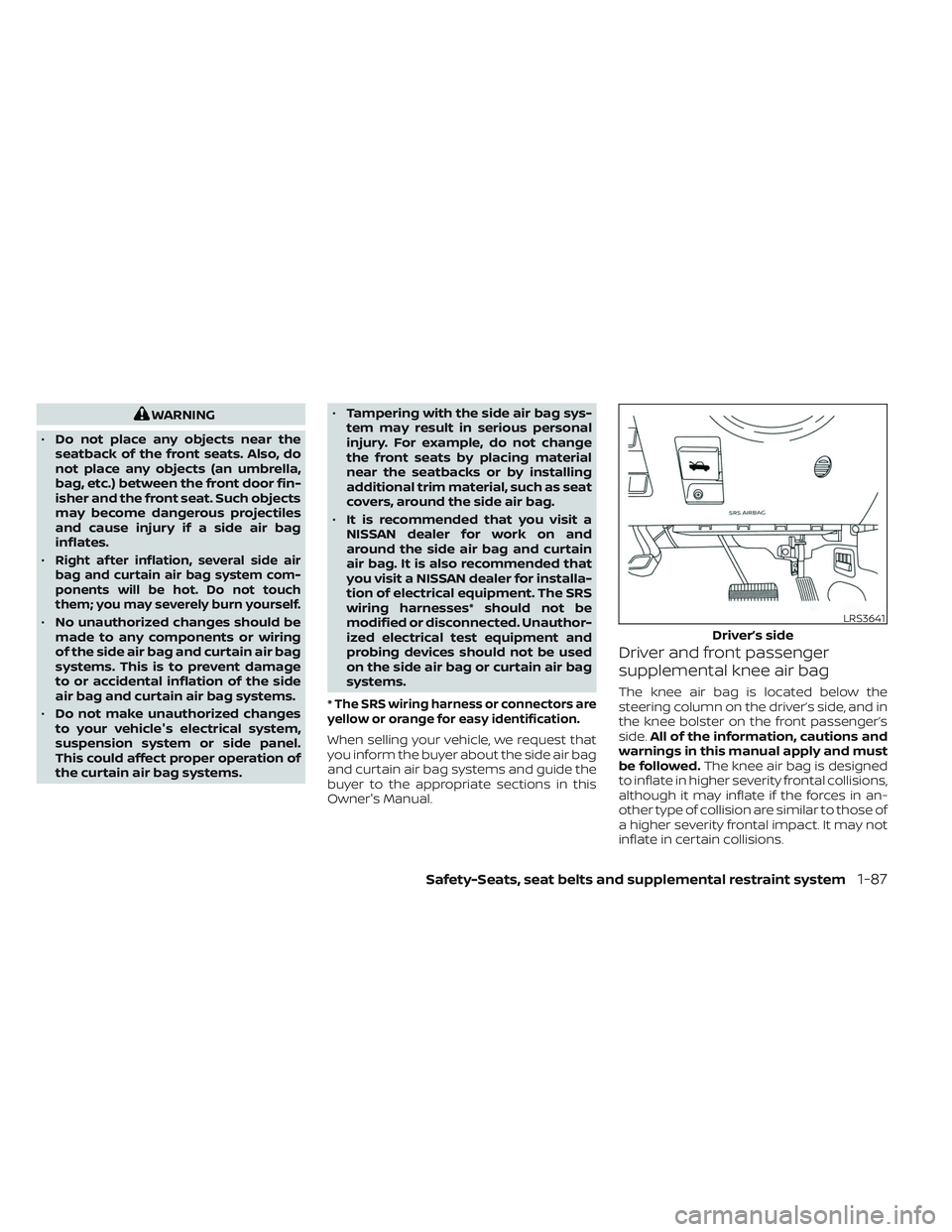
Driver and front passenger
supplemental knee air bag
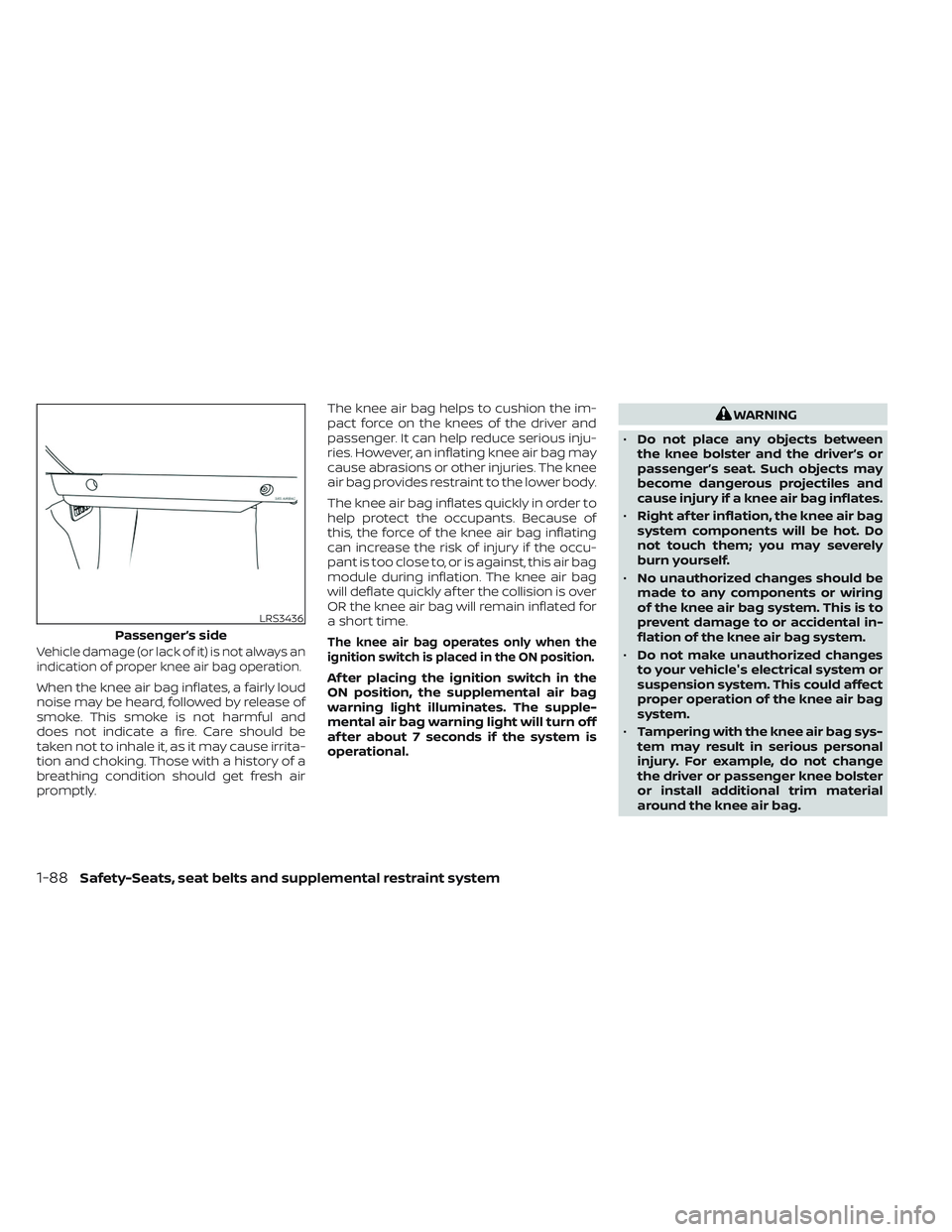
The knee air bag is located below the
steering column on the driver’s side, and in
the knee bolster on the front passenger’s
side. All of the information, cautions and
warnings in this manual apply and must
be followed. The knee air bag is designed
to inflate in higher severity frontal collisions,
although it may inflate if the forces in an-
other type of collision are similar to those of
a higher severity frontal impact. It may not
inflate in certain collisions.
LRS3641
Driver’s side
Safety-Seats, seat belts and supplemental restraint system1-87
Page 110 of 572
Vehicle damage (or lack of it) is not always an
indication of proper knee air bag operation.
When the knee air bag inflates, a fairly loud
noise may be heard, followed by release of
smoke. This smoke is not harmful and
does not indicate a fire. Care should be
taken not to inhale it, as it may cause irrita-
tion and choking. Those with a history of a
breathing condition should get fresh air
promptly.The knee air bag helps to cushion the im-
pact force on the knees of the driver and
passenger. It can help reduce serious inju-
ries. However, an inflating knee air bag may
cause abrasions or other injuries. The knee
air bag provides restraint to the lower body.
The knee air bag inflates quickly in order to
help protect the occupants. Because of
this, the force of the knee air bag inflating
can increase the risk of injury if the occu-
pant is too close to, or is against, this air bag
module during inflation. The knee air bag
will deflate quickly af ter the collision is over
OR the knee air bag will remain inflated for
a short time.
The knee air bag operates only when the
ignition switch is placed in the ON position.
Af ter placing the ignition switch in the
ON position, the supplemental air bag
warning light illuminates. The supple-
mental air bag warning light will turn off
af ter about 7 seconds if the system is
operational.
WARNING
• Do not place any objects between
the knee bolster and the driver’s or
passenger’s seat. Such objects may
become dangerous projectiles and
cause injury if a knee air bag inflates.
• Right af ter inflation, the knee air bag
system components will be hot. Do
not touch them; you may severely
burn yourself.
• No unauthorized changes should be
made to any components or wiring
of the knee air bag system. This is to
prevent damage to or accidental in-
flation of the knee air bag system.
• Do not make unauthorized changes
to your vehicle's electrical system or
suspension system. This could affect
proper operation of the knee air bag
system.
• Tampering with the knee air bag sys-
tem may result in serious personal
injury. For example, do not change
the driver or passenger knee bolster
or install additional trim material
around the knee air bag.
LRS3436
Passenger’s side
1-88Safety-Seats, seat belts and supplemental restraint system
Page 111 of 572
•It is recommended that you visit a
NISSAN dealer for work on and
around the knee air bag. It is also rec-
ommended that you visit a NISSAN
dealer for installation of electrical
equipment. The SRS wiring har-
nesses* should not be modified or
disconnected. Unauthorized electri-
cal test equipment and probing de-
vices should not be used on the knee
air bag system.
*The SRS wiring harness or connectors are
yellow or orange for easy identification.
When selling your vehicle, we request that
you inform the buyer about the knee air
bag system and guide the buyer to the
appropriate sections in this manual.
Seat belt with pretensioner(s)
(front and rear outboard seats)
WARNING
• The pretensioner(s) cannot be re-
used af ter activation. They must be
replaced together with the retractor
and buckle as a unit.
• If the vehicle becomes involved in a
collision but pretensioner(s) are not
activated, be sure to have the preten-
sioner system checked and, if neces-
sary, replaced. It is recommended
that you visit a NISSAN dealer for this
service.
• No unauthorized changes should be
made to any components or wiring
of the pretensioner system. This is to
prevent damage to or accidental ac-
tivation of the pretensioner(s). Tam-
pering with the pretensioner system
may result in serious personal injury. •
It is recommended that you visit a
NISSAN dealer for work on and
around the pretensioner system. It is
also recommended that you visit a
NISSAN dealer for installation of elec-
trical equipment. Unauthorized elec-
trical test equipment and probing
devices should not be used on the
pretensioner system.
• If you need to dispose of the preten-
sioner(s) or scrap the vehicle, it is rec-
ommended that you visit a NISSAN
dealer for this service. Incorrect dis-
posal procedures could cause per-
sonal injury.
The pretensioner system may activate with
the supplemental air bag system in certain
types of collisions. Working with the seat belt
retractor, the pretensioner(s) help tighten
the seat belt when the vehicle becomes in-
volved in certain types of collisions, helping
to restrain front seat occupants.
The pretensioner(s) are encased within the
seat belt retractor. These seat belts are used
the same way as conventional seat belts.
Safety-Seats, seat belts and supplemental restraint system1-89
Page 121 of 572
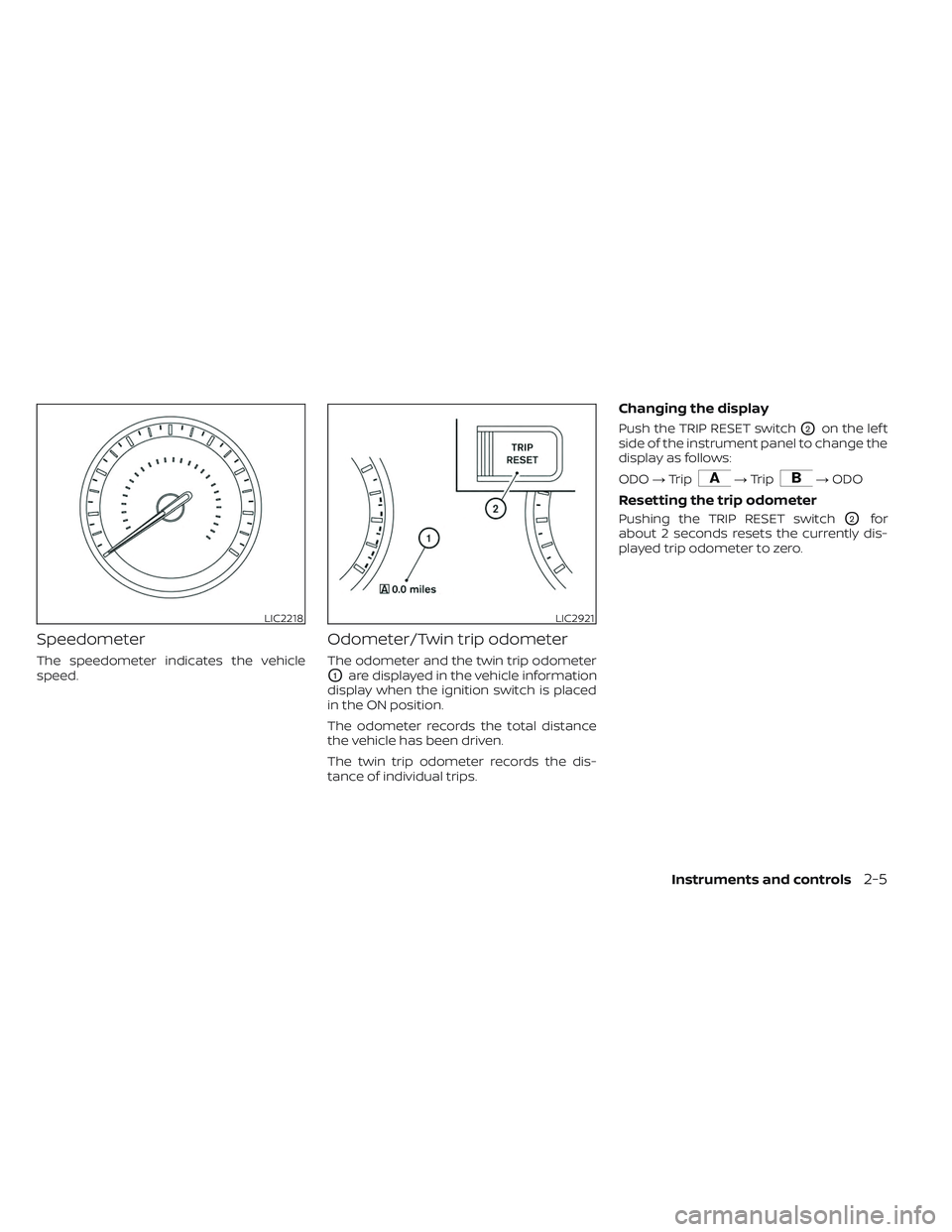
Speedometer
The speedometer indicates the vehicle
speed.
Odometer/Twin trip odometer
The odometer and the twin trip odometer
O1are displayed in the vehicle information
display when the ignition switch is placed
in the ON position.
The odometer records the total distance
the vehicle has been driven.
The twin trip odometer records the dis-
tance of individual trips.
Changing the display
Push the TRIP RESET switchO2on the lef t
side of the instrument panel to change the
display as follows:
ODO →Trip
→Trip→ ODO
Resetting the trip odometer
Pushing the TRIP RESET switchO2for
about 2 seconds resets the currently dis-
played trip odometer to zero.
LIC2218LIC2921
Instruments and controls2-5
Page 123 of 572
FUEL GAUGE
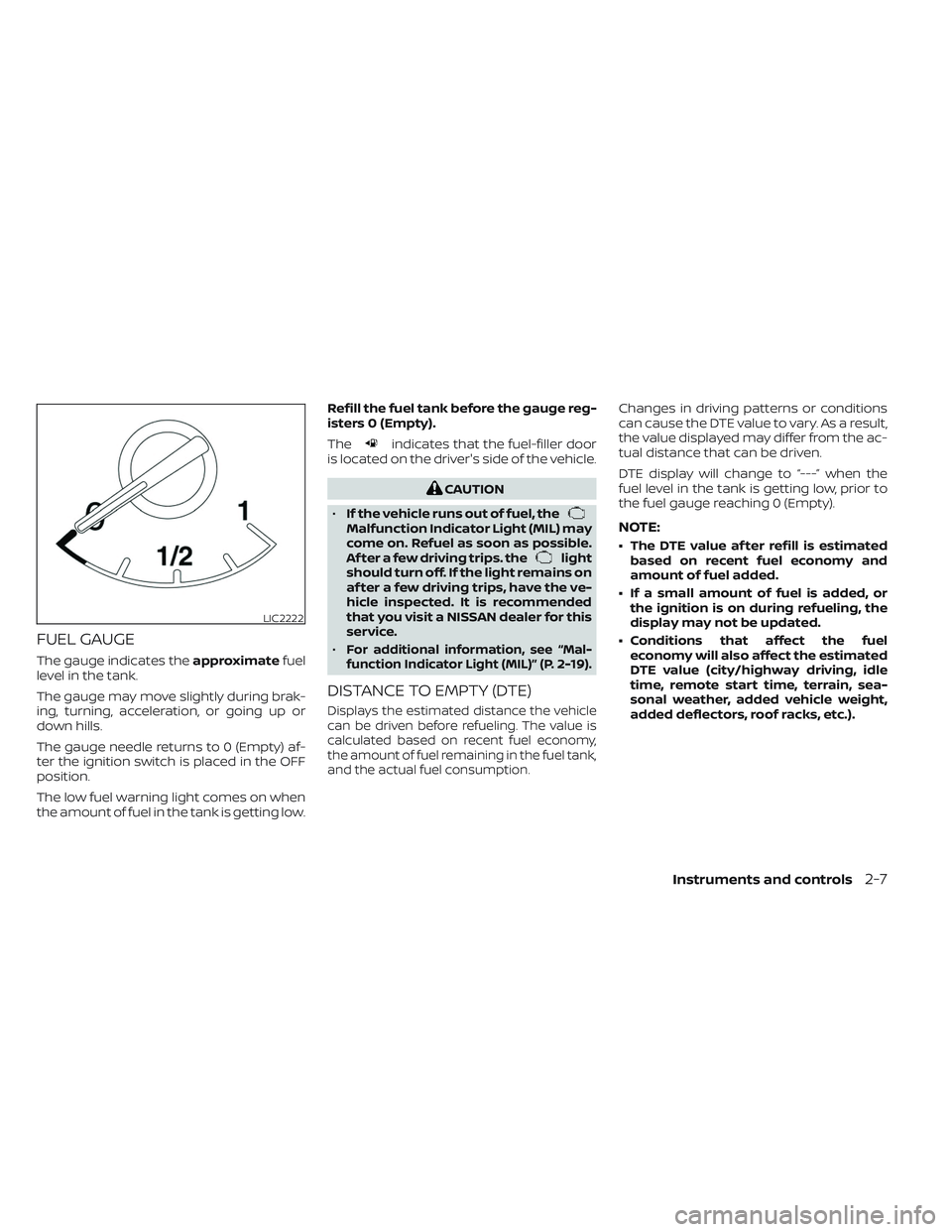
The gauge indicates theapproximatefuel
level in the tank.
The gauge may move slightly during brak-
ing, turning, acceleration, or going up or
down hills.
The gauge needle returns to 0 (Empty) af-
ter the ignition switch is placed in the OFF
position.
The low fuel warning light comes on when
the amount of fuel in the tank is getting low. Refill the fuel tank before the gauge reg-
isters 0 (Empty).
The
indicates that the fuel-filler door
is located on the driver's side of the vehicle.
CAUTION
• If the vehicle runs out of fuel, the
Malfunction Indicator Light (MIL) may
come on. Refuel as soon as possible.
Af ter a few driving trips. the
light
should turn off. If the light remains on
af ter a few driving trips, have the ve-
hicle inspected. It is recommended
that you visit a NISSAN dealer for this
service.
•
For additional information, see “Mal-
function Indicator Light (MIL)” (P. 2-19).
DISTANCE TO EMPTY (DTE)
Displays the estimated distance the vehicle
can be driven before refueling. The value is
calculated based on recent fuel economy,
the amount of fuel remaining in the fuel tank,
and the actual fuel consumption.
Changes in driving patterns or conditions
can cause the DTE value to vary. As a result,
the value displayed may differ from the ac-
tual distance that can be driven.
DTE display will change to “---” when the
fuel level in the tank is getting low, prior to
the fuel gauge reaching 0 (Empty).
NOTE:
• The DTE value af ter refill is estimated based on recent fuel economy and
amount of fuel added.
• If a small amount of fuel is added, or the ignition is on during refueling, the
display may not be updated.
• Conditions that affect the fuel economy will also affect the estimated
DTE value (city/highway driving, idle
time, remote start time, terrain, sea-
sonal weather, added vehicle weight,
added deflectors, roof racks, etc.).
LIC2222
Instruments and controls2-7
Page 131 of 572
Engine oil pressure
warning light
This light warns of low engine oil pressure. If
the light flickers or comes on during nor-
mal driving, pull off the road in a safe area,
stop the engineimmediately,and call a
NISSAN dealer or other authorized repair
shop.
The engine oil pressure warning light is
not designed to indicate a low oil level.
Use the dipstick to check the oil level. For
additional information, see “Engine oil”
(P. 8-8).
CAUTION
Running the engine with the engine oil
pressure warning light on could cause
serious damage to the engine almost
immediately. Such damage is not cov-
ered by the NISSAN New Vehicle Limited
Warranty. Turn off the engine as soon
as it is safe to do so.
Master warning light
This light comes on when various vehicle
information display warnings appear. • Parking brake release warning
• Transmission system warning
Seat belt warning light and
chime
• The light and chime remind you to fasten
the seat belts.
• The seat belt warning light will illuminate when the ignition switch is pushed to the
ON position if the driver’s seat belt is not
fastened, or if the front passenger seat
belt is not fastened when occupied.
• The seat belt warning light will also illumi- nate if a rear passenger seat belt is
changed from fastened to unfastened.
• If the driver’s seat belt is not fastened when the ignition switch is pushed to the
ON position, the chime will sound shortly.
• If the vehicle is driven above 9 mph (15 km/h) in the conditions that illuminate
the seat belt warning light, the lamp will
begin to blink and the chime will sound
for over one minute, or until the seat belt
is fastened again.
NOTE:
•The warning light and/or chime may
activate if an object is placed in the un-
occupied front passenger seat. In this
case, please remove the object from
the front passenger seat.
• The warning light and/or chime may
activate if any seat belt is unfastened
before the vehicle comes to a complete
stop. Please remain fastened until the
vehicle has come to a complete stop.
Security indicator light
This light blinks when the ignition switch is
in the OFF, LOCK or ACC position. This func-
tion indicates the security systems
equipped on the vehicle are operational.
For additional information, see “Security
systems” (P. 2-39).
Supplemental air bag
warning light
When the ignition switch is in the ON posi-
tion, the supplemental air bag warning
light illuminates for about 7 seconds and
then turns off. This means the system is
operational.
Instruments and controls2-15
Page 142 of 572
7. Tire Pressures
The tire pressure mode shows the pres-
sure of all four tires while the vehicle is
driven.
When the “Tire Pressure Low — Add Air”
warning appears, the display can be
switched to the tire pressure mode by
pressing the
buttons to reveal addi-
tional details on the displayed warning.
For additional information, see “Low tire
pressure warning light” (P. 2-17), “Tire Pres-
sure Monitoring System (TPMS)” (P. 5-5), “Flat
tire” (P. 6-3) and “Types of tires” (P. 8-39)
8. Traffic Sign Recognition (if so
equipped)
The Traffic Sign Recognition (TSR) system
provides the driver with information about
the most recently detected speed limit.
For additional information, see “Traffic Sign
Recognition (TSR) (P. 5-24).
9. Compass
This display indicates the direction the ve-
hicle is heading.
10. Idling Stop System (if so
equipped)
The Idling Stop System provides the driver
with information about the amount of fuel
saved while using the system.
For additional information, see “Idling Stop
System” (P. 5-129).
11. Auxiliary gauges (if so
equipped)
This is not a physical gauge. It is a display
option in the vehicle information display
that can be selected. For additional infor-
mation, see “Auxiliary gauges” (P. 2-8).
12. Off—road and 4–Wheel Drive
(4WD) monitor (if so equipped)
This is not a physical gauge. It is a display
option in the vehicle information display
that can be selected. For additional infor-
mation, see “Off—road and 4–Wheel Drive
(4WD) monitor” (P. 2-9).
SETTINGS
The setting mode allows you to change the
information displayed in the vehicle infor-
mation display:
• Driver Assistance
• Meter Settings
• Vehicle Settings
• Alerts
• Maintenance
• Unit
• Language
• Factory Reset
2-26Instruments and controls
Page 143 of 572
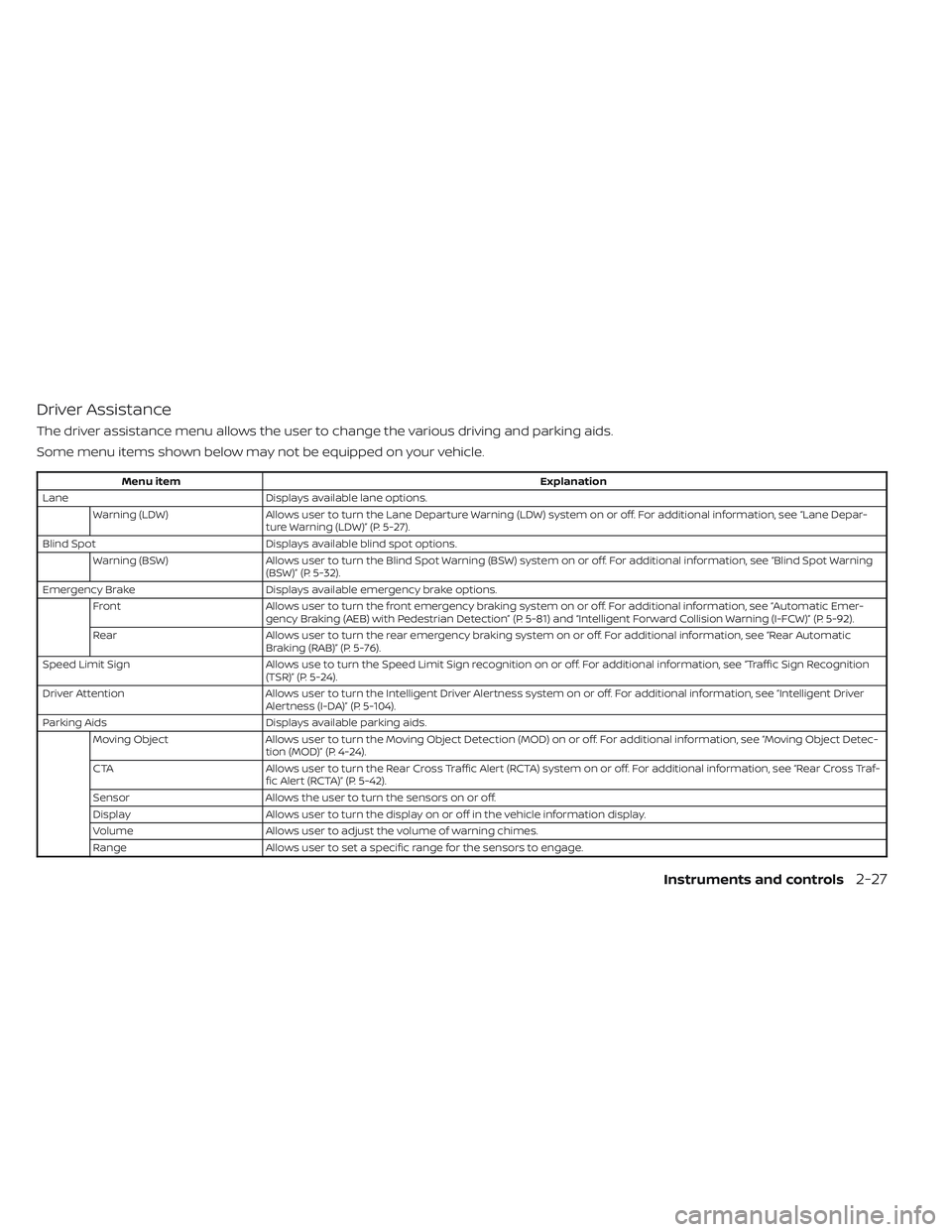
Driver Assistance
The driver assistance menu allows the user to change the various driving and parking aids.
Some menu items shown below may not be equipped on your vehicle.
Menu itemExplanation
Lane Displays available lane options.
Warning (LDW) Allows user to turn the Lane Departure Warning (LDW) system on or off. For additional information, see “Lane Depar-
ture Warning (LDW)” (P. 5-27).
Blind Spot Displays available blind spot options.
Warning (BSW) Allows user to turn the Blind Spot Warning (BSW) system on or off. For additional information, see “Blind Spot Warning
(BSW)” (P. 5-32).
Emergency Brake Displays available emergency brake options.
Front Allows user to turn the front emergency braking system on or off. For additional information, see “Automatic Emer-
gency Braking (AEB) with Pedestrian Detection” (P. 5-81) and “Intelligent Forward Collision Warning (I-FCW)” (P. 5-92).
Rear Allows user to turn the rear emergency braking system on or off. For additional information, see “Rear Automatic
Braking (RAB)” (P. 5-76).
Speed Limit Sign Allows use to turn the Speed Limit Sign recognition on or off. For additional information, see “Traffic Sign Recognition
(TSR)” (P. 5-24).
Driver Attention Allows user to turn the Intelligent Driver Alertness system on or off. For additional information, see “Intelligent Driver
Alertness (I-DA)” (P. 5-104).
Parking Aids Displays available parking aids.
Moving Object Allows user to turn the Moving Object Detection (MOD) on or off. For additional information, see “Moving Object Detec-
tion (MOD)” (P. 4-24).
CTA Allows user to turn the Rear Cross Traffic Alert (RCTA) system on or off. For additional information, see “Rear Cross Traf-
fic Alert (RCTA)” (P. 5-42).
Sensor Allows the user to turn the sensors on or off.
Display Allows user to turn the display on or off in the vehicle information display.
Volume Allows user to adjust the volume of warning chimes.
Range Allows user to set a specific range for the sensors to engage.
Instruments and controls2-27