maintenance NISSAN FRONTIER 2023 User Guide
[x] Cancel search | Manufacturer: NISSAN, Model Year: 2023, Model line: FRONTIER, Model: NISSAN FRONTIER 2023Pages: 572, PDF Size: 6.58 MB
Page 163 of 572
When the vehicle speed lowers to less than
approximately 16 mph (25 km/h), the head-
light uses the low beam.
To turn off the High Beam Assist system,
turn the headlight switch to the
posi-
tion or select the low beam position by
placing the lever in the neutral position.
Ambient image sensor maintenance
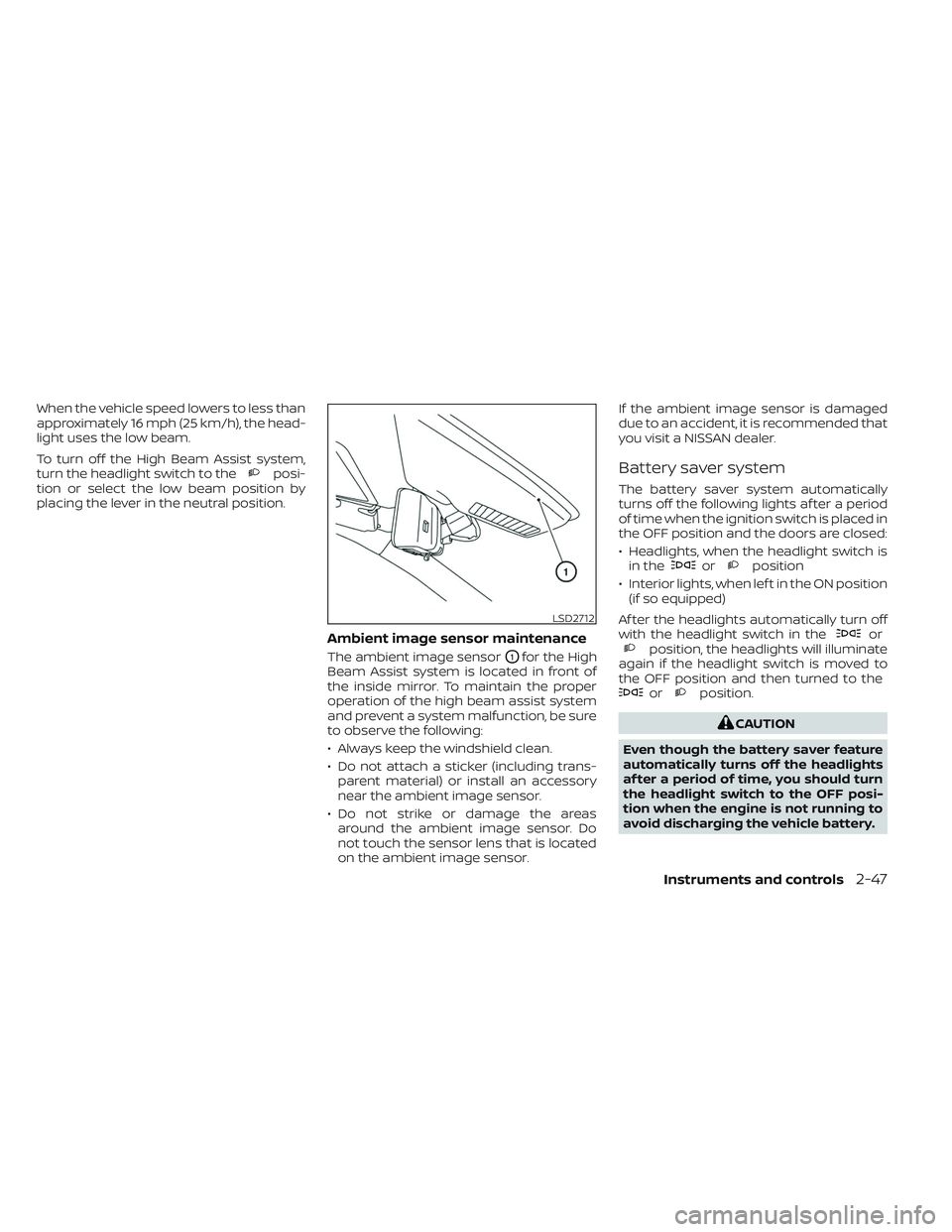
The ambient image sensorO1for the High
Beam Assist system is located in front of
the inside mirror. To maintain the proper
operation of the high beam assist system
and prevent a system malfunction, be sure
to observe the following:
• Always keep the windshield clean.
• Do not attach a sticker (including trans- parent material) or install an accessory
near the ambient image sensor.
• Do not strike or damage the areas around the ambient image sensor. Do
not touch the sensor lens that is located
on the ambient image sensor. If the ambient image sensor is damaged
due to an accident, it is recommended that
you visit a NISSAN dealer.
Battery saver system
The battery saver system automatically
turns off the following lights af ter a period
of time when the ignition switch is placed in
the OFF position and the doors are closed:
• Headlights, when the headlight switch is
in the
orposition
• Interior lights, when lef t in the ON position (if so equipped)
Af ter the headlights automatically turn off
with the headlight switch in the
orposition, the headlights will illuminate
again if the headlight switch is moved to
the OFF position and then turned to the
orposition.
CAUTION
Even though the battery saver feature
automatically turns off the headlights
af ter a period of time, you should turn
the headlight switch to the OFF posi-
tion when the engine is not running to
avoid discharging the vehicle battery.
LSD2712
Instruments and controls2-47
Page 235 of 572
4 Monitor, climate, audio, phone and
voice recognition systems
NissanConnect® Owner’s Manual...............4-2
RearView Monitor (if so equipped) ...............4-3
RearView Monitor system operation ..........4-4
How to read the displayed lines ..............4-4
Difference between predicted and
actual distances .............................4-5
How to park with predicted course lines ....... 4-7Adjusting the screen.........................4-8
How to turn on and off predicted
course lines ..................................4-8
RearView Monitor system limitations .........4-8
System maintenance ....................... 4-10
Intelligent Around View® Monitor
(if so equipped) .................................. 4-11
Intelligent Around View® Monitor
system operation ........................... 4-12
Difference between predicted and
actual distances ............................ 4-16
How to park with predicted course lines ......4-18How to switch the display ...................4-19
Off-road mode (if so equipped) ..............4-20
Adjusting the screen ........................ 4-20
Intelligent Around View® Monitor
system limitations .......................... 4-21
System maintenance .......................4-23Moving Object Detection (MOD) (if so
equipped)
...................................... 4-24
MOD system operation ......................4-25
Turning MOD on and off (if so equipped) .....4-26
MOD system limitations .....................4-27
System maintenance .......................4-28
Vents .......................................... 4-28
Heater and air conditioner (manual)
(if so equipped) ................................. 4-29
Controls ..................................... 4-30
Heater operation ............................ 4-31
Air conditioner operation ....................4-33
Air flow charts ............................... 4-34
Heater and air conditioner (automatic)
(if so equipped) ................................. 4-38
Automatic operation ........................ 4-39
Manual operation ........................... 4-41
Operating tips ............................... 4-42
Servicing air conditioner ........................4-43
Antenna ........................................ 4-44
Roof Mounted Antenna ......................4-44
Car phone or CB radio .......................... 4-44
iPod®/iPhone® ................................. 4-45
Page 244 of 572
SYSTEM MAINTENANCE
CAUTION
• Do not use alcohol, benzine or thin-
ner to clean the camera. This will
cause discoloration.
• Do not damage the camera as the
monitor screen may be adversely
affected. If dirt, rain or snow accumulates on the
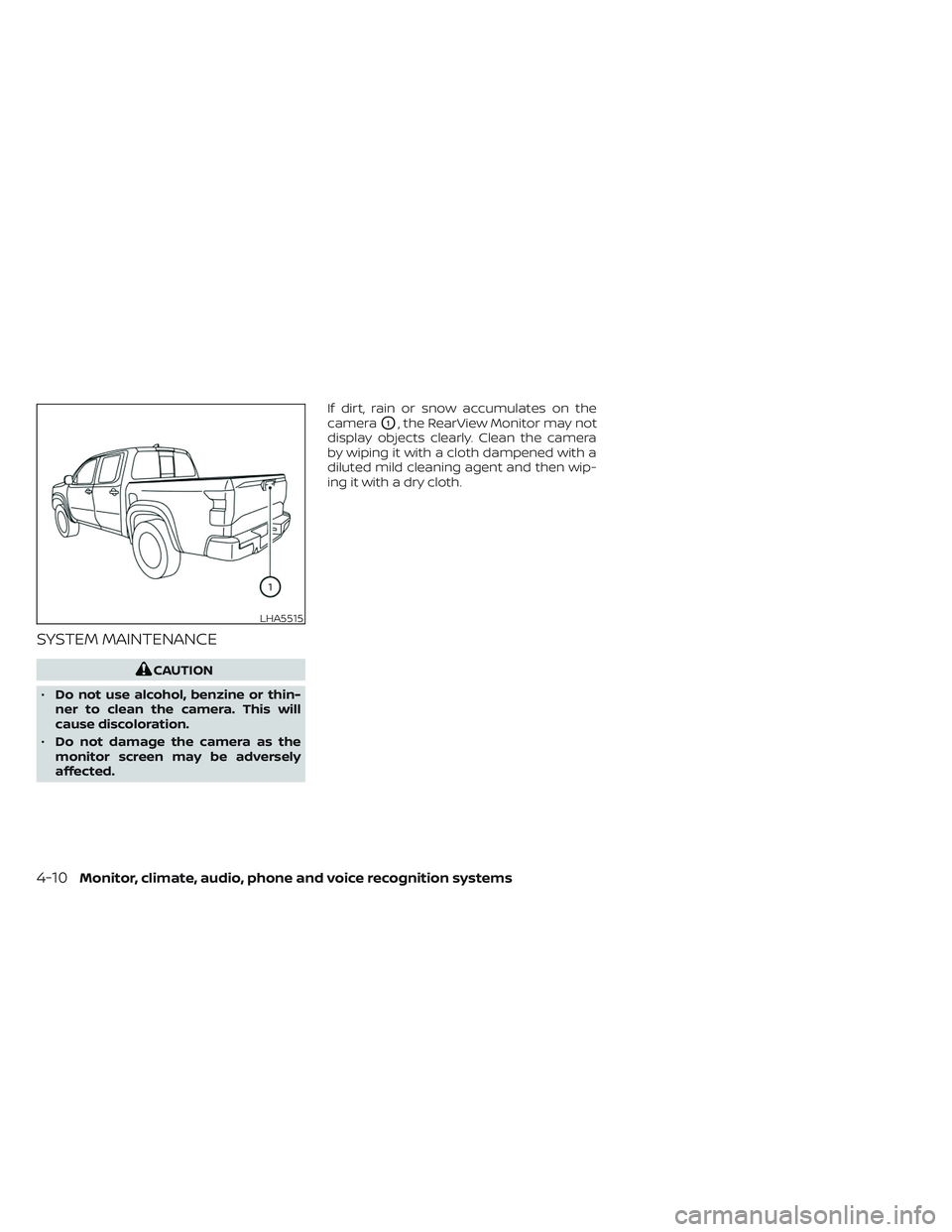
camera
O1, the RearView Monitor may not
display objects clearly. Clean the camera
by wiping it with a cloth dampened with a
diluted mild cleaning agent and then wip-
ing it with a dry cloth.
LHA5515
4-10Monitor, climate, audio, phone and voice recognition systems
Page 257 of 572
![NISSAN FRONTIER 2023 User Guide When the “[X]” icon is displayed on the
screen, the camera image may be receiv-
ing temporary electronic disturbances
from surrounding devices. This will not hin-
der normal driving operation but](/img/5/56719/w960_56719-256.png "NISSAN FRONTIER 2023 User Guide When the “[X]” icon is displayed on the
screen, the camera image may be receiv-
ing temporary electronic disturbances
from surrounding devices. This will not hin-
der normal driving operation but")
When the “[X]” icon is displayed on the
screen, the camera image may be receiv-
ing temporary electronic disturbances
from surrounding devices. This will not hin-
der normal driving operation but it is rec-
ommended that the system be inspected
if it occurs frequently. It is recommended
that you visit a NISSAN dealer for this
service.SYSTEM MAINTENANCE
CAUTION
• Do not use alcohol, benzine or thin-
ner to clean the camera. This will
cause discoloration.
• Do not damage the cameras as the
monitor screen may be adversely
affected. If dirt, rain or snow accumulates on any of
the cameras
O1, the Intelligent Around
View® Monitor may not display objects
clearly. Clean the camera by wiping with a
cloth dampened with a diluted mild clean-
ing agent and then wiping with a dry cloth.
LHA3592LHA5519
Monitor, climate, audio, phone and voice recognition systems4-23
Page 262 of 572
SYSTEM MAINTENANCE
CAUTION
• Do not use alcohol, benzine or thin-
ner to clean the camera. This will
cause discoloration.
• Do not damage the camera as the
monitor screen may be adversely
affected. If dirt, rain or snow accumulates on any of
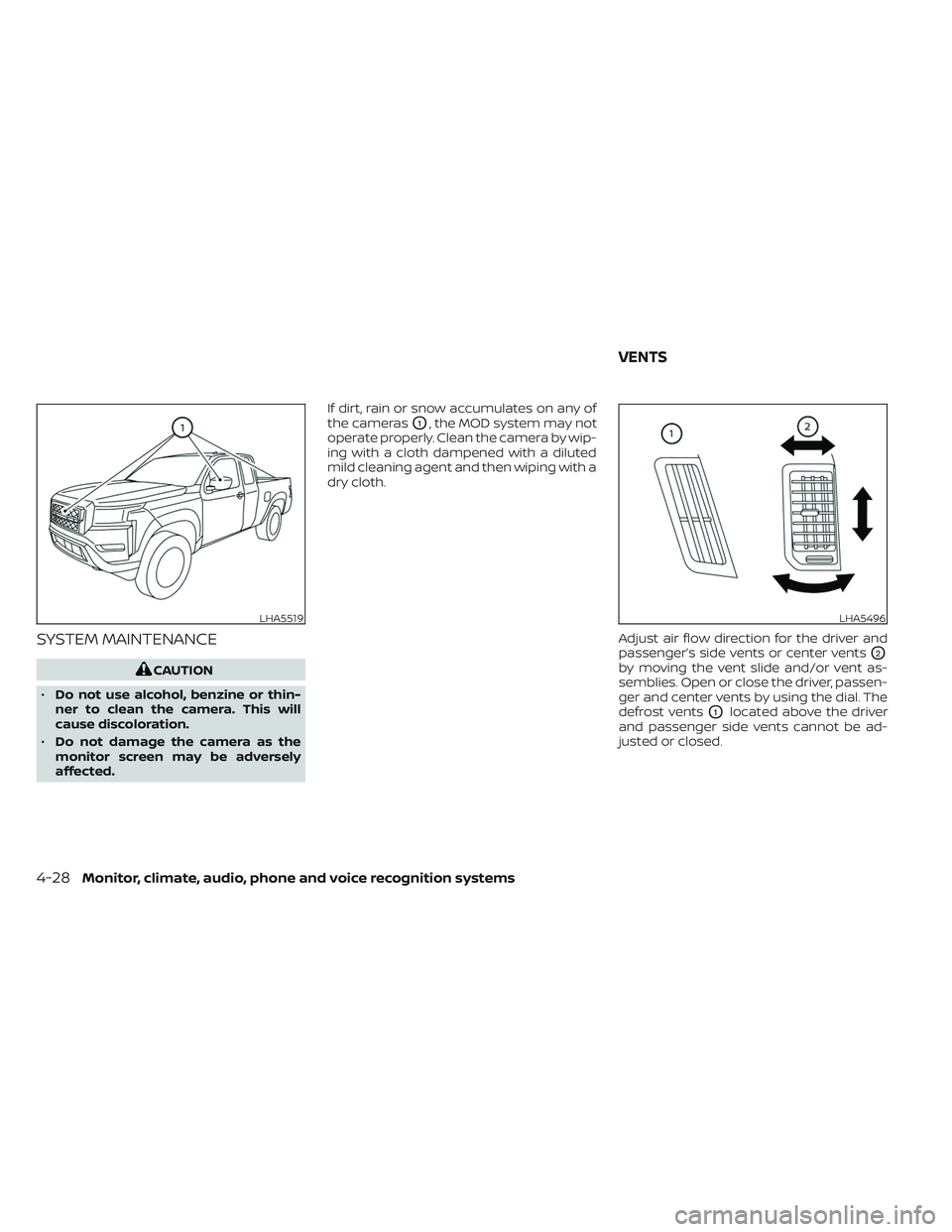
the cameras
O1, the MOD system may not
operate properly. Clean the camera by wip-
ing with a cloth dampened with a diluted
mild cleaning agent and then wiping with a
dry cloth.
Adjust air flow direction for the driver and
passenger’s side vents or center vents
O2
by moving the vent slide and/or vent as-
semblies. Open or close the driver, passen-
ger and center vents by using the dial. The
defrost vents
O1located above the driver
and passenger side vents cannot be ad-
justed or closed.
LHA5519LHA5496
VENTS
4-28Monitor, climate, audio, phone and voice recognition systems
Page 281 of 572
5 Starting and driving
Precautions when starting and driving..........5-4
Exhaust gas (carbon monoxide) ..............5-4
Three-way catalyst ...........................5-5
Tire Pressure Monitoring System
(TPMS) .......................................5-5
On-pavement and off-road driving
precautions ..................................5-9
Avoiding collision and rollover ................5-9
Off-roadrecovery ............................5-9
Rapid air pressure loss ......................5-10
Drinking alcohol/drugs and driving ...........5-11
Driving safety precautions ....................5-11
Push-button ignition switch ....................5-13
Operating range ............................ 5-14
Push-button ignition switch positions .......5-14
Emergency engine shut off ..................5-15
NISSAN Intelligent Key® battery
discharge ................................... 5-16
NISSAN Vehicle Immobilizer System .........5-16
Before starting the engine .....................5-17
Starting the engine ............................. 5-17
Remote Engine Start (if so equipped) ........5-18
Driving the vehicle .............................. 5-18
Engine protection mode ....................5-18
Automatic transmission (A/T) ...............5-19Parking brake
.................................. 5-24
Traffic Sign Recognition (TSR) (if so equipped) . . . 5-24 System operation ........................... 5-25
Turning the Traffic Sign Recognition
(TSR) system on and off .....................5-26
System temporarily unavailable .............5-26
System malfunction ......................... 5-26
System maintenance .......................5-27
Lane Departure Warning (LDW) (if so
equipped) ...................................... 5-27
LDW system operation ......................5-28
How to enable/disable the LDW system .....5-29
LDW system limitations .....................5-30
System temporarily disabled ................5-31
System malfunction ......................... 5-31
System maintenance ....................... 5-31
Blind Spot Warning (BSW) (if so equipped) .......5-32
BSW system operation ......................
5-34
How
to enable/disable the BSW system .....5-34
BSW system limitations .....................5-35
BSW driving situations .......................5-36
System temporarily unavailable .............5-40
System maintenance ....................... 5-41
Rear Cross Traffic Alert (RCTA) (if so equipped) . . 5-42 RCTA system operation .....................5-43
Page 282 of 572
How to enable/disable the RCTA
system...................................... 5-45
RCTA system limitations .....................5-46
System temporarily unavailable .............5-48
System maintenance .......................5-49
Cruise control (if so equipped) ..................5-50
Precautions on cruise control ...............5-50
Cruise control operations ...................5-51
Intelligent Cruise Control (if so equipped) .......5-52
How to select the cruise control mode ......5-54
Vehicle-to-vehicle distance control
mode ....................................... 5-54
Vehicle-to-vehicle distance control
mode operation ............................. 5-55
Vehicle-to-vehicle distance control
mode switches ............................. 5-57
Vehicle-to-vehicle distance control
mode limitations ............................ 5-63
System temporarily unavailable .............5-67
System maintenance .......................5-69
Conventional (fixed speed) cruise
control mode ............................... 5-71Rear Automatic Braking (RAB) (if so equipped) . . 5-76
RAB system operation ....................... 5-77
Turning the RAB system on/off ..............5-78
RAB system limitations ......................5-79
System malfunction ......................... 5-80
System maintenance ....................... 5-81
Automatic Emergency Braking (AEB) with
Pedestrian Detection ........................... 5-81
AEB with Pedestrian Detection system
operation ................................... 5-82
Turning the AEB with Pedestrian
Detection system ON/OFF ..................5-84
AEB with Pedestrian Detection system
limitations .................................. 5-85
System temporarily unavailable .............5-88
System malfunction ......................... 5-90
System maintenance .......................5-90
Intelligent Forward Collision Warning (I-FCW) . . . 5-92 I-FCW system operation .....................5-94
Turning the I-FCW system on/off ............5-95
I-FCW system limitations ....................5-96
System temporarily unavailable ............5-101
Page 283 of 572
System malfunction........................ 5-102
System maintenance ......................5-103
Intelligent Driver Alertness (I-DA) ...............5-104
Intelligent Driver Alertness system
operation .................................. 5-105
How to enable/disable the Intelligent
Driver Alertness (I-DA) system ..............5-106
Intelligent Driver Alertness (I-DA)
system limitations ......................... 5-107
Break-in schedule ............................. 5-107
Fuel efficient driving tips .......................5-108
Increasing fuel economy ......................5-109
Using 4–wheel drive (4WD)
(if so equipped) ................................ 5-109
Transfer case shif ting procedures ..........5-110
Electronic locking rear differential (E-Lock)
system (if so equipped) ........................ 5-115
Parking/parking on hills .......................5-116
Power steering ................................. 5-117
Brake system ................................. 5-118
Brake precautions .......................... 5-118
Anti-lock Braking System (ABS) .............5-118
Active Brake Limited Slip (ABLS) system .......5-120 Vehicle Dynamic Control (VDC) system
........5-121
Brake force distribution ....................5-122
Hill descent control system (if so equipped) . . . 5-123
Hill start assist system ........................5-124
Rear Sonar System (RSS) (if so equipped) ......5-124
System operation .......................... 5-125
How to enable/disable the RSS .............5-127
Sonar limitations ........................... 5-128
System temporarily unavailable ............5-128
System maintenance ......................5-128
Idling Stop System (if so equipped) ............5-129
Retrograde movement control function ....5-131
Idling Stop System display ..................5-131
Idling Stop OFF switch ......................5-133
Cold weather driving .......................... 5-134
Freeing a frozen door lock ..................5-134
Antifreeze .................................. 5-134
Battery..................................... 5-134
Draining of coolant water ..................5-134
Tire equipment ............................. 5-134
Special winter equipment ..................5-135
Driving on snow or ice ......................5-135
Engine block heater (if so equipped) ........5-135
Page 286 of 572
Please note that the TPMS is not a substi-
tute for proper tire maintenance, and it is
the driver’s responsibility to maintain cor-
rect tire pressure, even if under-inflation
has not reached the level to trigger illumi-
nation of the TPMS low tire pressure telltale.
Your vehicle has also been equipped with a
TPMS malfunction indicator to indicate
when the system is not operating properly.
The TPMS malfunction indicator is com-
bined with the low tire pressure telltale.
When the system detects a malfunction,
the telltale will flash for approximately one
minute and then remain continuously illu-
minated. This sequence will continue upon
subsequent vehicle start-ups as long as
the malfunction exists. When the malfunc-
tion indicator is illuminated, the system
may not be able to detect or signal low tire
pressure as intended. TPMS malfunctions
may occur for a variety of reasons, includ-
ing the installation of replacement or alter-
nate tires or wheels on the vehicle that
prevent the TPMS from functioning prop-
erly. Always check the TPMS malfunction
telltale af ter replacing one or more tires or
wheels on your vehicle to ensure that the
replacement or alternate tires and wheels
allow the TPMS to continue to function
properly.Additional information:
• When using a wheel without the TPMS
such as a spare tire, the TPMS does not
monitor the tire pressure of the spare tire.
• The TPMS will activate only when the ve- hicle is driven at speeds above 16 mph (25
km/h). Also, this system may not detect a
sudden drop in tire pressure (for example,
a flat tire while driving).
• The low tire pressure warning light does not automatically turn off when the tire
pressure of your tires are adjusted. Af ter
the tires are inflated to the recom-
mended pressure, the vehicle must be
driven at speeds above 16 mph (25 km/h)
to activate the TPMS and turn off the
low tire pressure warning light. Use a tire
pressure gauge to check the tire
pressure.
• The “Tire Pressure Low — Add Air” warning appears in the vehicle information dis-
play when the low tire pressure warning
light is illuminated and low tire pressure is
detected. The “Tire Pressure Low — Add
Air” warning turns off when the low tire
pressure warning light turns off. • The “Tire Pressure Low — Add Air” warning
appears each time the ignition switch is
placed in the ON position as long as the
low tire pressure warning light remains
illuminated.
• The “Tire Pressure Low — Add Air” warning does not appear if the low tire pressure
warning light illuminates to indicate a
TPMS malfunction.
• Tire pressure rises and falls depending on the heat caused by the vehicle’s opera-
tion and the outside temperature. Do not
reduce the tire pressure af ter driving be-
cause the tire pressure rises af ter driving.
Low outside temperature can lower the
temperature of the air inside the tire
which can cause a lower tire inflation
pressure. This may cause the low tire
pressure warning light to illuminate. If the
warning light illuminates, check the tire
pressure for all four tires.
• The Tire and Loading information label is located in the driver's door opening.
For additional information, see “Low tire
pressure warning light” (P. 2-17) and “Tire
Pressure Monitoring System (TPMS)” (P. 6-3).
5-6Starting and driving
Page 293 of 572
•Always use tires of the same type,
size, brand, construction (bias, bias-
belted, or radial), and tread pattern
on all four wheels. Install tire chains
on the rear wheels when driving on
slippery roads and drive carefully.
• Be sure to check the brakes immedi-
ately af ter driving in mud or water.
For additional information, see “Wet
brakes” (P. 5-118).
• Avoid parking your vehicle on steep
hills. If you get out of the vehicle and
it rolls forward, backward or side-
ways, you could be injured.
• Whenever you drive off-road through
sand, mud or water as deep as the
wheel hub, more frequent mainte-
nance may be required. For addi-
tional information, see “Maintenance
under severe operating conditions”
(P. 9-7).
WARNING
Do not operate the push-button igni-
tion switch while driving the vehicle ex-
cept in an emergency. (The engine will
stop when the ignition switch is pushed
three consecutive times in quick suc-
cession or the ignition switch is pushed
and held for more than 2 seconds.) If
the engine stops while the vehicle is
being driven, this could lead to a crash
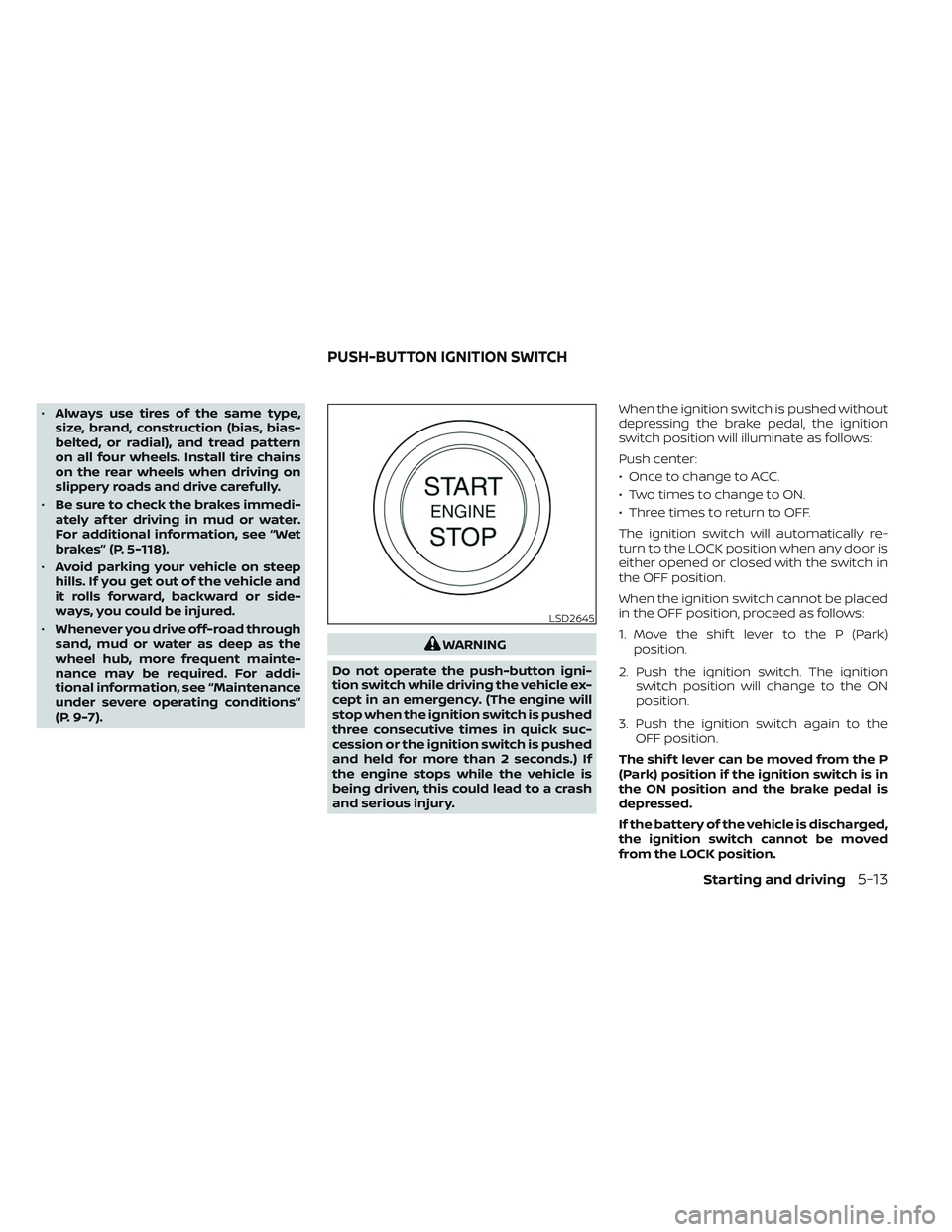
and serious injury. When the ignition switch is pushed without
depressing the brake pedal, the ignition
switch position will illuminate as follows:
Push center:
• Once to change to ACC.
• Two times to change to ON.
• Three times to return to OFF.
The ignition switch will automatically re-
turn to the LOCK position when any door is
either opened or closed with the switch in
the OFF position.
When the ignition switch cannot be placed
in the OFF position, proceed as follows:
1. Move the shif t lever to the P (Park)
position.
2. Push the ignition switch. The ignition switch position will change to the ON
position.
3. Push the ignition switch again to the OFF position.
The shif t lever can be moved from the P
(Park) position if the ignition switch is in
the ON position and the brake pedal is
depressed.
If the battery of the vehicle is discharged,
the ignition switch cannot be moved
from the LOCK position.
LSD2645
PUSH-BUTTON IGNITION SWITCH
Starting and driving5-13