climate control NISSAN FRONTIER 2023 Owners Manual
[x] Cancel search | Manufacturer: NISSAN, Model Year: 2023, Model line: FRONTIER, Model: NISSAN FRONTIER 2023Pages: 572, PDF Size: 6.58 MB
Page 9 of 572
Table of
contentsIllustrated table of contents
Safety-Seats, seat belts and supplemental restraint system
Instruments and controls
Pre-driving checks and adjustments
Monitor, climate, audio, phone and voice recognition systems
Starting and driving
In case of emergency
Appearance and care
Do-it-yourself
Maintenance and schedules
Technical and consumer information
Index
0
1
2
3
4
5
6
7
8
9
10
11
Page 16 of 572
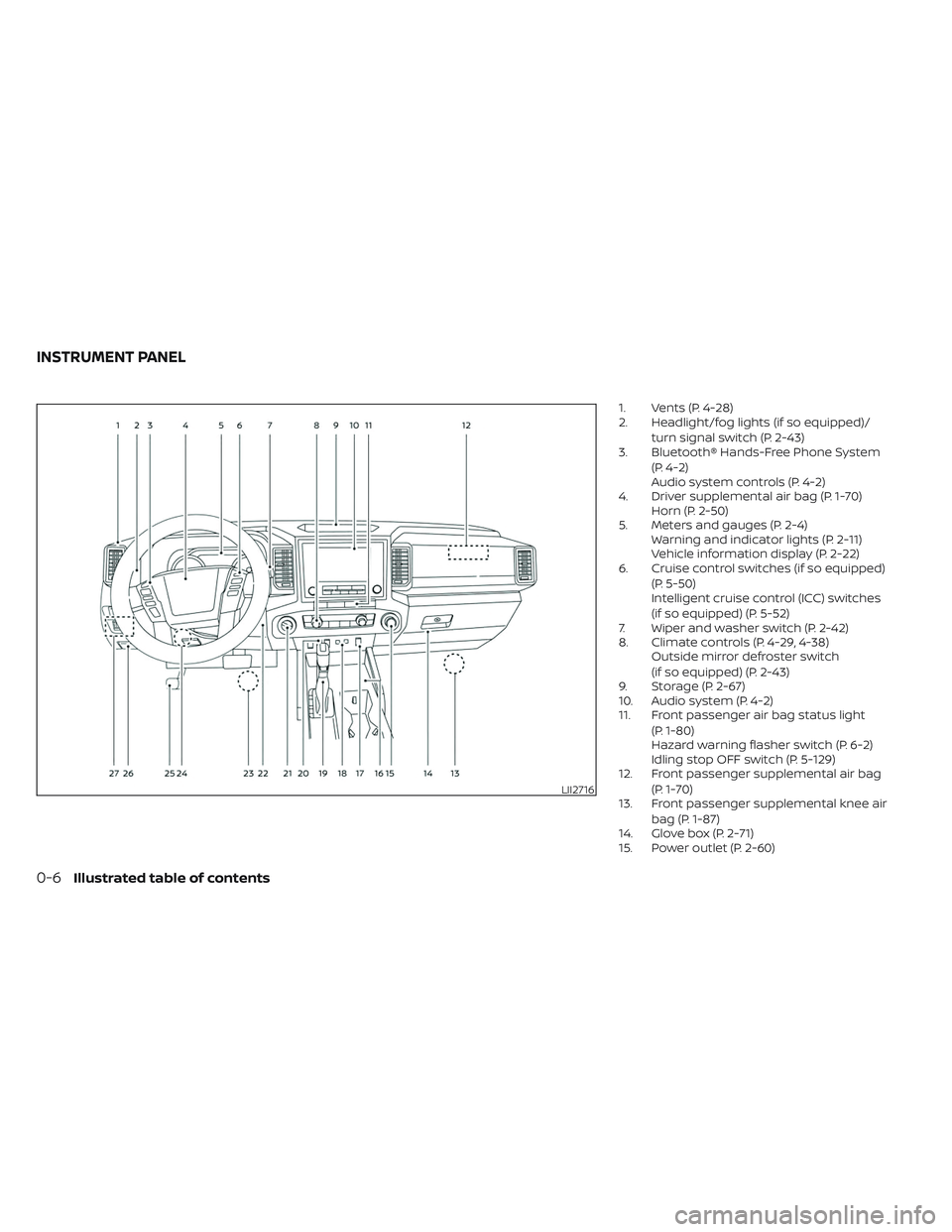
1. Vents (P. 4-28)
2. Headlight/fog lights (if so equipped)/turn signal switch (P. 2-43)
3. Bluetooth® Hands-Free Phone System
(P. 4-2)
Audio system controls (P. 4-2)
4. Driver supplemental air bag (P. 1-70) Horn (P. 2-50)
5. Meters and gauges (P. 2-4) Warning and indicator lights (P. 2-11)
Vehicle information display (P. 2-22)
6. Cruise control switches (if so equipped)
(P. 5-50)
Intelligent cruise control (ICC) switches
(if so equipped) (P. 5-52)
7. Wiper and washer switch (P. 2-42)
8. Climate controls (P. 4-29, 4-38) Outside mirror defroster switch
(if so equipped) (P. 2-43)
9. Storage (P. 2-67)
10. Audio system (P. 4-2)
11. Front passenger air bag status light
(P. 1-80)
Hazard warning flasher switch (P. 6-2)
Idling stop OFF switch (P. 5-129)
12. Front passenger supplemental air bag
(P. 1-70)
13. Front passenger supplemental knee air
bag (P. 1-87)
14. Glove box (P. 2-71)
15. Power outlet (P. 2-60)
LII2716
INSTRUMENT PANEL
0-6Illustrated table of contents
Page 102 of 572
Front passenger air bag and status
light
WARNING
The front passenger air bag and front
passenger supplemental knee air bag
are designed to automatically turn OFF
under some conditions. Read this sec-
tion carefully to learn how it operates.
Proper use of the seat, seat belt and
child restraints is necessary for most
effective protection. Failure to follow all
instructions in this manual concerning
the use of seats, seat belts and child
restraints can increase the risk or se-
verity of injury in an accident. Status light
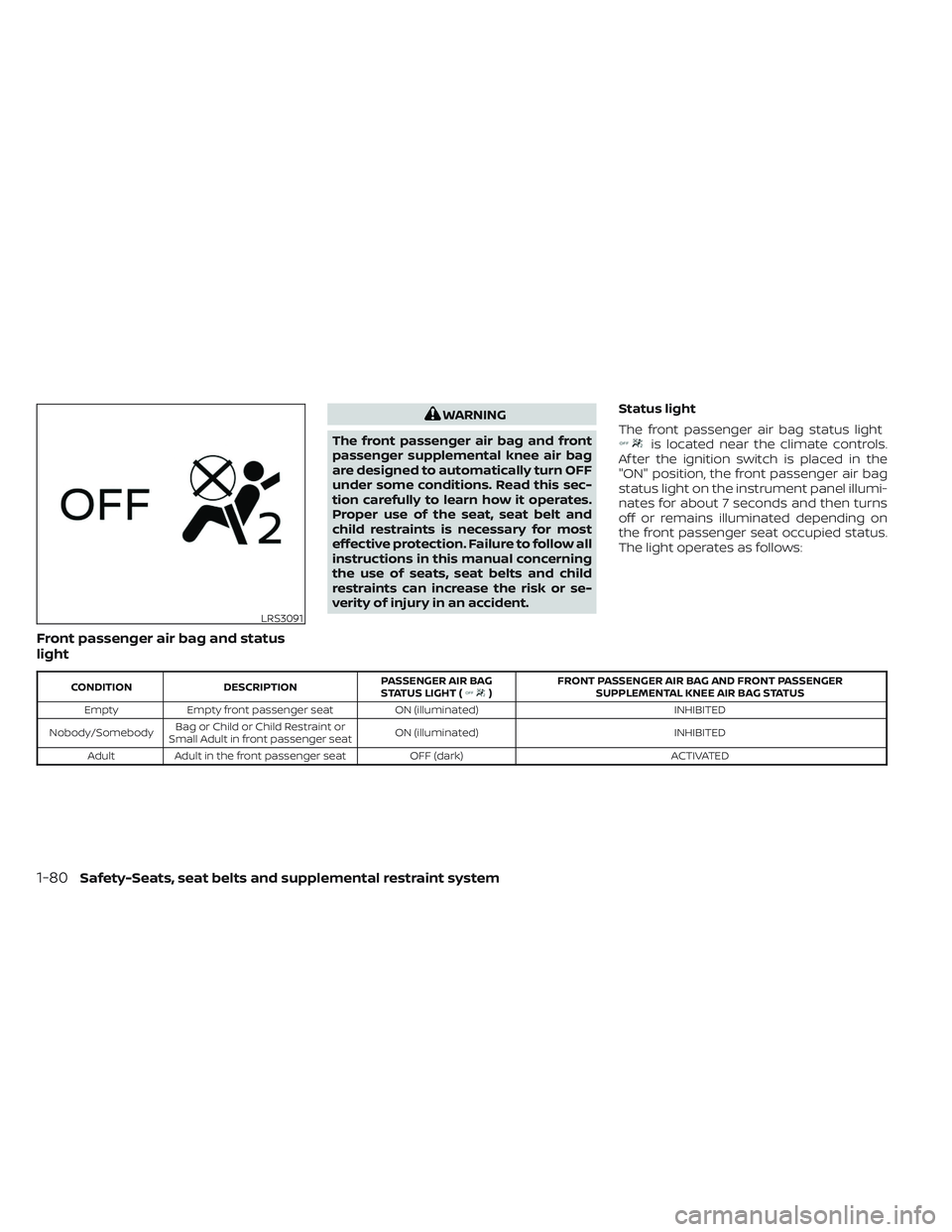
The front passenger air bag status light
is located near the climate controls.
Af ter the ignition switch is placed in the
"ON" position, the front passenger air bag
status light on the instrument panel illumi-
nates for about 7 seconds and then turns
off or remains illuminated depending on
the front passenger seat occupied status.
The light operates as follows:
CONDITION DESCRIPTION PASSENGER AIR BAG
STATUS LIGHT () FRONT PASSENGER AIR BAG AND FRONT PASSENGER
SUPPLEMENTAL KNEE AIR BAG STATUS
Empty Empty front passenger seat ON (illuminated) INHIBITED
Nobody/Somebody Bag or Child or Child Restraint or
Small Adult in front passenger seat ON (illuminated)
INHIBITED
Adult Adult in the front passenger seat OFF (dark) ACTIVATED
LRS3091
1-80Safety-Seats, seat belts and supplemental restraint system
Page 118 of 572
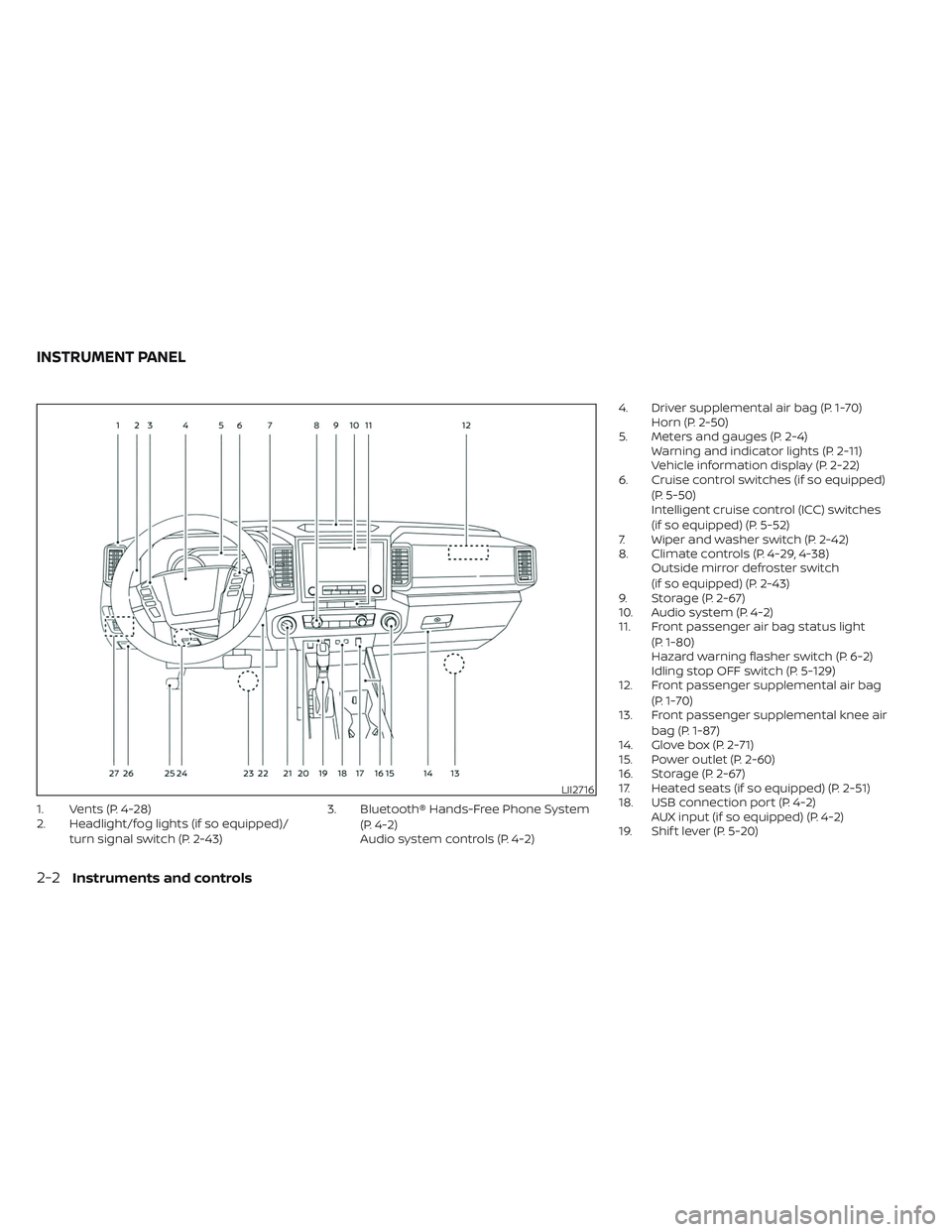
1. Vents (P. 4-28)
2. Headlight/fog lights (if so equipped)/turn signal switch (P. 2-43) 3. Bluetooth® Hands-Free Phone System
(P. 4-2)
Audio system controls (P. 4-2) 4. Driver supplemental air bag (P. 1-70)
Horn (P. 2-50)
5. Meters and gauges (P. 2-4) Warning and indicator lights (P. 2-11)
Vehicle information display (P. 2-22)
6. Cruise control switches (if so equipped)
(P. 5-50)
Intelligent cruise control (ICC) switches
(if so equipped) (P. 5-52)
7. Wiper and washer switch (P. 2-42)
8. Climate controls (P. 4-29, 4-38) Outside mirror defroster switch
(if so equipped) (P. 2-43)
9. Storage (P. 2-67)
10. Audio system (P. 4-2)
11. Front passenger air bag status light
(P. 1-80)
Hazard warning flasher switch (P. 6-2)
Idling stop OFF switch (P. 5-129)
12. Front passenger supplemental air bag
(P. 1-70)
13. Front passenger supplemental knee air
bag (P. 1-87)
14. Glove box (P. 2-71)
15. Power outlet (P. 2-60)
16. Storage (P. 2-67)
17. Heated seats (if so equipped) (P. 2-51)
18. USB connection port (P. 4-2) AUX input (if so equipped) (P. 4-2)
19. Shif t lever (P. 5-20)
LII2716
INSTRUMENT PANEL
2-2Instruments and controls
Page 179 of 572
Do not use the outlet located in the truck
box with accessories that exceed 120 volt.
Do not use double adapters or more than
one electrical accessory.
CAUTION
• Operation of the 120 volt system with
the ignition in the ON position and
the engine not running (idle) will
drain the battery charge. This could
lead to a dead battery or no start
condition.
• The outlet and plug may be hot dur-
ing or immediately af ter use.
• Use power outlets with the engine
running to avoid discharging the
vehicle battery.
• Do not use double adaptors or more
than one electrical accessory.
• Avoid using power outlets when the
air conditioner, headlights or rear
window defroster is on.
• Before inserting or disconnecting a
plug, be sure the electrical accessory
being used is turned OFF. •
Push the plug in as far as it will go.
If good contact is not made, the plug
may overheat or the internal tem-
perature fuse may open.
• When not in use, be sure to close the
cap. Do not allow water or any other
liquid to contact the outlet.
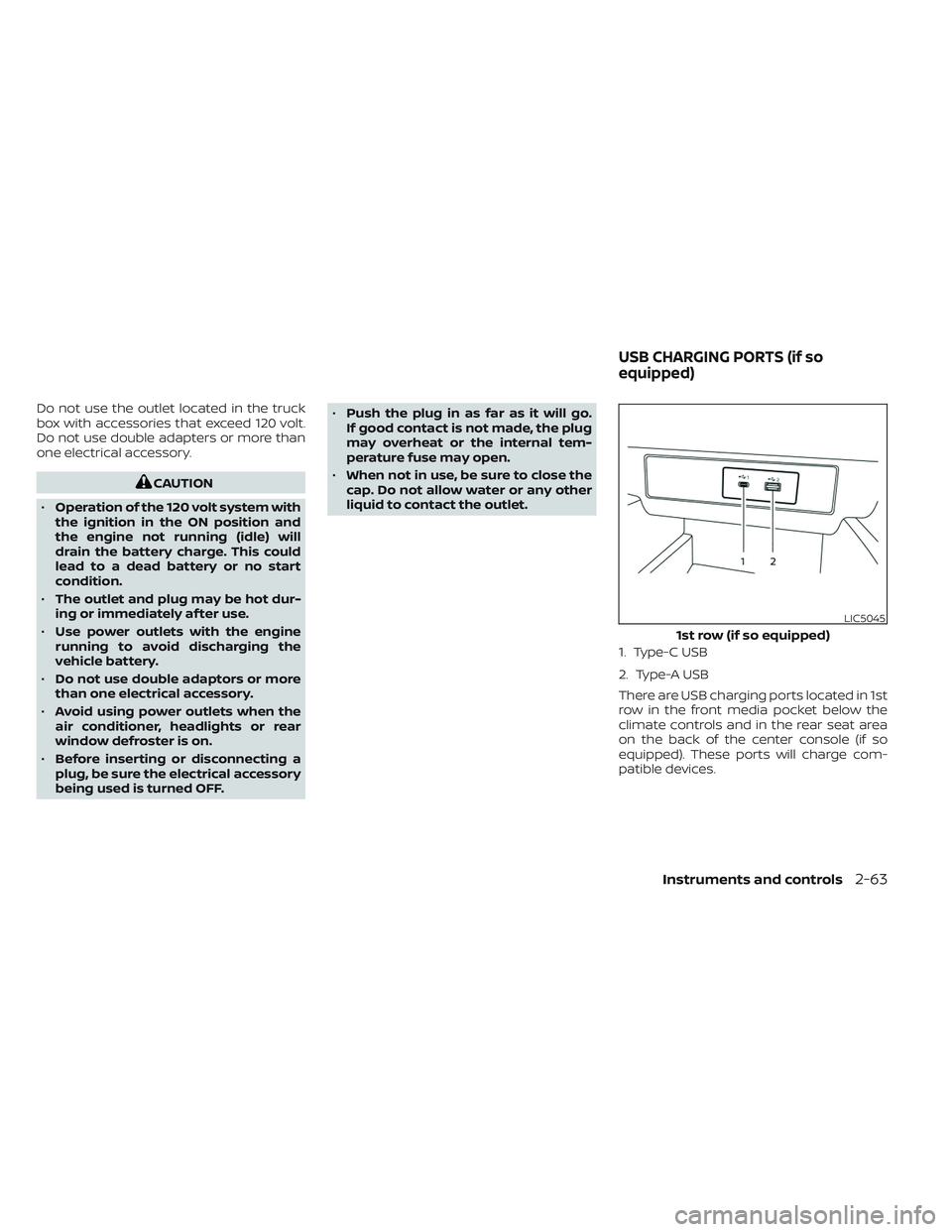
1. Type-C USB
2. Type-A USB
There are USB charging ports located in 1st
row in the front media pocket below the
climate controls and in the rear seat area
on the back of the center console (if so
equipped). These ports will charge com-
patible devices.
LIC5045
1st row (if so equipped)
USB CHARGING PORTS (if so
equipped)
Instruments and controls2-63
Page 180 of 572
NOTE:
• Not all of the USB charging ports willoperate with the display screen. Only
the USB connection ports located un-
der the climate controls will allow op-
eration of USB devices through the au-
dio system.
• For best results, it is recommended to use the manufacturer cables, which
are sold separately. A USB Type-A to
USB Type-C adapter (or vice versa) can
also be purchased separately; how-
ever, results may vary.
CAUTION
• Do not force a USB device into the
connector. Inserting the USB device
tilted or up-side down into the con-
nector may damage the connector.
Make sure that the USB device is con-
nected correctly into the connector.
• Do not use a reversible USB cable. Us-
ing the reversible USB cable may
damage the connector.
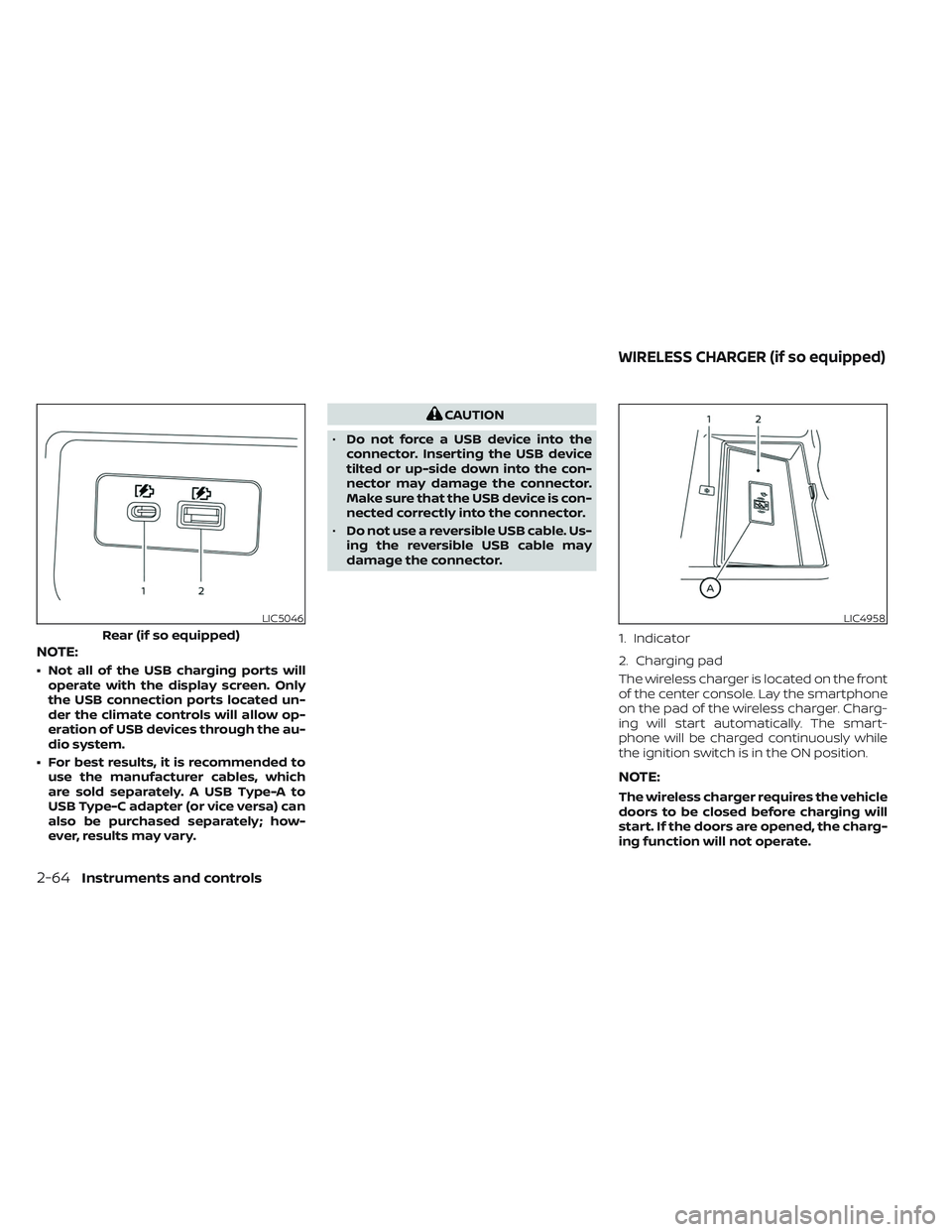
The wireless charger is located on the front
of the center console. Lay the smartphone
on the pad of the wireless charger. Charg-
ing will start automatically. The smart-
phone will be charged continuously while
the ignition switch is in the ON position.
NOTE:
The wireless charger requires the vehicle
doors to be closed before charging will
start. If the doors are opened, the charg-
ing function will not operate.
LIC5046
Rear (if so equipped)
LIC4958
1. Indicator
2. Charging pad
WIRELESS CHARGER (if so equipped)
2-64Instruments and controls
Page 220 of 572
Thebutton will be on the NISSAN
Intelligent Key® if the vehicle has Remote
Engine Start. This feature allows the engine
to start from outside the vehicle.
The following features may be affected
when the Remote Engine Start feature is
used:
• Vehicles with a manual climate control system will default to the last used heat-
ing or cooling mode. • Vehicles with an automatic climate con-
trol system may default to either a heat-
ing or cooling mode depending on out-
side and cabin temperatures. For
additional information, see “Remote En-
gine Start with Intelligent Climate Control”
(P. 4-40).
Laws in some local communities may re-
strict or prohibit the use of Remote Engine
Start, or the amount of time a parked ve-
hicle engine may idle. For example, some
laws require a person using Remote Engine
Start to have the vehicle in view or may
restrict idling time except in freezing tem-
peratures. Check local regulations for any
requirements.
Other conditions may affect the function of
the Remote Engine Start feature. For addi-
tional information, see “Conditions the Re-
mote Engine Start will not work” (P. 3-20).
Other conditions can affect the perfor-
mance of the Intelligent Key transmitter.
For additional information, see “NISSAN In-
telligent Key® system” (P. 3-8).
REMOTE ENGINE START
OPERATING RANGE
WARNING
• To help avoid risk of injury or death
through unintended operation of the
vehicle and/or its systems, including
entrapment in windows or inadver-
tent door lock activation, do not
leave children, people who require
the assistance of others or pets unat-
tended in your vehicle. Additionally,
the temperature inside a closed ve-
hicle on a warm day can quickly be-
come high enough to cause a signifi-
cant risk of injury or death to people
and pets.
• Do not use Remote Engine Start in
closed spaces such as a garage. Do
not breathe exhaust gases; they con-
tain colorless and odorless carbon
monoxide. Carbon monoxide is dan-
gerous. It can cause unconscious-
ness or death.
LPD2995
REMOTE ENGINE START (if so
equipped)
3-18Pre-driving checks and adjustments
Page 221 of 572
CAUTION
When the Intelligent Key battery is dis-
charged or other strong radio wave
sources are present near the operating
location, the Intelligent Key operating
range becomes narrower, and the Intel-
ligent Key may not function properly.
The Remote Engine Start function can only
be used when the Intelligent Key is within
the specified operating range from the
vehicle.
The Remote Engine Start operating range
is approximately 16 f t (5 m) from the vehicle.
REMOTE STARTING THE VEHICLE
To use the Remote Engine Start feature
perform the following:
1. Aim the Intelligent Key at the vehicle.
2. Press the
button to lock all doors.
3. Within 5 seconds press and hold the
button until the turn signal lights
flash and the tail lamps turn on. If the
vehicle is not within view press and hold
the
button for at least 2 seconds. The following events will occur when the
engine starts:
• The parking lights will turn on and remain
on as long as the engine is running.
• The doors will be locked and the climate control system may come on.
• The engine will continue to run for 10 min- utes. Repeat the steps to extend the time
for an additional 10 minutes. For addi-
tional information, see “Extending engine
run time” (P. 3-19).
Press and hold the brake pedal while
switching the ignition to the ON position
before driving. For additional information,
see “Driving the vehicle” (P. 5-18).
EXTENDING ENGINE RUN TIME
The Remote Engine Start feature can be
extended one time by performing the
steps listed in “Remote starting the vehicle”
(P. 3-19). Run time will be calculated as
follows:
• The first 10–minute run time will start when the Remote Engine Start function is
performed. • The second 10 minutes will start immedi-
ately when the Remote Engine Start
function is performed again. For example,
if the engine has been running for 5 min-
utes, and 10 minutes are added, the en-
gine will run for a total of 15 minutes.
• Extending engine run time will bring you to the two Remote Engine Start limit.
A maximum of two Remote Engine Starts,
or a single start with an extension, are al-
lowed between ignition cycles.
The ignition switch must be cycled to the
ON position and then back to the OFF po-
sition before the Remote Engine Start pro-
cedure can be used again.
CANCELING A REMOTE ENGINE
START
To cancel a Remote Engine Start, perform
one of the following:
• Aim the Intelligent Key at the vehicle and press
until the parking lights turn off.
• Turn on the hazard indicator flashers.
• Cycle the ignition switch on and then off.
• The extended engine run time has expired.
• The first 10–minute timer has expired.
• The engine hood has been opened.
Pre-driving checks and adjustments3-19
Page 235 of 572
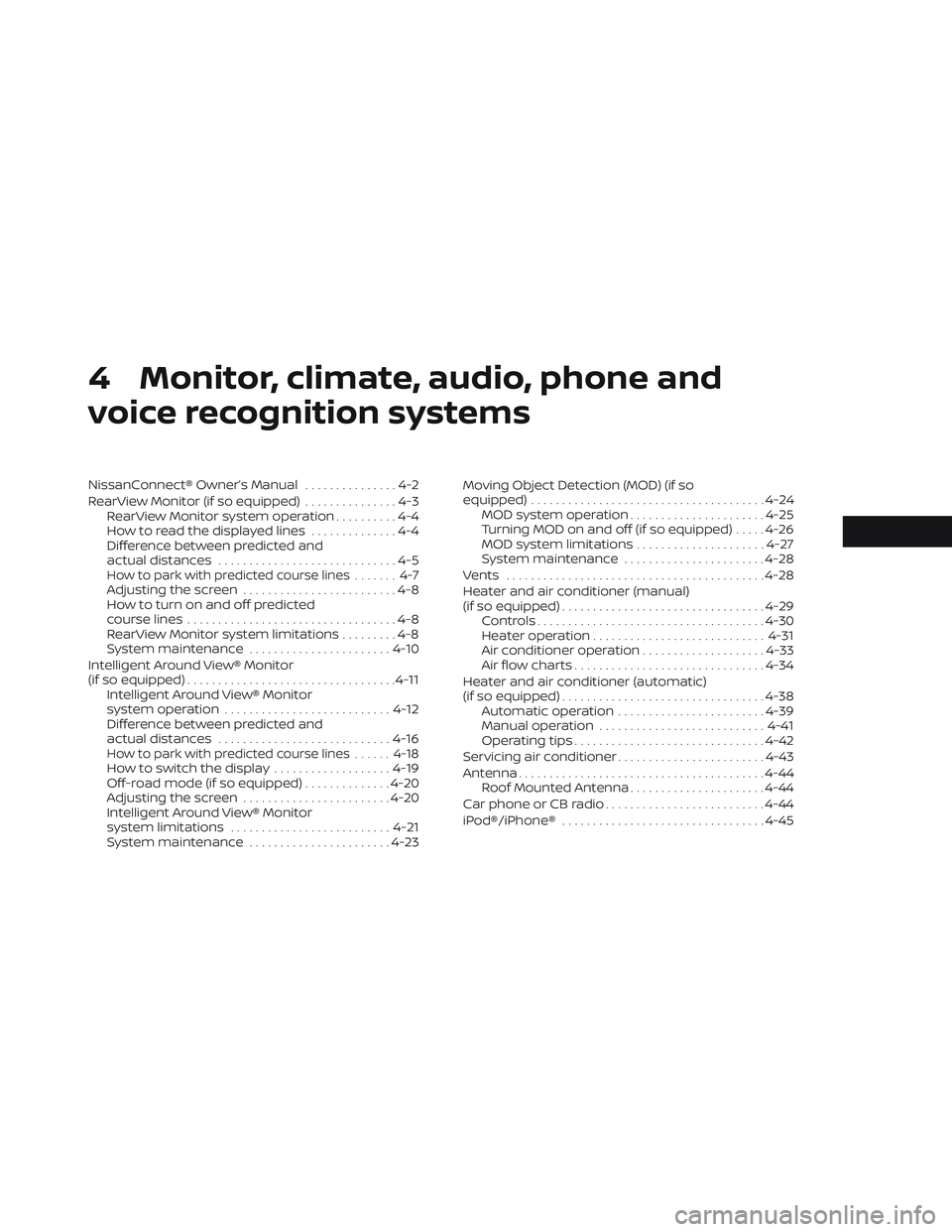
4 Monitor, climate, audio, phone and
voice recognition systems
NissanConnect® Owner’s Manual...............4-2
RearView Monitor (if so equipped) ...............4-3
RearView Monitor system operation ..........4-4
How to read the displayed lines ..............4-4
Difference between predicted and
actual distances .............................4-5
How to park with predicted course lines ....... 4-7Adjusting the screen.........................4-8
How to turn on and off predicted
course lines ..................................4-8
RearView Monitor system limitations .........4-8
System maintenance ....................... 4-10
Intelligent Around View® Monitor
(if so equipped) .................................. 4-11
Intelligent Around View® Monitor
system operation ........................... 4-12
Difference between predicted and
actual distances ............................ 4-16
How to park with predicted course lines ......4-18How to switch the display ...................4-19
Off-road mode (if so equipped) ..............4-20
Adjusting the screen ........................ 4-20
Intelligent Around View® Monitor
system limitations .......................... 4-21
System maintenance .......................4-23Moving Object Detection (MOD) (if so
equipped)
...................................... 4-24
MOD system operation ......................4-25
Turning MOD on and off (if so equipped) .....4-26
MOD system limitations .....................4-27
System maintenance .......................4-28
Vents .......................................... 4-28
Heater and air conditioner (manual)
(if so equipped) ................................. 4-29
Controls ..................................... 4-30
Heater operation ............................ 4-31
Air conditioner operation ....................4-33
Air flow charts ............................... 4-34
Heater and air conditioner (automatic)
(if so equipped) ................................. 4-38
Automatic operation ........................ 4-39
Manual operation ........................... 4-41
Operating tips ............................... 4-42
Servicing air conditioner ........................4-43
Antenna ........................................ 4-44
Roof Mounted Antenna ......................4-44
Car phone or CB radio .......................... 4-44
iPod®/iPhone® ................................. 4-45
Page 263 of 572
WARNING
• The air conditioner cooling function
operates only when the engine is
running.
• Do not leave children or adults who
would normally require the assis-
tance of others alone in your vehicle.
Pets should also not be lef t alone.
They could accidentally injure them-
selves or others through inadvertent
operation of the vehicle. Also, on hot,
sunny days, temperatures in a closed
vehicle could quickly become high
enough to cause severe or possibly
fatal injuries to people or animals.
• Do not use the recirculation mode for
long periods as it may cause the inte-
rior air to become stale and the win-
dows to fog up.
NOTE:
• Odors from inside and outside the ve- hicle can build up in the air conditioner
unit. Odor can enter the passenger
compartment through the vents.
• When parking, set the heater and air conditioner controls to turn off air re-
circulation to allow fresh air into the
passenger compartment. This should
help reduce odors inside the vehicle. While the engine is stopped by the Idling
Stop System, activating the front defroster
will cause the engine to automatically re-
start. While the engine is running, activating
the front defroster or adjusting the fan
speed to the maximum setting will prevent
the Idling Stop System from automatically
stopping the engine.
When the engine is stopped by the Idling
Stop System, heater and air conditioner
performance may be reduced. To keep full
heater and air conditioner performance,
restart the engine by pushing the Idling
Stop OFF switch.
Temperature outlet may automatically
change to preserve comfort in some con-
ditions. Blower may reduce to avoid excess
hot/cold air under some conditions. When
engine on resumes, the user settings for
temperature and blower will be restored.
For additional information, see “Idling Stop
System” (P. 5-129).
HEATER AND AIR CONDITIONER
(manual) (if so equipped)
Monitor, climate, audio, phone and voice recognition systems4-29