service NISSAN GT-R 2011 User Guide
[x] Cancel search | Manufacturer: NISSAN, Model Year: 2011, Model line: GT-R, Model: NISSAN GT-R 2011Pages: 312, PDF Size: 13.07 MB
Page 180 of 312
Black plate (184,1)
Model "R35-N" EDITED: 2009/ 10/ 30
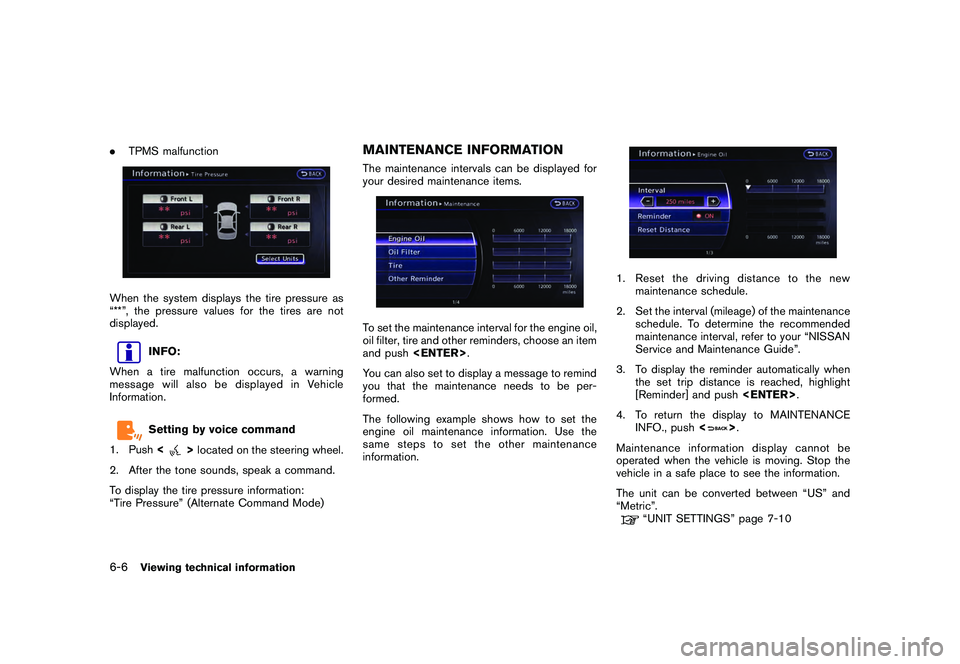
.TPMS malfunctionWhen the system displays the tire pressure as
“**”, the pressure values for the tires are not
displayed.
INFO:
When a tire malfunction occurs, a warning
message will also be displayed in Vehicle
Information.Setting by voice command
1. Push <
>located on the steering wheel.
2. After the tone sounds, speak a command.
To display the tire pressure information:
“Tire Pressure” (Alternate Command Mode)
MAINTENANCE INFORMATIONThe maintenance intervals can be displayed for
your desired maintenance items.To set the maintenance interval for the engine oil,
oil filter, tire and other reminders, choose an item
and push
You can also set to display a message to remind
you that the maintenance needs to be per-
formed.
The following example shows how to set the
engine oil maintenance information. Use the
same steps to set the other maintenance
information.
1. Reset the driving distance to the new maintenance schedule.
2. Set the interval (mileage) of the maintenance schedule. To determine the recommended
maintenance interval, refer to your “NISSAN
Service and Maintenance Guide”.
3. To display the reminder automatically when the set trip distance is reached, highlight
[Reminder] and push
4. To return the display to MAINTENANCE INFO., push <
>.
Maintenance information display cannot be
operated when the vehicle is moving. Stop the
vehicle in a safe place to see the information.
The unit can be converted between “US” and
“Metric”.
“UNIT SETTINGS” page 7-10
6-6
Viewing technical information
Page 181 of 312
Black plate (185,1)
Model "R35-N" EDITED: 2009/ 10/ 30
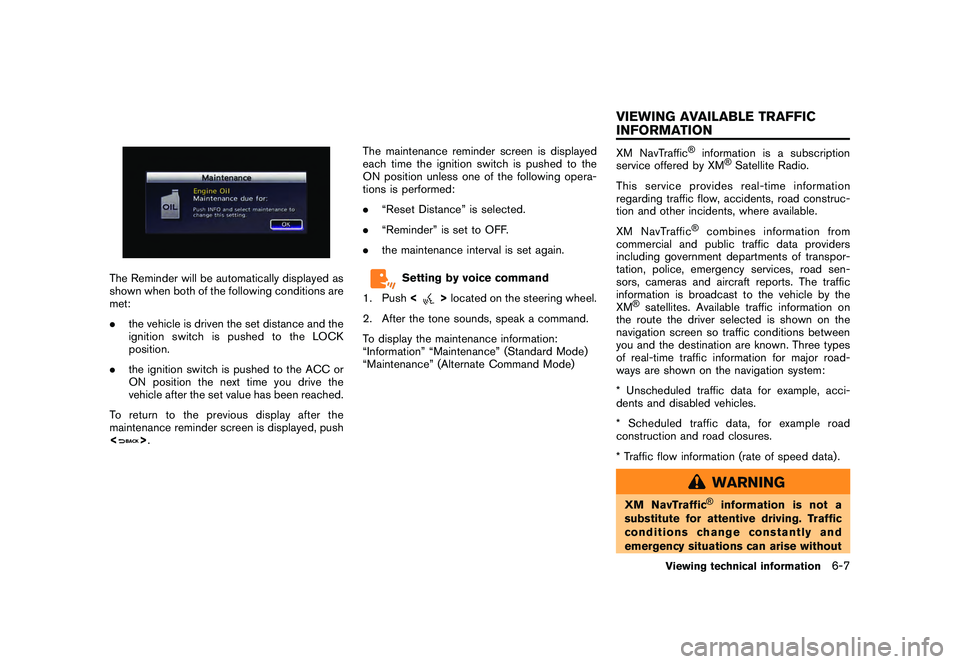
The Reminder will be automatically displayed as
shown when both of the following conditions are
met:
.the vehicle is driven the set distance and the
ignition switch is pushed to the LOCK
position.
. the ignition switch is pushed to the ACC or
ON position the next time you drive the
vehicle after the set value has been reached.
To return to the previous display after the
maintenance reminder screen is displayed, push
<
> . The maintenance reminder screen is displayed
each time the ignition switch is pushed to the
ON position unless one of the following opera-
tions is performed:
.
“Reset Distance” is selected.
. “Reminder” is set to OFF.
. the maintenance interval is set again.
Setting by voice command
1. Push <
>located on the steering wheel.
2. After the tone sounds, speak a command.
To display the maintenance information:
“Information” “Maintenance” (Standard Mode)
“Maintenance” (Alternate Command Mode)
XM NavTraffic
®
information is a subscription
service offered by XM
®Satellite Radio.
This service provides real-time information
regarding traffic flow, accidents, road construc-
tion and other incidents, where available.
XM NavTraffic
®
combines information from
commercial and public traffic data providers
including government departments of transpor-
tation, police, emergency services, road sen-
sors, cameras and aircraft reports. The traffic
information is broadcast to the vehicle by the
XM
®satellites. Available traffic information on
the route the driver selected is shown on the
navigation screen so traffic conditions between
you and the destination are known. Three types
of real-time traffic information for major road-
ways are shown on the navigation system:
* Unscheduled traffic data for example, acci-
dents and disabled vehicles.
* Scheduled traffic data, for example road
construction and road closures.
* Traffic flow information (rate of speed data) .
WARNING
XM NavTraffic
®
information is not a
substitute for attentive driving. Traffic
conditions change constantly and
emergency situations can arise without
Viewing technical information
6-7
VIEWING AVAILABLE TRAFFIC
INFORMATION
Page 182 of 312
Black plate (186,1)
Model "R35-N" EDITED: 2009/ 10/ 30
warning. Relying only on XM NavTraf-
fic®information may lead to a collision
and could result in serious personal
injury.
NOTICE
Flow information is provided only for
roads equipped with traffic sensors and
is not available in all markets covered
by the service. Flow data may not be
available on portions of a road that is
under construction.
XM NavTraffic
®information is available in limited
markets. To subscribe or to check if this service
is available in the area:
call 1-800-XM-RADIO (1-800-967-2346) or
see www.xmradio.com/navtraffic
INFO:
If a contract is not completed for XM NavTraffic
®
traffic information service, a message appears,
and it will not be possible to check the
information on the traffic information system.
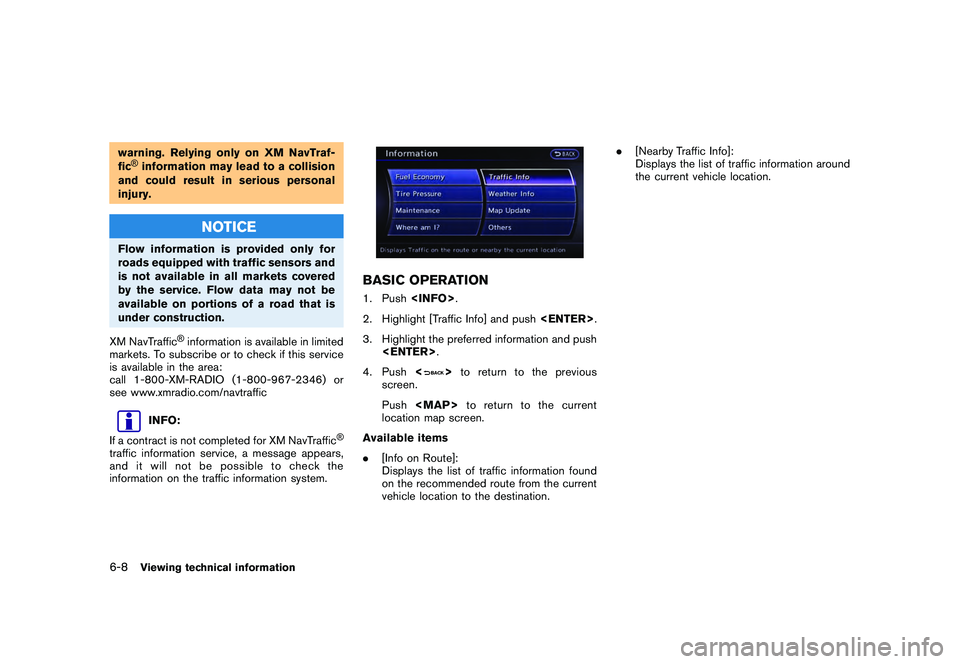
BASIC OPERATION1. Push
2. Highlight [Traffic Info] and push
3. Highlight the preferred information and push
4. Push <
>to return to the previous
screen.
Push
Page 184 of 312
Black plate (188,1)
Model "R35-N" EDITED: 2009/ 10/ 30
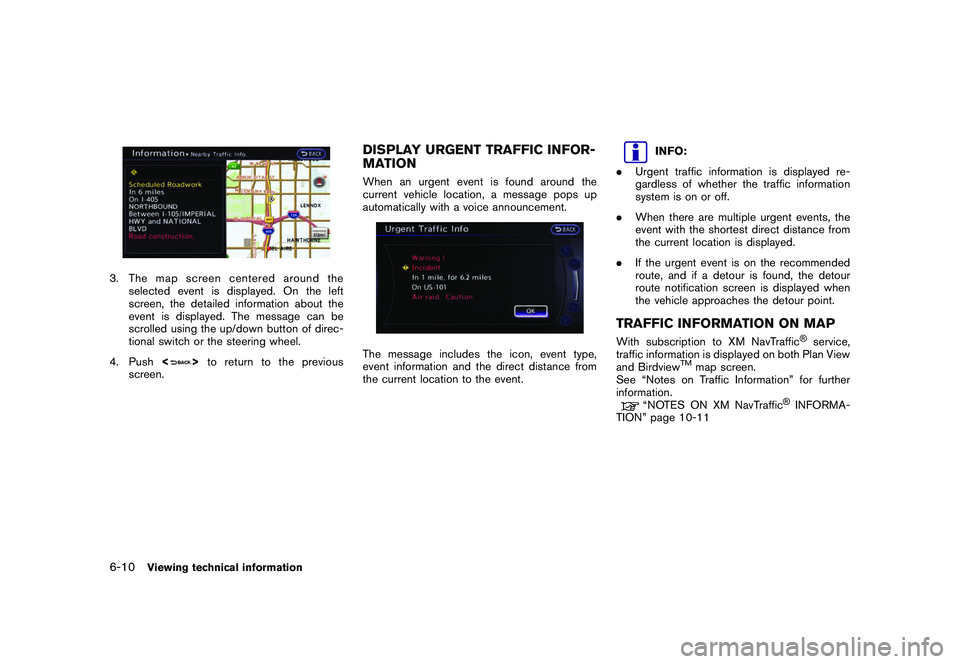
3. The map screen centered around theselected event is displayed. On the left
screen, the detailed information about the
event is displayed. The message can be
scrolled using the up/down button of direc-
tional switch or the steering wheel.
4. Push <
>to return to the previous
screen.
DISPLAY URGENT TRAFFIC INFOR-
MATIONWhen an urgent event is found around the
current vehicle location, a message pops up
automatically with a voice announcement.The message includes the icon, event type,
event information and the direct distance from
the current location to the event.
INFO:
. Urgent traffic information is displayed re-
gardless of whether the traffic information
system is on or off.
. When there are multiple urgent events, the
event with the shortest direct distance from
the current location is displayed.
. If the urgent event is on the recommended
route, and if a detour is found, the detour
route notification screen is displayed when
the vehicle approaches the detour point.
TRAFFIC INFORMATION ON MAPWith subscription to XM NavTraffic
®service,
traffic information is displayed on both Plan View
and Birdview
TM
map screen.
See “Notes on Traffic Information” for further
information.
“NOTES ON XM NavTraffic
®INFORMA-
TION” page 10-11
6-10
Viewing technical information
Page 185 of 312
Black plate (189,1)
Model "R35-N" EDITED: 2009/ 10/ 30
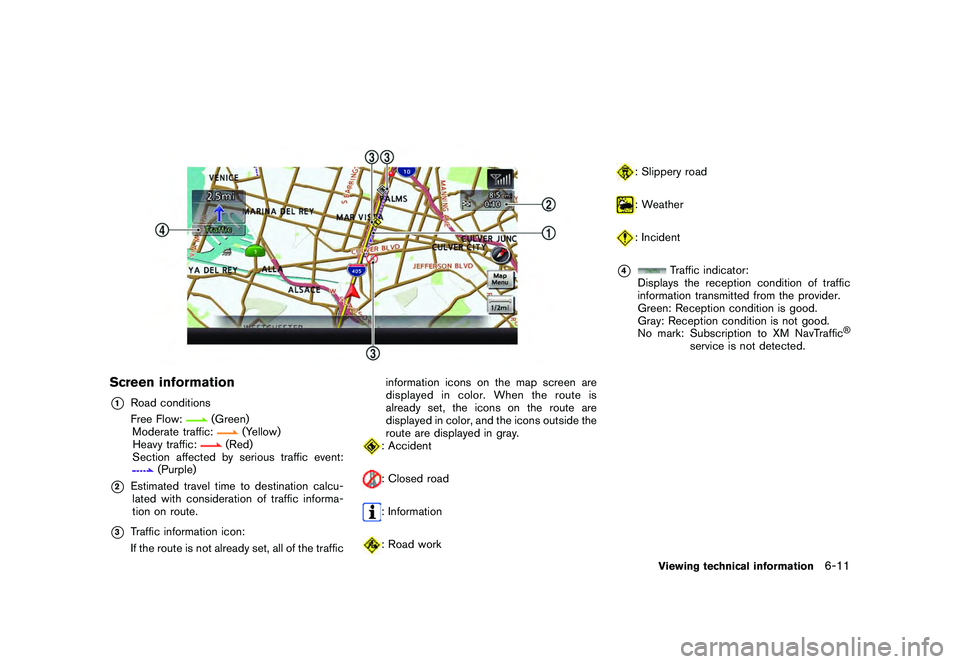
Screen information*1
Road conditions
Free Flow:
(Green)
Moderate traffic:
(Yellow)
Heavy traffic:
(Red)
Section affected by serious traffic event:
(Purple)
*2
Estimated travel time to destination calcu- lated with consideration of traffic informa-
tion on route.
*3
Traffic information icon:
If the route is not already set, all of the traffic information icons on the map screen are
displayed in color. When the route is
already set, the icons on the route are
displayed in color, and the icons outside the
route are displayed in gray.
: Accident: Closed road: Information: Road work
: Slippery road: Weather: Incident
*4
Traffic indicator:
Displays the reception condition of traffic
information transmitted from the provider.
Green: Reception condition is good.
Gray: Reception condition is not good.
No mark: Subscription to XM NavTraffic
®
service is not detected.
Viewing technical information
6-11
Page 187 of 312
Black plate (191,1)
Model "R35-N" EDITED: 2009/ 10/ 30
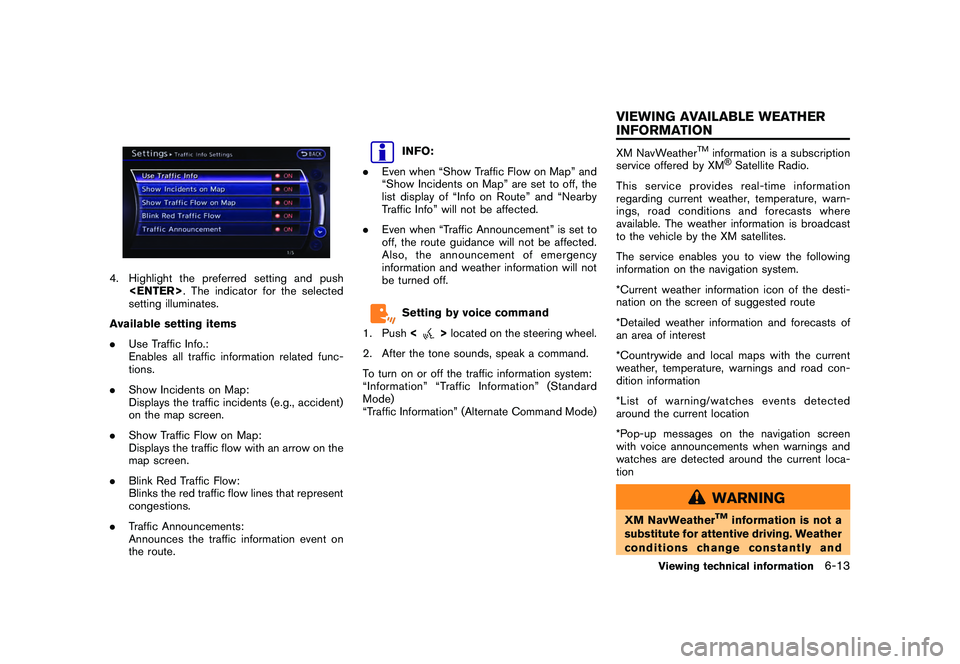
4. Highlight the preferred setting and push
setting illuminates.
Available setting items
. Use Traffic Info.:
Enables all traffic information related func-
tions.
. Show Incidents on Map:
Displays the traffic incidents (e.g., accident)
on the map screen.
. Show Traffic Flow on Map:
Displays the traffic flow with an arrow on the
map screen.
. Blink Red Traffic Flow:
Blinks the red traffic flow lines that represent
congestions.
. Traffic Announcements:
Announces the traffic information event on
the route.
INFO:
. Even when “Show Traffic Flow on Map” and
“Show Incidents on Map” are set to off, the
list display of “Info on Route” and “Nearby
Traffic Info” will not be affected.
. Even when “Traffic Announcement” is set to
off, the route guidance will not be affected.
Also, the announcement of emergency
information and weather information will not
be turned off.Setting by voice command
1. Push <
>located on the steering wheel.
2. After the tone sounds, speak a command.
To turn on or off the traffic information system:
“Information” “Traffic Information” (Standard
Mode)
“Traffic Information” (Alternate Command Mode)
XM NavWeather
TM
information is a subscription
service offered by XM®Satellite Radio.
This service provides real-time information
regarding current weather, temperature, warn-
ings, road conditions and forecasts where
available. The weather information is broadcast
to the vehicle by the XM satellites.
The service enables you to view the following
information on the navigation system.
*Current weather information icon of the desti-
nation on the screen of suggested route
*Detailed weather information and forecasts of
an area of interest
*Countrywide and local maps with the current
weather, temperature, warnings and road con-
dition information
*List of warning/watches events detected
around the current location
*Pop-up messages on the navigation screen
with voice announcements when warnings and
watches are detected around the current loca-
tion
WARNING
XM NavWeather
TM
information is not a
substitute for attentive driving. Weather
conditions change constantly and
Viewing technical information
6-13
VIEWING AVAILABLE WEATHER
INFORMATION
Page 188 of 312
Black plate (192,1)
Model "R35-N" EDITED: 2009/ 10/ 30
emergency situations can arise without
warning. Relying only on XM Nav-
Weather
TM
information could result in
serious personal injury.
XM NavWeatherTM
information is available in
limited markets. To subscribe to or check if this
service is available in the area, call 1-800-XM-
RADIO (1-800-967-2346) or access www.
xmradio.com/navweather.
INFO:
. If a contract is not completed for the XM
NavWeather
TM
information service, a mes-
sage appears and it will not be possible to
check the information on the traffic informa-
tion system.
. The weather information is available only for
areas that provide weather information to
XM NavWeatherTM.
INFO:
The reception condition of the XM Weather
information transmitted from the provider can be
confirmed using the “Weather” indicator on the
upper right side of the screen.
Green: The reception condition is good.
Gray: The reception condition is not good.
No mark: A subscription to the XM Nav- Weather
TM
service is not detected.
DISPLAYING WEATHER INFORMA-
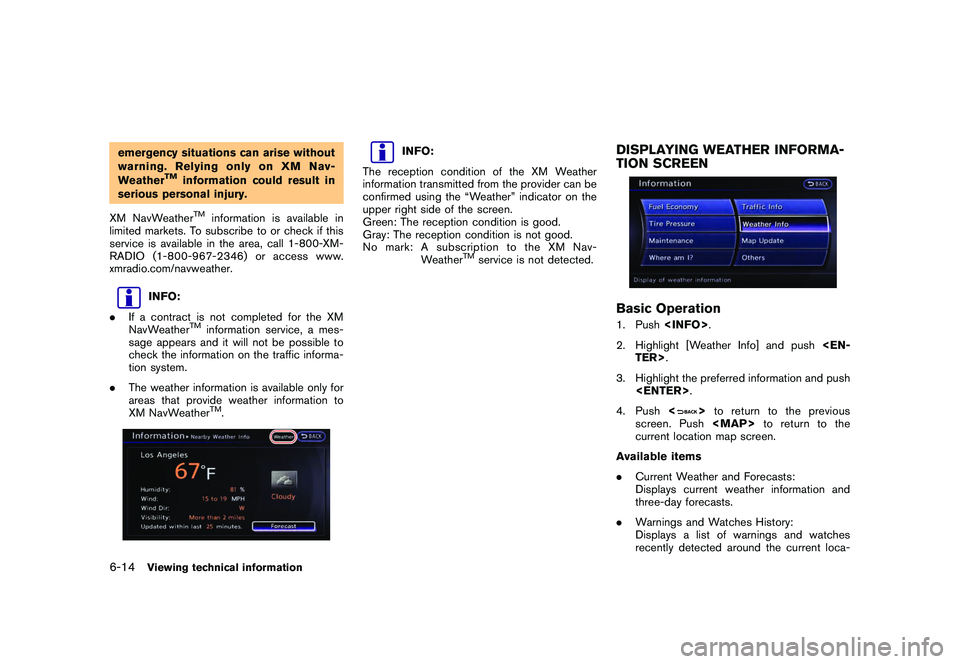
TION SCREENBasic Operation1. Push
2. Highlight [Weather Info] and push
3. Highlight the preferred information and push
4. Push <
>to return to the previous
screen. Push
Page 283 of 312
Black plate (289,1)
Model "R35-N" EDITED: 2009/ 10/ 30
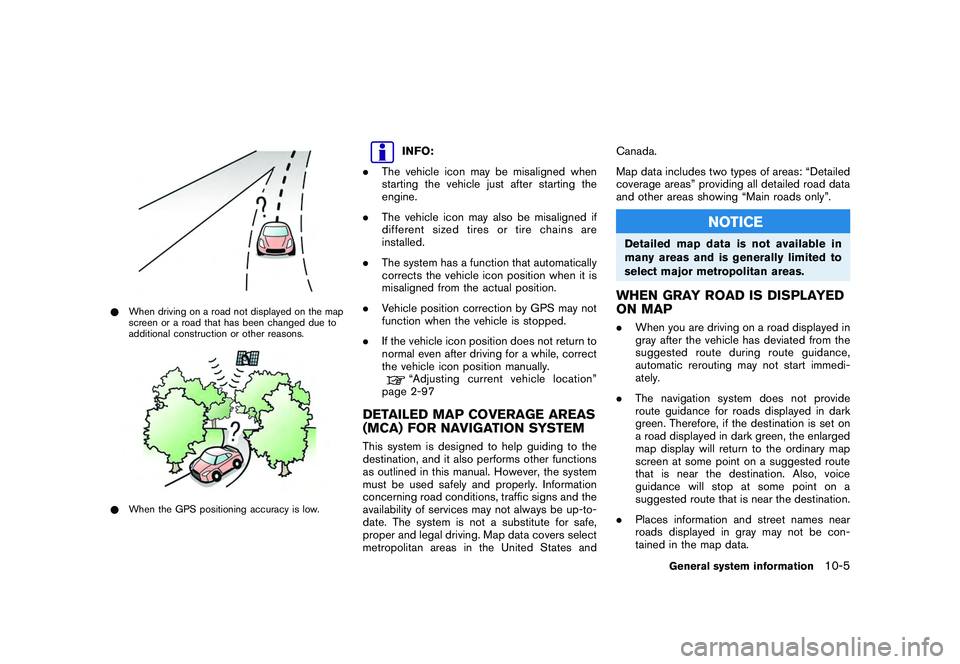
*When driving on a road not displayed on the map
screen or a road that has been changed due to
additional construction or other reasons.*When the GPS positioning accuracy is low.
INFO:
. The vehicle icon may be misaligned when
starting the vehicle just after starting the
engine.
. The vehicle icon may also be misaligned if
different sized tires or tire chains are
installed.
. The system has a function that automatically
corrects the vehicle icon position when it is
misaligned from the actual position.
. Vehicle position correction by GPS may not
function when the vehicle is stopped.
. If the vehicle icon position does not return to
normal even after driving for a while, correct
the vehicle icon position manually.“Adjusting current vehicle location”
page 2-97
DETAILED MAP COVERAGE AREAS
(MCA) FOR NAVIGATION SYSTEMThis system is designed to help guiding to the
destination, and it also performs other functions
as outlined in this manual. However, the system
must be used safely and properly. Information
concerning road conditions, traffic signs and the
availability of services may not always be up-to-
date. The system is not a substitute for safe,
proper and legal driving. Map data covers select
metropolitan areas in the United States and Canada.
Map data includes two types of areas: “Detailed
coverage areas” providing all detailed road data
and other areas showing “Main roads only”.
NOTICE
Detailed map data is not available in
many areas and is generally limited to
select major metropolitan areas.WHEN GRAY ROAD IS DISPLAYED
ON MAP.
When you are driving on a road displayed in
gray after the vehicle has deviated from the
suggested route during route guidance,
automatic rerouting may not start immedi-
ately.
. The navigation system does not provide
route guidance for roads displayed in dark
green. Therefore, if the destination is set on
a road displayed in dark green, the enlarged
map display will return to the ordinary map
screen at some point on a suggested route
that is near the destination. Also, voice
guidance will stop at some point on a
suggested route that is near the destination.
. Places information and street names near
roads displayed in gray may not be con-
tained in the map data.
General system information
10-5
Page 285 of 312
Black plate (291,1)
Model "R35-N" EDITED: 2009/ 10/ 30
— If a part of the route is included in the“Avoid Area”.
. The following may occur when the route is
displayed.
— If you calculate a route on a main road, the starting point of the route may not
exactly match the current vehicle loca-
tion.
— The endpoint of the route may not exactly match the destination.
— If you calculate a route on a main road, the system may display a route from
another main road. This may be because
the position of the vehicle icon is not
accurate. In this case, park the vehicle in
a safe location and reset the vehicle
icon, or continue driving to see if the
position of the vehicle icon is automati-
cally adjusted before recalculating the
route.
— There are cases in which the system shows an indirect route to reach the
destination or waypoints, if you set them
from stored or facility information. In
order to correct this, you must be careful
about the traffic direction, especially
when lanes with different travel direc-
tions are shown separately, such as
interchanges and service areas.
— This system makes no distinction be- tween limited traffic control and total
control (blockage) . It may show an
indirect route even if the road is usable.
— Even if the freeway preference is set to OFF, a route that uses the freeway may
be suggested.
— Even if the ferry preference is set to OFF, a route that uses a ferry line may be
suggested.
— Ferry lines, excluding those that are only for pedestrians, bicycles and motor-
cycles, are stored in this system. Take
into consideration the travel time re-
quired and operational condition before
deciding whether to use them or not.
INFO:
The system will only announce street names
when the system language is set to English.
Street names are not announced when the
system is set to Franc¸ ais (French) .
BASICS OF VOICE GUIDANCEVoice guidance announces which direction to
turn when approaching an intersection in which
a turn is necessary.
NOTICE
. There may be some cases in which
voice guidance and actual road
conditions do not correspond. This
may occur because of discrepancies
between the actual road and the
information on the map data, or it is
due to the vehicle’s speed.
. In case voice guidance does not
correspond to the actual road con-
ditions, follow the information ob-
tained from traffic signs or notices
on the road.
General system information
10-7
ROUTE GUIDANCE
Page 289 of 312
Black plate (295,1)
Model "R35-N" EDITED: 2009/ 10/ 30
.Because it is not possible to consider data
concerning roads that are seasonally avail-
able or unavailable, a route may be displayed
that does not match the actual traffic
restrictions. Be sure to follow the actual
traffic restrictions while driving.
. Canada and Alaska contain many roads with
incomplete map data. As a result, when
searching for a route, the route may include
roads with incomplete data. In regions
where road data is not complete, voice
guidance may stop for long periods of time.
Be sure to follow the actual traffic restric-
tions while driving.
.The XM NavTraffic
®information service is
not provided for some cities. In addition, the
cities for which the traffic information service
is provided may be changed.
. In some cases, infrastructure problems may
prevent the complete display of the traffic
information. This is not a malfunction.
. Due to infrastructure problems, or due to the
time when the traffic information service
broadcast is received, the displayed infor-
mation may differ from the actual traffic
conditions.
. Depending on the traffic information, a
detour route may be slower than the original
route.
. XM NavTraffic
®is a service of XM
®Satellite
Radio. XM NavTraffic
®is only available in
select markets and is subject to data
availability. Reception of the XM
®
signal
may vary depending on location. It requires a
monthly premium subscription. The service
provider is solely responsible for the quality
and accuracy of the information provided. All
fees and programming are subject to
change. For more details on the XM
NavTraffic
®service, terms and conditions,
please visit
www.xmradio.com.
You can also contact XM
®Radio at
1-800-XM-RADIO (1-800-967-2346) . .
As of January 31, 2009, the XM NavTraffic
®
service covers 80 major metropolitan mar-
kets. For the most current list of markets
covered, please refer to
www.xmradio.com/navtraffic, or call XM
®
Radio customer support at 1-800-XM-
RADIO (1-800-967-2346) .
. Due to road maintenance, infrastructure
problems (e.g. malfunction of road sensors,
outage of central computer of infrastructure)
or natural disasters, there are times when
some or all traffic information may not be
available.
. Incident information is based on human
collection. Not all incidents that have hap-
pened are collected and provided.
. Due to infrastructure problems, or transmis-
sion delay, there are times when the
information may differ from the actual con-
dition. Always observe safe driving practices
and follow all traffic regulations.
. Due to the coverage and quality of traffic
information and road conditions, it is not
always possible for the system to provide
the shortest time route even when traffic
information is considered.
. Traffic information that is displayed may
differ from information from other media (e.
g., radio) , as other media may use different
General system information
10-11
NOTES ON XM NavTraffic
®
INFORMATION