night NISSAN GT-R 2014 R35 Multi Function Display Owners Manual
[x] Cancel search | Manufacturer: NISSAN, Model Year: 2014, Model line: GT-R, Model: NISSAN GT-R 2014 R35Pages: 314, PDF Size: 7.33 MB
Page 15 of 314
1-6About Multi function display system
CONTROL PANEL
Navigation, Multi function meter
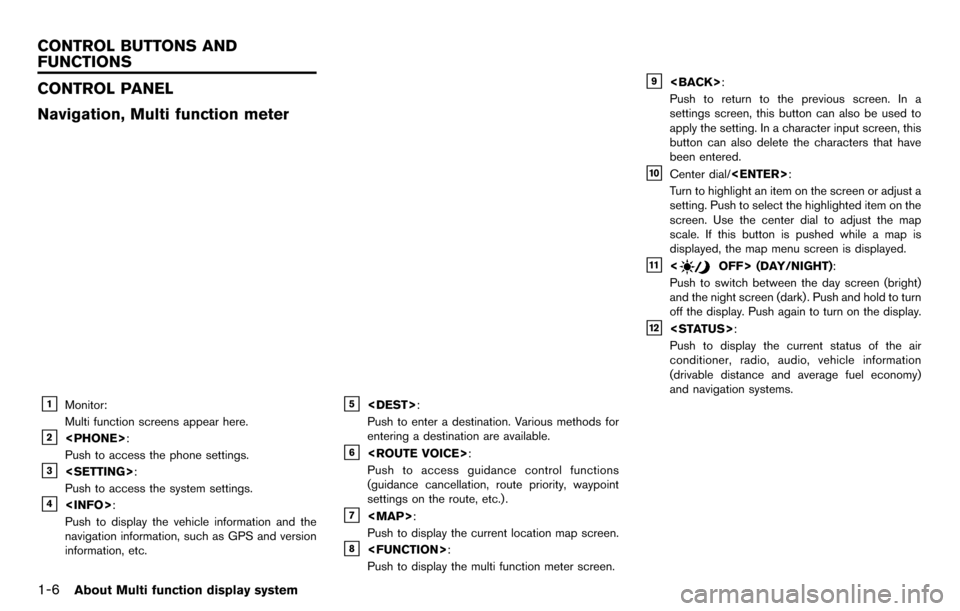
&1Monitor:
Multi function screens appear here.
&2
Push to access the phone settings.
&3
Push to access the system settings.
&4
Push to display the vehicle information and the
navigation information, such as GPS and version
information, etc.
&5
Push to enter a destination. Various methods for
entering a destination are available.
&6
Push to access guidance control functions
(guidance cancellation, route priority, waypoint
settings on the route, etc.) .
&7
Page 202 of 314
![NISSAN GT-R 2014 R35 Multi Function Display Owners Manual for 5 seconds.
To turn on the display, push<
OFF>.
Brightness
Adjust the display brightness by rotating the
center dial in the direction of [+] or [−].
Each time [+] or [−] is pushed, the display](/img/5/367/w960_367-201.png "NISSAN GT-R 2014 R35 Multi Function Display Owners Manual for 5 seconds.
To turn on the display, push<
OFF>.
Brightness
Adjust the display brightness by rotating the
center dial in the direction of [+] or [−].
Each time [+] or [−] is pushed, the display")
for 5 seconds.
To turn on the display, push<
OFF>.
Brightness
Adjust the display brightness by rotating the
center dial in the direction of [+] or [−].
Each time [+] or [−] is pushed, the display
brightness changes.
Contrast
Adjust the display contrast by rotating the center
dial in the direction of [+] or [−]. Each time [+] or [−] is pushed, the display
contrast changes.
Background color
Select to toggle between the day screen and
night screen.
Day screen
Night screen
INFO:
The background color setting can also be
changed using the <
OFF>.
SETTING COLOR THEME
1. Highlight [Color Theme] and push
Other settings7-5
Page 244 of 314
.Objects on the monitor may not be clear in a
dark place or at night. This is not a
malfunction.
. If dirt, rain or snow attaches to the camera,
the RearView Monitor may not clearly dis-
play objects. Clean the camera.
. Do not use alcohol, benzine or thinner to
clean the camera. This will cause discolora-
tion. To clean the camera, wipe with a cloth
dampened with diluted mild cleaning agent
and then wipe with a dry cloth.
. Do not damage the camera as the monitor
screen may be adversely affected.
. Do not use wax on the camera window.
Wipe off any wax with a clean cloth
dampened with mild detergent diluted with
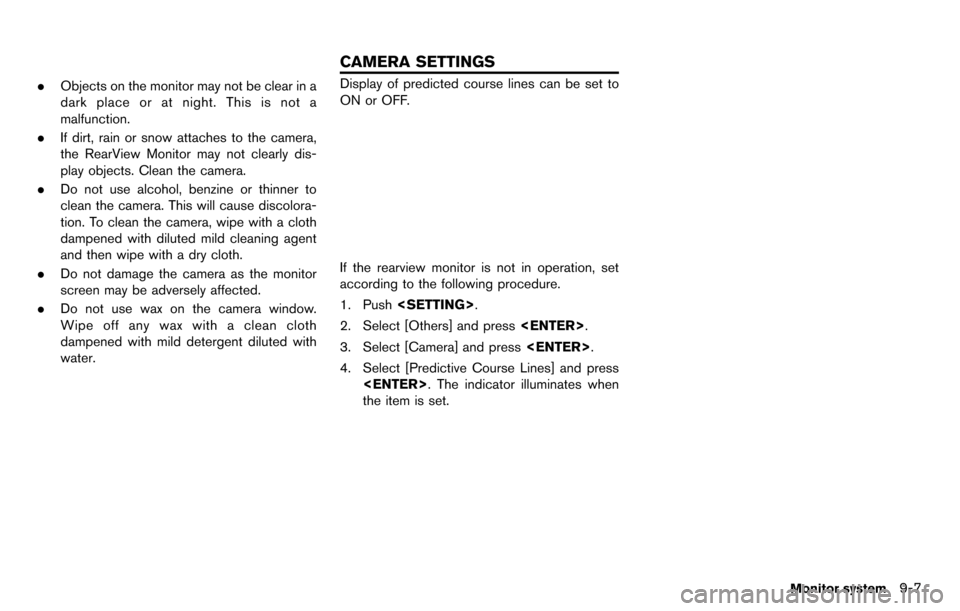
water.Display of predicted course lines can be set to
ON or OFF.
If the rearview monitor is not in operation, set
according to the following procedure.
1. Push
2. Select [Others] and press
3. Select [Camera] and press
4. Select [Predictive Course Lines] and press
the item is set.
Monitor system9-7
CAMERA SETTINGS
Page 299 of 314
12-4Troubleshooting guide
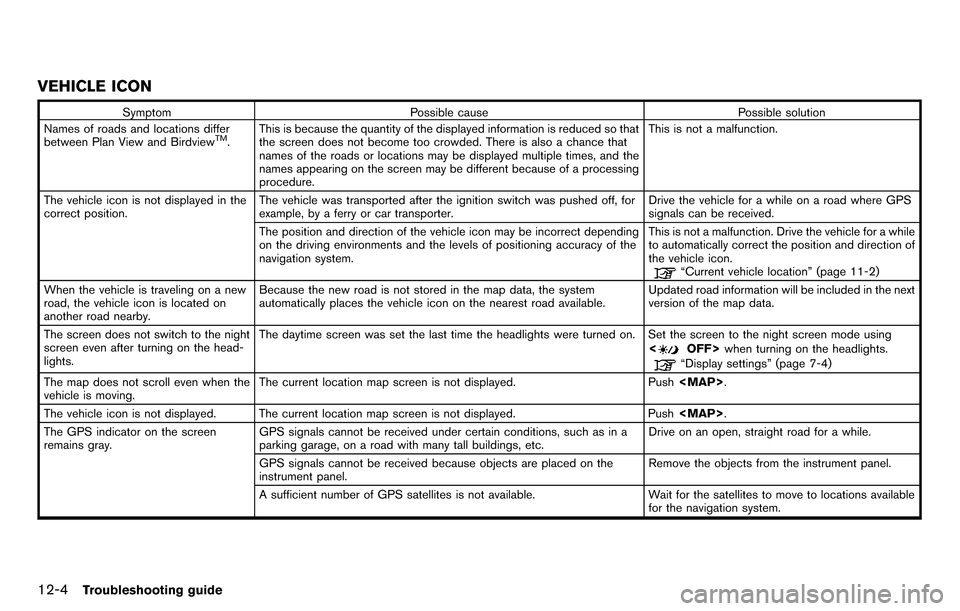
VEHICLE ICON
SymptomPossible cause Possible solution
Names of roads and locations differ
between Plan View and Birdview
TM. This is because the quantity of the displayed information is reduced so that
the screen does not become too crowded. There is also a chance that
names of the roads or locations may be displayed multiple times, and the
names appearing on the screen may be different because of a processing
procedure. This is not a malfunction.
The vehicle icon is not displayed in the
correct position. The vehicle was transported after the ignition switch was pushed off, for
example, by a ferry or car transporter. Drive the vehicle for a while on a road where GPS
signals can be received.
The position and direction of the vehicle icon may be incorrect depending
on the driving environments and the levels of positioning accuracy of the
navigation system. This is not a malfunction. Drive the vehicle for a while
to automatically correct the position and direction of
the vehicle icon.
“Current vehicle location” (page 11-2)
When the vehicle is traveling on a new
road, the vehicle icon is located on
another road nearby. Because the new road is not stored in the map data, the system
automatically places the vehicle icon on the nearest road available.
Updated road information will be included in the next
version of the map data.
The screen does not switch to the night
screen even after turning on the head-
lights. The daytime screen was set the last time the headlights were turned on. Set the screen to the night screen mode using
<
OFF>when turning on the headlights.“Display settings” (page 7-4)
The map does not scroll even when the
vehicle is moving. The current location map screen is not displayed. Push
Page 308 of 314
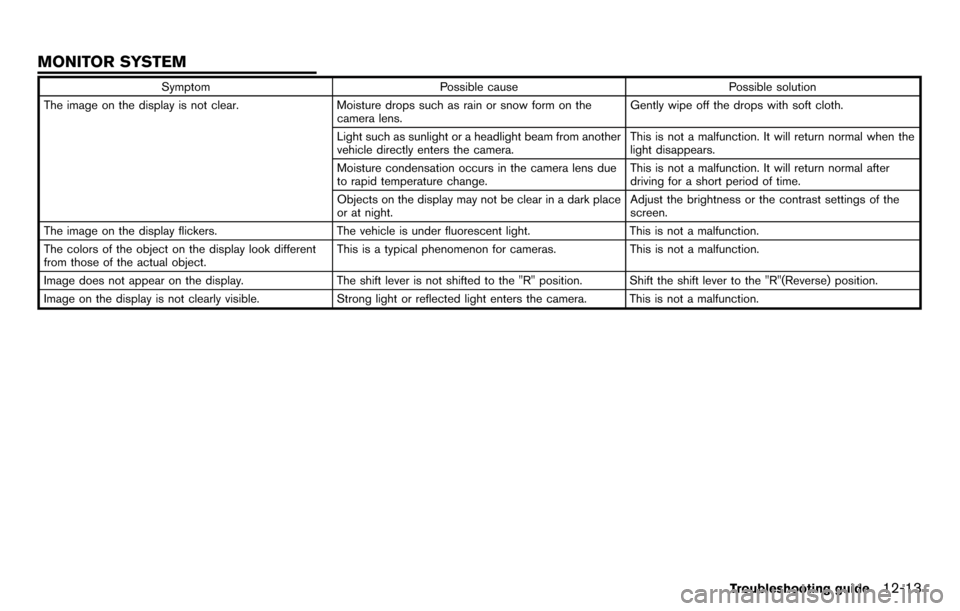
SymptomPossible cause Possible solution
The image on the display is not clear. Moisture drops such as rain or snow form on the
camera lens. Gently wipe off the drops with soft cloth.
Light such as sunlight or a headlight beam from another
vehicle directly enters the camera. This is not a malfunction. It will return normal when the
light disappears.
Moisture condensation occurs in the camera lens due
to rapid temperature change. This is not a malfunction. It will return normal after
driving for a short period of time.
Objects on the display may not be clear in a dark place
or at night. Adjust the brightness or the contrast settings of the
screen.
The image on the display flickers. The vehicle is under fluorescent light.This is not a malfunction.
The colors of the object on the display look different
from those of the actual object. This is a typical phenomenon for cameras.
This is not a malfunction.
Image does not appear on the display. The shift lever is not shifted to the "R" position. Shift the shift lever to the "R"(Reverse) position.
Image on the display is not clearly visible. Strong light or reflected light enters the camera. This is not a malfunction.
Troubleshooting guide12-13
MONITOR SYSTEM