climate control NISSAN KICKS 2018 Owner´s Manual
[x] Cancel search | Manufacturer: NISSAN, Model Year: 2018, Model line: KICKS, Model: NISSAN KICKS 2018Pages: 435, PDF Size: 5.48 MB
Page 7 of 435
Table of
ContentsIllustrated table of contents
Safety—Seats, seat belts and supplemental restraint system
Instruments and controls
Pre-driving checks and adjustments
Monitor, climate, audio, phone and voice recognition systems
Starting and driving
In case of emergency
Appearance and care
Do-it-yourself
Maintenance and schedules
Technical and consumer information
Index
0
1
2
3
4
5
6
7
8
9
10
11
Page 15 of 435
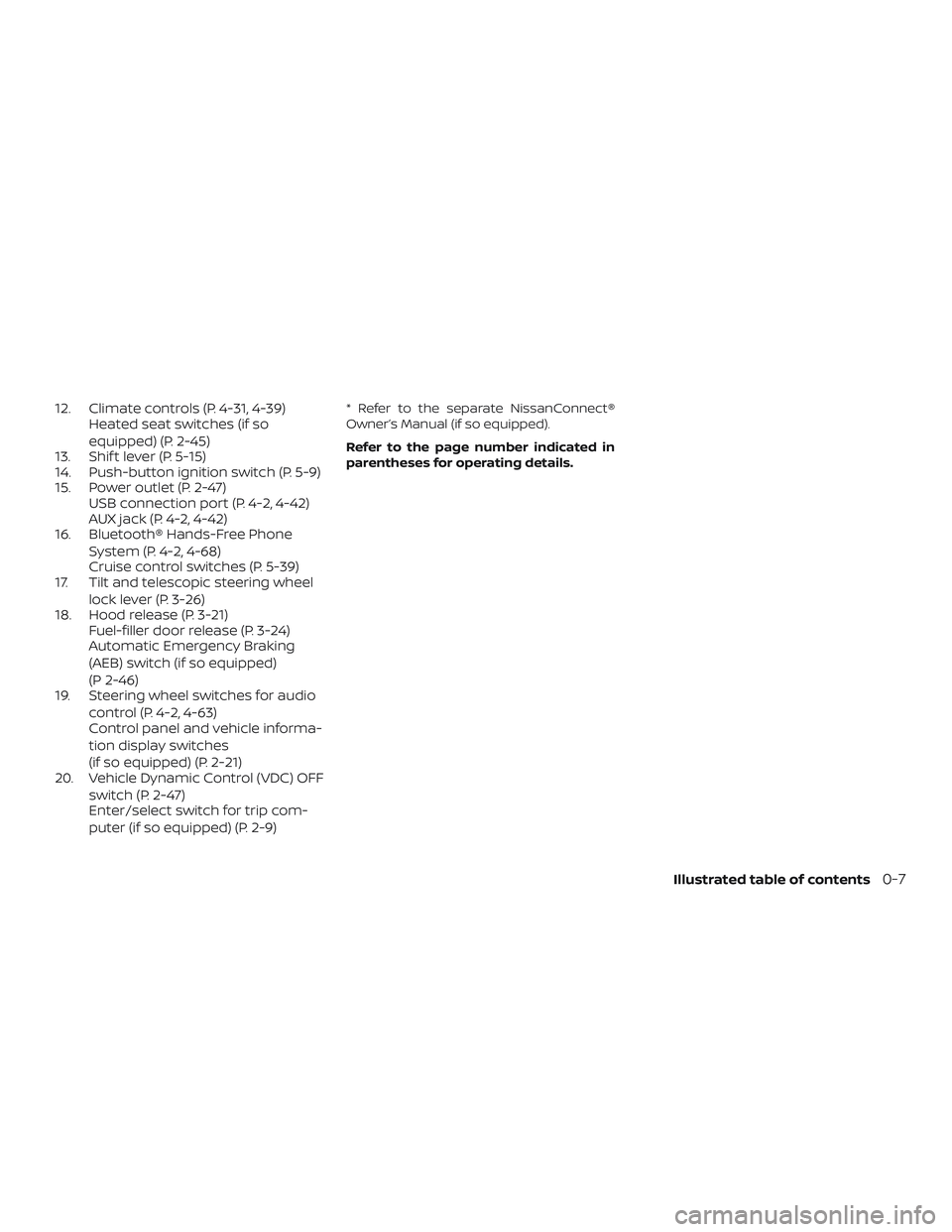
12. Climate controls (P. 4-31, 4-39)Heated seat switches (if so
equipped) (P. 2-45)
13. Shif t lever (P. 5-15)
14. Push-button ignition switch (P. 5-9)
15. Power outlet (P. 2-47) USB connection port (P. 4-2, 4-42)
AUX jack (P. 4-2, 4-42)
16. Bluetooth® Hands-Free Phone
System (P. 4-2, 4-68)
Cruise control switches (P. 5-39)
17. Tilt and telescopic steering wheel
lock lever (P. 3-26)
18. Hood release (P. 3-21) Fuel-filler door release (P. 3-24)
Automatic Emergency Braking
(AEB) switch (if so equipped)
(P 2-46)
19. Steering wheel switches for audio
control (P. 4-2, 4-63)
Control panel and vehicle informa-
tion display switches
(if so equipped) (P. 2-21)
20. Vehicle Dynamic Control (VDC) OFF
switch (P. 2-47)
Enter/select switch for trip com-
puter (if so equipped) (P. 2-9)* Refer to the separate NissanConnect®
Owner’s Manual (if so equipped).
Refer to the page number indicated in
parentheses for operating details.
Illustrated table of contents0-7
Page 87 of 435
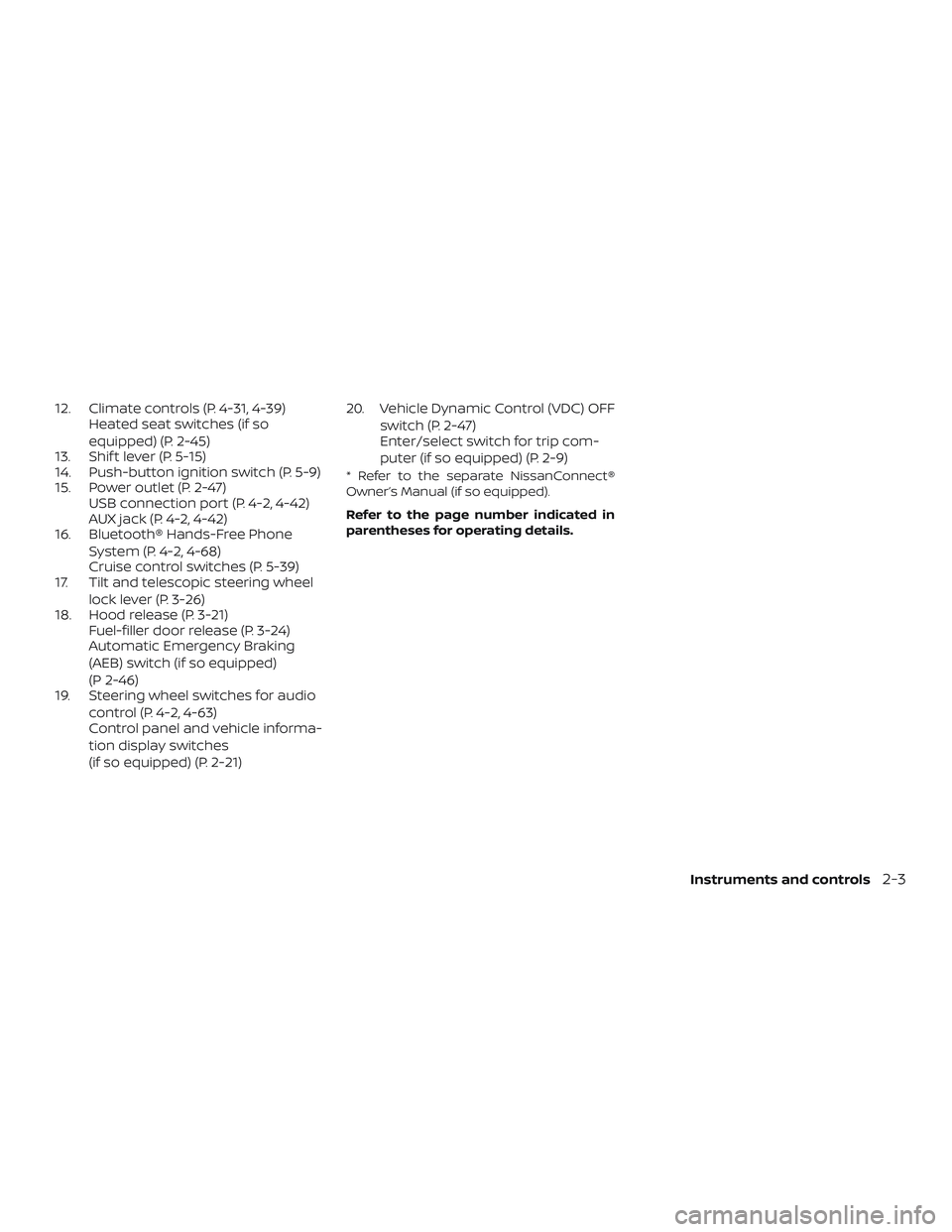
12. Climate controls (P. 4-31, 4-39)Heated seat switches (if so
equipped) (P. 2-45)
13. Shif t lever (P. 5-15)
14. Push-button ignition switch (P. 5-9)
15. Power outlet (P. 2-47) USB connection port (P. 4-2, 4-42)
AUX jack (P. 4-2, 4-42)
16. Bluetooth® Hands-Free Phone
System (P. 4-2, 4-68)
Cruise control switches (P. 5-39)
17. Tilt and telescopic steering wheel
lock lever (P. 3-26)
18. Hood release (P. 3-21) Fuel-filler door release (P. 3-24)
Automatic Emergency Braking
(AEB) switch (if so equipped)
(P 2-46)
19. Steering wheel switches for audio
control (P. 4-2, 4-63)
Control panel and vehicle informa-
tion display switches
(if so equipped) (P. 2-21) 20. Vehicle Dynamic Control (VDC) OFF
switch (P. 2-47)
Enter/select switch for trip com-
puter (if so equipped) (P. 2-9)
* Refer to the separate NissanConnect®
Owner’s Manual (if so equipped).
Refer to the page number indicated in
parentheses for operating details.
Instruments and controls2-3
Page 107 of 435
Driver Assistance
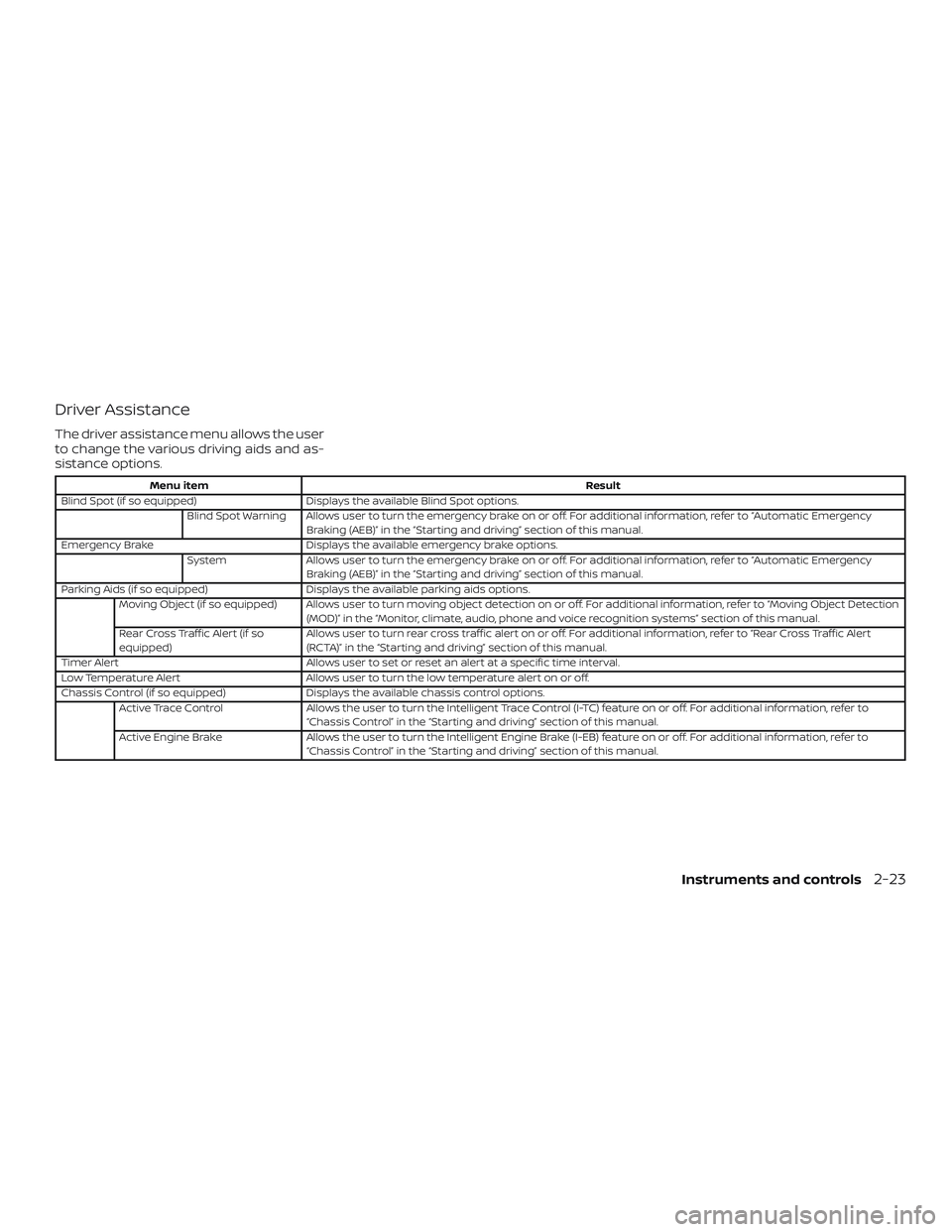
The driver assistance menu allows the user
to change the various driving aids and as-
sistance options.
Menu itemResult
Blind Spot (if so equipped) Displays the available Blind Spot options.
Blind Spot Warning Allows user to turn the emergency brake on or off. For additional information, refer to “Automatic Emergency Braking (AEB)” in the “Starting and driving” section of this manual.
Emergency Brake Displays the available emergency brake options.
System Allows user to turn the emergency brake on or off. For additional information, refer to “Automatic Emergency
Braking (AEB)” in the “Starting and driving” section of this manual.
Parking Aids (if so equipped) Displays the available parking aids options.
Moving Object (if so equipped) Allows user to turn moving object detection on or off. For additional information, refer to “Moving Object Detection (MOD)” in the “Monitor, climate, audio, phone and voice recognition systems” section of this manual.
Rear Cross Traffic Alert (if so
equipped) Allows user to turn rear cross traffic alert on or off. For additional information, refer to “Rear Cross Traffic Alert
(RCTA)” in the “Starting and driving” section of this manual.
Timer Alert Allows user to set or reset an alert at a specific time interval.
Low Temperature Alert Allows user to turn the low temperature alert on or off.
Chassis Control (if so equipped) Displays the available chassis control options.
Active Trace Control Allows the user to turn the Intelligent Trace Control (I-TC) feature on or off. For additional information, refer to
“Chassis Control” in the “Starting and driving” section of this manual.
Active Engine Brake Allows the user to turn the Intelligent Engine Brake (I-EB) feature on or off. For additional information, refer to
“Chassis Control” in the “Starting and driving” section of this manual.
Instruments and controls2-23
Page 166 of 435
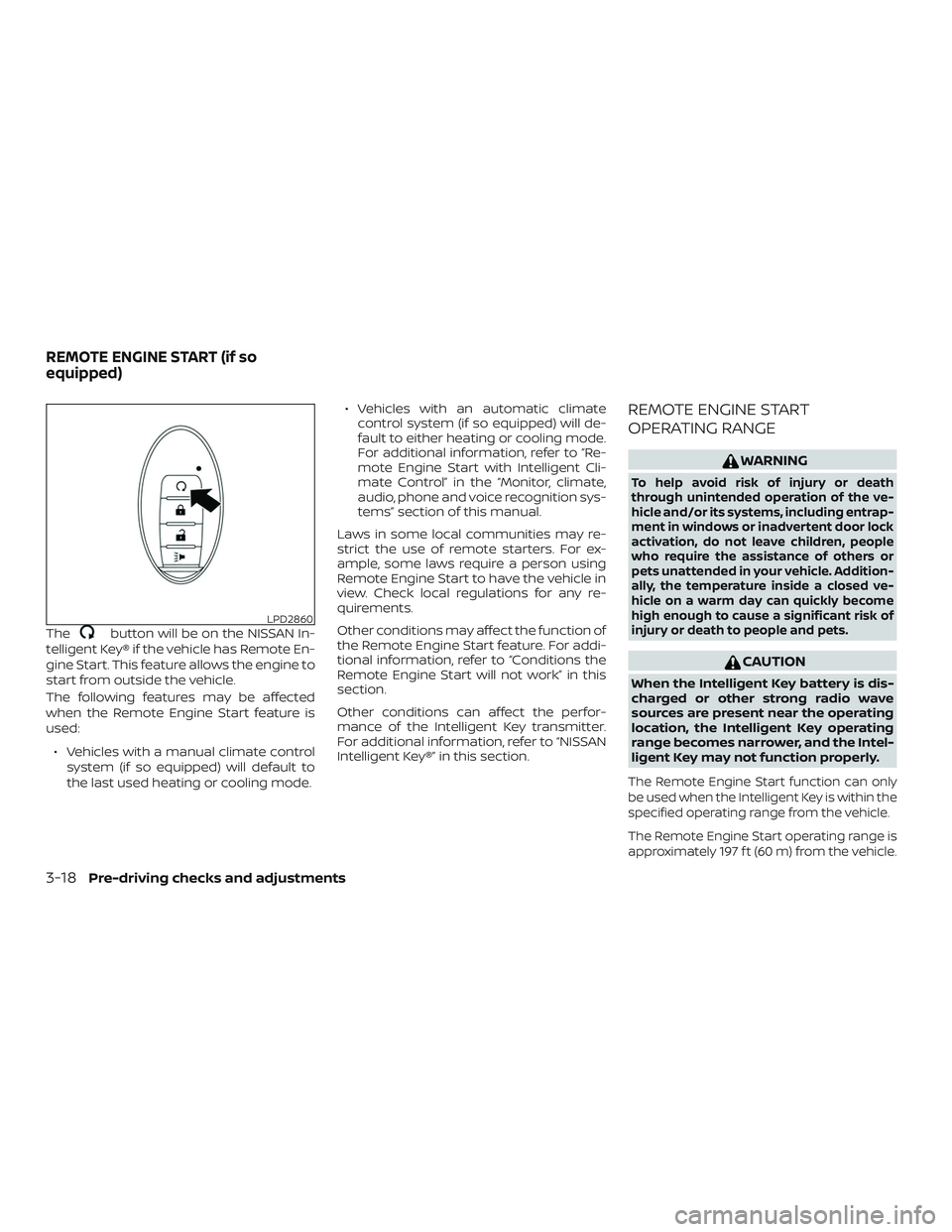
Thebutton will be on the NISSAN In-
telligent Key® if the vehicle has Remote En-
gine Start. This feature allows the engine to
start from outside the vehicle.
The following features may be affected
when the Remote Engine Start feature is
used:
∙ Vehicles with a manual climate control system (if so equipped) will default to
the last used heating or cooling mode. ∙ Vehicles with an automatic climate
control system (if so equipped) will de-
fault to either heating or cooling mode.
For additional information, refer to “Re-
mote Engine Start with Intelligent Cli-
mate Control” in the “Monitor, climate,
audio, phone and voice recognition sys-
tems” section of this manual.
Laws in some local communities may re-
strict the use of remote starters. For ex-
ample, some laws require a person using
Remote Engine Start to have the vehicle in
view. Check local regulations for any re-
quirements.
Other conditions may affect the function of
the Remote Engine Start feature. For addi-
tional information, refer to “Conditions the
Remote Engine Start will not work” in this
section.
Other conditions can affect the perfor-
mance of the Intelligent Key transmitter.
For additional information, refer to “NISSAN
Intelligent Key®” in this section.
REMOTE ENGINE START
OPERATING RANGE
WARNING
To help avoid risk of injury or death
through unintended operation of the ve-
hicle and/or its systems, including entrap-
ment in windows or inadvertent door lock
activation, do not leave children, people
who require the assistance of others or
pets unattended in your vehicle. Addition-
ally, the temperature inside a closed ve-
hicle on a warm day can quickly become
high enough to cause a significant risk of
injury or death to people and pets.
CAUTION
When the Intelligent Key battery is dis-
charged or other strong radio wave
sources are present near the operating
location, the Intelligent Key operating
range becomes narrower, and the Intel-
ligent Key may not function properly.
The Remote Engine Start function can only
be used when the Intelligent Key is within the
specified operating range from the vehicle.
The Remote Engine Start operating range is
approximately 197 f t (60 m) from the vehicle.
LPD2860
REMOTE ENGINE START (if so
equipped)
3-18Pre-driving checks and adjustments
Page 167 of 435
REMOTE STARTING THE VEHICLE
To use the Remote Engine Start feature
perform the following:1. Aim the Intelligent Key at the vehicle.
2. Press the
button to lock all
doors.
3. Within 5 seconds press and hold the
button until the turn signal
lights flash and the tail lamps turn on. If
the vehicle is not within view press and
hold the
button for at least 2 sec-
onds.
The following events will occur when the
engine starts:
∙ The parking lights will turn on and re- main on as long as the engine is run-
ning.
∙ The doors will be locked and the climate control system may come on.
∙ The engine will continue to run for 10 minutes. Repeat the steps to extend
the time for an additional 10 minutes.
For additional information, refer to “Ex-
tending engine run time” in this section.
Press and hold the brake pedal while
switching the ignition to the ON position before driving. For additional information,
refer to “Driving the vehicle” in the “Starting
and driving” section of this manual.
EXTENDING ENGINE RUN TIME
The Remote Engine Start feature can be
extended one time by performing the
steps listed in “Remote starting the vehicle”
in this section. Run time will be calculated
as follows:
∙ The first 10 minute run time will start when the Remote Engine Start function
is performed.
∙ The second 10 minutes will start imme- diately when the Remote Engine Start
function is performed again. For ex-
ample, if the engine has been running
for 5 minutes, and 10 minutes are
added, the engine will run for a total of
15 minutes.
∙ Extending engine run time will bring you to the two Remote Engine Start limit.
A maximum of two Remote Engine Starts,
or a single Remote Engine Start with an
extension, are allowed between ignition
cycles. The ignition switch must be cycled
to the ON position and then back to the
OFF position before the Remote Engine
Start procedure can be used again.
CANCELING A REMOTE ENGINE
START
To cancel a Remote Engine Start, perform
one of the following: ∙ Aim the Intelligent Key at the vehicle and press
until the parking lights
turn off.
∙ Turn on the hazard warning flashers.
∙ Cycle the ignition switch on and then off.
∙ The extended engine run time has ex- pired.
∙ The first 10 minute timer has expired.
∙ Opening the engine hood.
∙ Shif ting the vehicle out of P (Park).
∙ The alarm sounds due to illegal entry into the vehicle.
∙ Pushing the ignition switch without the Intelligent Key in the vehicle.
∙ Not pressing the brake pedal while pressing the ignition switch with the In-
telligent Key in the vehicle.
Pre-driving checks and adjustments3-19
Page 178 of 435
4 Monitor, climate, audio, phone and
voice recognition systems
NissanConnect® Owner’s Manual
(if so equipped)..................................4-2
Control panel buttons ...........................4-3
How to use the touch-screen .................4-4
How to use the
MENU button ...........4-6
(brightness control) button .............4-8
How to use the VOL (volume) knob /
PUSH
(power)button ...................4-8
Selecting menu from launch bar .............4-8
RearView Monitor (if so equipped) ...............4-9
RearView Monitor system operation .........4-10
How to read the displayed lines ..............4-10
Difference between predicted and
actual distances .............................. 4-11
Adjusting the screen ........................ 4-13
RearView Monitor system limitations ........4-13
System maintenance ........................ 4-14
Intelligent Around View Monitor
(if so equipped) ................................. 4-15
Intelligent Around View Monitor system
operation .................................... 4-16
Difference between predicted and
actual distances ............................. 4-19How to park with predicted course
lines
......................................... 4-21
How to switch the display ...................4-22
Adjusting the screen ........................ 4-23
Intelligent Around View Monitor system
limitations ................................... 4-23
System maintenance ........................ 4-25
Moving Object Detection (MOD)
(if so equipped) ................................. 4-26
MOD system operation ......................4-27
Turning MOD on and off (if so equipped) .....4-28
MOD system limitations .....................4-29
System maintenance ........................ 4-30
Vents ........................................... 4-30
Heater and air conditioner (manual)
(if so equipped) ................................. 4-31
Controls ..................................... 4-32
Heater operation ............................ 4-33
Air conditioner operation ....................4-34
Air flow charts ............................... 4-35
Heater and air conditioner (automatic)
(if so equipped) ................................. 4-39
Automatic operation ........................ 4-40
Manual operation ........................... 4-41
Page 180 of 435
Refer to the NissanConnect® Owner’s
Manual that includes the following infor-
mation.∙ Audio system
∙ Apple CarPlay
TM
∙ Android AutoTM
∙ Bluetooth® Hands-Free Phone system
∙ Viewing information
∙ Other settings
∙ Voice Recognition (if so equipped)
∙ General system information
WARNING
∙ Positioning of the heating or air con- ditioning controls and display con-
trols should not be done while driving
in order that full attention may be
given to the driving operation.
∙ Do not disassemble or modif y this system. If you do, it may result in acci-
dents, fire, or electrical shock.
∙ Do not use this system if you notice any abnormality, such as a frozen
screen or lack of sound. Continued
use of the system may result in acci-
dent, fire or electric shock.
∙ In case you notice any foreign object in the system hardware, spill liquid on
it, or notice smoke or smell coming
from it, stop using the system imme-
diately. Ignoring such conditions may
lead to accidents, fire or electrical
shock. It is recommended that you
visit a NISSAN dealer for servicing.
NISSANCONNECT® OWNER’S
MANUAL (if so equipped)
4-2Monitor, climate, audio, phone and voice recognition systems
Page 181 of 435
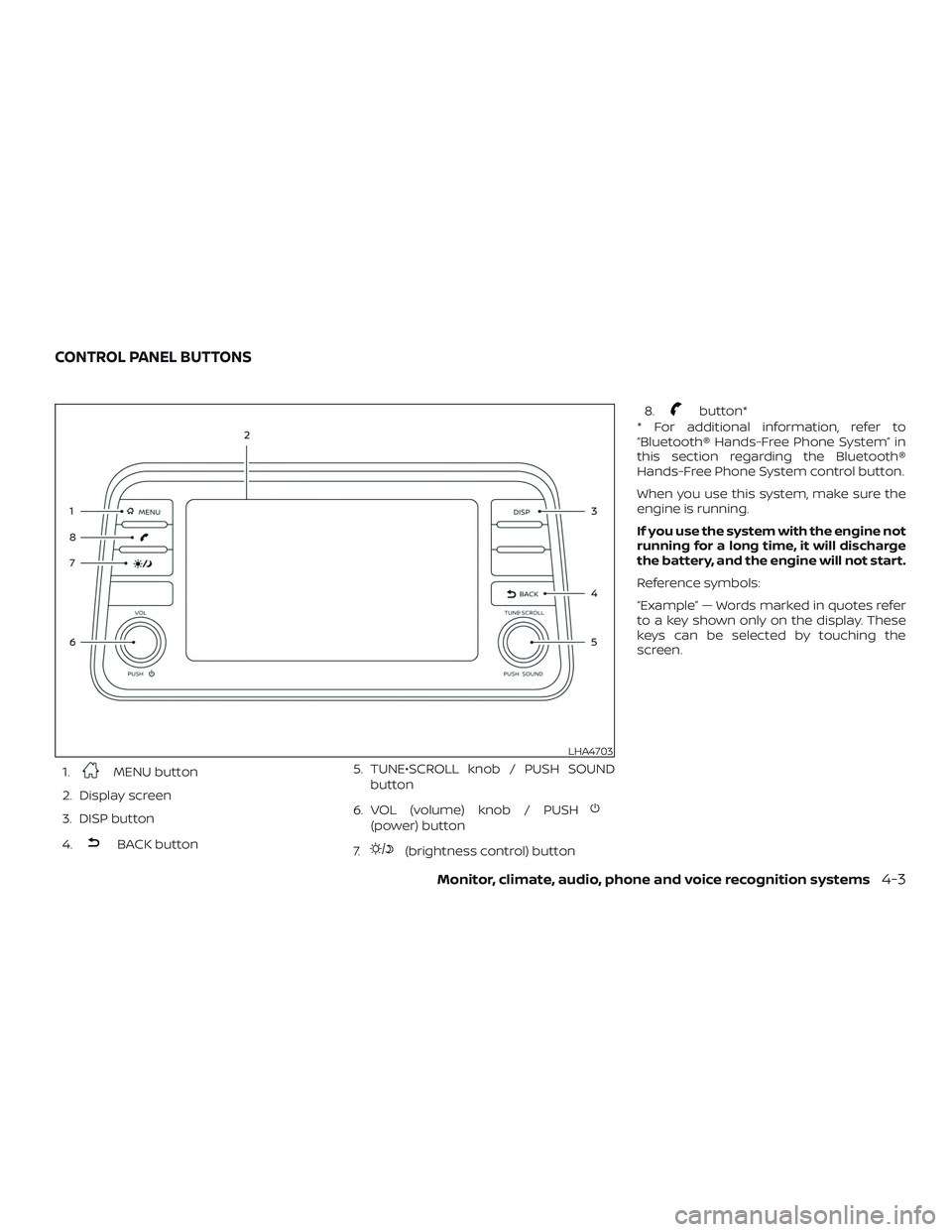
1.MENU button
2. Display screen
3. DISP button
4.
BACK button 5. TUNE•SCROLL knob / PUSH SOUND
button
6. VOL (volume) knob / PUSH
(power) button
7.
(brightness control) button 8.
button*
* For additional information, refer to
“Bluetooth® Hands-Free Phone System” in
this section regarding the Bluetooth®
Hands-Free Phone System control button.
When you use this system, make sure the
engine is running.
If you use the system with the engine not
running for a long time, it will discharge
the battery, and the engine will not start.
Reference symbols:
“Example” — Words marked in quotes refer
to a key shown only on the display. These
keys can be selected by touching the
screen.
LHA4703
CONTROL PANEL BUTTONS
Monitor, climate, audio, phone and voice recognition systems4-3
Page 182 of 435
HOW TO USE THE TOUCH-SCREEN
CAUTION
∙ The glass display screen may break ifit is hit with a hard or sharp object. If
the glass screen breaks, do not touch
it. Doing so could result in an injury.
∙ To clean the display, never use a rough cloth, alcohol, benzine, thinner or any
kind of solvent or paper towel with a
chemical cleaning agent. They will
scratch or deteriorate the panel.
∙ Do not splash any liquid such as water or car fragrance on the display. Con-
tact with liquid will cause the system
to malfunction.
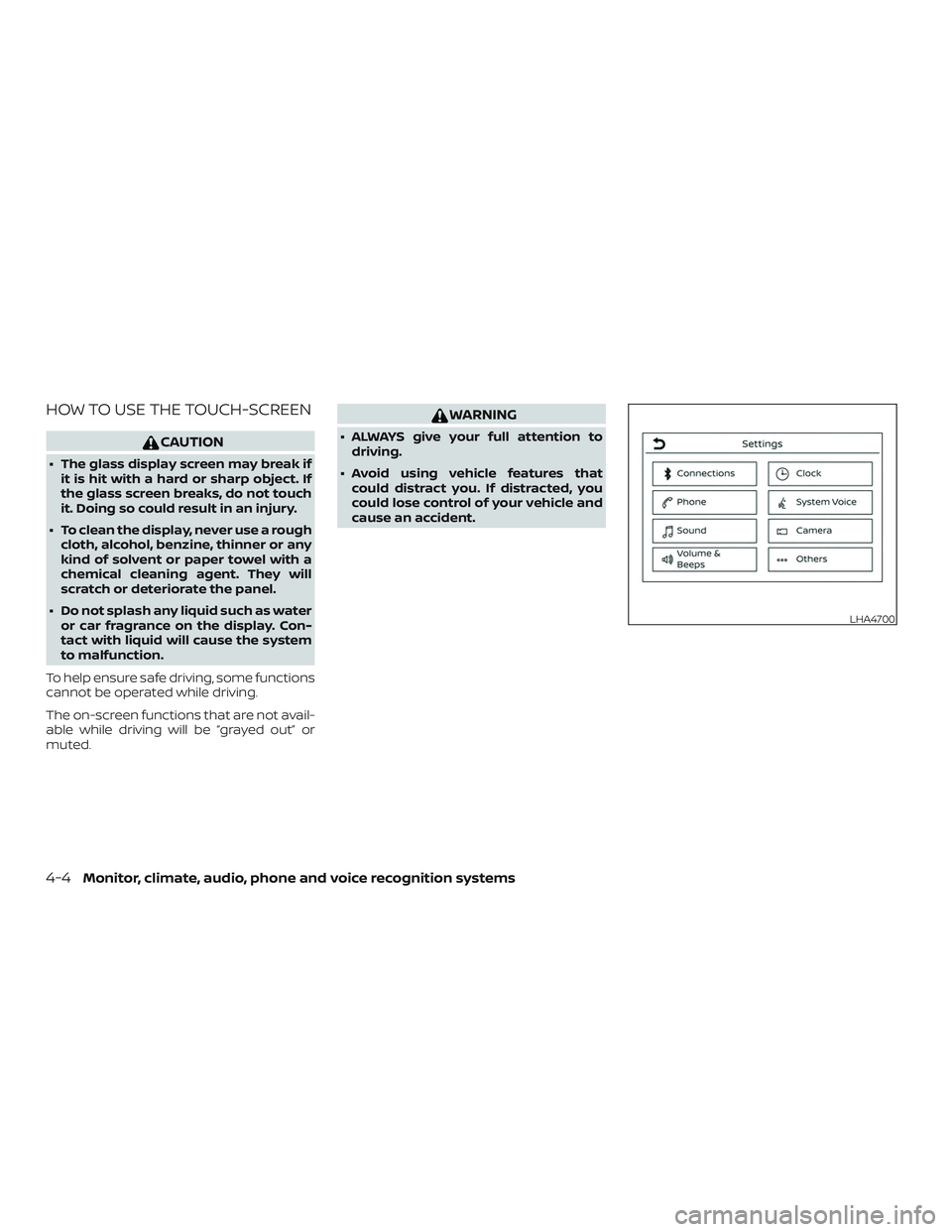
To help ensure safe driving, some functions
cannot be operated while driving.
The on-screen functions that are not avail-
able while driving will be “grayed out” or
muted.
WARNING
∙ ALWAYS give your full attention to driving.
∙ Avoid using vehicle features that could distract you. If distracted, you
could lose control of your vehicle and
cause an accident.
LHA4700
4-4Monitor, climate, audio, phone and voice recognition systems