phone NISSAN KICKS 2020 Owner´s Manual
[x] Cancel search | Manufacturer: NISSAN, Model Year: 2020, Model line: KICKS, Model: NISSAN KICKS 2020Pages: 500, PDF Size: 3.43 MB
Page 270 of 500
•Pin
Touch this key to customize the PIN code.
Input a four digit number then touch the
“OK” key. The new PIN will be set.
“” (info) key
Touch the “” key on the screen to
display the information of the cellular
phone or to delete the device.
Touch the “Delete” key to remove a paired
device then select “Yes” when a message
appears.
“” (Bluetooth® Hands-Free
Phone System connection) key
A list of connected devices will be displayed
on the screen. Touch the “” key next to
the name to connect a device to the
Hands-Free Phone System. If the phone is
listed as a favorite, a star will appear on the
icon. Touch the key again to disconnect the
device. The device will not be removed
from the list. For additional information on
removing a device, refer to “
” (info) key
in this section.
“” (Bluetooth® Audio
connection) key
A list of connected devices will be displayed
on the screen. Touch the “” key next to
the name to connect a device to
Bluetooth® Audio. If the device is listed as a
favorite, a star will appear on the icon.
Touch the key again to disconnect the de-
vice. The device will not be removed from
the list. For additional information on re-
moving a device, refer to “
” (info) key in
this section.
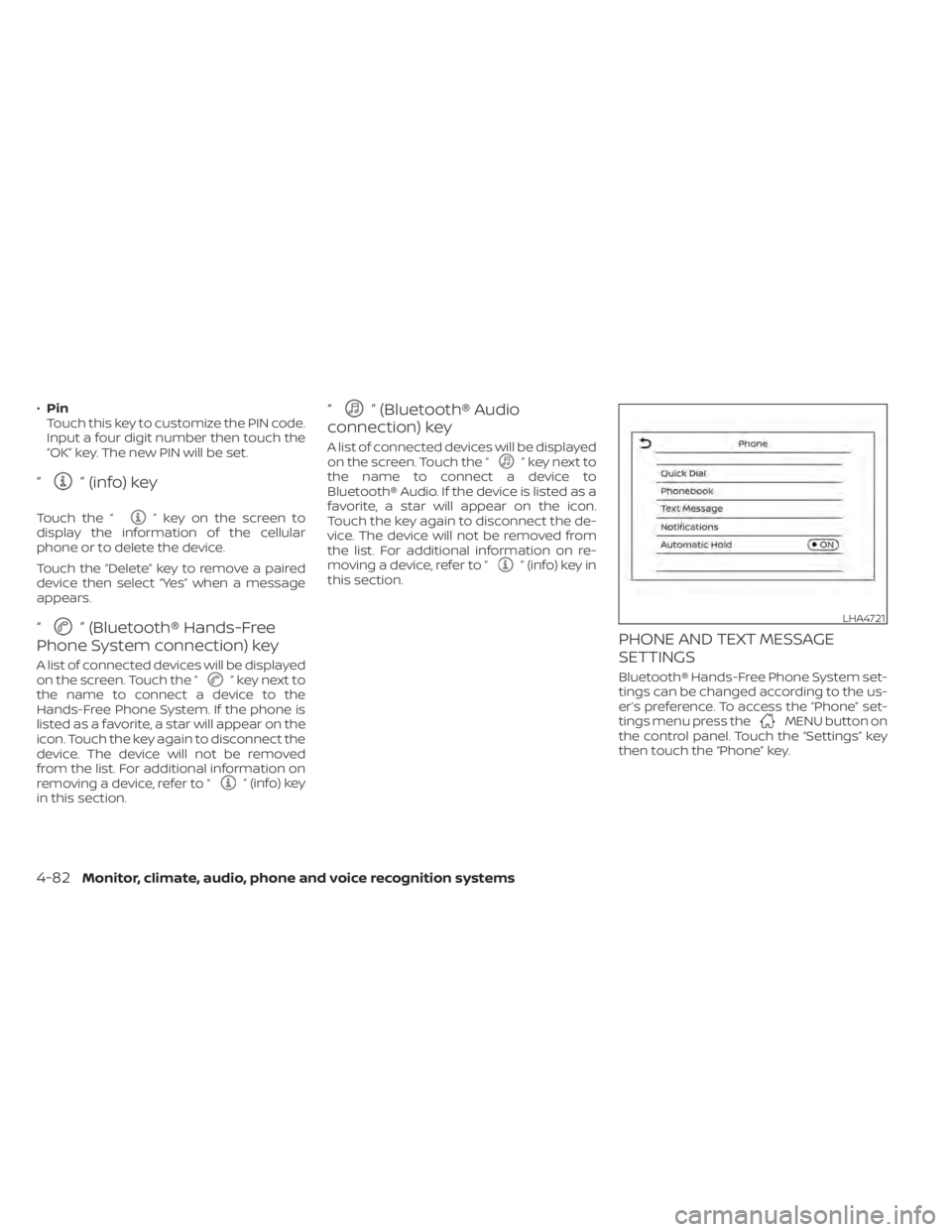
PHONE AND TEXT MESSAGE
SETTINGS
Bluetooth® Hands-Free Phone System set-
tings can be changed according to the us-
er’s preference. To access the “Phone” set-
tings menu press the
MENU button on
the control panel. Touch the “Settings” key
then touch the “Phone” key.
LHA4721
4-82Monitor, climate, audio, phone and voice recognition systems
Page 271 of 500
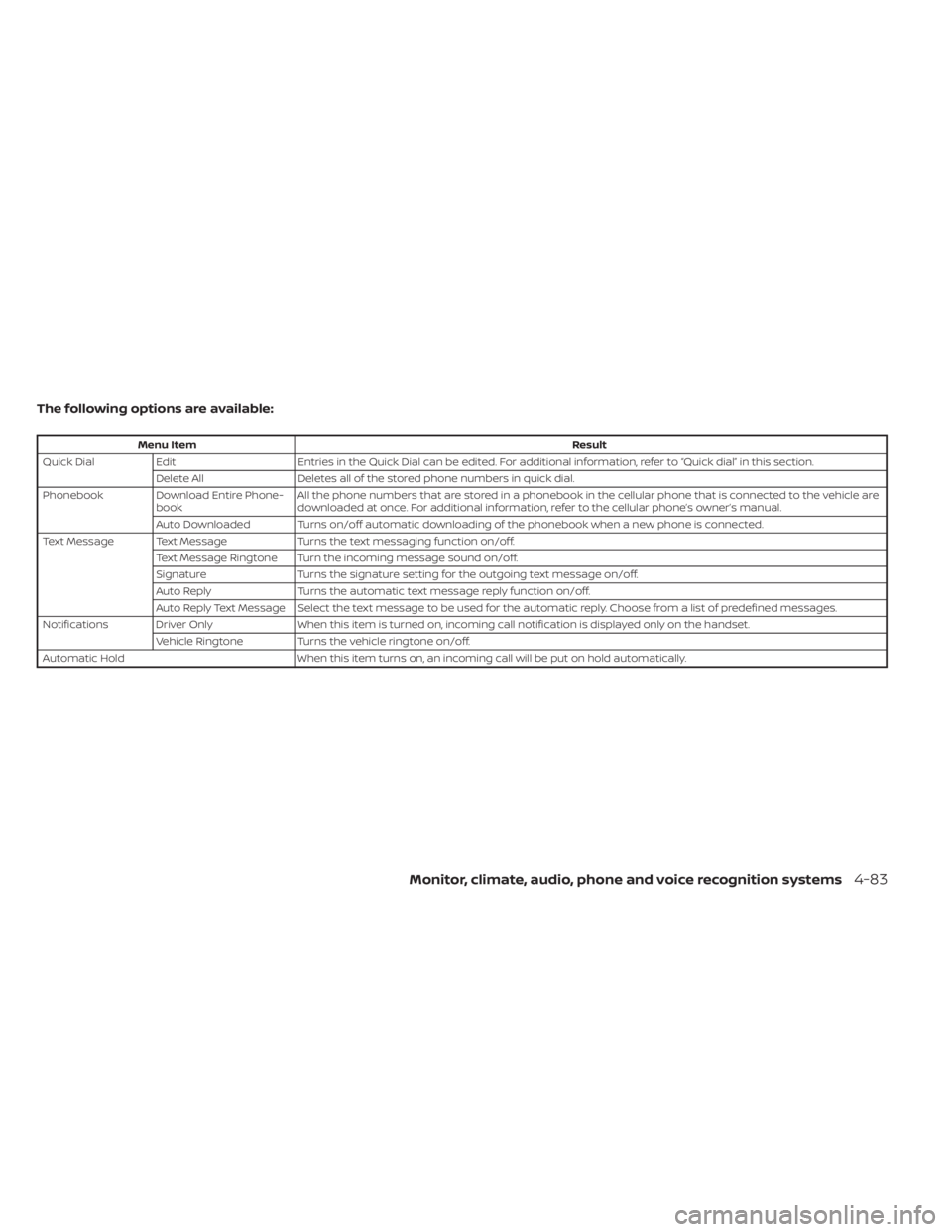
The following options are available:
Menu ItemResult
Quick Dial Edit Entries in the Quick Dial can be edited. For additional information, refer to “Quick dial” in this section.
Delete All Deletes all of the stored phone numbers in quick dial.
Phonebook Download Entire Phone- book All the phone numbers that are stored in a phonebook in the cellular phone that is connected to the vehicle are
downloaded at once. For additional information, refer to the cellular phone’s owner’s manual.
Auto Downloaded Turns on/off automatic downloading of the phonebook when a new phone is connected.
Text Message Text Message Turns the text messaging function on/off.
Text Message Ringtone Turn the incoming message sound on/off.
Signature Turns the signature setting for the outgoing text message on/off.
Auto Reply Turns the automatic text message reply function on/off.
Auto Reply Text Message Select the text message to be used for the automatic reply. Choose from a list of predefined messages.
Notifications Driver Only When this item is turned on, incoming call notification is displayed only on the handset.
Vehicle Ringtone Turns the vehicle ringtone on/off.
Automatic Hold When this item turns on, an incoming call will be put on hold automatically.
Monitor, climate, audio, phone and voice recognition systems4-83
Page 272 of 500
Volume & beeps
There are several methods to customize
the volume settings.
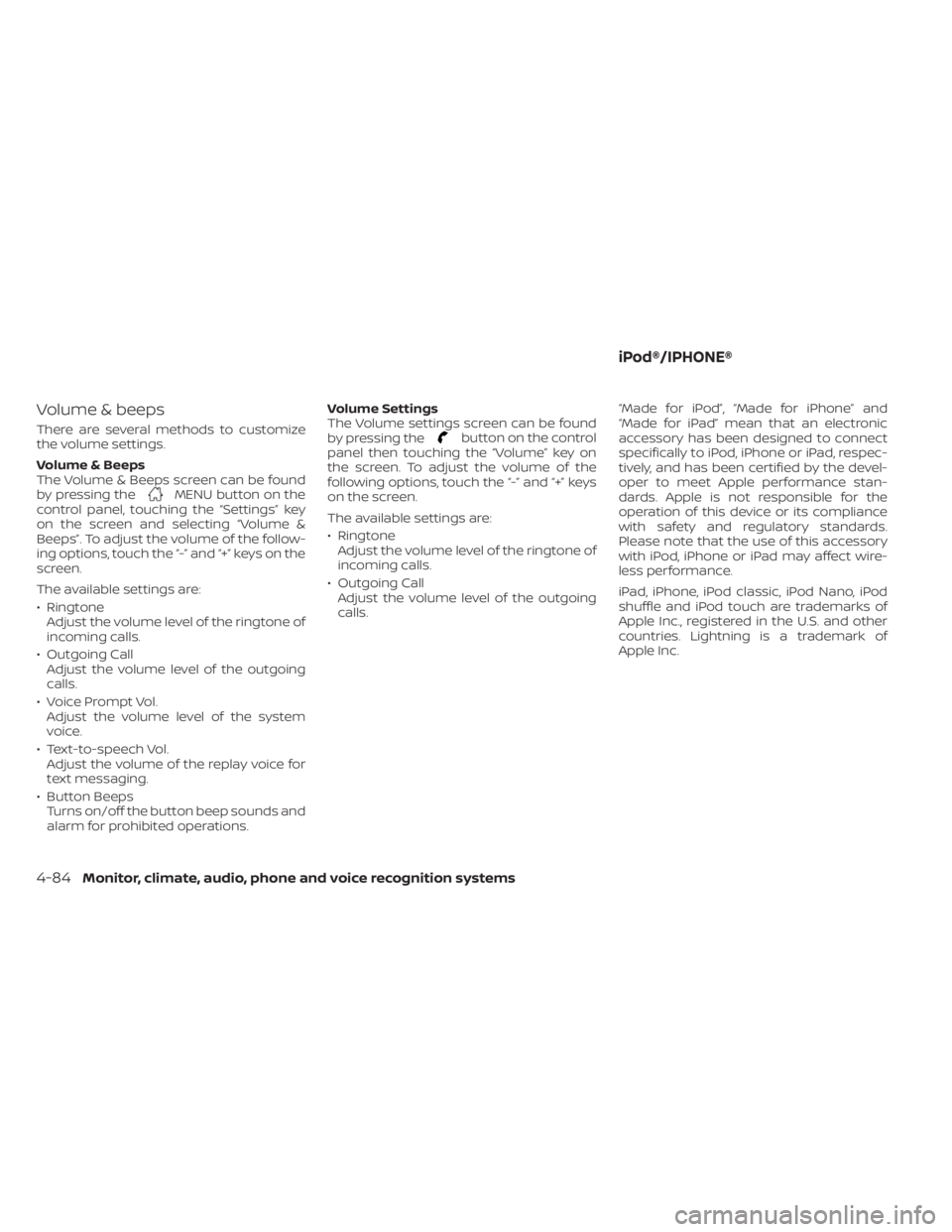
Volume & Beeps
The Volume & Beeps screen can be found
by pressing the
MENU button on the
control panel, touching the “Settings” key
on the screen and selecting “Volume &
Beeps”. To adjust the volume of the follow-
ing options, touch the “-” and “+” keys on the
screen.
The available settings are:
• Ringtone Adjust the volume level of the ringtone of
incoming calls.
• Outgoing Call Adjust the volume level of the outgoing
calls.
• Voice Prompt Vol. Adjust the volume level of the system
voice.
• Text-to-speech Vol. Adjust the volume of the replay voice for
text messaging.
• Button Beeps Turns on/off the button beep sounds and
alarm for prohibited operations. Volume Settings
The Volume settings screen can be found
by pressing the
button on the control
panel then touching the “Volume” key on
the screen. To adjust the volume of the
following options, touch the “-” and “+” keys
on the screen.
The available settings are:
• Ringtone Adjust the volume level of the ringtone of
incoming calls.
• Outgoing Call Adjust the volume level of the outgoing
calls. “Made for iPod”, “Made for iPhone” and
“Made for iPad” mean that an electronic
accessory has been designed to connect
specifically to iPod, iPhone or iPad, respec-
tively, and has been certified by the devel-
oper to meet Apple performance stan-
dards. Apple is not responsible for the
operation of this device or its compliance
with safety and regulatory standards.
Please note that the use of this accessory
with iPod, iPhone or iPad may affect wire-
less performance.
iPad, iPhone, iPod classic, iPod Nano, iPod
shuffle and iPod touch are trademarks of
Apple Inc., registered in the U.S. and other
countries. Lightning is a trademark of
Apple Inc.
iPod®/IPHONE®
4-84Monitor, climate, audio, phone and voice recognition systems
Page 285 of 500
ON (Normal operating position)
This position turns on the ignition system
and electrical accessories.
ON has a battery saver feature that will
place the ignition switch in the OFF posi-
tion, if the vehicle is not running, af ter some
time under the following conditions:
• The shif t lever is in P (Park).
• The hazard lamps are off.
• The turn signals are off.
The battery saver feature will be canceled if
any of the following occur:
• The shif t lever is moved out of the P (Park)position.
• The ignition switch changes position.
• The hazard lamps are turned on.
• The turn signals are turned on.
CAUTION
Do not leave the vehicle with the igni-
tion switch in the ON or AUTO ACC posi-
tion when the engine is not running for
an extended period. This can discharge
the battery. OFF
The ignition switch is in the OFF position
when the engine is turned off using the
ignition switch.
AUTO ACC:
With the vehicle in the P (Park) position, the
Intelligent Key with you, and the ignition
switch placed from the ON to the OFF po-
sition, the radio can still be used for a period
of time, or until the driver’s door is opened.
Af ter a period of time, functions such as
radio, navigation, and Bluetooth® Hands-
Free Phone System may be restarted by
pressing the “POWER button/VOLUME con-
trol knob” or the key fob unlock button. For
additional information, refer to “Monitor, cli-
mate, audio, phone and voice recognition
systems” in this manual.EMERGENCY ENGINE SHUT OFF
To shut off the engine in an emergency
situation while driving, perform the follow-
ing procedure:
• Rapidly push the ignition switch three
consecutive times in less than 1.5 sec-
onds, or
• Push and hold the ignition switch for more than 2 seconds.
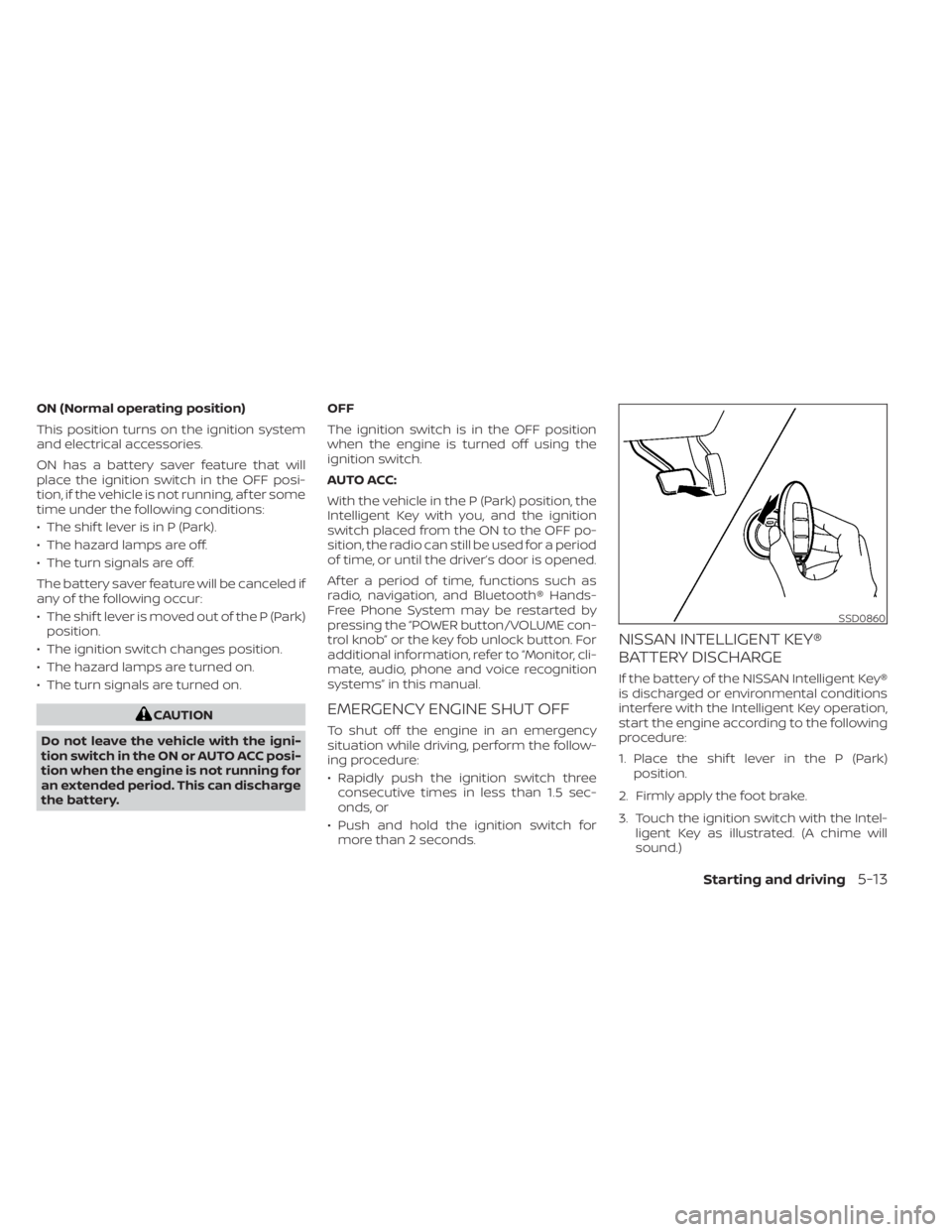
NISSAN INTELLIGENT KEY®
BATTERY DISCHARGE
If the battery of the NISSAN Intelligent Key®
is discharged or environmental conditions
interfere with the Intelligent Key operation,
start the engine according to the following
procedure:
1. Place the shif t lever in the P (Park) position.
2. Firmly apply the foot brake.
3. Touch the ignition switch with the Intel- ligent Key as illustrated. (A chime will
sound.)
SSD0860
Starting and driving5-13
Page 288 of 500
• If the engine is very hard to start be-cause it is flooded, depress the accel-
erator pedal all the way to the floor
and hold it. Push the ignition switch to
the ON position to start cranking the
engine. Af ter 5 or 6 seconds, stop
cranking by pushing the ignition
switch to LOCK. Af ter cranking the en-
gine, release the accelerator pedal.
Crank the engine with your foot off the
accelerator pedal by depressing the
brake pedal and pushing the ignition
switch to start the engine. If the engine
starts, but fails to run, repeat the
above procedure.
CAUTION
Do not operate the starter for more
than 15 seconds at a time. If the engine
does not start, push the ignition switch
to the OFF position and wait 10 seconds
before cranking again, otherwise the
starter could be damaged. 4.
Warm-up:
Allow the engine to idle for at least 30
seconds af ter starting. Do not race the
engine while warming it up. Drive at a
moderate speed for a short distance
first, especially in cold weather. In cold
weather, keep the engine running for a
minimum of2-3minutes before shut-
ting it off. Starting and stopping the en-
gine over a short period of time may
make the vehicle more difficult to start.
5. To stop the engine, move the shif t lever to the P (Park) position and push the
ignition switch to the OFF position.NOTE:
Care should be taken to avoid situa-
tions that can lead to potential bat-
tery discharge and potential no-start
conditions such as:
1. Installation or extended use of elec- tronic accessories that consume bat-
tery power when the engine is not
running (phone chargers, GPS, DVD
players, etc.).
2. The vehicle is not driven regularly and/or only driven short distances.
In these cases, the battery may need to
be charged to maintain battery health.
REMOTE ENGINE START (if so
equipped)
Vehicles started with the Remote Engine
Start require the ignition switch to be
placed in the ON position before the shif t
lever can be moved from the P (Park) posi-
tion. To place the ignition switch in the ON
position, follow these steps:
1. Make sure that the Intelligent Key is on you.
2. Apply the brake.
3. Push the ignition switch once to the ON position.
For additional information, refer to “NISSAN
Intelligent Key®” in the “Pre-driving checks
and adjustments” section of this manual.
5-16Starting and driving
Page 421 of 500
• If the battery is labeled “do not open” it ismaintenance free and battery fluid
should not be checked. It is recom-
mended that you visit a NISSAN dealer or
a qualified specialist workshop to con-
firm the battery’s performance.
• Keep the battery surface clean and dry. Clean the battery with a solution of bak-
ing soda and water.
• Make certain the terminal connections are clean and securely tightened.
• If the vehicle is not to be used for 30 days or longer, disconnect the negative (-) bat-
tery terminal cable to prevent discharge.
NOTE:
Care should be taken to avoid situations
that can lead to potential battery dis-
charge and potential no-start conditions
such as:
1. Installation or extended use of elec-
tronic accessories that consume bat-
tery power when the engine is not run-
ning (Phone chargers, GPS, DVD
players, etc.)
2. Vehicle is not driven regularly and/or
only driven short distances.
In these cases, the battery may need to
be charged to maintain battery health.
WARNING
• Do not expose the battery to flames,
an electrical spark or a cigarette. Hy-
drogen gas generated by the battery
is explosive. Explosive gases can
cause blindness or injury. Do not al-
low battery fluid to contact your skin,
eyes, fabrics or painted surfaces. Sul-
furic acid can cause blindness or in-
jury. Af ter touching a battery or bat-
tery cap, do not touch or rub your
eyes. Thoroughly wash your hands. If
the acid contacts your eyes, skin or
clothing, immediately flush with wa-
ter for at least 15 minutes and seek
medical attention.
• When working on or near a battery,
always wear suitable eye protection
and remove all jewelry.
• Battery posts, terminals and related
accessories contain lead and lead
compounds. Wash hands af ter
handling.
• Keep battery out of the reach of
children.
• Do not tip the battery.
NOTE:
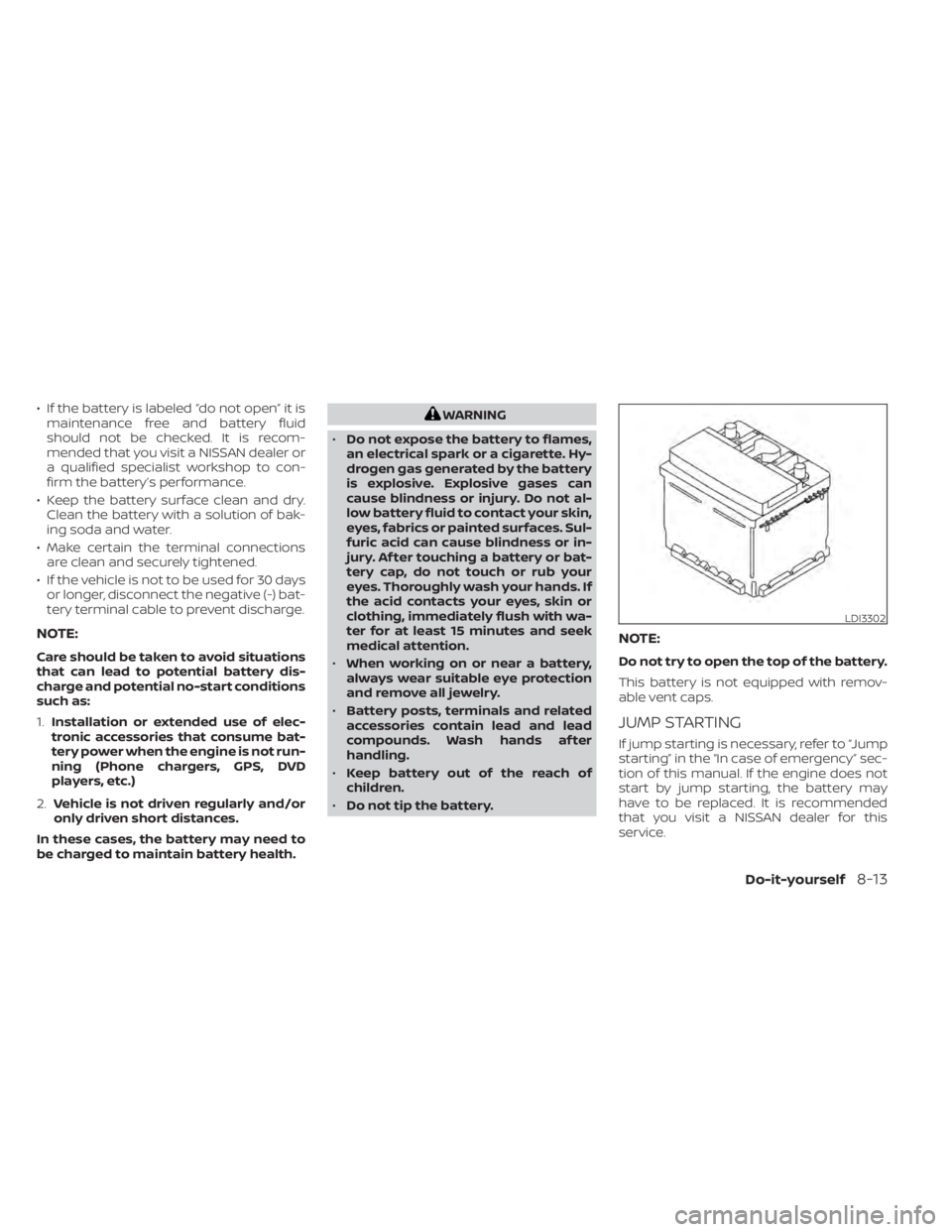
Do not try to open the top of the battery.
This battery is not equipped with remov-
able vent caps.
JUMP STARTING
If jump starting is necessary, refer to “Jump
starting” in the “In case of emergency” sec-
tion of this manual. If the engine does not
start by jump starting, the battery may
have to be replaced. It is recommended
that you visit a NISSAN dealer for this
service.
LDI3302
Do-it-yourself8-13
Page 452 of 500
Parking brake:Check the parking brake
operation regularly. The vehicle should be
securely held on a fairly steep hill with only
the parking brake applied. If the parking
brake needs adjustment, it is recom-
mended that you visit a NISSAN dealer for
this service.
Seats: Check seat position controls such
as seat adjusters, seatback recliner, etc., to
ensure they operate smoothly and all
latches lock securely in every position.
Check that the head restraints/headrests
move up and down smoothly and the locks
(if so equipped) hold securely in all latched
positions.
Seat belts: Check that all parts of the seat
belt system (for example, buckles, anchors,
adjusters and retractors) operate properly
and smoothly, and are installed securely.
Check the belt webbing for cuts, fraying,
wear or damage.
Steering wheel: Check for changes in the
steering system, such as excessive free
play, hard steering or strange noises.
Warning lights and chimes: Make sure all
warning lights and chimes are operating
properly. Windshield defroster:
Check that the air
comes out of the defroster outlets properly
and in sufficient quantity when operating
the heater or air conditioner.
Windshield wiper and washer*: Check
that the wipers and washer operate prop-
erly and that the wipers do not streak.
Under the hood and vehicle
The maintenance items listed here should
be checked periodically (for example, each
time you check the engine oil or refuel).
Battery*:This vehicle is equipped with a
sealed maintenance free battery. It is rec-
ommended that you visit a NISSAN dealer
for service.
NOTE:
Care should be taken to avoid situa-
tions that can lead to potential bat-
tery discharge and potential no-start
conditions such as:
1. Installation or extended use of elec- tronic accessories that consume bat-
tery power when the engine is not
running (Phone chargers, GPS, DVD
players, etc.).
2. Vehicle is not driven regularly and/or only driven short distances. In these cases, the battery may need to
be charged to maintain battery health.
Brake fluid level*:
Make sure that the brake
fluid level is between the MIN and MAX lines
on the reservoir.
Engine coolant level*: Check the coolant
level when the engine is cold.
Engine drive belt*: Make sure the drive belt
is not frayed, worn, cracked or oily.
Engine oil level*: Check the level af ter
parking the vehicle on a level surface with
the engine off. Wait more than 15 minutes
for the oil to drain back into the oil pan.
Exhaust system: Make sure there are no
loose supports, cracks or holes. If the
sound of the exhaust seems unusual or
there is a smell of exhaust fumes, immedi-
ately have the exhaust system inspected. It
is recommended that you visit a NISSAN
dealer for this service. For additional infor-
mation, refer to “Exhaust gas (carbon mon-
oxide)” in the “Starting and driving” section
of this manual.
9-4Maintenance and schedules
Page 483 of 500
law enforcement, could combine the EDR
data with the type of personally identif ying
data routinely acquired during a crash in-
vestigation.
To read data recorded by an EDR, special
equipment is required and access to the
vehicle or the EDR is needed. In addition to
the vehicle manufacturer and NISSAN
dealer, other parties, such as law enforce-
ment, that have the special equipment, can
read the information if they have access to
the vehicle or the EDR. EDR data will only be
accessed with the consent of the vehicle
owner or lessee or as otherwise required or
permitted by law.Genuine NISSAN Service Manuals for this
model year and prior can be purchased. A
Genuine NISSAN Service Manual is the best
source of service and repair information for
your vehicle. This manual is the same one
used by the factory-trained technicians
working at NISSAN dealerships. Genuine
NISSAN Owner’s Manuals can also be pur-
chased.
For USA
For current pricing and availability of Genu-
ine
NISSAN Service Manuals, contact:
www.nissan-techinfo.com
For current pricing and availability of Genu-
ine NISSAN Owner's Manuals, contact:
1-800-247-5321
For Canada
To purchase a copy of a Genuine NISSAN
Service Manual or Owner’s Manual, for this
model year and prior, please contact your
nearest NISSAN dealer. For the phone num-
ber and location of a NISSAN dealer in your
area, call the NISSAN Information Center at
1-800-387-0122 and a bilingual NISSAN rep-
resentative will assist you.
OWNER'S MANUAL/SERVICE
MANUAL ORDER INFORMATION
Technical and consumer information10-21
Page 485 of 500
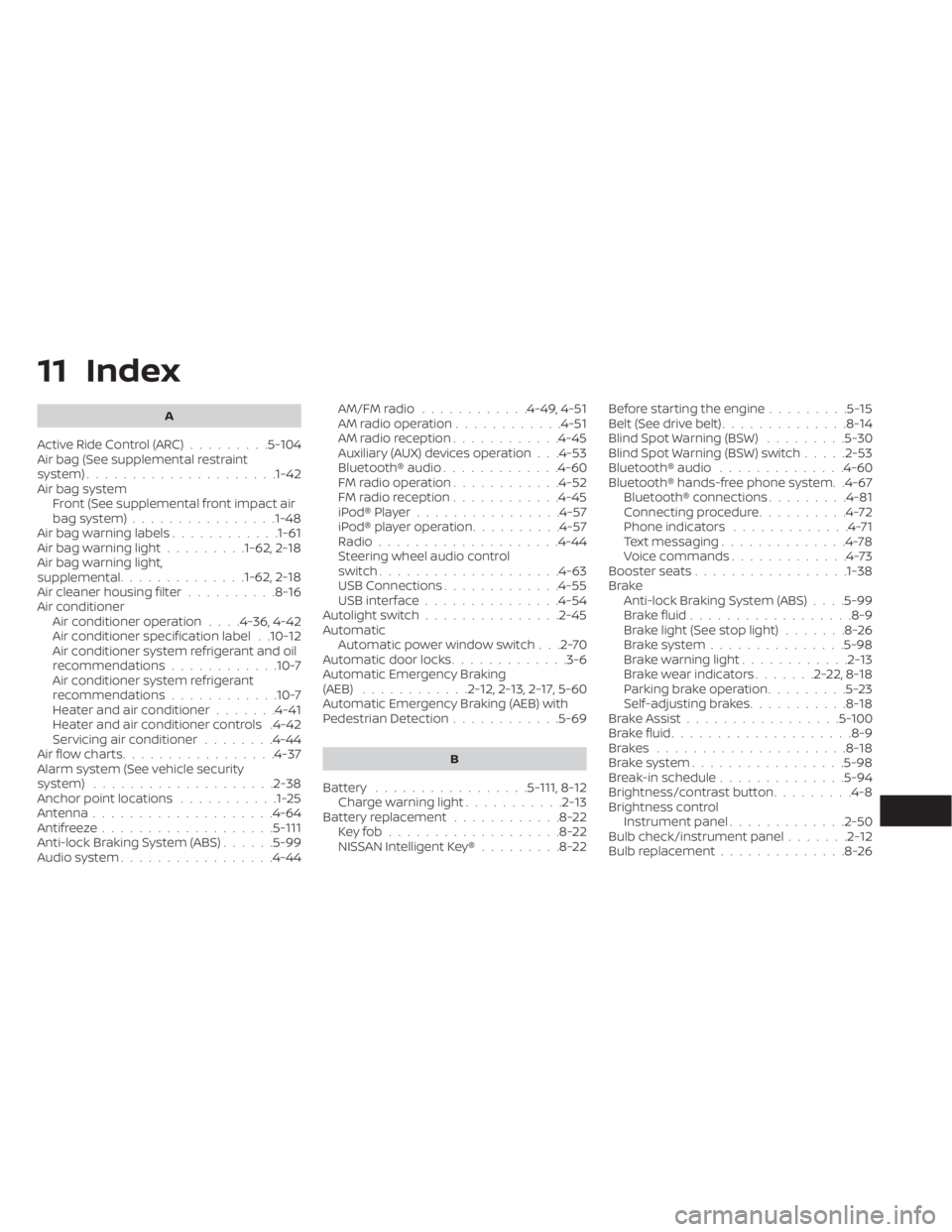
11 Index
A
Active Ride Control (ARC).........5-104Air bag (See supplemental restraint
system).....................1-42Air bag system
Front (See supplemental front impact air
bag system)
................1-48Air bag warning labels............1-61Air bag warning light.........1-62, 2-18Air bag warning light,
supplemental..............1-62, 2-18Air cleaner housing filter..........8-16Air conditionerAir conditioner operation. . . .4-36, 4-42Air conditioner specification label. .10-12Air conditioner system refrigerant and oil
recommendations............10-7Air conditioner system refrigerant
recommendations............10-7Heater and air conditioner.......4-41Heater and air conditioner controls.4-42Servicing air conditioner........4-44Air flow charts................ .4-37Alarm system (See vehicle security
system)................... .2-38Anchor point locations...........1-25Antenna....................4-64Antifreeze...................5-111Anti-lock Braking System (ABS)......5-99Audio system.................4-44
AM/FM radio............4-49, 4-51AM radio operation............4-51AM radio reception............4-45Auxiliary (AUX) devices operation. . .4-53Bluetooth® audio.............4-60FM radio operation............4-52FM radio reception............4-45iPod® Player................4-57iPod® player operation..........4-57Radio................... .4-44Steering wheel audio control
switch....................4-63USB Connections.............4-55USB interface...............4-54Autolight switch...............2-45Automatic
Automatic power window switch. . .2-70Automatic door locks.............3-6Automatic Emergency Braking
(AEB)............2-12,2-13,2-17, 5-60Automatic Emergency Braking (AEB) with
Pedestrian Detection............5-69
B
Battery.................5-111, 8-12Charge warning light...........2-13Battery replacement............8-22Key fob...................8-22NISSAN Intelligent Key®.........8-22
Before starting the engine.........5-15Belt (See drive belt)..............8-14Blind Spot Warning (BSW).........5-30Blind Spot Warning (BSW) switch.....2-53Bluetooth® audio..............4-60Bluetooth® hands-free phone system. .4-67Bluetooth® connections.........4-81Connecting procedure..........4-72Phone indicators.............4-71Text messaging..............4-78Voice commands.............4-73Booster seats.................1-38Brake
Anti-lock Braking System (ABS). . . .5-99Brake fluid................. .8-9Brake light (See stop light).......8-26Brake system...............5-98Brake warning light............2-13Brake wear indicators.......2-22,8-18Parking brake operation.........5-23Self-adjusting brakes...........8-18Brake Assist.................5-100Brake fluid................... .8-9Brakes.....................8-18Brake system.................5-98Break-in schedule..............5-94Brightness/contrast button.........4-8Brightness control
Instrument panel.............2-50Bulb check/instrument panel.......2-12Bulb replacement..............8-26
Page 486 of 500
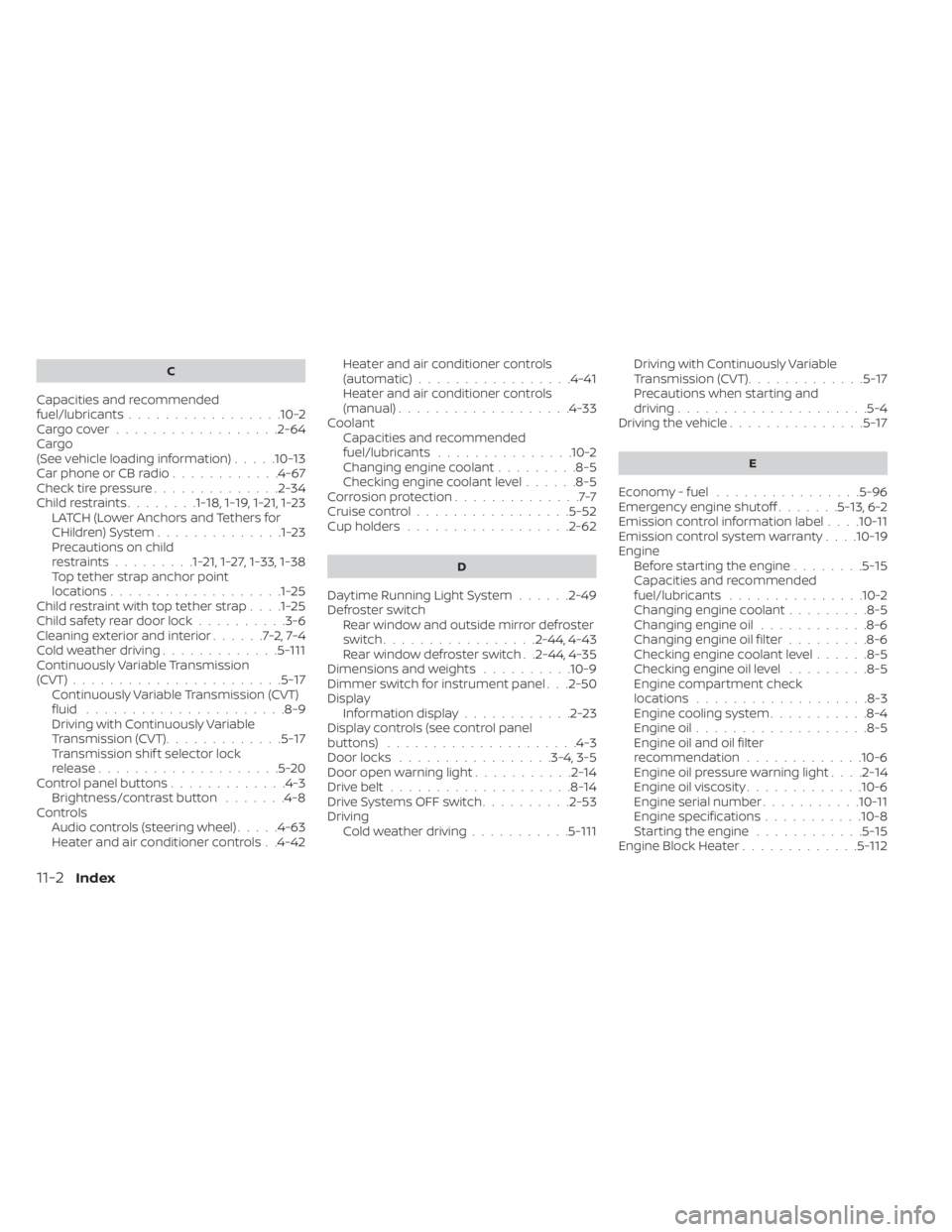
C
Capacities and recommended
fuel/lubricants.................10-2Cargo cover................. .2-64Cargo
(See vehicle loading information).....10-13Car phone or CB radio............4-67Check tire pressure..............2-34Child restraints........1-18,1-19,1-21,1-23LATCH (Lower Anchors and Tethers for
CHildren) System..............1-23Precautions on child
restraints.........1-21,1-27,1-33, 1-38Top tether strap anchor point
locations...................1-25Child restraint with top tether strap. . . .1-25Child safety rear door lock..........3-6Cleaning exterior and interior......7-2,7-4Cold weather driving.............5-111Continuously Variable Transmission
(CVT).......................5-17Continuously Variable Transmission (CVT)
fluid..................... .8-9Driving with Continuously Variable
Transmission (CVT).............5-17Transmission shif t selector lock
release....................5-20Control panel buttons.............4-3Brightness/contrast button.......4-8Controls
Audio controls (steering wheel).....4-63Heater and air conditioner controls. .4-42
Heater and air conditioner controls
(automatic)................ .4-41Heater and air conditioner controls
(manual).................. .4-33Coolant
Capacities and recommended
fuel/lubricants
...............10-2Changing engine coolant.........8-5Checking engine coolant level......8-5Corrosion protection..............7-7Cruise control................ .5-52Cup holders................. .2-62
D
Daytime Running Light System......2-49Defroster switch
Rear window and outside mirror defroster
switch
................ .2-44, 4-43Rear window defroster switch. .2-44, 4-35Dimensions and weights..........10-9Dimmer switch for instrument panel. . .2-50Display
Information display............2-23Display controls (see control panel
buttons).................... .4-3Door locks.................3-4, 3-5Door open warning light...........2-14Drive belt....................8-14Drive Systems OFF switch..........2-53Driving
Cold weather driving...........5-111
Driving with Continuously Variable
Transmission (CVT).............5-17Precautions when starting and
driving.................... .5-4Driving the vehicle...............5-17
E
Economy - fuel................5-96Emergency engine shutoff.......5-13,6-2Emission control information label. . . .10-11Emission control system warranty. . . .10-19Engine
Before starting the engine........5-15Capacities and recommended
fuel/lubricants...............10-2Changing engine coolant.........8-5Changing engine oil............8-6Changing engine oil filter.........8-6Checking engine coolant level......8-5Checking engine oil level.........8-5Engine compartment check
locations.................. .8-3Engine cooling system...........8-4Engine oil...................8-5Engine oil and oil filter
recommendation.............10-6Engine oil pressure warning light. . . .2-14Engine oil viscosity.............10-6Engine serial number...........10-11Engine specifications...........10-8Starting the engine............5-15Engine Block Heater.............5-112
11-2Index