instrument panel NISSAN KICKS 2020 Owner´s Manual
[x] Cancel search | Manufacturer: NISSAN, Model Year: 2020, Model line: KICKS, Model: NISSAN KICKS 2020Pages: 500, PDF Size: 3.43 MB
Page 73 of 500
may or may not be illuminated, depending
on the size of the child and the type of child
restraint being used. If the air bag status light
is not illuminated (indicating that the front
passenger air bag and passenger knee air
bag might inflate in a crash), it could be that
the child restraint or seat belt is not being
used properly. Make sure that the child re-
straint is installed properly, the seat belt is
used properly and the occupant is posi-
tioned properly. If the air bag status light is
still not illuminated, reposition the occupant
or child restraint in a rear seat.
If the front passenger air bag status light
will not illuminate even though you believe
that the child restraint, the seat belts and
the occupant are properly positioned, it is
recommended that you take your vehicle
to a NISSAN dealer. A NISSAN dealer can
check system status by using a special
tool. However, until you have confirmed
with a dealer that your air bag is working
properly, reposition the occupant or child
restraint in a rear seat.
The NISSAN Advanced Air Bag System and
front passenger air bag status light will
take a few seconds to register a change in
the front passenger seat status. This is nor-
mal system operation and does not indi-
cate a malfunction.If a malfunction occurs in the front passen-
ger air bag system, the supplemental air
bag warning light
, located in the me-
ter and gauges area of the instrument
panel, will be illuminated (blinking or
steadily lit). Have the system checked. It is
recommended that you visit a NISSAN
dealer for this service.
Normal operation
In order for the occupant classification
sensor system to classif y the front passen-
ger based on weight, please follow the pre-
cautions and steps outlined below:
Precautions
• Make sure that there are no objects weighing over 9.1 lbs. (4 kg) hanging on
the seat or placed in the seatback pocket.
• Make sure that a child restraint or other object is not pressing against the rear of
the seatback.
• Make sure that a rear passenger is not pushing or pulling on the back of the front
passenger seat.
• Make sure that the front passenger seat or seatback is not forced back against an
object on the seat or floor behind it. • Make sure that there is no object placed
under the front passenger seat.
Steps
1. Adjust the seat as outlined in the “Seats” section of this manual. Sit upright, lean-
ing against the seatback, and centered
on the seat cushion with your feet com-
fortably extended to the floor.
2. Make sure there are no objects on your lap.
3. Fasten the seat belt as outlined in the “Seat belts” section of this manual. Front
passenger seat belt buckle status is
monitored by the occupant classifica-
tion system, and is used as an input to
determine occupancy status. So, it is
highly recommended that the front pas-
senger fasten their seat belt.
4. Remain in this position for 30 seconds allowing the system to classif y the front
passenger before the vehicle is put into
motion.
5. Ensure proper classification by checking the front passenger air bag status light.
Safety-Seats, seat belts and supplemental restraint system1-53
Page 75 of 500
If the vehicle is moving, please come to a
stop when it is safe to do so. Check and
correct any of the above conditions. Re-
start the vehicle and wait 1 minute.
NOTE:
A system check will be performed during
which the front passenger air bag status
light will remain lit for about 7 seconds
initially.
If the light is still OFF af ter this, the small
adult, child or child restraint should be re-
positioned in the rear seat and the vehicle
should be checked as soon as possible. It is
recommended that you visit a NISSAN
dealer for this service.
3. If the light is OFF with no front passengerand no objects on the front passenger
seat, the vehicle should be checked. It is
recommended that you visit a NISSAN
dealer as soon as possible.
Other supplemental front-impact air
bag precautions
WARNING
• Do not place any objects on the
steering wheel pad or on the instru-
ment panel. Also, do not place any
objects between any occupant and
the steering wheel or instrument
panel. Such objects may become
dangerous projectiles and cause in-
jury if the front air bags inflate.
• Do not place objects with sharp
edges on the seat. Also, do not place
heavy objects on the seat that will
leave permanent impressions in the
seat. Such objects can damage the
seat or occupant classification sen-
sor (weight sensor). This can affect
the operation of the air bag system
and result in serious personal injury.
• Do not use water or acidic cleaners
(hot steam cleaners) on the seat. This
can damage the seat or occupant
classification sensor. This can also
affect the operation of the air bag
system and result in serious personal
injury. •
Immediately af ter inflation, several
front air bag system components will
be hot. Do not touch them; you may
severely burn yourself.
• No unauthorized changes should be
made to any components or wiring
of the supplemental air bag system.
This is to prevent accidental inflation
of the supplemental air bag or dam-
age to the supplemental air bag
system.
• Do not make unauthorized changes
to your vehicle's electrical system,
suspension system or front end
structure. This could affect proper
operation of the front air bag system.
• Tampering with the front air bag sys-
tem may result in serious personal
injury. Tampering includes changes
to the steering wheel and the instru-
ment panel assembly by placing ma-
terial over the steering wheel pad
and above the instrument panel or
by installing additional trim material
around the air bag system.
• Removing or modif ying the front
passenger seat may affect the func-
tion of the air bag system and result
in serious personal injury.
Safety-Seats, seat belts and supplemental restraint system1-55
Page 82 of 500
SUPPLEMENTAL AIR BAG WARNING
LIGHT
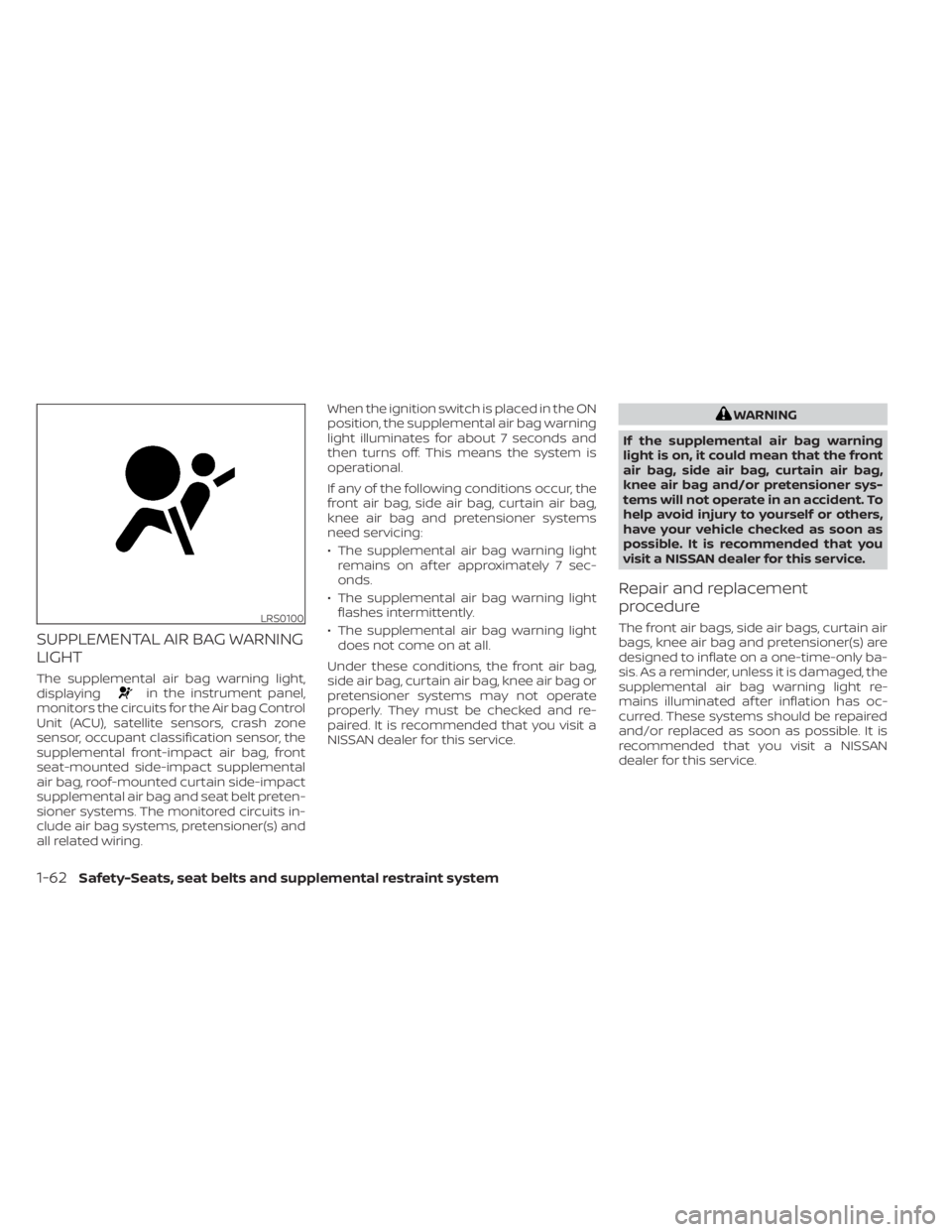
The supplemental air bag warning light,
displayingin the instrument panel,
monitors the circuits for the Air bag Control
Unit (ACU), satellite sensors, crash zone
sensor, occupant classification sensor, the
supplemental front-impact air bag, front
seat-mounted side-impact supplemental
air bag, roof-mounted curtain side-impact
supplemental air bag and seat belt preten-
sioner systems. The monitored circuits in-
clude air bag systems, pretensioner(s) and
all related wiring. When the ignition switch is placed in the ON
position, the supplemental air bag warning
light illuminates for about 7 seconds and
then turns off. This means the system is
operational.
If any of the following conditions occur, the
front air bag, side air bag, curtain air bag,
knee air bag and pretensioner systems
need servicing:
• The supplemental air bag warning light
remains on af ter approximately 7 sec-
onds.
• The supplemental air bag warning light flashes intermittently.
• The supplemental air bag warning light does not come on at all.
Under these conditions, the front air bag,
side air bag, curtain air bag, knee air bag or
pretensioner systems may not operate
properly. They must be checked and re-
paired. It is recommended that you visit a
NISSAN dealer for this service.
WARNING
If the supplemental air bag warning
light is on, it could mean that the front
air bag, side air bag, curtain air bag,
knee air bag and/or pretensioner sys-
tems will not operate in an accident. To
help avoid injury to yourself or others,
have your vehicle checked as soon as
possible. It is recommended that you
visit a NISSAN dealer for this service.
Repair and replacement
procedure
The front air bags, side air bags, curtain air
bags, knee air bag and pretensioner(s) are
designed to inflate on a one-time-only ba-
sis. As a reminder, unless it is damaged, the
supplemental air bag warning light re-
mains illuminated af ter inflation has oc-
curred. These systems should be repaired
and/or replaced as soon as possible. It is
recommended that you visit a NISSAN
dealer for this service.LRS0100
1-62Safety-Seats, seat belts and supplemental restraint system
Page 84 of 500
2 Instruments and controls
Instrument panel................................2-2
Meters and gauges .............................2-4
Speedometer and odometer .................2-5
Tachometer .................................. 2-7
Fuel gauge ...................................2-8
Distance To Empty (DTE) .....................2-8
Trip computer (if so equipped) ................2-9
Warning lights, indicator lights and audible
reminders ....................................... 2-11
Checking lights .............................. 2-12
Warning lights ............................... 2-12
Indicator lights .............................. 2-19
Audible reminders ........................... 2-22
Vehicle information display (if so equipped) .....2-23
How to use the vehicle information
display ...................................... 2-23
Startup display .............................. 2-24
Settings ..................................... 2-24
Vehicle information display warnings
and indicators ............................... 2-31
Security systems (if so equipped) ...............2-38
Vehicle security system .....................2-38
NISSAN Anti-Thef t System (NATS)
(if so equipped) .............................. 2-39
NISSAN Vehicle Immobilizer System
(if so equipped) .............................. 2-40Wiper and washer switch
.......................2-41
Switch operation ............................ 2-41
Rear switch operation .......................2-43
Rear window and outside mirror
(if so equipped) defroster switch ...............2-44
Headlight and turn signal switch ...............2-44
Headlight control switch ....................2-44
Daytime Running Lights (DRL) system
(Type A) (if so equipped) .....................2-49
Instrument brightness control ..............2-50
Turn signal switch ........................... 2-51
Fog light switch (if so equipped) .............2-51
Horn ........................................... 2-52
Heated seat switches (if so equipped) ..........2-52
Blind Spot Warning (BSW) switch
(if so equipped) ................................. 2-53
Drive Systems OFF switch (if so equipped) ......2-53
Lane Departure Warning (LDW) switch
(if
so equipped) ................................. 2-54
Rear Sonar System (RSS) OFF switch
(if so equipped) ................................. 2-55
Vehicle Dynamic Control (VDC) OFF switch
(if so equipped) ................................. 2-55
Rear Door Alert (if so equipped) .................2-56
Power outlets .................................. 2-57
Page 86 of 500
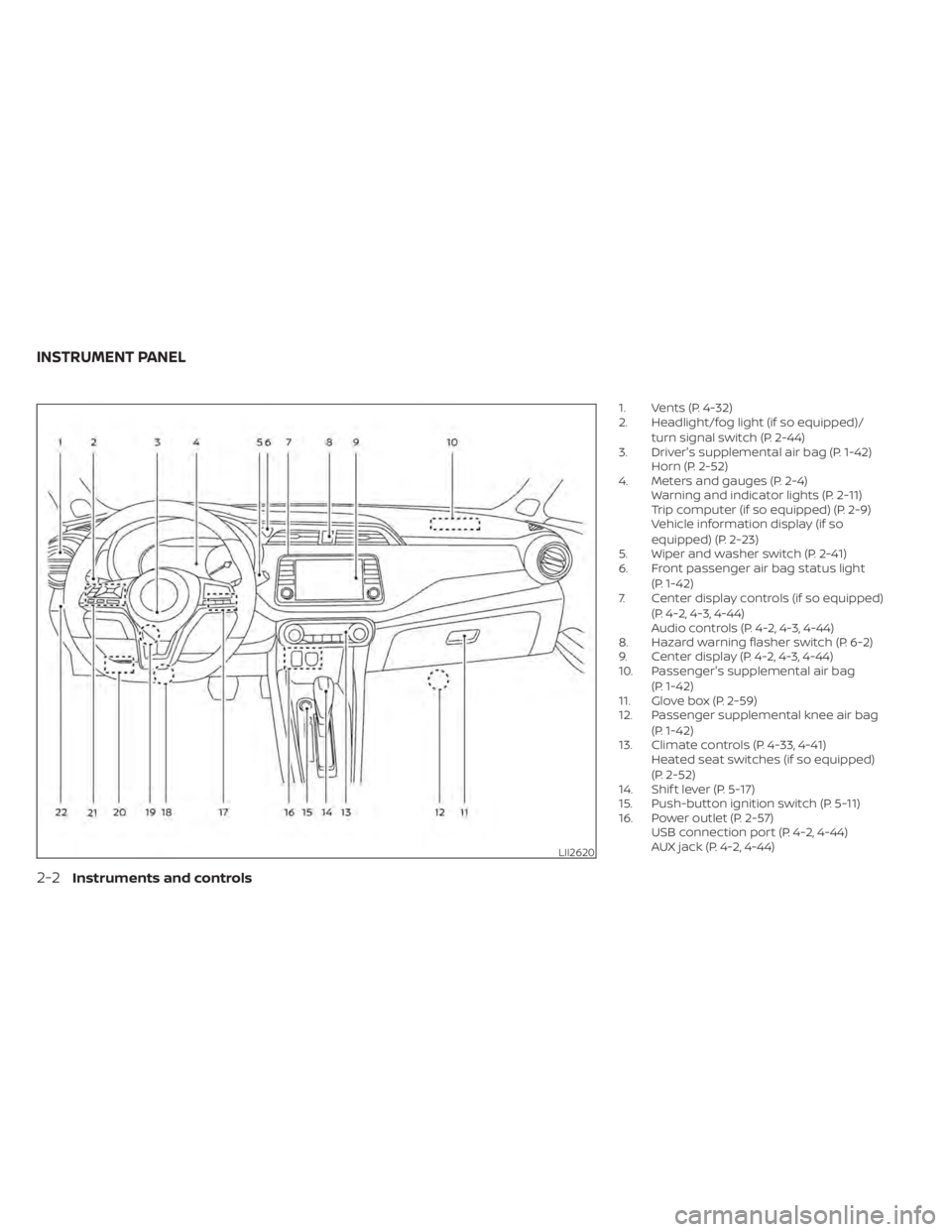
1. Vents (P. 4-32)
2. Headlight/fog light (if so equipped)/turn signal switch (P. 2-44)
3. Driver's supplemental air bag (P. 1-42) Horn (P. 2-52)
4. Meters and gauges (P. 2-4) Warning and indicator lights (P. 2-11)
Trip computer (if so equipped) (P. 2-9)
Vehicle information display (if so
equipped) (P. 2-23)
5. Wiper and washer switch (P. 2-41)
6. Front passenger air bag status light
(P. 1-42)
7. Center display controls (if so equipped)
(P. 4-2, 4-3, 4-44)
Audio controls (P. 4-2, 4-3, 4-44)
8. Hazard warning flasher switch (P. 6-2)
9. Center display (P. 4-2, 4-3, 4-44)
10. Passenger's supplemental air bag
(P. 1-42)
11. Glove box (P. 2-59)
12. Passenger supplemental knee air bag
(P. 1-42)
13. Climate controls (P. 4-33, 4-41) Heated seat switches (if so equipped)
(P. 2-52)
14. Shif t lever (P. 5-17)
15. Push-button ignition switch (P. 5-11)
16. Power outlet (P. 2-57) USB connection port (P. 4-2, 4-44)
AUX jack (P. 4-2, 4-44)
LII2620
INSTRUMENT PANEL
2-2Instruments and controls
Page 87 of 500
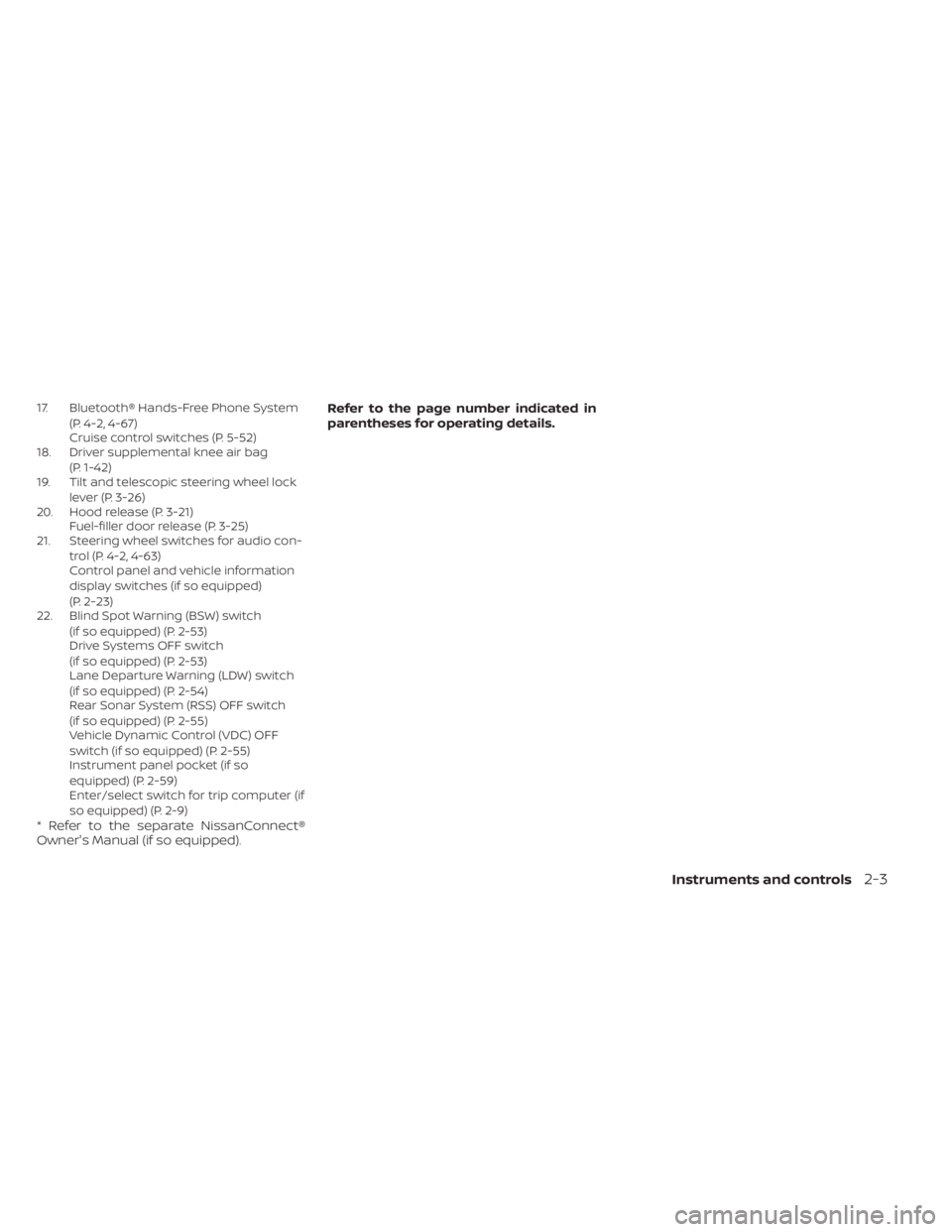
17. Bluetooth® Hands-Free Phone System(P. 4-2, 4-67)
Cruise control switches (P. 5-52)
18. Driver supplemental knee air bag
(P. 1-42)
19. Tilt and telescopic steering wheel lock
lever (P. 3-26)
20. Hood release (P. 3-21) Fuel-filler door release (P. 3-25)
21. Steering wheel switches for audio con-
trol (P. 4-2, 4-63)
Control panel and vehicle information
display switches (if so equipped)
(P. 2-23)
22. Blind Spot Warning (BSW) switch
(if so equipped) (P. 2-53)
Drive Systems OFF switch
(if so equipped) (P. 2-53)
Lane Departure Warning (LDW) switch
(if so equipped) (P. 2-54)
Rear Sonar System (RSS) OFF switch
(if so equipped) (P. 2-55)
Vehicle Dynamic Control (VDC) OFF
switch (if so equipped) (P. 2-55)
Instrument panel pocket (if so
equipped) (P. 2-59)
Enter/select switch for trip computer (if
so equipped) (P. 2-9)
* Refer to the separate NissanConnect®
Owner's Manual (if so equipped). Refer to the page number indicated in
parentheses for operating details.
Instruments and controls2-3
Page 90 of 500
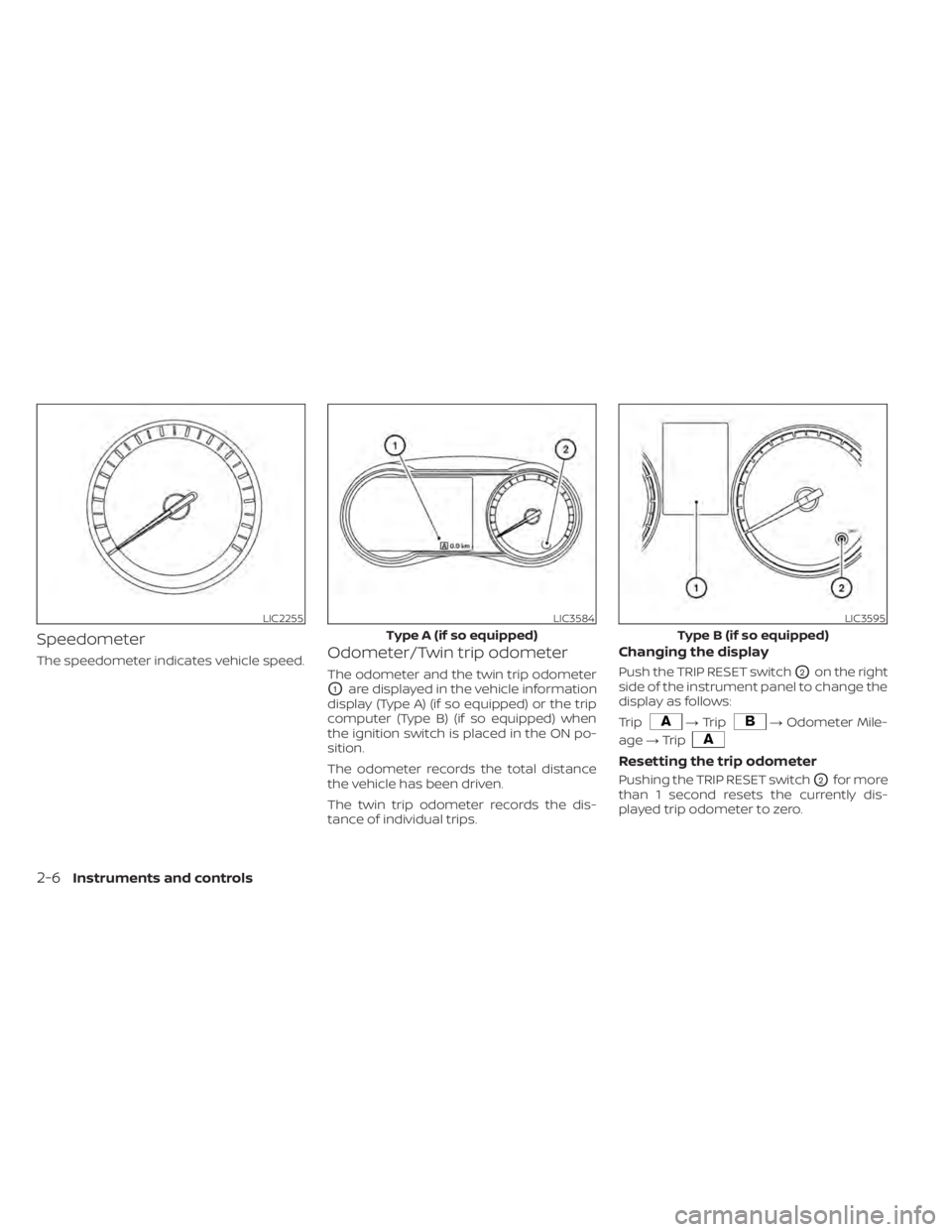
Speedometer
The speedometer indicates vehicle speed.Odometer/Twin trip odometer
The odometer and the twin trip odometer
O1are displayed in the vehicle information
display (Type A) (if so equipped) or the trip
computer (Type B) (if so equipped) when
the ignition switch is placed in the ON po-
sition.
The odometer records the total distance
the vehicle has been driven.
The twin trip odometer records the dis-
tance of individual trips.
Changing the display
Push the TRIP RESET switchO2on the right
side of the instrument panel to change the
display as follows:
Trip
→ Trip→ Odometer Mile-
age →Trip
Resetting the trip odometer
Pushing the TRIP RESET switchO2for more
than 1 second resets the currently dis-
played trip odometer to zero.
LIC2255LIC3584
Type A (if so equipped)
LIC3595
Type B (if so equipped)
2-6Instruments and controls
Page 93 of 500
NOTE:
• The DTE value af ter refill is estimatedbased on recent fuel economy and
amount of fuel added.
• If a small amount of fuel is added, or the ignition is on during refueling, the
display may not be updated.
• Conditions that affect the fuel economy will also affect the estimated
DTE value (city/highway driving, idle
time, remote start time, terrain, sea-
sonal weather, added vehicle weight,
added deflectors, roof racks, etc.).
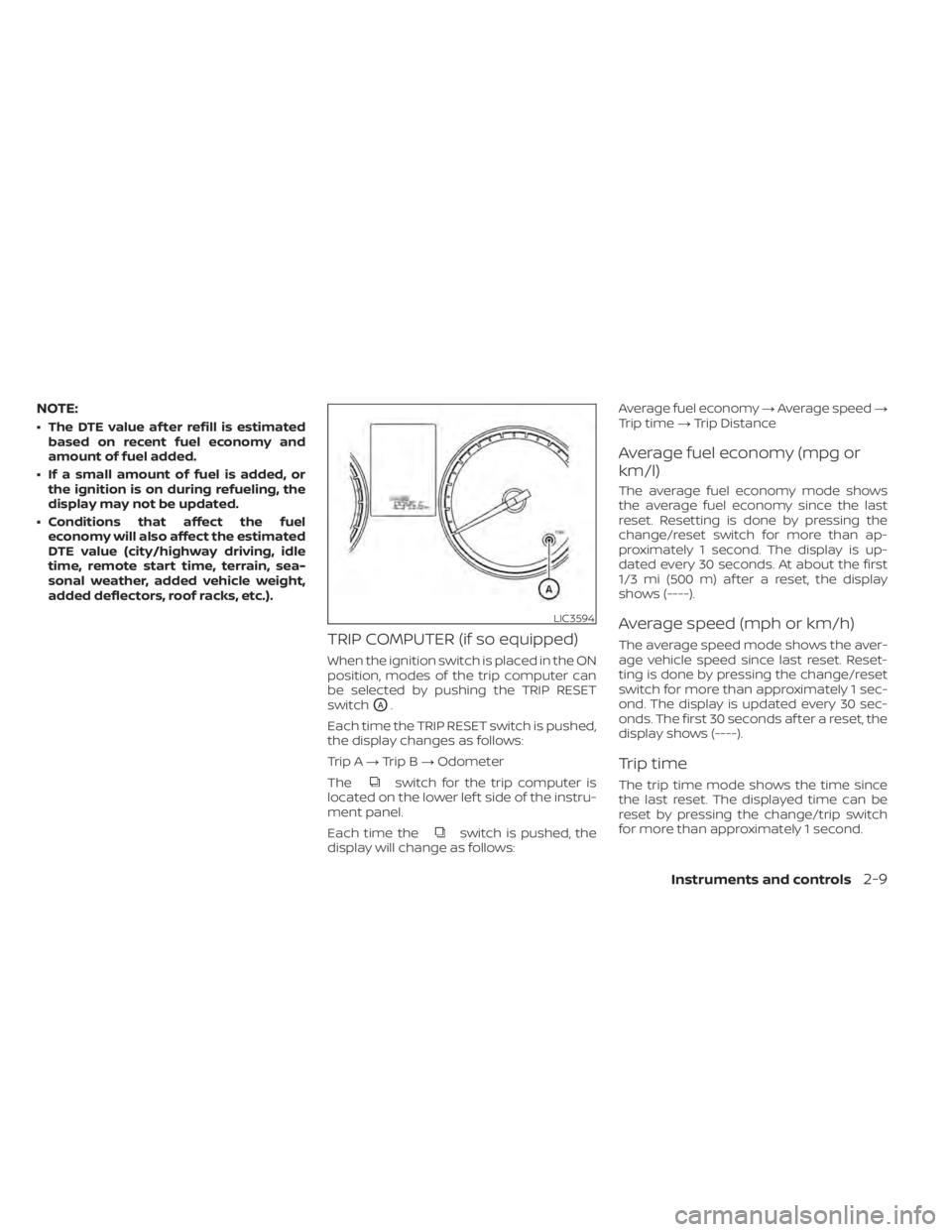
TRIP COMPUTER (if so equipped)
When the ignition switch is placed in the ON
position, modes of the trip computer can
be selected by pushing the TRIP RESET
switch
OA.
Each time the TRIP RESET switch is pushed,
the display changes as follows:
Trip A →Trip B →Odometer
The
switch for the trip computer is
located on the lower lef t side of the instru-
ment panel.
Each time the
switch is pushed, the
display will change as follows: Average fuel economy
→Average speed →
Trip time →Trip Distance
Average fuel economy (mpg or
km/l)
The average fuel economy mode shows
the average fuel economy since the last
reset. Resetting is done by pressing the
change/reset switch for more than ap-
proximately 1 second. The display is up-
dated every 30 seconds. At about the first
1/3 mi (500 m) af ter a reset, the display
shows (----).
Average speed (mph or km/h)
The average speed mode shows the aver-
age vehicle speed since last reset. Reset-
ting is done by pressing the change/reset
switch for more than approximately 1 sec-
ond. The display is updated every 30 sec-
onds. The first 30 seconds af ter a reset, the
display shows (----).
Trip time
The trip time mode shows the time since
the last reset. The displayed time can be
reset by pressing the change/trip switch
for more than approximately 1 second.
LIC3594
Instruments and controls2-9
Page 108 of 500
The OK,andbuttons also
control audio and control panel functions
in some conditions. Most screens and
menus offer instruction prompts of the
steering switch buttons to indicate how to
control the vehicle information display.
Dots on the lef t side of the vehicle informa-
tion display will appear if there is more than
one page of menu items. The OK button
changes the audio source and the
buttons also control voice recognition
manual mode. For additional information,
refer to the separate NissanConnect®
Owner’s Manual.
STARTUP DISPLAY
When the vehicle in placed in the ON posi-
tion the screens that display in the vehicle
information display include:
• Gauges
• Audio
• Fuel Economy
• Drive Computer
• Warning Review
• Settings
For additional information on warnings
and indicators, refer to “Vehicle information
display warnings and indicators” in this
section.
To control what items display in the vehicle
information display, refer to “Customize
display” in this section.
SETTINGS
The setting mode allows you to change the
information displayed in the vehicle infor-
mation display as well as the model for
several vehicle functions:
• VDC Setting
• Driver Assistance
• Customize Display
• Vehicle Settings
• TPMS Settings
• Maintenance
• Clock
• Unit/Language
• Factory Reset
2-24Instruments and controls
Page 119 of 500
• Blind Spot Warning (BSW)
• Rear Cross Traffic Alert (RCTA)
If one or more of these warning appears,
have the system checked. It is recom-
mended that you visit a NISSAN dealer for
this service.
Shipping Mode On Push Storage Fuse
This warning may appear if the extended
storage switch is not pushed in. When this
warning appears, push in the extended
storage switch to turn off the warning. For
additional information, refer to “Extended
storage switch” in this section.
CVT Error: See Owner's Manual
This warning illuminates when there is a
problem with the CVT system. If this warn-
ing comes on, have the system checked. It
is recommended that you visit a NISSAN
dealer for this service.
Steering lock release malfunction
indicator (if so equipped)
This indicator appears when the steering
lock cannot be released.
If this indicator appears, push the ignition
switch while lightly turning the steering
wheel right and lef t.
Illumination indicator
This indicator shows the illumination ad-
justment of the instrument panel. For addi-
tional information, refer to “Instrument
brightness control” in this section.
Transmission Shif t Position indicator
(if so equipped)
This indicator shows the transmission shif t
position.
High Coolant Temp: See Owner’s
Manual
This warning appears when the tempera-
ture of the engine coolant is too high. Stop
the vehicle in a safe location as soon as
possible. Avoid quick starting or abrupt ac-
celeration. When the warning turns off, the
vehicle can be driven.
If the warning appears again soon af ter it
turns off, have the vehicle checked. It is rec-
ommended that you visit a NISSAN dealer
for this service.
Outside Temperature Display
The outside temperature display appears
in the center region of the vehicle informa-
tion display.
Low Outside Temperature
This warning appears if the outside tem-
perature is below 37°F (3°C). The tempera-
ture can be changed to display in Celsius or
Fahrenheit. For additional information, re-
fer to “Settings” in this section.
Oil and Filter
This indicator appears when the customer
set distance comes for changing the en-
gine oil and filter. You can set or reset the
distance for checking or replacing these
items. For scheduled maintenance items
and intervals, refer to the “Maintenance and
schedules” section of this manual.
Tire
This indicator appears when the customer
set distance is reached for replacing tires.
You can set or reset the distance for replac-
ing tires.
Instruments and controls2-35