warning lights NISSAN KICKS 2020 Owner´s Manual
[x] Cancel search | Manufacturer: NISSAN, Model Year: 2020, Model line: KICKS, Model: NISSAN KICKS 2020Pages: 500, PDF Size: 3.43 MB
Page 343 of 500
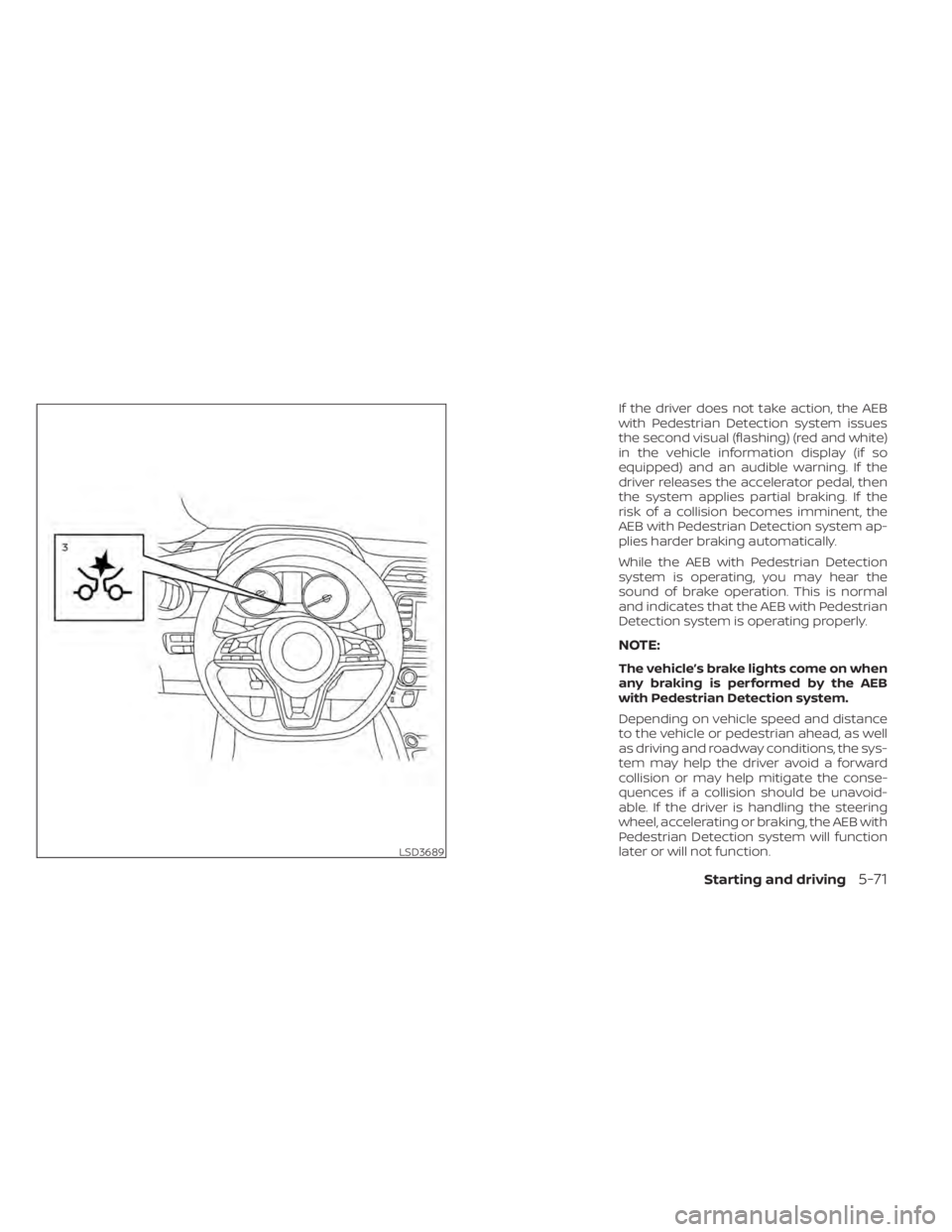
If the driver does not take action, the AEB
with Pedestrian Detection system issues
the second visual (flashing) (red and white)
in the vehicle information display (if so
equipped) and an audible warning. If the
driver releases the accelerator pedal, then
the system applies partial braking. If the
risk of a collision becomes imminent, the
AEB with Pedestrian Detection system ap-
plies harder braking automatically.
While the AEB with Pedestrian Detection
system is operating, you may hear the
sound of brake operation. This is normal
and indicates that the AEB with Pedestrian
Detection system is operating properly.
NOTE:
The vehicle’s brake lights come on when
any braking is performed by the AEB
with Pedestrian Detection system.
Depending on vehicle speed and distance
to the vehicle or pedestrian ahead, as well
as driving and roadway conditions, the sys-
tem may help the driver avoid a forward
collision or may help mitigate the conse-
quences if a collision should be unavoid-
able. If the driver is handling the steering
wheel, accelerating or braking, the AEB with
Pedestrian Detection system will function
later or will not function.
LSD3689
Starting and driving5-71
Page 373 of 500
When the VDC system operates, theindicator light in the instrument panel
flashes so note the following:
• The road may be slippery or the systemmay determine some action is required
to help keep the vehicle on the steered
path.
• You may feel a pulsation in the brake pedal and hear a noise or vibration from
under the hood. This is normal and indi-
cates that the VDC system is working
properly.
• Adjust your speed and driving to the road conditions.
For additional information, refer to “Slip in-
dicator light” and ”Vehicle Dynamic Control
(VDC) OFF indicator light” in the ”Instru-
ments and controls” section of this manual.
If a malfunction occurs in the system, the
indicator light comes on in the instru-
ment panel. The VDC system automatically
turns off when these indicator lights are on.
The VDC OFF switch, or the vehicle infor-
mation display, is used to turn off the VDC
system. The
indicator light and the
Automatic Emergency Braking (AEB) sys-
tem warning light illuminate to indicate the
VDC system is off. When the VDC OFF switch, or the vehicle
information display, is used to turn off the
system, the VDC system still operates to
prevent one drive wheel from slipping by
transferring power to a non-slipping drive
wheel. The
indicator light flashes if this
occurs. All other VDC functions are off and
the
indicator light will not flash.
The VDC system is automatically reset to
on when the ignition switch is placed in the
OFF position then back to the ON position.
The computer has a built-in diagnostic fea-
ture that tests the system each time you
start the engine and move the vehicle for-
ward or in reverse at a slow speed. When
the self-test occurs, you may hear a clunk
noise and/or feel a pulsation in the brake
pedal. This is normal and is not an indica-
tion of a malfunction.
WARNING
• The VDC system is designed to help
the driver maintain stability but does
not prevent accidents due to abrupt
steering operation at high speeds or
by careless or dangerous driving
techniques. Reduce vehicle speed
and be especially careful when driv-
ing and cornering on slippery sur-
faces and always drive carefully.
• Do not modif y the vehicle's suspen-
sion. If suspension parts such as
shock absorbers, struts, springs, sta-
bilizer bars, bushings and wheels are
not NISSAN recommended for your
vehicle or are extremely deterio-
rated, the VDC system may not oper-
ate properly. This could adversely af-
fect vehicle handling performance,
and the
indicator light may flash
or illuminate.
• If brake related parts such as brake
pads, rotors and calipers are not
NISSAN recommended or are ex-
tremely deteriorated, the VDC sys-
tem may not operate properly and
the
indicator light may
illuminate.
Starting and driving5-101
Page 388 of 500
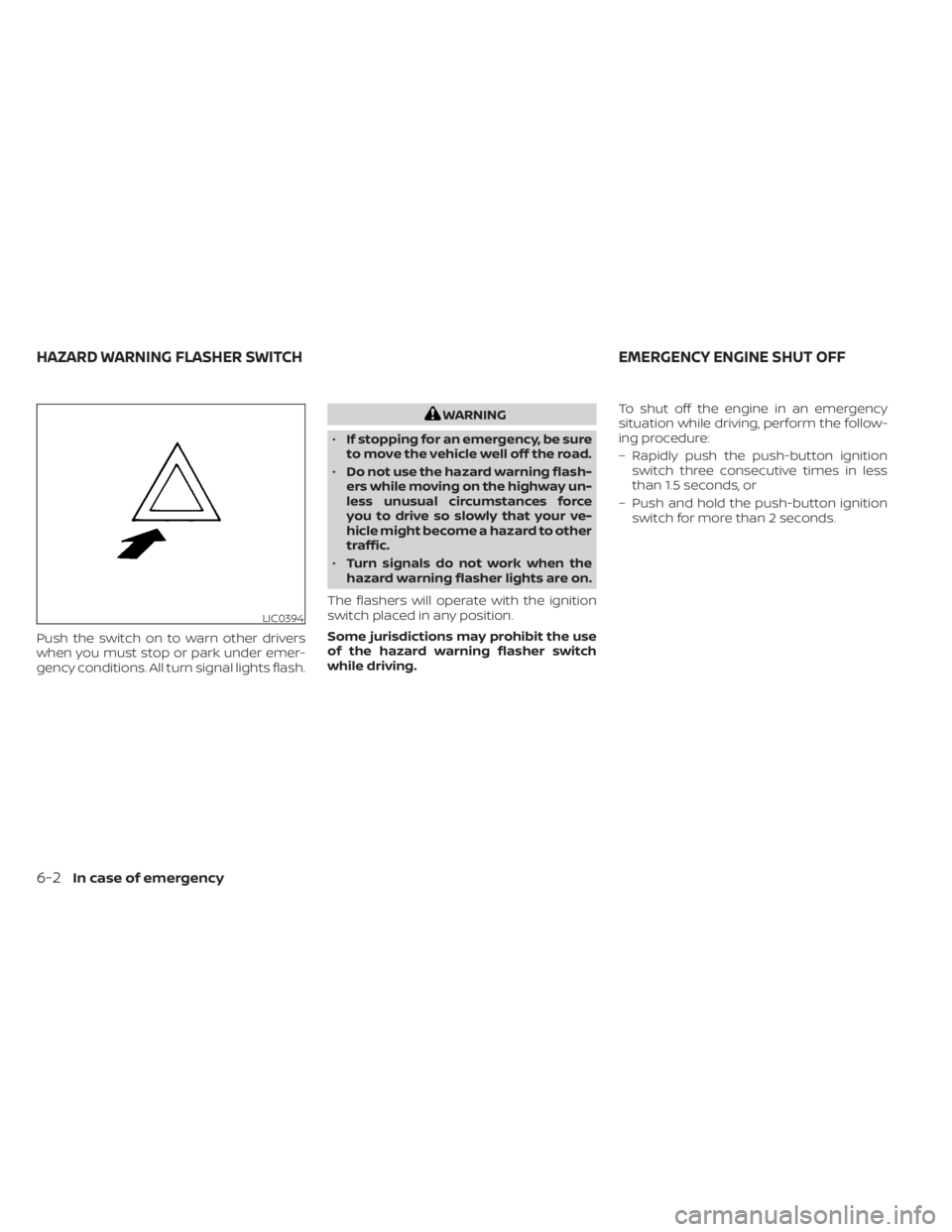
Push the switch on to warn other drivers
when you must stop or park under emer-
gency conditions. All turn signal lights flash.
WARNING
• If stopping for an emergency, be sure
to move the vehicle well off the road.
• Do not use the hazard warning flash-
ers while moving on the highway un-
less unusual circumstances force
you to drive so slowly that your ve-
hicle might become a hazard to other
traffic.
• Turn signals do not work when the
hazard warning flasher lights are on.
The flashers will operate with the ignition
switch placed in any position.
Some jurisdictions may prohibit the use
of the hazard warning flasher switch
while driving. To shut off the engine in an emergency
situation while driving, perform the follow-
ing procedure:
– Rapidly push the push-button ignition
switch three consecutive times in less
than 1.5 seconds, or
– Push and hold the push-button ignition switch for more than 2 seconds.
LIC0394
HAZARD WARNING FLASHER SWITCH EMERGENCY ENGINE SHUT OFF
6-2In case of emergency
Page 389 of 500
TIRE PRESSURE MONITORING
SYSTEM (TPMS)
This vehicle is equipped with the TPMS. It
monitors tire pressure of all tires except the
spare. When the low tire pressure warning
light is lit and the “Tire Pressure Low — Add
Air” warning appears in the vehicle infor-
mation display, one or more of your tires is
significantly under-inflated. If the vehicle is
being driven with low tire pressure, the
TPMS will activate and warn you of it by the
low tire pressure warning light. This system
will activate only when the vehicle is driven
at speeds above 16 mph (25 km/h). For ad-
ditional information, refer to “Warning
lights, indicator lights and audible remind-
ers” in the “Instruments and controls” sec-
tion, and “Tire Pressure Monitoring System
(TPMS)” in the “Starting and driving” section
of this manual.
WARNING
• Radio waves could adversely affect
electric medical equipment. Those
who use a pacemaker should contact
the electric medical equipment
manufacturer for the possible influ-
ences before use. •
If the low tire pressure warning light
illuminates while driving, avoid sud-
den steering maneuvers or abrupt
braking, reduce vehicle speed, pull
off the road to a safe location and
stop the vehicle as soon as possible.
Driving with underinflated tires may
permanently damage the tires and
increase the likelihood of tire failure.
Serious vehicle damage could occur
and may lead to an accident and
could result in serious personal in-
jury. Check the tire pressure for all
four tires. Adjust the tire pressure to
the recommended COLD tire pres-
sure shown on the Tire and Loading
Information label to turn the low tire
pressure warning light OFF. If the
light still illuminates while driving af-
ter adjusting the tire pressure, a tire
may be flat or the TPMS may be mal-
functioning. If you have a flat tire, re-
place it with a spare tire as soon as
possible. If no tire is flat and all tires
are properly inflated, have the ve-
hicle checked. It is recommended
that you visit a NISSAN dealer for this
service. •
When replacing a wheel without the
TPMS such as the spare tire, the TPMS
will not function and the low tire
pressure warning light will flash for
approximately 1 minute. The light will
remain on af ter 1 minute. Have your
tires replaced and/or TPMS system
reset as soon as possible. It is recom-
mended that you visit a NISSAN
dealer for these services.
• Replacing tires with those not origi-
nally specified by NISSAN could af-
fect the proper operation of the
TPMS.
• Do not inject any tire liquid or aerosol
tire sealant into the tires, as this may
cause a malfunction of the tire pres-
sure sensors.
• If the light still comes on while driving
af ter adjusting the tire pressure, a
tire may be flat or the TPMS may be
malfunctioning. If you have a flat tire,
replace it with a spare tire as soon as
possible. If no tire is flat and all tires
are properly inflated, it is recom-
mended that you visit a NISSAN
dealer for this service.
FLAT TIRE
In case of emergency6-3
Page 396 of 500
•Whenever working on or near a bat-
tery, always wear suitable eye pro-
tectors (for example, goggles or in-
dustrial safety spectacles) and
remove rings, metal bands, or any
other jewelry. Do not lean over the
battery when jump starting.
• Do not attempt to jump start a frozen
battery. It could explode and cause
serious injury.
• The automatic engine cooling fan (if
so equipped) may come on at any
time without warning, even if the ig-
nition switch is in the OFF position
and the engine is not running. To
avoid injury, keep hands and other
objects away from it.
WARNING
Always follow the instructions below.
Failure to do so could result in damage
to the charging system and cause per-
sonal injury.
1. If the booster battery is in another ve- hicle, position the 2 vehicles to bring their
batteries near each other.
Do not allow the two vehicles to touch.
2. Apply the parking brake. Move the shif t lever to P (Park). Switch off all unneces-
sary electrical systems (lights, heater, air
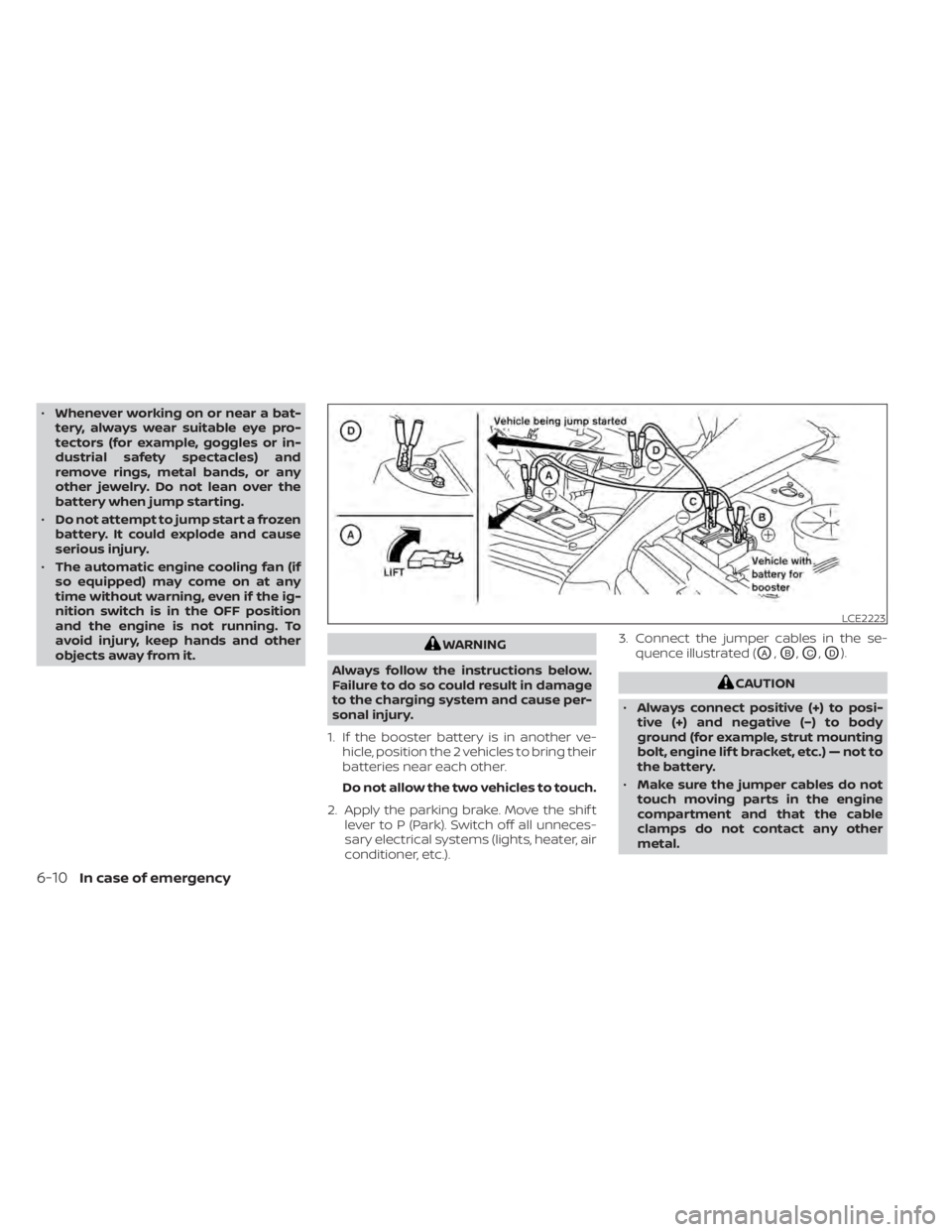
conditioner, etc.). 3. Connect the jumper cables in the se-
quence illustrated (OA,OB,OC,OD).
CAUTION
• Always connect positive (+) to posi-
tive (+) and negative (−) to body
ground (for example, strut mounting
bolt, engine lif t bracket, etc.) — not to
the battery.
• Make sure the jumper cables do not
touch moving parts in the engine
compartment and that the cable
clamps do not contact any other
metal.
LCE2223
6-10In case of emergency
Page 452 of 500
Parking brake:Check the parking brake
operation regularly. The vehicle should be
securely held on a fairly steep hill with only
the parking brake applied. If the parking
brake needs adjustment, it is recom-
mended that you visit a NISSAN dealer for
this service.
Seats: Check seat position controls such
as seat adjusters, seatback recliner, etc., to
ensure they operate smoothly and all
latches lock securely in every position.
Check that the head restraints/headrests
move up and down smoothly and the locks
(if so equipped) hold securely in all latched
positions.
Seat belts: Check that all parts of the seat
belt system (for example, buckles, anchors,
adjusters and retractors) operate properly
and smoothly, and are installed securely.
Check the belt webbing for cuts, fraying,
wear or damage.
Steering wheel: Check for changes in the
steering system, such as excessive free
play, hard steering or strange noises.
Warning lights and chimes: Make sure all
warning lights and chimes are operating
properly. Windshield defroster:
Check that the air
comes out of the defroster outlets properly
and in sufficient quantity when operating
the heater or air conditioner.
Windshield wiper and washer*: Check
that the wipers and washer operate prop-
erly and that the wipers do not streak.
Under the hood and vehicle
The maintenance items listed here should
be checked periodically (for example, each
time you check the engine oil or refuel).
Battery*:This vehicle is equipped with a
sealed maintenance free battery. It is rec-
ommended that you visit a NISSAN dealer
for service.
NOTE:
Care should be taken to avoid situa-
tions that can lead to potential bat-
tery discharge and potential no-start
conditions such as:
1. Installation or extended use of elec- tronic accessories that consume bat-
tery power when the engine is not
running (Phone chargers, GPS, DVD
players, etc.).
2. Vehicle is not driven regularly and/or only driven short distances. In these cases, the battery may need to
be charged to maintain battery health.
Brake fluid level*:
Make sure that the brake
fluid level is between the MIN and MAX lines
on the reservoir.
Engine coolant level*: Check the coolant
level when the engine is cold.
Engine drive belt*: Make sure the drive belt
is not frayed, worn, cracked or oily.
Engine oil level*: Check the level af ter
parking the vehicle on a level surface with
the engine off. Wait more than 15 minutes
for the oil to drain back into the oil pan.
Exhaust system: Make sure there are no
loose supports, cracks or holes. If the
sound of the exhaust seems unusual or
there is a smell of exhaust fumes, immedi-
ately have the exhaust system inspected. It
is recommended that you visit a NISSAN
dealer for this service. For additional infor-
mation, refer to “Exhaust gas (carbon mon-
oxide)” in the “Starting and driving” section
of this manual.
9-4Maintenance and schedules
Page 487 of 500
Event Data recorders............10-20Exhaust gas (Carbon monoxide)......5-4Explanation of maintenance items.....9-2Explanation of scheduled maintenance
items.......................9-5Extended storage switch..........2-58
F
Flashers (See hazard warning flasher
switch)......................6-2Flat tire...................6-3, 6-4Floor mat positioning aid...........7-5Fluid
Brake fluid................. .8-9Capacities and recommended
fuel/lubricants...............10-2Continuously Variable Transmission (CVT)
fluid..................... .8-9Engine coolant................8-4Engine oil...................8-5Windshield-washer fluid.........8-10F.M.V.S.S. certification label.........10-11Fog light switch................2-51Front air bag system (See supplemental
restraint system)...............1-48Front-door pocket..............2-59Front seats....................1-2Fuel
Capacities and recommended
fuel/lubricants
...............10-2Fuel economy...............5-96Fuel-filler door lock opener lever. . . .3-25
Fuel gauge................. .2-8Fuel octane rating.............10-5Fuel recommendation..........10-3Fuel efficient driving tips...........5-95Fuel-filler door.................3-25Fuel gauge................... .2-8Fuses.......................8-19Fusible links..................8-20
G
Gauge
Fuel gauge................. .2-8Speedometer..............2-5, 2-6Tachometer..................2-7Trip odometer.............2-5, 2-6General maintenance.............9-2Glove box................... .2-61Grocery hooks.................2-63
H
Hands-free phone system, Bluetooth®. .4-67Hazard warning flasher switch........6-2Headlight and turn signal switch.....2-44Headlight control switch..........2-44Headlights...................8-24Head restraints.................1-5Heated seat switches............2-52Heater
Heater and air conditioner........4-41Heater and air conditioner controls. .4-42Heater operation..........4-35, 4-42
Hill start assist system...........5-104Hood.......................3-21HookLuggage hook...............2-63Horn...................... .2-52
I
Ignition switch
Push-button ignition switch.......5-11Immobilizer system..........2-40, 5-14Important vehicle information label. . .10-11In-cabin microfilter..............8-16Increasing fuel economy..........5-96IndicatorNISSAN Intelligent Key® battery discharge
indicator
...................5-13Instrument brightness control.......2-50Instrument panel.............0-6, 2-2Instrument panel dimmer switch.....2-50Integrated Dynamics-control Module. .5-103Intelligent Around View Monitor......4-17Intelligent Driver Alertness (I-DA)......5-92Intelligent Engine Brake (I-EB).......5-103Intelligent Forward Collision Warning
(I-FCW)..................... .5-80Intelligent Key system
Key operating range............3-8Mechanical key................3-3Remote keyless entry operation. . . .3-12Troubleshooting guide..........3-16Warning signals...............3-16Intelligent Trace Control (I-TC).......5-103
Index11-3
Page 488 of 500
Interior light...................2-71iPod® Player..................4-57ISOFIX child restraints.............1-23
J
Jump starting...............6-9, 8-13
K
Key.........................3-2Key fob battery replacement........8-22Keyless entry
With Intelligent Key system
(See Intelligent Key system)
.......3-12KeysNISSAN Intelligent Key®...........3-7NISSAN Vehicle Immobilizer System
keys..................... .3-3
L
Labels
Air conditioner specification label. . .10-12Emission control information label. .10-11Engine serial number...........10-11F.M.V.S.S. certification label........10-11Tire and Loading Information label. .10-12Vehicle identification number (VIN). .10-10Vehicle identification number (VIN)
plate.................... .10-10Warning labels (for SRS)..........1-61
Lane Departure Warning (LDW).......5-23Lane Departure Warning (LDW) switch. .2-54LATCH (Lower Anchors and Tethers for
CHildren) System...............1-23Launch bar menu...............4-8License plate
Installing the license plate........10-12Lif tgate.....................3-22LightAir bag warning light........1-62, 2-18Brake light (See stop light)........8-26Bulb check/instrument panel......2-12Bulb replacement.............8-26Charge warning light...........2-13Exterior and Interior lights........8-26Fog lights..................8-24Fog light switch...............2-51Headlight and turn signal switch. . . .2-44Headlight control switch.........2-44Headlights..................8-24Interior light.................2-71Light bulbs.................8-24Low tire pressure warning light.....2-15Low windshield-washer fluid warning
light......................2-16Passenger air bag and status light. . .1-51Personal lights...............2-72Security indicator light..........2-21Trunk light..................2-73Lights......................8-24Map lights..................2-72LockChild safety rear door lock.........3-6Door locks................3-4, 3-5
Fuel-filler door lock opener lever. . . .3-25Power door locks...........3-5, 3-6Low fuel warning light......2-15,2-16, 2-33Low tire pressure warning light.......2-15Low windshield-washer fluid warning
light........................2-16Luggage hook................ .2-63Luggage rack (see roof rack). . . .2-65, 2-66Luggage (See vehicle loading
information)................. .10-13
M
Maintenance
General maintenance...........9-2Inside the vehicle..............9-3Maintenance precautions.........8-2Outside the vehicle.............9-2Seat belt maintenance..........1-17Under the hood and vehicle.......9-4Maintenance log................9-11Maintenance requirements..........9-2Maintenance schedules............9-6Maintenance under severe operation
conditions....................9-10Malfunction indicator light.........2-20Manual front seat adjustment........1-3Map lights....................2-72Map pocket.................. .2-59Menu button...................4-6Meters and gauges..............2-4Instrument brightness control.....2-50
11-4Index
Page 492 of 500
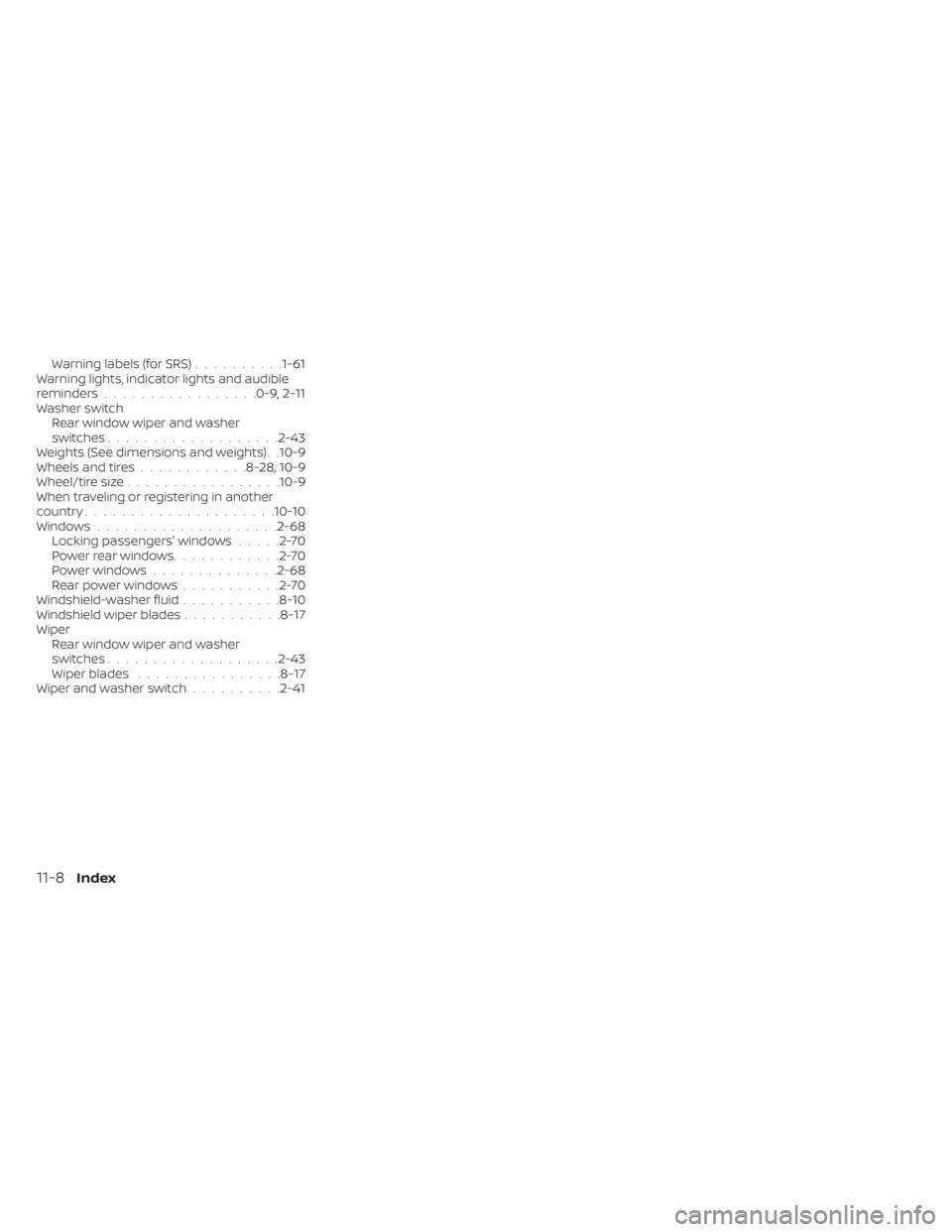
Warning labels (for SRS)..........1-61Warning lights, indicator lights and audible
reminders.................0-9, 2-11Washer switch
Rear window wiper and washer
switches
.................. .2-43Weights (See dimensions and weights). .10-9Wheels and tires............8-28,10-9Wheel/tire size................ .10-9When traveling or registering in another
country.................... .10-10Windows....................2-68Locking passengers' windows.....2-70Powerrearwindows............2-70Power windows..............2-68Rear power windows...........2-70Windshield-washer fluid...........8-10Windshield wiper blades...........8-17Wiper
Rear window wiper and washer
switches
.................. .2-43Wiper blades................8-17Wiper and washer switch..........2-41
11-8Index