seats NISSAN KICKS 2020 Owner´s Manual
[x] Cancel search | Manufacturer: NISSAN, Model Year: 2020, Model line: KICKS, Model: NISSAN KICKS 2020Pages: 500, PDF Size: 3.43 MB
Page 230 of 500
AUTOMATIC OPERATION
Heating (A/C OFF)
The air conditioner does not activate. When
you need to heat only, use this mode.
1. Press the AUTO button.
2. Turn the temperature control dial to setthe desired temperature.
• The temperature of the passenger com- partment will be maintained automati-
cally. Air flow distribution and fan speed
are also controlled automatically.
• Do not set the temperature lower than the outside air temperature. Otherwise,
the system may not work properly.
• Not recommended if windows fog up.
Cooling and/or dehumidified
heating (AUTO)
This mode may be used all year round as
the system automatically works to keep a
constant temperature. Air flow distribution
and fan speed are also controlled auto-
matically.
1. Press the AUTO button on.
2. Turn the temperature control dial to the lef t or right to set the desired
temperature. • The temperature of the passenger com-
partment will be maintained automati-
cally. Air flow distribution and fan speed
are also controlled automatically.
• A visible mist may be seen coming from the vents in hot, humid conditions as the
air is cooled rapidly. This does not indicate
a malfunction.
Dehumidified defrosting or
defogging
1. Press thefront defroster button on.
2. Turn the temperature control dial to set the maximum temperature to aid in
defogging.
• To quickly remove ice from the outside of the windows, use the
fan speed con-
trol dial to set the fan speed to maximum.
• As soon as possible af ter the windshield is clean, press the AUTO button to return
to the automatic mode.
• When the
front defroster button is
pressed, the air conditioner will automati-
cally be turned on.
Remote Engine Start with
Intelligent Climate Control (if so
equipped)
Vehicles equipped with automatic climate
controls and Remote Engine Start function
may go into automatic heating or cooling
mode when Remote Engine Start is acti-
vated depending on outside and cabin
temperatures. During this period, the cli-
mate control display and buttons will be
inoperable until the ignition switch is
turned on. In Remote Engine Start defrost-
ing mode, the rear window defroster and
heated seats (if so equipped) may be acti-
vated automatically.
MANUAL OPERATION
Fan speed control
Turn thefan speed control dial to
manually control the fan speed.
Press the AUTO button to return to auto-
matic control of the fan speed.
Temperature control dial
The temperature control dial allows you to
adjust the temperature of the outlet air. To
lower the temperature, turn the dial to the
lef t. To increase the temperature, turn the
dial to the right.
4-42Monitor, climate, audio, phone and voice recognition systems
Page 234 of 500
• Bit rate — Bit rate denotes the number ofbits per second used by a digital music
file. The size and quality of a compressed
digital audio file is determined by the bit
rate used when encoding the file.
• Sampling frequency — Sampling fre- quency is the rate at which the samples
of a signal are converted from analog to
digital (A/D conversion) per second.
• Multisession — Multisession is one of the methods for writing data to media. Writ-
ing data once to the media is called a
single session, and writing more than
once is called a multisession.
• ID3/WMA Tag — The ID3/WMA tag is the part of the encoded MP3 or WMA file that
contains information about the digital
music file such as song title, artist, encod-
ing bit rate, track time duration, etc. ID3
tag information is displayed on the Artist/
song title line on the display.
* Windows® and Windows Media® are reg-
istered trademarks and trademarks in the
United States of America and other coun-
tries of Microsof t Corporation of the USA.USB (Universal Serial Bus)
connection port
WARNING
Do not connect, disconnect or operate
the USB device while driving. Doing so
can be a distraction. If distracted you
could lose control of your vehicle and
cause an accident or serious injury.
CAUTION
• Do not force the USB device into the
USB port. Inserting the USB device
tilted or up-side-down into the port
may damage the port. Make sure
that the USB device is connected cor-
rectly into the USB port.
• Do not grab the USB port cover (if so
equipped) when pulling the USB de-
vice out of the port. This could dam-
age the port and the cover.
• Do not leave the USB cable in a place
where it can be pulled unintention-
ally. Pulling the cable may damage
the port. The vehicle is not equipped with a USB de-
vice. USB devices should be purchased
separately as necessary.
This system cannot be used to format USB
devices. To format a USB device, use a per-
sonal computer.
In some jurisdictions, the USB device for the
front seats plays only sound without im-
ages for regulatory reasons, even when the
vehicle is parked.
This system supports various USB
memory devices, USB hard drives and
iPod® players. Some USB devices may not
be supported by this system.
• Partitioned USB devices may not play
correctly.
• Some characters used in other lan- guages (Chinese, Japanese, etc.) may not
appear properly in the display. Using Eng-
lish language characters with a USB de-
vice is recommended.
4-46Monitor, climate, audio, phone and voice recognition systems
Page 281 of 500
ON-PAVEMENT AND OFF-ROAD
DRIVING PRECAUTIONS
Utility vehicles have a significantly
higher rollover rate than other types of
vehicles.
They have higher ground clearance than
passenger cars to make them capable of
performing in a variety of on-pavement
and off-road applications. This gives them
a higher center of gravity than ordinary ve-
hicles. An advantage of higher ground
clearance is a better view of the road, allow-
ing you to anticipate problems. However,
they are not designed for cornering at the
same speeds as conventional 2-wheel
drive vehicles any more than low-slung
sports cars are designed to perform satis-
factorily under off-road conditions. If at all
possible, avoid sharp turns at high speeds.
As with other vehicles of this type, failure to
operate this vehicle correctly may result in
loss of control or vehicle rollover. In a roll-
over crash, an unbelted person is signifi-
cantly more likely to die than a person
wearing a seat belt.
AVOIDING COLLISION AND
ROLLOVER
WARNING
Failure to operate this vehicle in a safe
and prudent manner may result in loss
of control or an accident.
Be alert and drive defensively at all times.
Obey all traffic regulations. Avoid excessive
speed, high speed cornering, or sudden
steering maneuvers, because these driving
practices could cause you to lose control of
your vehicle.
As with any vehicle, loss of control could
result in a collision with other vehicles or
objects or cause the vehicle to roll over,
particularly if the loss of control causes
the vehicle to slide sideways.
Be attentive at all times, and avoid driving
when tired. Never drive when under the in-
fluence of alcohol or drugs (including pre-
scription or over-the-counter drugs which
may cause drowsiness). Always wear your
seat belt as outlined in the “Safety – Seats,
seat belts and supplemental restraint sys-
tem” section of this manual, and also in-
struct your passengers to do so. Seat belts help reduce the risk of injury in
collisions and rollovers.
In a rollover crash,
an unbelted or improperly belted person
is significantly more likely to be injured
or killed than a person properly wearing
a seat belt.
OFF-ROAD RECOVERY
While driving, the right side or lef t side
wheels may unintentionally leave the road
surface. If this occurs, maintain control of
the vehicle by following the procedure be-
low. Please note that this procedure is only
a general guide. The vehicle must be driven
as appropriate based on the conditions of
the vehicle, road and traffic.
1. Remain calm and do not overreact.
2. Do not apply the brakes.
3. Maintain a firm grip on the steering wheel with both hands and try to hold a
straight course.
4. When appropriate, slowly release the ac- celerator pedal to gradually slow the
vehicle.
5. If there is nothing in the way, steer the vehicle to follow the road while vehicle
speed is reduced. Do not attempt to
drive the vehicle back onto the road sur-
face until vehicle speed is reduced.
Starting and driving5-9
Page 404 of 500
If you choose to use a tire dressing, take the
following precautions:
• Use a water-based tire dressing. Thecoating on the tire dissolves more easily
than with an oil-based tire dressing.
• Apply a light coat of tire dressing to help prevent it from entering the tire tread/
grooves (where it would be difficult to re-
move).
• Wipe off excess tire dressing using a dry towel. Make sure the tire dressing is com-
pletely removed from the tire tread/
grooves.
• Allow the tire dressing to dry as recom- mended by the tire dressing manufac-
turer. Occasionally remove loose dust from the
interior trim, plastic parts and seats using a
vacuum cleaner or sof t bristled brush. Wipe
the vinyl and leather (if so equipped) sur-
faces with a clean, sof t cloth dampened in
mild soap solution, then wipe clean with a
dry, sof t cloth.
Regular care and cleaning is required in
order to maintain the appearance of the
leather (if so equipped).
Before using any fabric protector, read the
manufacturer's recommendations. Some
fabric protectors contain chemicals that
may stain or bleach the seat material.
Use a cloth dampened only with water to
clean the meter and gauge lens.
WARNING
Do not use water or acidic cleaners (hot
steam cleaners) on the seat. This can
damage the seat or occupant classifi-
cation sensor. This can also affect the
operation of the air bag system and re-
sult in serious personal injury.
CAUTION
• Never use benzine, thinner or any
similar material.
• Small dirt particles can be abrasive
and damaging to leather (if so
equipped) surfaces and should be re-
moved promptly. Do not use saddle
soap, car waxes, polishes, oils, clean-
ing fluids, solvents, detergents or
ammonia-based cleaners as they
may damage the leather’s natural
finish.
• Never use fabric protectors unless
recommended by the manufacturer.
• Do not use glass or plastic cleaner on
meter or gauge lens covers. It may
damage the lens cover.
AIR FRESHENERS
Most air fresheners use a solvent that
could affect the vehicle interior. If you use
an air freshener, take the following precau-
tions:
• Hanging-type air fresheners can cause permanent discoloration when they con-
tact vehicle interior surfaces. Place the air
freshener in a location that allows it to
hang free and not contact an interior sur-
face.
CLEANING INTERIOR
7-4Appearance and care
Page 406 of 500
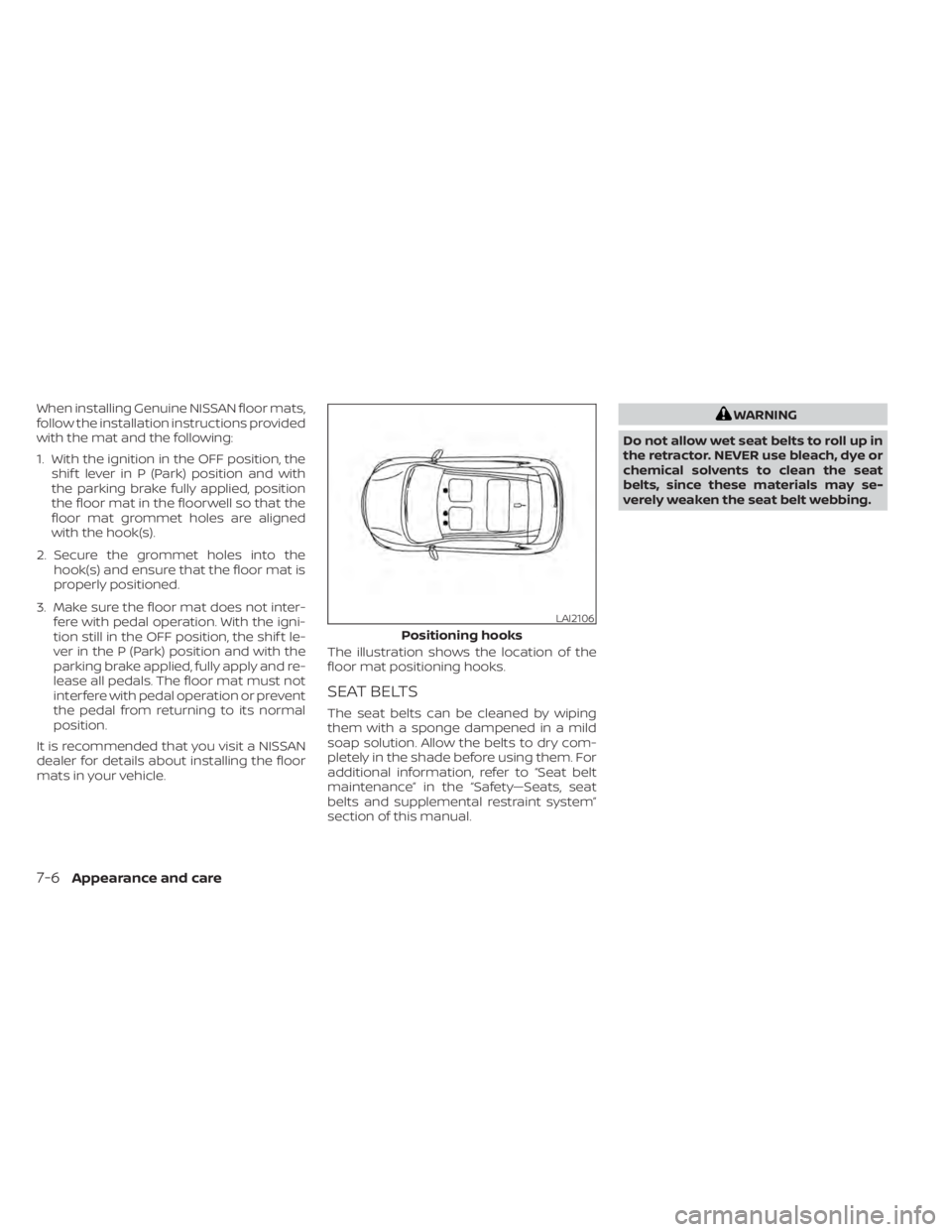
When installing Genuine NISSAN floor mats,
follow the installation instructions provided
with the mat and the following:
1. With the ignition in the OFF position, theshif t lever in P (Park) position and with
the parking brake fully applied, position
the floor mat in the floorwell so that the
floor mat grommet holes are aligned
with the hook(s).
2. Secure the grommet holes into the hook(s) and ensure that the floor mat is
properly positioned.
3. Make sure the floor mat does not inter- fere with pedal operation. With the igni-
tion still in the OFF position, the shif t le-
ver in the P (Park) position and with the
parking brake applied, fully apply and re-
lease all pedals. The floor mat must not
interfere with pedal operation or prevent
the pedal from returning to its normal
position.
It is recommended that you visit a NISSAN
dealer for details about installing the floor
mats in your vehicle. The illustration shows the location of the
floor mat positioning hooks.
SEAT BELTS
The seat belts can be cleaned by wiping
them with a sponge dampened in a mild
soap solution. Allow the belts to dry com-
pletely in the shade before using them. For
additional information, refer to “Seat belt
maintenance” in the “Safety—Seats, seat
belts and supplemental restraint system”
section of this manual.
WARNING
Do not allow wet seat belts to roll up in
the retractor. NEVER use bleach, dye or
chemical solvents to clean the seat
belts, since these materials may se-
verely weaken the seat belt webbing.
LAI2106
Positioning hooks
7-6Appearance and care
Page 452 of 500
Parking brake:Check the parking brake
operation regularly. The vehicle should be
securely held on a fairly steep hill with only
the parking brake applied. If the parking
brake needs adjustment, it is recom-
mended that you visit a NISSAN dealer for
this service.
Seats: Check seat position controls such
as seat adjusters, seatback recliner, etc., to
ensure they operate smoothly and all
latches lock securely in every position.
Check that the head restraints/headrests
move up and down smoothly and the locks
(if so equipped) hold securely in all latched
positions.
Seat belts: Check that all parts of the seat
belt system (for example, buckles, anchors,
adjusters and retractors) operate properly
and smoothly, and are installed securely.
Check the belt webbing for cuts, fraying,
wear or damage.
Steering wheel: Check for changes in the
steering system, such as excessive free
play, hard steering or strange noises.
Warning lights and chimes: Make sure all
warning lights and chimes are operating
properly. Windshield defroster:
Check that the air
comes out of the defroster outlets properly
and in sufficient quantity when operating
the heater or air conditioner.
Windshield wiper and washer*: Check
that the wipers and washer operate prop-
erly and that the wipers do not streak.
Under the hood and vehicle
The maintenance items listed here should
be checked periodically (for example, each
time you check the engine oil or refuel).
Battery*:This vehicle is equipped with a
sealed maintenance free battery. It is rec-
ommended that you visit a NISSAN dealer
for service.
NOTE:
Care should be taken to avoid situa-
tions that can lead to potential bat-
tery discharge and potential no-start
conditions such as:
1. Installation or extended use of elec- tronic accessories that consume bat-
tery power when the engine is not
running (Phone chargers, GPS, DVD
players, etc.).
2. Vehicle is not driven regularly and/or only driven short distances. In these cases, the battery may need to
be charged to maintain battery health.
Brake fluid level*:
Make sure that the brake
fluid level is between the MIN and MAX lines
on the reservoir.
Engine coolant level*: Check the coolant
level when the engine is cold.
Engine drive belt*: Make sure the drive belt
is not frayed, worn, cracked or oily.
Engine oil level*: Check the level af ter
parking the vehicle on a level surface with
the engine off. Wait more than 15 minutes
for the oil to drain back into the oil pan.
Exhaust system: Make sure there are no
loose supports, cracks or holes. If the
sound of the exhaust seems unusual or
there is a smell of exhaust fumes, immedi-
ately have the exhaust system inspected. It
is recommended that you visit a NISSAN
dealer for this service. For additional infor-
mation, refer to “Exhaust gas (carbon mon-
oxide)” in the “Starting and driving” section
of this manual.
9-4Maintenance and schedules
Page 475 of 500
WARNING
• It is extremely dangerous to
ride in a cargo area inside a ve-
hicle. In a collision, people rid-
ing in these areas are more
likely to be seriously injured or
killed.
• Do not allow people to ride in
any area of your vehicle that is
not equipped with seats and
seat belts.
• Be sure everyone in your ve-
hicle is in a seat and using a
seat belt properly.
TERMS
It is important to familiarize yourself
with the following terms before
loading your vehicle: • Curb Weight (actual weight of your
vehicle) - vehicle weight including:
standard parts, fluids, emergency
tools, and spare tire assembly. This
weight does not include passen-
gers and cargo.
• GVW (Gross Vehicle Weight) - curb weight plus the combined weight
of passengers and cargo.
• GVWR (Gross Vehicle Weight Rat- ing) - maximum total combined
weight of the unloaded vehicle,
passengers, luggage, hitch, trailer
tongue load and any other op-
tional equipment. This information
is located on the F.M.V.S.S. certifica-
tion label.
• GAWR (Gross Axle Weight Rating) - maximum weight (load) limit
specified for the front or rear axle.
This information is located on the
F.M.V.S.S. certification label. • GCWR (Gross Combined Weight
rating) - The maximum total
weight rating of the vehicle, pas-
sengers, cargo, and trailer.
• Vehicle Capacity Weight, Load limit, Total load capacity - maximum to-
tal weight limit specified of the load
(passengers and cargo) for the ve-
hicle. This is the maximum com-
bined weight of occupants and
cargo that can be loaded into the
vehicle. If the vehicle is used to tow
a trailer, the trailer tongue weight
must be included as part of the
cargo load. This information is lo-
cated on the Tire and Loading In-
formation label.
• Cargo capacity - permissible weight of cargo, the subtracted
weight of occupants from the load
limit.
VEHICLE LOADING INFORMATION
Technical and consumer information10-13
Page 485 of 500
11 Index
A
Active Ride Control (ARC).........5-104Air bag (See supplemental restraint
system).....................1-42Air bag system
Front (See supplemental front impact air
bag system)
................1-48Air bag warning labels............1-61Air bag warning light.........1-62, 2-18Air bag warning light,
supplemental..............1-62, 2-18Air cleaner housing filter..........8-16Air conditionerAir conditioner operation. . . .4-36, 4-42Air conditioner specification label. .10-12Air conditioner system refrigerant and oil
recommendations............10-7Air conditioner system refrigerant
recommendations............10-7Heater and air conditioner.......4-41Heater and air conditioner controls.4-42Servicing air conditioner........4-44Air flow charts................ .4-37Alarm system (See vehicle security
system)................... .2-38Anchor point locations...........1-25Antenna....................4-64Antifreeze...................5-111Anti-lock Braking System (ABS)......5-99Audio system.................4-44
AM/FM radio............4-49, 4-51AM radio operation............4-51AM radio reception............4-45Auxiliary (AUX) devices operation. . .4-53Bluetooth® audio.............4-60FM radio operation............4-52FM radio reception............4-45iPod® Player................4-57iPod® player operation..........4-57Radio................... .4-44Steering wheel audio control
switch....................4-63USB Connections.............4-55USB interface...............4-54Autolight switch...............2-45Automatic
Automatic power window switch. . .2-70Automatic door locks.............3-6Automatic Emergency Braking
(AEB)............2-12,2-13,2-17, 5-60Automatic Emergency Braking (AEB) with
Pedestrian Detection............5-69
B
Battery.................5-111, 8-12Charge warning light...........2-13Battery replacement............8-22Key fob...................8-22NISSAN Intelligent Key®.........8-22
Before starting the engine.........5-15Belt (See drive belt)..............8-14Blind Spot Warning (BSW).........5-30Blind Spot Warning (BSW) switch.....2-53Bluetooth® audio..............4-60Bluetooth® hands-free phone system. .4-67Bluetooth® connections.........4-81Connecting procedure..........4-72Phone indicators.............4-71Text messaging..............4-78Voice commands.............4-73Booster seats.................1-38Brake
Anti-lock Braking System (ABS). . . .5-99Brake fluid................. .8-9Brake light (See stop light).......8-26Brake system...............5-98Brake warning light............2-13Brake wear indicators.......2-22,8-18Parking brake operation.........5-23Self-adjusting brakes...........8-18Brake Assist.................5-100Brake fluid................... .8-9Brakes.....................8-18Brake system.................5-98Break-in schedule..............5-94Brightness/contrast button.........4-8Brightness control
Instrument panel.............2-50Bulb check/instrument panel.......2-12Bulb replacement..............8-26
Page 487 of 500
Event Data recorders............10-20Exhaust gas (Carbon monoxide)......5-4Explanation of maintenance items.....9-2Explanation of scheduled maintenance
items.......................9-5Extended storage switch..........2-58
F
Flashers (See hazard warning flasher
switch)......................6-2Flat tire...................6-3, 6-4Floor mat positioning aid...........7-5Fluid
Brake fluid................. .8-9Capacities and recommended
fuel/lubricants...............10-2Continuously Variable Transmission (CVT)
fluid..................... .8-9Engine coolant................8-4Engine oil...................8-5Windshield-washer fluid.........8-10F.M.V.S.S. certification label.........10-11Fog light switch................2-51Front air bag system (See supplemental
restraint system)...............1-48Front-door pocket..............2-59Front seats....................1-2Fuel
Capacities and recommended
fuel/lubricants
...............10-2Fuel economy...............5-96Fuel-filler door lock opener lever. . . .3-25
Fuel gauge................. .2-8Fuel octane rating.............10-5Fuel recommendation..........10-3Fuel efficient driving tips...........5-95Fuel-filler door.................3-25Fuel gauge................... .2-8Fuses.......................8-19Fusible links..................8-20
G
Gauge
Fuel gauge................. .2-8Speedometer..............2-5, 2-6Tachometer..................2-7Trip odometer.............2-5, 2-6General maintenance.............9-2Glove box................... .2-61Grocery hooks.................2-63
H
Hands-free phone system, Bluetooth®. .4-67Hazard warning flasher switch........6-2Headlight and turn signal switch.....2-44Headlight control switch..........2-44Headlights...................8-24Head restraints.................1-5Heated seat switches............2-52Heater
Heater and air conditioner........4-41Heater and air conditioner controls. .4-42Heater operation..........4-35, 4-42
Hill start assist system...........5-104Hood.......................3-21HookLuggage hook...............2-63Horn...................... .2-52
I
Ignition switch
Push-button ignition switch.......5-11Immobilizer system..........2-40, 5-14Important vehicle information label. . .10-11In-cabin microfilter..............8-16Increasing fuel economy..........5-96IndicatorNISSAN Intelligent Key® battery discharge
indicator
...................5-13Instrument brightness control.......2-50Instrument panel.............0-6, 2-2Instrument panel dimmer switch.....2-50Integrated Dynamics-control Module. .5-103Intelligent Around View Monitor......4-17Intelligent Driver Alertness (I-DA)......5-92Intelligent Engine Brake (I-EB).......5-103Intelligent Forward Collision Warning
(I-FCW)..................... .5-80Intelligent Key system
Key operating range............3-8Mechanical key................3-3Remote keyless entry operation. . . .3-12Troubleshooting guide..........3-16Warning signals...............3-16Intelligent Trace Control (I-TC).......5-103
Index11-3
Page 489 of 500
MirrorOutside mirrors..............3-28Rearview...................3-28Vanity mirror................3-27Mirrors......................3-28Moving Object Detection (MOD)......4-28
N
NISSAN Anti-Thef t System......2-39, 5-14NissanConnect® Owner's Manual......4-2NISSAN Intelligent Key™............3-2NISSAN Intelligent Key®............3-7NISSAN Intelligent Key® battery discharge
indicator.....................5-13NISSAN Vehicle Immobilizer
System................. .2-40, 5-14
O
Octane rating (See fuel octane rating). .10-5Oil
Capacities and recommended
fuel/lubricants
...............10-2Changing engine oil............8-6Changing engine oil filter.........8-6Checking engine oil level.........8-5Engine oil.................. .8-5Engine oil and oil filter
recommendation.............10-6Engine oil viscosity.............10-6Outside mirrors................3-28
Overheat
If your vehicle overheats.........6-11Owner's manual order form........10-21Owner's manual/service manual order
information................. .10-21
P
Parking
Parking brake operation.........5-23Parking/parking on hills.........5-96Personal lights.................2-72Phone, Bluetooth® hands-free system. .4-67PowerPower door locks...........3-5, 3-6Power outlet................2-57Powerrearwindows............2-70Power steering system..........5-97Power windows..............2-68Rear power windows...........2-70Power outlet................. .2-57Power steering................5-97Precautions
Maintenance precautions.........8-2On-pavement and off-road driving
precautions................. .5-9Precautions on booster
seats............1-21,1-27, 1-33, 1-38Precautions on child
restraints.........1-21,1-27,1-33, 1-38Precautions on seat belt usage.....1-10Precautions on supplemental restraint
system................... .1-42
Precautions when starting and
driving.................... .5-4Push starting..................6-11
R
Radio
Car phone or CB radio..........4-67FM/AM radio................4-49Steering wheel audio control switch. .4-63Radio frequency remote controlKey operation................3-9Readiness for inspection maintenance
(I/M) test................... .10-20Rear Automatic Braking (RAB).......5-54Rear Cross Traffic Alert (RCTA).......5-42Rear Door Alert.........2-36, 2-37, 2-56Rear power windows.............2-70Rear seat.................... .1-4Rear sonar system OFF switch.......2-55Rear Sonar System (RSS)..........5-105Rearview mirror................3-28RearView Monitor................4-9Adjusting the screen...........4-24Rear window and outside mirror defroster
switch..................2-44, 4-43Rear window defroster switch. . .2-44, 4-35Rear window wiper and washer
switches................... .2-43Recommended Fluids............10-2Recorders
Event Data................ .10-20Refrigerant recommendation........10-7
Index11-5