MIL NISSAN KICKS 2020 Owner´s Manual
[x] Cancel search | Manufacturer: NISSAN, Model Year: 2020, Model line: KICKS, Model: NISSAN KICKS 2020Pages: 500, PDF Size: 3.43 MB
Page 3 of 500
This manual was prepared to help you un-
derstand the operation and maintenance
of your vehicle so that you may enjoy many
miles (kilometers) of driving pleasure.
Please read through this manual before
operating your vehicle.
A separate Warranty Information Book-
let explains details about the warranties
covering your vehicle. The “Maintenance
and schedules” section of this manual
explains details about maintaining and
servicing your vehicle. Additionally, a
separate Customer Care/Lemon Law
Booklet (U.S. only) will explain how to re-
solve any concerns you may have with
your vehicle, and clarif y your rights un-
der your state's lemon law.
When you require any service or have any
questions, a NISSAN dealer will be glad to
assist you with the extensive resources
available to them.
In addition to factory-installed options,
your vehicle may also be equipped with
additional accessories installed prior to de-
livery. It is recommended that you visit a
NISSAN dealer for details concerning the
particular accessories with which your ve-
hicle is equipped. It is important that you
familiarize yourself with all disclosures,
warnings, cautions and instructions con-cerning proper use of such accessories
prior to operating the vehicle and/or ac-
cessory. It is recommended that you visit a
NISSAN dealer for details concerning the
particular accessories with which your ve-
hicle is equipped.
Before driving your vehicle, please read this
Owner's Manual carefully. This will ensure
familiarity with controls and maintenance
requirements assisting you in the safe op-
eration of your vehicle.
WARNING
IMPORTANT SAFETY INFORMATION RE-
MINDERS!
Follow these important driving rules to
help ensure a safe and comfortable trip
for you and your passengers!
• NEVER drive under the influence of
alcohol or drugs.
• ALWAYS observe posted speed limits
and never drive too fast for
conditions.
• ALWAYS give your full attention to
driving and avoid using vehicle fea-
tures or taking other actions that
could distract you.
• ALWAYS use your seat belts and ap-
propriate child restraint systems.
Preteen children should be seated in
the rear seat.
• ALWAYS provide information about
the proper use of vehicle safety fea-
tures to all occupants of the vehicle.
FOREWORD READ FIRST—THEN DRIVE SAFELY
Page 5 of 500
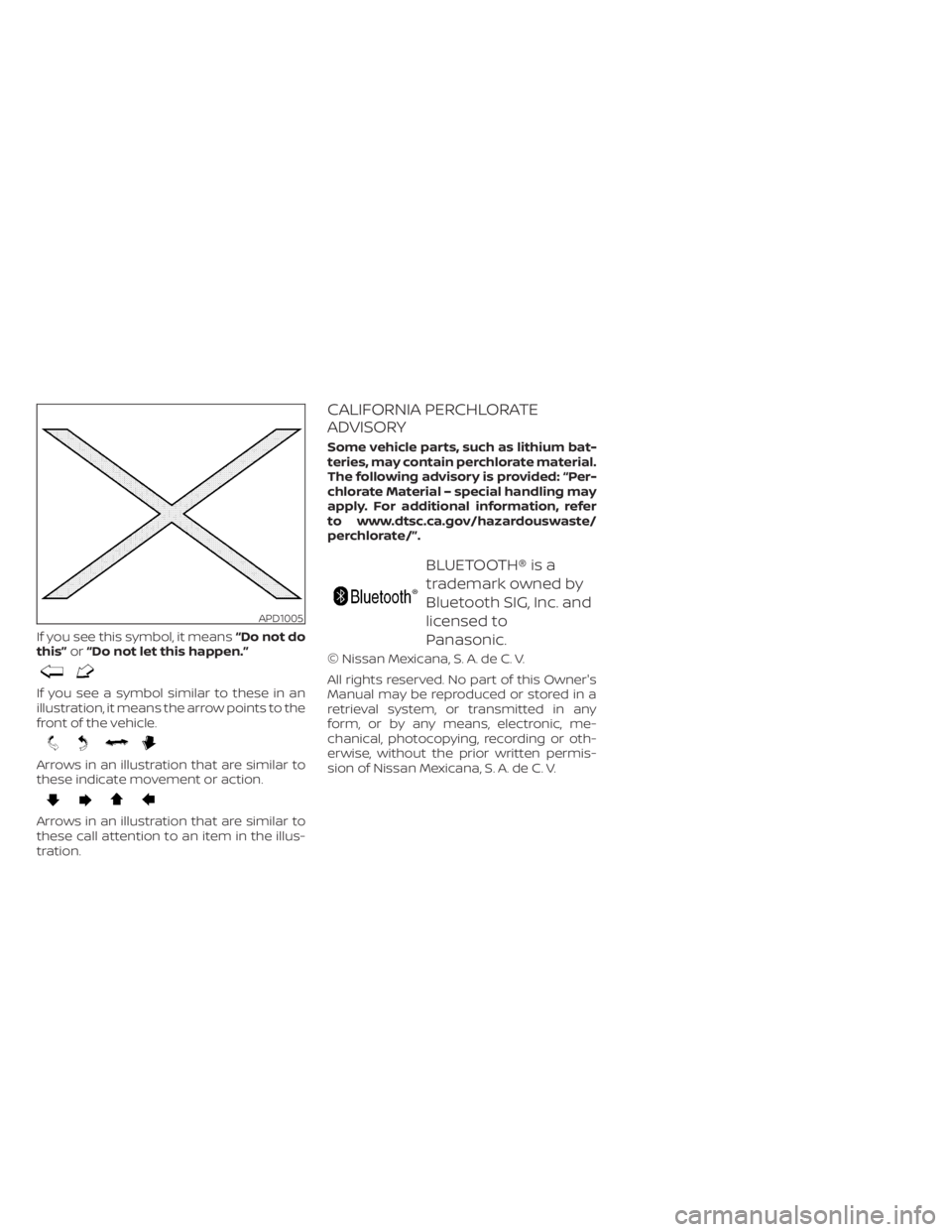
If you see this symbol, it means“Do not do
this” or“Do not let this happen.”
If you see a symbol similar to these in an
illustration, it means the arrow points to the
front of the vehicle.
Arrows in an illustration that are similar to
these indicate movement or action.
Arrows in an illustration that are similar to
these call attention to an item in the illus-
tration.
CALIFORNIA PERCHLORATE
ADVISORY
Some vehicle parts, such as lithium bat-
teries, may contain perchlorate material.
The following advisory is provided: “Per-
chlorate Material – special handling may
apply. For additional information, refer
to www.dtsc.ca.gov/hazardouswaste/
perchlorate/”.
BLUETOOTH® is a
trademark owned by
Bluetooth SIG, Inc. and
licensed to
Panasonic.
© Nissan Mexicana, S. A. de C. V.
All rights reserved. No part of this Owner's
Manual may be reproduced or stored in a
retrieval system, or transmitted in any
form, or by any means, electronic, me-
chanical, photocopying, recording or oth-
erwise, without the prior written permis-
sion of Nissan Mexicana, S. A. de C. V.
APD1005
Page 18 of 500
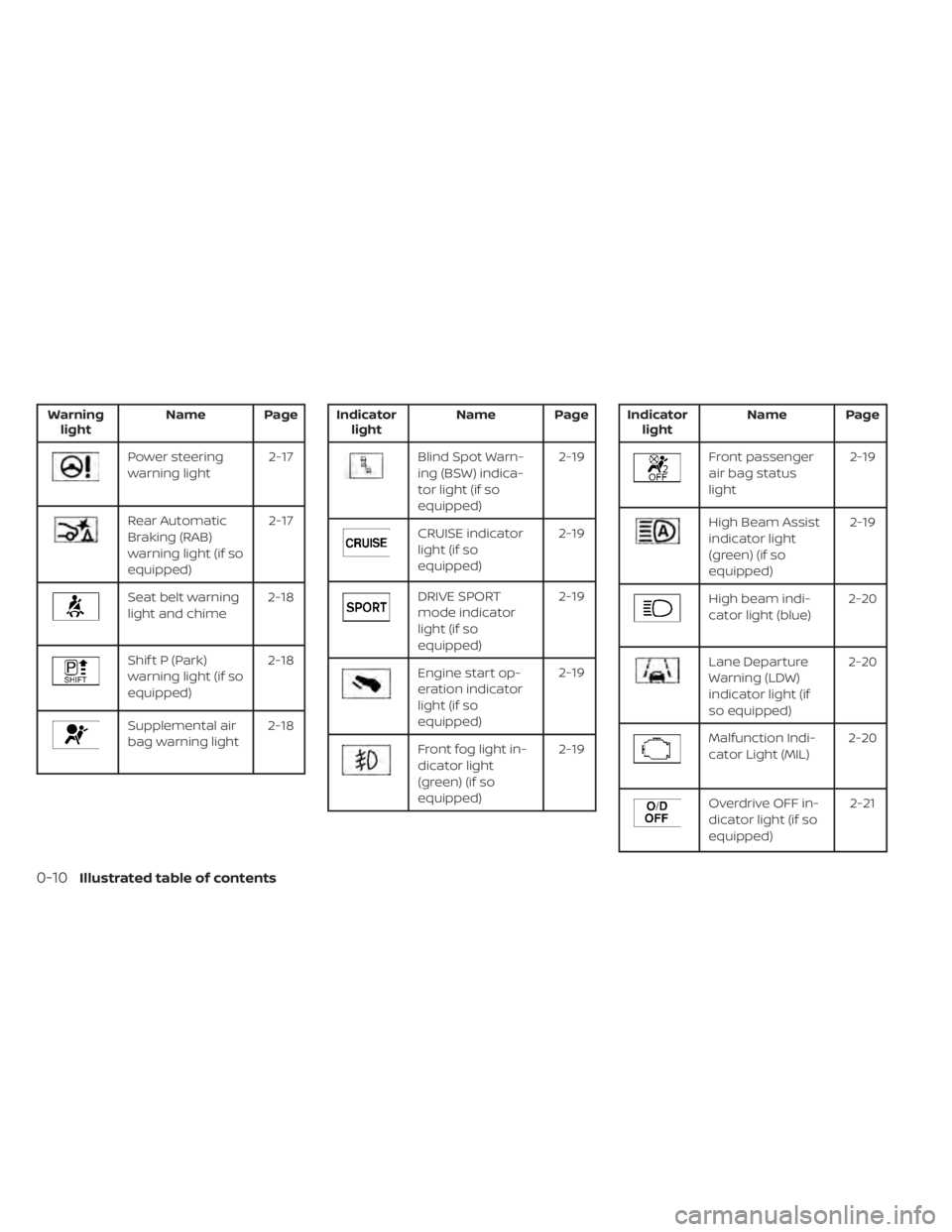
Warninglight Name Page
Power steering
warning light 2-17
Rear Automatic
Braking (RAB)
warning light (if so
equipped)2-17
Seat belt warning
light and chime
2-18
Shif t P (Park)
warning light (if so
equipped)2-18
Supplemental air
bag warning light
2-18
Indicator
light Name Page
Blind Spot Warn-
ing (BSW) indica-
tor light (if so
equipped) 2-19
CRUISE indicator
light (if so
equipped)
2-19
DRIVE SPORT
mode indicator
light (if so
equipped)2-19
Engine start op-
eration indicator
light (if so
equipped)2-19
Front fog light in-
dicator light
(green) (if so
equipped)2-19
Indicator
light Name Page
Front passenger
air bag status
light 2-19
High Beam Assist
indicator light
(green) (if so
equipped)2-19
High beam indi-
cator light (blue)
2-20
Lane Departure
Warning (LDW)
indicator light (if
so equipped)2-20
Malfunction Indi-
cator Light (MIL)
2-20
Overdrive OFF in-
dicator light (if so
equipped) 2-21
0-10Illustrated table of contents
Page 37 of 500
WARNING
• Af ter adjustment, release the adjust-
ment button and try to move the
shoulder belt anchor up and down to
make sure it is securely fixed in
position.
• The shoulder belt anchor height
should be adjusted to the position
best for you. Failure to do so may re-
duce the effectiveness of the entire
restraint system and increase the
chance or severity of injury in an
accident.
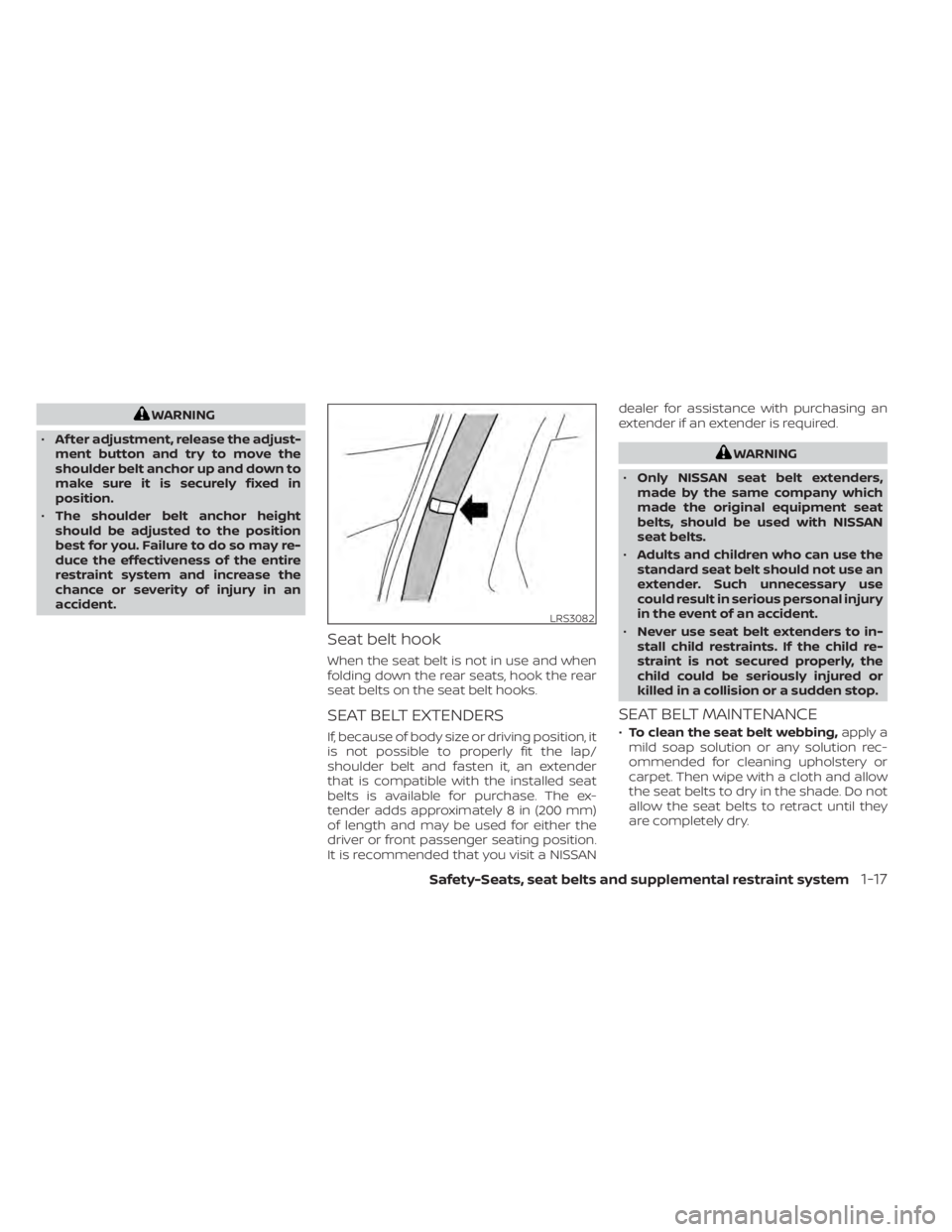
Seat belt hook
When the seat belt is not in use and when
folding down the rear seats, hook the rear
seat belts on the seat belt hooks.
SEAT BELT EXTENDERS
If, because of body size or driving position, it
is not possible to properly fit the lap/
shoulder belt and fasten it, an extender
that is compatible with the installed seat
belts is available for purchase. The ex-
tender adds approximately 8 in (200 mm)
of length and may be used for either the
driver or front passenger seating position.
It is recommended that you visit a NISSAN dealer for assistance with purchasing an
extender if an extender is required.
WARNING
• Only NISSAN seat belt extenders,
made by the same company which
made the original equipment seat
belts, should be used with NISSAN
seat belts.
• Adults and children who can use the
standard seat belt should not use an
extender. Such unnecessary use
could result in serious personal injury
in the event of an accident.
• Never use seat belt extenders to in-
stall child restraints. If the child re-
straint is not secured properly, the
child could be seriously injured or
killed in a collision or a sudden stop.
SEAT BELT MAINTENANCE
• To clean the seat belt webbing, apply a
mild soap solution or any solution rec-
ommended for cleaning upholstery or
carpet. Then wipe with a cloth and allow
the seat belts to dry in the shade. Do not
allow the seat belts to retract until they
are completely dry.
LRS3082
Safety-Seats, seat belts and supplemental restraint system1-17
Page 68 of 500
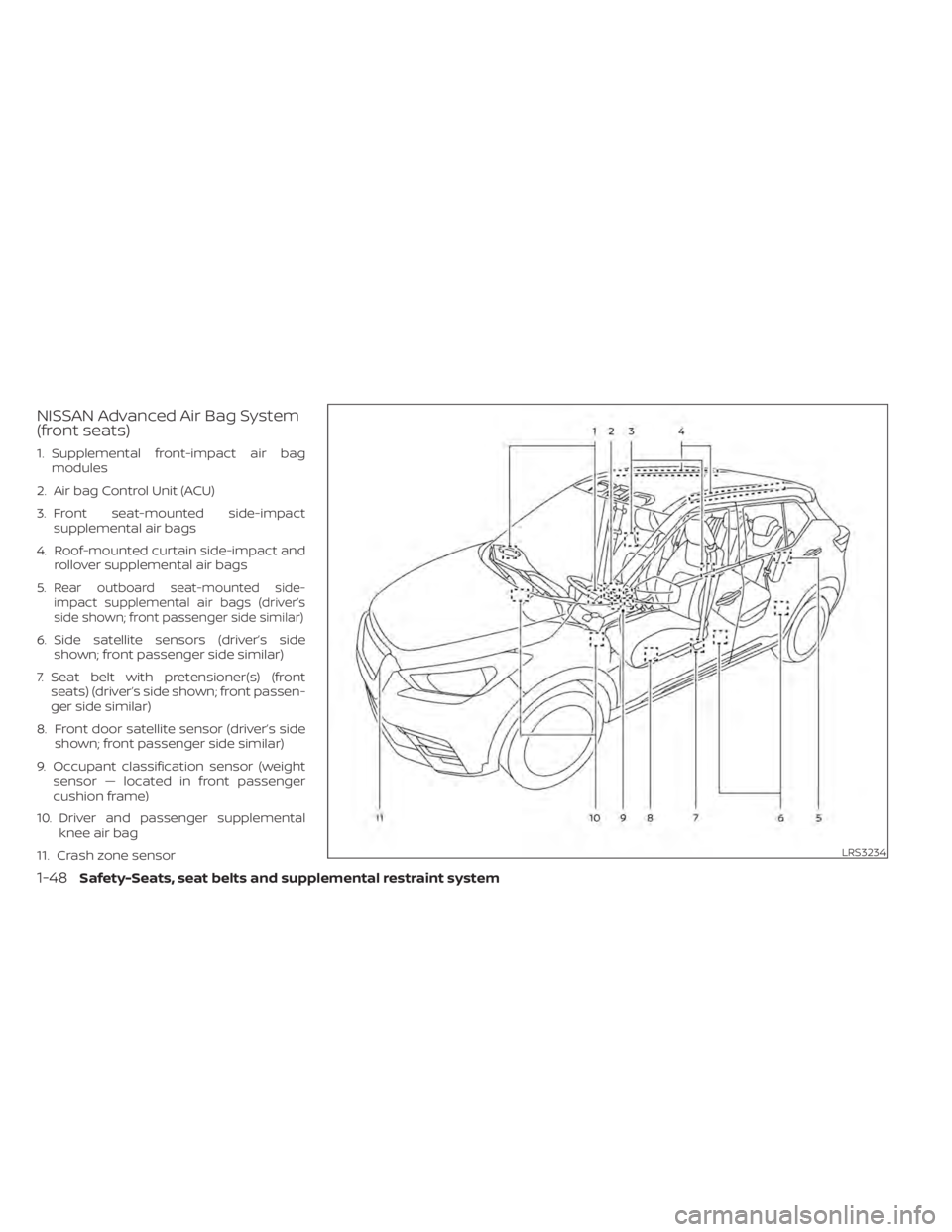
NISSAN Advanced Air Bag System
(front seats)
1. Supplemental front-impact air bagmodules
2. Air bag Control Unit (ACU)
3. Front seat-mounted side-impact supplemental air bags
4. Roof-mounted curtain side-impact and rollover supplemental air bags
5.
Rear outboard seat-mounted side-
impact supplemental air bags (driver’s
side shown; front passenger side similar)
6. Side satellite sensors (driver’s side shown; front passenger side similar)
7. Seat belt with pretensioner(s) (front seats) (driver’s side shown; front passen-
ger side similar)
8. Front door satellite sensor (driver’s side shown; front passenger side similar)
9. Occupant classification sensor (weight sensor — located in front passenger
cushion frame)
10. Driver and passenger supplemental knee air bag
11. Crash zone sensor
LRS3234
1-48Safety-Seats, seat belts and supplemental restraint system
Page 69 of 500
WARNING
To ensure proper operation of the pas-
senger’s NISSAN Advanced Air Bag Sys-
tem, please observe the following
items.
• Do not allow a passenger in the rear
seat to push or pull on the seatback
pocket.
• Do not place heavy loads heavier
than 9.1 lbs. (4 kg) on the seatback,
head restraint/headrest or in the
seatback pocket.
• Make sure that there is nothing
pressing against the rear of the seat-
back, such as a child restraint in-
stalled in the rear seat or an object
stored on the floor.
• Make sure that there is no object
placed under the front passenger
seat.
• Make sure that there is no object
placed between the seat cushion and
center console or between the seat
cushion and the door. •
If a forward-facing child restraint is
installed in the front passenger seat,
do not position the front passenger
seat so the child restraint contacts
the instrument panel. If the child re-
straint does contact the instrument
panel, the system may determine the
seat is occupied and the passenger
air bag may deploy in a collision. Also
the front passenger air bag status
light may not illuminate. For addi-
tional information, refer to “Child re-
straints” in this section.
• Confirm the operating condition with
the front passenger air bag status
light.
• If you notice that the front passenger
air bag status light is not operating
as described later in this section, get
the occupant classification system
checked. It is recommended that you
visit a NISSAN dealer for this service.
• Until you have confirmed with a
dealer that your front passenger seat
occupant classification system is
working properly, position the occu-
pants in the rear seating positions. •
Do not position the front passenger
seat so it contacts the rear seat. If the
front seat does contact the rear seat,
the air bag system may determine a
sensor malfunction has occurred
and the front passenger air bag sta-
tus light may illuminate and the
supplemental air bag warning light
may flash.
This vehicle is equipped with the NISSAN
Advanced Air Bag System for the driver and
front passenger seats. This system is de-
signed to meet certification requirements
under U.S. regulations. It is also permitted in
Canada. All of the information, cautions
and warnings in this manual still apply
and must be followed.
The driver supplemental front-impact air
bag is located in the center of the steering
wheel. The front passenger supplemental
front-impact air bag is mounted in the dash-
board above the glove box. The front air bags
are designed to inflate in higher severity
frontal collisions, although they may inflate if
the forces in another type of collision are
similar to those of a higher severity frontal
impact. They may not inflate in certain fron-
tal collisions. Vehicle damage (or lack of it) is
not always an indication of proper front air
bag system operation.
Safety-Seats, seat belts and supplemental restraint system1-49
Page 77 of 500
inflate in higher severity side collisions, al-
though they may inflate if the forces in an-
other type of collision are similar to those of
a higher severity impact. They are de-
signed to inflate on the side where the ve-
hicle is impacted. They may not inflate in
certain side collisions.
Curtain air bags are also designed to inflate
in certain types of rollover collisions or near
rollovers. As a result, certain vehicle move-
ments (for example, during severe off-
roading) may cause the curtain air bags to
inflate.
Vehicle damage (or lack of it) is not always
an indication of proper side air bag and
curtain air bag operation.
When the side air bags and curtain air bags
inflate, a fairly loud noise may be heard,
followed by the release of smoke. This
smoke is not harmful and does not indi-
cate a fire. Care should be taken not to
inhale it, as it may cause irritation and
choking. Those with a history of a breath-
ing condition should get fresh air promptly.
Side air bags, along with the use of seat
belts, help to cushion the impact force on
the chest and pelvic area of the front and
rear outboard occupants. Curtain air bags
help to cushion the impact force to thehead of occupants in the front and rear
outboard seating positions. They can help
save lives and reduce serious injuries. How-
ever, an inflating side air bag and curtain air
bag may cause abrasions or other injuries.
Side air bags and curtain air bags do not
provide restraint to the lower body.
The seat belts should be correctly worn
and the driver, front passenger and rear
outboard occupants seated upright as far
as practical away from the side air bag.
Rear seat passengers should be seated as
far away as practical from the door finish-
ers and side roof rails. The side air bags and
curtain air bags inflate quickly in order to
help protect the occupants. Because of
this, the force of the side air bag and curtain
air bag inflating can increase the risk of
injury if the occupant is too close to, or is
against, these air bag modules during in-
flation. The side air bag will deflate quickly
af ter the collision is over.
The curtain air bag will remain inflated for a
short time.
The side air bags and curtain air bags
operate only when the ignition switch is
placed in the ON position.
Af ter placing the ignition switch in the
ON position, the supplemental air bagwarning light illuminates. The supple-
mental air bag warning light will turn off
af ter about 7 seconds if the system is
operational.
WARNING
• Do not place any objects near the
seatback of the front and rear seats.
Also, do not place any objects (an
umbrella, bag, etc.) between the front
and rear door finisher and the front
and rear seat. Such objects may be-
come dangerous projectiles and
cause injury if a side air bag inflate.
• Right af ter inflation, several side air
bag and curtain air bag system com-
ponents will be hot. Do not touch
them; you may severely burn
yourself.
• No unauthorized changes should be
made to any components or wiring
of the side air bag and curtain air bag
systems. This is to prevent damage
to or accidental inflation of the side
air bag and curtain air bag or dam-
age to the side air bag and curtain air
bag systems.
Safety-Seats, seat belts and supplemental restraint system1-57
Page 78 of 500
•Do not make unauthorized changes
to your vehicle's electrical system,
suspension system or side panel.
This could affect proper operation of
the side air bag and curtain air bag
systems.
• Tampering with the side air bag sys-
tem may result in serious personal
injury. For example, do not change
the front and rear seats by placing
material near the seatbacks or by in-
stalling additional trim material,
such as seat covers, around the side
air bag.
• It is recommended that you visit a
NISSAN dealer for work on and
around the side air bag and curtain
air bag. It is also recommended that
you visit a NISSAN dealer for installa-
tion of electrical equipment. The SRS
wiring harnesses* should not be
modified or disconnected. Unauthor-
ized electrical test equipment and
probing devices should not be used
on the side air bag or curtain air bag
system.
* The SRS wiring harness connectors are
yellow and orange for easy identifica-
tion. When selling your vehicle, we request that
you inform the buyer about the side air bag
and curtain air bag systems and guide the
buyer to the appropriate sections in this
Owner's Manual.
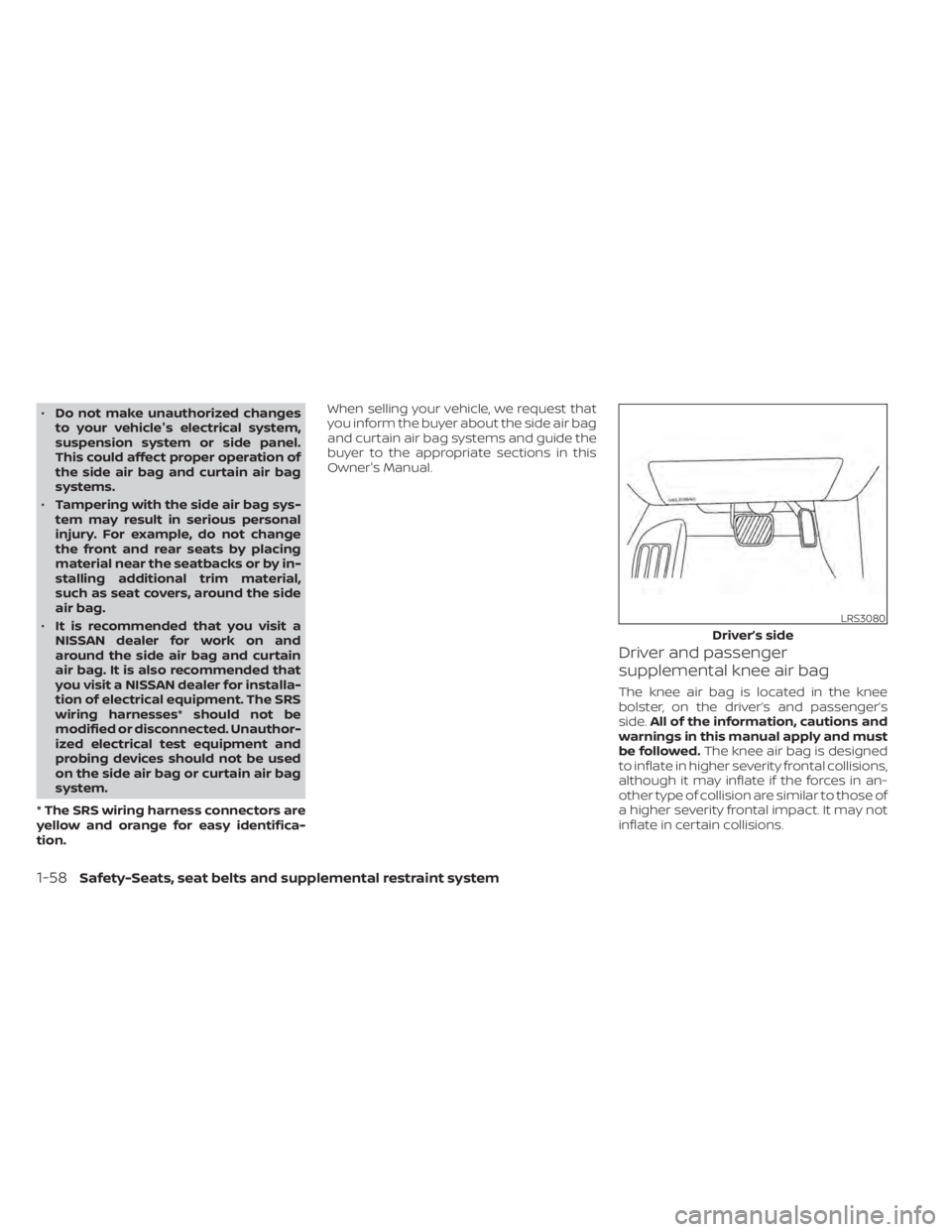
Driver and passenger
supplemental knee air bag
The knee air bag is located in the knee
bolster, on the driver’s and passenger’s
side.
All of the information, cautions and
warnings in this manual apply and must
be followed. The knee air bag is designed
to inflate in higher severity frontal collisions,
although it may inflate if the forces in an-
other type of collision are similar to those of
a higher severity frontal impact. It may not
inflate in certain collisions.
LRS3080
Driver’s side
1-58Safety-Seats, seat belts and supplemental restraint system
Page 90 of 500
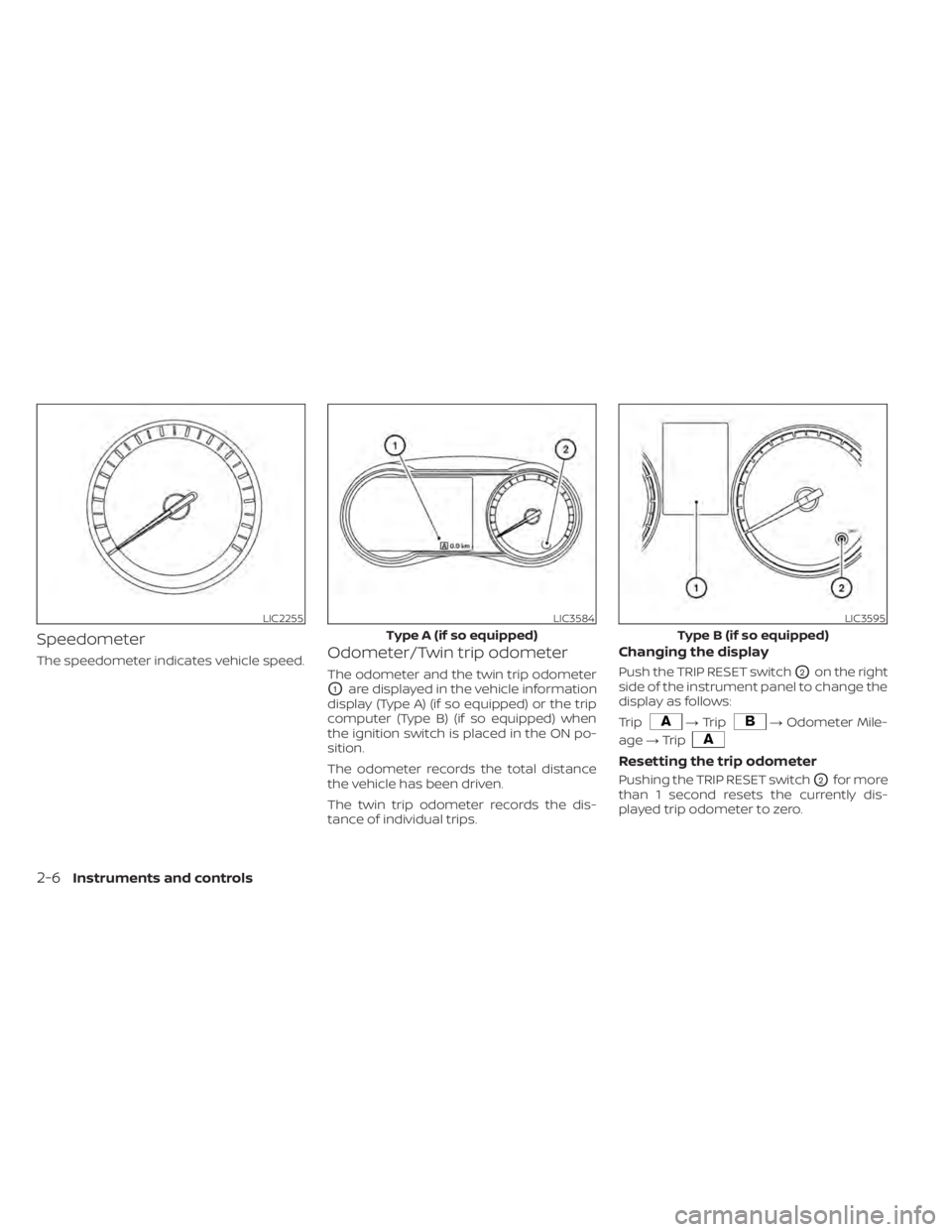
Speedometer
The speedometer indicates vehicle speed.Odometer/Twin trip odometer
The odometer and the twin trip odometer
O1are displayed in the vehicle information
display (Type A) (if so equipped) or the trip
computer (Type B) (if so equipped) when
the ignition switch is placed in the ON po-
sition.
The odometer records the total distance
the vehicle has been driven.
The twin trip odometer records the dis-
tance of individual trips.
Changing the display
Push the TRIP RESET switchO2on the right
side of the instrument panel to change the
display as follows:
Trip
→ Trip→ Odometer Mile-
age →Trip
Resetting the trip odometer
Pushing the TRIP RESET switchO2for more
than 1 second resets the currently dis-
played trip odometer to zero.
LIC2255LIC3584
Type A (if so equipped)
LIC3595
Type B (if so equipped)
2-6Instruments and controls
Page 92 of 500
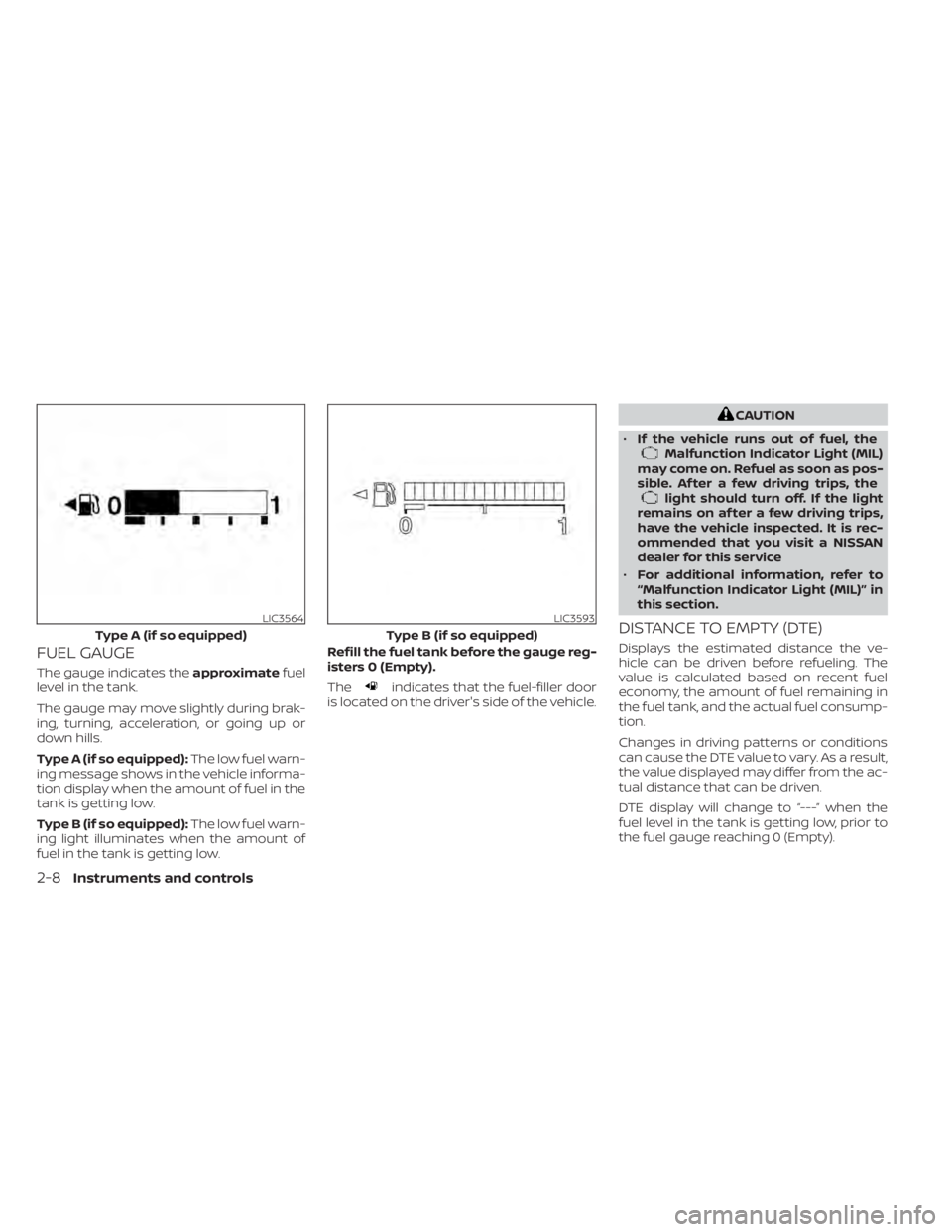
FUEL GAUGE
The gauge indicates theapproximatefuel
level in the tank.
The gauge may move slightly during brak-
ing, turning, acceleration, or going up or
down hills.
Type A (if so equipped): The low fuel warn-
ing message shows in the vehicle informa-
tion display when the amount of fuel in the
tank is getting low.
Type B (if so equipped): The low fuel warn-
ing light illuminates when the amount of
fuel in the tank is getting low. Refill the fuel tank before the gauge reg-
isters 0 (Empty).
Theindicates that the fuel-filler door
is located on the driver's side of the vehicle.
CAUTION
• If the vehicle runs out of fuel, the
Malfunction Indicator Light (MIL)
may come on. Refuel as soon as pos-
sible. Af ter a few driving trips, the
light should turn off. If the light
remains on af ter a few driving trips,
have the vehicle inspected. It is rec-
ommended that you visit a NISSAN
dealer for this service
• For additional information, refer to
“Malfunction Indicator Light (MIL)” in
this section.
DISTANCE TO EMPTY (DTE)
Displays the estimated distance the ve-
hicle can be driven before refueling. The
value is calculated based on recent fuel
economy, the amount of fuel remaining in
the fuel tank, and the actual fuel consump-
tion.
Changes in driving patterns or conditions
can cause the DTE value to vary. As a result,
the value displayed may differ from the ac-
tual distance that can be driven.
DTE display will change to “---” when the
fuel level in the tank is getting low, prior to
the fuel gauge reaching 0 (Empty).
LIC3564
Type A (if so equipped)
LIC3593
Type B (if so equipped)
2-8Instruments and controls