instrument panel NISSAN KICKS 2021 User Guide
[x] Cancel search | Manufacturer: NISSAN, Model Year: 2021, Model line: KICKS, Model: NISSAN KICKS 2021Pages: 500, PDF Size: 3.24 MB
Page 75 of 500
If the vehicle is moving, please come to a
stop when it is safe to do so. Check and
correct any of the above conditions. Re-
start the vehicle and wait 1 minute.
NOTE:
A system check will be performed during
which the front passenger air bag status
light will remain lit for about 7 seconds
initially.
If the light is still OFF af ter this, the small
adult, child or child restraint should be re-
positioned in the rear seat and the vehicle
should be checked as soon as possible. It is
recommended that you visit a NISSAN
dealer for this service.
3. If the light is OFF with no front passengerand no objects on the front passenger
seat, the vehicle should be checked. It is
recommended that you visit a NISSAN
dealer as soon as possible.
Other supplemental front-impact air
bag precautions
WARNING
• Do not place any objects on the
steering wheel pad or on the instru-
ment panel. Also, do not place any
objects between any occupant and
the steering wheel or instrument
panel. Such objects may become
dangerous projectiles and cause in-
jury if the front air bags inflate.
• Do not place objects with sharp
edges on the seat. Also, do not place
heavy objects on the seat that will
leave permanent impressions in the
seat. Such objects can damage the
seat or occupant classification sen-
sor (weight sensor). This can affect
the operation of the air bag system
and result in serious personal injury.
• Do not use water or acidic cleaners
(hot steam cleaners) on the seat. This
can damage the seat or occupant
classification sensor. This can also
affect the operation of the air bag
system and result in serious personal
injury. •
Immediately af ter inflation, several
front air bag system components will
be hot. Do not touch them; you may
severely burn yourself.
• No unauthorized changes should be
made to any components or wiring
of the supplemental air bag system.
This is to prevent accidental inflation
of the supplemental air bag or dam-
age to the supplemental air bag
system.
• Do not make unauthorized changes
to your vehicle's electrical system,
suspension system or front end
structure. This could affect proper
operation of the front air bag system.
• Tampering with the front air bag sys-
tem may result in serious personal
injury. Tampering includes changes
to the steering wheel and the instru-
ment panel assembly by placing ma-
terial over the steering wheel pad
and above the instrument panel or
by installing additional trim material
around the air bag system.
• Removing or modif ying the front
passenger seat may affect the func-
tion of the air bag system and result
in serious personal injury.
Safety-Seats, seat belts and supplemental restraint system1-55
Page 82 of 500
SUPPLEMENTAL AIR BAG WARNING
LIGHT
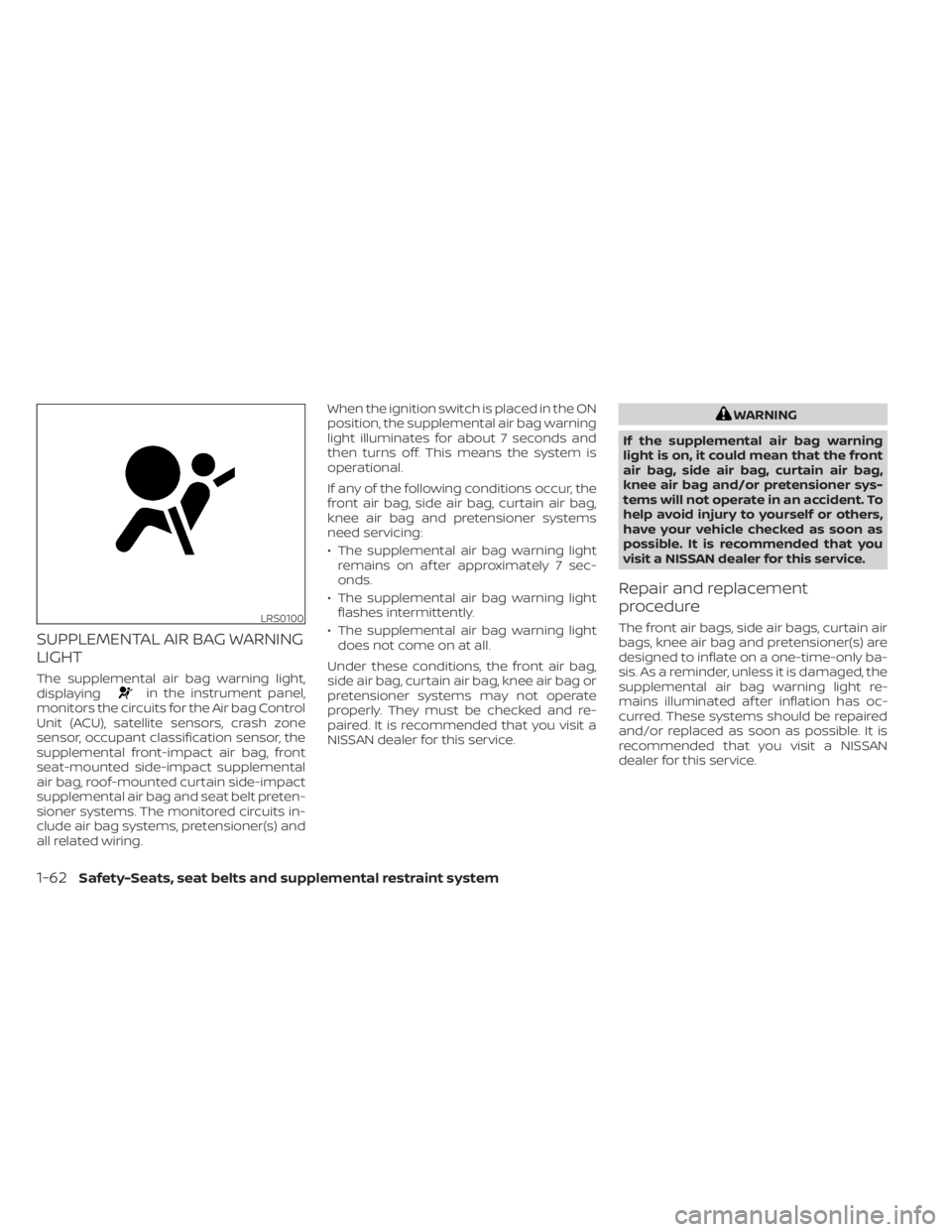
The supplemental air bag warning light,
displayingin the instrument panel,
monitors the circuits for the Air bag Control
Unit (ACU), satellite sensors, crash zone
sensor, occupant classification sensor, the
supplemental front-impact air bag, front
seat-mounted side-impact supplemental
air bag, roof-mounted curtain side-impact
supplemental air bag and seat belt preten-
sioner systems. The monitored circuits in-
clude air bag systems, pretensioner(s) and
all related wiring. When the ignition switch is placed in the ON
position, the supplemental air bag warning
light illuminates for about 7 seconds and
then turns off. This means the system is
operational.
If any of the following conditions occur, the
front air bag, side air bag, curtain air bag,
knee air bag and pretensioner systems
need servicing:
• The supplemental air bag warning light
remains on af ter approximately 7 sec-
onds.
• The supplemental air bag warning light flashes intermittently.
• The supplemental air bag warning light does not come on at all.
Under these conditions, the front air bag,
side air bag, curtain air bag, knee air bag or
pretensioner systems may not operate
properly. They must be checked and re-
paired. It is recommended that you visit a
NISSAN dealer for this service.
LRS0100
1-62Safety-Seats, seat belts and supplemental restraint system
Page 84 of 500
2 Instruments and controls
Instrument panel................................2-2
Meters and gauges .............................2-4
Speedometer and odometer .................2-5
Tachometer .................................. 2-7
Fuel gauge ...................................2-8
Distance To Empty (DTE) .....................2-8
Trip computer (if so equipped) ................2-9
Warning lights, indicator lights and audible
reminders ....................................... 2-11
Checking lights .............................. 2-12
Warning lights ............................... 2-12
Indicator lights .............................. 2-19
Audible reminders ........................... 2-22
Vehicle information display (if so equipped) .....2-23
How to use the vehicle information
display ...................................... 2-23
Startup display .............................. 2-24
Settings ..................................... 2-24
Vehicle information display warnings
and indicators ............................... 2-31
Security systems (if so equipped) ...............2-38
Vehicle security system .....................2-38
NISSAN Anti-Thef t System (NATS)
(if so equipped) .............................. 2-39
NISSAN Vehicle Immobilizer System
(if so equipped) .............................. 2-40Wiper and washer switch
.......................2-41
Switch operation ............................ 2-41
Rear switch operation .......................2-43
Rear window and outside mirror
(if so equipped) defroster switch ...............2-44
Headlight and turn signal switch ...............2-44
Headlight control switch ....................2-44
Daytime Running Lights (DRL) system
(Type A) (if so equipped) .....................2-49
Instrument brightness control ..............2-50
Turn signal switch ........................... 2-51
Fog light switch (if so equipped) .............2-51
Horn ........................................... 2-52
Heated seat switches (if so equipped) ..........2-52
Blind Spot Warning (BSW) switch
(if so equipped) ................................. 2-53
Drive Systems OFF switch (if so equipped) ......2-53
Lane Departure Warning (LDW) switch
(if
so equipped) ................................. 2-54
Rear Sonar System (RSS) OFF switch
(if so equipped) ................................. 2-55
Vehicle Dynamic Control (VDC) OFF switch
(if so equipped) ................................. 2-55
Rear Door Alert (if so equipped) .................2-56
Power outlets .................................. 2-57
Page 86 of 500
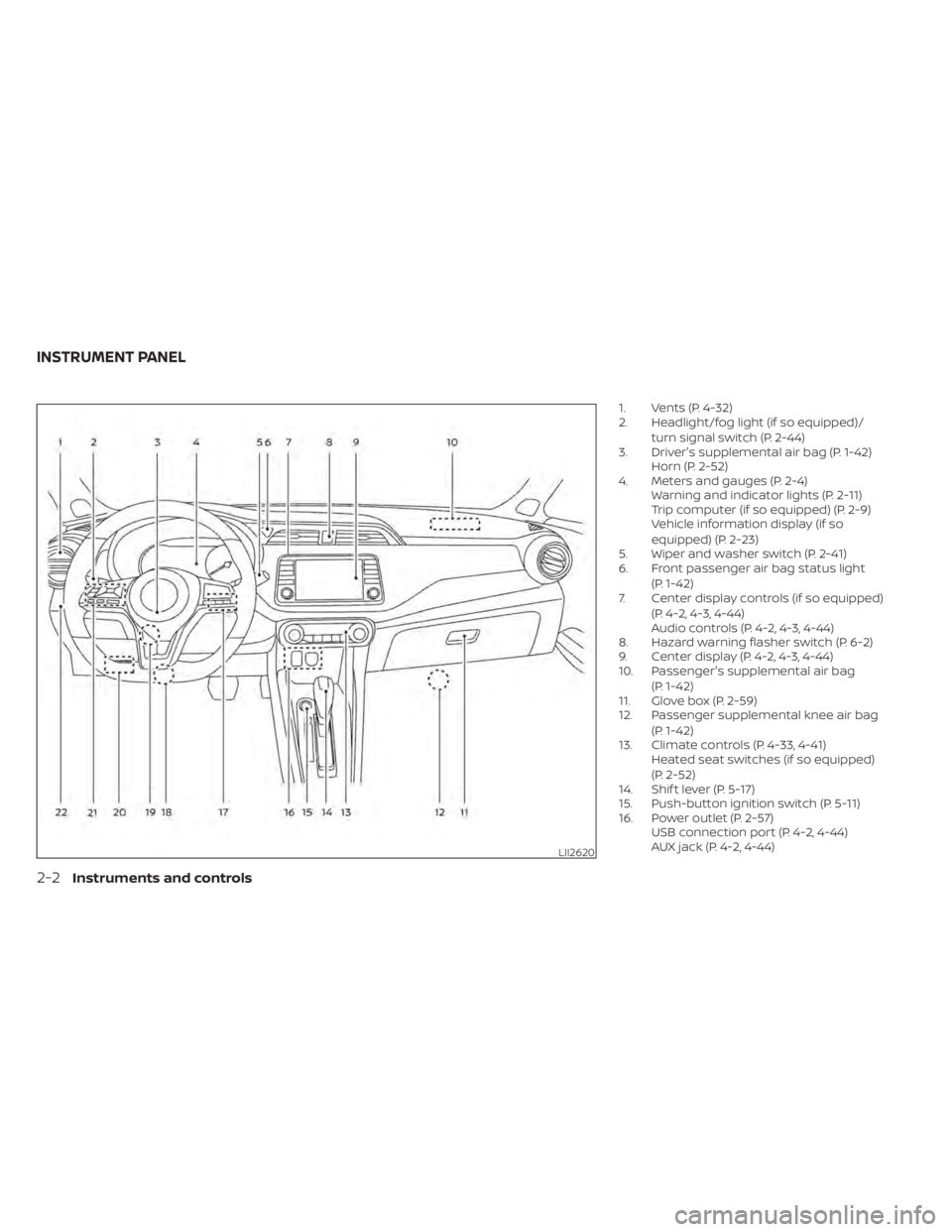
1. Vents (P. 4-32)
2. Headlight/fog light (if so equipped)/turn signal switch (P. 2-44)
3. Driver's supplemental air bag (P. 1-42) Horn (P. 2-52)
4. Meters and gauges (P. 2-4) Warning and indicator lights (P. 2-11)
Trip computer (if so equipped) (P. 2-9)
Vehicle information display (if so
equipped) (P. 2-23)
5. Wiper and washer switch (P. 2-41)
6. Front passenger air bag status light
(P. 1-42)
7. Center display controls (if so equipped)
(P. 4-2, 4-3, 4-44)
Audio controls (P. 4-2, 4-3, 4-44)
8. Hazard warning flasher switch (P. 6-2)
9. Center display (P. 4-2, 4-3, 4-44)
10. Passenger's supplemental air bag
(P. 1-42)
11. Glove box (P. 2-59)
12. Passenger supplemental knee air bag
(P. 1-42)
13. Climate controls (P. 4-33, 4-41) Heated seat switches (if so equipped)
(P. 2-52)
14. Shif t lever (P. 5-17)
15. Push-button ignition switch (P. 5-11)
16. Power outlet (P. 2-57) USB connection port (P. 4-2, 4-44)
AUX jack (P. 4-2, 4-44)
LII2620
INSTRUMENT PANEL
Page 87 of 500
17. Bluetooth® Hands-Free Phone System(P. 4-2, 4-67)
Cruise control switches (P. 5-52)
18. Driver supplemental knee air bag
(P. 1-42)
19. Tilt and telescopic steering wheel lock
lever (P. 3-26)
20. Hood release (P. 3-21) Fuel-filler door release (P. 3-25)
21. Steering wheel switches for audio con-
trol (P. 4-2, 4-63)
Control panel and vehicle information
display switches (if so equipped)
(P. 2-23)
22. Blind Spot Warning (BSW) switch
(if so equipped) (P. 2-53)
Drive Systems OFF switch
(if so equipped) (P. 2-53)
Lane Departure Warning (LDW) switch
(if so equipped) (P. 2-54)
Rear Sonar System (RSS) OFF switch
(if so equipped) (P. 2-55)
Vehicle Dynamic Control (VDC) OFF
switch (if so equipped) (P. 2-55)
Instrument panel pocket (if so
equipped) (P. 2-59)
Enter/select switch for trip computer (if
so equipped) (P. 2-9)
* Refer to the separate NissanConnect®
Owner's Manual (if so equipped). Refer to the page number indicated in
parentheses for operating details.
Instruments and controls2-3
Page 90 of 500
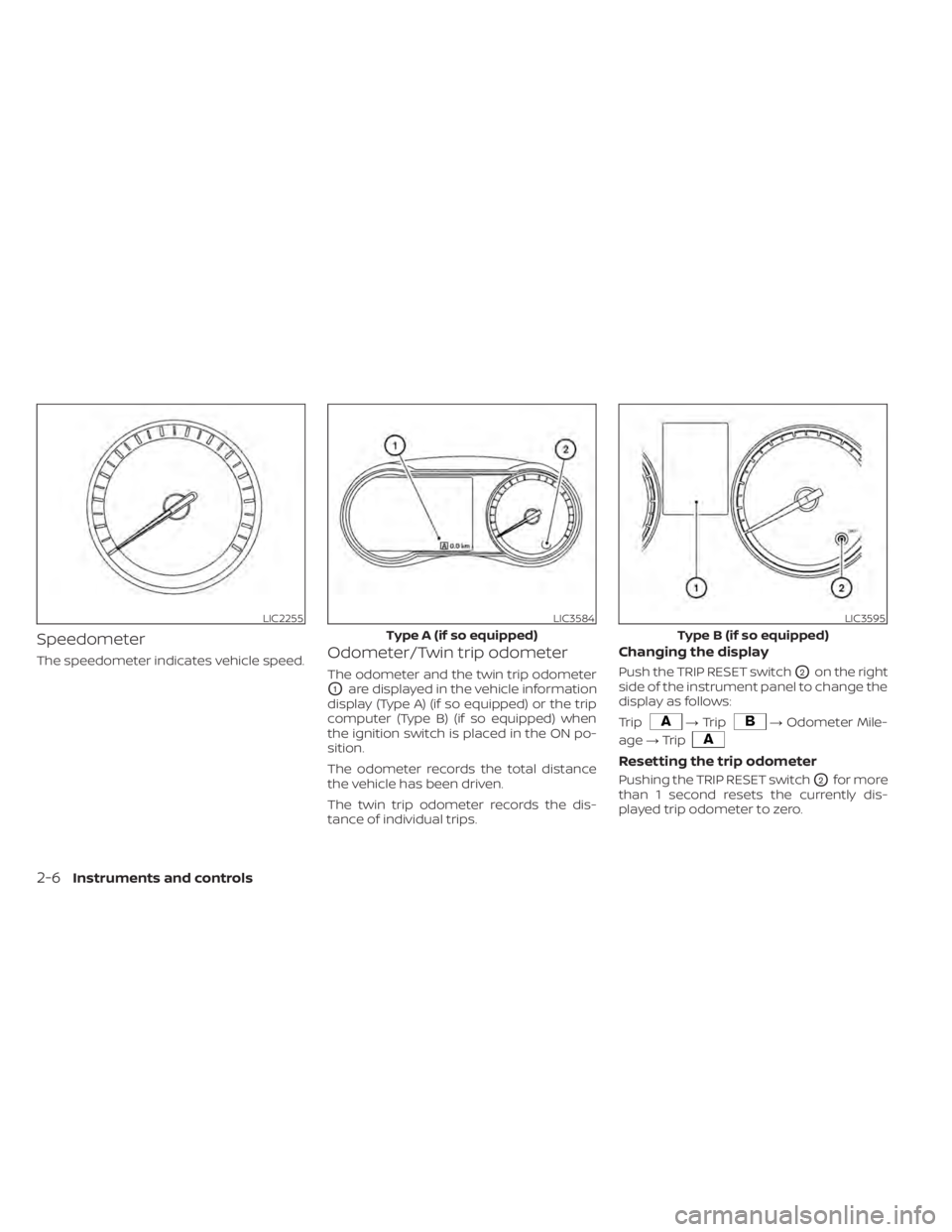
Speedometer
The speedometer indicates vehicle speed.Odometer/Twin trip odometer
The odometer and the twin trip odometer
O1are displayed in the vehicle information
display (Type A) (if so equipped) or the trip
computer (Type B) (if so equipped) when
the ignition switch is placed in the ON po-
sition.
The odometer records the total distance
the vehicle has been driven.
The twin trip odometer records the dis-
tance of individual trips.
Changing the display
Push the TRIP RESET switchO2on the right
side of the instrument panel to change the
display as follows:
Trip
LIC2255LIC3584
Type A (if so equipped)
Page 108 of 500
The OK,andbuttons also
control audio and control panel functions
in some conditions. Most screens and
menus offer instruction prompts of the
steering switch buttons to indicate how to
control the vehicle information display.
Dots on the lef t side of the vehicle informa-
tion display will appear if there is more than
one page of menu items. The OK button
changes the audio source and the
buttons also control voice recognition
manual mode. For additional information,
refer to the separate NissanConnect®
Owner’s Manual.
STARTUP DISPLAY
When the vehicle in placed in the ON posi-
tion the screens that display in the vehicle
information display include:
• Gauges
• Audio
• Fuel Economy
• Drive Computer
• Warning Review
• Settings
For additional information on warnings
and indicators, refer to “Vehicle information
display warnings and indicators” in this
section.
To control what items display in the vehicle
information display, refer to “Customize
display” in this section.
SETTINGS
The setting mode allows you to change the
information displayed in the vehicle infor-
mation display as well as the model for
several vehicle functions:
• VDC Setting
• Driver Assistance
• Customize Display
• Vehicle Settings
• TPMS Settings
• Maintenance
• Clock
• Unit/Language
• Factory Reset
2-24Instruments and controls
Page 119 of 500
• Blind Spot Warning (BSW)
• Rear Cross Traffic Alert (RCTA)
If one or more of these warning appears,
have the system checked. It is recom-
mended that you visit a NISSAN dealer for
this service.
Shipping Mode On Push Storage Fuse
This warning may appear if the extended
storage switch is not pushed in. When this
warning appears, push in the extended
storage switch to turn off the warning. For
additional information, refer to “Extended
storage switch” in this section.
CVT Error: See Owner's Manual
This warning illuminates when there is a
problem with the CVT system. If this warn-
ing comes on, have the system checked. It
is recommended that you visit a NISSAN
dealer for this service.
Steering lock release malfunction
indicator (if so equipped)
This indicator appears when the steering
lock cannot be released.
If this indicator appears, push the ignition
switch while lightly turning the steering
wheel right and lef t.
Illumination indicator
This indicator shows the illumination ad-
justment of the instrument panel. For addi-
tional information, refer to “Instrument
brightness control” in this section.
Transmission Shif t Position indicator
(if so equipped)
This indicator shows the transmission shif t
position.
High Coolant Temp: See Owner’s
Manual
This warning appears when the tempera-
ture of the engine coolant is too high. Stop
the vehicle in a safe location as soon as
possible. Avoid quick starting or abrupt ac-
celeration. When the warning turns off, the
vehicle can be driven.
If the warning appears again soon af ter it
turns off, have the vehicle checked. It is rec-
ommended that you visit a NISSAN dealer
for this service.
Outside Temperature Display
The outside temperature display appears
in the center region of the vehicle informa-
tion display.
Low Outside Temperature
This warning appears if the outside tem-
perature is below 37°F (3°C). The tempera-
ture can be changed to display in Celsius or
Fahrenheit. For additional information, re-
fer to “Settings” in this section.
Oil and Filter
This indicator appears when the customer
set distance comes for changing the en-
gine oil and filter. You can set or reset the
distance for checking or replacing these
items. For scheduled maintenance items
and intervals, refer to the “Maintenance and
schedules” section of this manual.
Tire
This indicator appears when the customer
set distance is reached for replacing tires.
You can set or reset the distance for replac-
ing tires.
Instruments and controls2-35
Page 130 of 500
NOTE:
Autolight activation sensitivity and
the time delay for autolight shutoff
can be adjusted. For additional infor-
mation, refer to “Vehicle information
display ” in this section.
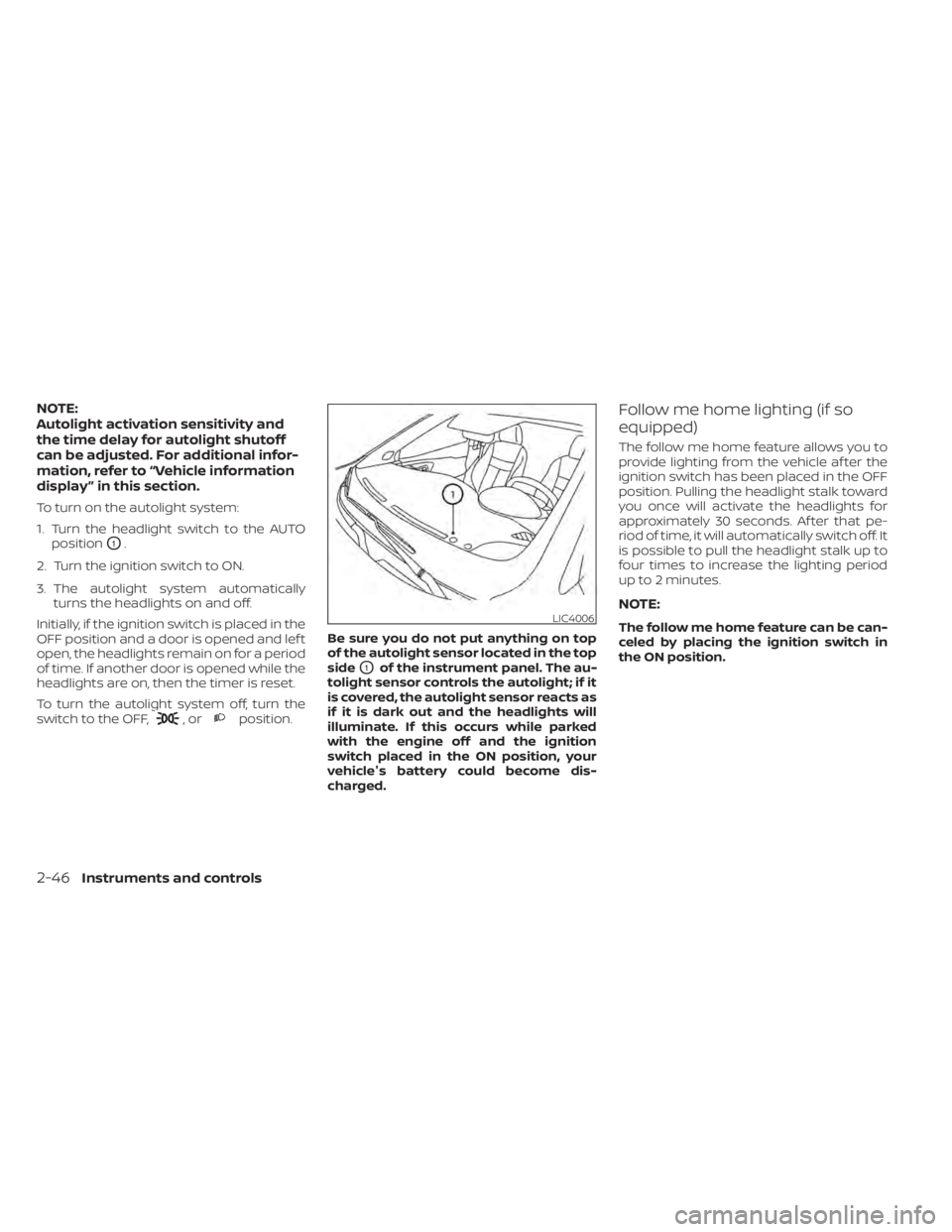
To turn on the autolight system:
1. Turn the headlight switch to the AUTOposition
O1.
2. Turn the ignition switch to ON.
3. The autolight system automatically turns the headlights on and off.
Initially, if the ignition switch is placed in the
OFF position and a door is opened and lef t
open, the headlights remain on for a period
of time. If another door is opened while the
headlights are on, then the timer is reset.
To turn the autolight system off, turn the
switch to the OFF,
,orposition. Be sure you do not put anything on top
of the autolight sensor located in the top
side
O1of the instrument panel. The au-
tolight sensor controls the autolight; if it
is covered, the autolight sensor reacts as
if it is dark out and the headlights will
illuminate. If this occurs while parked
with the engine off and the ignition
switch placed in the ON position, your
vehicle's battery could become dis-
charged.
Follow me home lighting (if so
equipped)
The follow me home feature allows you to
provide lighting from the vehicle af ter the
ignition switch has been placed in the OFF
position. Pulling the headlight stalk toward
you once will activate the headlights for
approximately 30 seconds. Af ter that pe-
riod of time, it will automatically switch off. It
is possible to pull the headlight stalk up to
four times to increase the lighting period
up to 2 minutes.
NOTE:
The follow me home feature can be can-
celed by placing the ignition switch in
the ON position.
2-46Instruments and controls
Page 169 of 500
When any door is open, the doors are
locked, and then the Intelligent Key is put
inside the vehicle and all the doors are
closed, a chime will sound and the lock will
automatically unlock.
NOTE:
The doors may not lock when the Intelli-
gent Key is in the same hand that is op-
erating the request switch (if so
equipped) to lock the door. Put the Intel-
ligent Key in a purse, pocket or your
other hand.
CAUTION
The lockout protection may not func-
tion under the following conditions:
• When the Intelligent Key is placed on
top of the instrument panel.
• When the Intelligent Key is placed in-
side the glove box or a storage bin.
• When the Intelligent Key is placed in-
side the door pockets.
• When the Intelligent Key is placed in-
side or near metallic materials.
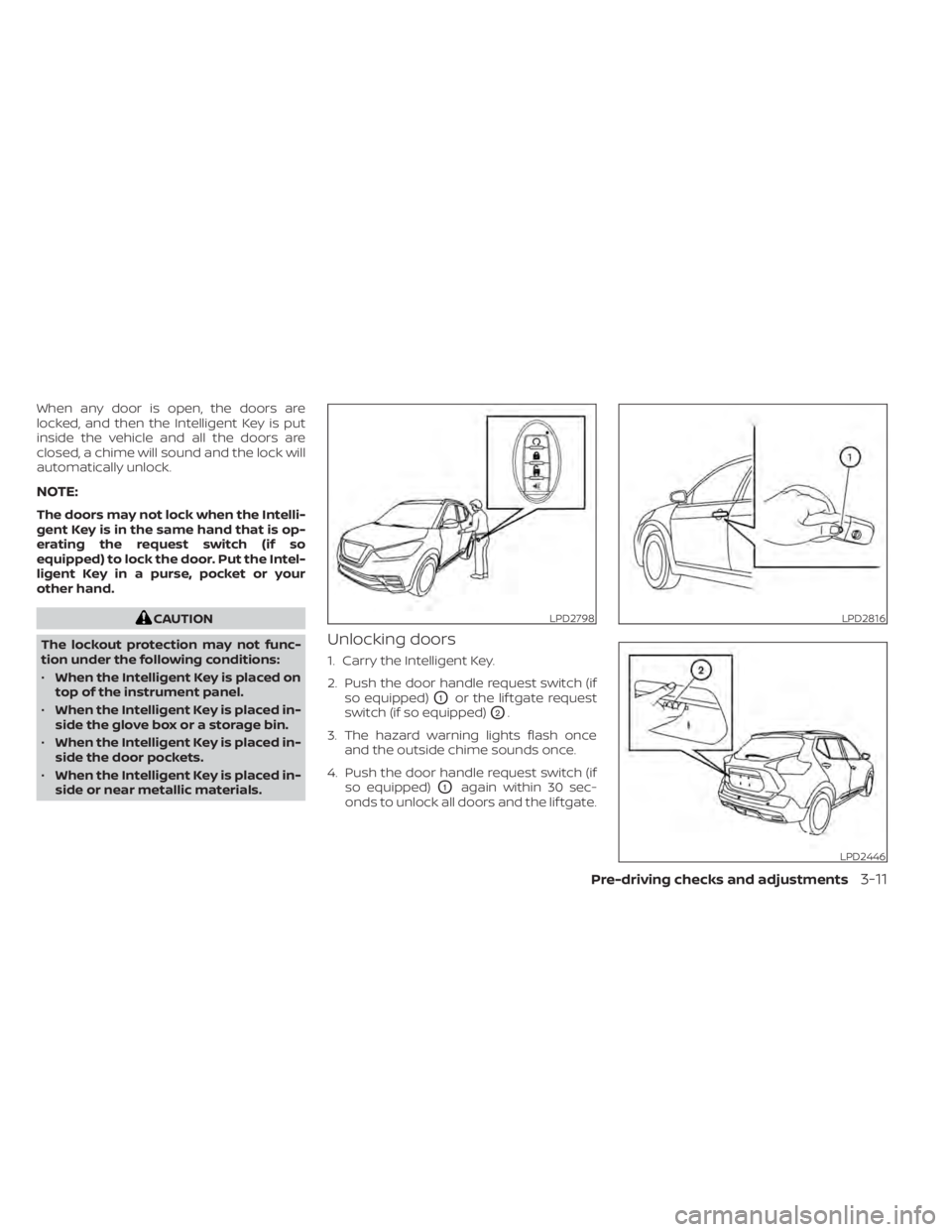
Unlocking doors
1. Carry the Intelligent Key.
2. Push the door handle request switch (if so equipped)
O1or the lif tgate request
switch (if so equipped)
O2.
3. The hazard warning lights flash once and the outside chime sounds once.
4. Push the door handle request switch (if so equipped)
O1again within 30 sec-
onds to unlock all doors and the lif tgate.
LPD2798LPD2816
LPD2446