Brake NISSAN KICKS 2022 Workshop Manual
[x] Cancel search | Manufacturer: NISSAN, Model Year: 2022, Model line: KICKS, Model: NISSAN KICKS 2022Pages: 500, PDF Size: 3.24 MB
Page 375 of 500
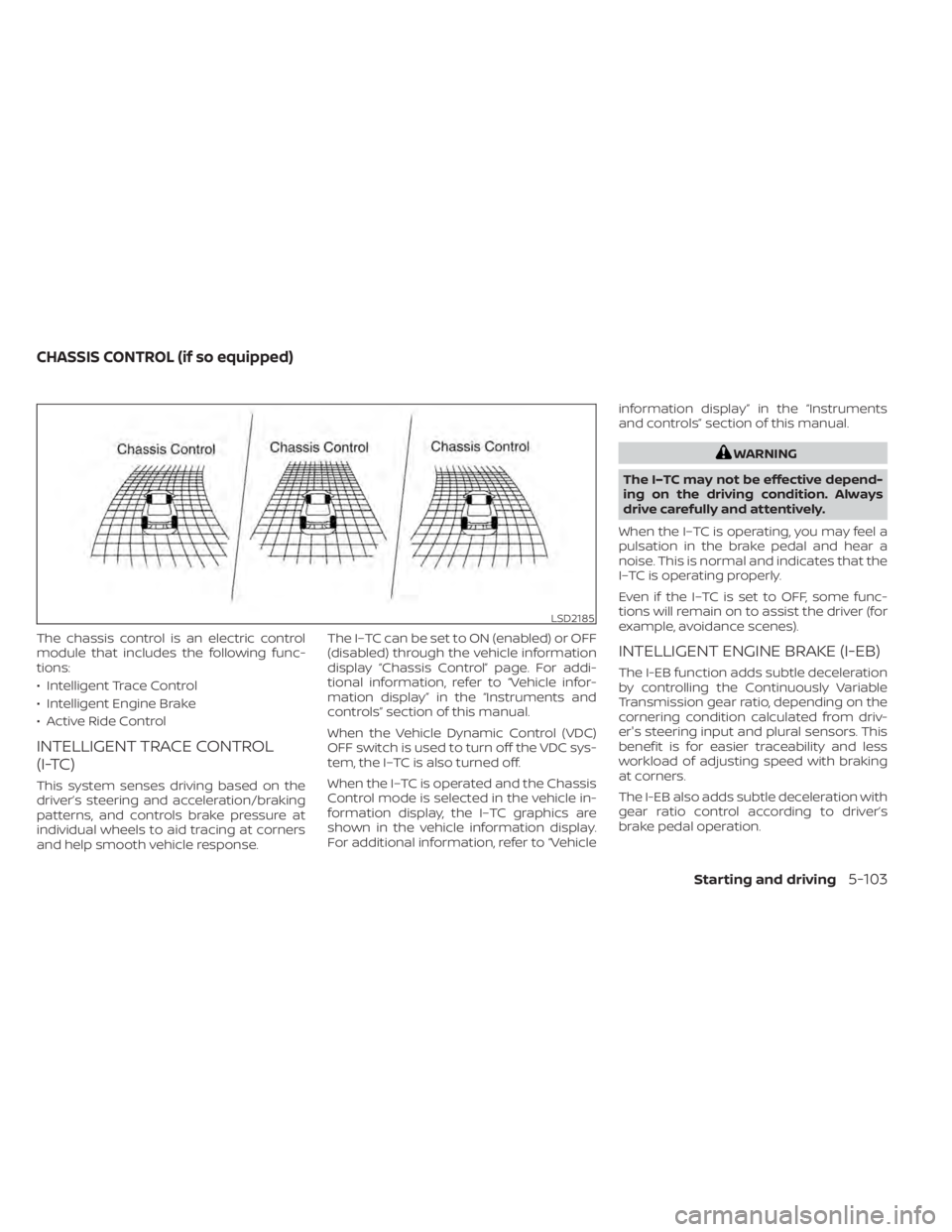
The chassis control is an electric control
module that includes the following func-
tions:
• Intelligent Trace Control
• Intelligent Engine Brake
• Active Ride Control
INTELLIGENT TRACE CONTROL
(I-TC)
This system senses driving based on the
driver’s steering and acceleration/braking
patterns, and controls brake pressure at
individual wheels to aid tracing at corners
and help smooth vehicle response.The I–TC can be set to ON (enabled) or OFF
(disabled) through the vehicle information
display “Chassis Control” page. For addi-
tional information, refer to “Vehicle infor-
mation display” in the “Instruments and
controls” section of this manual.
When the Vehicle Dynamic Control (VDC)
OFF switch is used to turn off the VDC sys-
tem, the I–TC is also turned off.
When the I–TC is operated and the Chassis
Control mode is selected in the vehicle in-
formation display, the I–TC graphics are
shown in the vehicle information display.
For additional information, refer to “Vehicleinformation display” in the “Instruments
and controls” section of this manual.
LSD2185
CHASSIS CONTROL (if so equipped)
Starting and driving5-103
Page 377 of 500
The hill start assist system automatically
keeps the brakes applied to help prevent
the vehicle from rolling backwards in the
time it takes the driver to release the brake
pedal and apply the accelerator when the
vehicle is stopped on a hill.
The hill start assist system will operate au-
tomatically under the following conditions:
• The transmission is shif ted to a forwardor reverse gear.
• The vehicle is stopped completely on a hill by applying the brake.
The maximum holding time is 2 seconds.
Af ter 2 seconds the vehicle will begin to roll
back and the hill start assist system will
stop operating completely.
The hill start assist system will not operate
when the transmission is shif ted to the N
(Neutral) or P (Park) position or on a flat and
level road.
When the Vehicle Dynamic Control (VDC)
indicator light illuminates in the meter, the
hill start assist system will not operate. For
additional information, refer to “Vehicle Dy-
namic Control (VDC) indicator light” in the
“Instruments and controls” section of this
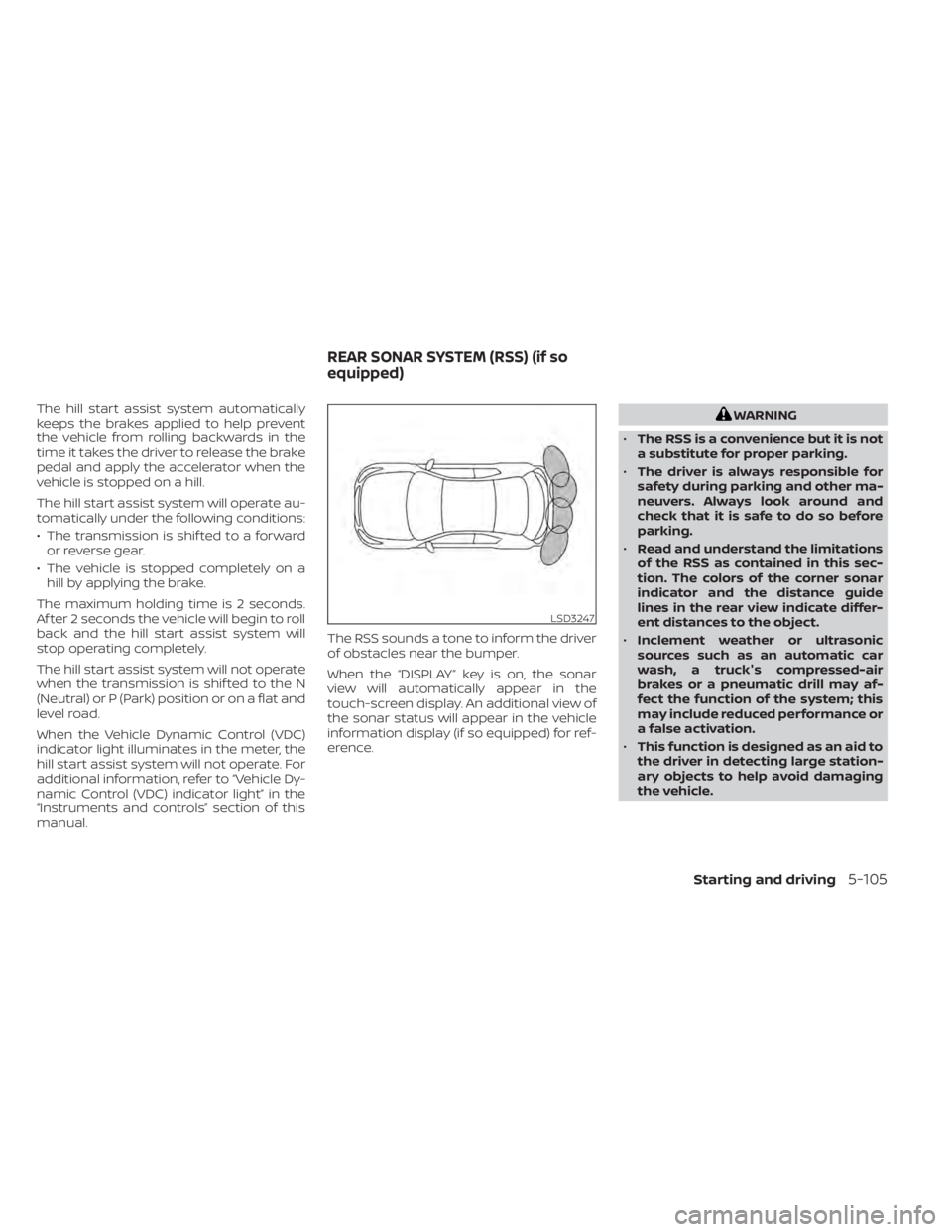
manual. The RSS sounds a tone to inform the driver
of obstacles near the bumper.
When the “DISPLAY” key is on, the sonar
view will automatically appear in the
touch-screen display. An additional view of
the sonar status will appear in the vehicle
information display (if so equipped) for ref-
erence.
Starting and driving5-105
Page 382 of 500
•Inclement weather or ultrasonic
sources such as an automatic car
wash, a truck’s compressed-air
brakes or a pneumatic drill may af-
fect the function of the system; this
may include reduced performance or
a false activation.
• The system is not designed to pre-
vent contact with small or moving
objects. Always move slowly. The
system will not detect small objects
below the bumper or on the ground.
• The system may not detect the fol-
lowing objects: fluff y objects such as
snow, cloth, cotton, glass-wool, etc.;
thin objects such as rope, wire and
chain, etc.; or wedge-shaped objects.
• The system may not detect objects
at speeds above 3 mph (5 km/h) and
may not detect certain angular or
moving objects.
SYSTEM TEMPORARILY
UNAVAILABLE
When sonar blockage is detected, the sys-
tem will be deactivated automatically.
The system is not available until the condi-
tions no longer exist. The sonar sensors may be blocked by tem-
porary ambient conditions such as splash-
ing water, mist or fog. The blocked condi-
tion may also be caused by objects such as
ice, frost or dirt obstructing the sonar sen-
sors.
Action to take:
When the above conditions no longer exist,
the system will resume automatically.
SYSTEM MAINTENANCE
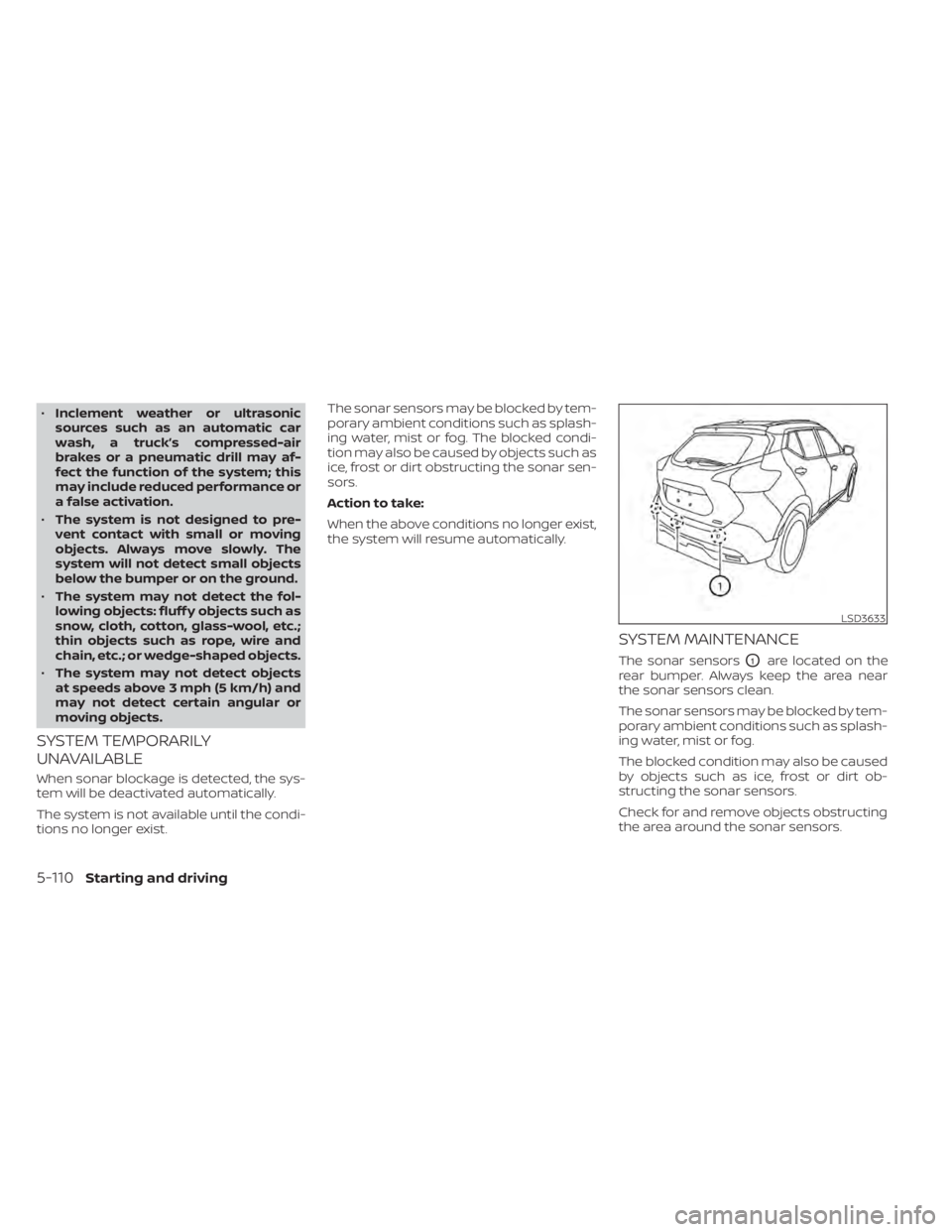
The sonar sensorsO1are located on the
rear bumper. Always keep the area near
the sonar sensors clean.
The sonar sensors may be blocked by tem-
porary ambient conditions such as splash-
ing water, mist or fog.
The blocked condition may also be caused
by objects such as ice, frost or dirt ob-
structing the sonar sensors.
Check for and remove objects obstructing
the area around the sonar sensors.
LSD3633
5-110Starting and driving
Page 390 of 500
CHANGING A FLAT TIRE
If you have a flat tire, follow the instructions
below:
Stopping the vehicle
1. Safely move the vehicle off the road andaway from traffic.
2. Turn on the hazard warning flashers.
3. Park on a level surface and apply the parking brake. Move the shif t lever to P
(Park).
4. Turn off the engine.
5. Raise the hood to warn other traffic and to signal professional road assistance
personnel that you need assistance.
6. Have all passengers get out of the ve- hicle and stand in a safe place, away
from traffic and clear of the vehicle.
6-4In case of emergency
Page 396 of 500
•Whenever working on or near a bat-
tery, always wear suitable eye pro-
tectors (for example, goggles or in-
dustrial safety spectacles) and
remove rings, metal bands, or any
other jewelry. Do not lean over the
battery when jump starting.
• Do not attempt to jump start a frozen
battery. It could explode and cause
serious injury.
• The automatic engine cooling fan (if
so equipped) may come on at any
time without warning, even if the ig-
nition switch is in the OFF position
and the engine is not running. To
avoid injury, keep hands and other
objects away from it.
WARNING
Always follow the instructions below.
Failure to do so could result in damage
to the charging system and cause per-
sonal injury.
1. If the booster battery is in another ve- hicle, position the 2 vehicles to bring their
batteries near each other.
Do not allow the two vehicles to touch.
2. Apply the parking brake. Move the shif t lever to P (Park). Switch off all unneces-
sary electrical systems (lights, heater, air
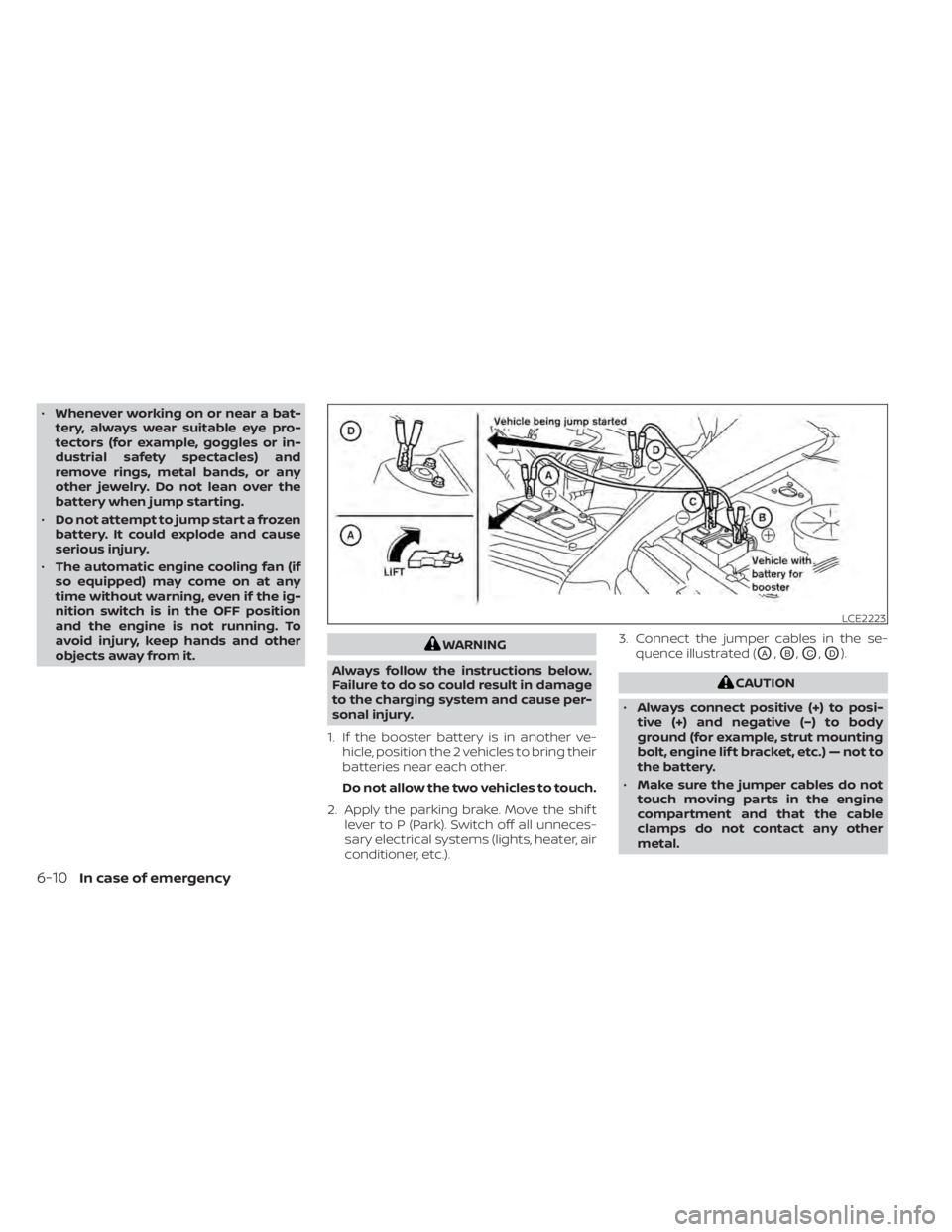
conditioner, etc.). 3. Connect the jumper cables in the se-
quence illustrated (OA,OB,OC,OD).
6-10In case of emergency
Page 406 of 500
When installing Genuine NISSAN floor mats,
follow the installation instructions provided
with the mat and the following:
1. With the ignition in the OFF position, theshif t lever in P (Park) position and with
the parking brake fully applied, position
the floor mat in the floorwell so that the
floor mat grommet holes are aligned
with the hook(s).
2. Secure the grommet holes into the hook(s) and ensure that the floor mat is
properly positioned.
3. Make sure the floor mat does not inter- fere with pedal operation. With the igni-
tion still in the OFF position, the shif t le-
ver in the P (Park) position and with the
parking brake applied, fully apply and re-
lease all pedals. The floor mat must not
interfere with pedal operation or prevent
the pedal from returning to its normal
position.
It is recommended that you visit a NISSAN
dealer for details about installing the floor
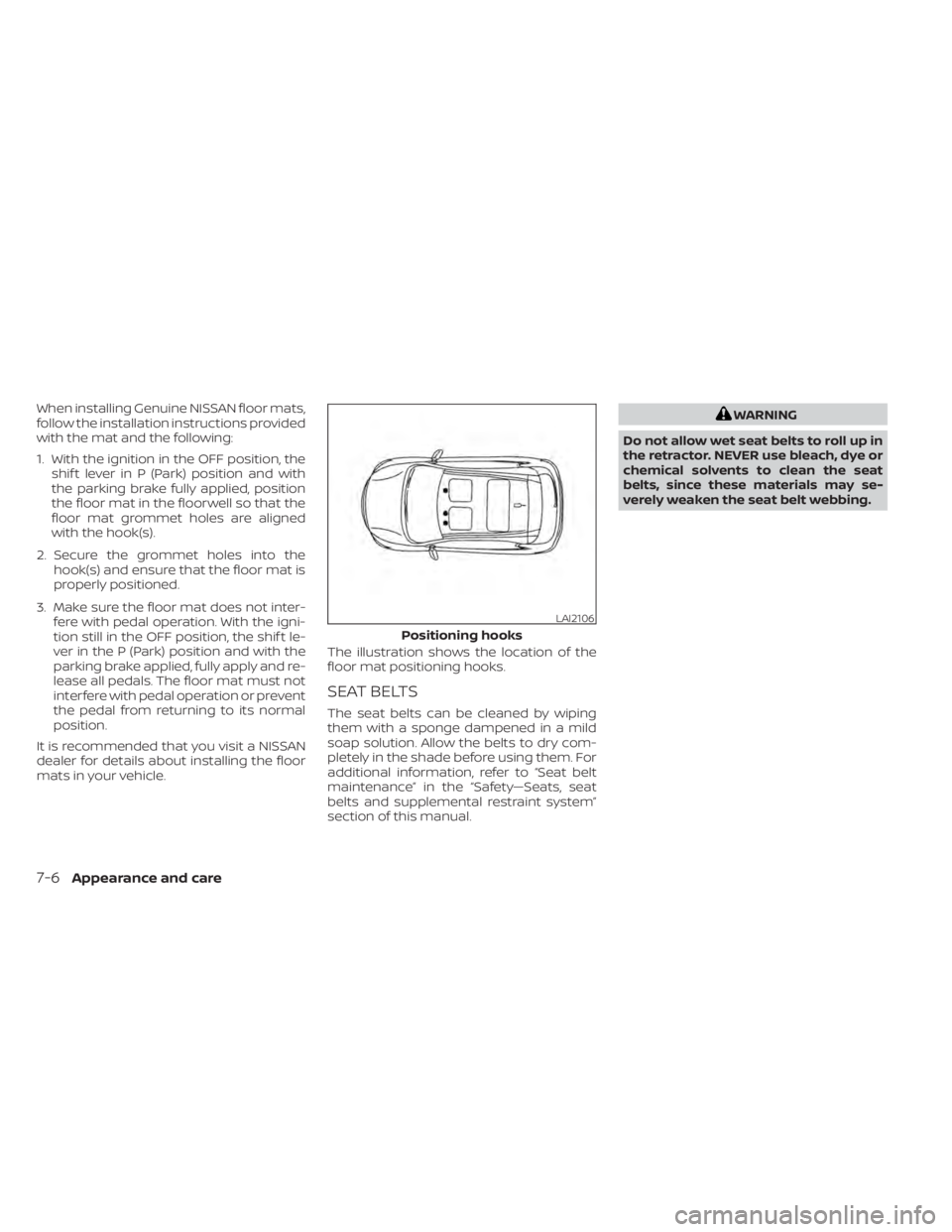
mats in your vehicle. The illustration shows the location of the
floor mat positioning hooks.
SEAT BELTS
The seat belts can be cleaned by wiping
them with a sponge dampened in a mild
soap solution. Allow the belts to dry com-
pletely in the shade before using them. For
additional information, refer to “Seat belt
maintenance” in the “Safety—Seats, seat
belts and supplemental restraint system”
section of this manual.
Page 411 of 500
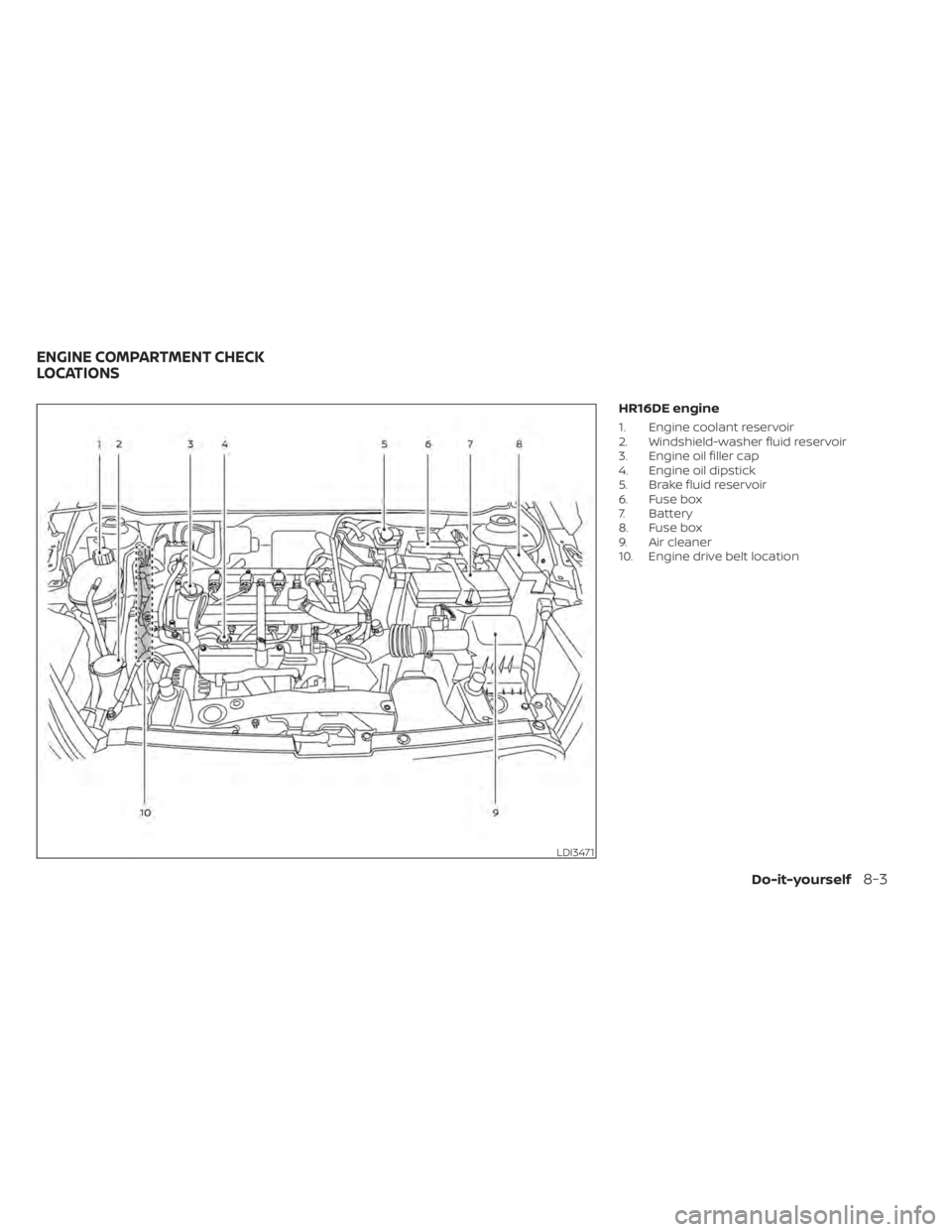
HR16DE engine
1. Engine coolant reservoir
2. Windshield-washer fluid reservoir
3. Engine oil filler cap
4. Engine oil dipstick
5. Brake fluid reservoir
6. Fuse box
7. Battery
8. Fuse box
9. Air cleaner
10. Engine drive belt location
LDI3471
ENGINE COMPARTMENT CHECK
LOCATIONS
Do-it-yourself8-3
Page 413 of 500
CHECKING ENGINE COOLANT
LEVEL
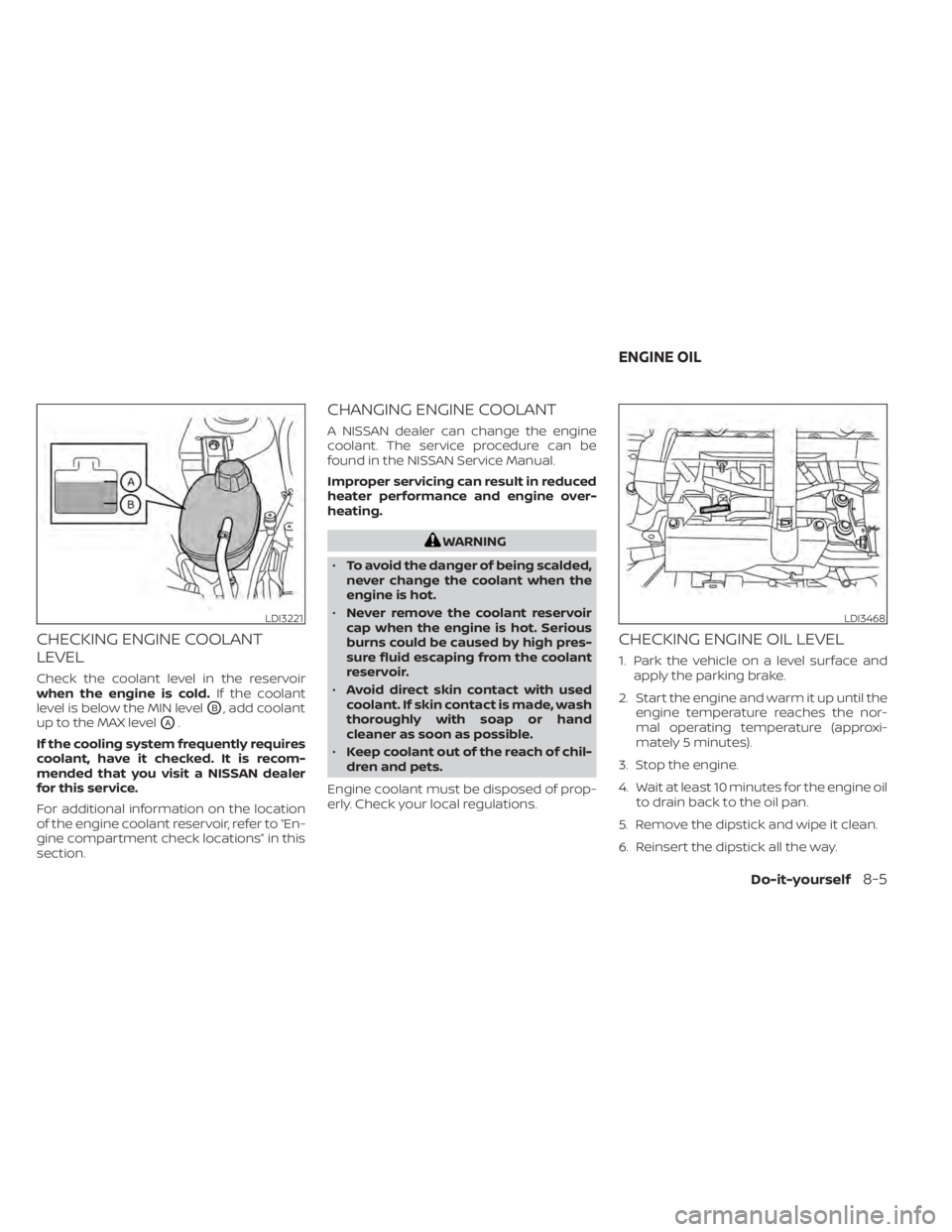
Check the coolant level in the reservoir
when the engine is cold.If the coolant
level is below the MIN level
OB, add coolant
up to the MAX level
OA.
If the cooling system frequently requires
coolant, have it checked. It is recom-
mended that you visit a NISSAN dealer
for this service.
For additional information on the location
of the engine coolant reservoir, refer to “En-
gine compartment check locations” in this
section.
CHANGING ENGINE COOLANT
A NISSAN dealer can change the engine
coolant. The service procedure can be
found in the NISSAN Service Manual.
Improper servicing can result in reduced
heater performance and engine over-
heating.
WARNING
• To avoid the danger of being scalded,
never change the coolant when the
engine is hot.
• Never remove the coolant reservoir
cap when the engine is hot. Serious
burns could be caused by high pres-
sure fluid escaping from the coolant
reservoir.
• Avoid direct skin contact with used
coolant. If skin contact is made, wash
thoroughly with soap or hand
cleaner as soon as possible.
• Keep coolant out of the reach of chil-
dren and pets.
Engine coolant must be disposed of prop-
erly. Check your local regulations.
CHECKING ENGINE OIL LEVEL
1. Park the vehicle on a level surface and apply the parking brake.
2. Start the engine and warm it up until the engine temperature reaches the nor-
mal operating temperature (approxi-
mately 5 minutes).
3. Stop the engine.
4. Wait at least 10 minutes for the engine oil to drain back to the oil pan.
5. Remove the dipstick and wipe it clean.
6. Reinsert the dipstick all the way.
LDI3221LDI3468
ENGINE OIL
Do-it-yourself8-5
Page 414 of 500
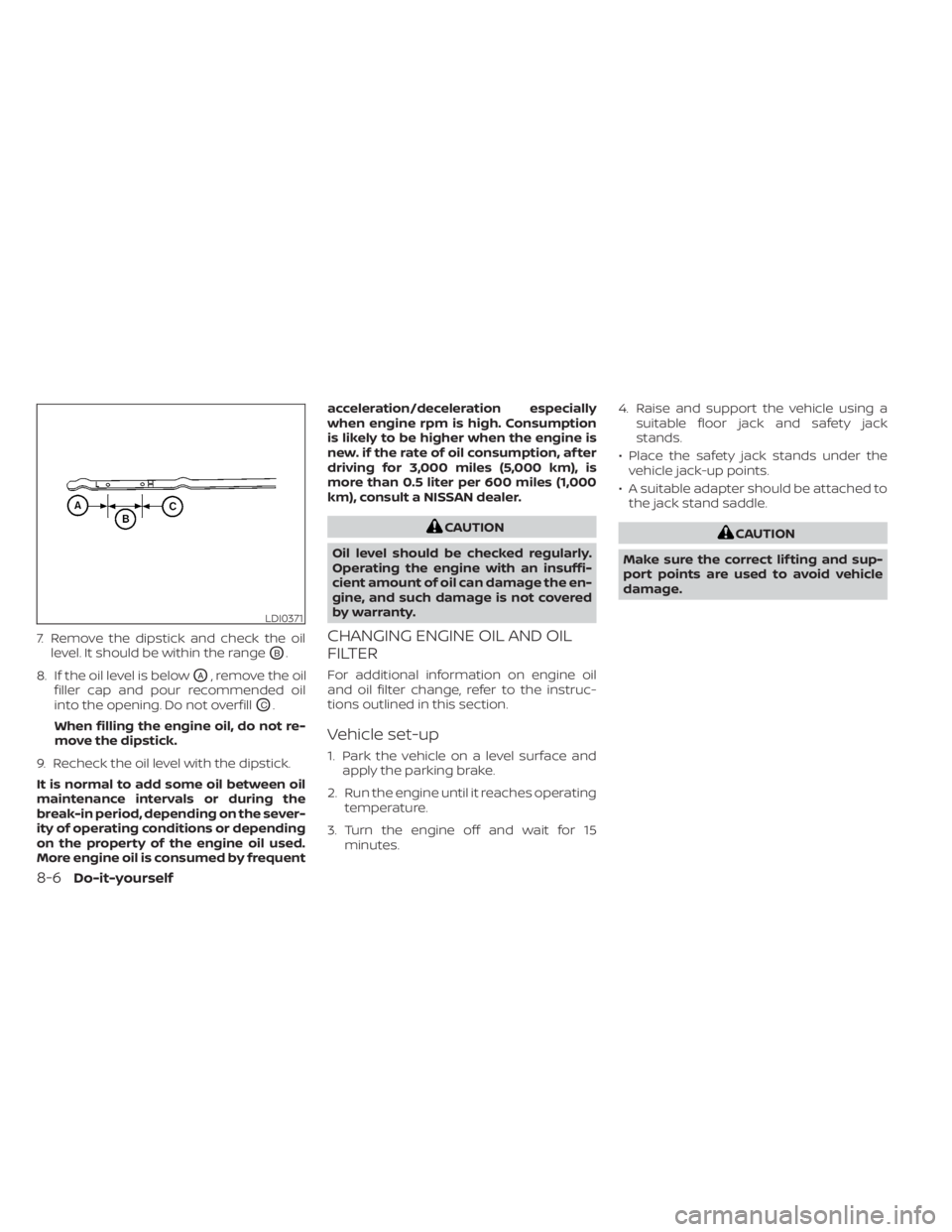
7. Remove the dipstick and check the oillevel. It should be within the range
OB.
8. If the oil level is below
OA, remove the oil
filler cap and pour recommended oil
into the opening. Do not overfill
OC.
When filling the engine oil, do not re-
move the dipstick.
9. Recheck the oil level with the dipstick.
It is normal to add some oil between oil
maintenance intervals or during the
break-in period, depending on the sever-
ity of operating conditions or depending
on the property of the engine oil used.
More engine oil is consumed by frequent acceleration/deceleration especially
when engine rpm is high. Consumption
is likely to be higher when the engine is
new. if the rate of oil consumption, af ter
driving for 3,000 miles (5,000 km), is
more than 0.5 liter per 600 miles (1,000
km), consult a NISSAN dealer.
CAUTION
Oil level should be checked regularly.
Operating the engine with an insuffi-
cient amount of oil can damage the en-
gine, and such damage is not covered
by warranty.
CHANGING ENGINE OIL AND OIL
FILTER
For additional information on engine oil
and oil filter change, refer to the instruc-
tions outlined in this section.
Vehicle set-up
1. Park the vehicle on a level surface and apply the parking brake.
2. Run the engine until it reaches operating temperature.
3. Turn the engine off and wait for 15 minutes. 4. Raise and support the vehicle using a
suitable floor jack and safety jack
stands.
• Place the safety jack stands under the vehicle jack-up points.
• A suitable adapter should be attached to the jack stand saddle.
8-6Do-it-yourself
Page 417 of 500
For additional information about drain and
refill capacity, refer to “Recommended
fluids/lubricants and capacities” in the
“Technical and consumer information” sec-
tion of this manual. The drain and refill ca-
pacity depends on the oil temperature and
drain time. Use these specifications for ref-
erence only. Always use the dipstick to de-
termine the proper amount of oil in the
engine.
10. Start the engine and check for leakagearound the drain plug and the oil filter.
Correct as required. Turn the engine off
and wait more than 15 minutes. Check
the oil level with the dipstick. Add en-
gine oil if necessary.
Af ter the operation
1. Lower the vehicle carefully to the ground.
2. Reset oil and oil filter maintenance re-minder (if so equipped). For additional
information, refer to “Vehicle information
display” in the “Instruments and con-
trols” section of this manual.
• Dispose of waste oil and filter properly.
• Check your local regulations.
LDI3459
CONTINUOUSLY VARIABLE
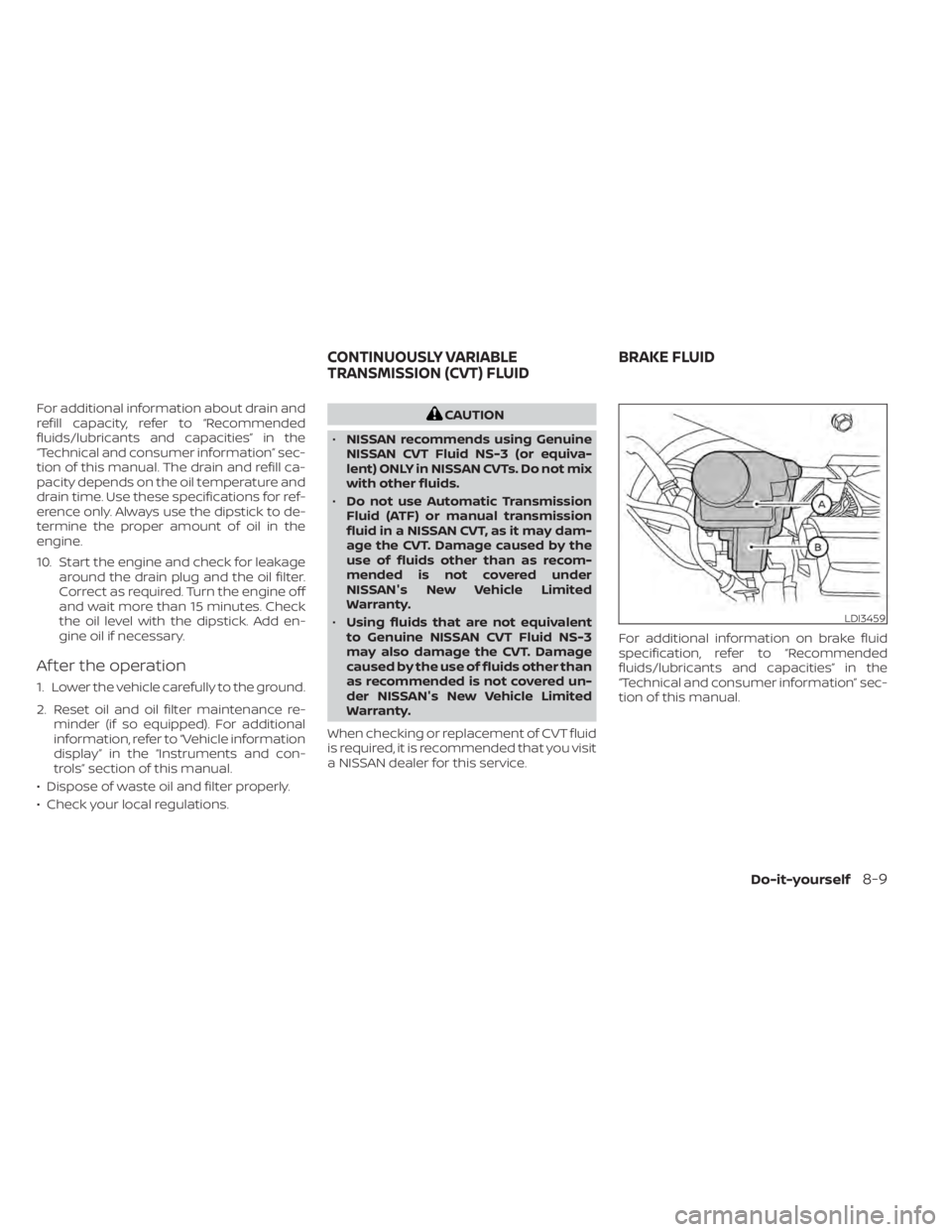
TRANSMISSION (CVT) FLUID BRAKE FLUID
Do-it-yourself8-9