display NISSAN KICKS 2023 Owners Manual
[x] Cancel search | Manufacturer: NISSAN, Model Year: 2023, Model line: KICKS, Model: NISSAN KICKS 2023Pages: 558, PDF Size: 6.25 MB
Page 367 of 558
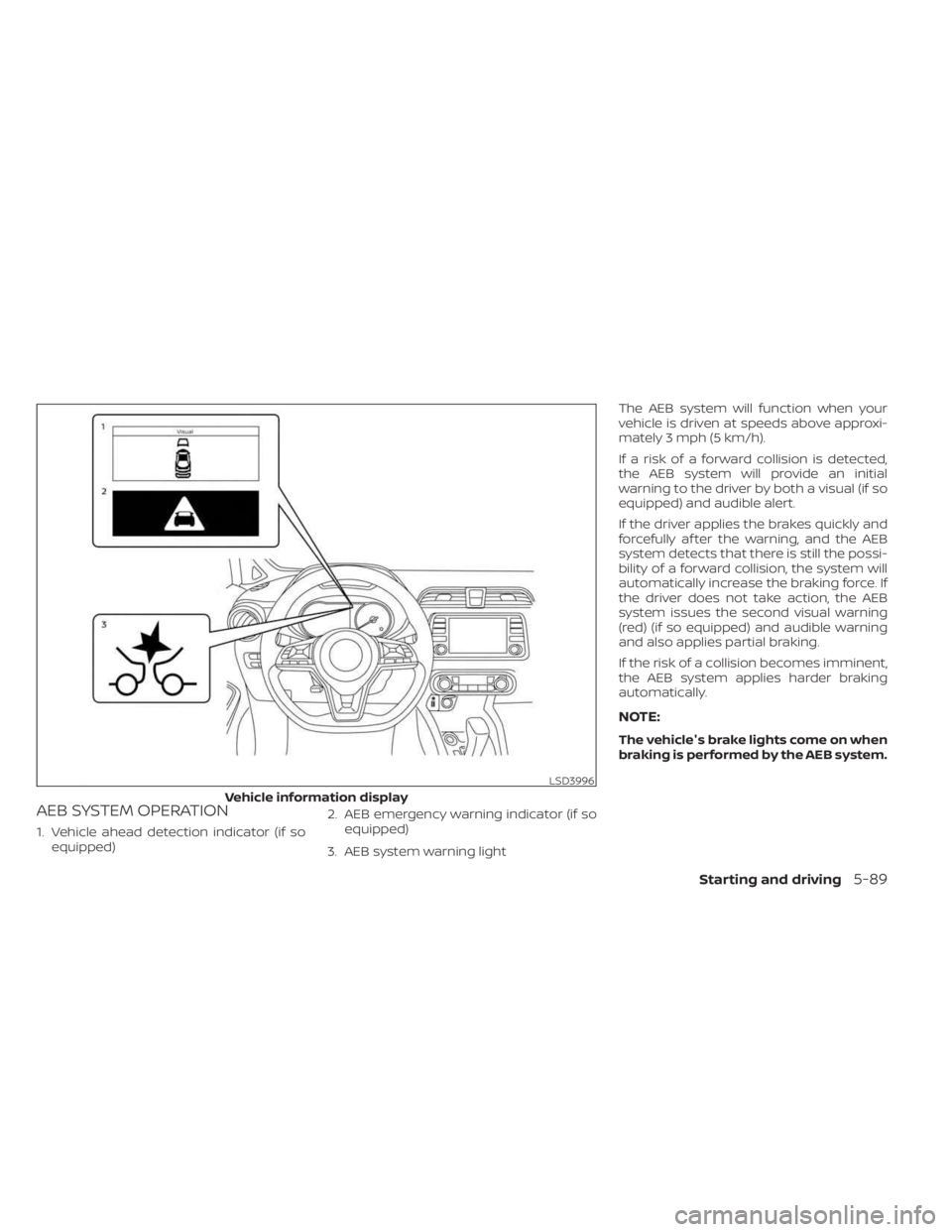
AEB SYSTEM OPERATION
1. Vehicle ahead detection indicator (if soequipped) 2. AEB emergency warning indicator (if so
equipped)
3. AEB system warning light The AEB system will function when your
vehicle is driven at speeds above approxi-
mately 3 mph (5 km/h).
If a risk of a forward collision is detected,
the AEB system will provide an initial
warning to the driver by both a visual (if so
equipped) and audible alert.
If the driver applies the brakes quickly and
forcefully af ter the warning, and the AEB
system detects that there is still the possi-
bility of a forward collision, the system will
automatically increase the braking force. If
the driver does not take action, the AEB
system issues the second visual warning
(red) (if so equipped) and audible warning
and also applies partial braking.
If the risk of a collision becomes imminent,
the AEB system applies harder braking
automatically.
NOTE:
The vehicle's brake lights come on when
braking is performed by the AEB system.
LSD3996
Vehicle information display
Starting and driving5-89
Page 369 of 558
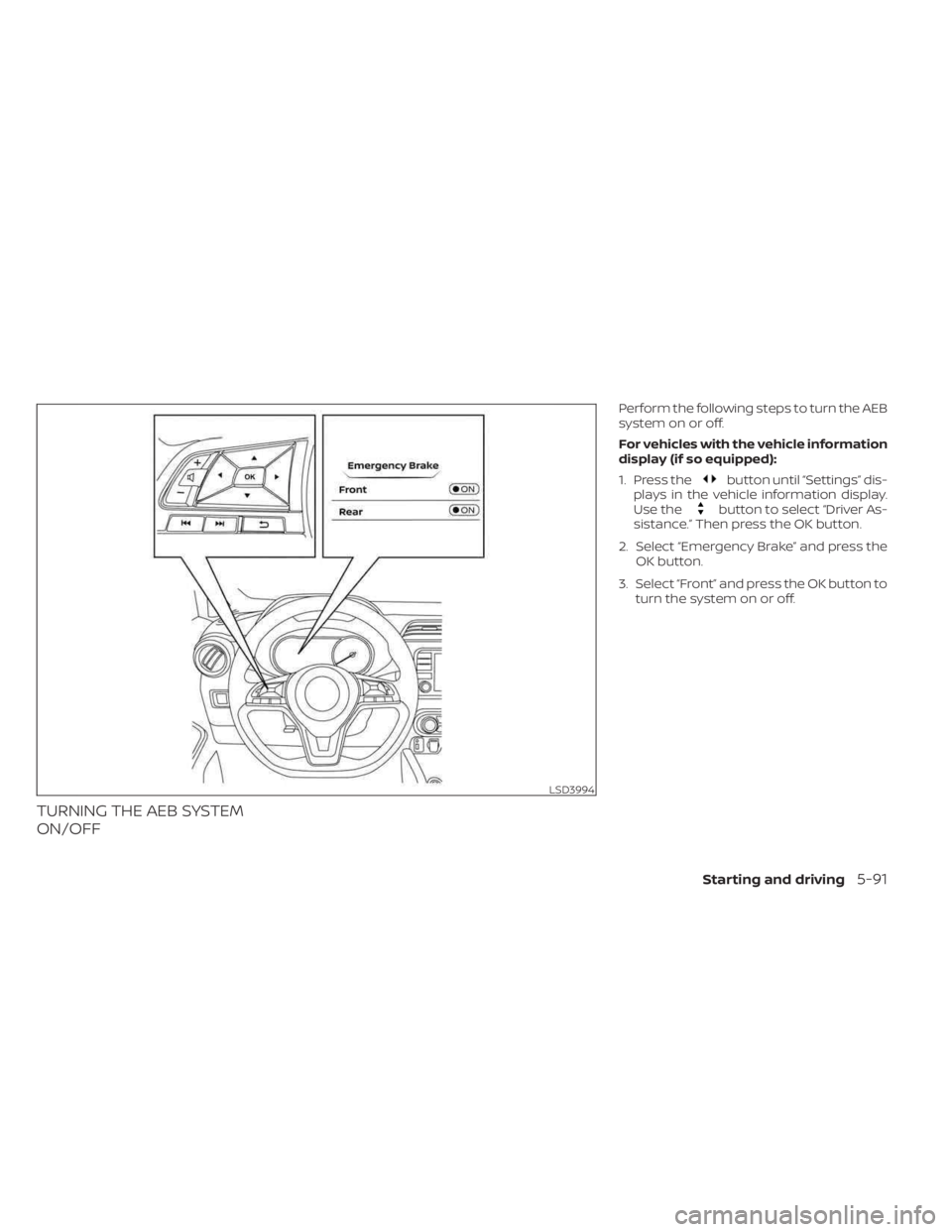
TURNING THE AEB SYSTEM
ON/OFF
Perform the following steps to turn the AEB
system on or off.
For vehicles with the vehicle information
display (if so equipped):
1. Press the
button until “Settings” dis-
plays in the vehicle information display.
Use the
button to select “Driver As-
sistance.” Then press the OK button.
2. Select “Emergency Brake” and press the OK button.
3. Select “Front” and press the OK button to turn the system on or off.
LSD3994
Starting and driving5-91
Page 372 of 558
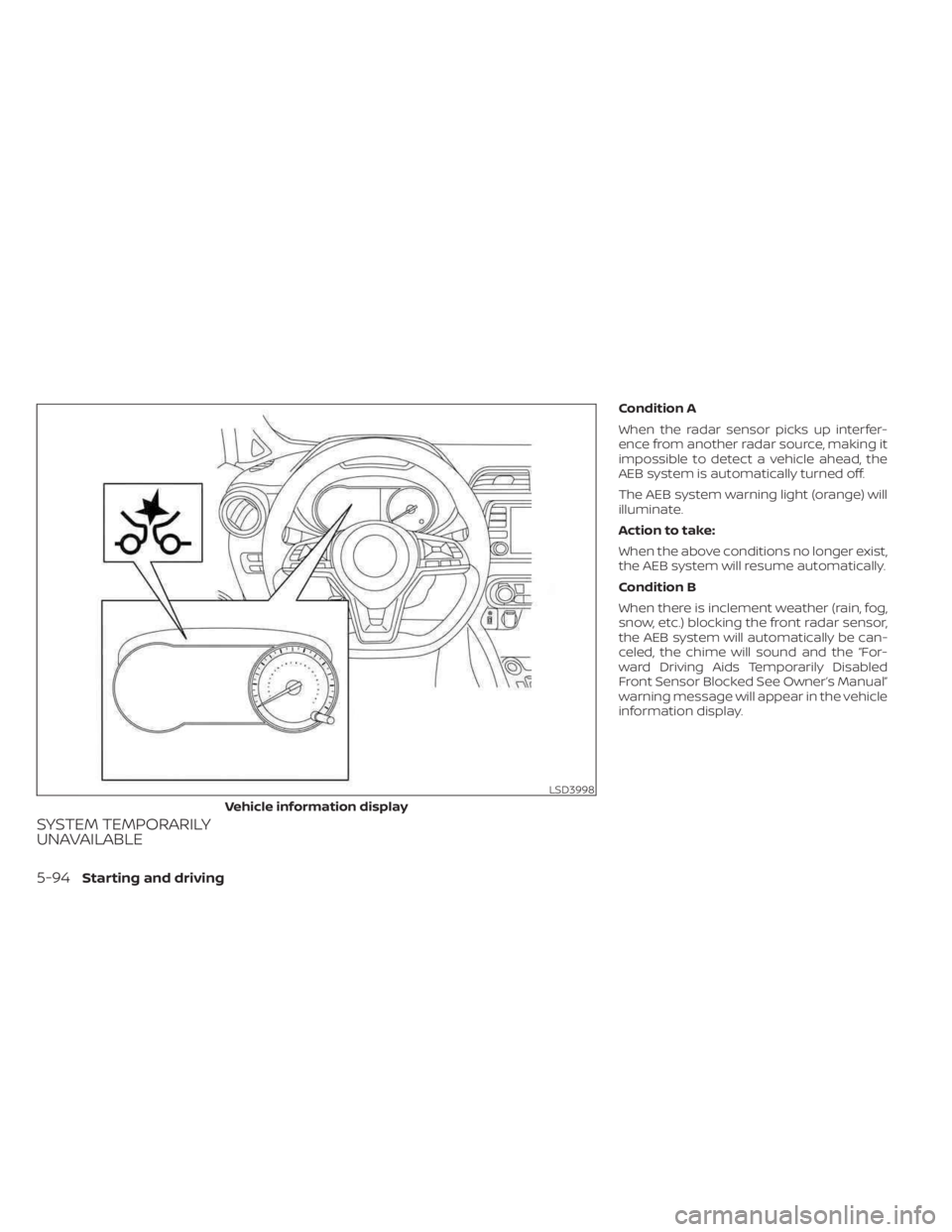
SYSTEM TEMPORARILY
UNAVAILABLE
Condition A
When the radar sensor picks up interfer-
ence from another radar source, making it
impossible to detect a vehicle ahead, the
AEB system is automatically turned off.
The AEB system warning light (orange) will
illuminate.
Action to take:
When the above conditions no longer exist,
the AEB system will resume automatically.
Condition B
When there is inclement weather (rain, fog,
snow, etc.) blocking the front radar sensor,
the AEB system will automatically be can-
celed, the chime will sound and the “For-
ward Driving Aids Temporarily Disabled
Front Sensor Blocked See Owner’s Manual”
warning message will appear in the vehicle
information display.
LSD3998
Vehicle information display
5-94Starting and driving
Page 373 of 558
Action to take:
When the above conditions are no longer
present, the warning message will no lon-
ger be available in the vehicle information
display. If the “Forward Driving Aids Tempo-
rarily Disabled Front Sensor Blocked See
Owner’s Manual” warning message contin-
ues to be displayed, have the system
checked. It is recommended that you visit a
NISSAN dealer for this service.
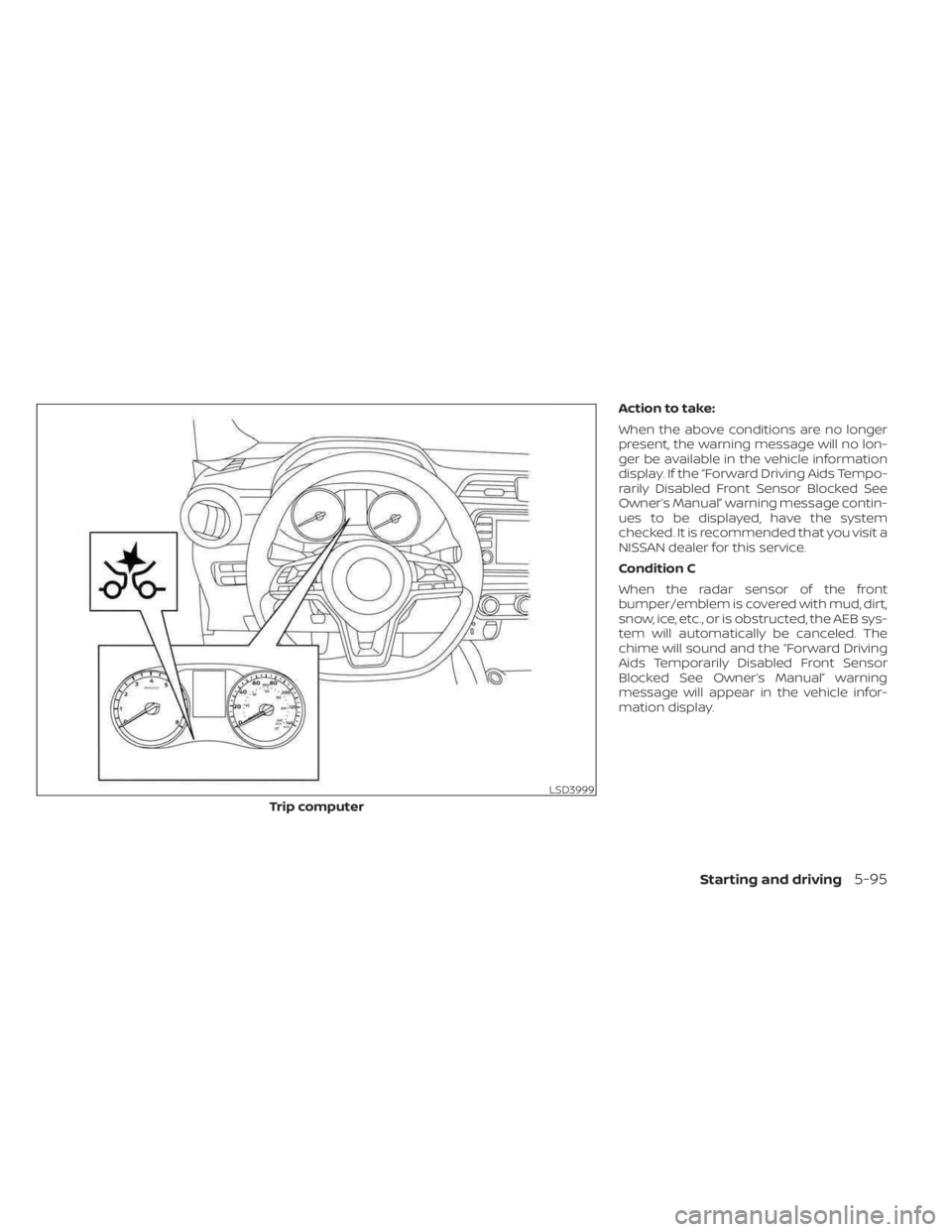
Condition C
When the radar sensor of the front
bumper/emblem is covered with mud, dirt,
snow, ice, etc., or is obstructed, the AEB sys-
tem will automatically be canceled. The
chime will sound and the “Forward Driving
Aids Temporarily Disabled Front Sensor
Blocked See Owner’s Manual” warning
message will appear in the vehicle infor-
mation display.
LSD3999
Trip computer
Starting and driving5-95
Page 374 of 558
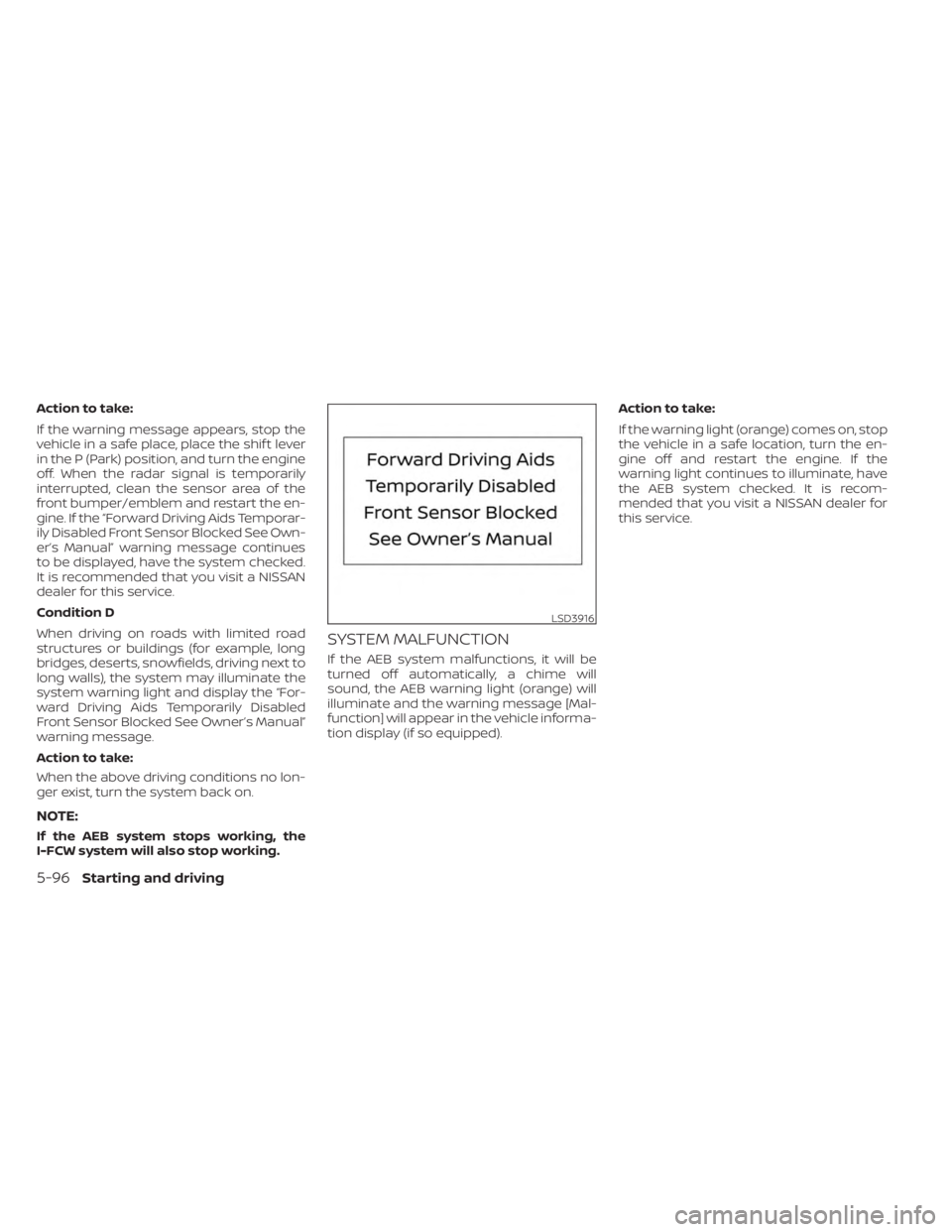
Action to take:
If the warning message appears, stop the
vehicle in a safe place, place the shif t lever
in the P (Park) position, and turn the engine
off. When the radar signal is temporarily
interrupted, clean the sensor area of the
front bumper/emblem and restart the en-
gine. If the “Forward Driving Aids Temporar-
ily Disabled Front Sensor Blocked See Own-
er’s Manual” warning message continues
to be displayed, have the system checked.
It is recommended that you visit a NISSAN
dealer for this service.
Condition D
When driving on roads with limited road
structures or buildings (for example, long
bridges, deserts, snowfields, driving next to
long walls), the system may illuminate the
system warning light and display the “For-
ward Driving Aids Temporarily Disabled
Front Sensor Blocked See Owner’s Manual”
warning message.
Action to take:
When the above driving conditions no lon-
ger exist, turn the system back on.
NOTE:
If the AEB system stops working, the
I-FCW system will also stop working.
SYSTEM MALFUNCTION
If the AEB system malfunctions, it will be
turned off automatically, a chime will
sound, the AEB warning light (orange) will
illuminate and the warning message [Mal-
function] will appear in the vehicle informa-
tion display (if so equipped).Action to take:
If the warning light (orange) comes on, stop
the vehicle in a safe location, turn the en-
gine off and restart the engine. If the
warning light continues to illuminate, have
the AEB system checked. It is recom-
mended that you visit a NISSAN dealer for
this service.
LSD3916
5-96Starting and driving
Page 377 of 558
AEB WITH PEDESTRIAN
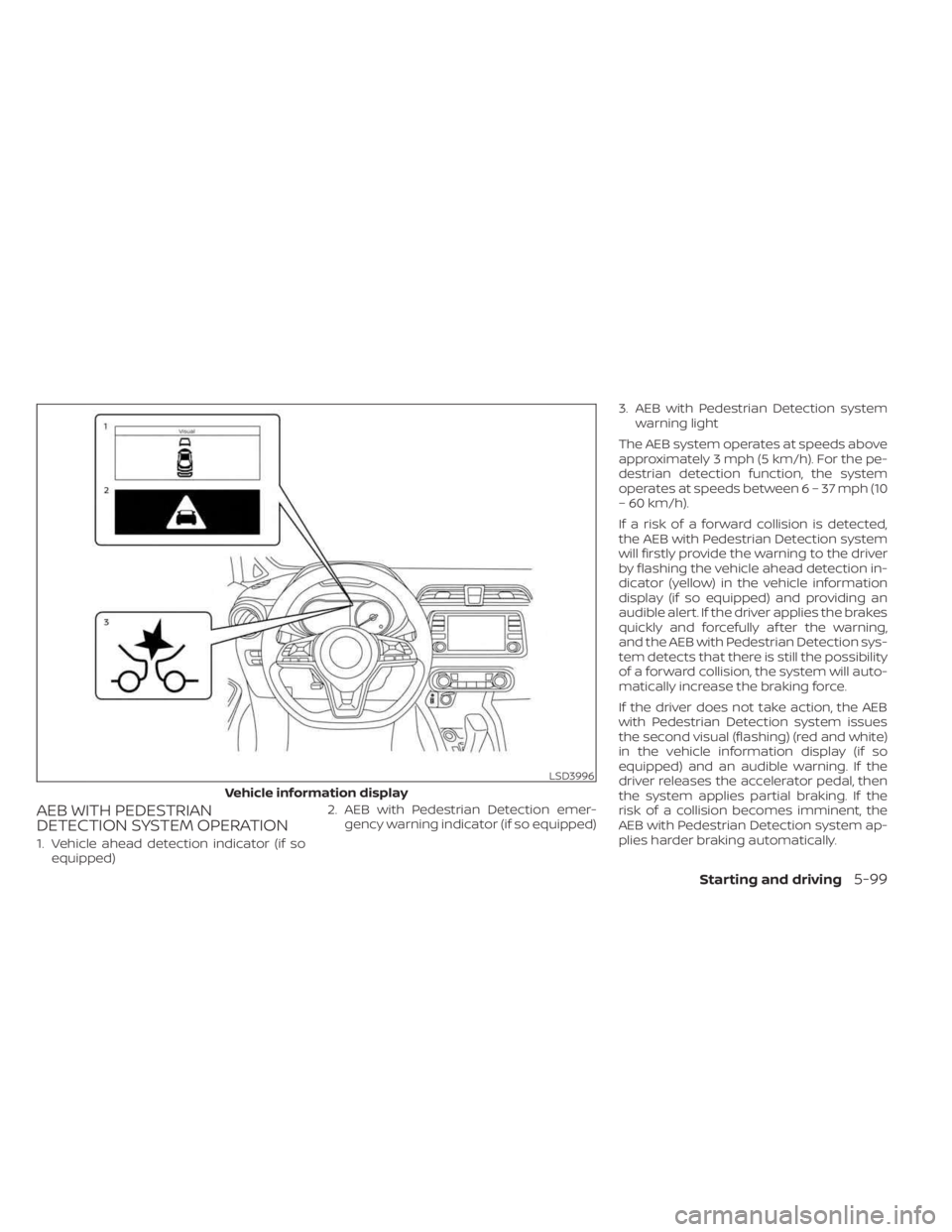
DETECTION SYSTEM OPERATION
1. Vehicle ahead detection indicator (if soequipped) 2. AEB with Pedestrian Detection emer-
gency warning indicator (if so equipped) 3. AEB with Pedestrian Detection system
warning light
The AEB system operates at speeds above
approximately 3 mph (5 km/h). For the pe-
destrian detection function, the system
operates at speeds between6–37mph(10
– 60 km/h).
If a risk of a forward collision is detected,
the AEB with Pedestrian Detection system
will firstly provide the warning to the driver
by flashing the vehicle ahead detection in-
dicator (yellow) in the vehicle information
display (if so equipped) and providing an
audible alert. If the driver applies the brakes
quickly and forcefully af ter the warning,
and the AEB with Pedestrian Detection sys-
tem detects that there is still the possibility
of a forward collision, the system will auto-
matically increase the braking force.
If the driver does not take action, the AEB
with Pedestrian Detection system issues
the second visual (flashing) (red and white)
in the vehicle information display (if so
equipped) and an audible warning. If the
driver releases the accelerator pedal, then
the system applies partial braking. If the
risk of a collision becomes imminent, the
AEB with Pedestrian Detection system ap-
plies harder braking automatically.
LSD3996
Vehicle information display
Starting and driving5-99
Page 379 of 558
TURNING THE AEB WITH
PEDESTRIAN DETECTION SYSTEM
ON/OFF
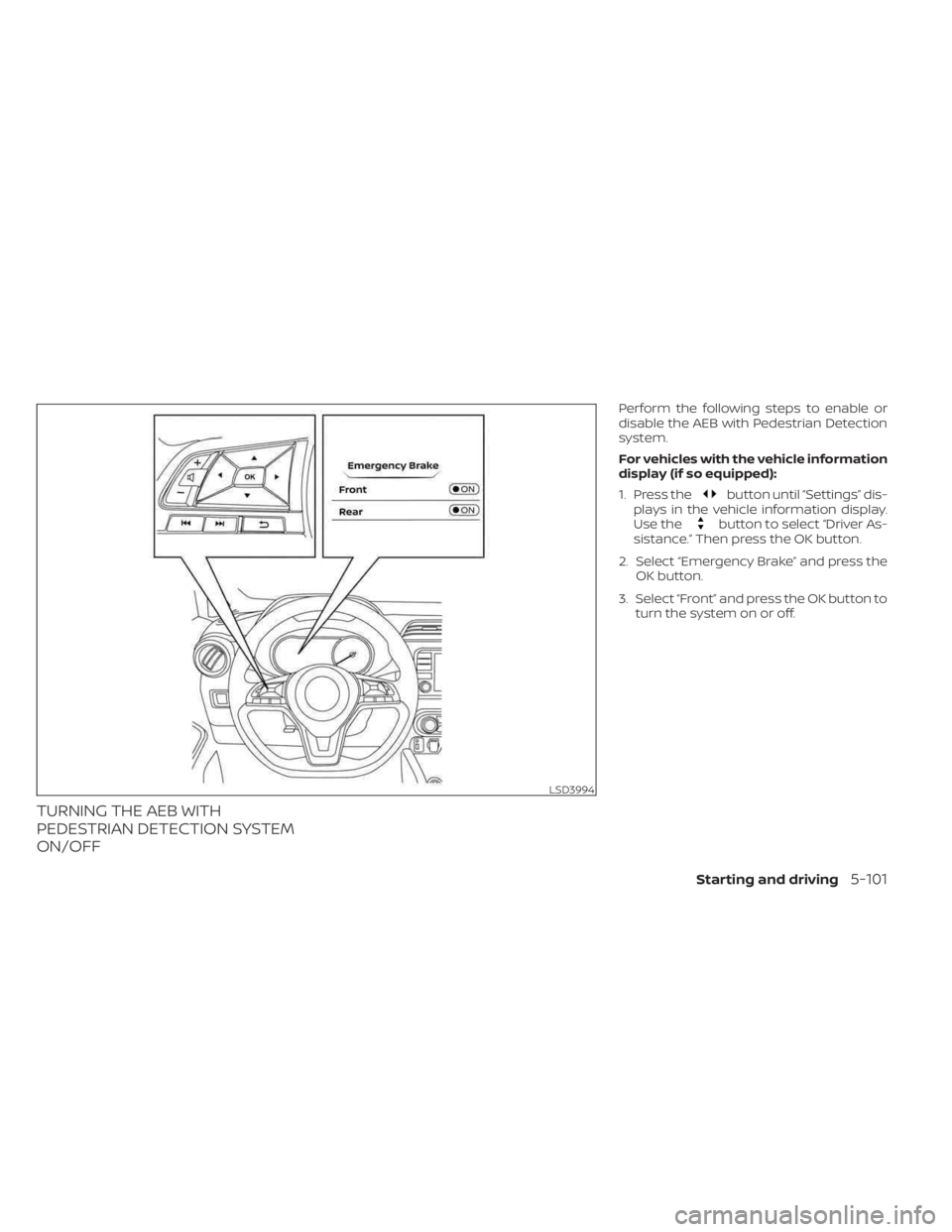
Perform the following steps to enable or
disable the AEB with Pedestrian Detection
system.
For vehicles with the vehicle information
display (if so equipped):
1. Press the
button until “Settings” dis-
plays in the vehicle information display.
Use the
button to select “Driver As-
sistance.” Then press the OK button.
2. Select “Emergency Brake” and press the OK button.
3. Select “Front” and press the OK button to turn the system on or off.
LSD3994
Starting and driving5-101
Page 380 of 558
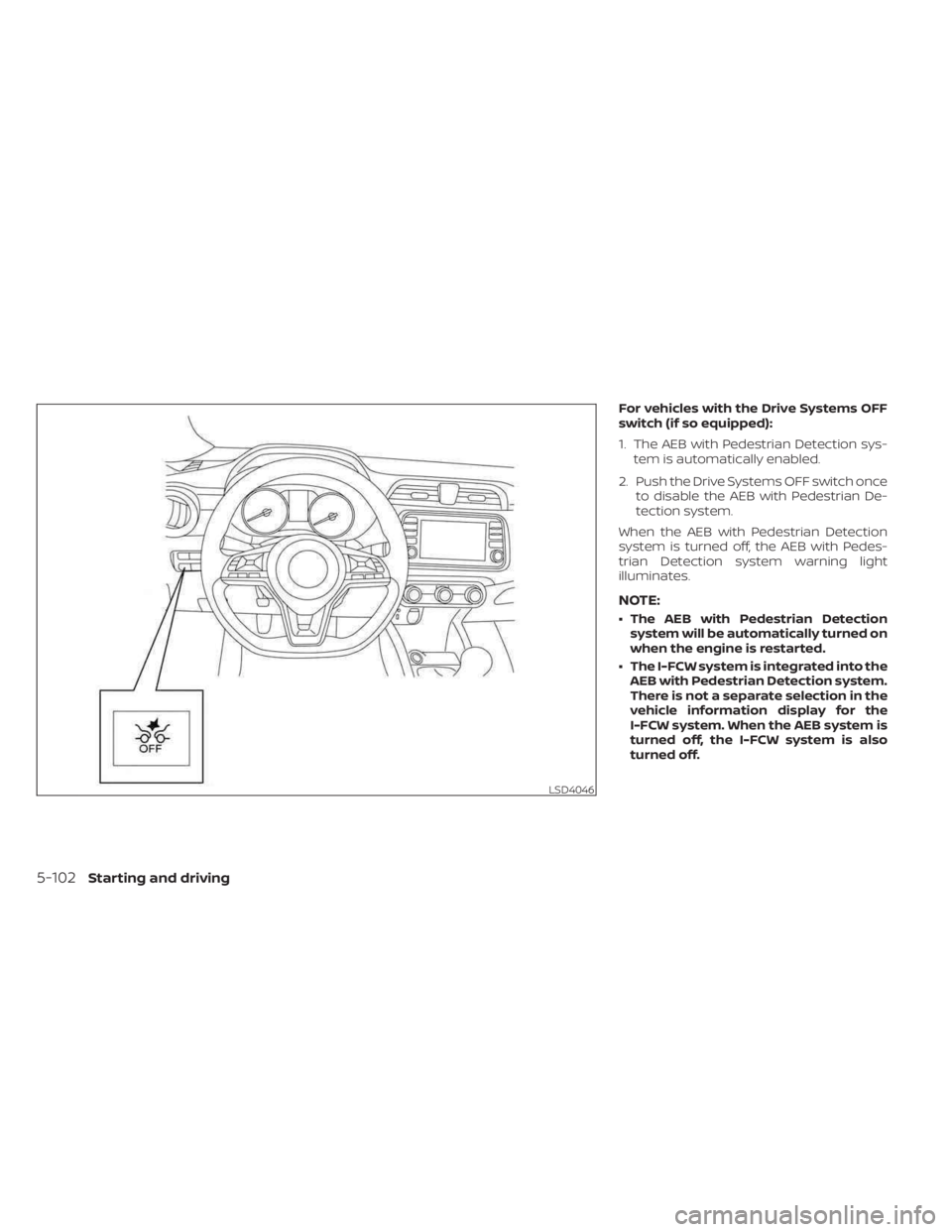
For vehicles with the Drive Systems OFF
switch (if so equipped):
1. The AEB with Pedestrian Detection sys-tem is automatically enabled.
2. Push the Drive Systems OFF switch once to disable the AEB with Pedestrian De-
tection system.
When the AEB with Pedestrian Detection
system is turned off, the AEB with Pedes-
trian Detection system warning light
illuminates.
NOTE:
• The AEB with Pedestrian Detection system will be automatically turned on
when the engine is restarted.
• The I-FCW system is integrated into the AEB with Pedestrian Detection system.
There is not a separate selection in the
vehicle information display for the
I-FCW system. When the AEB system is
turned off, the I-FCW system is also
turned off.
LSD4046
5-102Starting and driving
Page 384 of 558
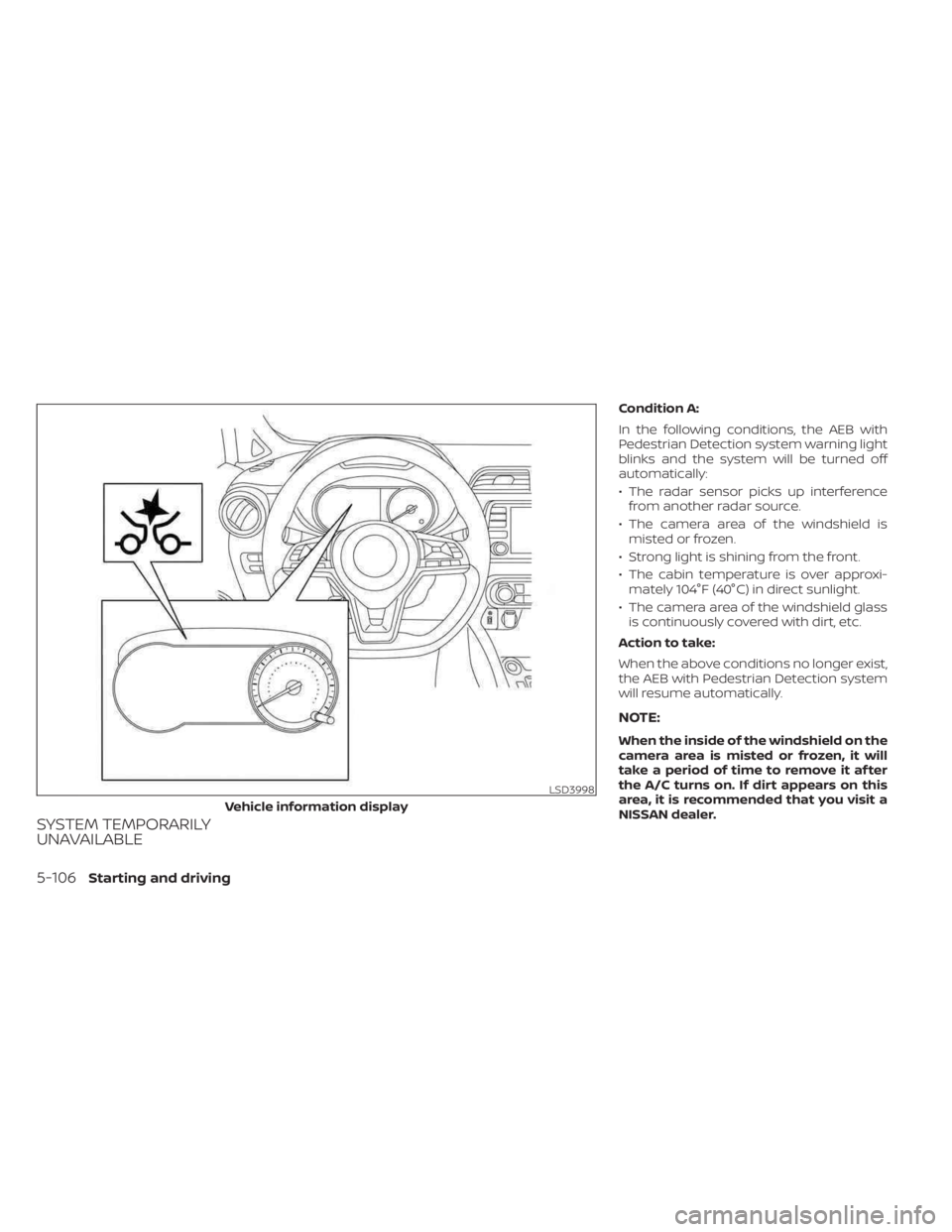
SYSTEM TEMPORARILY
UNAVAILABLE
Condition A:
In the following conditions, the AEB with
Pedestrian Detection system warning light
blinks and the system will be turned off
automatically:
• The radar sensor picks up interferencefrom another radar source.
• The camera area of the windshield is misted or frozen.
• Strong light is shining from the front.
• The cabin temperature is over approxi- mately 104°F (40°C) in direct sunlight.
• The camera area of the windshield glass is continuously covered with dirt, etc.
Action to take:
When the above conditions no longer exist,
the AEB with Pedestrian Detection system
will resume automatically.
NOTE:
When the inside of the windshield on the
camera area is misted or frozen, it will
take a period of time to remove it af ter
the A/C turns on. If dirt appears on this
area, it is recommended that you visit a
NISSAN dealer.
LSD3998
Vehicle information display
5-106Starting and driving
Page 385 of 558
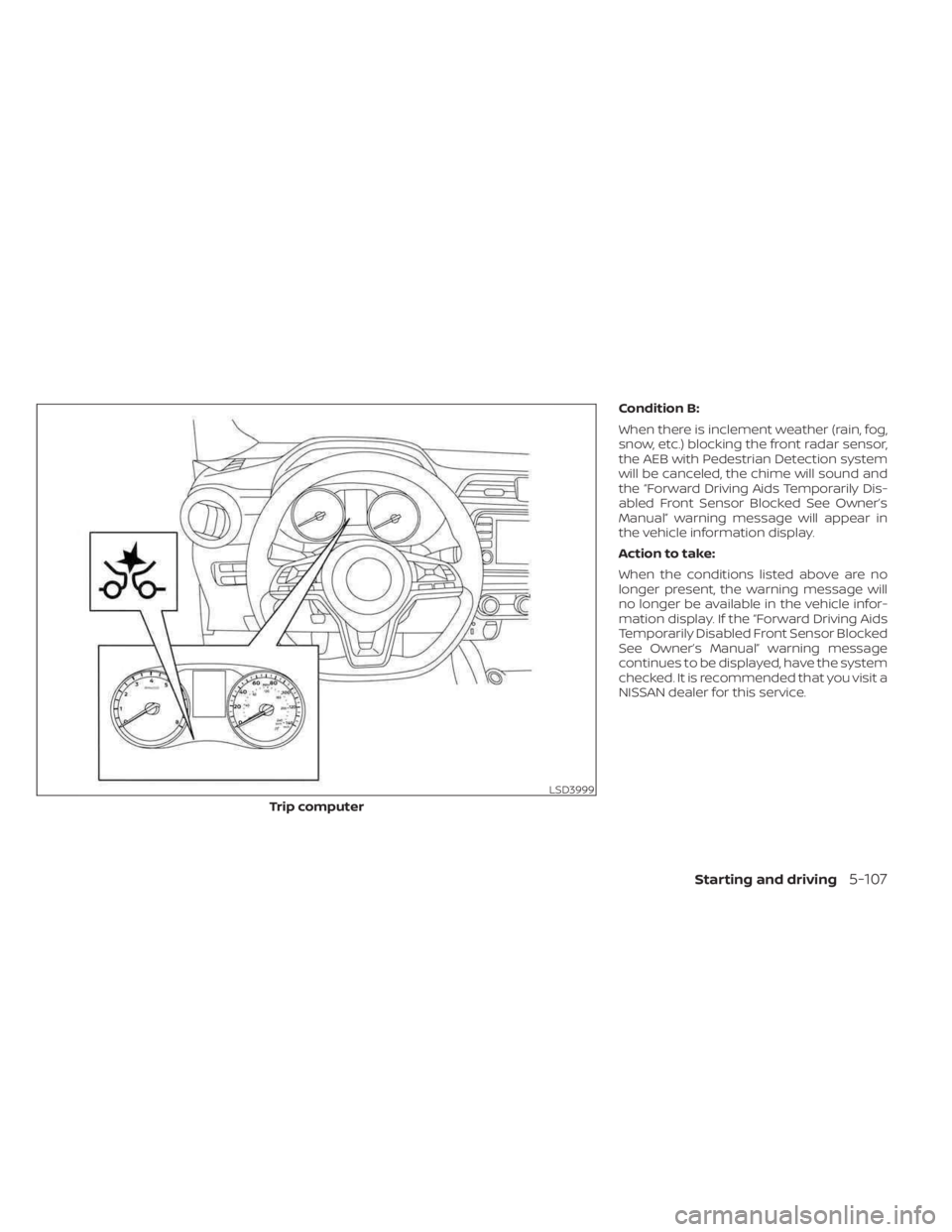
Condition B:
When there is inclement weather (rain, fog,
snow, etc.) blocking the front radar sensor,
the AEB with Pedestrian Detection system
will be canceled, the chime will sound and
the “Forward Driving Aids Temporarily Dis-
abled Front Sensor Blocked See Owner’s
Manual” warning message will appear in
the vehicle information display.
Action to take:
When the conditions listed above are no
longer present, the warning message will
no longer be available in the vehicle infor-
mation display. If the “Forward Driving Aids
Temporarily Disabled Front Sensor Blocked
See Owner’s Manual” warning message
continues to be displayed, have the system
checked. It is recommended that you visit a
NISSAN dealer for this service.
LSD3999
Trip computer
Starting and driving5-107