change time NISSAN KICKS 2023 Owner's Manual
[x] Cancel search | Manufacturer: NISSAN, Model Year: 2023, Model line: KICKS, Model: NISSAN KICKS 2023Pages: 558, PDF Size: 6.25 MB
Page 345 of 558
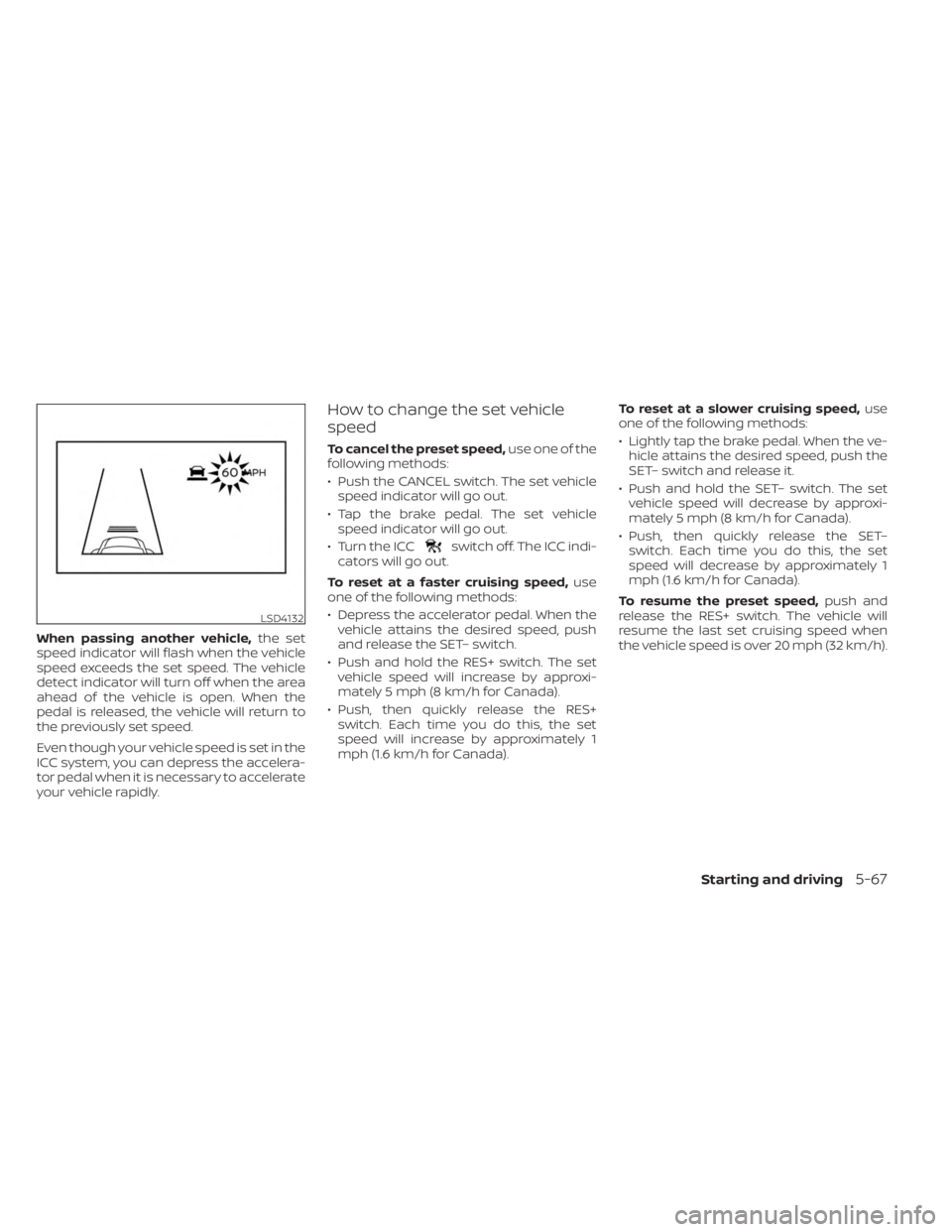
When passing another vehicle,the set
speed indicator will flash when the vehicle
speed exceeds the set speed. The vehicle
detect indicator will turn off when the area
ahead of the vehicle is open. When the
pedal is released, the vehicle will return to
the previously set speed.
Even though your vehicle speed is set in the
ICC system, you can depress the accelera-
tor pedal when it is necessary to accelerate
your vehicle rapidly.
How to change the set vehicle
speed
To cancel the preset speed, use one of the
following methods:
• Push the CANCEL switch. The set vehicle speed indicator will go out.
• Tap the brake pedal. The set vehicle speed indicator will go out.
• Turn the ICC
switch off. The ICC indi-
cators will go out.
To reset at a faster cruising speed, use
one of the following methods:
• Depress the accelerator pedal. When the vehicle attains the desired speed, push
and release the SET– switch.
• Push and hold the RES+ switch. The set vehicle speed will increase by approxi-
mately 5 mph (8 km/h for Canada).
• Push, then quickly release the RES+ switch. Each time you do this, the set
speed will increase by approximately 1
mph (1.6 km/h for Canada). To reset at a slower cruising speed,
use
one of the following methods:
• Lightly tap the brake pedal. When the ve- hicle attains the desired speed, push the
SET– switch and release it.
• Push and hold the SET– switch. The set vehicle speed will decrease by approxi-
mately 5 mph (8 km/h for Canada).
• Push, then quickly release the SET– switch. Each time you do this, the set
speed will decrease by approximately 1
mph (1.6 km/h for Canada).
To resume the preset speed, push and
release the RES+ switch. The vehicle will
resume the last set cruising speed when
the vehicle speed is over 20 mph (32 km/h).
LSD4132
Starting and driving5-67
Page 346 of 558
How to change the set distance
to the vehicle ahead
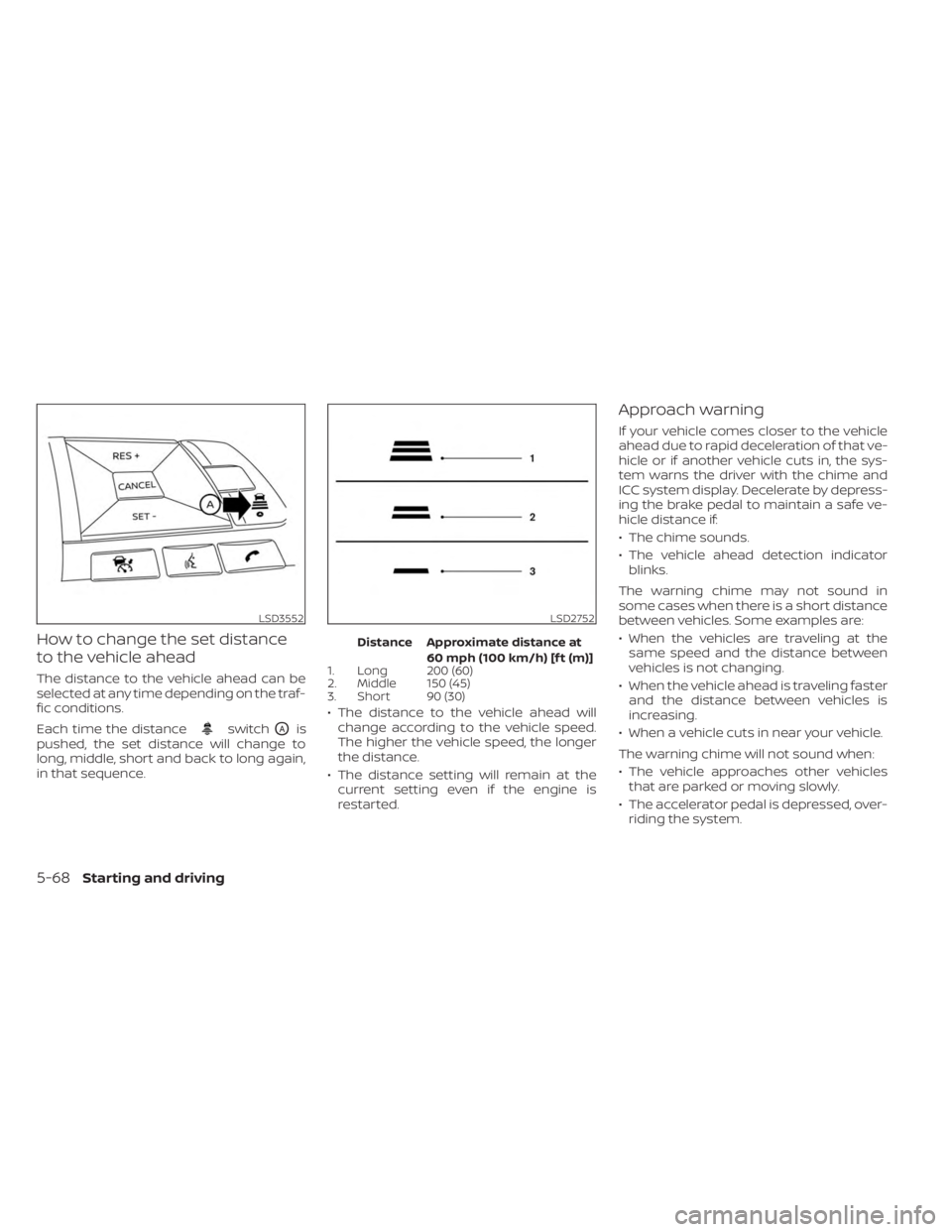
The distance to the vehicle ahead can be
selected at any time depending on the traf-
fic conditions.
Each time the distance
switchOAis
pushed, the set distance will change to
long, middle, short and back to long again,
in that sequence.
Distance Approximate distance at
60 mph (100 km/h) [f t (m)]
1. Long 200 (60)
2. Middle 150 (45)
3. Short 90 (30)
• The distance to the vehicle ahead will
change according to the vehicle speed.
The higher the vehicle speed, the longer
the distance.
• The distance setting will remain at the current setting even if the engine is
restarted.
Approach warning
If your vehicle comes closer to the vehicle
ahead due to rapid deceleration of that ve-
hicle or if another vehicle cuts in, the sys-
tem warns the driver with the chime and
ICC system display. Decelerate by depress-
ing the brake pedal to maintain a safe ve-
hicle distance if:
• The chime sounds.
• The vehicle ahead detection indicatorblinks.
The warning chime may not sound in
some cases when there is a short distance
between vehicles. Some examples are:
• When the vehicles are traveling at the same speed and the distance between
vehicles is not changing.
• When the vehicle ahead is traveling faster and the distance between vehicles is
increasing.
• When a vehicle cuts in near your vehicle.
The warning chime will not sound when:
• The vehicle approaches other vehicles that are parked or moving slowly.
• The accelerator pedal is depressed, over- riding the system.
LSD3552LSD2752
5-68Starting and driving
Page 357 of 558
completely off. When the ignition switch is
placed in the OFF position, the system is
also automatically turned off.
To use the ICC system again, quickly push
and release the ICC switch (vehicle-to ve-
hicle distance control mode) or push and
hold it (conventional cruise control mode)
again to turn it on.
CAUTION
To avoid accidentally engaging cruise
control, make sure to turn the ICC
switch off when not using the ICC
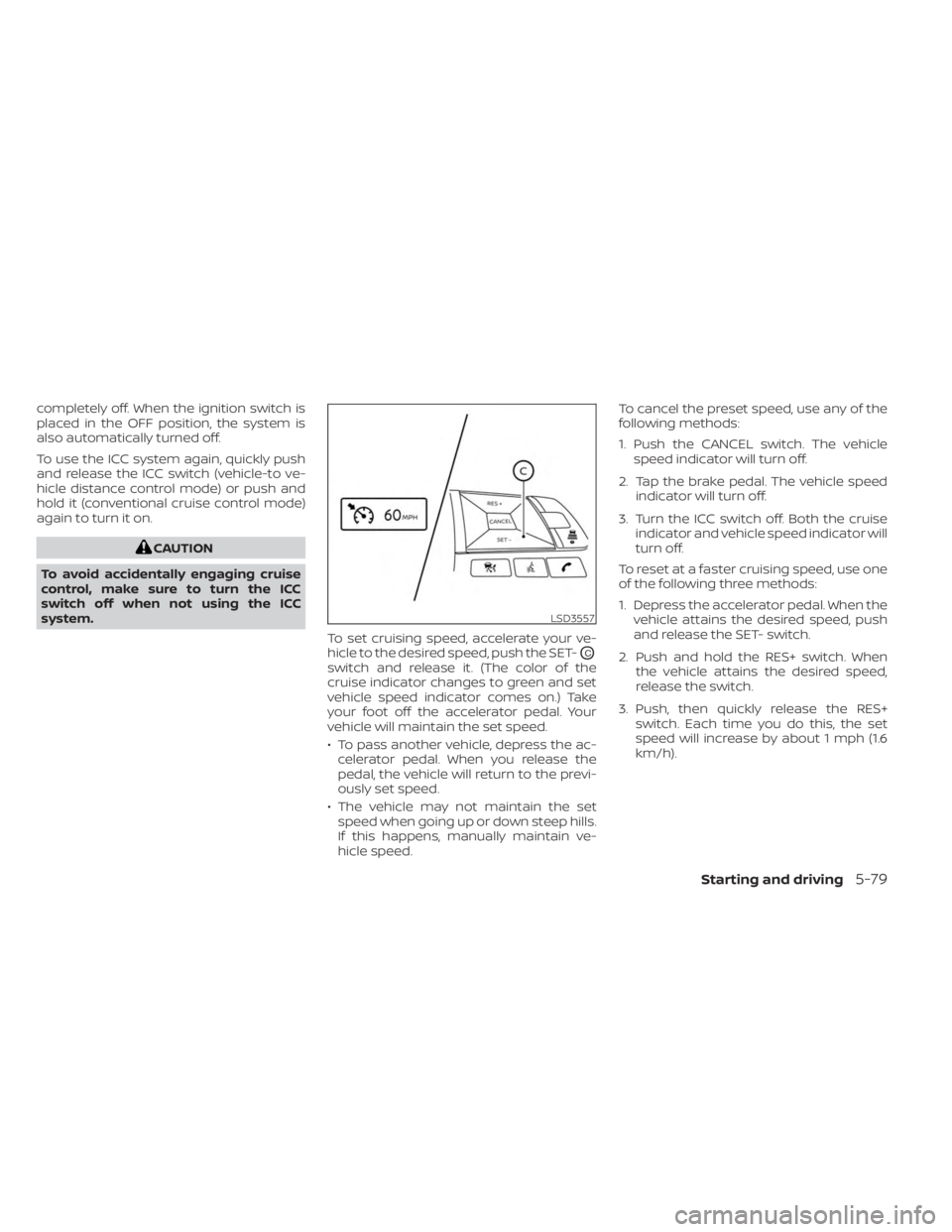
system. To set cruising speed, accelerate your ve-
hicle to the desired speed, push the SET-
OC
switch and release it. (The color of the
cruise indicator changes to green and set
vehicle speed indicator comes on.) Take
your foot off the accelerator pedal. Your
vehicle will maintain the set speed.
• To pass another vehicle, depress the ac-celerator pedal. When you release the
pedal, the vehicle will return to the previ-
ously set speed.
• The vehicle may not maintain the set speed when going up or down steep hills.
If this happens, manually maintain ve-
hicle speed. To cancel the preset speed, use any of the
following methods:
1. Push the CANCEL switch. The vehicle
speed indicator will turn off.
2. Tap the brake pedal. The vehicle speed indicator will turn off.
3. Turn the ICC switch off. Both the cruise indicator and vehicle speed indicator will
turn off.
To reset at a faster cruising speed, use one
of the following three methods:
1. Depress the accelerator pedal. When the vehicle attains the desired speed, push
and release the SET- switch.
2. Push and hold the RES+ switch. When the vehicle attains the desired speed,
release the switch.
3. Push, then quickly release the RES+ switch. Each time you do this, the set
speed will increase by about 1 mph (1.6
km/h).
LSD3557
Starting and driving5-79
Page 359 of 558
A chime sounds under the following condi-
tions and the control is automatically can-
celed:
• When the vehicle slows down more than8 mph (13 km/h) below the set speed
• When the shif t lever is not in the D (Drive) or manual shif t mode
• When the parking brake is applied
• When the VDC operates (including the traction control system)
• When a wheel slips
When the system is not operating properly,
the chime sounds and the color of the
cruise indicator will change to orange.
Action to take
If the color of the cruise indicator changes
to orange, stop the vehicle in a safe place
and place the shif t lever in the P (Park) po-
sition. Turn the engine off, restart the en-
gine, resume driving, and then perform the
setting again.
If it is not possible to set or the indicator
stays on, it may indicate that the system
is malfunctioning. Although the vehicle
is still drivable under normal conditions,
have the vehicle checked. It is recom-
mended that you visit a NISSAN dealer
for this service.
WARNING
Failure to follow the warnings and in-
structions for proper use of the RAB
system could result in serious injury or
death.
• The RAB system is a supplemental
aid to the driver. It is not a replace-
ment for proper driving procedures.
Always use the side and rear mirrors
and turn and look in the direction you
will move before and while backing
up. Never rely solely on the RAB sys- tem. It is the driver’s responsibility to
stay alert, drive safely, and be in con-
trol of the vehicle at all times.
• There is a limitation to the RAB sys-
tem capability. The RAB system is not
effective in all situations.
• Inclement weather or ultrasonic
sources such as an automatic car
wash, a truck’s compressed air
brakes or a pneumatic drill may af-
fect the function of the system; this
may include reduced performance or
a false activation.
The RAB system can assist the driver when
the vehicle is backing up and approaching
objects directly behind the vehicle.
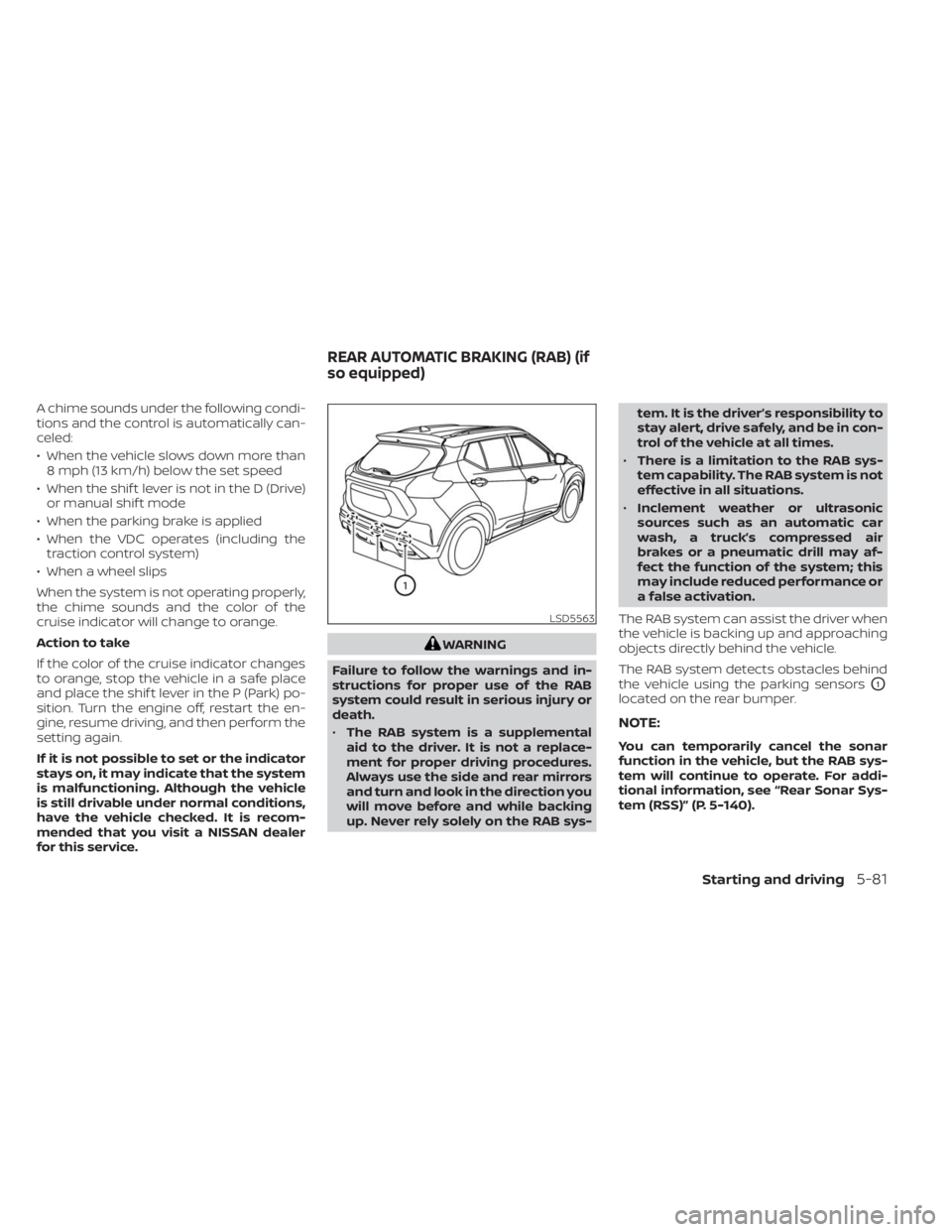
The RAB system detects obstacles behind
the vehicle using the parking sensors
O1
located on the rear bumper.
NOTE:
You can temporarily cancel the sonar
function in the vehicle, but the RAB sys-
tem will continue to operate. For addi-
tional information, see “Rear Sonar Sys-
tem (RSS)” (P. 5-140).
LSD5563
REAR AUTOMATIC BRAKING (RAB) (if
so equipped)
Starting and driving5-81
Page 364 of 558
•When the vehicle approaches an ob-
stacle while the accelerator or brake
pedal is depressed, the function may
not operate or the start of operation
may be delayed. The RAB system may
not operate or may not perform suffi-
ciently due to vehicle conditions, driving
conditions, the traffic environment, the
weather, road surface conditions, etc.
Do not wait for the system to operate.
Operate the brake pedal by yourself as
soon as necessary.
• If it is necessary to override RAB op-
eration, strongly press the accelera-
tor pedal.
•
Always check your surroundings and
turn to check what is behind you be-
fore and while backing up. The RAB
system detects stationary objects be-
hind the vehicle. The RAB system does
not detect the following objects:
– Moving objects
– Low objects
– Narrow objects
– Wedge-shaped objects
– Objects close to the bumper (less
than approximately 1 f t [30 cm])
– Objects that suddenly appear
– Thin objects such as rope, wire,
chain, etc. •
The RAB system may not operate for
the following obstacles:
– Obstacles located high off the
ground
– Obstacles in a position offset from
your vehicle
– Obstacles, such as spongy materi-
als or snow, that have sof t outer
surfaces and can easily absorb a
sound wave
• The RAB system may not operate in
the following conditions:
– There is rain, snow, ice, dirt, etc.,
attached to the sonar sensors.
– A loud sound is heard in the area
around the vehicle.
– The surface of the obstacle is di-
agonal to the rear of the vehicle.
• The RAB system may unintentionally
operate in the following conditions:
– There is overgrown grass in the
area around the vehicle.
– There is a structure (e.g., a wall, toll
gate equipment, a narrow tunnel,
a parking lot gate) near the side of
the vehicle.
–
There are bumps, protrusions, or manhole covers on the road surface.
– The vehicle drives through a
draped flag or a curtain.
– There is an accumulation of snow
or ice behind the vehicle.
– An ultrasonic wave source, such as
another vehicle’s sonar, is near
the vehicle.
• Once the automatic brake control
operates, it does not operate again if
the vehicle approaches the same
obstacle.
• The automatic brake control can only
operate for a short period of time.
Therefore, the driver must depress
the brake pedal.
• In the following situations, the RAB
system may not operate properly or
may not function sufficiently:
–
The vehicle is driven in bad weather(rain, fog, snow, etc.).
–The vehicle is driven on a steep hill.
– The vehicle’s posture is changed
(e.g., when driving over a bump).
– The vehicle is driven on a slippery
road.
– The vehicle is turned sharply by
turning the steering wheel fully.
– Snow chains are used.
5-86Starting and driving
Page 388 of 558
2. L'utilisateur de l'appareil doit acceptertout brouillage radioélectrique subi,
même si le brouillage est susceptible
d'en compromettre le fonctionnement.
Radio frequency radiation exposure
information:
This equipment complies with FCC and IC
radiation exposure limits set forth for an
uncontrolled environment.
This equipment should be installed and
operated with minimum distance of 30 cm
between the radiator and your body.
This transmitter must not be co-located or
operating in conjunction with any other an-
tenna or transmitter.
Cet équipement est conforme aux limites
d'exposition aux rayonnements IC établies
pour un environnement non contrôlé.
Cet équipement doit être installé et utilisé
avec un minimum de 30 cm de distance
entre la source de rayonnement et votre
corps.
FCC Notice
Changes or modifications not expressly
approved by the party responsible for
compliance could void the user’s authority
to operate the equipment.
WARNING
Failure to follow the warnings and in-
structions for proper use of the I-FCW
system could result in serious injury or
death.
• The I-FCW system can help warn the
driver before a collision occurs but
will not avoid a collision. It is the driv-
er’s responsibility to stay alert, drive
safely and be in control of the vehicle
at all times. The I-FCW system can help alert the driver
when there is a sudden braking of a second
vehicle traveling in front of the vehicle
ahead in the same lane.
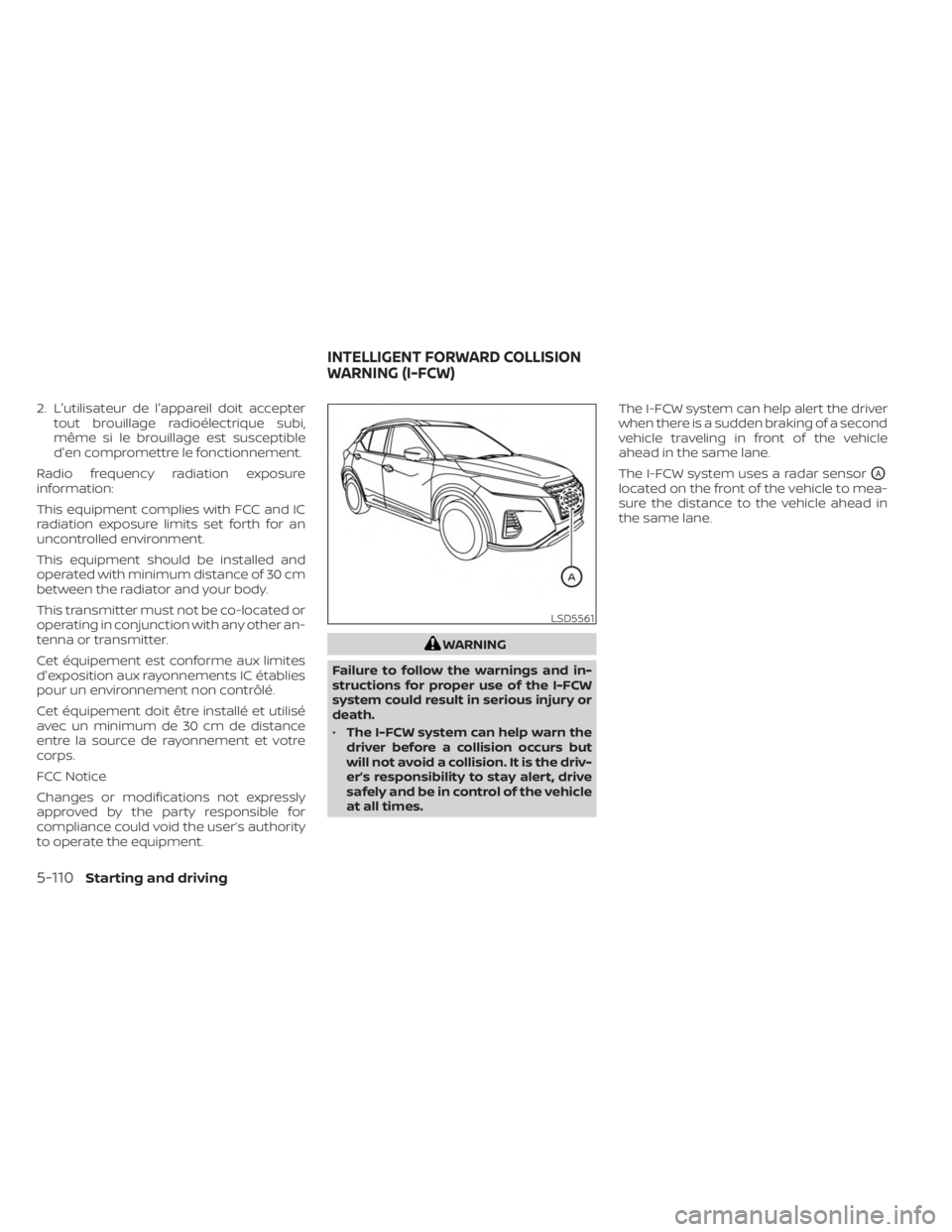
The I-FCW system uses a radar sensor
OA
located on the front of the vehicle to mea-
sure the distance to the vehicle ahead in
the same lane.
LSD5561
INTELLIGENT FORWARD COLLISION
WARNING (I-FCW)
5-110Starting and driving
Page 403 of 558
For Canada
This device complies with Industry Canada
license-exempt RSS standard(s). Operation
is subject to the following two conditions:
1. This device must not cause interference,
2.
This device must accept any interference,
including interference that may cause un-
desired operation of the device.
L’exploitation est autorisée aux deux condi-
tions suivantes:
1. l’appareil ne doit pas produire de brouillage,
et
2.
l’utilisateur de l’appareil doit accepter tout
brouillage radioélectrique subi, même si
le brouillage est susceptible d’en compro-
mettre le fonctionnnement.
WARNING
Failure to follow the warnings and in-
structions for proper use of the I-DA
system could result in serious injury or
death.
• The I–DA system is only a warning to
inform the driver of a potential lack
of driver attention or drowsiness. It
will not steer the vehicle or prevent
loss of control.
•
The I–DA system does not detect and
provide an alert of the driver’s lack of
attention or fatigue in every situation.
• It is the driver’s responsibility to:
• stay alert,
• drive safely,
• keep the vehicle in the traveling
lane,
• be in control of the vehicle at all
times,
• avoid driving when tired,
• avoid distractions (texting, etc.). The I–DA system helps alert the driver if the
system detects a lack of attention or driv-
ing fatigue.
The system monitors driving style and
steering behavior over a period of time,
and it detects changes from the normal
pattern. If the system detects that driver
attention is decreasing over a period of
time, the system uses audible and visual
warnings to suggest that the driver take a
break.
INTELLIGENT DRIVER ALERTNESS
(I-DA) (if so equipped)
Starting and driving5-125
Page 494 of 558
NISSAN dealer for this service. Keep the
floor mat away from the pedal.
Brakes:Check that the brakes do not pull
the vehicle to one side when applied.
Continuously Variable Transmission
(CVT) P (Park) position mechanism: On a
fairly steep hill check that the vehicle is held
securely with the shif t lever in the P (Park)
position without applying any brakes.
Parking brake: Check the parking brake
operation regularly. The vehicle should be
securely held on a fairly steep hill with only
the parking brake applied. If the parking
brake needs adjustment, it is recom-
mended that you visit a NISSAN dealer for
this service.
Seats: Check seat position controls such
as seat adjusters, seatback recliner, etc., to
ensure they operate smoothly and all
latches lock securely in every position.
Check that the head restraints/headrests
move up and down smoothly and the locks
(if so equipped) hold securely in all latched
positions.
Seat belts: Check that all parts of the seat
belt system (for example, buckles, anchors,
adjusters and retractors) operate properly
and smoothly, and are installed securely. Check the belt webbing for cuts, fraying,
wear or damage.
Steering wheel:
Check for changes in the
steering system, such as excessive free
play, hard steering or strange noises.
Warning lights and chimes: Make sure all
warning lights and chimes are operating
properly.
Windshield defroster: Check that the air
comes out of the defroster outlets properly
and in sufficient quantity when operating
the heater or air conditioner.
Windshield wiper and washer*: Check
that the wipers and washer operate prop-
erly and that the wipers do not streak.
Under the hood and vehicle
The maintenance items listed here should
be checked periodically (for example, each
time you check the engine oil or refuel).
Battery*:This vehicle is equipped with a
sealed maintenance free battery. It is rec-
ommended that you visit a NISSAN dealer
for service.
NOTE:
Care should be taken to avoid situa-
tions that can lead to potential battery
discharge and potential no-start con-
ditions such as:
1. Installation or extended use of elec- tronic accessories that consume bat-
tery power when the engine is not
running (Phone chargers, GPS, DVD
players, etc.).
2. Vehicle is not driven regularly and/or only driven short distances.
In these cases, the battery may need to
be charged to maintain battery health.
Brake fluid level*: Make sure that the brake
fluid level is between the MIN and MAX lines
on the reservoir.
Engine coolant level*: Check the coolant
level when the engine is cold.
Engine drive belt*: Make sure the drive belt
is not frayed, worn, cracked or oily.
Engine oil level*: Check the level af ter
parking the vehicle on a level surface with
the engine off. Wait more than 15 minutes
for the oil to drain back into the oil pan.
Engine valve clearance*: Inspect only if
valve noise increases.
9-4Maintenance and schedules
Page 526 of 558
If you use oxygenate-blend gasoline,
please take the following precautions as
the usage of such fuels may cause vehicle
performance problems and/or fuel system
damage.
•The fuel should be unleaded and have
an octane rating no lower than that
recommended for unleaded gasoline.
• If an oxygenate-blend other than
methanol blend is used, it should con-
tain no more than 10% oxygenate.
(MTBE may, however, be added up to
15%)
• E-15 fuel contains more than 10% oxy-
genate. E-15 fuel will adversely affect
the emission control devices and sys-
tems of the vehicle and should not be
used. Damage caused by such fuel is
not covered by the NISSAN New Vehicle
Limited Warranty. •
If a methanol blend is used, it should
contain no more than 5% methanol
(methyl alcohol, wood alcohol). It
should also contain a suitable amount
of appropriate cosolvents and corro-
sion inhibitors. If not properly formu-
lated with appropriate cosolvents and
corrosion inhibitors, such methanol
blends may cause fuel system damage
and/or vehicle performance problems.
At this time, sufficient data is not avail-
able to ensure that all methanol blends
are suitable for use in NISSAN vehicles.
If any driveability problems such as engine
stalling and difficult hot-starting are expe-
rienced af ter using oxygenate-blend fuels,
immediately change to a non-oxygenate
fuel or a fuel with a low blend of MTBE.
Take care not to spill gasoline during re-
fueling. Gasoline containing oxygenates
can cause paint damage.
E–15 fuel
E-15 fuel is a mixture of approximately 15%
fuel ethanol and 85% unleaded gasoline.
E-15 can only be used in vehicles designed
to run on E-15 fuel. Do not use E-15 in your
vehicle. U.S. government regulations re-
quire fuel ethanol dispensing pumps to be identified with small, square, orange and
black label with the common abbreviation
or the appropriate percentage for that
region.
E–85 fuel
E-85 fuel is a mixture of approximately 85%
fuel ethanol and 15% unleaded gasoline.
E-85 can only be used in a Flexible Fuel
Vehicle (FFV). Do not use E-85 in your ve-
hicle. U.S. government regulations require
fuel ethanol dispensing pumps to be iden-
tified by a small, square, orange and black
label with the common abbreviation or the
appropriate percentage for that region.
Fuel containing MMT
MMT, or methylcyclopentadienyl manga-
nese tricarbonyl, is an octane boosting ad-
ditive. NISSAN does not recommend the
use of fuel containing MMT. Such fuel may
adversely affect vehicle performance, in-
cluding the emissions control system. Note
that while some fuel pumps label MMT
content, not all do, so you may have to
consult your gasoline retailer for more
details.
10-4Technical and consumer information