warning NISSAN KICKS 2023 Workshop Manual
[x] Cancel search | Manufacturer: NISSAN, Model Year: 2023, Model line: KICKS, Model: NISSAN KICKS 2023Pages: 558, PDF Size: 6.25 MB
Page 84 of 558
The pretensioner system may activate
with the supplemental air bag system in
certain types of collisions. Working with the
seat belt retractor, the pretensioner(s) help
tighten the seat belt when the vehicle be-
comes involved in certain types of colli-
sions, helping to restrain front seat
occupants.
The pretensioner(s) are encased with the
seat belt retractor. These seat belts are
used the same way as conventional seat
belts.
When pretensioner(s) activate, smoke is re-
leased and a loud noise may be heard. This
smoke is not harmful and does not indi-
cate a fire. Care should be taken not to
inhale it, as it may cause irritation and
choking. Those with a history of a breath-
ing condition should get fresh air promptly.
Af ter the pretensioner(s’) activation, load
limiters allow the seat belt to release web-
bing (if necessary) to reduce forces against
the chest.The supplemental air bag warning lightis used to indicate malfunctions in the
pretensioner(s) system. For additional in-
formation, see “Supplemental air bag
warning light” (P. 1-63). If the operation of the
supplemental air bag warning light indi-
cates there is a malfunction, have the sys-
tem checked. It is recommended that you
visit a NISSAN dealer for this service.
When selling your vehicle, we request that
you inform the buyer about the preten-
sioner system and guide the buyer to the
appropriate sections in this Owner's
Manual.
SUPPLEMENTAL AIR BAG WARNING
LABELS
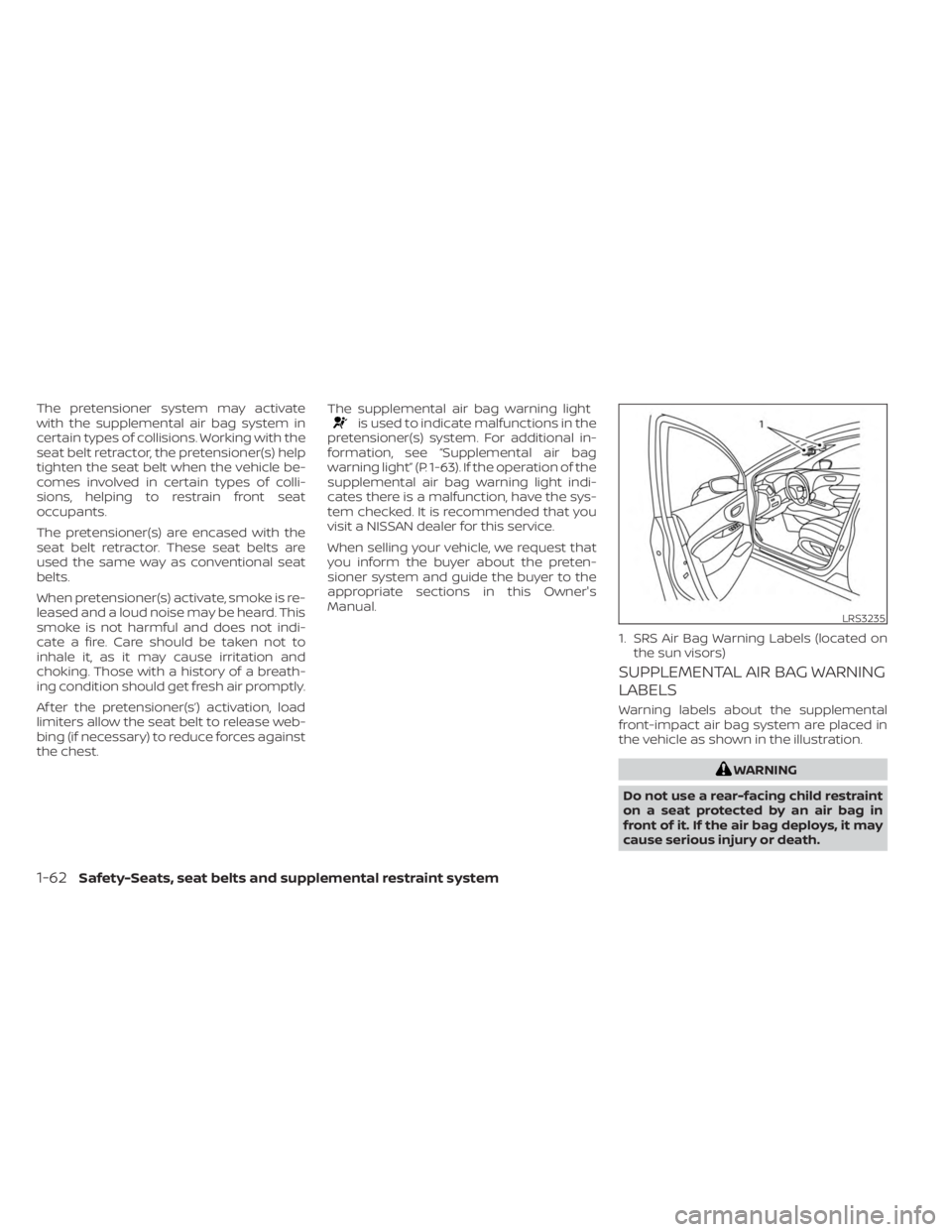
Warning labels about the supplemental
front-impact air bag system are placed in
the vehicle as shown in the illustration.
WARNING
Do not use a rear-facing child restraint
on a seat protected by an air bag in
front of it. If the air bag deploys, it may
cause serious injury or death.
LRS3235
1. SRS Air Bag Warning Labels (located on the sun visors)
1-62Safety-Seats, seat belts and supplemental restraint system
Page 85 of 558
SUPPLEMENTAL AIR BAG WARNING
LIGHT
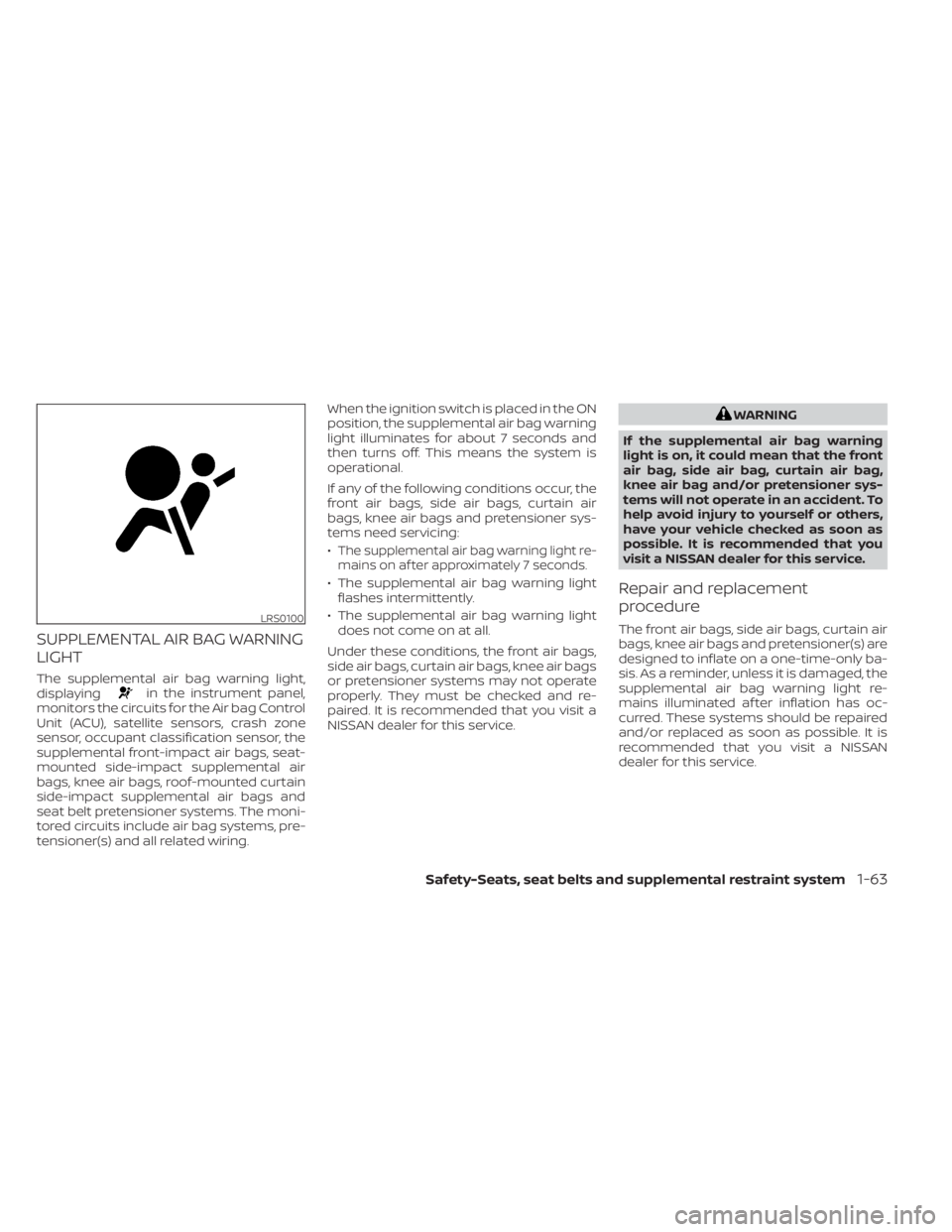
The supplemental air bag warning light,
displayingin the instrument panel,
monitors the circuits for the Air bag Control
Unit (ACU), satellite sensors, crash zone
sensor, occupant classification sensor, the
supplemental front-impact air bags, seat-
mounted side-impact supplemental air
bags, knee air bags, roof-mounted curtain
side-impact supplemental air bags and
seat belt pretensioner systems. The moni-
tored circuits include air bag systems, pre-
tensioner(s) and all related wiring. When the ignition switch is placed in the ON
position, the supplemental air bag warning
light illuminates for about 7 seconds and
then turns off. This means the system is
operational.
If any of the following conditions occur, the
front air bags, side air bags, curtain air
bags, knee air bags and pretensioner sys-
tems need servicing:
•
The supplemental air bag warning light re-
mains on af ter approximately 7 seconds.
• The supplemental air bag warning light flashes intermittently.
• The supplemental air bag warning light does not come on at all.
Under these conditions, the front air bags,
side air bags, curtain air bags, knee air bags
or pretensioner systems may not operate
properly. They must be checked and re-
paired. It is recommended that you visit a
NISSAN dealer for this service.
WARNING
If the supplemental air bag warning
light is on, it could mean that the front
air bag, side air bag, curtain air bag,
knee air bag and/or pretensioner sys-
tems will not operate in an accident. To
help avoid injury to yourself or others,
have your vehicle checked as soon as
possible. It is recommended that you
visit a NISSAN dealer for this service.
Repair and replacement
procedure
The front air bags, side air bags, curtain air
bags, knee air bags and pretensioner(s) are
designed to inflate on a one-time-only ba-
sis. As a reminder, unless it is damaged, the
supplemental air bag warning light re-
mains illuminated af ter inflation has oc-
curred. These systems should be repaired
and/or replaced as soon as possible. It is
recommended that you visit a NISSAN
dealer for this service.LRS0100
Safety-Seats, seat belts and supplemental restraint system1-63
Page 86 of 558
When maintenance work is required on the
vehicle, the front air bags, side air bags,
curtain air bags, knee air bags, pretension-
er(s) and related parts should be pointed
out to the person performing the mainte-
nance. The ignition switch should always
be in the LOCK position when working un-
der the hood or inside the vehicle.
WARNING
• Once a front air bag, side air bag, cur-
tain air bag, or knee air bag has in-
flated, the air bag module will not
function again and must be replaced.
Additionally, the activated preten-
sioner(s) must also be replaced. The
air bag module and pretensioner(s)
should be replaced. It is recom-
mended that you visit a NISSAN
dealer for this service. However, the
air bag module and pretensioner(s)
cannot be repaired.
• The front air bag, side air bag, curtain
air bag, knee air bag systems and the
pretensioner system should be in-
spected if there is any damage to the
front end or side portion of the ve-
hicle. It is recommended that you
visit a NISSAN dealer for this service. •
If you need to dispose of a supple-
mental air bag or pretensioner sys-
tems or scrap the vehicle, it is recom-
mended that you visit a NISSAN
dealer. Incorrect disposal procedures
could cause personal injury.
• If there is an impact to your vehicle
from any direction, your Occupant
Classification Sensor (OCS) should be
checked to verif y it is still functioning
correctly. It is recommended that you
visit a NISSAN dealer for this service.
The OCS should be checked even if no
air bags deploy as a result of the im-
pact. Failure to verif y proper OCS
function may result in an improper
air bag deployment resulting in in-
jury or death.
1-64Safety-Seats, seat belts and supplemental restraint system
Page 88 of 558
2 Instruments and controls
Instrument panel................................2-2
Meters and gauges .............................2-4
Speedometer and odometer .................2-5
Tachometer .................................. 2-7
Fuel gauge ................................... 2-7
Distance To Empty (DTE) .....................2-8
Trip computer (if so equipped) ................2-9
Eco Drive Report (if so equipped) ............2-10
Warning lights, indicator lights and audible
reminders ....................................... 2-11
Checking lights .............................. 2-13
Warning/Indicator lights (red) ...............2-13
Warning/Indicator lights (yellow) ............2-16
Warning/Indicator lights (other) .............2-21
Audible reminders ........................... 2-23
Vehicle information display (if so equipped) .....2-24
How to use the vehicle information
display ...................................... 2-24
Startup display .............................. 2-24
Settings ..................................... 2-25
Vehicle information display warnings
and indicators ............................... 2-32
Security systems (if so equipped) ...............2-38
Vehicle security system (if so equipped) .....2-38
NISSAN Anti-Thef t System (NATS)
(if so equipped) .............................. 2-39NISSAN Vehicle Immobilizer System
(if so equipped)
.............................. 2-40
Wiper and washer switch .......................2-41
Switch operation ............................ 2-41
Rear switch operation .......................2-42
Rear window and outside mirror
(if so equipped) defroster switch ...............2-43
Headlight and turn signal switch ...............2-44
Headlight control switch ....................2-44
Daytime Running Lights (DRL) system
(Type A) (if so equipped) .....................2-49
LED Daytime Running Lights (DRL)
system (Type B) (if so equipped) .............2-49
Instrument brightness control ..............2-50
Turn signal switch ........................... 2-50
Fog light switch (if so equipped) .............2-51
Horn ........................................... 2-51
Heated seat switches (if so equipped) ..........2-52
He
ated steering wheel switch (if so equipped) . . 2-53
Blind Spot Warning (BSW) switch
(if so equipped) ................................. 2-53
Drive Systems OFF switch (if so equipped) ......2-54
Lane Departure Warning (LDW) switch
(if so equipped) ................................. 2-54
Page 90 of 558
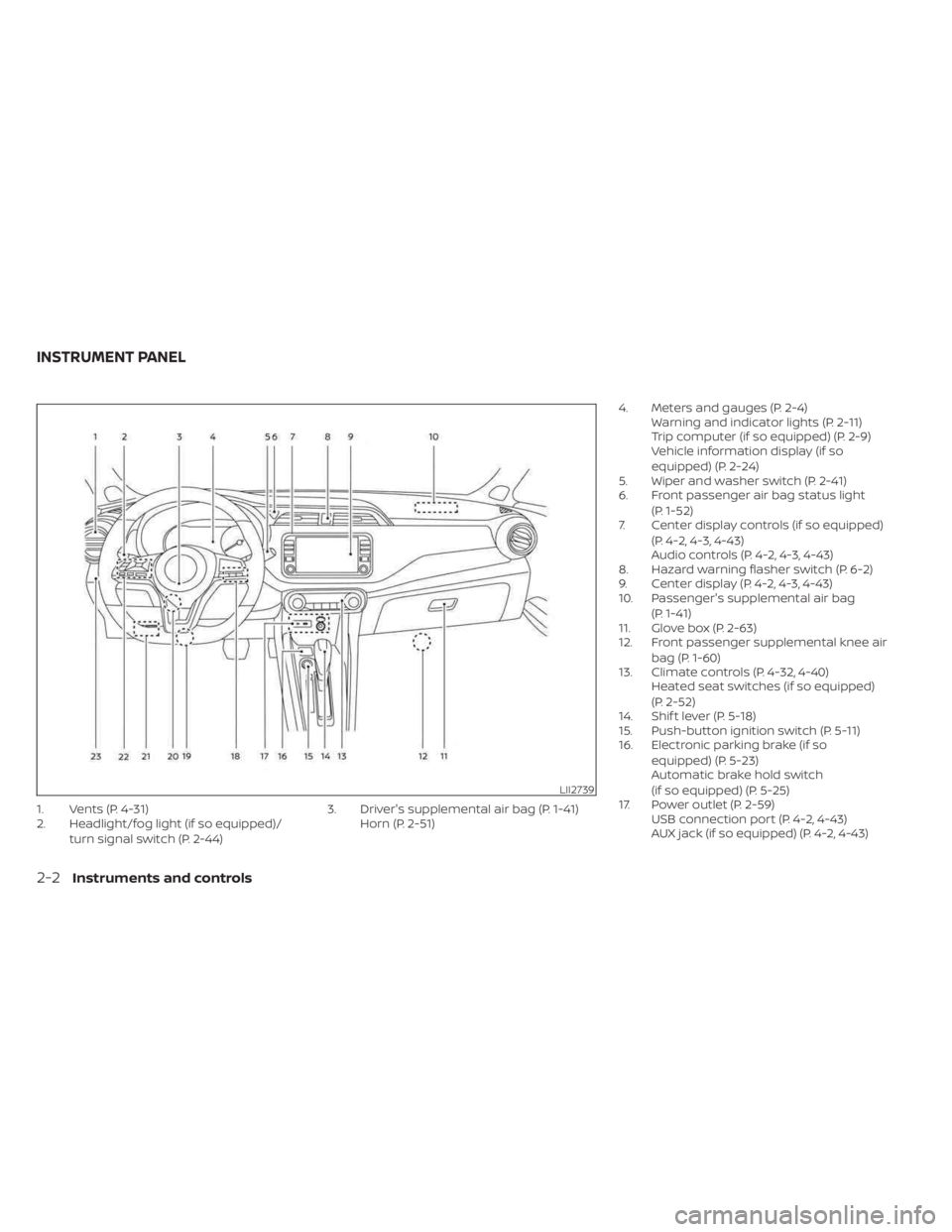
1. Vents (P. 4-31)
2. Headlight/fog light (if so equipped)/turn signal switch (P. 2-44) 3. Driver's supplemental air bag (P. 1-41)
Horn (P. 2-51) 4. Meters and gauges (P. 2-4)
Warning and indicator lights (P. 2-11)
Trip computer (if so equipped) (P. 2-9)
Vehicle information display (if so
equipped) (P. 2-24)
5. Wiper and washer switch (P. 2-41)
6. Front passenger air bag status light
(P. 1-52)
7. Center display controls (if so equipped)
(P. 4-2, 4-3, 4-43)
Audio controls (P. 4-2, 4-3, 4-43)
8. Hazard warning flasher switch (P. 6-2)
9. Center display (P. 4-2, 4-3, 4-43)
10. Passenger's supplemental air bag
(P. 1-41)
11. Glove box (P. 2-63)
12. Front passenger supplemental knee air
bag (P. 1-60)
13. Climate controls (P. 4-32, 4-40) Heated seat switches (if so equipped)
(P. 2-52)
14. Shif t lever (P. 5-18)
15. Push-button ignition switch (P. 5-11)
16. Electronic parking brake (if so
equipped) (P. 5-23)
Automatic brake hold switch
(if so equipped) (P. 5-25)
17. Power outlet (P. 2-59) USB connection port (P. 4-2, 4-43)
AUX jack (if so equipped) (P. 4-2, 4-43)
LII2739
INSTRUMENT PANEL
2-2Instruments and controls
Page 91 of 558
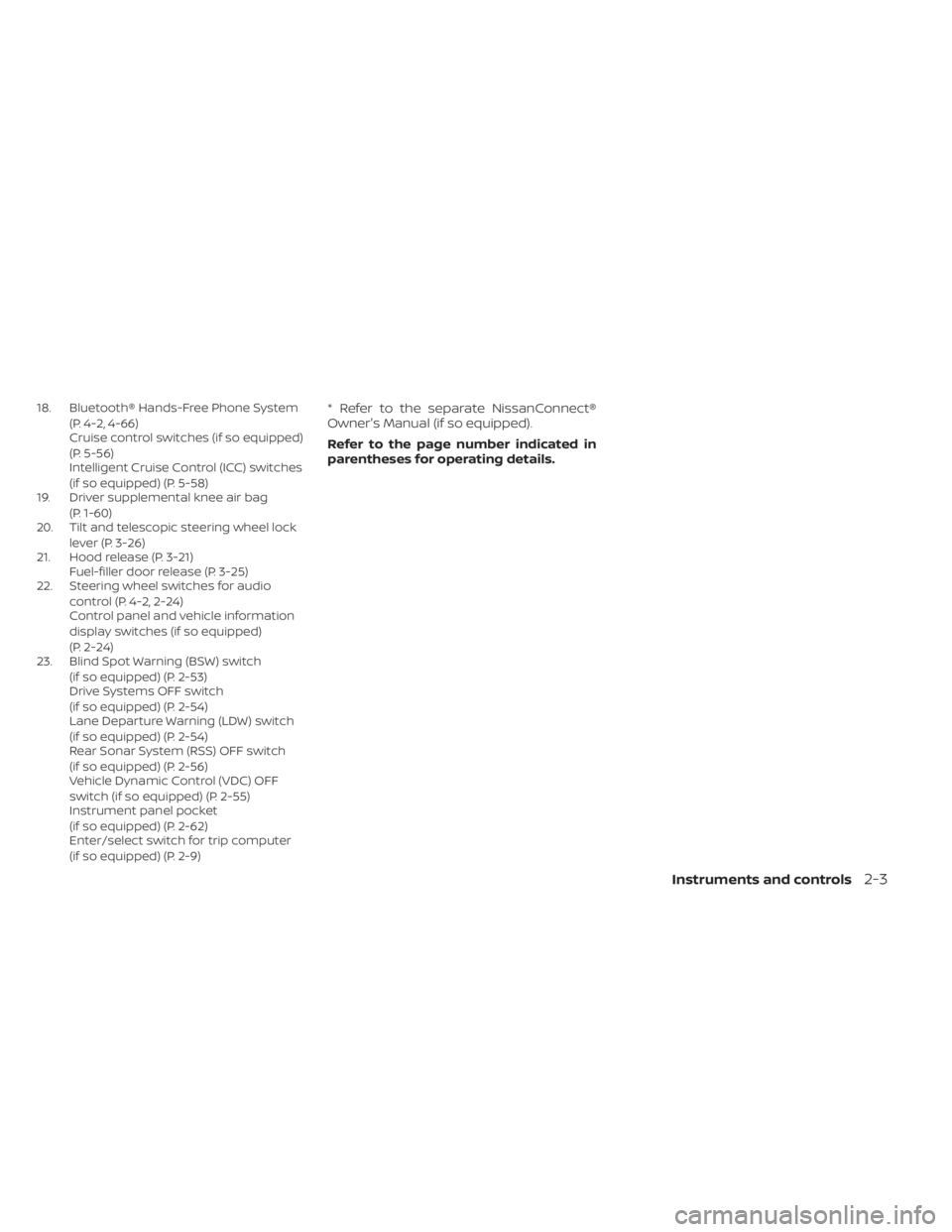
18. Bluetooth® Hands-Free Phone System(P. 4-2, 4-66)
Cruise control switches (if so equipped)
(P. 5-56)
Intelligent Cruise Control (ICC) switches
(if so equipped) (P. 5-58)
19. Driver supplemental knee air bag
(P. 1-60)
20. Tilt and telescopic steering wheel lock
lever (P. 3-26)
21. Hood release (P. 3-21) Fuel-filler door release (P. 3-25)
22. Steering wheel switches for audio
control (P. 4-2, 2-24)
Control panel and vehicle information
display switches (if so equipped)
(P. 2-24)
23. Blind Spot Warning (BSW) switch
(if so equipped) (P. 2-53)
Drive Systems OFF switch
(if so equipped) (P. 2-54)
Lane Departure Warning (LDW) switch
(if so equipped) (P. 2-54)
Rear Sonar System (RSS) OFF switch
(if so equipped) (P. 2-56)
Vehicle Dynamic Control (VDC) OFF
switch (if so equipped) (P. 2-55)
Instrument panel pocket
(if so equipped) (P. 2-62)
Enter/select switch for trip computer
(if so equipped) (P. 2-9)* Refer to the separate NissanConnect®
Owner's Manual (if so equipped).
Refer to the page number indicated in
parentheses for operating details.
Instruments and controls2-3
Page 92 of 558
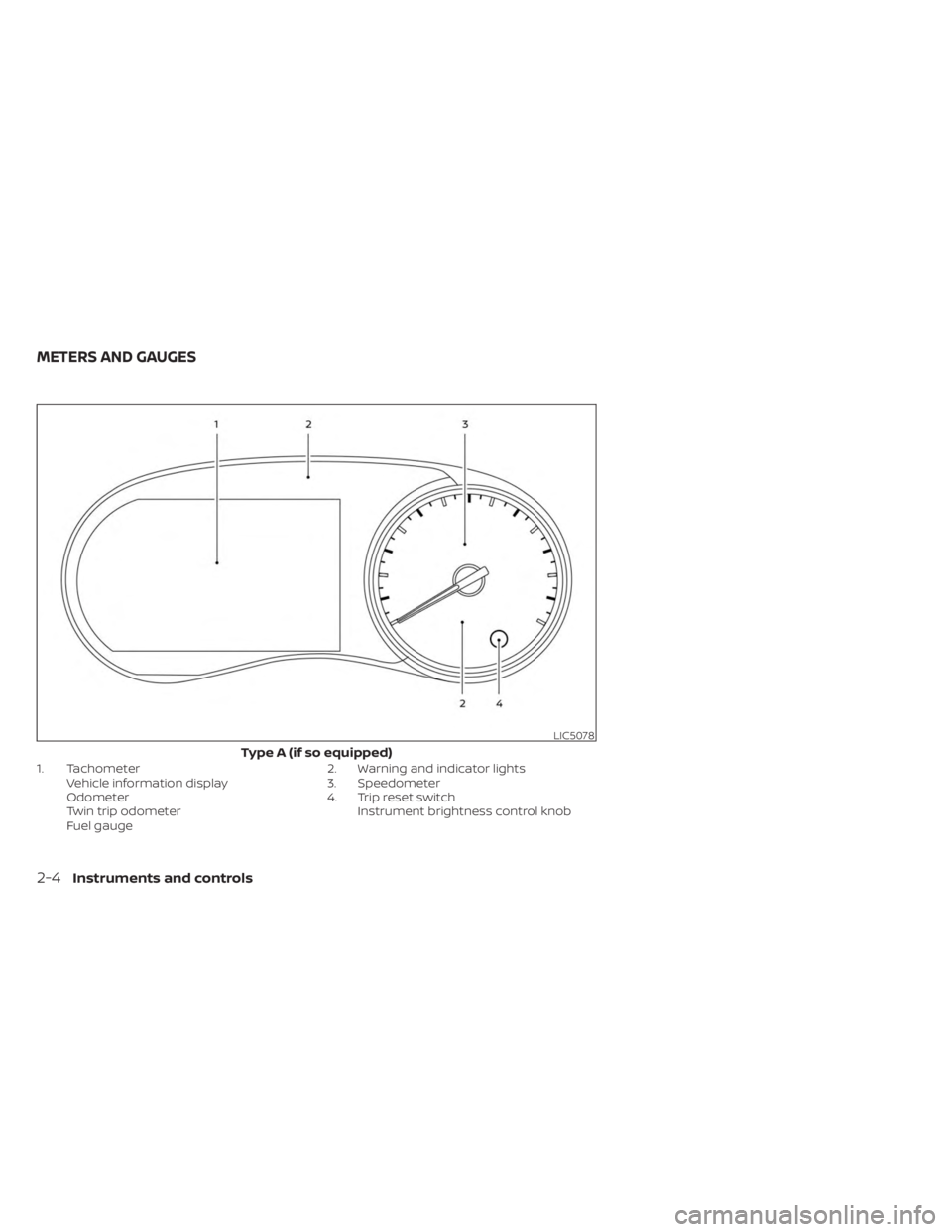
1. TachometerVehicle information display
Odometer
Twin trip odometer
Fuel gauge 2. Warning and indicator lights
3. Speedometer
4. Trip reset switch
Instrument brightness control knob
LIC5078
Type A (if so equipped)
METERS AND GAUGES
2-4Instruments and controls
Page 93 of 558
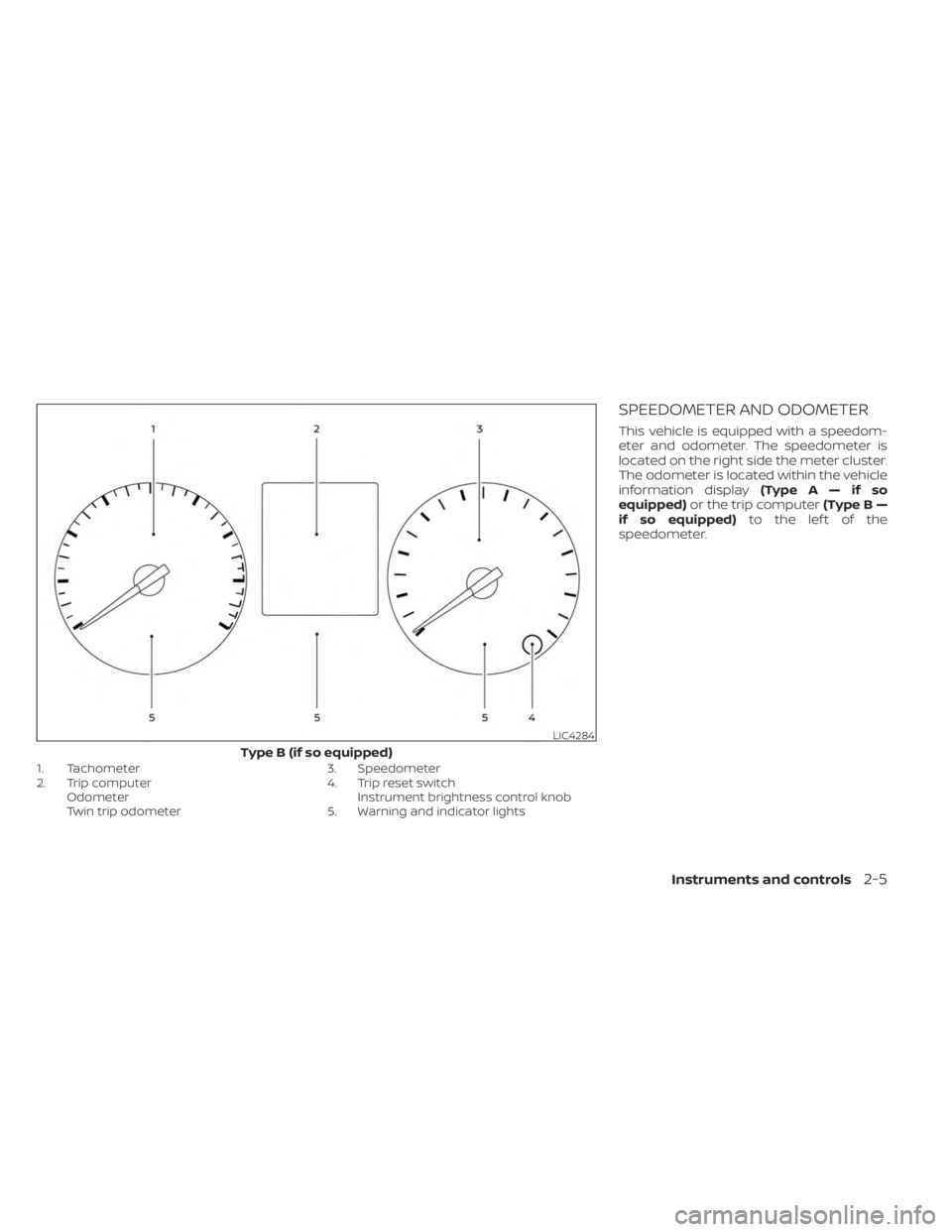
1. Tachometer
2. Trip computerOdometer
Twin trip odometer 3. Speedometer
4. Trip reset switch
Instrument brightness control knob
5. Warning and indicator lights
SPEEDOMETER AND ODOMETER
This vehicle is equipped with a speedom-
eter and odometer. The speedometer is
located on the right side the meter cluster.
The odometer is located within the vehicle
information display (TypeA—ifso
equipped) or the trip computer (Type B —
if so equipped) to the lef t of the
speedometer.
LIC4284
Type B (if so equipped)
Instruments and controls2-5
Page 95 of 558
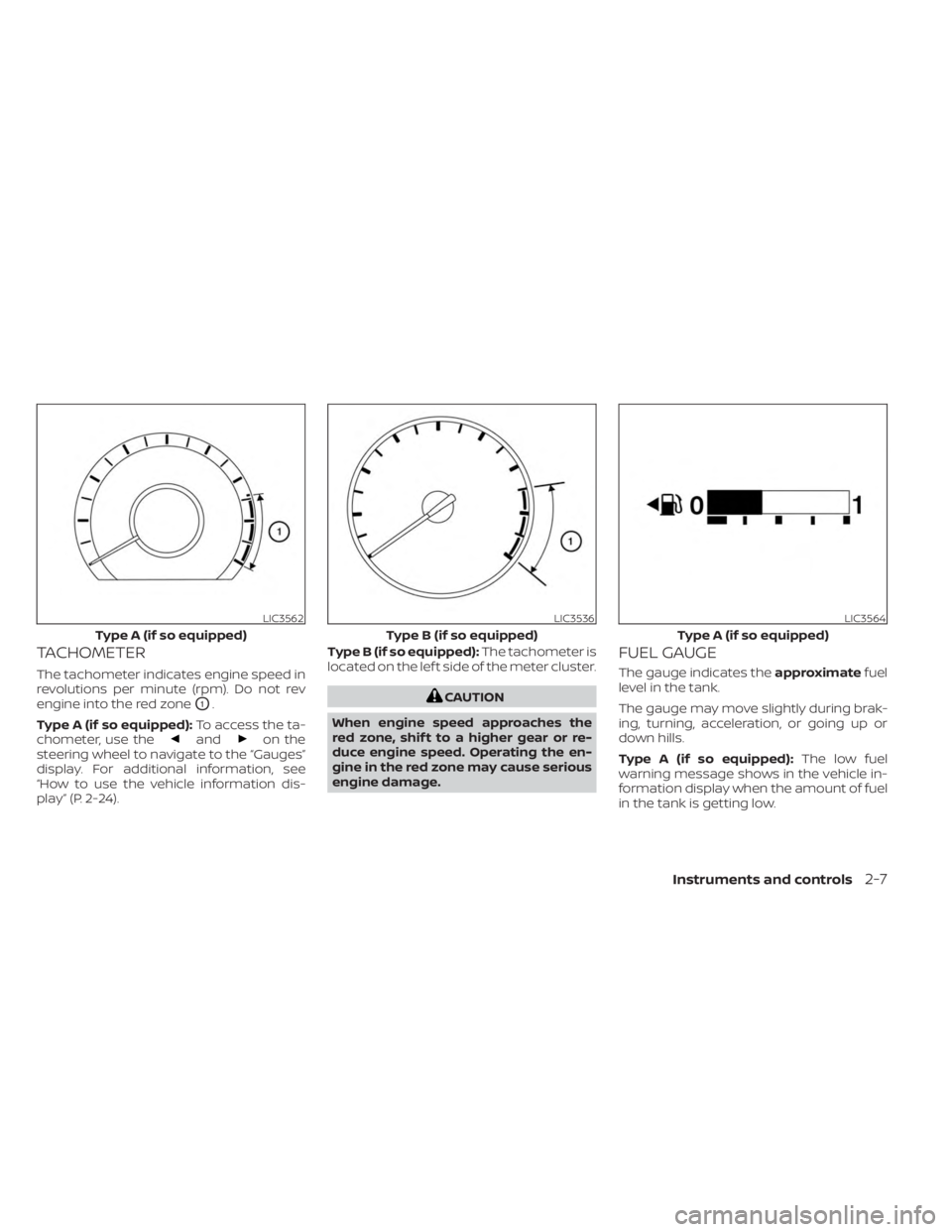
TACHOMETER
The tachometer indicates engine speed in
revolutions per minute (rpm). Do not rev
engine into the red zone
O1.
Type A (if so equipped): To access the ta-
chometer, use the
andon the
steering wheel to navigate to the “Gauges”
display. For additional information, see
“How to use the vehicle information dis-
play” (P. 2-24). Type B (if so equipped):
The tachometer is
located on the lef t side of the meter cluster.
CAUTION
When engine speed approaches the
red zone, shif t to a higher gear or re-
duce engine speed. Operating the en-
gine in the red zone may cause serious
engine damage.
FUEL GAUGE
The gauge indicates the approximatefuel
level in the tank.
The gauge may move slightly during brak-
ing, turning, acceleration, or going up or
down hills.
Type A (if so equipped): The low fuel
warning message shows in the vehicle in-
formation display when the amount of fuel
in the tank is getting low.
LIC3562
Type A (if so equipped)
LIC3536
Type B (if so equipped)
LIC3564
Type A (if so equipped)
Instruments and controls2-7
Page 96 of 558
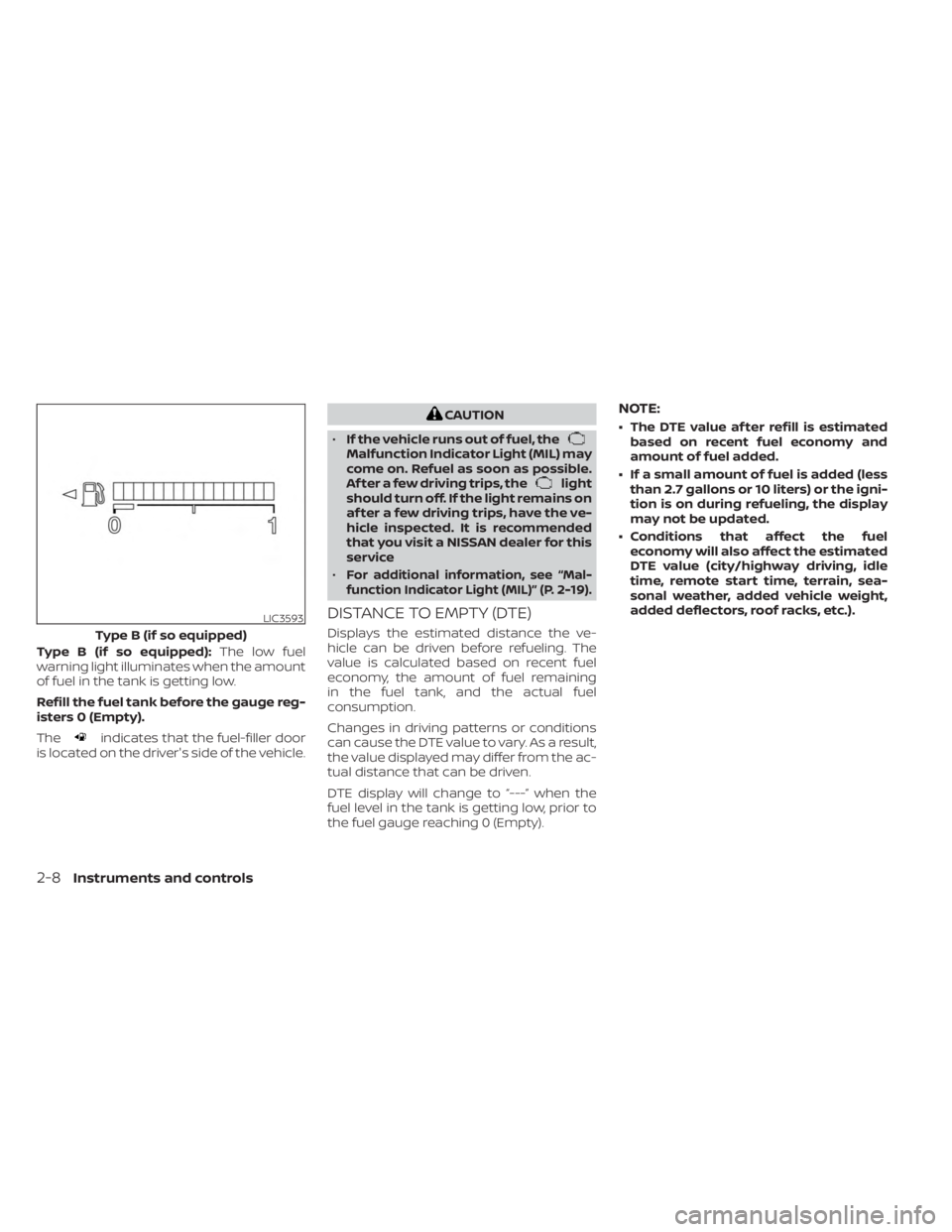
Type B (if so equipped):The low fuel
warning light illuminates when the amount
of fuel in the tank is getting low.
Refill the fuel tank before the gauge reg-
isters 0 (Empty).
The
indicates that the fuel-filler door
is located on the driver's side of the vehicle.
CAUTION
• If the vehicle runs out of fuel, the
Malfunction Indicator Light (MIL) may
come on. Refuel as soon as possible.
Af ter a few driving trips, the
light
should turn off. If the light remains on
af ter a few driving trips, have the ve-
hicle inspected. It is recommended
that you visit a NISSAN dealer for this
service
•
For additional information, see “Mal-
function Indicator Light (MIL)” (P. 2-19).
DISTANCE TO EMPTY (DTE)
Displays the estimated distance the ve-
hicle can be driven before refueling. The
value is calculated based on recent fuel
economy, the amount of fuel remaining
in the fuel tank, and the actual fuel
consumption.
Changes in driving patterns or conditions
can cause the DTE value to vary. As a result,
the value displayed may differ from the ac-
tual distance that can be driven.
DTE display will change to “---” when the
fuel level in the tank is getting low, prior to
the fuel gauge reaching 0 (Empty).
NOTE:
• The DTE value af ter refill is estimated based on recent fuel economy and
amount of fuel added.
• If a small amount of fuel is added (less than 2.7 gallons or 10 liters) or the igni-
tion is on during refueling, the display
may not be updated.
• Conditions that affect the fuel economy will also affect the estimated
DTE value (city/highway driving, idle
time, remote start time, terrain, sea-
sonal weather, added vehicle weight,
added deflectors, roof racks, etc.).
LIC3593
Type B (if so equipped)
2-8Instruments and controls