fuel NISSAN KICKS 2023 Owners Manual
[x] Cancel search | Manufacturer: NISSAN, Model Year: 2023, Model line: KICKS, Model: NISSAN KICKS 2023Pages: 558, PDF Size: 6.25 MB
Page 14 of 558
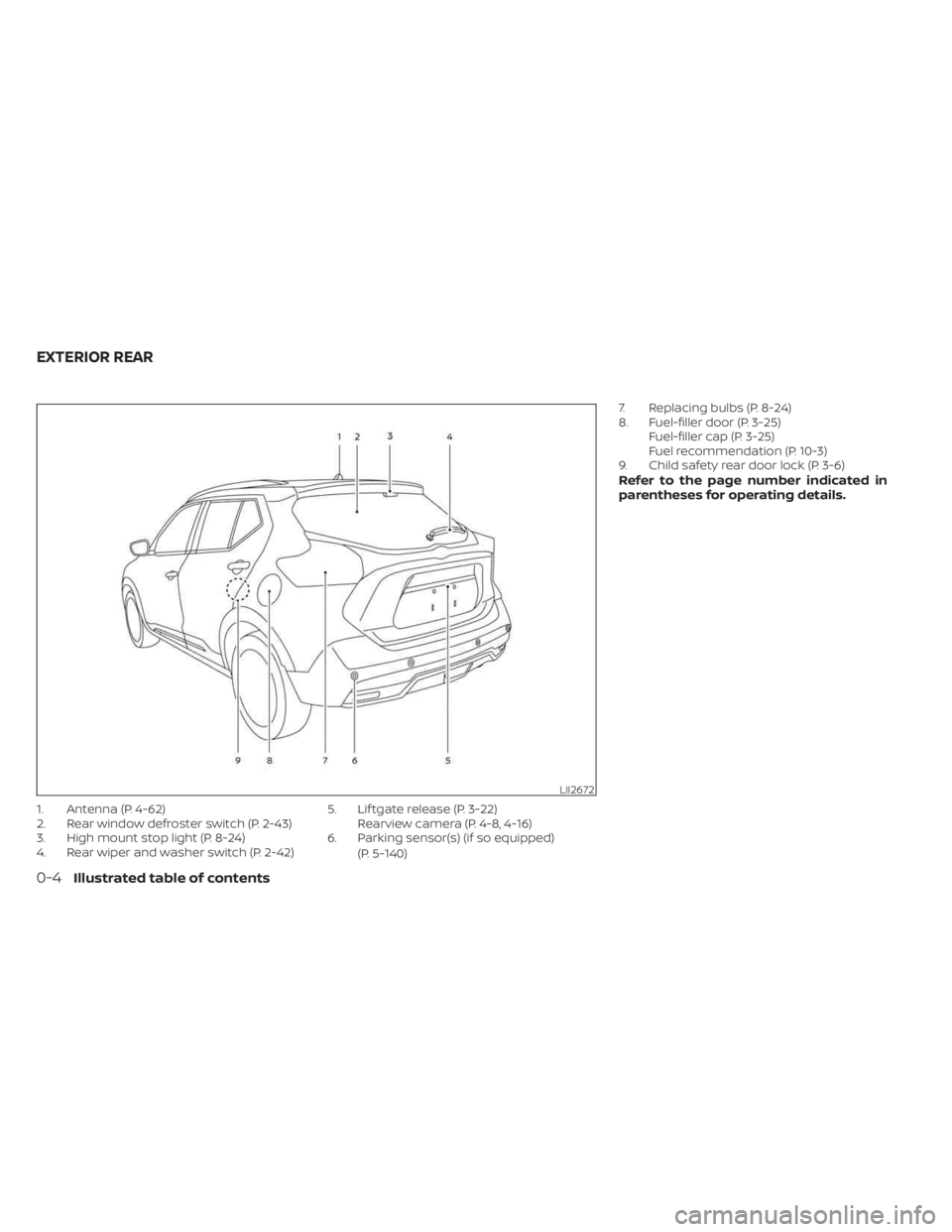
1. Antenna (P. 4-62)
2. Rear window defroster switch (P. 2-43)
3. High mount stop light (P. 8-24)
4. Rear wiper and washer switch (P. 2-42)5. Lif tgate release (P. 3-22)
Rearview camera (P. 4-8, 4-16)
6. Parking sensor(s) (if so equipped)
(P. 5-140) 7. Replacing bulbs (P. 8-24)
8. Fuel-filler door (P. 3-25)
Fuel-filler cap (P. 3-25)
Fuel recommendation (P. 10-3)
9. Child safety rear door lock (P. 3-6)
Refer to the page number indicated in
parentheses for operating details.
LII2672
EXTERIOR REAR
0-4Illustrated table of contents
Page 17 of 558
18. Bluetooth® Hands-Free Phone System(P. 4-2, 4-66)
Cruise control switches (if so equipped)
(P. 5-56)
Intelligent Cruise Control (ICC) switches
(if so equipped) (P. 5-58)
19. Driver supplemental knee air bag
(P. 1-60)
20. Tilt and telescopic steering wheel lock
lever (P. 3-26)
21. Hood release (P. 3-21) Fuel-filler door release (P. 3-25)
22. Steering wheel switches for audio
control (P. 4-2, 2-24)
Control panel and vehicle information
display switches (if so equipped)
(P. 2-24)
23. Blind Spot Warning (BSW) switch
(if so equipped) (P. 2-53)
Drive Systems OFF switch
(if so equipped) (P. 2-54)
Lane Departure Warning (LDW) switch
(if so equipped) (P. 2-54)
Rear Sonar System (RSS) OFF switch
(if so equipped) (P. 2-56)
Vehicle Dynamic Control (VDC) OFF
switch (if so equipped) (P. 2-55)
Instrument panel pocket (if so
equipped) (P. 2-62)
Enter/select switch for trip computer
(if so equipped) (P. 2-9)* Refer to the separate NissanConnect®
Owner's Manual (if so equipped).
Refer to the page number indicated in
parentheses for operating details.
Illustrated table of contents0-7
Page 20 of 558
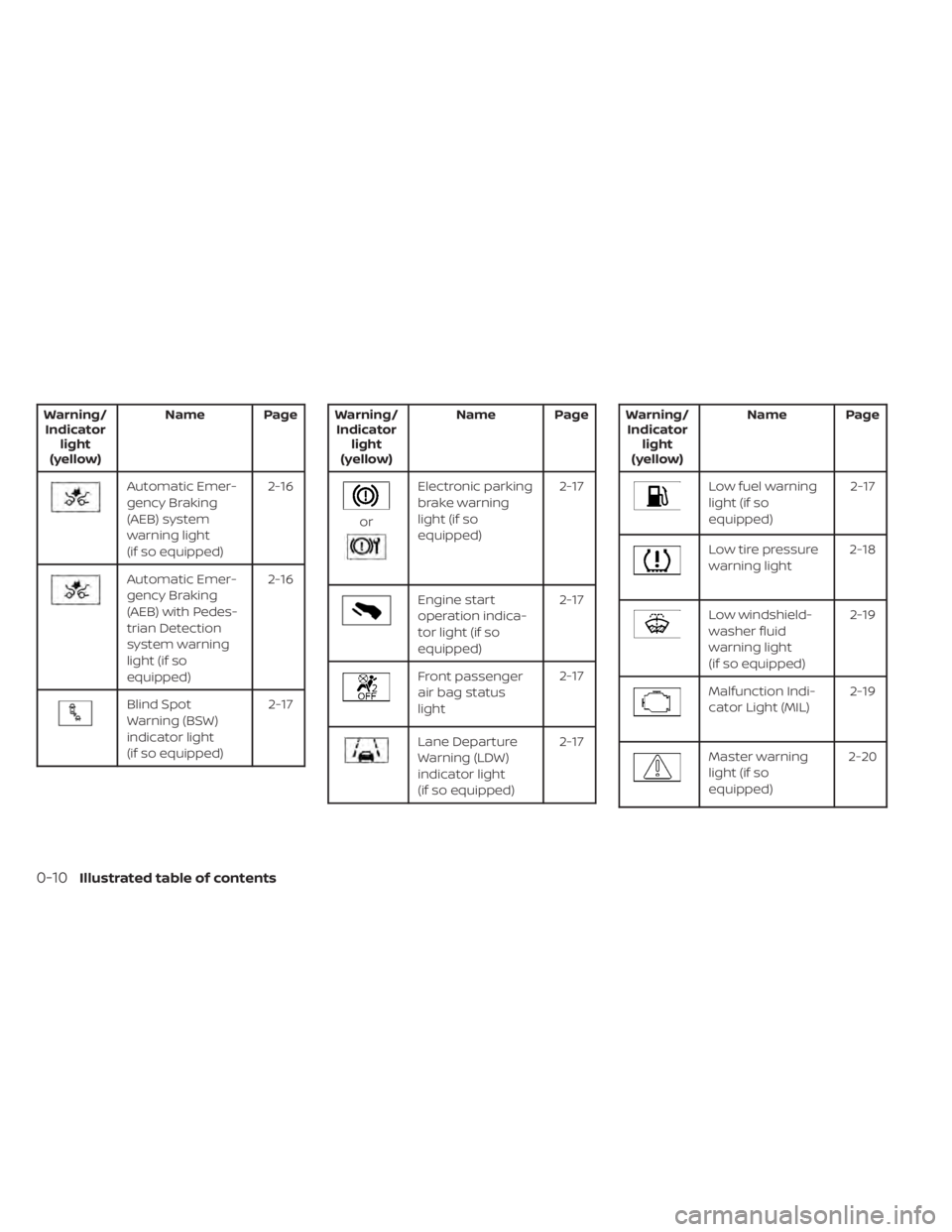
Warning/Indicator light
(yellow) Name Page
Automatic Emer-
gency Braking
(AEB) system
warning light
(if so equipped) 2-16
Automatic Emer-
gency Braking
(AEB) with Pedes-
trian Detection
system warning
light (if so
equipped)2-16
Blind Spot
Warning (BSW)
indicator light
(if so equipped)
2-17
Warning/
Indicator light
(yellow) Name Page
or
Electronic parking
brake warning
light (if so
equipped) 2-17
Engine start
operation indica-
tor light (if so
equipped)2-17
Front passenger
air bag status
light
2-17
Lane Departure
Warning (LDW)
indicator light
(if so equipped)2-17
Warning/
Indicator light
(yellow) Name Page
Low fuel warning
light (if so
equipped)
2-17
Low tire pressure
warning light
2-18
Low windshield-
washer fluid
warning light
(if so equipped) 2-19
Malfunction Indi-
cator Light (MIL)
2-19
Master warning
light (if so
equipped)2-20
0-10Illustrated table of contents
Page 88 of 558
2 Instruments and controls
Instrument panel................................2-2
Meters and gauges .............................2-4
Speedometer and odometer .................2-5
Tachometer .................................. 2-7
Fuel gauge ................................... 2-7
Distance To Empty (DTE) .....................2-8
Trip computer (if so equipped) ................2-9
Eco Drive Report (if so equipped) ............2-10
Warning lights, indicator lights and audible
reminders ....................................... 2-11
Checking lights .............................. 2-13
Warning/Indicator lights (red) ...............2-13
Warning/Indicator lights (yellow) ............2-16
Warning/Indicator lights (other) .............2-21
Audible reminders ........................... 2-23
Vehicle information display (if so equipped) .....2-24
How to use the vehicle information
display ...................................... 2-24
Startup display .............................. 2-24
Settings ..................................... 2-25
Vehicle information display warnings
and indicators ............................... 2-32
Security systems (if so equipped) ...............2-38
Vehicle security system (if so equipped) .....2-38
NISSAN Anti-Thef t System (NATS)
(if so equipped) .............................. 2-39NISSAN Vehicle Immobilizer System
(if so equipped)
.............................. 2-40
Wiper and washer switch .......................2-41
Switch operation ............................ 2-41
Rear switch operation .......................2-42
Rear window and outside mirror
(if so equipped) defroster switch ...............2-43
Headlight and turn signal switch ...............2-44
Headlight control switch ....................2-44
Daytime Running Lights (DRL) system
(Type A) (if so equipped) .....................2-49
LED Daytime Running Lights (DRL)
system (Type B) (if so equipped) .............2-49
Instrument brightness control ..............2-50
Turn signal switch ........................... 2-50
Fog light switch (if so equipped) .............2-51
Horn ........................................... 2-51
Heated seat switches (if so equipped) ..........2-52
He
ated steering wheel switch (if so equipped) . . 2-53
Blind Spot Warning (BSW) switch
(if so equipped) ................................. 2-53
Drive Systems OFF switch (if so equipped) ......2-54
Lane Departure Warning (LDW) switch
(if so equipped) ................................. 2-54
Page 91 of 558
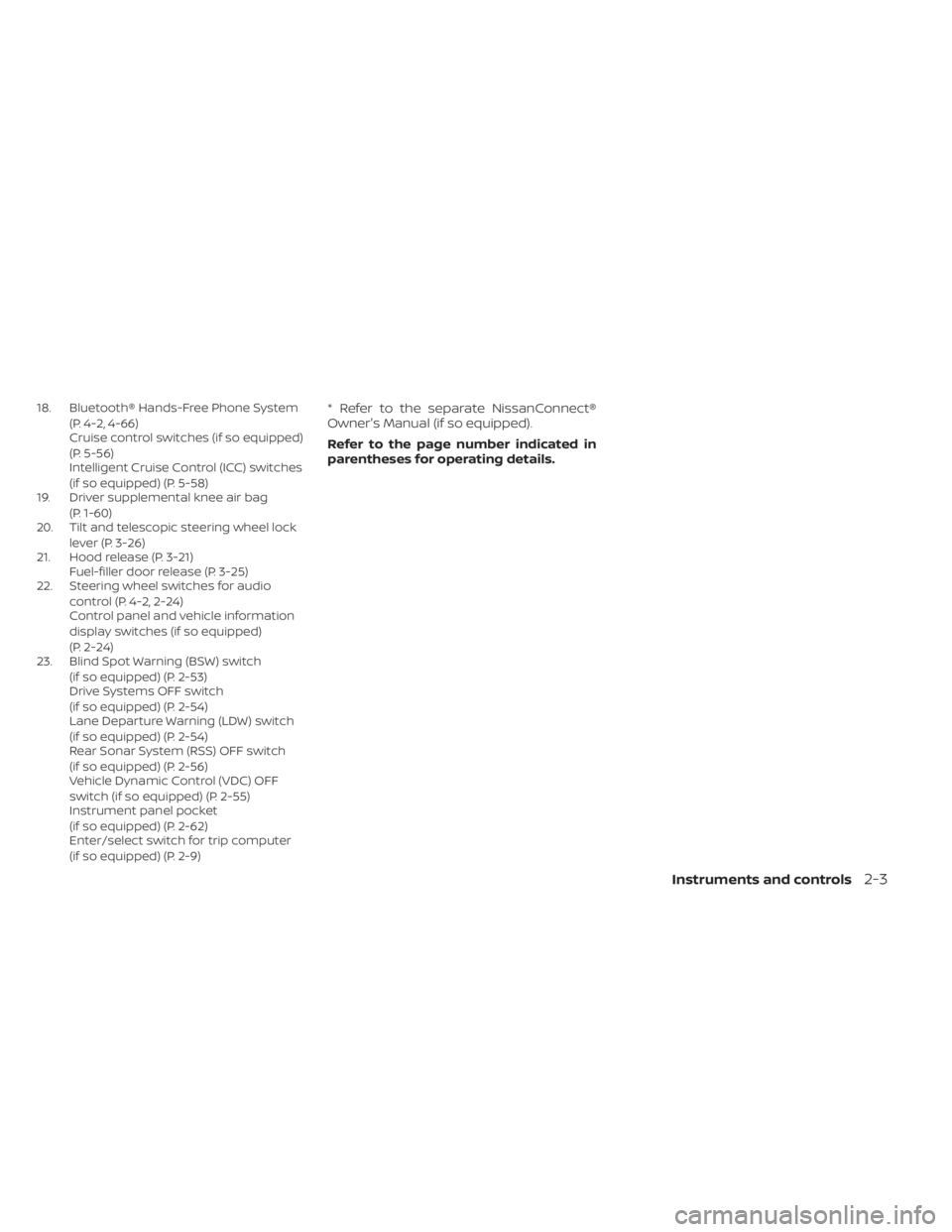
18. Bluetooth® Hands-Free Phone System(P. 4-2, 4-66)
Cruise control switches (if so equipped)
(P. 5-56)
Intelligent Cruise Control (ICC) switches
(if so equipped) (P. 5-58)
19. Driver supplemental knee air bag
(P. 1-60)
20. Tilt and telescopic steering wheel lock
lever (P. 3-26)
21. Hood release (P. 3-21) Fuel-filler door release (P. 3-25)
22. Steering wheel switches for audio
control (P. 4-2, 2-24)
Control panel and vehicle information
display switches (if so equipped)
(P. 2-24)
23. Blind Spot Warning (BSW) switch
(if so equipped) (P. 2-53)
Drive Systems OFF switch
(if so equipped) (P. 2-54)
Lane Departure Warning (LDW) switch
(if so equipped) (P. 2-54)
Rear Sonar System (RSS) OFF switch
(if so equipped) (P. 2-56)
Vehicle Dynamic Control (VDC) OFF
switch (if so equipped) (P. 2-55)
Instrument panel pocket
(if so equipped) (P. 2-62)
Enter/select switch for trip computer
(if so equipped) (P. 2-9)* Refer to the separate NissanConnect®
Owner's Manual (if so equipped).
Refer to the page number indicated in
parentheses for operating details.
Instruments and controls2-3
Page 92 of 558
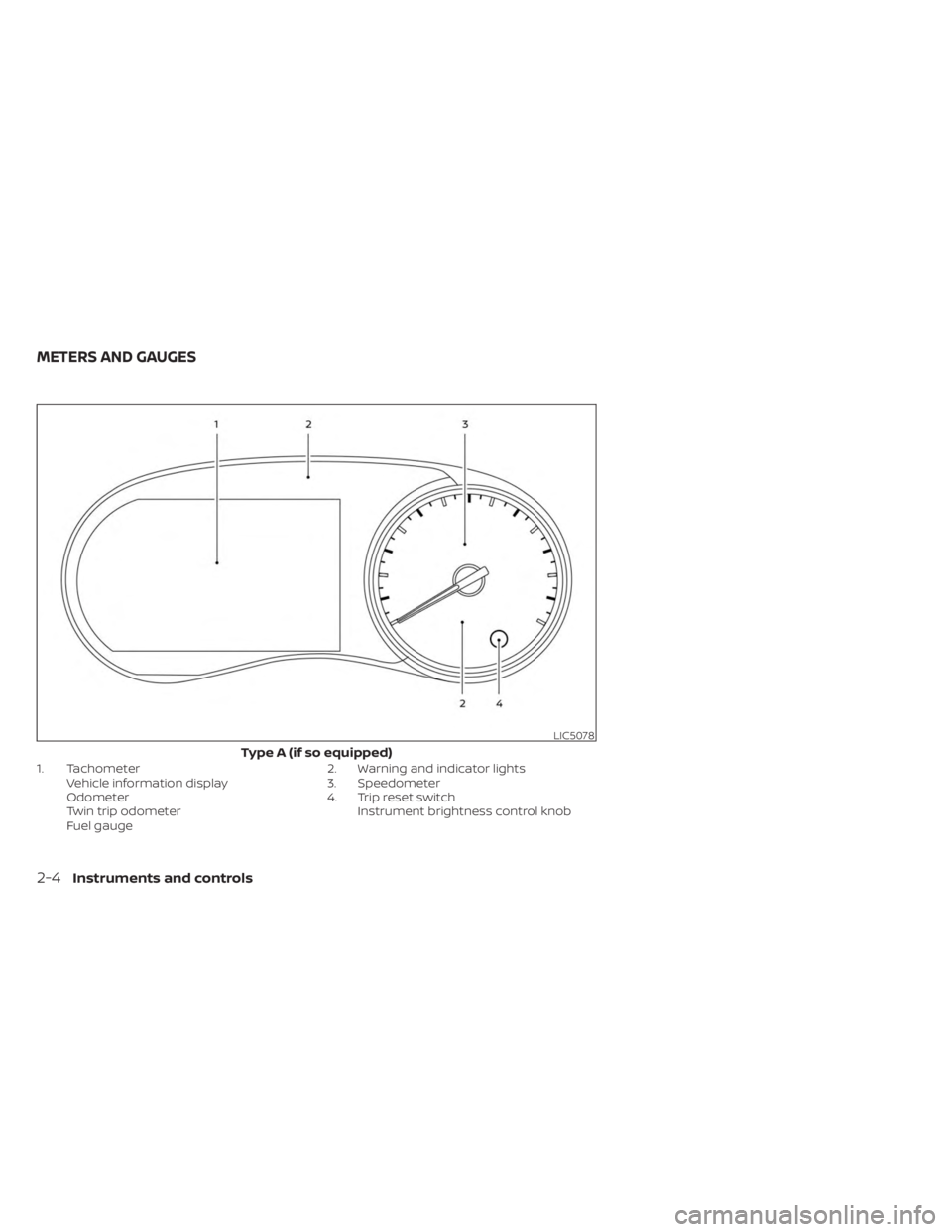
1. TachometerVehicle information display
Odometer
Twin trip odometer
Fuel gauge 2. Warning and indicator lights
3. Speedometer
4. Trip reset switch
Instrument brightness control knob
LIC5078
Type A (if so equipped)
METERS AND GAUGES
2-4Instruments and controls
Page 94 of 558
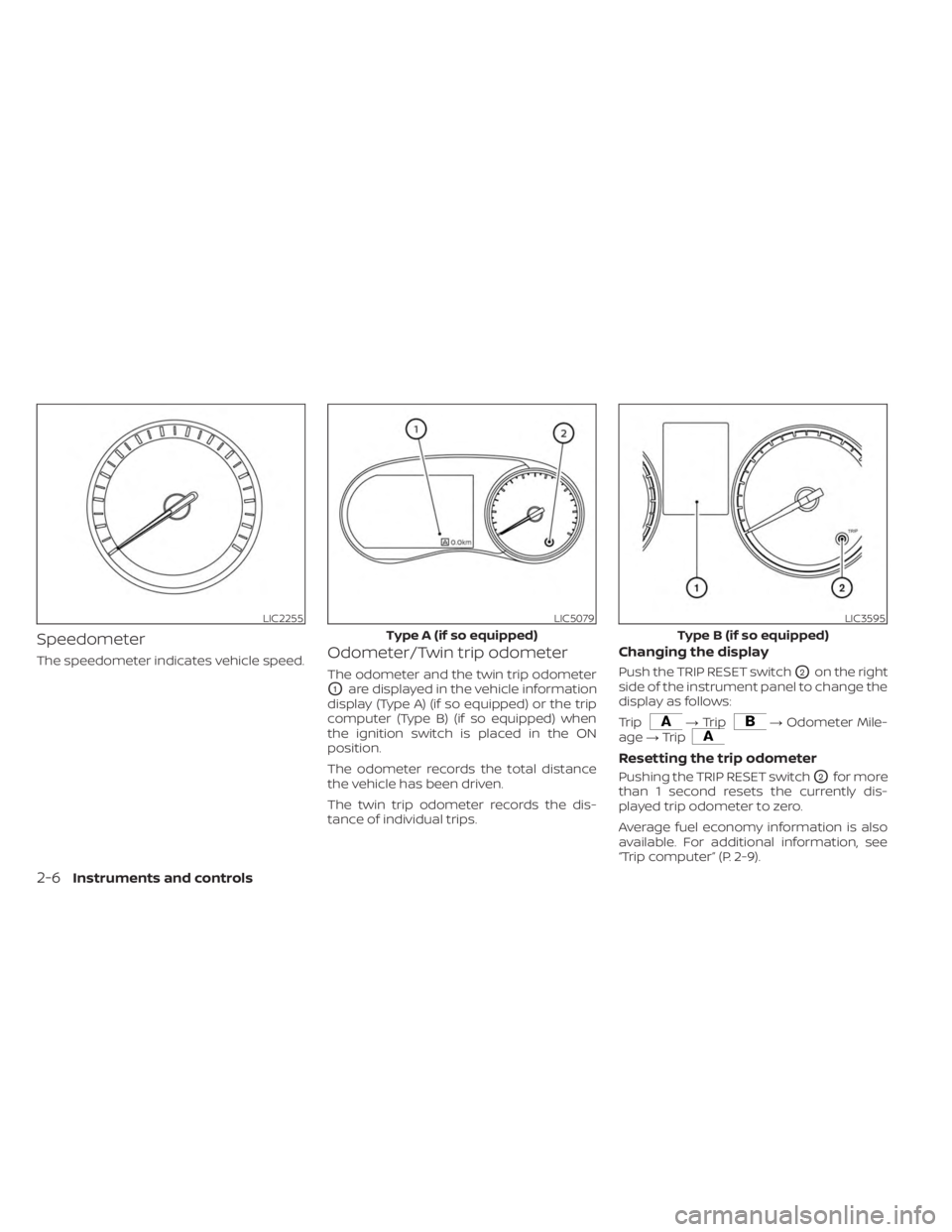
Speedometer
The speedometer indicates vehicle speed.Odometer/Twin trip odometer
The odometer and the twin trip odometer
O1are displayed in the vehicle information
display (Type A) (if so equipped) or the trip
computer (Type B) (if so equipped) when
the ignition switch is placed in the ON
position.
The odometer records the total distance
the vehicle has been driven.
The twin trip odometer records the dis-
tance of individual trips.
Changing the display
Push the TRIP RESET switchO2on the right
side of the instrument panel to change the
display as follows:
Trip
→ Trip→ Odometer Mile-
age →Trip
Resetting the trip odometer
Pushing the TRIP RESET switchO2for more
than 1 second resets the currently dis-
played trip odometer to zero.
Average fuel economy information is also
available. For additional information, see
“Trip computer” (P. 2-9).
LIC2255LIC5079
Type A (if so equipped)
LIC3595
Type B (if so equipped)
2-6Instruments and controls
Page 95 of 558
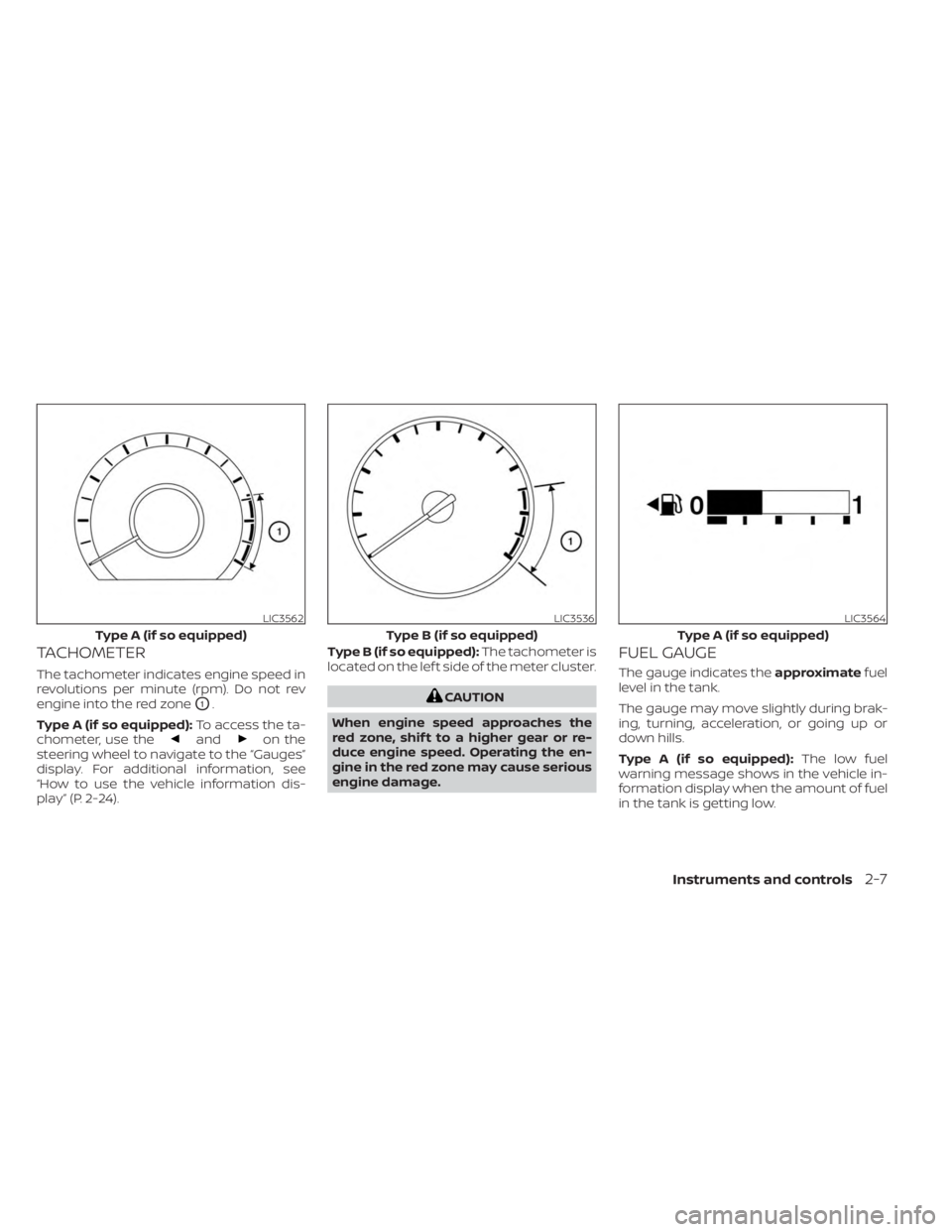
TACHOMETER
The tachometer indicates engine speed in
revolutions per minute (rpm). Do not rev
engine into the red zone
O1.
Type A (if so equipped): To access the ta-
chometer, use the
andon the
steering wheel to navigate to the “Gauges”
display. For additional information, see
“How to use the vehicle information dis-
play” (P. 2-24). Type B (if so equipped):
The tachometer is
located on the lef t side of the meter cluster.
CAUTION
When engine speed approaches the
red zone, shif t to a higher gear or re-
duce engine speed. Operating the en-
gine in the red zone may cause serious
engine damage.
FUEL GAUGE
The gauge indicates the approximatefuel
level in the tank.
The gauge may move slightly during brak-
ing, turning, acceleration, or going up or
down hills.
Type A (if so equipped): The low fuel
warning message shows in the vehicle in-
formation display when the amount of fuel
in the tank is getting low.
LIC3562
Type A (if so equipped)
LIC3536
Type B (if so equipped)
LIC3564
Type A (if so equipped)
Instruments and controls2-7
Page 96 of 558
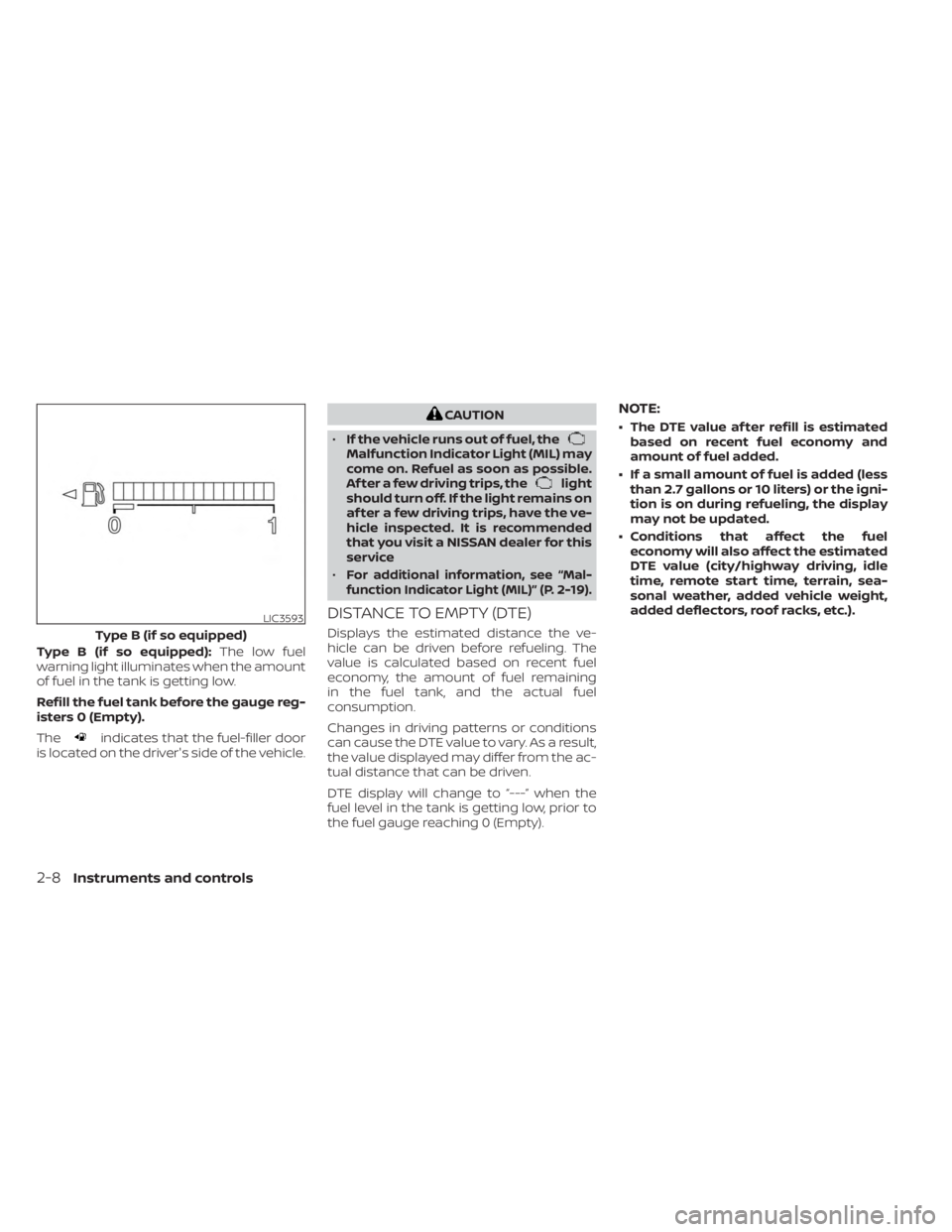
Type B (if so equipped):The low fuel
warning light illuminates when the amount
of fuel in the tank is getting low.
Refill the fuel tank before the gauge reg-
isters 0 (Empty).
The
indicates that the fuel-filler door
is located on the driver's side of the vehicle.
CAUTION
• If the vehicle runs out of fuel, the
Malfunction Indicator Light (MIL) may
come on. Refuel as soon as possible.
Af ter a few driving trips, the
light
should turn off. If the light remains on
af ter a few driving trips, have the ve-
hicle inspected. It is recommended
that you visit a NISSAN dealer for this
service
•
For additional information, see “Mal-
function Indicator Light (MIL)” (P. 2-19).
DISTANCE TO EMPTY (DTE)
Displays the estimated distance the ve-
hicle can be driven before refueling. The
value is calculated based on recent fuel
economy, the amount of fuel remaining
in the fuel tank, and the actual fuel
consumption.
Changes in driving patterns or conditions
can cause the DTE value to vary. As a result,
the value displayed may differ from the ac-
tual distance that can be driven.
DTE display will change to “---” when the
fuel level in the tank is getting low, prior to
the fuel gauge reaching 0 (Empty).
NOTE:
• The DTE value af ter refill is estimated based on recent fuel economy and
amount of fuel added.
• If a small amount of fuel is added (less than 2.7 gallons or 10 liters) or the igni-
tion is on during refueling, the display
may not be updated.
• Conditions that affect the fuel economy will also affect the estimated
DTE value (city/highway driving, idle
time, remote start time, terrain, sea-
sonal weather, added vehicle weight,
added deflectors, roof racks, etc.).
LIC3593
Type B (if so equipped)
2-8Instruments and controls
Page 97 of 558
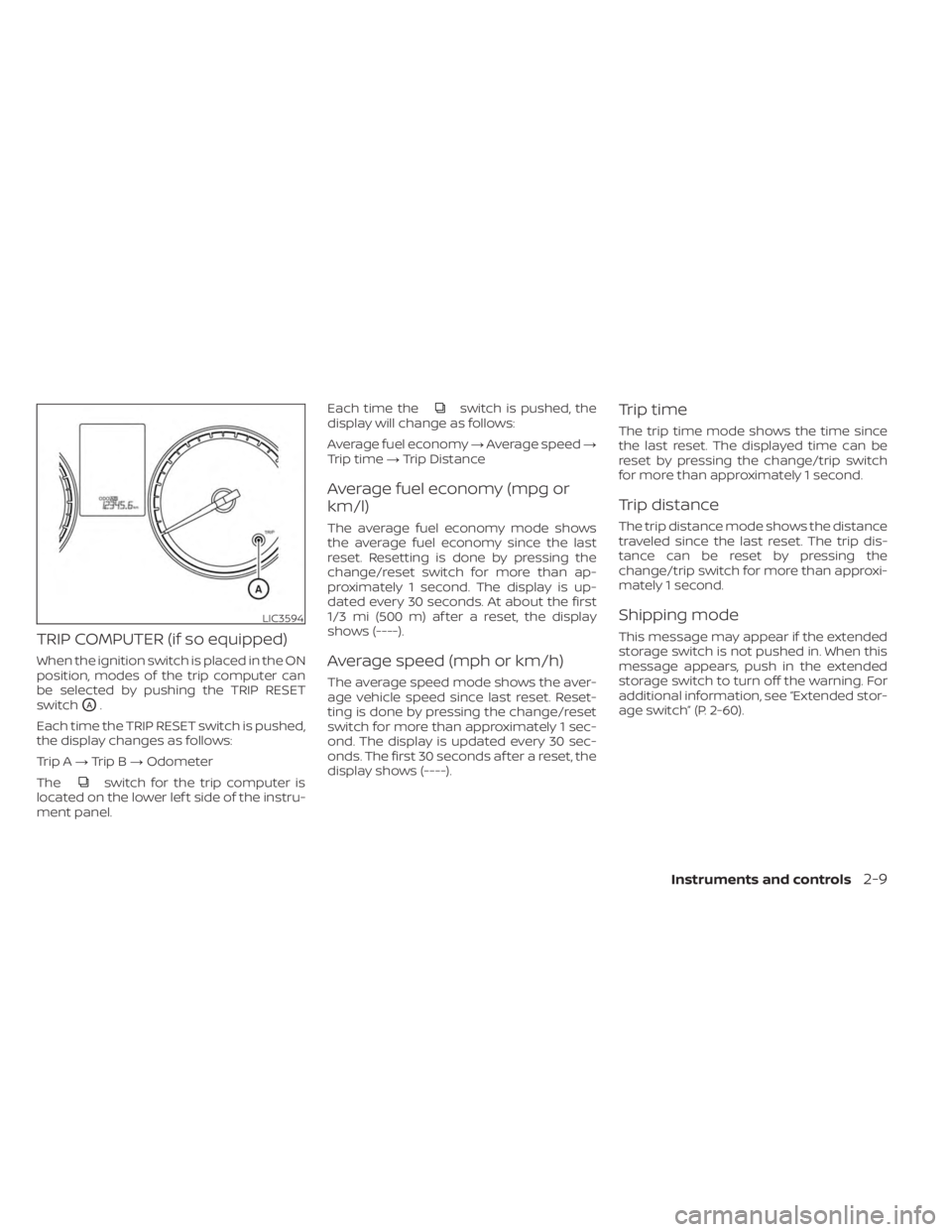
TRIP COMPUTER (if so equipped)
When the ignition switch is placed in the ON
position, modes of the trip computer can
be selected by pushing the TRIP RESET
switch
OA.
Each time the TRIP RESET switch is pushed,
the display changes as follows:
Trip A →Trip B →Odometer
The
switch for the trip computer is
located on the lower lef t side of the instru-
ment panel. Each time the
switch is pushed, the
display will change as follows:
Average fuel economy →Average speed →
Trip time →Trip Distance
Average fuel economy (mpg or
km/l)
The average fuel economy mode shows
the average fuel economy since the last
reset. Resetting is done by pressing the
change/reset switch for more than ap-
proximately 1 second. The display is up-
dated every 30 seconds. At about the first
1/3 mi (500 m) af ter a reset, the display
shows (----).
Average speed (mph or km/h)
The average speed mode shows the aver-
age vehicle speed since last reset. Reset-
ting is done by pressing the change/reset
switch for more than approximately 1 sec-
ond. The display is updated every 30 sec-
onds. The first 30 seconds af ter a reset, the
display shows (----).
Trip time
The trip time mode shows the time since
the last reset. The displayed time can be
reset by pressing the change/trip switch
for more than approximately 1 second.
Trip distance
The trip distance mode shows the distance
traveled since the last reset. The trip dis-
tance can be reset by pressing the
change/trip switch for more than approxi-
mately 1 second.
Shipping mode
This message may appear if the extended
storage switch is not pushed in. When this
message appears, push in the extended
storage switch to turn off the warning. For
additional information, see “Extended stor-
age switch” (P. 2-60).
LIC3594
Instruments and controls2-9