service NISSAN LEAF 2016 1.G User Guide
[x] Cancel search | Manufacturer: NISSAN, Model Year: 2016, Model line: LEAF, Model: NISSAN LEAF 2016 1.GPages: 437, PDF Size: 4.56 MB
Page 138 of 437
WARNING
If the supplemental air bag warning light
is on, it could mean that the front air bag,
side air bag, curtain air bag and/or pre-
tensioner systems will not operate in an
accident. To help avoid injury to yourself
or others, have your vehicle checked by a
NISSAN certified LEAF dealer as soon as
possible.
Repair and replacement procedure
The front air bags, side air bags, curtain air bags
and pretensioner(s) are designed to activate on a
one-time-only basis. As a reminder, unless it is
damaged, the supplemental air bag warning light
will remain illuminated after inflation has oc-
curred. Repair and replacement of these systems
should be done only by a NISSAN certified LEAF
dealer.
When maintenance work is required on the ve-
hicle, the front air bags, side air bags, curtain air
bags and pretensioner(s) and related parts
should be pointed out to the person performing
the maintenance. The power switch should al-
ways be in the LOCK position when working
under the hood or inside the vehicle.
WARNING
• Once a front air bag, side air bag or curtain air bag has inflated, the air bag
module will not function again and
must be replaced. Additionally, the ac-
tivated pretensioner(s) must also be
replaced. The air bag module and pre-
tensioner(s) should be replaced by a
NISSAN certified LEAF dealer. The air
bag modules and pretensioner system
cannot be repaired.
• The front air bag, side air bag and curtain air bag systems, and preten-
sioner system should be inspected by
a NISSAN certified LEAF dealer if there
is any damage to the front end or side
portion of the vehicle.
• If you need to dispose of a supplemen- tal air bag or pretensioner system or
scrap the vehicle, contact a NISSAN
certified LEAF dealer. Correct supple-
mental air bag and pretensioner sys-
tem disposal procedures are set forth
in the appropriate NISSAN Service
Manual. Incorrect disposal procedures
could cause personal injury. • If there is an impact to your vehicle
from any direction, your Occupant
Classification Sensor (OCS) should be
checked by a NISSAN certified LEAF
dealer to verify it is still functioning
correctly. The OCS should be checked
even if no air bags deploy as a result of
the impact. Failure to verify proper
OCS function may result in an im-
proper air bag deployment resulting in
injury or death.
Safety–Seats, seat belts and supplemental restraint system1-55
Page 154 of 437
cooperative regenerative brake and/or the elec-
tronically driven intelligent brake systems are not
functioning properly. Have the system checked
by a NISSAN certified LEAF dealer. If the BRAKE
warning light (red) also illuminates, stop the ve-
hicle immediately and contact a NISSAN certified
LEAF dealer. For additional information, refer to-
“Brake system” in the “Starting and driving” sec-
tion of this manual.
WARNING
• Pressing the brake pedal when the power switch position is not in the ON
or READY to drive position and/or low
brake fluid level may increase the
stopping distance and braking will re-
quire greater pedal effort as well as
pedal travel.
• If the brake fluid level is below the minimum or MIN mark on the brake
fluid reservoir, do not drive until the
brake system has been checked at a
NISSAN certified LEAF dealer. • The cooperative regenerative brake
system may not be working properly if
the brake system warning light illumi-
nates when the READY to drive indica-
tor light is ON. If you judge it to be safe,
drive carefully to the nearest service
station for repairs. Otherwise, have
your vehicle towed because driving
could be dangerous.orBRAKE warning
light (red)
When the power switch is placed in the ON
position or in the READY to drive position, the
light remains illuminated for about a few seconds.
If the light illuminates at any other time, it may
indicate that the hydraulic brake system is not
functioning properly. If the BRAKE warning light
illuminates, stop the vehicle immediately and
contact a NISSAN certified LEAF dealer.
Parking brake indicator:
When the power switch is placed in the ON
position, the light comes on when the parking
brake is applied.
Low brake fluid warning light:
When the power switch is in the ON position, the
light warns of a low brake fluid level. If this warn- ing light illuminates, the Vehicle Dynamic Control
(VDC) warning light and the brake system warn-
ing light (yellow) also illuminate.
If the light illuminates while the power switch is in
the READY to drive position with the parking
brake not applied, stop the vehicle and perform
the following items.
1. Check the brake fluid level. If brake fluid is
necessary, add fluid and have the system
checked by a NISSAN certified LEAF dealer.
For additional information, refer to “Brake
fluid” in the “Maintenance and do-it-yourself”
section of this manual.
2. If the brake fluid level is correct, have the warning system checked by a NISSAN certi-
fied LEAF dealer.
WARNING
• Your brake system may not be working properly if the warning light is on. Driv-
ing could be dangerous. If you judge
the brake system to be safe, drive care-
fully to the nearest service station for
repairs. Otherwise, have your vehicle
towed because driving it could be dan-
gerous.
Instruments and controls2-15
Page 173 of 437
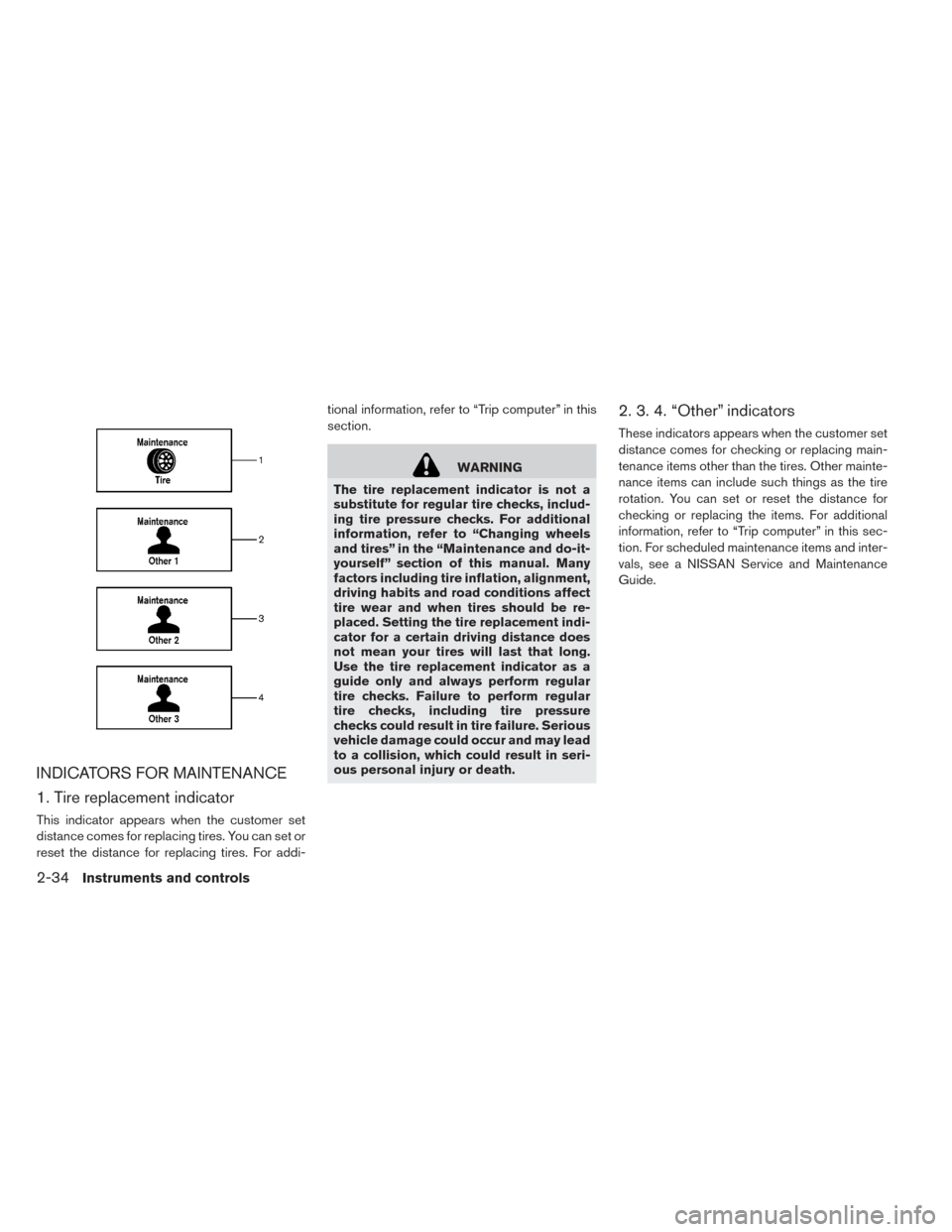
INDICATORS FOR MAINTENANCE
1. Tire replacement indicator
This indicator appears when the customer set
distance comes for replacing tires. You can set or
reset the distance for replacing tires. For addi-tional information, refer to “Trip computer” in this
section.
WARNING
The tire replacement indicator is not a
substitute for regular tire checks, includ-
ing tire pressure checks. For additional
information, refer to “Changing wheels
and tires” in the “Maintenance and do-it-
yourself” section of this manual. Many
factors including tire inflation, alignment,
driving habits and road conditions affect
tire wear and when tires should be re-
placed. Setting the tire replacement indi-
cator for a certain driving distance does
not mean your tires will last that long.
Use the tire replacement indicator as a
guide only and always perform regular
tire checks. Failure to perform regular
tire checks, including tire pressure
checks could result in tire failure. Serious
vehicle damage could occur and may lead
to a collision, which could result in seri-
ous personal injury or death.
2. 3. 4. “Other” indicators
These indicators appears when the customer set
distance comes for checking or replacing main-
tenance items other than the tires. Other mainte-
nance items can include such things as the tire
rotation. You can set or reset the distance for
checking or replacing the items. For additional
information, refer to “Trip computer” in this sec-
tion. For scheduled maintenance items and inter-
vals, see a NISSAN Service and Maintenance
Guide.
2-34Instruments and controls
Page 177 of 437
Security Indicator Light
The security indicator light is located on the me-
ter panel. It indicates the status of the NISSAN
Vehicle Immobilizer System.
The light blinks after the power switch was in the
ACC or OFF position. This function indicates the
security systems equipped on the vehicle are
operational.
If the NISSAN Vehicle Immobilizer System is mal-
functioning, this light will remain on while the
power switch is in the ON position.If the light still remains on and/or the
power switch cannot be placed in the
READY to drive position, see a NISSAN
certified LEAF dealer for NISSAN Vehicle
Immobilizer System service as soon as
possible. Please bring all registered keys
that you have when visiting a NISSAN cer-
tified LEAF dealer for service.
WARNING
In freezing temperatures the washer so-
lution may freeze on the windshield and
obscure your vision which may lead to an
accident. Warm the windshield with the
defroster before you wash the wind-
shield.
CAUTION
• Do not operate the washer continu- ously for more than 30 seconds.
• Do not operate the washer if the windshield-washer fluid reservoir is
empty.
• Do not fill the windshield-washer fluid reservoir with windshield-washer fluid
concentrates at full strength. Some
methyl alcohol based windshield-
washer fluid concentrates may perma-
nently stain the grille if spilled while
filling the windshield-washer fluid res-
ervoir.
WIPER AND WASHER SWITCH
2-38Instruments and controls
Page 265 of 437
Remote climate control
This vehicle incorporates a communication de-
vice that is called a TCU (Telematics Communi-
cation Unit) . The communication connection be-
tween this unit and Nissan Data Center allows for
various remote function services.
Even when away from the vehicle, climate control
can be started by accessing the Nissan Data
Center website using a cellular phone or a per-
sonal computer.
When operation is started, or at the set start time,
the Nissan Data Center accesses the vehicle.
When the vehicle receives a command for re-
mote operation, the climate control immediately
turns ON and operates for the specified period of
time. Confirmation of the ON/OFF of the climate
control operation can be checked by accessing
the website or by e-mail.
Completing registration for the NissanCon-
nect
SMMobile Apps service is necessary before
using the service. For additional information, refer
to the separate Navigation Owner’s Manual.
WARNING
• Radio waves could adversely affect electric medical equipment. For addi-
tional information, refer to your elec-
tric medical equipment manufacturer
for the possible effect on pacemakers
before using the remote climate con-
trol.
• Even if the remote climate control is set, the temperature in the passenger
room may become high if the system
automatically stops. Do not leave chil-
dren or adults who would normally re-
quire the support of others alone in
your vehicle. Pets should not be left
alone either. On hot, sunny days, tem-
peratures in a closed vehicle could
quickly become high enough to cause
severe or possibly fatal injuries to
people or animals.
NOTE:
•To check the Li-ion battery charging status
using an internet enabled smart phone or
personal computer. – The vehicle must be located in a cellu- lar phone coverage area. – The cellular phone must be located in
an area with cellular phone coverage.
– The computer must be connected to the internet.
• Some cellular phones are not compatible
with this system and cannot be used to
check the Li-ion battery charging status.
Confirm this beforehand.
Operating tips:
• When the charge connector is connected, the climate control operates using electric power.
When the charge connector is disconnected
from the vehicle, the climate control operates
using vehicle battery electric power.
• The climate control can be operated for a maxi- mum of 2 hours when the charge connector is
connected to the vehicle, or a maximum of 15
minutes when the charge connector is
disconnected.
• The remote climate control will only start to operate when the power switch is in the OFF
position. Be sure to check that the power switch
is in the OFF position.
• Remote climate control operation is not avail- able when the vehicle is in an area of cellular
communication range.
4-36Display screen, heater, air conditioner, audio and phone systems
Page 267 of 437
3. Set the temperature and the touch “OK”.
Note
•The temperature in the passenger com-
partment may not be comfortable if enter-
ing the vehicle too soon before or too long
after the scheduled time of departure.
• Air conditioning is limited to the capacity
of the electric power when the charge
connector is connected. Therefore, the
temperature may not reach the set tem-
perature due to limitations in air condi-
tioning performance, if ambient tempera-
ture is excessively high or low, or if the
charge connector is connected to a 120-
volt plug outlet. •
The Climate Ctrl. Timer operates the cli-
mate control function so that a comfort-
able temperature is provided in the pas-
senger compartment at the scheduled
time of departure. The climate control is
set to stop at the scheduled time of depar-
ture.
SERVICING CLIMATE CONTROL
The climate control system in your NISSAN is
charged with a refrigerant designed with the en-
vironment in mind. This refrigerant will not harm
the earth’s ozone layer. Special charging equip-
ment and lubricant are required when servicing
your NISSAN climate control. Using improper
refrigerants or lubricants will cause severe dam-
age to your climate control system. For additional
information, refer to “Recommended fluids/
lubricants and capacities” in the “Technical and
consumer information” section.
A NISSAN certified LEAF dealer will be able to
service your environmentally friendly climate con-
trol system.
RADIO
Push the power switch to the ACC or ON posi-
tion and press the radio band select button to
turn on the radio. If you listen to the radio while
the READY to drive indicator light is off, the
power switch should be pushed to the ACC
position.
Radio reception is affected by station signal
strength, distance from radio transmitter, build-
ings, bridges, mountains and other external influ-
ences. Intermittent changes in reception quality
normally are caused by these external influences.
Using a cellular phone in or near the vehicle
may influence radio reception quality.
Radio reception
Your NISSAN radio system is equipped with
state-of-the-art electronic circuits to enhance ra-
dio reception. These circuits are designed to
extend reception range, and to enhance the qual-
ity of that reception.
However, there are some general characteristics
of both FM and AM radio signals that can affect
radio reception quality in a moving vehicle, even
AUDIO SYSTEM (MODELS WITHOUT
NAVIGATION SYSTEM)
4-38Display screen, heater, air conditioner, audio and phone systems
Page 269 of 437
SATELLITE RADIO RECEPTION
When the satellite radio is used for the first time
or the battery has been replaced, the satellite
radio may not work properly. This is not a mal-
function. Wait more than 10 minutes with satellite
radio ON and the vehicle outside of any metal or
large building for satellite radio to receive all of
the necessary data.
No satellite radio reception is available and “NO
SAT” is displayed when the SAT band option is
selected unless optional satellite receiver and
antenna are installed and a SiriusXM® Satellite
Radio service subscription is active. Satellite ra-
dio is not available in Alaska, Hawaii and Guam.
Satellite radio performance may be affected if
cargo carried on the roof blocks the satellite radio
signal.
If possible, do not put cargo over the satellite
antenna.
A build up of ice on the satellite radio antenna can
affect satellite radio performance. Remove the
ice to restore satellite radio reception.
AUDIO OPERATION PRECAUTIONS
Compact disc (CD) player
CAUTION
• Do not force a compact disc into the CD insert slot. This could damage the
CD and/or CD player.
• Trying to load a CD with the CD door closed could damage the CD and/or
CD player.
• Only one CD can be loaded into the CD player at a time.
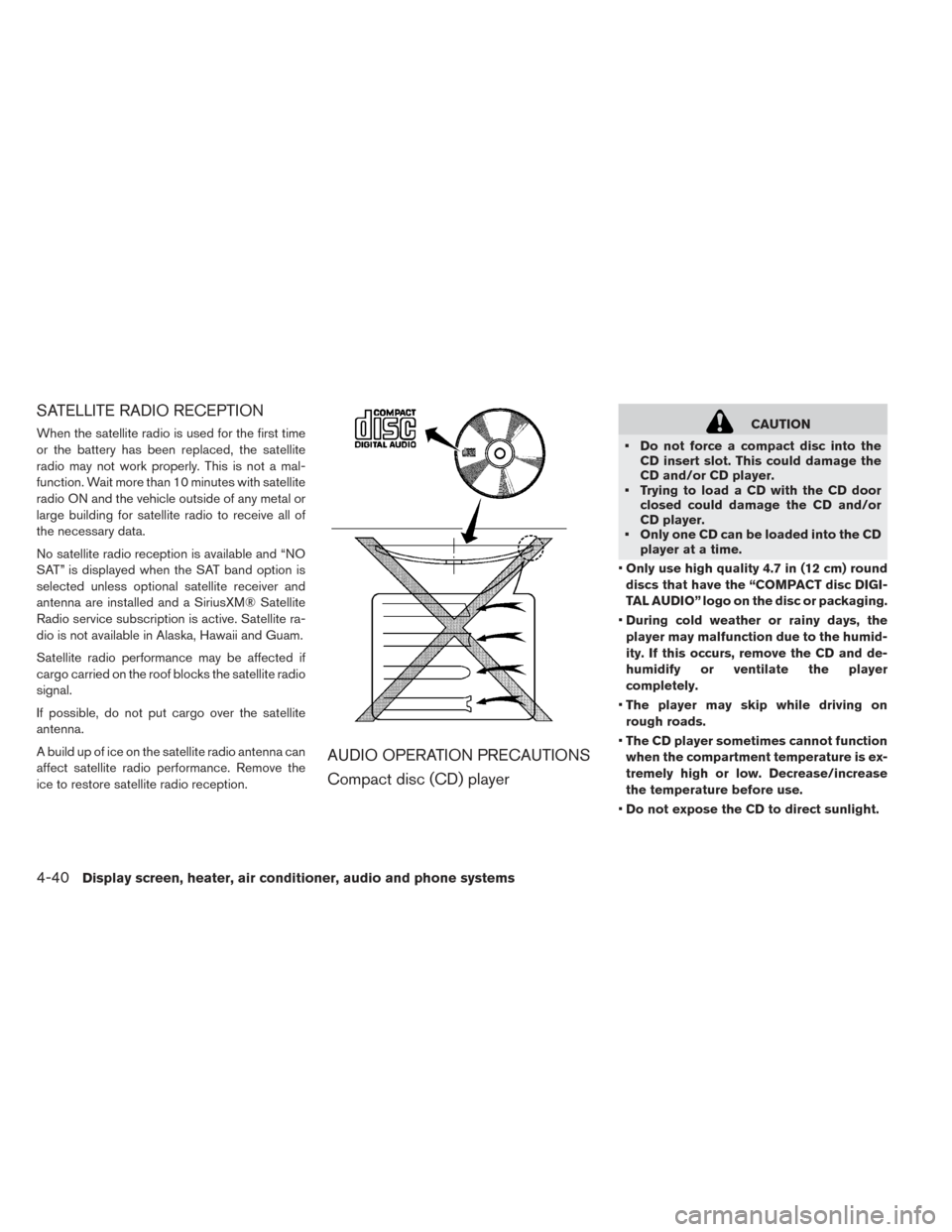
• Only use high quality 4.7 in (12 cm) round
discs that have the “COMPACT disc DIGI-
TAL AUDIO” logo on the disc or packaging.
• During cold weather or rainy days, the
player may malfunction due to the humid-
ity. If this occurs, remove the CD and de-
humidify or ventilate the player
completely.
• The player may skip while driving on
rough roads.
• The CD player sometimes cannot function
when the compartment temperature is ex-
tremely high or low. Decrease/increase
the temperature before use.
• Do not expose the CD to direct sunlight.
4-40Display screen, heater, air conditioner, audio and phone systems
Page 278 of 437
Bass, treble, balance and fade can also be ad-
justed by pressing the ENTER/SETTING button
and turning the TUNE/SCROLL control knob to
select the item to adjust. When the desired item
is shown on the display, turn the tuning to adjust
and then press the ENTER/SETTING button until
the display returns to the main audio screen. If the
button is not pressed for approximately 10 sec-
onds, the radio or CD display will automatically
reappear.
DISP button
Display of the screen can be canceled by press-
ing the DISP button. You can then listen to music
that is being played back. If you want to display
the screen again, either press the DISP button
once more or press the FM·AM, XM Satellite
Radio or CD·AUX button.
MEDIA button
Pressing the MEDIA button will switch the dis-
plays as follows:
iPod®/USB→Bluetooth
Audio→AUX→CD→iPod®/USB
BACK button
When the BACK button is pressed, it returns to
the previous display. APPS button
Press the APPS button to launch the Smart-
phone Integration Mode. For additional informa-
tion, refer to “NissanConnect
SMMobile Apps” in
this section.
FM-AM-SAT radio operation
FM●AM band select
Pressing the radio band select button will change
the band as follows:
AM→FM1→FM2→AM
XM band select
Pressing the XM band select button will change
the band as follows:
XM1→XM2→XM3→XM1
When the XM band select button is pressed
while the power switch is in the ACC or ON
position, the radio will come on at the channel last
played.
The last station played will also come on when
the
button is pressed to radio ON.
*When the XM button is pressed, the satellite
radio mode will be skipped unless a SiriusXM®
Satellite Radio service subscription is active. Satellite radio is not available in Alaska, Hawaii
and Guam.
If a compact disc is playing when the XM button
is pressed, the compact disc will automatically be
turned off and the last radio station played will
come on.
TUNE/SCROLL knob (Tuning)
Turn the TUNE/SCROLL knob to the left or right
for manual tuning.
SEEK tuning
Press the SEEK/CAT
orbutton or to
tune from low to high or high to low frequencies
and to stop at the next broadcasting station.
SCAN tuning
Press the SCAN button to stop at each broad-
casting station for 5 seconds. SCAN will appear
on the screen while the radio is scan tuning.
Pressing the button again during this 5 second
period will stop SCAN tuning and the radio will
remain tuned to that station. If the SCAN button is
not pressed within 5 seconds, SCAN tuning
moves to the next station.
Display screen, heater, air conditioner, audio and phone systems4-49
Page 290 of 437
• You will not be able to use a hands-free phoneunder the following conditions: – Your vehicle is outside of the cellular service area.
– Your vehicle is in an area where it is difficult to receive a cellular signal; such as in a
tunnel, in an underground parking garage,
near a tall building or in a mountainous area.
– Your cellular phone is locked to prevent it from being dialed.
• When the radio wave condition is not ideal or ambient sound is too loud, it may be difficult to
hear the other person’s voice during a call.
• Do not place the cellular phone in an area surrounded by metal or far away from the in-
vehicle phone module to prevent tone quality
degradation and wireless connection
disruption.
• While a cellular phone is connected through the Bluetooth® wireless connection, the battery
power of the cellular phone may discharge
quicker than usual. The Bluetooth® Hands-
Free Phone System cannot charge cellular
phones. • For additional information, refer to “Trouble-
shooting guide” in this section. You can also visit
www.nissanusa.com/bluetooth or
www.nissan.ca/bluetooth for troubleshooting
help if the hands-free phone system seems to
be malfunctioning.
• Some cellular phones or other devices may cause interference or a buzzing noise to come
from the audio system speakers. Storing the
device in a different location may reduce or
eliminate the noise.
• Refer to the cellular phone Owner’s Manual regarding the telephone charges, cellular phone
antenna and body, etc.
REGULATORY INFORMATION
FCC Regulatory information
CAUTION: To maintain compliance with FCC’s
RF exposure guidelines, use only the supplied
antenna. Unauthorized antenna, modification, or
attachments could damage the transmitter and
may violate FCC regulations.
Operation is subject to the following two condi-
tions:
1. This device may not cause interference and 2. this device must accept any interference, in-
cluding interference that may cause unde-
sired operation of the device.
IC Regulatory information
• Operation is subject to the following two condi- tions: (1) this device may not cause interfer-
ence, and (2) this device must accept any inter-
ference, including interference that may cause
undesired operation of the device.
• This Class B digital apparatus meets all require- ments of the Canadian Interference-Causing
Equipment Regulations.
BLUETOOTH® is a trademark
owned by Bluetooth SIG, Inc. and licensed to
Visteon.
USING THE SYSTEM
The NISSAN Voice Recognition system allows
hands-free operation of the Bluetooth® Hands-
Free Phone System.
If the vehicle is in motion, some commands may
not be available so full attention may be given to
vehicle operation.
Display screen, heater, air conditioner, audio and phone systems4-61
Page 307 of 437
OFF-ROAD RECOVERY
While driving, the right side or left side wheels
may unintentionally leave the road surface. If this
occurs, maintain control of the vehicle by follow-
ing the procedure below. Please note that this
procedure is only a general guide. The vehicle
must be driven as appropriate based on the con-
ditions of the vehicle, road and traffic.
1. Remain calm and do not overreact.
2. Do not apply the brakes.
3. Maintain a firm grip on the steering wheel withboth hands and try to hold a straight course.
4. When appropriate, slowly release the accel- erator pedal to gradually slow the vehicle.
5. If there is nothing in the way, steer the vehicle to follow the road while the vehicle speed is
reduced. Do not attempt to drive the vehicle
back onto the road surface until vehicle speed
is reduced.
6. When it is safe to do so, gradually turn the steering wheel until both tires return to the
road surface. When all tires are on the road
surface, steer the vehicle to stay in the appro-
priate driving lane. • If you decide that it is not safe to return the
vehicle to the road surface based on vehicle,
road or traffic conditions, gradually slow the
vehicle to a stop in a safe place off the road.
RAPID AIR PRESSURE LOSS
Rapid air pressure loss or a “blow-out” can occur
if the tire is punctured or is damaged due to
hitting a curb or pothole. Rapid air pressure loss
can also be caused by driving on under-inflated
tires.
Rapid air pressure loss can affect the handling
and stability of the vehicle, especially at highway
speeds.
Help prevent rapid air pressure loss by maintain-
ing the correct air pressure and visually inspect
the tires for wear and damage. For additional
information, refer to “Wheels and tires” in the
“Maintenance and do-it-yourself” section of this
manual.
If a tire rapidly loses air pressure or “blows-out”
while driving maintain control of the vehicle by
following the procedure below. Please note that
this procedure is only a general guide. The ve-
hicle must be driven as appropriate based on the
conditions of the vehicle, road and traffic.
WARNING
The following actions can increase the
chance of losing control of the vehicle if
there is a sudden loss of tire air pressure.
Losing control of the vehicle may cause a
collision and result in personal injury.
• The vehicle generally moves or pulls in the direction of the flat tire.
• Do not rapidly apply the brakes.
• Do not rapidly release the accelerator pedal.
• Do not rapidly turn the steering wheel.
1. Remain calm and do not overreact.
2. Maintain a firm grip on the steering wheel with both hands and try to hold a straight course.
3. When appropriate, slowly release the accel- erator pedal to gradually slow the vehicle.
4. Gradually steer the vehicle to a safe location off the road and away from traffic if possible.
5. Lightly apply the brake pedal to gradually stop the vehicle.
6. Turn on the hazard warning flashers and con- tact a roadside emergency service to change
the tire. For additional information, refer to
“Flat tire” in the “In case of emergency” sec-
tion of this manual.
5-6Starting and driving