stop start NISSAN LEAF 2017 1.G User Guide
[x] Cancel search | Manufacturer: NISSAN, Model Year: 2017, Model line: LEAF, Model: NISSAN LEAF 2017 1.GPages: 424, PDF Size: 4.51 MB
Page 71 of 424
•When only the charging timer end time is
set, the system automatically stops charg-
ing when the Li-ion battery charges to a
full charge. Charging may stop before the
scheduled end time.
• If the charging timer and the Climate Ctrl.
Timer are operating at the same time due
to an overlap of the timer settings, you can
prioritize which function receives electri-
cal power first. For additional information,
refer to the LEAF Navigation System Own-
er’s Manual.
• When charging is set as the first priority,
the Climate Ctrl. Timer does not start until
10 segments (80%) of the Li-ion battery
available charge gauge are illuminated.
• Even when the climate control is set as the
first priority, the climate control system
will be turned off when the electric de-
mands of the climate control system are
more than can be provided to the Li-ion
battery for charging.
• Some charging stations used to perform
normal charge are equipped with timer
functions. If the charger timer function
and the vehicle timer are both set, and the
two timers are not set to operate at the same time, it is possible that the charger
will not start or the battery will not be
charged to the level expected.
• If the Li-ion battery warmer (if so
equipped) is operating while the Climate
Ctrl. Timer or remote climate control is
being used, performance of the climate
control system will be reduced.
• The Li-ion battery may not charge to the
expected level using the Charging Timer
when a [Start time] and [End time] are set
while the Li-ion battery warmer (if so
equipped) operates.
• Set only the Charging Timer End time
when charging in cold weather. The ve-
hicle automatically determines when to
start charging to fully charge the Li-ion
battery, even if the Li-ion battery warmer
(if so equipped) operates. Charging ends
before the set End time if the Li-ion bat-
tery is fully charged.
• The 12–volt battery can become dis-
charged if the charging timer is operated
repeatedly between the Li-ion battery
charges when the vehicle is not used for
an extended period of time. •
Charging timer is performed according to
the current time setting on the bottom left
of the display. When setting the charging
timer function, be sure to check that the
current time displayed is correct.
• To turn off the charging timer function,
touch ON on the timer charge setting
screen until the indicator lights are turned
off. Touch SAVE to apply the change. If the
settings shown on the screen are correct,
touch OK. After this operation has been
performed, the indicator disappears and
the charging timer function is turned off.
The start and end time settings are not
deleted, even if the charging timer func-
tion is turned off.
• If the day of the week is not selected on
the timer charge setting screen, the charg-
ing timer will not operate on that day. The
system will wait until the next set charging
time to perform charging.
CH-22Charging
Page 72 of 424
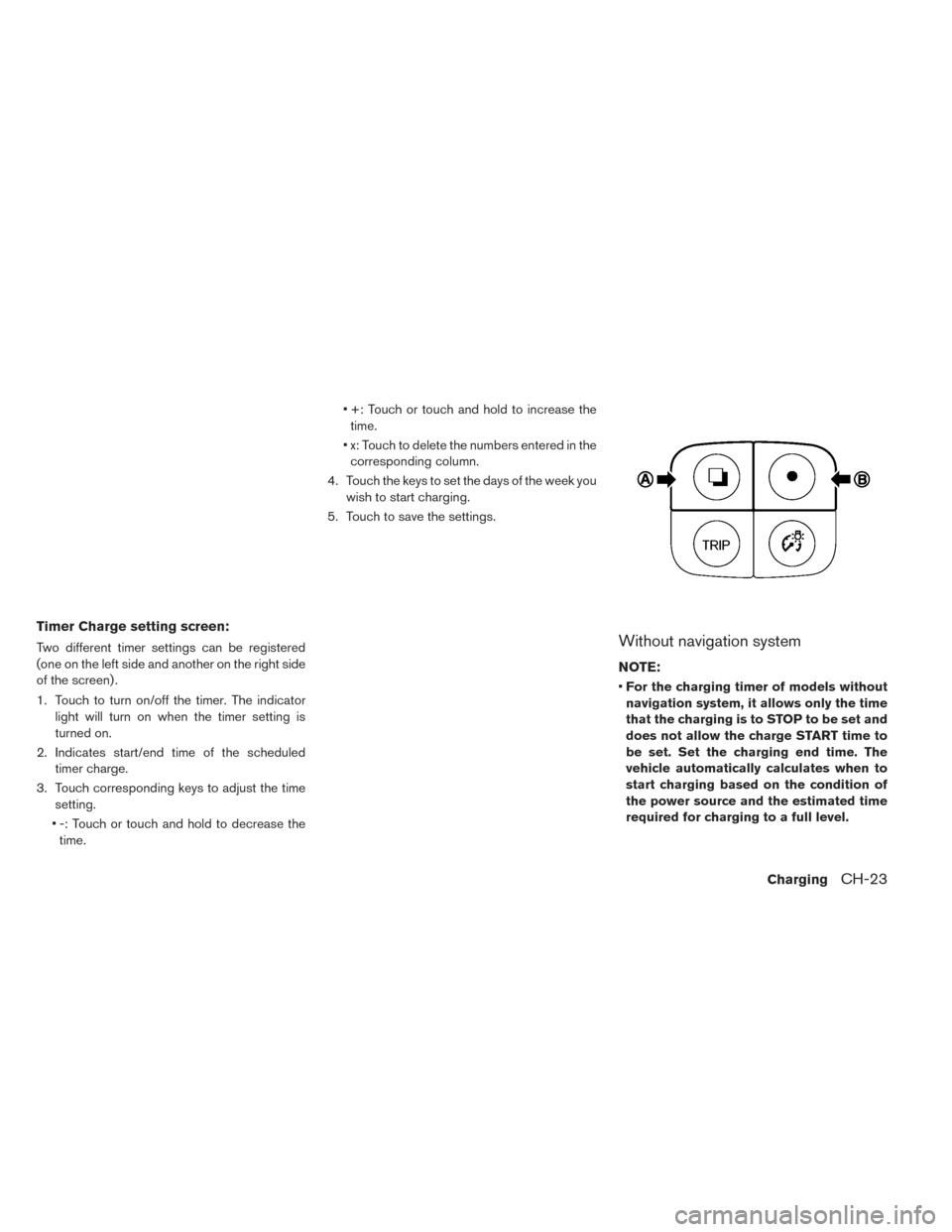
Timer Charge setting screen:
Two different timer settings can be registered
(one on the left side and another on the right side
of the screen) .
1. Touch to turn on/off the timer. The indicatorlight will turn on when the timer setting is
turned on.
2. Indicates start/end time of the scheduled timer charge.
3. Touch corresponding keys to adjust the time setting.
• -: Touch or touch and hold to decrease the time. • +: Touch or touch and hold to increase the
time.
• x: Touch to delete the numbers entered in the corresponding column.
4. Touch the keys to set the days of the week you wish to start charging.
5. Touch to save the settings.Without navigation system
NOTE:
• For the charging timer of models without
navigation system, it allows only the time
that the charging is to STOP to be set and
does not allow the charge START time to
be set. Set the charging end time. The
vehicle automatically calculates when to
start charging based on the condition of
the power source and the estimated time
required for charging to a full level.
ChargingCH-23
Page 81 of 424
SymptomPossible cause Possible solution
Charging cannot be per-
formed. The vehicle power switch is in the ON position. Before charging, place the vehicle power switch in the OFF position.
Both the normal charge connector and the quick
charge connector (if so equipped) are connected
at the same time.
The normal charge connector and the quick charge connector cannot be connected at the same time.
The Li-ion battery is already fully charged. Charging cannot be performed if the Li-ion battery is already fully charged. Charging automatically turns
off if the Li-ion battery is fully charged.
The temperature of the Li-ion battery is too hot or
cold to charge. Confirm the Li-ion battery temperature by checking the Li-ion battery temperature gauge. If the gauge
indicates the Li-ion battery is too hot (red zone) or too cold (blue zone) , charging is not possible. Allow
the Li-ion battery to cool or warm up before charging. For additional information, refer to “Li-ion battery
temperature gauge” in the “Instruments and controls” section of this manual.
The 12-volt battery is discharged. The Li-ion battery can be charged if the vehicle electrical systems cannot be turned on. If the 12-volt
battery is discharged, charge or jump start the 12-volt battery. For additional information, refer to “Jump
starting” in the “In case of emergency” section of this manual.
The vehicle has a malfunction. The vehicle or charger may have a malfunction. Confirm if the warning light on the meter is illumi-
nated. Confirm if the indicator on the charger is indicating a malfunction. If a warning is displayed,
stop charging. It is recommended that you visit a NISSAN certified LEAF dealer.
Normal charge cannot be performed. There is no electrical power coming from the
outlet.
Confirm that there has not been a power failure. Make sure the breaker is on. If an outlet with a timer
device installed is used, power will only be available at the time set by the timer.
The charge connector is not connected cor-
rectly. Confirm the charge connector is connected correctly.
Immediate charge cannot be
performed. Charging timer has been set. Turn off the charging timer. For additional information, refer to “Charging timer” in this section.
Charging does not start because the charge
amount has been set to 80% and the Li-ion bat-
tery is already charged to more than 80%.
Confirm the charge percentage and if you need to charge the Li-ion battery more, change to the
desired charge setting.
CHARGING TROUBLESHOOTING
GUIDE
CH-32Charging
Page 83 of 424
Normal charge stops in themiddle of charging. There is no power coming from the outlet. There may have been a electrical power failure, or the breaker may have failed. Charging will resume
when the power source is reset.
The charge cable has been disconnected. Check that the charge cable has not been disconnected.
Both the normal charge connector and the quick
charge connector were connected at the same
time. If the normal charge connector and the quick charge connector are connected at the same time,
charging will be stopped.
Charging timer end time has been reached. When the charging timer is set and the charge end time is reached, charging will be stopped, even if the Li-ion battery is not fully charged.
The temperature of the Li-ion battery is too hot
or too cold to charge. Confirm the Li-ion battery temperature by checking the Li-ion battery temperature gauge. If the
gauge indicates the Li-ion battery is too hot (red zone) or too cold (blue zone) , charging is not pos-
sible. Allow the Li-ion battery to cool or warm up before charging. For additional information, refer to
“Li-ion battery temperature gauge” in the “Instruments and controls” section of this manual.
Quick charge cannot be per- formed. Incorrect charge connector connection, not fully
inserted or may not be locked.
Check that the charge connector is connected correctly and that it is locked.
The self-diagnostic function of the quick charge
device returns a negative result. There is a possibility that the vehicle has a malfunction. Stop charging. It is recommended that you visit
a NISSAN certified LEAF dealer.
Charging does not start because the charge
amount has been set to 80% and the Li-ion battery
is already charged to more than 80%. Confirm the charge percentage and if you need to charge the Li-ion battery more, change to the
desired charge setting.
The power switch of the quick charger is off. Check the power switch of the quick charger.
Quick charge stops in the middle of charging. Charging is stopped by the quick charge timer. Charging will stop depending on the timer function setting of the quick charge device. If you need to
charge the Li-ion battery more, start the charging procedure again.
The maximum time for quick charge is 30–60 minutes. If you need to charge the Li-ion battery for longer
than this, start the charging procedure again.
The power supply for the quick charger is off. Check whether the power supply for the quick charger is off.
CH-34Charging
Page 133 of 424
• A child restraint or other object pressingagainst the rear of the seatback.
• A rear passenger pushing or pulling on the back of the front passenger seat.
• Forcing the front seat or seatback against an object on the seat or floor behind it.
• An object placed under the front passenger seat.
• An object placed between the seat cushion and center console or between the seat
cushion and the door.
If the vehicle is moving, please come to a stop
when it is safe to do so. Check and correct any
of the above conditions. Restart the vehicle
and wait 1 minute.
NOTE:
A system check will be performed during
which the front passenger air bag status
light will remain lit for about 7 seconds
initially.
If the light is still ON after this, the person
should be advised not to ride in the front
passenger seat and the vehicle should be
checked as soon as possible. It is recom-
mended that you visit a NISSAN certified
LEAF dealer for this service. 2. If the light is OFF with a small adult, child or
child restraint occupying the front passenger
seat.
This may be due to the following conditions
that may be interfering with the weight sen-
sors:
• Small adult or child is not sitting upright, leaning against the seatback, and centered
on the seat cushion with his/her feet comfort-
ably extended to the floor.
• The child restraint is not properly installed, as outlined in the “Child restraints” section of
this manual.
• An object weighting over 2.2 lbs (1 kg) hang- ing on the seat or placed in the seatback
pocket.
• A child restraint or other object pressing against the rear or the seatback.
• A rear passenger pushing or pulling on the back of the front passenger seat. pushing or
pulling on the seatback of the front passen-
ger seat.
• Forcing the front seat or seatback against an object on the seat or floor behind it.
• An object placed under the front passenger seat. • An object placed between the seat cushion
and center console.
If the vehicle is moving, please come to a stop
when it is safe to do so. Check and correct any
of the above conditions. Restart the vehicle
and wait 1 minute.
NOTE:
A system check will be performed during
which the front passenger air bag status
light will remain lit for about 7 seconds
initially.
If the light is still OFF after this, the small adult,
child or child restraint should be repositioned
in the rear seat and the vehicle should be
checked as soon as possible. It is recom-
mended that you visit a NISSAN certified
LEAF dealer for this service.
3. If the light is OFF with no front passenger and no objects on the front passenger seat the
vehicle should be checked as soon as pos-
sible. It is recommended that you visit a
NISSAN certified LEAF dealer for this service.
1-50Safety–Seats, seat belts and supplemental restraint system
Page 152 of 424
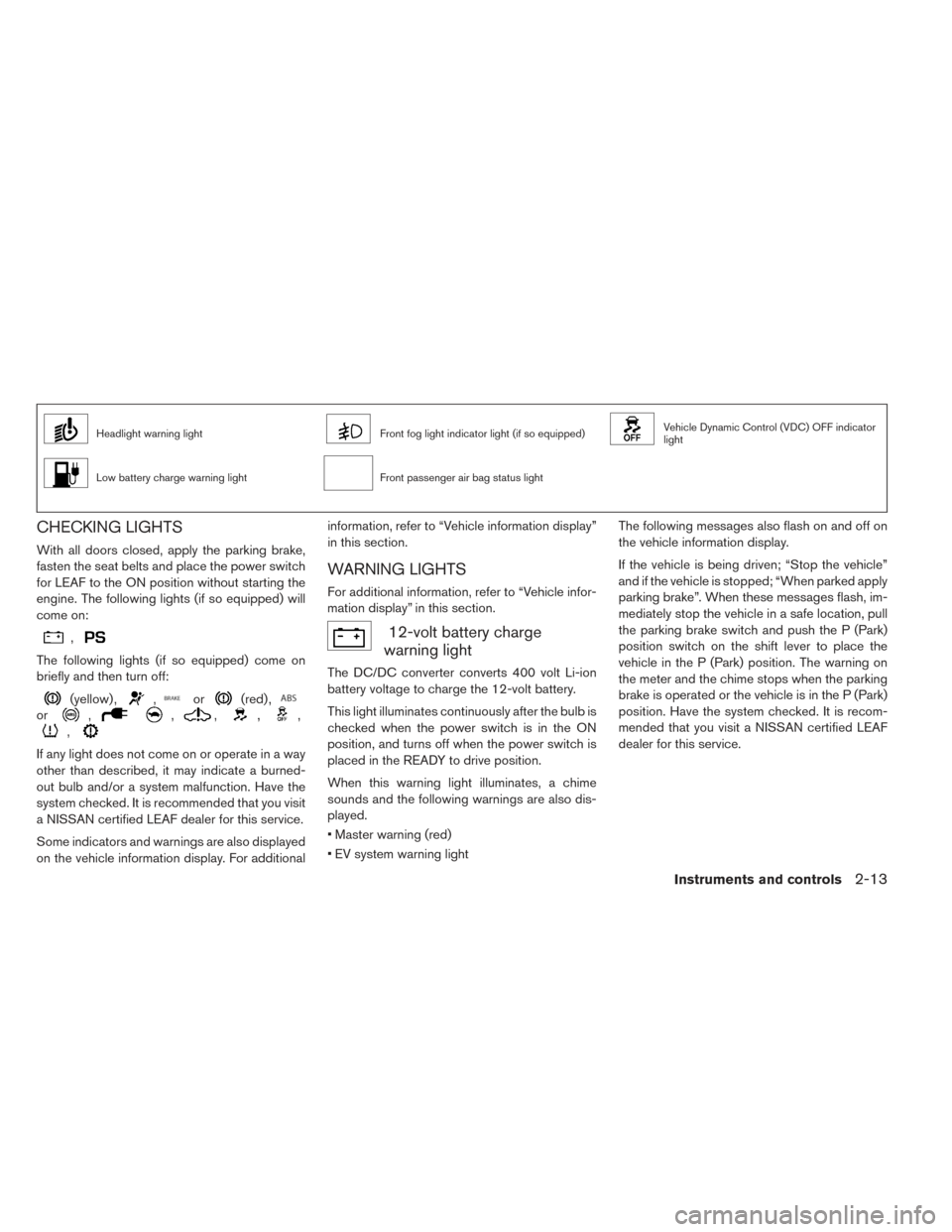
Headlight warning lightFront fog light indicator light (if so equipped)Vehicle Dynamic Control (VDC) OFF indicator
light
Low battery charge warning lightFront passenger air bag status light
CHECKING LIGHTS
With all doors closed, apply the parking brake,
fasten the seat belts and place the power switch
for LEAF to the ON position without starting the
engine. The following lights (if so equipped) will
come on:
,
The following lights (if so equipped) come on
briefly and then turn off:
(yellow) ,,or(red) ,
or,,,,,
,
If any light does not come on or operate in a way
other than described, it may indicate a burned-
out bulb and/or a system malfunction. Have the
system checked. It is recommended that you visit
a NISSAN certified LEAF dealer for this service.
Some indicators and warnings are also displayed
on the vehicle information display. For additionalinformation, refer to “Vehicle information display”
in this section.
WARNING LIGHTS
For additional information, refer to “Vehicle infor-
mation display” in this section.
12-volt battery charge
warning light
The DC/DC converter converts 400 volt Li-ion
battery voltage to charge the 12-volt battery.
This light illuminates continuously after the bulb is
checked when the power switch is in the ON
position, and turns off when the power switch is
placed in the READY to drive position.
When this warning light illuminates, a chime
sounds and the following warnings are also dis-
played.
• Master warning (red)
• EV system warning light The following messages also flash on and off on
the vehicle information display.
If the vehicle is being driven; “Stop the vehicle”
and if the vehicle is stopped; “When parked apply
parking brake”. When these messages flash, im-
mediately stop the vehicle in a safe location, pull
the parking brake switch and push the P (Park)
position switch on the shift lever to place the
vehicle in the P (Park) position. The warning on
the meter and the chime stops when the parking
brake is operated or the vehicle is in the P (Park)
position. Have the system checked. It is recom-
mended that you visit a NISSAN certified LEAF
dealer for this service.
Instruments and controls2-13
Page 153 of 424
CAUTION
• The DC/DC converter system may not be functioning properly if the 12-volt
battery charge warning light illumi-
nates continuously when the power
switch is in the READY to drive posi-
tion. Immediately stop the vehicle in a
safe location and have the system
checked. It is recommended that you
visit a NISSAN certified LEAF dealer
for this service.
• The DC/DC converter system may not be functioning properly if the 12-volt
warning light illuminates continuously
when the power switch is in the READY
to drive position. Do not charge the
12-volt battery while this warning light
is illuminated. It may lead to a mal-
function of the DC/DC converter sys-
tem. Have the system checked. It is
recommended that you visit a NISSAN
certified LEAF dealer for this service.NOTE:
•If the vehicle does not go into the READY
to drive position (when the power switch
is pushed and the brake pedal is de-
pressed) , jump-start the vehicle to place
the power switch in the READY to drive
position. For additional information, refer
to “Jump starting” in the “In case of emer-
gency” section of this manual.
• Do not jump-start the vehicle. Have the
system checked. It is recommended that
you visit a NISSAN certified LEAF dealer
for this service: – If the 12-volt charge warning light turns off when the vehicle is in the
READY to drive mode, the 12-volt bat-
tery may be discharged or there may be
a malfunction in the 12-volt battery re-
lated system.
– If the 12-volt charge warning light con- tinues to illuminate when the vehicle is
in the READY to drive mode, there may
be a malfunction in the DC/DC con-
verter. Have the system checked. It is
recommended that you visit a NISSAN
certified LEAF dealer for this service.
orAnti-lock Braking
System (ABS)
warning light
When the power switch is in the ON or READY to
drive position, the Anti-lock Braking System
(ABS) warning light illuminates and then turns off.
This indicates the ABS is operational.
If the ABS warning light illuminates while the
power switch is in the READY to drive position, or
while driving, it may indicate the ABS is not
functioning properly. Have the system checked. It
is recommended that you visit a NISSAN certified
LEAF dealer for this service.
If an ABS malfunction occurs, the anti-lock func-
tion is turned off. The brake system then operates
normally, but without anti-lock assistance. For
additional information, refer to “Brake system” in
the “Starting and driving” section of this manual.
Approaching Vehicle Sound
for Pedestrians (VSP) system
warning light
The Approaching Vehicle Sound for Pedestrians
(VSP) system warning light is located on the
instrument panel.
2-14Instruments and controls
Page 154 of 424
This light comes on if there is a malfunction in the
VSP system.
If the VSP system warning light illuminates while
the power switch is in the ON position, or in the
READY to drive position, it may indicate the VSP
system is not functioning properly. Have the sys-
tem checked. It is recommended that you visit a
NISSAN certified LEAF dealer for this service.
For additional information, refer to “Approaching
Vehicle Sound for Pedestrians (VSP) system” in
the “EV overview” section of this manual.
BRAKE system warning light
(yellow)
This light functions for both the cooperative re-
generative brake and the electronically driven
intelligent brake systems. When the power
switch is placed in the ON position or in the
READY to drive position, the light remains illumi-
nated for about 2 or 3 seconds. If the light illumi-
nates at any other time, it may indicate that the
cooperative regenerative brake and/or the elec-
tronically driven intelligent brake systems are not
functioning properly. Have the system checked. It
is recommended that you visit a NISSAN certified
LEAF dealer for this service. If the BRAKE warn-
ing light (red) also illuminates, stop the vehicle immediately and have the system checked. It is
recommended that you visit a NISSAN certified
LEAF dealer for this service. For additional infor-
mation, refer to “Brake system” in the “Starting
and driving” section of this manual.
WARNING
• Pressing the brake pedal when the power switch position is not in the ON
or READY to drive position and/or low
brake fluid level may increase the
stopping distance and braking will re-
quire greater pedal effort as well as
pedal travel.
• If the brake fluid level is below the minimum or MIN mark on the brake
fluid reservoir, do not drive until the
brake system has been checked. It is
recommended that you visit a NISSAN
certified LEAF dealer for this service.
• The cooperative regenerative brake system may not be working properly if
the brake system warning light illumi-
nates when the READY to drive indica-
tor light is ON. If you judge it to be safe,
drive carefully to the nearest service
station for repairs. Otherwise, have
your vehicle towed because driving
could be dangerous.
orBRAKE warning
light (red)
When the power switch is placed in the ON
position or in the READY to drive position, the
light remains illuminated for about a few seconds.
If the light illuminates at any other time, it may
indicate that the hydraulic brake system is not
functioning properly. If the BRAKE warning light
illuminates, stop the vehicle immediately and
have the system checked. It is recommended that
you visit a NISSAN certified LEAF dealer for this
service.
Parking brake indicator:
When the power switch is placed in the ON
position, the light comes on when the parking
brake is applied.
Low brake fluid warning light:
When the power switch is in the ON position, the
light warns of a low brake fluid level. If this warn-
ing light illuminates, the Vehicle Dynamic Control
(VDC) warning light and the brake system warn-
ing light (yellow) also illuminate.
If the light illuminates while the power switch is in
the READY to drive position with the parking
brake not applied, stop the vehicle and perform
the following items.
Instruments and controls2-15
Page 156 of 424
NOTE:
The low battery charge warning light turns
off immediately before the Li-ion battery is
completely discharged and the vehicle will
stop. If the Li-ion battery becomes com-
pletely discharged, the vehicle must be
charged in order to be driven.
Low tire pressure warning
light
Your vehicle is equipped with a Tire Pressure
Monitoring System (TPMS) that monitors the tire
pressure of all tires.
The low tire pressure warning light warns of low
tire pressure or indicates that the TPMS is not
functioning properly.
After the power switch is placed in the ON posi-
tion, this light illuminates for about 1 second and
then turns off.
Low tire pressure warning
If the vehicle is being driven with low tire pres-
sure, the warning light will illuminate. A CHECK
TIRE PRESSURE warning also appears on the
vehicle information display.When the low tire pressure warning light illumi-
nates, you should stop and adjust the tire pres-
sure to the recommended COLD tire pressure
shown on the Tire and Loading Information label.
The low tire pressure warning light does not
automatically turn off when the tire pressure is
adjusted. After the tire is inflated to the recom-
mended pressure, the vehicle must be driven at
speeds above 16 mph (25 km/h) to activate the
TPMS and turn off the low tire pressure warning
light. Use a tire pressure gauge to check the tire
pressure.
The CHECK TIRE PRESSURE warning appears
each time the power switch is placed in the ON
position as long as the low tire pressure warning
light remains illuminated.
For additional information, refer to “Vehicle infor-
mation display” in this section, “Tire Pressure
Monitoring System (TPMS)” in the “Starting and
driving” section and “In case of emergency” sec-
tion of this manual.
TPMS malfunction
If the TPMS is not functioning properly, the low
tire pressure warning light will flash for approxi-
mately 1 minute when the power switch is placed
in the ON position. The light will remain on after
the 1 minute. Have the system checked. It isrecommended that you visit a NISSAN certified
LEAF dealer for this service. The CHECK TIRE
PRESSURE warning does not appear if the low
tire pressure warning light illuminates to indicate
a TPMS malfunction.
For additional information, refer to “Vehicle infor-
mation display” in this section and “Tire Pressure
Monitoring System (TPMS)” in the “Starting and
driving” section of this manual.
WARNING
• Radio waves could adversely affect electric medical equipment. Those
who use a pacemaker should contact
the electric medical equipment manu-
facturer for the possible influences be-
fore use.
• If the light does not illuminate when the power switch is placed in the ON
position, have the vehicle checked. It is
recommended that you visit a NISSAN
certified LEAF dealer as soon as pos-
sible for this service.
Instruments and controls2-17
Page 161 of 424
Turn signal/hazard indicator
lights
This light flashes when the turn signal switch
lever or hazard switch is turned on.
Vehicle Dynamic Control
(VDC) OFF indicator light
This light illuminates when the Vehicle Dynamic
Control (VDC) switch is pushed to OFF. This
indicates that the VDC system is not operating.
For additional information, refer to “Vehicle Dy-
namic Control (VDC) system” in the “Starting and
driving” section of this manual.
AUDIBLE REMINDERS
Brake pad wear warning
The disc brake pads have audible wear warnings.
When a brake pad requires replacement, it will
make a high pitched scraping sound when the
vehicle is in motion. This scraping sound will first
occur only when the brake pedal is depressed.
After more wear of the brake pad, the sound will
always be heard even if the brake pedal is not
depressed. Have the brakes checked as soon as
possible if the warning sound is heard.
Electric shift control system reminder
chime
If an improper shift operation is performed, for
safety reasons a chime will sound and at the
same time, depending on the conditions, the
operation will be canceled or the shift position
will switch to the N (Neutral) position.
For additional information, refer to “Driving the
vehicle” in the “Starting and driving” section of
this manual.
Key reminder chime
A chime will sound if the driver’s side door is
opened while the power switch is pushed to the
ON or ACC position.
Make sure that the power switch is pushed to the
OFF position, and take the Intelligent Key with
you when leaving the vehicle.
Light reminder chime
The light reminder chime will sound when the
driver side door is opened with the light switch in
the
orposition, and the power
switch is in the ACC, OFF or LOCK position.
Turn the light switch off when you leave the
vehicle.
Parking brake reminder chime
A chime sounds if the parking brake is set and the
vehicle is driven. The chime will stop if the parking
brake is released or the vehicle speed returns to
zero.
Power switch reminder chime
The power switch reminder chime will sound
when the driver’s door is opened while the power
switch is in the ON or READY to drive position.
Push the power switch to the OFF position.
Seat belt warning chime
The seat belt warning chime will sound for about
6 seconds unless the driver’s seat belt is securely
fastened.
12-volt battery charge warning chime
If the 12-volt battery charge warning light illumi-
nates, the chime will sound when a warning mes-
sage is displayed on the vehicle information dis-
play on the lower display.
2-22Instruments and controls