warning lights NISSAN LEAF 2017 1.G User Guide
[x] Cancel search | Manufacturer: NISSAN, Model Year: 2017, Model line: LEAF, Model: NISSAN LEAF 2017 1.GPages: 424, PDF Size: 4.51 MB
Page 58 of 424
NOTE:
Charging time is typically limited to 60 min-
utes when using a quick charger. Push the
start switch on the quick charger after it
stops if additional charge time is necessary
to reach an 80% charge.
For additional information, refer to “How to quick
charge” in this section.
Power Limitation Mode
This mode protects the health and operation of
the vehicle’s Li-ion battery. This mode operates in
certain extreme conditions (heat, cold, low state
of charge) . Power available to vehicle systems,
including its traction motor, is limited resulting in
limited performance, acceleration and top speed.
Charging may be automatically terminated, espe-
cially with repeated quick charging in extreme hot
weather.
Checking Li-ion battery charge
The three methods for checking the amount of
charge are as follows:
• Check by using the Li-ion battery availablecharge gauge on the meter when the power
switch is placed in the ON position. For addi-
tional information, refer to “Li-ion battery avail-
able charge gauge” and “Li-ion battery low charge warning” in the “Instruments and con-
trols” section of this manual.
•
Check by using an internet enabled smart phone
or personal computer. For additional information,
refer to the LEAF Navigation System Owner’s
Manual (models with navigation system) .
• Check by using the charging status indicator light. For additional information, refer to “Charg-
ing status indicator lights” in this section.
NOTE:
•During the charge operation, charge con-
tinues when the power switch is placed in
the ON position.
• The Li-ion battery cannot be charged if the
quick charge connector and the normal
charge connector are connected at the
same time. If another charge connector is
connected mid-charge, charging will stop.
• For safety reasons, it is not possible to
switch to the READY to drive position
while a charge connector is connected.
• During charging, it is possible that the
radio may be inaudible due to noise by the
electromagnetic wave.
HOW TO NORMAL CHARGE
WARNING
• If you use any medical electric devices, such as an implantable cardiac pace-
maker or an implantable cardiovascu-
lar defibrillator, check with the electric
medical device manufacturer concern-
ing the effects that charging may have
on implanted devices before starting
the charge operation. Charging may
affect the operation.
• Be sure to follow the precautions for using the charger that can be installed
in your home. Failing to do so could
result in serious injury or death.
CAUTION
• Do not use any charging equipment that is not compatible with the LEAF.
Doing so could prevent the Li-ion bat-
tery from charging properly or could
result in damage to the vehicle or Li-
ion battery.
• Normal charge uses the charging device (AC 220 - 240 volt, 16A or 32A) that can be in-
stalled in your home to charge the Li-ion battery.
ChargingCH-9
Page 94 of 424
SEAT BELT WARNING LIGHT
Both the driver’s and passenger’s front seats are
equipped with a seat belt warning light. The
warning light, located on the instrument panel,
will show the status of the driver and passenger
seat belt.
NOTE:
The front passenger seat belt warning
light will not light up if the seat is not
occupied.
For additional information, refer to “Warning lights,
indicator lights and audible reminders” in the “In-
struments and controls” section of this manual.
PREGNANT WOMEN
NISSAN recommends that pregnant women use
seat belts. The seat belt should be worn snug,
and always position the lap belt as low as pos-
sible around the hips, not the waist. Place the
shoulder belt over your shoulder and across your
chest. Never put the lap/shoulder belt over your
abdominal area. Contact your doctor for specific
recommendations.
INJURED PERSONS
NISSAN recommends that injured persons use
seat belts, depending on the injury. Check with
your doctor for specific recommendations.
THREE-POINT TYPE SEAT BELT
WITH RETRACTOR
WARNING
• Every person who drives or rides in this vehicle should use a seat belt at all
times. • Do not ride in a moving vehicle when
the seatback is reclined. This can be
dangerous. The shoulder belt will not
be against your body. In an accident,
you could be thrown into it and receive
neck or other serious injuries. You
could also slide under the lap belt and
receive serious internal injuries.
• For the most effective protection when the vehicle is in motion, the seat
should be upright. Always sit well back
and upright in the seat with both feet
on the floor and adjust the seat belt
properly.
• Do not allow children to play with the seat belts. Most seating positions are
equipped with Automatic Locking Re-
tractor (ALR) mode seat belts. If the
seat belt becomes wrapped around a
child’s neck with the ALR mode acti-
vated, the child can be seriously in-
jured or killed if the seat belt retracts
and becomes tight. This can occur
even if the vehicle is parked. Unbuckle
the seat belt to release the child. If the
seat belt cannot be unbuckled or is
already unbuckled, release the child by
cutting the seat belt with a suitable
tool (such as a knife or scissors) to
release the seat belt.
Safety–Seats, seat belts and supplemental restraint system1-11
Page 140 of 424
2 Instruments and controls
Cockpit............................ .2-3
Instrument panel ....................... .2-4
Meters and gauges ..................... .2-5
Speedometer and odometer ...............2-6
Li-ion battery temperature gauge ............2-7
Power meter ....................... .2-7
Driving range ....................... .2-8
Li-ion battery available charge gauge .........2-9
Li-ion battery capacity level gauge ..........2-10
Outside air temperature ................2-10
ECO indicator ..................... .2-10
Clock .......................... .2-11
Warning lights, indicator lights and audible
reminders .......................... .2-12
Checking lights .................... .2-13
Warning lights ..................... .2-13
Indicator lights ..................... .2-20
Audible reminders ................... .2-22
Vehicle information display .................2-23
Indicators for operation ................ .2-24
Trip computer ..................... .2-28
Warning information displays .............2-33
Indicators for maintenance ...............2-35
Indicator for timer ................... .2-36Security systems
..................... .2-36
Vehicle security system ................ .2-37
NISSAN Vehicle Immobilizer System .........2-38
Wiper and washer switch .................2-39
Washer operation ................... .2-40
Rear wiper operation ................. .2-41
Rear window and outside mirror (if so equipped)
defroster switch ...................... .2-42
Instrument brightness control ...............2-42
Headlight and turn signal switch .............2-43
Headlight switch .................... .2-43
Turn signal switch ................... .2-45
Fog
light switch (if so equipped) .............2-46
Heated steering wheel switch (if so equipped) .....2-46
Horn ............................. .2-47
ECO switch ........................ .2-48
Heated seat switch .................... .2-48
Vehicle Dynamic Control (VDC) OFF switch ......2-49
Charge port lid switch .................. .2-50
Charge connector lock switch ...............2-50
Charge timer OFF switch .................2-51
Power outlet ........................ .2-51
Storage ........................... .2-52
Cup holders ...................... .2-52
Storage trays ...................... .2-52
Page 144 of 424
This vehicle is equipped with an upper display
and a lower display.
1. Master warning lights (P. 2-18)
2. ECO indicator (P. 2-10)
3. Speedometer (P. 2-6)
4. Clock (P. 2-11)5. Outside air temperature (P. 2-10)
6. Turn signal/Hazard indicator light (P. 2-22)
7. Li-ion battery capacity level gauge (P. 2-10)
8. Li-ion battery available charge gauge
(P. 2-9)
9. Driving range (P. 2-8)
10. Vehicle information display (P. 2-23) 11. READY to drive indicator light (P. 2-21)
12. ECO mode indicator light
— ECO switch (P. 2-48
— Odometer/twin trip odometer (P. 2-6)
— Trip computer (P. 2-28)
— Shift “P” warning (P. 2-27)
— Indicator for timer (P. 2-36)
13. Power meter (P. 2-7)
14. Warning and indicator lights (P. 2-12)
15. Li-ion battery temperature gauge (P. 2-7)
METERS AND GAUGES
Instruments and controls2-5
Page 151 of 424
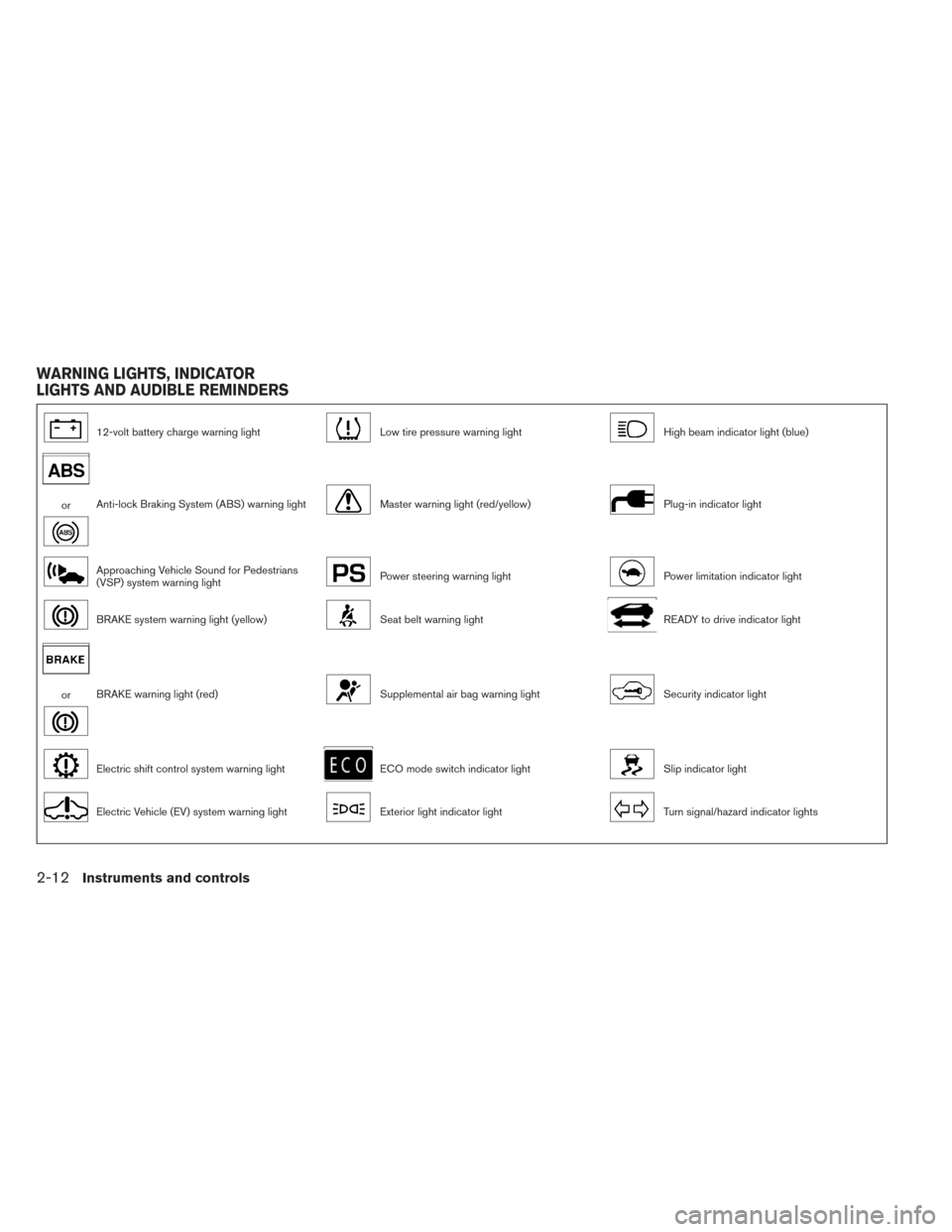
12-volt battery charge warning lightLow tire pressure warning lightHigh beam indicator light (blue)
orAnti-lock Braking System (ABS) warning lightMaster warning light (red/yellow)Plug-in indicator light
Approaching Vehicle Sound for Pedestrians
(VSP) system warning lightPower steering warning lightPower limitation indicator light
BRAKE system warning light (yellow)Seat belt warning lightREADY to drive indicator light
orBRAKE warning light (red)Supplemental air bag warning lightSecurity indicator light
Electric shift control system warning lightECO mode switch indicator lightSlip indicator light
Electric Vehicle (EV) system warning lightExterior light indicator lightTurn signal/hazard indicator lights
WARNING LIGHTS, INDICATOR
LIGHTS AND AUDIBLE REMINDERS
2-12Instruments and controls
Page 152 of 424
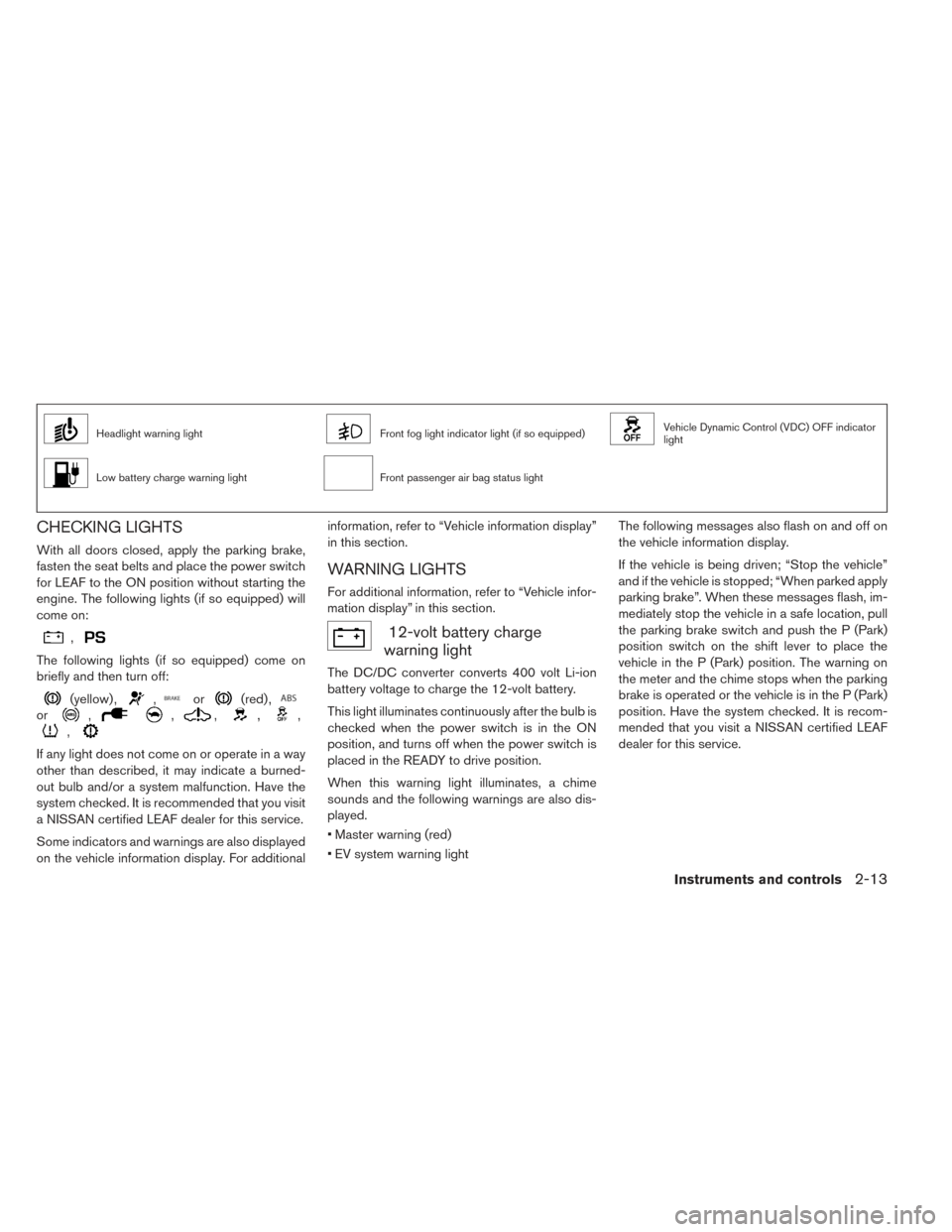
Headlight warning lightFront fog light indicator light (if so equipped)Vehicle Dynamic Control (VDC) OFF indicator
light
Low battery charge warning lightFront passenger air bag status light
CHECKING LIGHTS
With all doors closed, apply the parking brake,
fasten the seat belts and place the power switch
for LEAF to the ON position without starting the
engine. The following lights (if so equipped) will
come on:
,
The following lights (if so equipped) come on
briefly and then turn off:
(yellow) ,,or(red) ,
or,,,,,
,
If any light does not come on or operate in a way
other than described, it may indicate a burned-
out bulb and/or a system malfunction. Have the
system checked. It is recommended that you visit
a NISSAN certified LEAF dealer for this service.
Some indicators and warnings are also displayed
on the vehicle information display. For additionalinformation, refer to “Vehicle information display”
in this section.
WARNING LIGHTS
For additional information, refer to “Vehicle infor-
mation display” in this section.
12-volt battery charge
warning light
The DC/DC converter converts 400 volt Li-ion
battery voltage to charge the 12-volt battery.
This light illuminates continuously after the bulb is
checked when the power switch is in the ON
position, and turns off when the power switch is
placed in the READY to drive position.
When this warning light illuminates, a chime
sounds and the following warnings are also dis-
played.
• Master warning (red)
• EV system warning light The following messages also flash on and off on
the vehicle information display.
If the vehicle is being driven; “Stop the vehicle”
and if the vehicle is stopped; “When parked apply
parking brake”. When these messages flash, im-
mediately stop the vehicle in a safe location, pull
the parking brake switch and push the P (Park)
position switch on the shift lever to place the
vehicle in the P (Park) position. The warning on
the meter and the chime stops when the parking
brake is operated or the vehicle is in the P (Park)
position. Have the system checked. It is recom-
mended that you visit a NISSAN certified LEAF
dealer for this service.
Instruments and controls2-13
Page 155 of 424
1. Check the brake fluid level. If brake fluid isnecessary, add fluid and have the system
checked. It is recommended that you visit a
NISSAN certified LEAF dealer for this service.
For additional information, refer to “Brake
fluid” in the “Maintenance and do-it-yourself”
section of this manual.
2. If the brake fluid level is correct, have the warning system checked. It is recommended
that you visit a NISSAN certified LEAF dealer
for this service.
WARNING
• Your brake system may not be working properly if the warning light is on. Driv-
ing could be dangerous. If you judge
the brake system to be safe, drive care-
fully to the nearest service station for
repairs. Otherwise, have your vehicle
towed because driving it could be dan-
gerous.
• Pressing the brake pedal when the power switch position is not in the ON
or READY to drive position and/or low
brake fluid level may increase the
stopping distance and braking will re-
quire greater pedal effort as well as
pedal travel. • If the brake fluid level is below the
minimum or MIN mark on the brake
fluid reservoir, do not drive until the
brake system has been checked at a
NISSAN certified LEAF dealer.
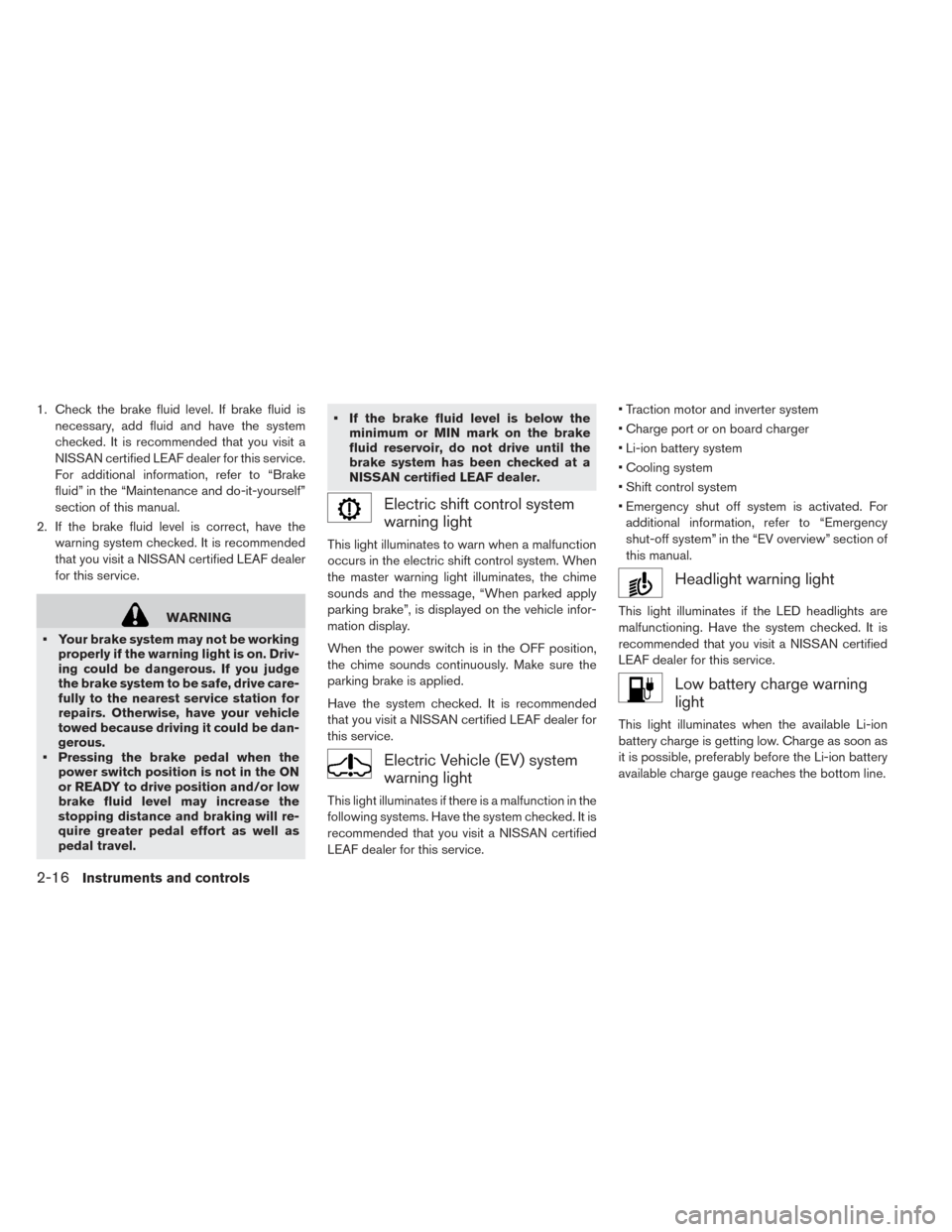
Electric shift control system
warning light
This light illuminates to warn when a malfunction
occurs in the electric shift control system. When
the master warning light illuminates, the chime
sounds and the message, “When parked apply
parking brake”, is displayed on the vehicle infor-
mation display.
When the power switch is in the OFF position,
the chime sounds continuously. Make sure the
parking brake is applied.
Have the system checked. It is recommended
that you visit a NISSAN certified LEAF dealer for
this service.
Electric Vehicle (EV) system
warning light
This light illuminates if there is a malfunction in the
following systems. Have the system checked. It is
recommended that you visit a NISSAN certified
LEAF dealer for this service. • Traction motor and inverter system
• Charge port or on board charger
• Li-ion battery system
• Cooling system
• Shift control system
• Emergency shut off system is activated. For
additional information, refer to “Emergency
shut-off system” in the “EV overview” section of
this manual.
Headlight warning light
This light illuminates if the LED headlights are
malfunctioning. Have the system checked. It is
recommended that you visit a NISSAN certified
LEAF dealer for this service.
Low battery charge warning
light
This light illuminates when the available Li-ion
battery charge is getting low. Charge as soon as
it is possible, preferably before the Li-ion battery
available charge gauge reaches the bottom line.
2-16Instruments and controls
Page 157 of 424
• If the light illuminates while driving,avoid sudden steering maneuvers or
abrupt braking, reduce vehicle speed,
pull off the road to a safe location and
stop the vehicle as soon as possible.
Driving with under-inflated tires may
permanently damage the tires and in-
crease the likelihood of tire failure.
Serious vehicle damage could occur
and may lead to an accident and could
result in serious personal injury or
death. Check the tire pressure for all
four tires. Adjust the tire pressure to
the recommended COLD tire pressure
shown on the Tire and Loading Infor-
mation label to turn the low tire pres-
sure warning light OFF. If the light still
illuminates while driving after adjust-
ing the tire pressure, a tire may be flat
or the TPMS may be malfunctioning. If
you have a flat tire, replace it with a
spare tire as soon as possible. If no tire
is flat and all tires are properly inflated,
have the vehicle checked. It is recom-
mended that you visit a NISSAN certi-
fied LEAF dealer for this service. • When replacing a wheel without the
TPMS such as a spare tire, the TPMS
will not function and the low tire pres-
sure warning light will flash for ap-
proximately 1 minute. The light will re-
main on after 1 minute. Have the
system checked. It is recommended
that you visit a NISSAN certified LEAF
dealer as soon as possible for tire re-
placement and/or system resetting.
• Replacing tires with those not origi- nally specified by NISSAN could affect
the proper operation of the TPMS.
CAUTION
• The TPMS is not a substitute for the regular tire pressure check. Be sure to
check the tire pressure regularly.
• If the vehicle is being driven at speeds of less than 16 mph (25 km/h) , the
TPMS may not operate correctly.
• Be sure to install the specified size of tires to the four wheels correctly.
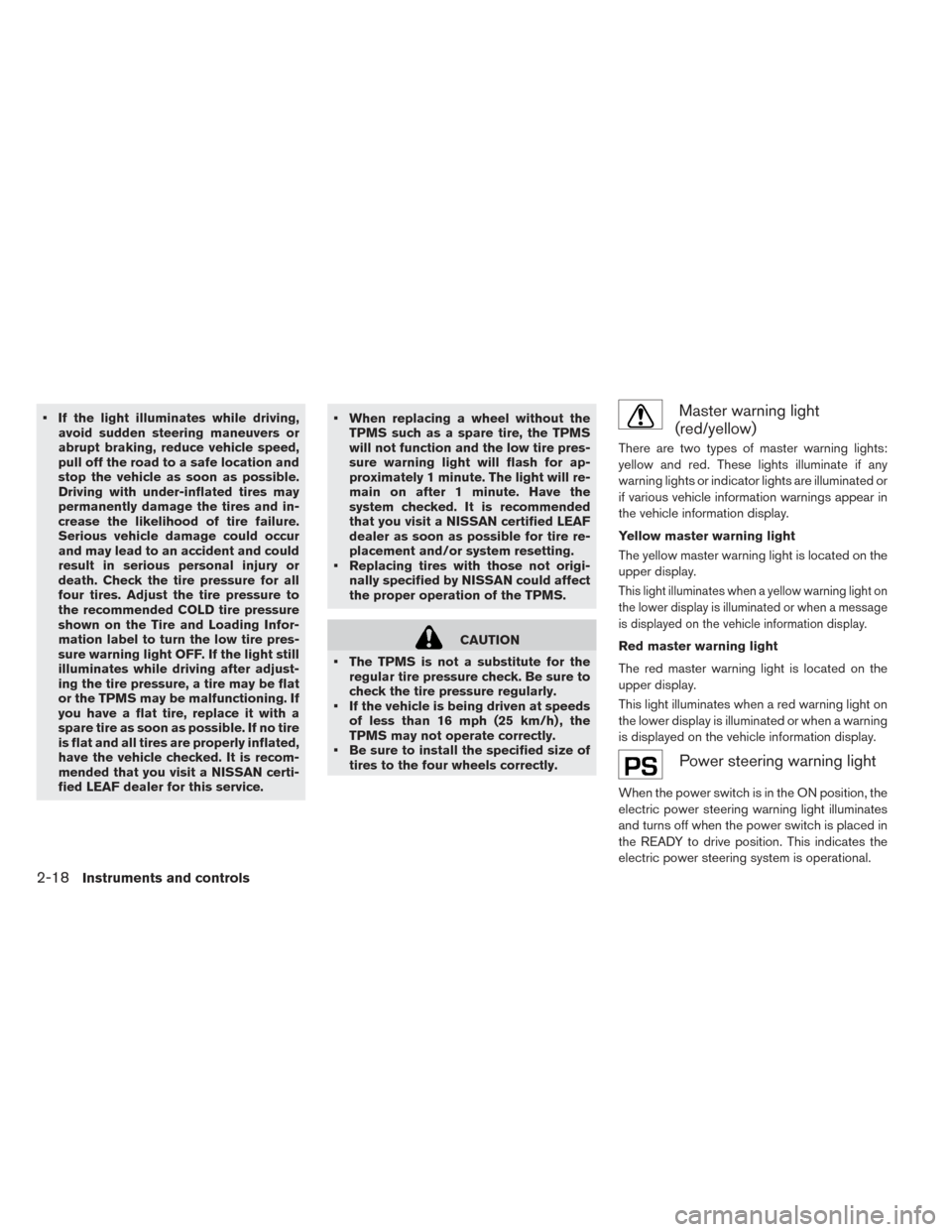
Master warning light
(red/yellow)
There are two types of master warning lights:
yellow and red. These lights illuminate if any
warning lights or indicator lights are illuminated or
if various vehicle information warnings appear in
the vehicle information display.
Yellow master warning light
The yellow master warning light is located on the
upper display.
This light illuminates when a yellow warning light on
the lower display is illuminated or when a message
is displayed on the vehicle information display.
Red master warning light
The red master warning light is located on the
upper display.
This light illuminates when a red warning light on
the lower display is illuminated or when a warning
is displayed on the vehicle information display.
Power steering warning light
When the power switch is in the ON position, the
electric power steering warning light illuminates
and turns off when the power switch is placed in
the READY to drive position. This indicates the
electric power steering system is operational.
2-18Instruments and controls
Page 159 of 424
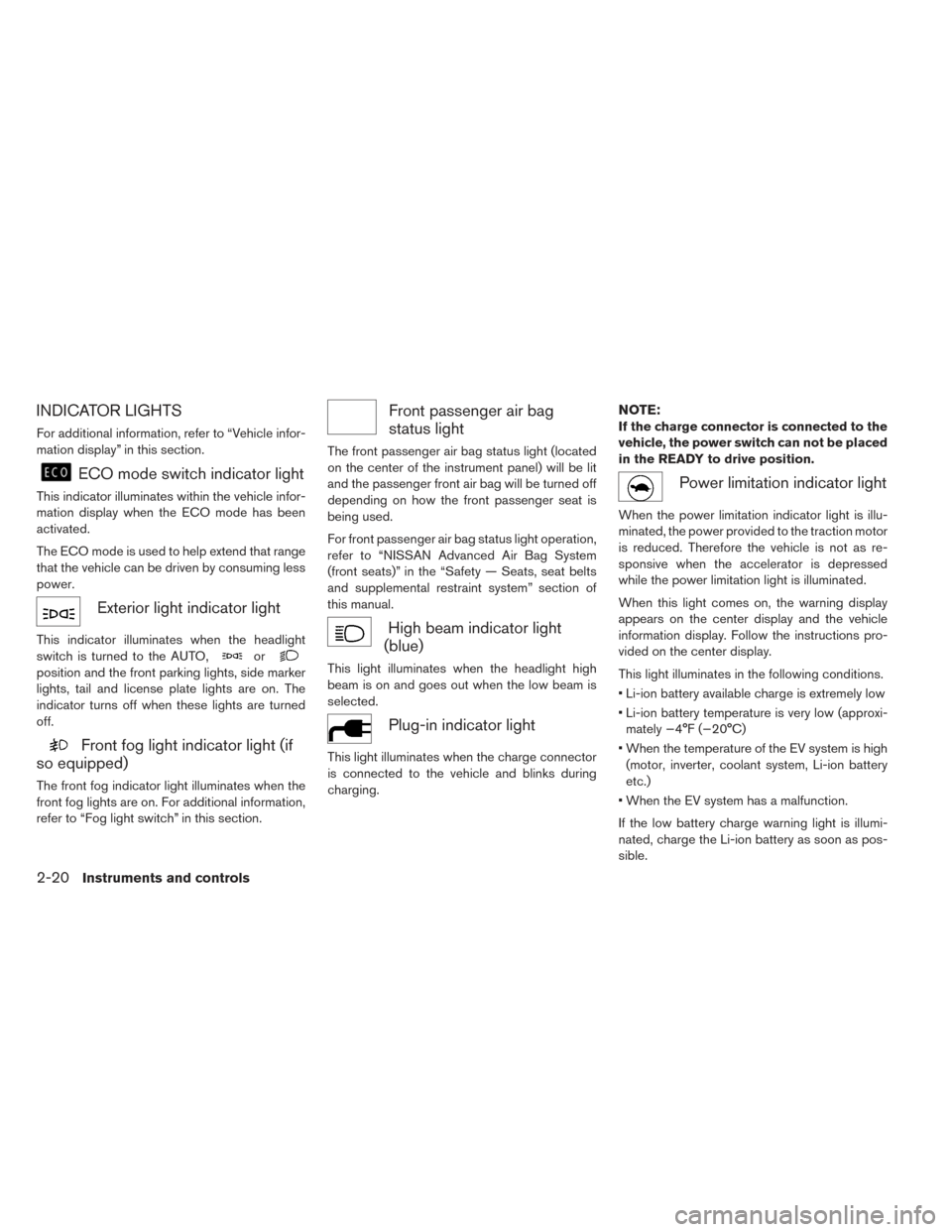
INDICATOR LIGHTS
For additional information, refer to “Vehicle infor-
mation display” in this section.
ECO mode switch indicator light
This indicator illuminates within the vehicle infor-
mation display when the ECO mode has been
activated.
The ECO mode is used to help extend that range
that the vehicle can be driven by consuming less
power.
Exterior light indicator light
This indicator illuminates when the headlight
switch is turned to the AUTO,
or
position and the front parking lights, side marker
lights, tail and license plate lights are on. The
indicator turns off when these lights are turned
off.
Front fog light indicator light (if
so equipped)
The front fog indicator light illuminates when the
front fog lights are on. For additional information,
refer to “Fog light switch” in this section.
Front passenger air bag
status light
The front passenger air bag status light (located
on the center of the instrument panel) will be lit
and the passenger front air bag will be turned off
depending on how the front passenger seat is
being used.
For front passenger air bag status light operation,
refer to “NISSAN Advanced Air Bag System
(front seats)” in the “Safety — Seats, seat belts
and supplemental restraint system” section of
this manual.
High beam indicator light
(blue)
This light illuminates when the headlight high
beam is on and goes out when the low beam is
selected.
Plug-in indicator light
This light illuminates when the charge connector
is connected to the vehicle and blinks during
charging.
NOTE:
If the charge connector is connected to the
vehicle, the power switch can not be placed
in the READY to drive position.
Power limitation indicator light
When the power limitation indicator light is illu-
minated, the power provided to the traction motor
is reduced. Therefore the vehicle is not as re-
sponsive when the accelerator is depressed
while the power limitation light is illuminated.
When this light comes on, the warning display
appears on the center display and the vehicle
information display. Follow the instructions pro-
vided on the center display.
This light illuminates in the following conditions.
• Li-ion battery available charge is extremely low
• Li-ion battery temperature is very low (approxi-
mately −4°F (−20°C)
• When the temperature of the EV system is high (motor, inverter, coolant system, Li-ion battery
etc.)
• When the EV system has a malfunction.
If the low battery charge warning light is illumi-
nated, charge the Li-ion battery as soon as pos-
sible.
2-20Instruments and controls
Page 161 of 424
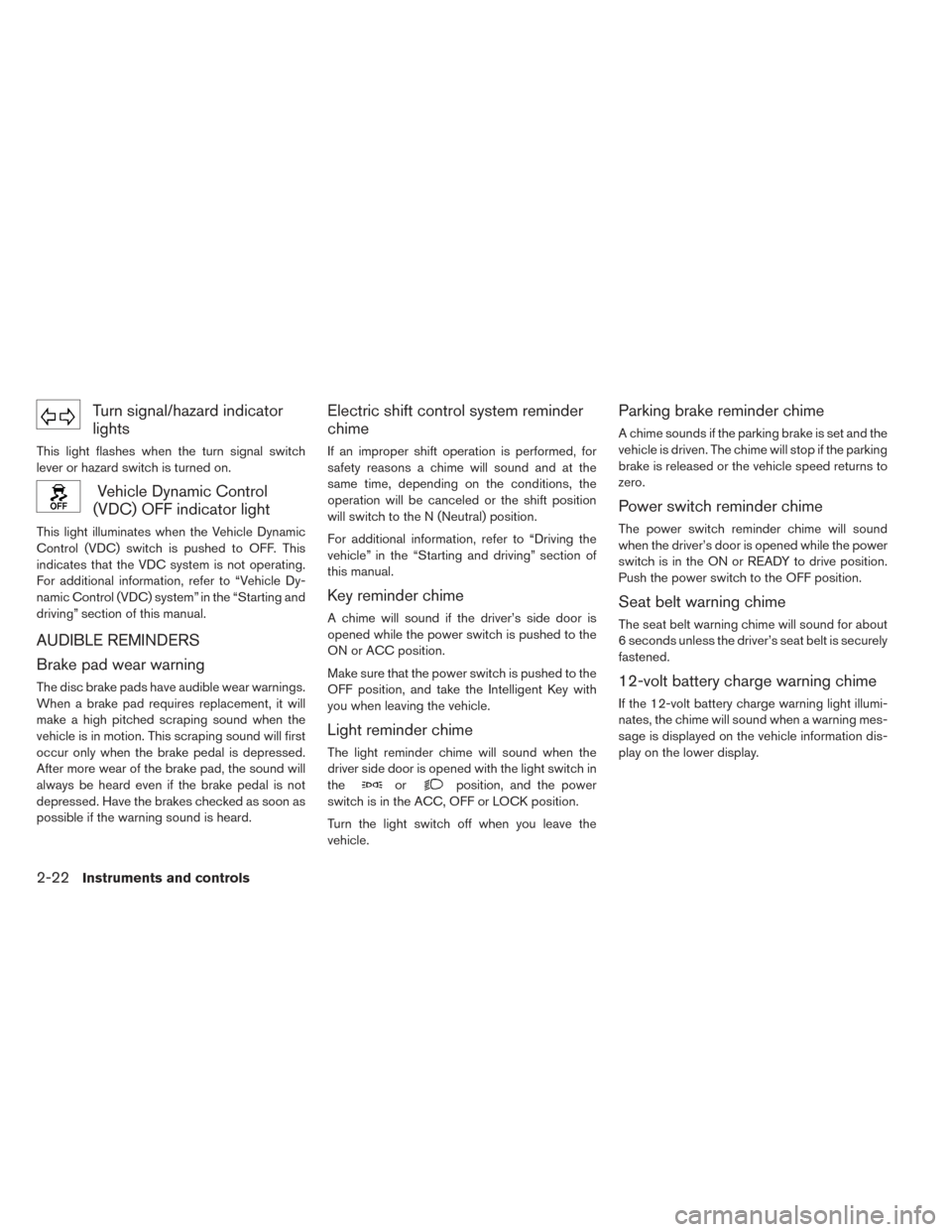
Turn signal/hazard indicator
lights
This light flashes when the turn signal switch
lever or hazard switch is turned on.
Vehicle Dynamic Control
(VDC) OFF indicator light
This light illuminates when the Vehicle Dynamic
Control (VDC) switch is pushed to OFF. This
indicates that the VDC system is not operating.
For additional information, refer to “Vehicle Dy-
namic Control (VDC) system” in the “Starting and
driving” section of this manual.
AUDIBLE REMINDERS
Brake pad wear warning
The disc brake pads have audible wear warnings.
When a brake pad requires replacement, it will
make a high pitched scraping sound when the
vehicle is in motion. This scraping sound will first
occur only when the brake pedal is depressed.
After more wear of the brake pad, the sound will
always be heard even if the brake pedal is not
depressed. Have the brakes checked as soon as
possible if the warning sound is heard.
Electric shift control system reminder
chime
If an improper shift operation is performed, for
safety reasons a chime will sound and at the
same time, depending on the conditions, the
operation will be canceled or the shift position
will switch to the N (Neutral) position.
For additional information, refer to “Driving the
vehicle” in the “Starting and driving” section of
this manual.
Key reminder chime
A chime will sound if the driver’s side door is
opened while the power switch is pushed to the
ON or ACC position.
Make sure that the power switch is pushed to the
OFF position, and take the Intelligent Key with
you when leaving the vehicle.
Light reminder chime
The light reminder chime will sound when the
driver side door is opened with the light switch in
the
orposition, and the power
switch is in the ACC, OFF or LOCK position.
Turn the light switch off when you leave the
vehicle.
Parking brake reminder chime
A chime sounds if the parking brake is set and the
vehicle is driven. The chime will stop if the parking
brake is released or the vehicle speed returns to
zero.
Power switch reminder chime
The power switch reminder chime will sound
when the driver’s door is opened while the power
switch is in the ON or READY to drive position.
Push the power switch to the OFF position.
Seat belt warning chime
The seat belt warning chime will sound for about
6 seconds unless the driver’s seat belt is securely
fastened.
12-volt battery charge warning chime
If the 12-volt battery charge warning light illumi-
nates, the chime will sound when a warning mes-
sage is displayed on the vehicle information dis-
play on the lower display.
2-22Instruments and controls