turn signal NISSAN LEAF 2019 Owner´s Manual
[x] Cancel search | Manufacturer: NISSAN, Model Year: 2019, Model line: LEAF, Model: NISSAN LEAF 2019Pages: 610, PDF Size: 7.11 MB
Page 394 of 610
–When the headlights are not bright
due to dirt on the lens or if the aim-
ing is not adjusted properly.
– When strong light enters the lanecamera unit (for example, the light
directly shines on the front of the
vehicle at sunrise or sunset).
– When a sudden change in bright- ness occurs (for example, when
the vehicle enters or exits a tunnel
or under a bridge).
While the I-LI system is operating, you may
hear a sound of brake operation. This is
normal and indicates that the I-LI system is
operating properly.
SYSTEM TEMPORARILY UNAVAILABLE
Condition A:
The warning and assist functions of the I-LI
system are not designed to work under the
following conditions:
•
When you operate the lane change signal
and change the traveling lanes in the direc-
tion of the signal. (The I-LI system will be
deactivated for approximately 2 seconds
af ter the lane change signal is turned off.)
• When the vehicle speed lowers to less than approximately 37 mph (60 km/h). Af ter the above conditions have finished
and the necessary operating conditions
are satisfied, the warning and assist func-
tions will resume.
Condition B:
The assist function of the I-LI system is not
designed to work under the following con-
ditions (warning is still functional):
• When the brake pedal is depressed.
• When the steering wheel is turned as far
as necessary for the vehicle to change
lanes.
• When the vehicle is accelerated during I-LI system operation.
• When the Intelligent Cruise Control (ICC) approach warning occurs.
• When the hazard warning flashers are operated.
• When driving on a curve at high speed.
Af ter the above conditions have finished
and the necessary operating conditions
are satisfied, the I-LI system application of
the brakes will resume. Condition C:
If the following messages appear in the
vehicle information display, a chime will
sound and the I-LI system will be turned off
automatically.
• “Not Available - Poor Road Conditions”:
When the Vehicle Dynamic Control (VDC)
system (except Traction Control System
[TCS] function) or ABS operates.
• “Currently not available”: When the VDC system is turned off.
Action to take:
When the above conditions no longer exist,
turn off the I-LI system. Push the ProPILOT
Assist switch to turn the I-LI system back on.
Temporary disabled status at high tem-
perature:
If the vehicle is parked in direct sunlight
under high temperature conditions (over
approximately 104°F [40°C]) and then the
I-LI system is turned on, the I-LI system
may be deactivated automatically and the
following message will appear on the ve-
hicle information display: “Unavailable: High
Cabin Temperature.” When the interior
temperature is reduced, the system will re-
sume operating automatically.
Starting and driving5-35
Page 397 of 610
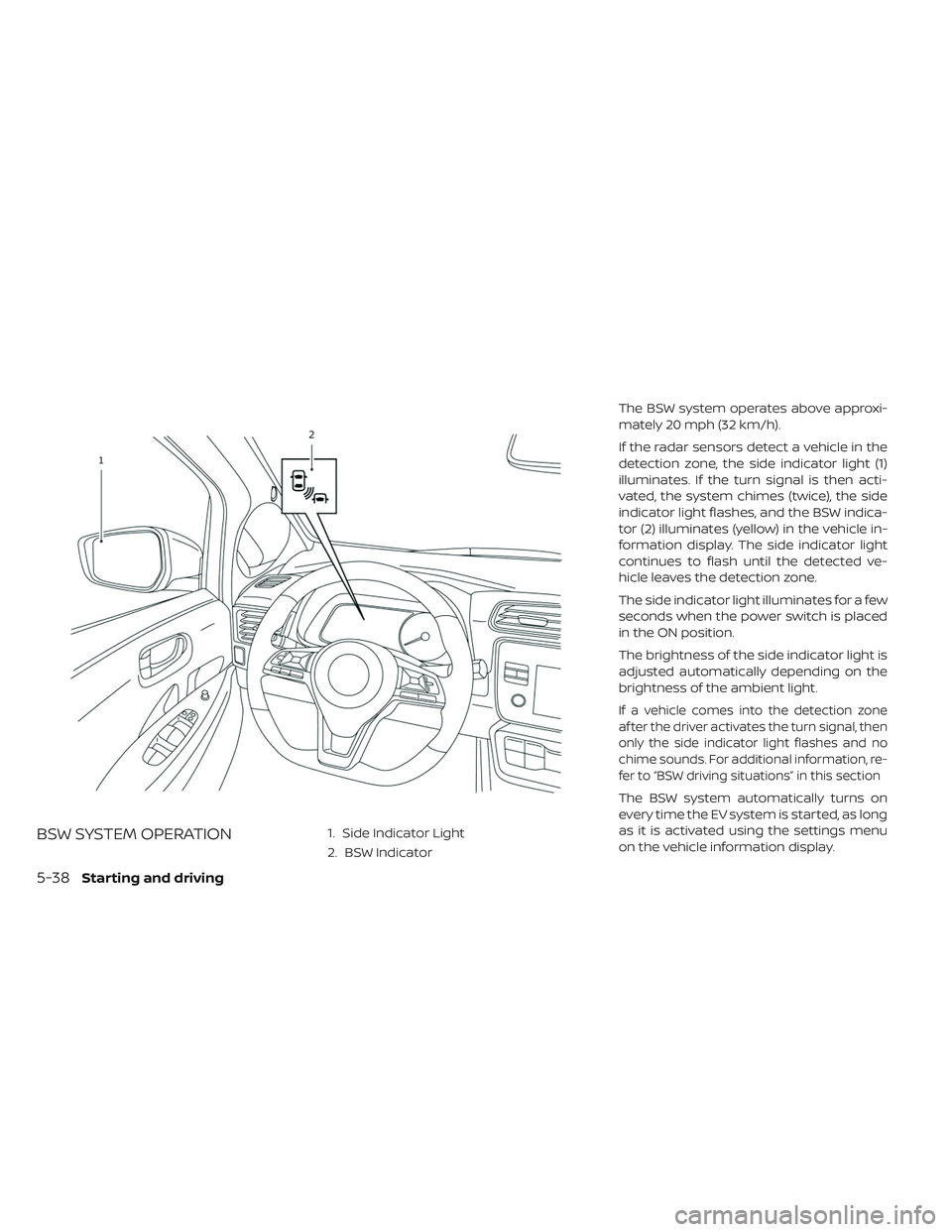
BSW SYSTEM OPERATION1. Side Indicator Light
2. BSW IndicatorThe BSW system operates above approxi-
mately 20 mph (32 km/h).
If the radar sensors detect a vehicle in the
detection zone, the side indicator light (1)
illuminates. If the turn signal is then acti-
vated, the system chimes (twice), the side
indicator light flashes, and the BSW indica-
tor (2) illuminates (yellow) in the vehicle in-
formation display. The side indicator light
continues to flash until the detected ve-
hicle leaves the detection zone.
The side indicator light illuminates for a few
seconds when the power switch is placed
in the ON position.
The brightness of the side indicator light is
adjusted automatically depending on the
brightness of the ambient light.
If a vehicle comes into the detection zone
af ter the driver activates the turn signal, then
only the side indicator light flashes and no
chime sounds. For additional information, re-
fer to “BSW driving situations” in this section
The BSW system automatically turns on
every time the EV system is started, as long
as it is activated using the settings menu
on the vehicle information display.
5-38Starting and driving
Page 400 of 610
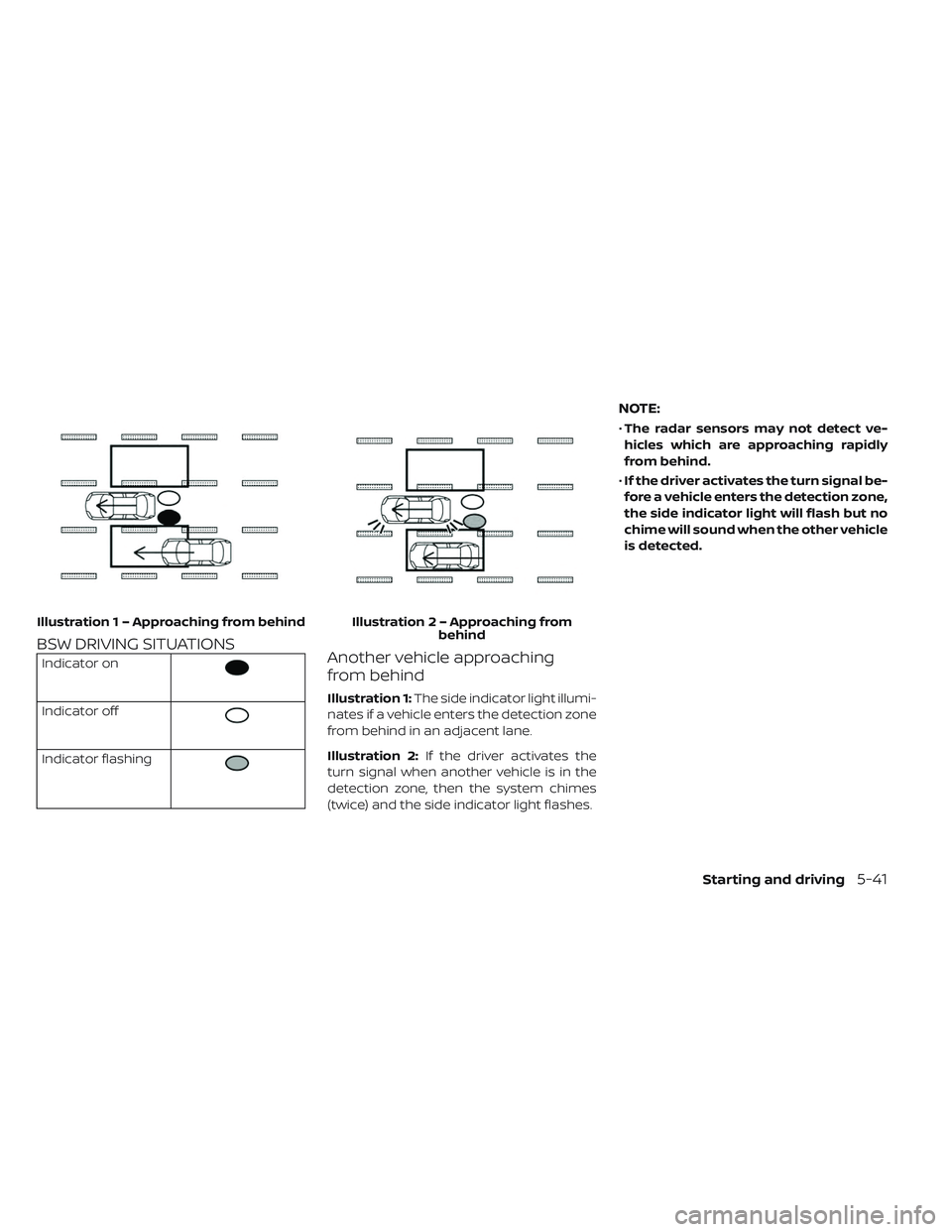
BSW DRIVING SITUATIONS
Indicator on
Indicator off
Indicator flashing
Another vehicle approaching
from behind
Illustration 1:The side indicator light illumi-
nates if a vehicle enters the detection zone
from behind in an adjacent lane.
Illustration 2: If the driver activates the
turn signal when another vehicle is in the
detection zone, then the system chimes
(twice) and the side indicator light flashes.
NOTE:
• The radar sensors may not detect ve-
hicles which are approaching rapidly
from behind.
• If the driver activates the turn signal be-
fore a vehicle enters the detection zone,
the side indicator light will flash but no
chime will sound when the other vehicle
is detected.
Illustratio n 1 – Approaching from behind Illustration 2 – Approaching from
behind
Starting and driving5-41
Page 401 of 610
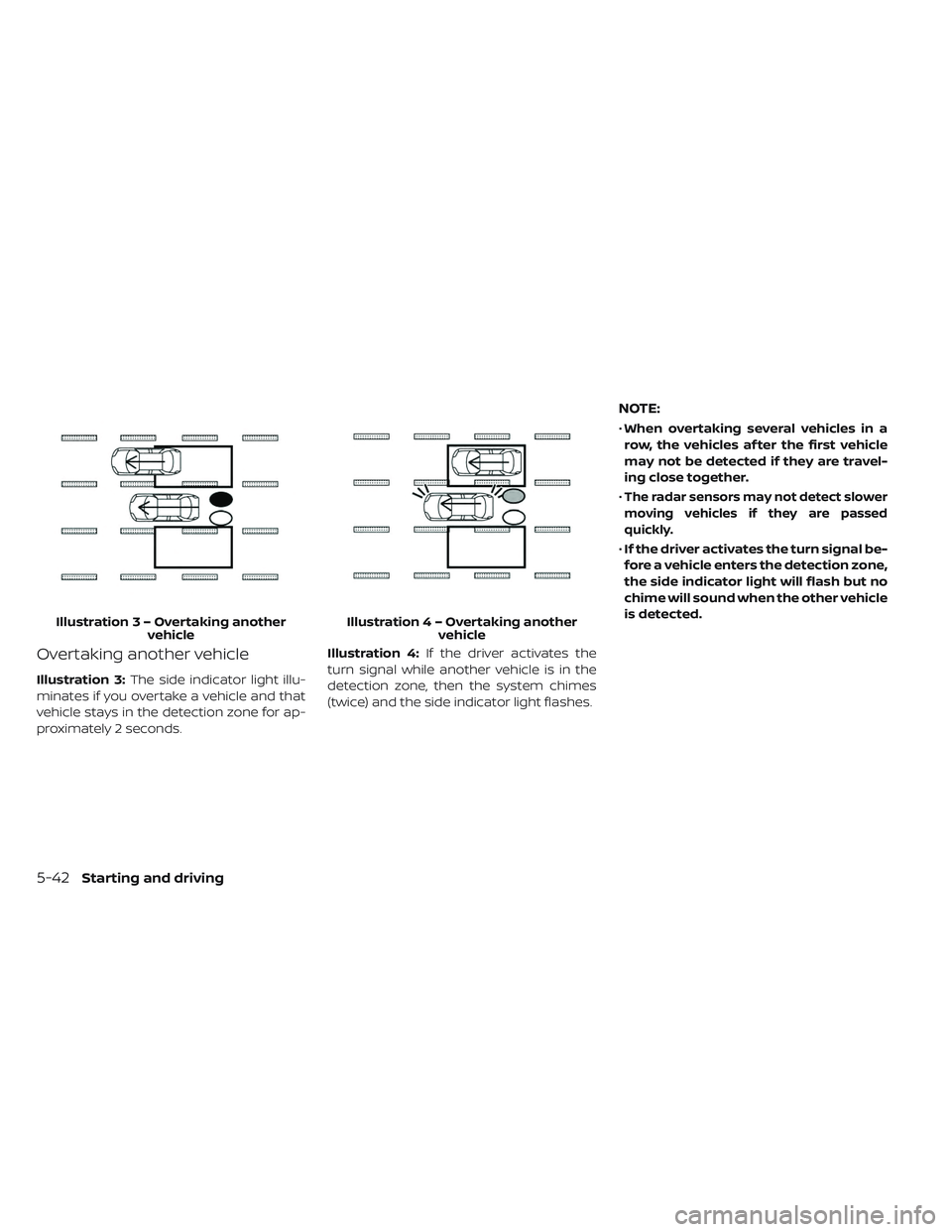
Overtaking another vehicle
Illustration 3:The side indicator light illu-
minates if you overtake a vehicle and that
vehicle stays in the detection zone for ap-
proximately 2 seconds. Illustration 4:
If the driver activates the
turn signal while another vehicle is in the
detection zone, then the system chimes
(twice) and the side indicator light flashes.
NOTE:
• When overtaking several vehicles in a
row, the vehicles af ter the first vehicle
may not be detected if they are travel-
ing close together.
•
The radar sensors may not detect slower
moving vehicles if they are passed
quickly.
• If the driver activates the turn signal be-
fore a vehicle enters the detection zone,
the side indicator light will flash but no
chime will sound when the other vehicle
is detected.
Illustratio n3–Over taking another
vehicle Illustratio
n4–Over taking another
vehicle
5-42Starting and driving
Page 402 of 610
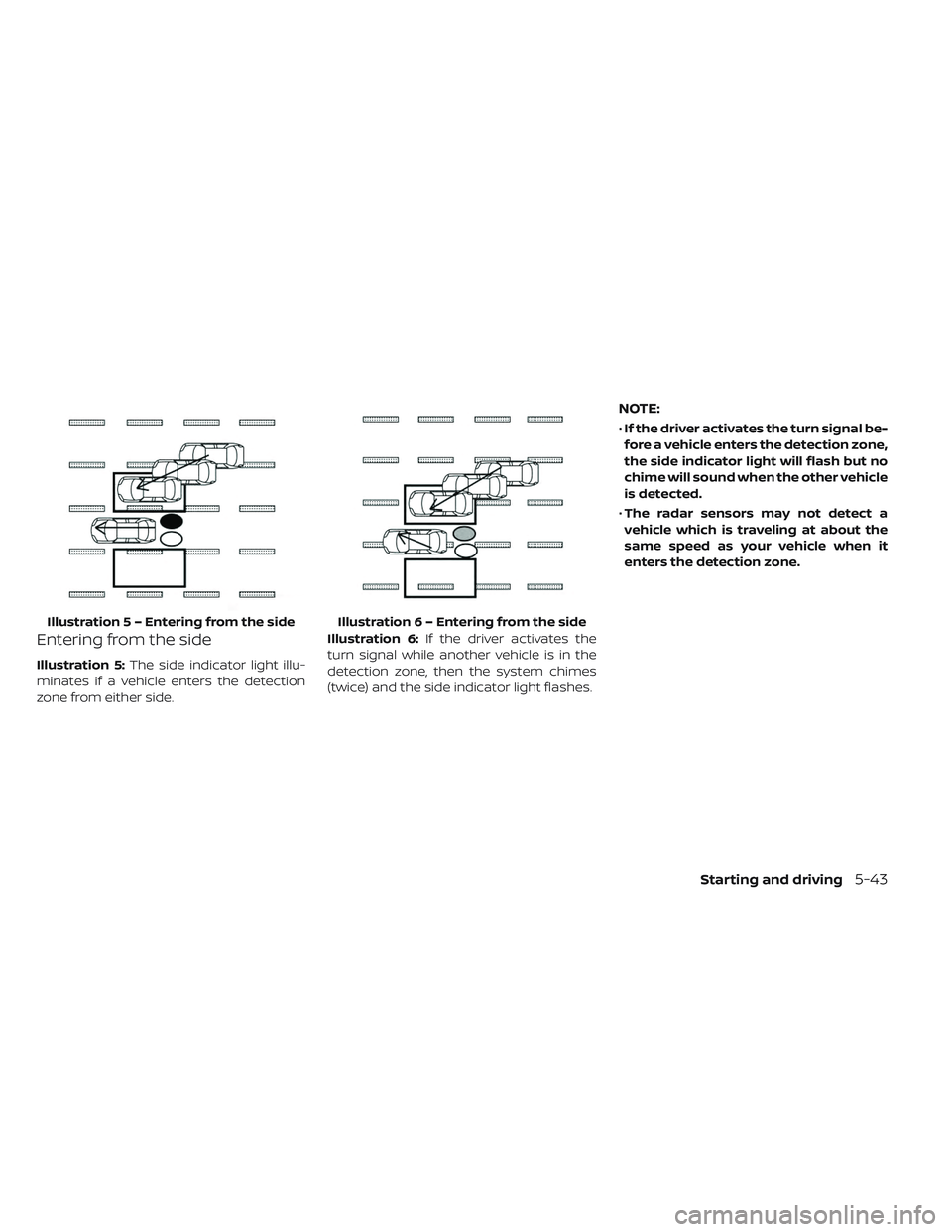
Entering from the side
Illustration 5:The side indicator light illu-
minates if a vehicle enters the detection
zone from either side. Illustration 6:
If the driver activates the
turn signal while another vehicle is in the
detection zone, then the system chimes
(twice) and the side indicator light flashes.
NOTE:
• If the driver activates the turn signal be-
fore a vehicle enters the detection zone,
the side indicator light will flash but no
chime will sound when the other vehicle
is detected.
• The radar sensors may not detect a
vehicle which is traveling at about the
same speed as your vehicle when it
enters the detection zone.
Illustratio n 5 – Entering from the side Illustration 6 – Entering from the side
Starting and driving5-43
Page 426 of 610
NOTE:
The approach warning chime may sound
and the system display may blink when
the ICC sensor detects objects on the
side of the vehicle or on the side of the
road. This may cause the ICC system to
decelerate or accelerate the vehicle. The
ICC sensor may detect these objects
when the vehicle is driven on winding
roads, narrow roads, hilly roads, or when
entering or exiting a curve. In these
cases you will have to manually control
the proper distance ahead of your
vehicle.
Also, the sensor sensitivity can be af-
fected by vehicle operation (steering
maneuver or driving position in the lane)
or traffic or vehicle condition (for ex-
ample, if a vehicle is being driven with
some damage).Acceleration when passing
When the ICC system is engaged above
43 mph and following a slower vehicle (be-
low ICC set speed), and the turn signal is
activated to the lef t, the ICC system will
automatically start to accelerate the ve-
hicle to help initiate passing on the lef t and
will begin to reduce the distance to the
vehicle directly ahead. Only the lef t side
turn signal operates this feature. As the
driver steers the vehicle and moves into
the passing lane, if no vehicle is detected
ahead the ICC system will continue to ac-
celerate to the ICC system set speed. If an-
other vehicle is detected ahead, then the
vehicle will accelerate up to the following
speed of that vehicle. If the vehicle is not
steered into the lef t lane to pass, the accel-
eration will stop af ter a short time and re-
gain the set following distance. Accelera-
tion can be stopped at any point by
depressing the brake pedal or the CANCEL
switch on the steering wheel.WARNING
In order to reduce the risk of a collision
that may result in serious injury or
death, please be aware of the follow-
ing:
• This function is only activated with the lef t turn signal and will briefly
accelerate the vehicle even if a lane
change is not initiated. This can in-
clude non-passing situations such
as lef t side exits.
• Ensure that when passing another vehicle, the adjacent lane is clear be-
fore initiating the pass. Sudden
changes in traffic may occur while
passing.
– Always manually steer or brake asneeded
– Never solely rely on the system
Starting and driving5-67
Page 427 of 610
Automatic cancellation
A chime sounds under the following condi-
tions and the control is automatically can-
celed:
• When the vehicle ahead is not detectedand your vehicle is traveling below the
speed of 15 mph (24 km/h)
• When the system judges the vehicle is at a standstill
• When the shif t lever is not in the D (Drive) position or B mode
• When the parking brake system is applied
• When the VDC system is turned off
• When ABS or VDC operates
• When distance measurement becomes impaired due to adhesion of dirt or ob-
struction to the sensor
• When a wheel slips
• When the radar signal is temporarily interrupted
VEHICLE-TO-VEHICLE DISTANCE
CONTROL MODE LIMITATIONS
WARNING
Listed below are the system limita-
tions for the ICC system. Failure to op-
erate the vehicle in accordance with
these system limitations could result
in serious injury or death.
• The ICC system is primarily intended for use on straight, dry, open roads
with light traffic. It is not advisable to
use the ICC system in city traffic or
congested areas.
• The ICC system will not adapt auto- matically to road conditions. This
system should be used in evenly
flowing traffic. Do not use the sys-
tem on roads with sharp curves, or
on icy roads, in heavy rain or in fog. • As there is a performance limit to the
distance control function, never rely
solely on the ICC system. This sys-
tem does not correct careless, inat-
tentive or absentminded driving, or
overcome poor visibility in rain, fog,
or other bad weather. Decelerate the
vehicle speed by depressing the
brake pedal, depending on the dis-
tance to the vehicle ahead and the
surrounding circumstances in order
to maintain a safe distance between
vehicles.
• If the vehicle ahead comes to a stop, the vehicle decelerates to a stand-
still within the limitations of the sys-
tem. The system will cancel once it
judges that the vehicle has come to
a standstill and sound a warning
chime. To prevent the vehicle from
moving, the driver must depress the
brake pedal.
5-68Starting and driving
Page 428 of 610
• Always pay attention to the opera-tion of the vehicle and be ready to
manually control the proper follow-
ing distance. The ICC system may
not be able to maintain the selected
distance between vehicles (follow-
ing distance) or selected vehicle
speed under some circumstances.
• The system may not detect the ve- hicle in front of you in certain road or
weather conditions. To avoid acci-
dents, never use the ICC system un-
der the following conditions:
– On roads where the traffic is heavyor there are sharp curves
– On slippery road surfaces such as on ice or snow, etc.
– During bad weather (rain, fog, snow, etc.)
– When rain, snow or dirt adhere to the bumper around the distance
sensor – On steep downhill roads (the ve-
hicle may go beyond the set ve-
hicle speed and frequent braking
may result in overheating the
brakes)
– On repeated uphill and downhill roads
– When traffic conditions make it difficult to keep a proper distance
between vehicles because of fre-
quent acceleration or decelera-
tion
– Interference by other radar sources.
• Do not use the ICC system if you are towing a trailer. The system may not
detect a vehicle ahead.
• In some road or traffic conditions, a vehicle or object can unexpectedly
come into the sensor detection zone
and cause automatic braking. Al-
ways stay alert and avoid using the
ICC system where not recom-
mended in this warning section. The radar sensor will not detect the follow-
ing objects:
• Stationary and slow moving vehicles
• Pedestrians or objects in the roadway
• Oncoming vehicles in the same lane
• Motorcycles traveling offset in the travel
lane
The sensor generally detects the signals
returned from the vehicle ahead. Therefore,
if the sensor cannot detect the reflection
from the vehicle ahead, the ICC system
may not maintain the selected distance.
The following are some conditions in which
the sensor cannot properly detect a ve-
hicle ahead and the system may not oper-
ate properly:
• When snow or road spray from traveling vehicles reduces the sensor’s detection.
• When your vehicle is towing a trailer, etc.
• When excessively heavy baggage is loaded in the rear seat or the cargo area of
your vehicle.
Starting and driving5-69
Page 431 of 610
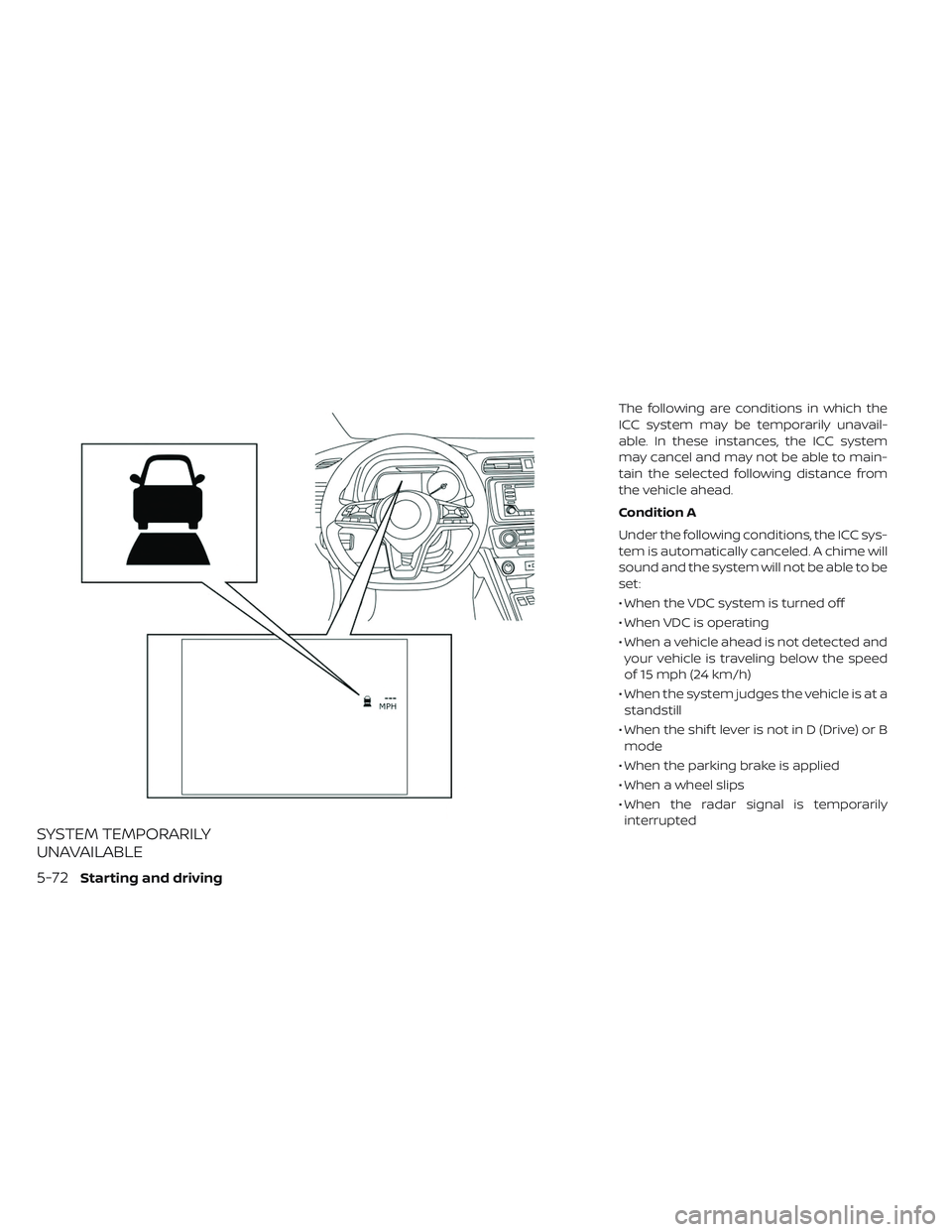
SYSTEM TEMPORARILY
UNAVAILABLE
The following are conditions in which the
ICC system may be temporarily unavail-
able. In these instances, the ICC system
may cancel and may not be able to main-
tain the selected following distance from
the vehicle ahead.
Condition A
Under the following conditions, the ICC sys-
tem is automatically canceled. A chime will
sound and the system will not be able to be
set:
• When the VDC system is turned off
• When VDC is operating
• When a vehicle ahead is not detected andyour vehicle is traveling below the speed
of 15 mph (24 km/h)
• When the system judges the vehicle is at a standstill
• When the shif t lever is not in D (Drive) or B mode
• When the parking brake is applied
• When a wheel slips
• When the radar signal is temporarily interrupted
5-72Starting and driving
Page 432 of 610
Action to take
When the conditions listed above are no
longer present, turn the system off using
the ICC switch. Turn the ICC system back on
to use the system.
Condition B
• When the radar sensor area of the frontbumper is covered with dirt or is ob-
structed, the ICC system will automatically
be canceled.
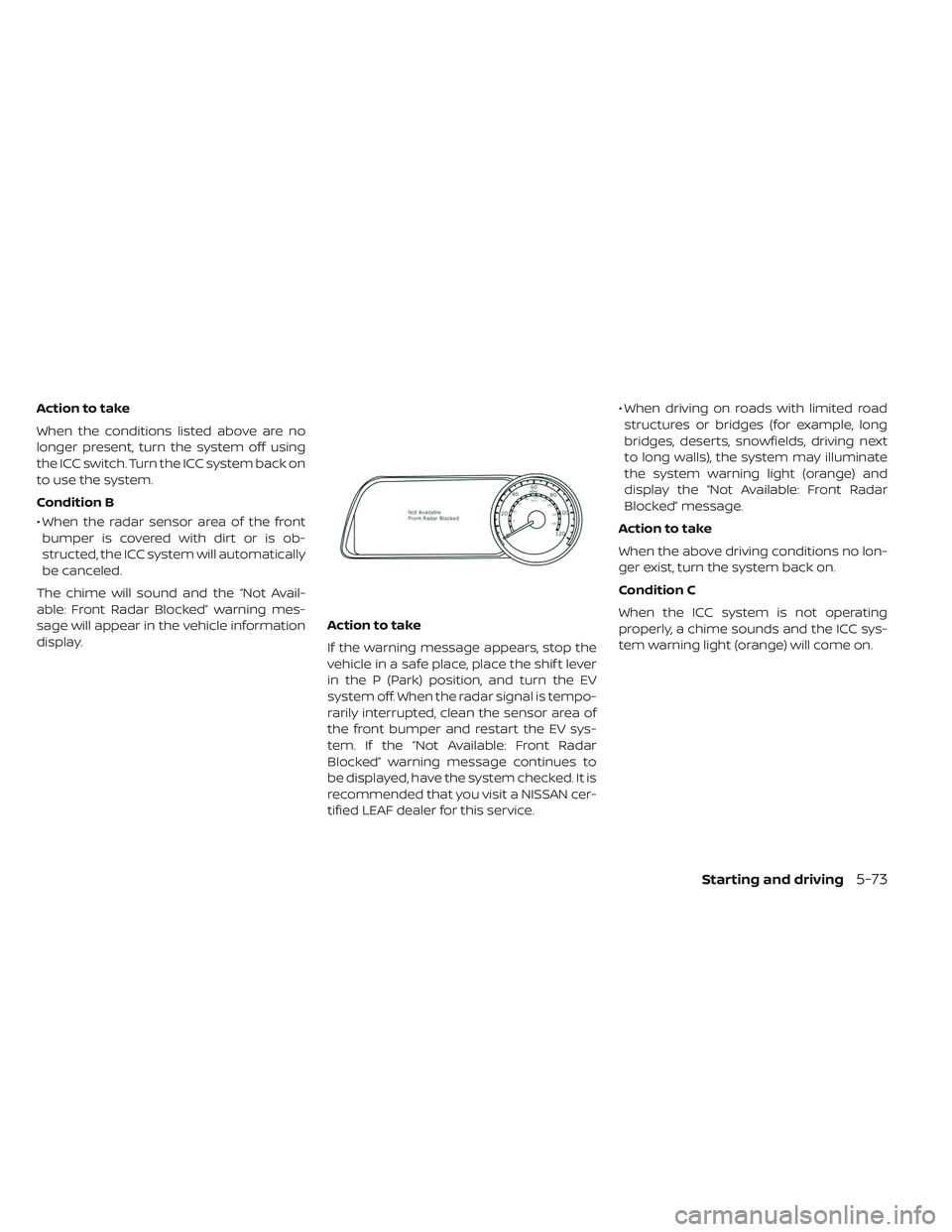
The chime will sound and the “Not Avail-
able: Front Radar Blocked” warning mes-
sage will appear in the vehicle information
display. Action to take
If the warning message appears, stop the
vehicle in a safe place, place the shif t lever
in the P (Park) position, and turn the EV
system off. When the radar signal is tempo-
rarily interrupted, clean the sensor area of
the front bumper and restart the EV sys-
tem. If the “Not Available: Front Radar
Blocked” warning message continues to
be displayed, have the system checked. It is
recommended that you visit a NISSAN cer-
tified LEAF dealer for this service.• When driving on roads with limited road
structures or bridges (for example, long
bridges, deserts, snowfields, driving next
to long walls), the system may illuminate
the system warning light (orange) and
display the “Not Available: Front Radar
Blocked” message.
Action to take
When the above driving conditions no lon-
ger exist, turn the system back on.
Condition C
When the ICC system is not operating
properly, a chime sounds and the ICC sys-
tem warning light (orange) will come on.
Starting and driving5-73