door lock NISSAN LEAF 2020 Owner´s Manual
[x] Cancel search | Manufacturer: NISSAN, Model Year: 2020, Model line: LEAF, Model: NISSAN LEAF 2020Pages: 596, PDF Size: 4.33 MB
Page 325 of 596
AEB with Pedestrian Detection system
limitations................................. 5-129
System temporarily unavailable ............5-131
System malfunction ........................ 5-132
System maintenance ......................5-133
Rear Automatic Braking (RAB) .................5-134
RAB system operation ......................5-135
Turning the RAB system on/off .............5-136
RAB system limitations .....................5-137
System malfunction ........................ 5-138
System maintenance ......................5-139
Intelligent Forward Collision Warning (I-FCW) . . 5-139 I-FCW System operation ....................5-140
Turning the I-FCW system on/off ...........5-142
I-FCW system limitations ...................5-143
System temporarily unavailable ............5-147
System malfunction ........................ 5-148
System maintenance ......................5-148
Intelligent Driver Alertness (I-DA)
(if so equipped) ................................ 5-150
I-DA system operation .....................5-150
How to enable/disable the I-DA system ....5-151
I-DA system limitations .....................5-152
ECO Mode ..................................... 5-152
Increasing power economy ...................5-153ECO drive report
.............................. 5-154
Parking/parking on hills .......................5-155
Power steering system ........................5-156
Brake system ................................. 5-157
Brake precautions .......................... 5-157
Anti-lock Braking System (ABS) .............5-159
Brake Assist ................................ 5-160
Vehicle Dynamic Control (VDC) system ........5-160
Chassis control ............................... 5-162
Intelligent Trace Control ....................5-162
Intelligent Ride Control .....................
5-163
R
ear sonar system (RSS) ......................5-163
System operation .......................... 5-164
How to enable/disable the rear sonar
system ..................................... 5-166
Sonar limitations ........................... 5-167
System temporarily unavailable ............5-167
System maintenance ......................5-167
Hill start assist system ........................5-168
Cold weather driving .......................... 5-169
Freeing a frozen door lock ..................5-169
Antifreeze .................................. 5-169
12-volt battery .............................. 5-169
Draining of coolant water ..................5-170
Page 335 of 596
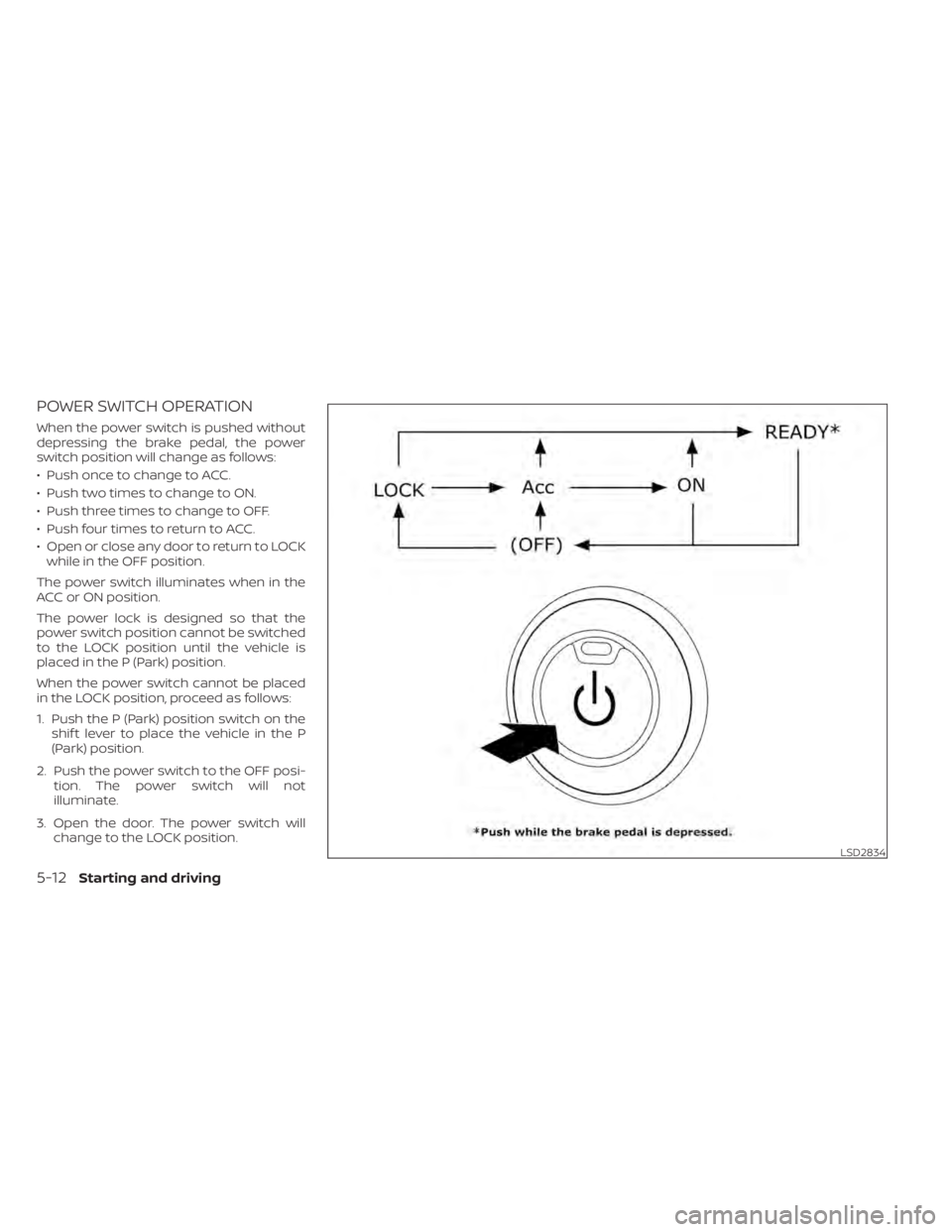
POWER SWITCH OPERATION
When the power switch is pushed without
depressing the brake pedal, the power
switch position will change as follows:
• Push once to change to ACC.
• Push two times to change to ON.
• Push three times to change to OFF.
• Push four times to return to ACC.
• Open or close any door to return to LOCKwhile in the OFF position.
The power switch illuminates when in the
ACC or ON position.
The power lock is designed so that the
power switch position cannot be switched
to the LOCK position until the vehicle is
placed in the P (Park) position.
When the power switch cannot be placed
in the LOCK position, proceed as follows:
1. Push the P (Park) position switch on the shif t lever to place the vehicle in the P
(Park) position.
2. Push the power switch to the OFF posi- tion. The power switch will not
illuminate.
3. Open the door. The power switch will change to the LOCK position.
LSD2834
5-12Starting and driving
Page 340 of 596
NOTE:
• Confirm that the vehicle is in the de-sired shif t position by checking the
shif t indicator
O1located near the shif t
lever or the vehicle information display
in the meter.
• To place the vehicle into the D (Drive) position from the B mode, move the
shif t lever into the D (Drive) position.
Af ter placing the vehicle in the READY to
drive position, fully depress the brake pedal,
and move the shif t lever to any of the pre-
ferred shif t positions.
If the power switch is placed in the OFF or
ACC position for any reason while the shif t
position is in any position other than the P
(Park) position, the power switch cannot be
placed in the LOCK position.
If the power switch cannot be placed in the
LOCK position, perform the following steps:
1. Apply the parking brake when the ve- hicle is stopped.
2. Place the power switch in the ON posi- tion while depressing the foot brake
pedal.
3. Push the P (Park) position switch and confirm the vehicle is in the P (Park)
position. 4. Place the power switch in the OFF
position.NOTE:
The vehicle automatically applies the P
(Park) position when the power switch is
in the OFF position.
When the following conditions overlap,
the shif t position may be automatically
switched to P (Park):
– When maintaining a stop and holdwith the e-pedal.
– When taking off the seatbelt.
– When opening the door.
WARNING
• The shif t lever is always in the center
position when released. When the
power switch is placed in the READY
to drive position, the driver needs to
confirm that the vehicle is in the P
(Park) position. The indicator next to
the “P” by the shif t lever is illumi-
nated and the “P” is displayed on the
meter. If the vehicle is in the D (Drive)
position or R (Reverse) position when
the power switch is placed in the
READY to drive position, this may
cause a sudden start which could re-
sult in an accident.
• On a hilly road, do not allow the ve-
hicle to roll backwards while in the D
(Drive) position or B mode or allow
the vehicle to roll forward while in the
R (Reverse) position. This may cause
an accident.
Starting and driving5-17
Page 343 of 596
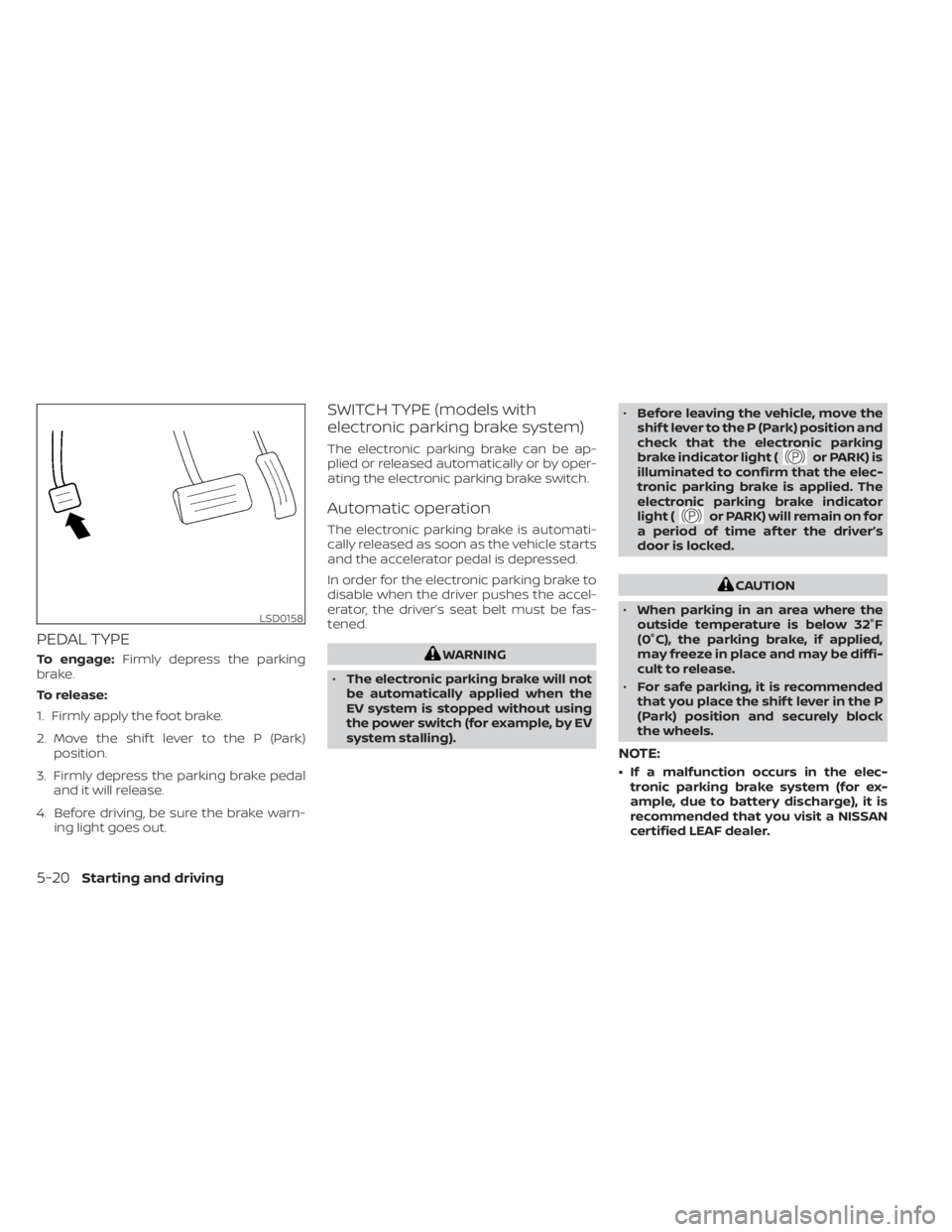
PEDAL TYPE
To engage:Firmly depress the parking
brake.
To release:
1. Firmly apply the foot brake.
2. Move the shif t lever to the P (Park) position.
3. Firmly depress the parking brake pedal and it will release.
4. Before driving, be sure the brake warn- ing light goes out.
SWITCH TYPE (models with
electronic parking brake system)
The electronic parking brake can be ap-
plied or released automatically or by oper-
ating the electronic parking brake switch.
Automatic operation
The electronic parking brake is automati-
cally released as soon as the vehicle starts
and the accelerator pedal is depressed.
In order for the electronic parking brake to
disable when the driver pushes the accel-
erator, the driver’s seat belt must be fas-
tened.
WARNING
• The electronic parking brake will not
be automatically applied when the
EV system is stopped without using
the power switch (for example, by EV
system stalling). •
Before leaving the vehicle, move the
shif t lever to the P (Park) position and
check that the electronic parking
brake indicator light (
or PARK) is
illuminated to confirm that the elec-
tronic parking brake is applied. The
electronic parking brake indicator
light (
or PARK) will remain on for
a period of time af ter the driver’s
door is locked.
CAUTION
• When parking in an area where the
outside temperature is below 32°F
(0°C), the parking brake, if applied,
may freeze in place and may be diffi-
cult to release.
• For safe parking, it is recommended
that you place the shif t lever in the P
(Park) position and securely block
the wheels.
NOTE:
• If a malfunction occurs in the elec- tronic parking brake system (for ex-
ample, due to battery discharge), it is
recommended that you visit a NISSAN
certified LEAF dealer.
LSD0158
5-20Starting and driving
Page 436 of 596
• When the radar signal is temporarily in-terrupted.
Action to take:
When the conditions listed above are no
longer present, turn the system off using
the ProPILOT Assist switch. Turn the ProPI-
LOT Assist system back on to use the sys-
tem.
NOTE:
When the ICC system is canceled under
the following conditions at a standstill,
the electronic parking brake is auto-
matically activated:
• Any door is open.
• The driver’s seat belt is not fastened.
• Your vehicle has been stopped by the ICC system for approximately 3 min-
utes or longer.
• The shif t lever is not in the D (Drive) position or B mode.
• The VDC system is turned off.
• When distance measurement be- comes impaired due to adhesion of dirt
or obstruction to the sensor.
• When the radar signal is temporarily interrupted. Condition B
When the radar sensor of the front bumper
is covered with dirt or is obstructed, the ICC
system will automatically be canceled.
The chime will sound and the “Not Avail-
able: Front Radar Blocked” warning mes-
sage will appear in the vehicle information
display.
Action to take:
If the warning message appears, stop the
vehicle in a safe place, place the shif t lever
in the P (Park) position, and turn the EV
system off. When the radar signal is tempo-
rarily interrupted, clean the sensor area of
the front bumper and restart the EV sys-
tem. If the “Not Available: Front Radar
Blocked” warning message continues to
be displayed, have the system checked. It is
recommended that you visit a NISSAN cer-
tified LEAF dealer for this service.
Condition C
When driving on roads with limited road
structures or buildings (for example, long
bridges, deserts, snowfields, driving next to
long walls), the system may illuminate the
system warning light and display the “Not
Available: Front Radar Blocked” message.
Action to take:
When the above driving conditions no lon-
ger exist, turn the system back on.
Starting and driving5-113
Page 478 of 596
4. Regenerated energy (mileage)Displays the amount of regenerated en-
ergy stored in the Li-ion battery in one
trip in terms of distance
If the vehicle has been driven mostly on
downhill roads, more energy is regener-
ated. This may cause the regenerated en-
ergy (mileage) (4) to show a longer distance
than the vehicle was driven or the current
energy economy (2) to show “99.9 miles/
kWh.”
When the
button is pressed while the
ECO Drive Report is shown, the display
switches to the timer display. Either display
will continue to show for another 30 sec-
onds af ter the button is pressed. If the
doors are locked af ter placing the power
switch in the OFF position, the display turns
off before the preset time.
In the “Settings” menu, you can program
the ECO Drive Report to not appear when
the power switch is placed in the OFF posi-
tion. For additional information, refer to “Ve-
hicle information display” in the “Instru-
ments and controls” section of this manual.
WARNING
• Do not stop or park the vehicle over
flammable materials such as dry
grass, waste paper or rags. They may
ignite and cause a fire.
• Never leave the vehicle in the READY
to drive mode while the vehicle is
unattended.
• Safe parking procedures require that
both the parking brake be applied
and the vehicle placed in the park po-
sition. Failure to do so could cause
the vehicle to move unexpectedly or
roll away and result in an accident.
• Do not leave children unattended in-
side the vehicle. They could unknow-
ingly activate switches or controls or
make the vehicle move. Unattended
children could become involved in
serious accidents. •
To help avoid risk of injury or death
through unintended operation of the
vehicle and/or its systems, do not
leave children, people who require
the assistance of others or pets unat-
tended in your vehicle. Additionally,
the temperature inside a closed ve-
hicle on a warm day can quickly be-
come high enough to cause a signifi-
cant risk of injury or death to people
and pets.
PARKING/PARKING ON HILLS
Starting and driving5-155
Page 492 of 596
CAUTION
To prevent damage to the Li-ion bat-
tery: Do not store the vehicle in tem-
peratures below -13°F (-25°C) for over
seven days. If the outside temperature
is -13°F (-25°C) or less, the Li-ion battery
may freeze and it cannot be charged or
provide power to run the vehicle. Move
the vehicle to a warm location.
NOTE:
• Connect the charger to the vehicle and place the power switch in the OFF po-
sition when parking the vehicle if tem-
peratures may go below -4°F (-20°C).
For models with 40 kWh battery
model, this provides external power to
the Li-ion battery warmer (if so
equipped) when it operates and does
not discharge the Li-ion battery. Ve-
hicle driving range is reduced if the Li-
ion battery warmer (if so equipped) op-
erates (Li-ion battery temperature
approximately -4°F (-20°C) or colder)
while driving the vehicle. You may need
to charge the Li-ion battery sooner
than in warmer temperatures.
• The Li-ion battery requires more time to charge when the Li-ion battery
warmer (if so equipped) operates. • The predicted charging time displayed
on the meter and navigation system (if
so equipped) increases when the Li-ion
battery warmer (if so equipped) oper-
ates.
• Vehicle range may be substantially re- duced in extremely cold conditions (for
example under -4°F (-20°C)).
• Using the climate control system to heat the cabin when outside tempera-
ture is below 32°F (0°C) uses more elec-
tricity and affects vehicle range more
than when using the heater when the
temperature is above 32°F (0°C).
• Climate control performance is re- duced when using the Climate Ctrl.
Timer or Remote Climate Control while
the Li-ion battery warmer (if so
equipped) operates (for models with
40 kWh battery model). Set only the
charging timer [End Time] when charg-
ing in cold weather. The vehicle auto-
matically determines when to start
charging to fully charge the Li-ion bat-
tery, even if the Li-ion battery warmer
operates. Charging ends before the set
end time if the Li-ion battery is fully
charged.
FREEING A FROZEN DOOR LOCK
To prevent a door lock from freezing, apply
deicer through the key hole. If the lock be-
comes frozen, heat the key before inserting
it into the key hole or use the remote key-
less entry key fob.
ANTIFREEZE
In the winter when it is possible that the
outside temperature will drop below 32°F
(0°C), check the antifreeze to ensure proper
winter protection. For additional informa-
tion, refer to “Cooling system” in the “Main-
tenance and do-it-yourself ” section of this
manual.
12-VOLT BATTERY
If the 12-volt battery is not fully charged
during extremely cold weather conditions,
the 12-volt battery fluid may freeze and
damage the 12-volt battery. To maintain
maximum efficiency, the 12-volt battery
should be checked regularly. For additional
information, refer to “12-volt battery” in the
“Maintenance and do-it-yourself ” section
of this manual.
COLD WEATHER DRIVING
Starting and driving5-169
Page 521 of 596
Your new NISSAN has been designed to
have minimum maintenance require-
ments with long service intervals to save
you both time and money. However, some
day-to-day and regular maintenance is es-
sential to maintain your NISSAN’s fine me-
chanical condition, and its Electric Vehicle
(EV) system performance.
It is the owner’s responsibility to make sure
that the scheduled maintenance, and gen-
eral maintenance, is performed.
As the vehicle owner, you are the only one
who can ensure that your vehicle receives
the proper maintenance care. You are a
vital link in the maintenance chain.
SCHEDULED MAINTENANCE
For your convenience, both required and
optional scheduled maintenance items
are described and listed in your “NISSAN
Service and Maintenance Guide”. You must
refer to that guide to ensure that neces-
sary maintenance is performed on your
NISSAN at regular intervals.
GENERAL MAINTENANCE
General maintenance includes those items
which should be checked during normal
day-to-day operation. They are essential
for proper vehicle operation. It is your re-sponsibility to perform these procedures
regularly as prescribed.
Performing general maintenance checks
requires minimal mechanical skill and only
a few general automotive tools.
These checks or inspections can be done
by yourself, a qualified technician or, if you
prefer, a NISSAN certified LEAF dealer.
WHERE TO GO FOR SERVICE
If maintenance service is required or your
vehicle appears to malfunction, have the
systems checked and serviced. It is recom-
mended that you visit a NISSAN certified
LEAF dealer for this service.
NISSAN technicians are well-trained spe-
cialists and are kept up-to-date with the
latest service information through techni-
cal bulletins, service tips, and in-dealership
information systems. They are completely
qualified to work on NISSAN vehicles
be-
fore work begins.
You can be confident that a NISSAN certi-
fied LEAF dealer’s service department per-
forms the best job to meet the mainte-
nance requirements on your vehicle — in a
reliable and economical way. During the normal day-to-day operation of
the vehicle, general maintenance should
be performed regularly as prescribed in
this section. If you detect any unusual
sounds, vibrations or smell, be sure to
check for the cause or have a NISSAN cer-
tified LEAF dealer do it promptly. In addition,
it is recommended that you visit a NISSAN
certified LEAF dealer if you think that re-
pairs are required.
When performing any checks or mainte-
nance work, refer to “Maintenance precau-
tions” in this section.
EXPLANATION OF MAINTENANCE
ITEMS
Additional information on the following
items with “*” is found in this section.
Outside vehicle
The maintenance items listed here should
be performed from time to time, unless
otherwise specified.
Doors and motor hood:
Check that all
doors and the motor hood operate prop-
erly. Also ensure that all latches lock se-
curely. Lubricate hinges, latches, latch pins,
rollers and links if necessary. Make sure
MAINTENANCE REQUIREMENT GENERAL MAINTENANCE
8-2Maintenance and do-it yourself
Page 584 of 596
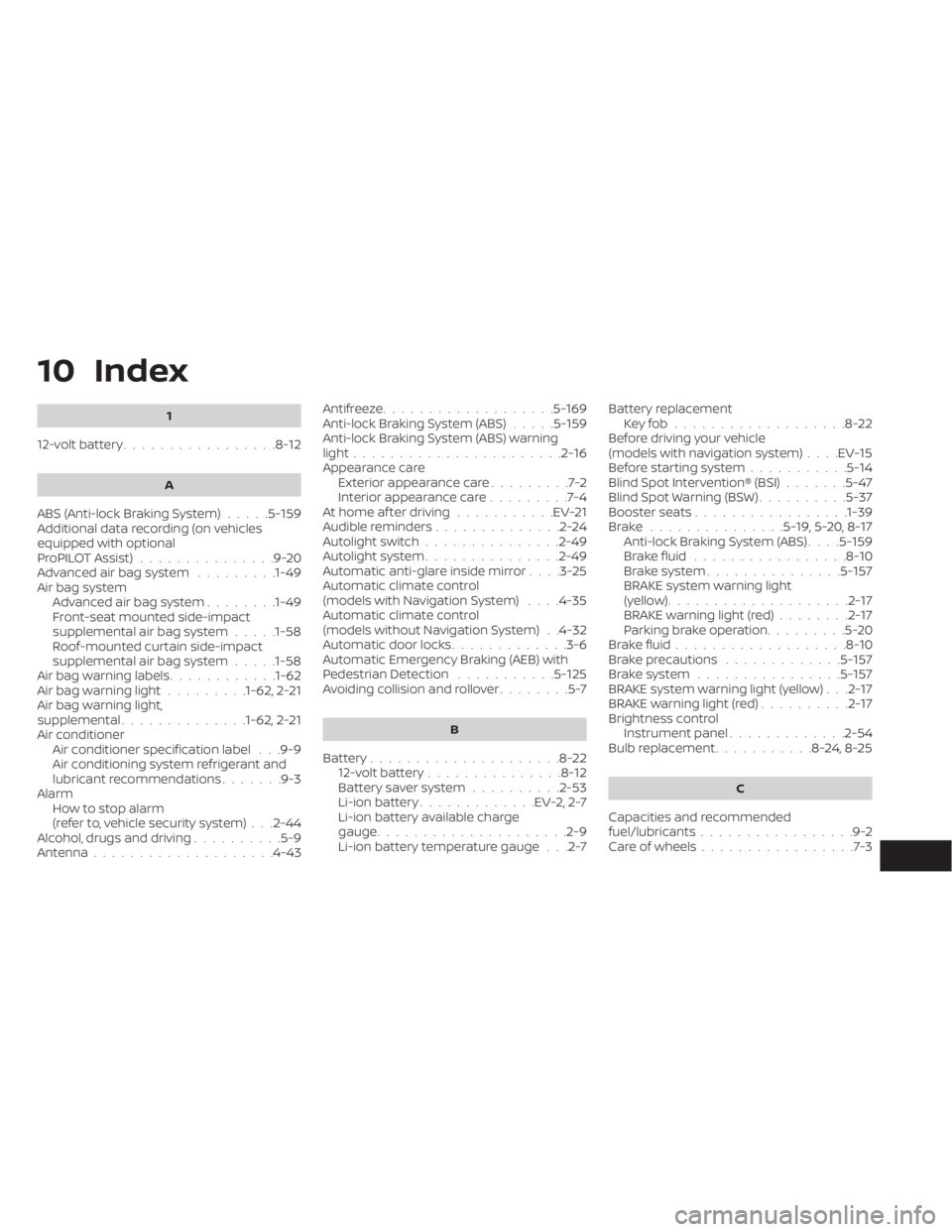
10 Index
1
12-volt battery.................8-12
A
ABS (Anti-lock Braking System).....5-159Additional data recording (on vehicles
equipped with optional
ProPILOT Assist)
...............9-20Advanced air bag system.........1-49Air bag systemAdvanced air bag system........1-49Front-seat mounted side-impact
supplemental air bag system.....1-58Roof-mounted curtain side-impact
supplemental air bag system.....1-58Air bag warning labels............1-62Air bag warning light.........1-62, 2-21Air bag warning light,
supplemental..............1-62, 2-21Air conditionerAir conditioner specification label. . .9-9Air conditioning system refrigerant and
lubricant recommendations.......9-3AlarmHowtostopalarm
(refer to, vehicle security system)
. . .2-44Alcohol, drugs and driving..........5-9Antenna................... .4-43
Antifreeze...................5-169Anti-lock Braking System (ABS).....5-159Anti-lock Braking System (ABS) warning
light.......................2-16Appearance care
Exterior appearance care.........7-2Interior appearance care.........7-4At home af ter driving...........EV-21Audible reminders..............2-24Autolight switch...............2-49Autolight system...............2-49Automatic anti-glare inside mirror. . . .3-25Automatic climate control
(models with Navigation System). . . .4-35Automatic climate control
(models without Navigation System). .4-32Automatic door locks.............3-6Automatic Emergency Braking (AEB) with
Pedestrian Detection...........5-125Avoiding collision and rollover........5-7
B
Battery.....................8-2212-volt battery...............8-12Battery saver system..........2-53Li-ion battery.............EV-2, 2-7Li-ion battery available charge
gauge.................... .2-9Li-ion battery temperature gauge. . .2-7
Battery replacement
Key fob...................8-22Before driving your vehicle
(models with navigation system). . . .EV-15Before starting system...........5-14Blind Spot Intervention® (BSI).......5-47Blind Spot Warning (BSW)..........5-37Booster seats................ .1-39Brake...............5-19,5-20,8-17Anti-lock Braking System (ABS). . . .5-159Brake fluid.................8-10Brake system...............5-157BRAKE system warning light
(yellow)....................2-17BRAKE warning light (red)........2-17Parking brake operation.........5-20Brake fluid...................8-10Brake precautions.............5-157Brake system................5-157BRAKE system warning light (yellow). . .2-17BRAKE warning light (red)..........2-17Brightness control
Instrument panel.............2-54Bulb replacement...........8-24,8-25
C
Capacities and recommended
fuel/lubricants.................9-2Care of wheels.................7-3
Page 585 of 596
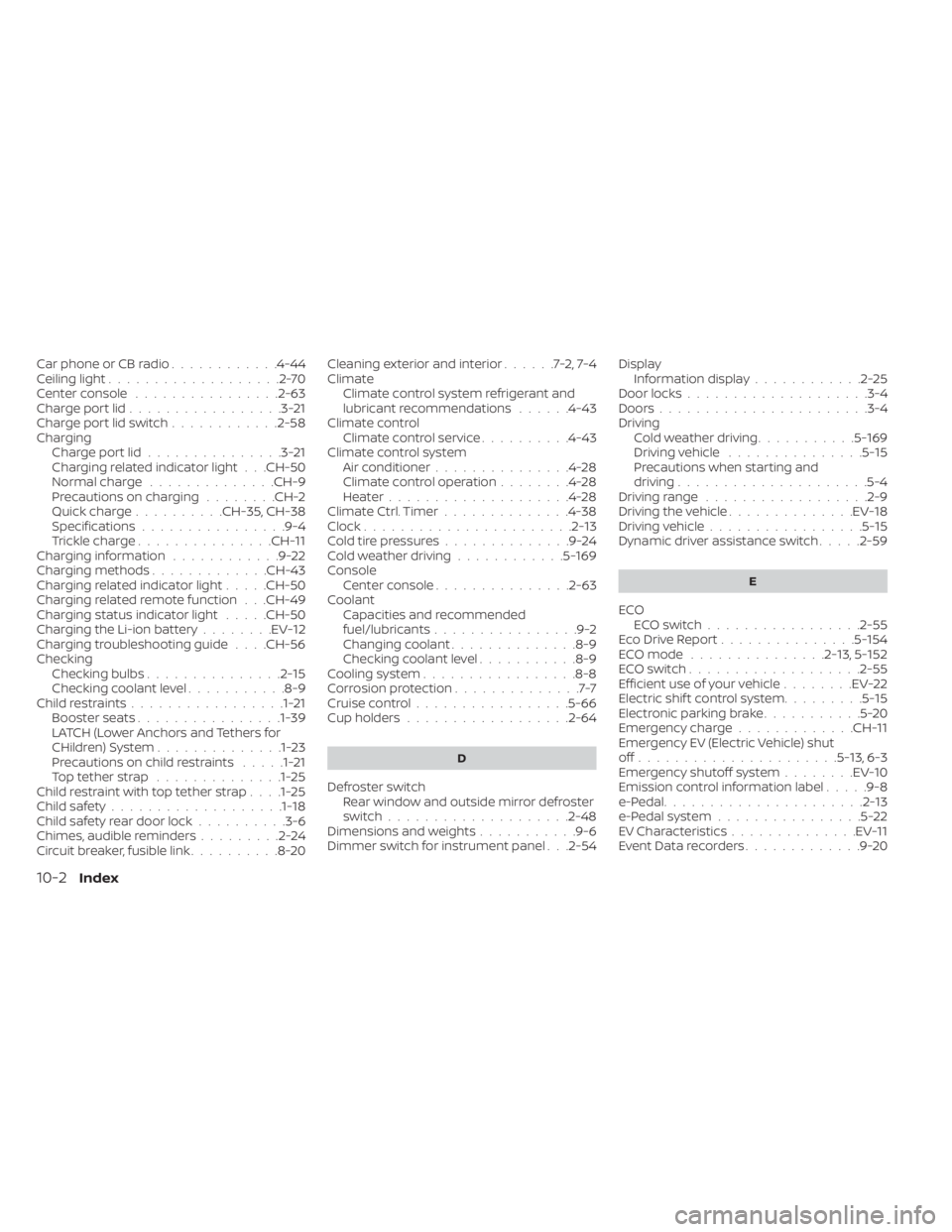
Car phone or CB radio............4-44Ceiling light...................2-70Center console................2-63Charge port lid.................3-21Charge port lid switch............2-58ChargingCharge port lid...............3-21Charging related indicator light. . .CH-50Normal charge..............CH-9Precautions on charging........CH-2Quick charge..........CH-35, CH-38Specifications................9-4Trickle charge...............CH-11Charging information............9-22Charging methods.............CH-43Charging related indicator light.....CH-50Charging related remote function. . .CH-49Charging status indicator light.....CH-50Charging the Li-ion battery........EV-12Charging troubleshooting guide. . . .CH-56CheckingChecking bulbs...............2-15Checking coolant level...........8-9Child restraints.................1-21Booster seats................1-39LATCH (Lower Anchors and Tethers for
CHildren) System..............1-23Precautions on child restraints.....1-21Top tether strap..............1-25Child restraint with top tether strap. . . .1-25Child safety...................1-18Child safety rear door lock..........3-6Chimes, audible reminders.........2-24Circuit breaker, fusible link..........8-20
Cleaning exterior and interior......7-2,7-4ClimateClimate control system refrigerant and
lubricant recommendations
......4-43Climate controlClimate control service..........4-43Climate control systemAir conditioner...............4-28Climate control operation........4-28Heater....................4-28Climate Ctrl. Timer..............4-38Clock.......................2-13Cold tire pressures..............9-24Cold weather driving............5-169ConsoleCenter console...............2-63CoolantCapacities and recommended
fuel/lubricants
................9-2Changing coolant..............8-9Checking coolant level...........8-9Cooling system................ .8-8Corrosion protection..............7-7Cruise control.................5-66Cup holders................. .2-64
D
Defroster switch
Rear window and outside mirror defroster
switch
................... .2-48Dimensions and weights...........9-6Dimmer switch for instrument panel. . .2-54
Display
Information display............2-25Door locks................... .3-4Doors...................... .3-4Driving
Cold weather driving...........5-169Driving vehicle...............5-15Precautions when starting and
driving.................... .5-4Driving range..................2-9Driving the vehicle..............EV-18Driving vehicle.................5-15Dynamic driver assistance switch.....2-59
E
ECO
ECO switch................ .2-55Eco Drive Report...............5-154ECO mode...............2-13,5-152ECO switch.................. .2-55Efficient use of your vehicle........EV-22Electric shif t control system.........5-15Electronic parking brake...........5-20Emergency charge.............CH-11Emergency EV (Electric Vehicle) shut
off......................5-13,6-3Emergency shutoff system........EV-10Emission control information label.....9-8e-Pedal......................2-13e-Pedal system................5-22EV Characteristics..............EV-11Event Data recorders.............9-20
10-2Index