climate NISSAN LEAF 2020 Owner´s Manual
[x] Cancel search | Manufacturer: NISSAN, Model Year: 2020, Model line: LEAF, Model: NISSAN LEAF 2020Pages: 596, PDF Size: 4.33 MB
Page 318 of 596
• Timer setting can also be changed whileClimate Ctrl. Timer is operated. When the
power position is switched to OFF, the air
conditioner starts or enters waiting
mode depending on the new timer set-
tings.
• When the difference in temperature be- tween the air conditioner setting tem-
perature and the temperature outside
the vehicle is large, the temperature in-
side the vehicle may not be maintained
at the setting temperature.
• The charging status indicator lights illu- minate in a specific pattern when the Li-
ion battery warmer operates. The charg-
ing status indicator lights use the same
pattern to indicate 12–volt battery charg-
ing, Climate Ctrl. Timer operation or Re-
mote Climate Control operation. The
charging status indicator lights do not
change if the Li-ion battery warmer oper-
ates at the same time as the above fea-
tures.
• The temperature in the passenger com- partment may not be comfortable if en-
tering the vehicle too soon before or too
long af ter the scheduled time of depar-
ture. • Air conditioning is limited to the capacity
of the electric power when the charge
connector is connected. Therefore, the
temperature may not reach the set tem-
perature due to limitations in air condi-
tioning performance, if ambient tem-
perature is excessively high or low, or if
the charge connector is connected to a
120–volt plug outlet.
• The Climate Ctrl. Timer operates the cli- mate control function so that a comfort-
able temperature is provided in the pas-
senger compartment at the scheduled
time of departure. The climate control is
set to stop at the scheduled time of de-
parture.
• Depending on the facilities of charging station, there may be time when it is not
available for charging. Confirm the avail-
ability of the charging facility before set-
ting the Climate Ctrl. Timer. Be sure that
the power switch of the charger is turned
on when setting the Climate Ctrl. Timer.
• When the power switch is turned OFF af- ter changing the setting, the new setting
will be applied.
*models with Navigation SystemRemote climate control
This vehicle incorporates a communica-
tion device that is called a TCU (Telematics
Control Unit). The communication connec-
tion between this unit and Nissan Data
Center allows for various remote function
services.
Even when away from the vehicle, climate
control can be started by accessing the
Web Owner Portal using a cellular phone or
a personal computer.
When operation is started, or at the set
start time, the Nissan Data Center ac-
cesses the vehicle. When the vehicle re-
ceives a command for remote operation,
the climate control immediately turns ON
and operates for the specified period of
time. Confirmation of the ON/OFF of the
climate control operation can be checked
by accessing the Web Owner Portal, or by
e-mail.
Completing registration for the
NissanConnect® EV and Services is neces-
sary before using the service. For additional
information, refer to the NissanConnect®
Manual (for Leaf ).
Monitor, climate, audio, phone and voice recognition systems4-41
Page 319 of 596
WARNING
• Radio waves could adversely affect
electric medical equipment. For ad-
ditional information, refer to your
electric medical equipment manu-
facturer for the possible effect on
pacemakers before using the remote
climate control.
• Even if the remote climate control is
set, the temperature in the passen-
ger room may become high if the
system automatically stops. Do not
leave children or adults who would
normally require the support of oth-
ers alone in your vehicle. Pets should
not be lef t alone either. On hot, sunny
days, temperatures in a closed ve-
hicle could quickly become high
enough to cause severe or possibly
fatal injuries to people or animals.
NOTE:
• To check the Li-ion battery charging status using an internet enabled smart
phone or personal computer.– The vehicle must be located in a cel- lular phone coverage area.
– The cellular phone must be located in an area with cellular phone cover-
age. – The computer must be connected to
the internet.
• Some cellular phones are not compat- ible with this system and cannot be
used to check the Li-ion battery charg-
ing status. Confirm this beforehand.
Operating tips
• When the charge connector is con-nected, the climate control operates us-
ing electric power. When the charge con-
nector is disconnected from the vehicle,
the climate control operates using ve-
hicle battery electric power.
• The climate control can be operated for a maximum of 2 hours when the charge
connector is connected to the vehicle, or
a maximum of 15 minutes when the
charge connector is disconnected.
• The remote climate control will only start to operate when the power switch is in
the LOCK/OFF or ACC position.
• Remote climate control operation is not available when the vehicle is in an area of
cellular communication range. • Communication becomes unavailable
when the vehicle is not used for two
weeks or more. When the power switch is
placed in the ON position, communica-
tion with the Nissan Data Center can be
restored.
• Air conditioning is limited to the capacity of the electric power when the charge
connector is connected to the vehicle.
Therefore, the temperature may not
reach a comfortable level due to perfor-
mance of the air conditioning being lim-
ited, if the outside temperature is exces-
sively high or low, or if the charge
connector is connected to a 110 – 120-volt
outlet.
• If the power switch is in the ON position or the charge connector is disconnected,
while the remote climate control is being
operated, remote climate control opera-
tion is automatically stopped and an
e-mail is sent.
• If remote climate control operation is started while the vehicle is in normal
charge mode, the climate control oper-
ates in climate control priority mode and
charging is continued.
4-42Monitor, climate, audio, phone and voice recognition systems
Page 320 of 596
• If remote climate control operation isstarted and charging is stopped while
the vehicle is in quick charge mode, cli-
mate control operation is also stopped.
• If the quick charge connector is con- nected and charging is not performed,
remote climate control operation starts
using the battery electric power of the
vehicle.
Servicing climate control
The climate control system in your NISSAN
is charged with a refrigerant designed with
the environment in mind. This refrigerant
will not harm the earth’s ozone layer. Spe-
cial charging equipment and lubricant are
required when servicing your NISSAN cli-
mate control. Using improper refrigerants
or lubricants will cause severe damage to
your climate control system. For additional
information, refer to “Recommended
fluids/lubricants and capacities” in the
“Technical and consumer information” sec-
tion.
It is recommended that you visit a NISSAN
certified LEAF dealer to service your envi-
ronmentally friendly climate control sys-
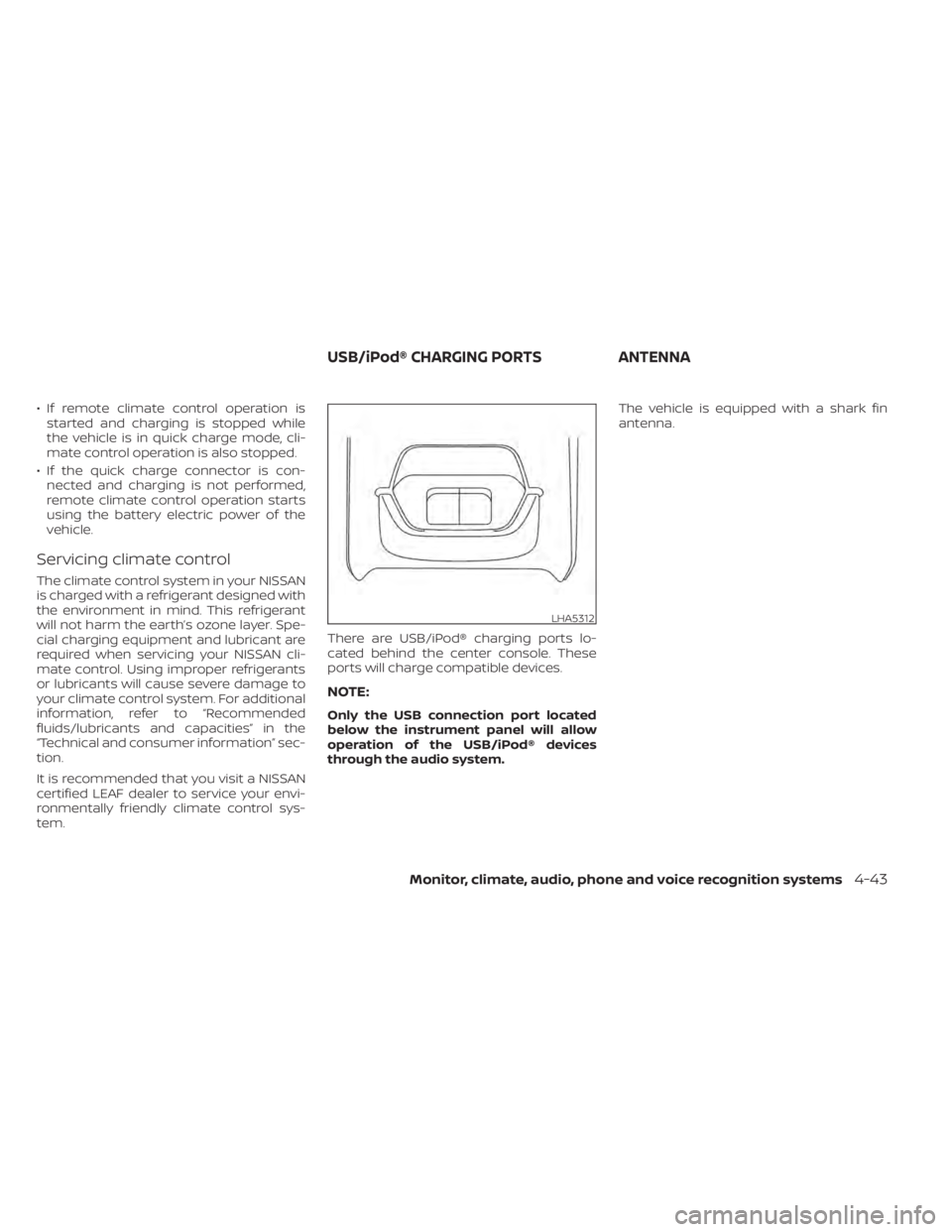
tem. There are USB/iPod® charging ports lo-
cated behind the center console. These
ports will charge compatible devices.
NOTE:
Only the USB connection port located
below the instrument panel will allow
operation of the USB/iPod® devices
through the audio system.The vehicle is equipped with a shark fin
antenna.
LHA5312
USB/iPod® CHARGING PORTS
ANTENNA
Monitor, climate, audio, phone and voice recognition systems4-43
Page 321 of 596
When installing a CB, ham radio or car
phone in your vehicle, be sure to observe
the following precautions; otherwise, the
new equipment may adversely affect the
EV control system and other electronic
parts.
WARNING
• A cellular phone should not be used
for any purpose while driving so full
attention may be given to vehicle op-
eration. Some jurisdictions prohibit
the use of cellular phones while
driving.
• If you must make a call while your
vehicle is in motion, the hands free
cellular phone operational mode is
highly recommended. Exercise ex-
treme caution at all times so full at-
tention may be given to vehicle
operation.
• If you are unable to devote full atten-
tion to vehicle operation while talk-
ing on the phone, pull off the road to
a safe location and stop your vehicle.
CAUTION
• Keep the antenna as far away as pos-
sible from the electronic control
modules.
• Keep the antenna wire more than 8 in
(20 cm) away from the electronic
control system harnesses. Do not
route the antenna wire next to any
harness.
• Adjust the antenna standing-wave
ratio as recommended by the
manufacturer.
• Connect the ground wire from the CB
radio chassis to the body.
• For additional information, it is rec-
ommended that you visit a NISSAN
certified LEAF dealer. “Made for iPod”, “Made for iPhone” and
“Made for iPad” mean that an electronic
accessory has been designed to connect
specifically to iPod, iPhone or iPad, respec-
tively, and has been certified by the devel-
oper to meet Apple performance stan-
dards. Apple is not responsible for the
operation of this device or its compliance
with safety and regulatory standards.
Please note that the use of this accessory
with iPod, iPhone or iPad may affect wire-
less performance.
iPad, iPhone, iPod classic, iPod nano, iPod
shuffle and iPod touch are trademarks of
Apple Inc., registered in the U.S. and other
countries. Lightning is a trademark of
Apple Inc.
CAR PHONE OR CB RADIO
iPod®/IPHONE®
4-44Monitor, climate, audio, phone and voice recognition systems
Page 322 of 596

MEMO
Monitor, climate, audio, phone and voice recognition systems4-45
Page 492 of 596
CAUTION
To prevent damage to the Li-ion bat-
tery: Do not store the vehicle in tem-
peratures below -13°F (-25°C) for over
seven days. If the outside temperature
is -13°F (-25°C) or less, the Li-ion battery
may freeze and it cannot be charged or
provide power to run the vehicle. Move
the vehicle to a warm location.
NOTE:
• Connect the charger to the vehicle and place the power switch in the OFF po-
sition when parking the vehicle if tem-
peratures may go below -4°F (-20°C).
For models with 40 kWh battery
model, this provides external power to
the Li-ion battery warmer (if so
equipped) when it operates and does
not discharge the Li-ion battery. Ve-
hicle driving range is reduced if the Li-
ion battery warmer (if so equipped) op-
erates (Li-ion battery temperature
approximately -4°F (-20°C) or colder)
while driving the vehicle. You may need
to charge the Li-ion battery sooner
than in warmer temperatures.
• The Li-ion battery requires more time to charge when the Li-ion battery
warmer (if so equipped) operates. • The predicted charging time displayed
on the meter and navigation system (if
so equipped) increases when the Li-ion
battery warmer (if so equipped) oper-
ates.
• Vehicle range may be substantially re- duced in extremely cold conditions (for
example under -4°F (-20°C)).
• Using the climate control system to heat the cabin when outside tempera-
ture is below 32°F (0°C) uses more elec-
tricity and affects vehicle range more
than when using the heater when the
temperature is above 32°F (0°C).
• Climate control performance is re- duced when using the Climate Ctrl.
Timer or Remote Climate Control while
the Li-ion battery warmer (if so
equipped) operates (for models with
40 kWh battery model). Set only the
charging timer [End Time] when charg-
ing in cold weather. The vehicle auto-
matically determines when to start
charging to fully charge the Li-ion bat-
tery, even if the Li-ion battery warmer
operates. Charging ends before the set
end time if the Li-ion battery is fully
charged.
FREEING A FROZEN DOOR LOCK
To prevent a door lock from freezing, apply
deicer through the key hole. If the lock be-
comes frozen, heat the key before inserting
it into the key hole or use the remote key-
less entry key fob.
ANTIFREEZE
In the winter when it is possible that the
outside temperature will drop below 32°F
(0°C), check the antifreeze to ensure proper
winter protection. For additional informa-
tion, refer to “Cooling system” in the “Main-
tenance and do-it-yourself ” section of this
manual.
12-VOLT BATTERY
If the 12-volt battery is not fully charged
during extremely cold weather conditions,
the 12-volt battery fluid may freeze and
damage the 12-volt battery. To maintain
maximum efficiency, the 12-volt battery
should be checked regularly. For additional
information, refer to “12-volt battery” in the
“Maintenance and do-it-yourself ” section
of this manual.
COLD WEATHER DRIVING
Starting and driving5-169
Page 525 of 596
–The Climate Ctrl. Timer is not ac-
tive or operating. For additional
information, refer to “Climate Ctrl.
Timer” in the “Monitor, climate, au-
dio, phone and voice recognition
systems” section of this manual.
– The 12-volt battery is not being
charged by the Li-ion battery and
that all charging status indicator
lights are off. For additional infor-
mation, refer to “Charging the 12-
volt battery ” in the “EV overview”
section and “Charging status indi-
cator lights” in the “Charging” sec-
tion of this manual.
• The power switch is in the OFF posi-
tion. Place the power switch in the ON
position and then in the OFF position
to prevent the 12-volt battery auto-
matically being charged by the Li-ion
battery. For additional information,
refer to “Charging the 12-volt bat-
tery ” in the “EV overview” section of
this manual.
The “Maintenance and do-it-yourself ” sec-
tion gives instructions regarding only
those items that are relatively easy for an
owner to perform. A Genuine NISSAN Service Manual is also
available. For additional information, refer
to “Owner’s manual/service manual order
information” in the “Technical and con-
sumer information” section of this manual.
You should be aware that incomplete or
improper servicing may result in operating
difficulties and could affect your warranty
coverage.
If in doubt about any servicing,
it is recommended that you visit a
NISSAN certified LEAF dealer.
8-6Maintenance and do-it yourself
Page 536 of 596
REAR WINDOW WIPER BLADE
It is recommended that you visit a NISSAN
certified LEAF dealer if checking or replace-
ment is required.If the brakes do not operate properly, have
the brakes checked. It is recommended
that you visit a NISSAN certified LEAF dealer
for this service.
WARNING
Do not adjust the height of the brake
pedal. Doing so could alter the effec-
tiveness of the brakes, which could re-
sult in a serious accident and personal
injury. If adjustment is required, it is
recommended that you visit a NISSAN
certified LEAF dealer for this service.
BRAKE PAD WEAR WARNING
The disc brake pads have audible wear
warnings. When a brake pad requires re-
placement, it will make a high pitched
scraping sound when the vehicle is in mo-
tion. This scraping sound will first occur
only when the brake pedal is depressed.
Af ter more wear of the brake pad, the
sound will always be heard even if the
brake pedal is not depressed. Have the
brakes checked as soon as possible if the
wear warning sound is heard. Under some driving or climate conditions,
occasional brake squeak, squeal or other
noise may be heard. Occasional brake
noise during light to moderate stops is nor-
mal and does not affect the function or
performance of the brake system.
Proper brake inspection intervals should
be followed.
For additional information, re-
fer to the maintenance log section of your
NISSAN Service and Maintenance Guide.
BRAKES
Maintenance and do-it yourself8-17
Page 573 of 596
Do not tow a trailer with your vehicle.Towing your vehicle with all four wheels on
the ground is sometimes called flat towing.
This method is typically used when towing
a vehicle behind a recreational vehicle,
such as a motor home.
CAUTION
• Failure to follow these guidelines can
result in severe reduction gear
damage.
• DO NOT tow this vehicle with all four
wheels on the ground (flat towing).
• For emergency towing procedures
refer to “Towing your vehicle” in the
“In case of emergency ” section of this
manual. DOT (Department Of Transportation) Qual-
ity Grades: All passenger car tires must
conform to federal safety requirements in
addition to these grades.
Quality grades can be found where appli-
cable on the tire sidewall between tread
shoulder and maximum section width. For
example:
Treadwear 200 Traction AA Temperature
A
TREADWEAR
The treadwear grade is a comparative rat-
ing based on the wear rate of the tire when
tested under controlled conditions on a
specified government test course. For ex-
ample, a tire graded 150 would wear one
and one-half (1 1/2) times as well on the
government course as a tire graded 100.
The relative performance of tires depends
upon actual conditions of their use how-
ever, and may depart significantly from the
norm due to variations in driving habits,
service practices and differences in road
characteristics and climate.
TOWING A TRAILER
FLAT TOWINGUNIFORM TIRE QUALITY GRADING
9-14Technical and consumer information
Page 577 of 596
will not transmit data. However, the telem-
atics features referenced above, and per-
haps others, will not be available to you. The
vehicle’s static navigation system will re-
main operational, and you will be able to
access your radio and climate controls.
Telematics features are dependent on cel-
lular data transmission. Some areas may
have limited or no cellular connectivity, re-
sulting in a loss or interruption of data
transmission and, as a result, certain fea-
tures may be temporarily unavailable. Even
if areas with good signal reception, cellular
connectivity can be adversely affected by
things such as tall buildings, apartments,
tunnels, underground parking, mountain-
ous areas, etc. Even if the signal strength
bar of the in-vehicle data communication
module indicates good reception, connec-
tivity may be disrupted. This does not indi-
cate a malfunction. Operate the system
again af ter a few minutes to restore con-
nectivity.NissanConnect® EV & Services or
NissanConnect® Services telematics fea-
tures are offered as a convenience to the
vehicle owner. NISSAN is not responsible
for, and owner assumes all risk of, interrup-
tions in service or errors based on incom-
plete or inaccurate data. NissanConnect®
EV & Services or NissanConnect® Services
communications may be received at averified e-mail address or by SMS/text
messaging-enabled mobile phone. Stan-
dard text rates and/or data usage may ap-
ply depending on your carrier.
If your vehicle’s telematics account is ac-
tive, and you are not the original owner,
please contact NISSAN at the website or
phone number above as soon as possible
to update the telematics enrollment infor-
mation. Upon sale of the vehicle, please
contact NISSAN at the website or phone
number above so that NISSAN’s records
may be updated. NissanConnect® EV &
Services or NissanConnect® Services sub-
scription services will automatically termi-
nate at the end of the initial free term if you
do not wish to renew your subscription
agreement at the prices then in effect.
A. INTRODUCTION
This product Telematic Control Unit Gen2K
incorporates the following sof tware:
1. the sof tware developed by, or developed
for, Ficosa International, S.A. (“Ficosa”),
2. the sof tware owned by third party and licensed to Ficosa,
3. the sof tware licensed under the GNU GENERAL PUBLIC LICENSE, Version 2
(“GPL”),
4. the sof tware licensed under the GNU LI- BRARY GENERAL PUBLIC LICENSE, Ver-
sion 2.0 or the GNU LESSER GENERAL
PUBLIC LICENSE, Version 2.1 (collectively
“LGPL”), the Mozilla Public license v2
(“MPL”), the GPL-2.0 license with-
OpenSSL-exception (“GPLOpenSSL”) and
GNU GENERAL PUBLIC LICENSE, Version
3 with GCC exception (together with the
GPL sof tware, jointly “Copylef t Sof t-
ware”), and/or
5. open sourced sof tware licensed under terms and conditions other than Copyl-
ef t Sof tware.
TELEMATIC CONTROL UNIT GEN2K
9-18Technical and consumer information