park assist NISSAN LEAF 2021 Owner´s Manual
[x] Cancel search | Manufacturer: NISSAN, Model Year: 2021, Model line: LEAF, Model: NISSAN LEAF 2021Pages: 602, PDF Size: 4.22 MB
Page 236 of 602
The Steering Assist switch is used to en-
able and disable the Steering Assist sys-
tem that is activated using the settings
menu of the vehicle information display.
The Steering Assist system controls the
steering system, when ProPILOT Assist is
engaged, to help keep your vehicle near
the center of the lane when driving. For
additional information, see “ProPILOT As-
sist” (P. 5-91) and “Intelligent Lane Interven-
tion (I-LI)” (P. 5-30).The Rear Door Alert system functions un-
der certain conditions to indicate there
may be an object or passenger in the rear
seat(s). Check the seat(s) before exiting the
vehicle.
The Rear Door Alert system is initially dis-
abled. The driver can enable the system
using the vehicle information display. For
additional information, see “Vehicle infor-
mation display warnings and indicators”
(P. 2-34).
When the system is enabled:
• The system is activated when a rear door
is opened and closed within 10 minutes of
the vehicle being driven. When the driver
door is closed and the system is acti-
vated, a visual message appears in the
vehicle information display. For additional
information, see “Rear Door Alert is acti-
vated” (P. 2-35).
• If a rear door is opened and closed but the vehicle is not driven within approxi-
mately 10 minutes, the system will not be
activated. A rear door must be opened
and closed and the car driven within 10
minutes for the system to activate. When the Rear Door Alert system is acti-
vated:
• When the driver puts the vehicle in the P
(Park) position, a notification message
appears in the vehicle information dis-
play with the options to “Dismiss Mes-
sage” or “Disable Alert” if desired.– Select “Disable Alert” to temporarily disable for that stop.
– No selection or ‘Dismiss Message” will keep the alert enabled for that stop.
• If the alert is enabled when a driver exits the vehicle, a message will appear in the
vehicle information display that states
“Check Rear Seat for All Articles.”
If “Horn & Alert” setting is selected:
– – An audible horn sound will occur af ter
a short time unless a rear door is
opened and closed within a short time
to deactivate the alert.
–– If the doors are locked before the alert is deactivated by opening a rear door,
the horn will sound.
–– If the rear hatch is opened before a rear door is opened, the horn will be delayed
until af ter the hatch is closed.
LIC3932
STEERING ASSIST SWITCH (for
models with ProPILOT Assist) (if so
equipped) REAR DOOR ALERT
Instruments and controls2-59
Page 300 of 602
In the bird’s-eye view, the yellow frameO1is
displayed on each camera image (front,
rear, right, lef t) depending on where mov-
ing objects are detected.
The yellow frame
O2is displayed on each
view in the front view and rear view modes.
A blue MOD icon
O3is displayed in the view
where the MOD system is operative. A gray
MOD icon is displayed in the view where the
MOD system is not operative.
If the MOD system is turned off, the MOD
icon
O3is not displayed.
TURNING MOD ON AND OFF
Some vehicles include the option to allow
the MOD system to be turned on or off in
the vehicle information display.
To turn the MOD system on or off:
1. Use either the
ormenu control
switch on the steering wheel to select
“Settings”.
2. Select “Driver Assistance” and press the OK button.
3. Select “Parking Aids” and press the OK button.
4. Toggle ON or OFF “Moving Object” using the OK button.
MOD SYSTEM LIMITATIONS
WARNING
Listed below are the system limitations
for MOD. Failure to operate the vehicle
in accordance with these system limi-
tations could result in serious injury or
death.
• Excessive noise (for example, audio
system volume or open vehicle win-
dow) will interfere with the chime
sound, and it may not be heard.
• The MOD system performance will be
limited according to environmental
conditions and surrounding objects
such as:
– When there is low contrast be-
tween background and the mov-
ing objects.
– When there is a blinking source of
light.
– When strong light such as another
vehicle’s headlight or sunlight is
present.
– When camera orientation is not in
its usual position, such as when a
mirror is folded.
– When there is dirt, water drops or
snow on the camera lens. –
When the position of the moving
objects in the display is not
changed.
• The MOD system might detect flow-
ing water droplets on the camera
lens, white smoke from the muffler,
moving shadows, etc.
• The MOD system may not function
properly depending on the speed, di-
rection, distance or shape of the
moving objects.
• If your vehicle sustains damage to
the parts where the camera is in-
stalled, leaving it misaligned or bent,
the sensing zone may be altered and
the MOD system may not detect ob-
jects properly.
• When the temperature is extremely
high or low, the screen may not dis-
play objects clearly. This is not a
malfunction.
NOTE:
The blue MOD icon will change to orange
if one of the following has occurred:
• When the system is malfunctioning.
• When the component temperature reaches a high level (icon will blink).
Monitor, climate, audio, phone and voice recognition systems4-23
Page 321 of 602
AEB with Pedestrian Detection system
limitations................................. 5-127
System temporarily unavailable ............5-129
System malfunction ........................ 5-130
System maintenance ......................5-130
Rear Automatic Braking (RAB) .................5-132
RAB system operation ......................5-133
Turning the RAB system on/off .............5-134
RAB system limitations .....................5-135
System malfunction ........................ 5-136
System maintenance ......................5-137
Intelligent Forward Collision Warning (I-FCW) . . 5-137 I-FCW System operation ....................5-138
Turning the I-FCW system on/off ...........5-140
I-FCW system limitations ...................5-141
System temporarily unavailable ............5-146
System malfunction ........................ 5-147
System maintenance ......................5-147
Intelligent Driver Alertness (I-DA) (if so
equipped) ..................................... 5-149
I-DA system operation .....................5-149
How to enable/disable the I-DA system ....5-150
I-DA system limitations .....................5-150
ECO Mode ..................................... 5-152
Increasing power economy ...................5-152ECO drive report
.............................. 5-153
Parking/parking on hills .......................5-154
Power steering system ........................5-156
Brake system ................................. 5-156
Brake precautions .......................... 5-156
Anti-lock Braking System (ABS) .............5-158
Brake Assist ................................ 5-159
Vehicle Dynamic Control (VDC) system ........5-159
Chassis control ............................... 5-161
Intelligent Trace Control ....................5-162
Intelligent Ride Control .....................
5-162
R
ear sonar system (RSS) (if so equipped) ......5-163
System operation .......................... 5-164
How to enable/disable the rear sonar
system ..................................... 5-166
Sonar limitations ........................... 5-167
System temporarily unavailable ............5-167
System maintenance ......................5-167
Hill start assist system ........................5-168
Cold weather driving .......................... 5-169
Freeing a frozen door lock ..................5-169
Antifreeze .................................. 5-169
12-volt battery .............................. 5-169
Draining of coolant water ..................5-169
Page 337 of 602
N (Neutral)
Neither forward nor reverse gear is en-
gaged. The vehicle can be placed in the
READY to drive position in this position.
Do not shif t to the N (Neutral) position while
driving. The regenerative brake system
does not operate in the N (Neutral) position.
However, the vehicle brakes will still stop
the car.
D (Drive)
Use this position for all normal forward
driving.If the vehicle is placed in the D
(Drive) position while reversing, the
chime will sound and the vehicle will
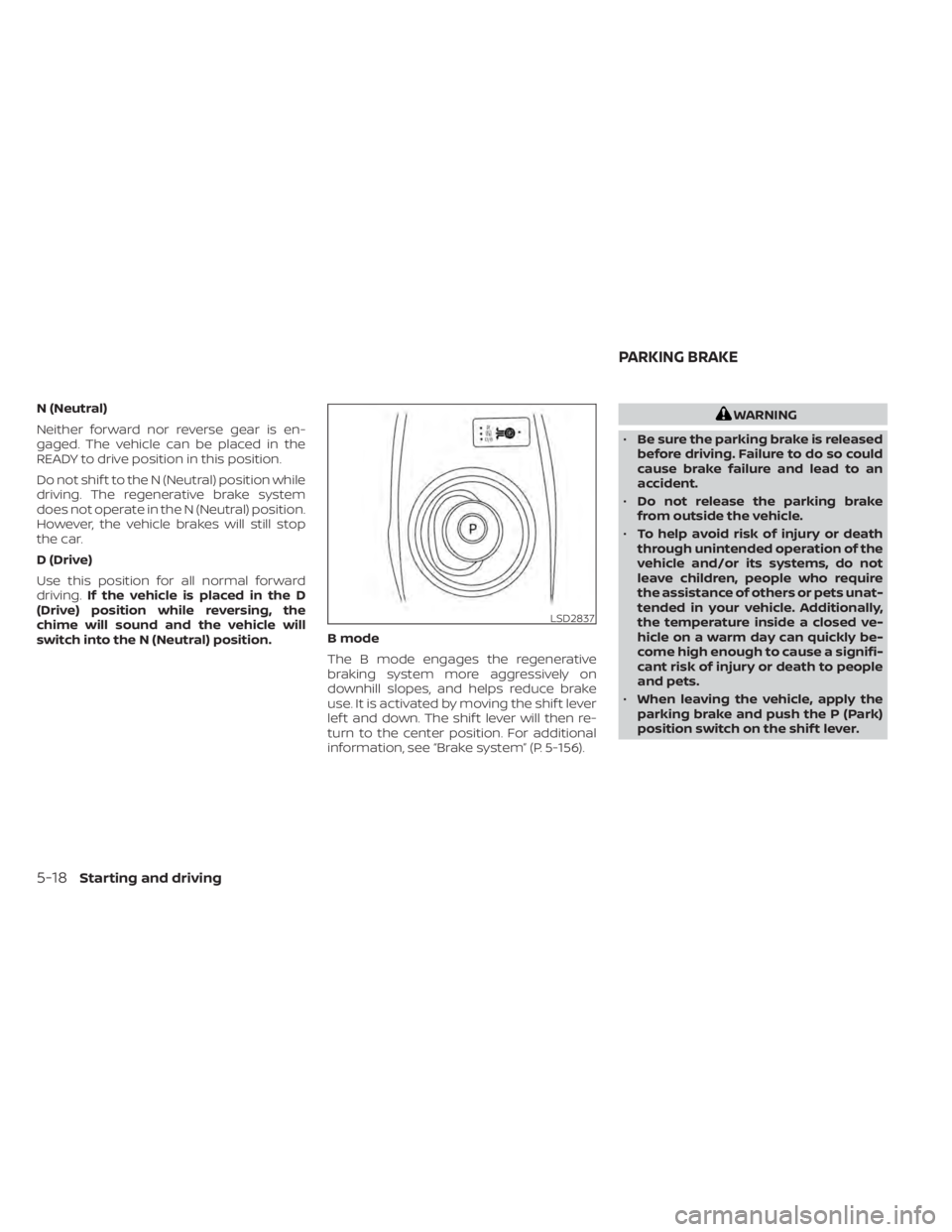
switch into the N (Neutral) position. B mode
The B mode engages the regenerative
braking system more aggressively on
downhill slopes, and helps reduce brake
use. It is activated by moving the shif t lever
lef t and down. The shif t lever will then re-
turn to the center position. For additional
information, see “Brake system” (P. 5-156).WARNING
• Be sure the parking brake is released
before driving. Failure to do so could
cause brake failure and lead to an
accident.
• Do not release the parking brake
from outside the vehicle.
• To help avoid risk of injury or death
through unintended operation of the
vehicle and/or its systems, do not
leave children, people who require
the assistance of others or pets unat-
tended in your vehicle. Additionally,
the temperature inside a closed ve-
hicle on a warm day can quickly be-
come high enough to cause a signifi-
cant risk of injury or death to people
and pets.
• When leaving the vehicle, apply the
parking brake and push the P (Park)
position switch on the shif t lever.
LSD2837
PARKING BRAKE
5-18Starting and driving
Page 342 of 602
The e-Pedal system provides the following
driving features:
When driving and stopping the vehicle:
• Depressing or returning the acceleratorpedal changes the degree of accelera-
tion and deceleration accordingly.
• Returning the accelerator pedal gener- ates more deceleration than normal. (The
maximum deceleration changes accord-
ing to the vehicle speed.)
• Releasing (taking your foot off ) the accel- erator pedal reduces the vehicle speed
until the vehicle comes to a stop.
• The vehicle’s brake lights illuminate when the deceleration level reaches an ordi-
nary braking operation.
If the deceleration is not sufficient when the
accelerator pedal is returned or released,
depress the brake pedal. The brake pedal
can be operated to reduce the vehicle
speed in the same way as normal even
when the e-Pedal system is activated.
When restarting the vehicle:
• Af ter the vehicle comes to a stop by the e-Pedal system function, the vehicle re-
mains at a stop as long as the accelerator
pedal is released. • The vehicle’s brake lights remain illumi-
nated when the vehicle is stopped by the
e-Pedal system.
• Depress the accelerator pedal to start the vehicle again from a stop.
When the vehicle needs to be stopped for a
certain period of time, place the vehicle in
the P (Park) position and apply the parking
brake.
CAUTION
When the e-Pedal system is turned off,
remember to depress the brake pedal
firmly to prevent the vehicle from mov-
ing with the shif t lever in any position
other than P (Park).
When backing up the vehicle:
• With the shif t lever in the R (Reverse) po- sition, operating the accelerator pedal
adjusts the vehicle speed (acceleration,
deceleration, or stopping) in the same
way as the D (Drive) position. Other driving tips for the e-Pedal
system:
• For smooth deceleration when the
e-Pedal system is activated, it is recom-
mended that you adjust the accelerator
pedal by either depressing or returning,
not releasing, the pedal.
• Moving the shif t lever from D (Drive) to B mode or from B mode to D (Drive) does
not affect the e-Pedal system feature.
• The e-Pedal system does not function under the following conditions:– When the vehicle is placed in the P (Park) or N (Neutral) position
– When cruise control (if so equipped), ProPILOT Assist (if so equipped), or Au-
tomatic Emergency Braking with Pe-
destrian Detection operates
Starting and driving5-23
Page 368 of 602
1. Press thebutton until “Settings” dis-
plays in the vehicle information display.
Use the
button to select “Driver As-
sistance.” Then press the OK button.
2. Select “Blind Spot” and press the OK button.
3. Select “Blind Spot Intervention” and use the OK button to turn the system on or
off.
4. Push the ProPILOT Assist switch (mod- els with ProPILOT Assist) or the dynamic
driver assistance switch (models with-
out ProPILOT Assist) to turn the system
on or off.
NOTE:
When Blind Spot Intervention is ON in the
settings menu, turning the ProPILOT As-
sist switch (if so equipped) ON will acti-
vate the Intelligent Blind Spot Interven-
tion (I-BSI) system at the same time. For
additional information, see “Intelligent
Lane Intervention (I-LI)” (P. 5-30).
I-BSI SYSTEM LIMITATIONS
WARNING
Listed below are the system limitations
for the I-BSI system. Failure to operate
the vehicle in accordance with these
system limitations could result in seri-
ous injury or death.
• The I-BSI system cannot detect all
vehicles under all conditions.
• The radar sensors may not be able to
detect and activate I-BSI when cer-
tain objects are present such as:
– Pedestrians, bicycles, or animals.
– Vehicles such as motorcycles, low
height vehicles, or high ground
clearance vehicles.
– Vehicles remaining in the detec-
tion zone when you accelerate
from a stop. For additional infor-
mation, see “BSI driving situa-
tions” (P. 5-50).
– Oncoming vehicles.
– A vehicle merging into an adjacent
lane at a speed approximately the
same as your vehicle.
– A vehicle approaching rapidly
from behind. –
A vehicle which your vehicle over-
takes rapidly.
– A vehicle that passes through the
detection zone quickly.
• The radar sensors’ detection zone is
designed based on a standard lane
width. When driving in a wider lane,
the radar sensors may not detect ve-
hicles in an adjacent lane. When driv-
ing in a narrow lane, the radar sen-
sors may detect vehicles driving two
lanes away.
• The radar sensors are designed to ig-
nore most stationary objects; how-
ever, objects such as guardrails,
walls, foliage and parked vehicles
may occasionally be detected. This is
a normal operation condition.
• The camera may not detect lane
markers in the following situations
and the I-BSI system may not oper-
ate properly.
– On roads where there are multiple
parallel lane markers; lane mark-
ers that are faded or not painted
clearly; yellow painted lane mark-
ers; non-standard lane markers;
lane markers covered with water,
dirt, snow, etc.
Starting and driving5-49
Page 374 of 602
• If the driver activates the turn signalbefore a vehicle enters the detection
zone, the side indicator light will flash
but no chime will sound when the
other vehicle is detected.
• I-BSI will not operate or will stop oper- ating and only a warning chime will
sound under the following conditions:– When the brake pedal is depressed.
– When the vehicle is accelerated dur- ing I-BSI system operation.
– When steering quickly.
– When the ICC, I-FCW or AEB with Pe- destrian Detection warnings sound.
– When the hazard warning flashers are operated.
– When driving on a curve at a high speed.
SYSTEM TEMPORARILY
UNAVAILABLE
Under the following conditions, a chime will
sound, the following message will appear
in the vehicle information display and the
I-BSI system will be turned off automati-
cally. The I-BSI system will not be available
until the conditions no longer exist.
• “Not available Poor Road Conditions”
• When the VDC system (except TCS func-tion) or ABS operates. • “Currently not available”
• When the VDC system is turned off.
Action to take:
When the above conditions no longer exist,
push the ProPILOT Assist switch (models
with ProPILOT Assist) or the dynamic driver
assistance switch (models without ProPI-
LOT Assist) again to turn the I-BSI system
back on.
When radar blockage is detected, the I-BSI
system will be turned off automatically, a
chime will sound and the “Unavailable: Side
Radar Obstruction” warning message will
appear in the vehicle information display.
The I-BSI system is not available until the
conditions no longer exist. For additional
information, see “System maintenance”
(P. 5-56).
Action to take:
When the above conditions no longer exist,
turn the I-BSI system on again. If the “Un-
available: Side Radar Obstruction” warning
message appears even af ter the I-BSI sys-
tem is turned on again, stop the vehicle in a
safe location, place the vehicle in the P
(Park) position and turn the EV system off.
Check for and remove objects obscuring
the radar sensors on the rear bumper, and
restart the EV system.
If the vehicle is parked in direct sunlight
under high temperature conditions (over
approximately 104°F (40°C)) and then the
I-BSI system is turned on, the I-BSI system
may be deactivated automatically. The
“Unavailable: High Cabin Temperature”
warning message will appear in the vehicle
information display.
Action to take:
When the interior temperature is reduced,
push the ProPILOT Assist switch (models
with ProPILOT Assist) or the dynamic driver
assistance switch (models without ProPI-
LOT Assist) again to turn the I-BSI system
back on.
SYSTEM MALFUNCTION
When the I-BSI system malfunctions, it will
be turned off automatically, a chime will
sound, and the “Not available System Mal-
function” warning message with the BSW
indicator (orange) will appear in the vehicle
information display.
Starting and driving5-55
Page 377 of 602
WARNING
Failure to follow the warnings and in-
structions for proper use of the RCTA
system could result in serious injury or
death.
• The RCTA system is not a replace-
ment for proper driving procedures
and is not designed to prevent con-
tact with vehicles or objects. When
backing out of a parking space, al-
ways use the side and rear mirrors
and turn and look in the direction
your vehicle will move. Never rely
solely on the RCTA system.
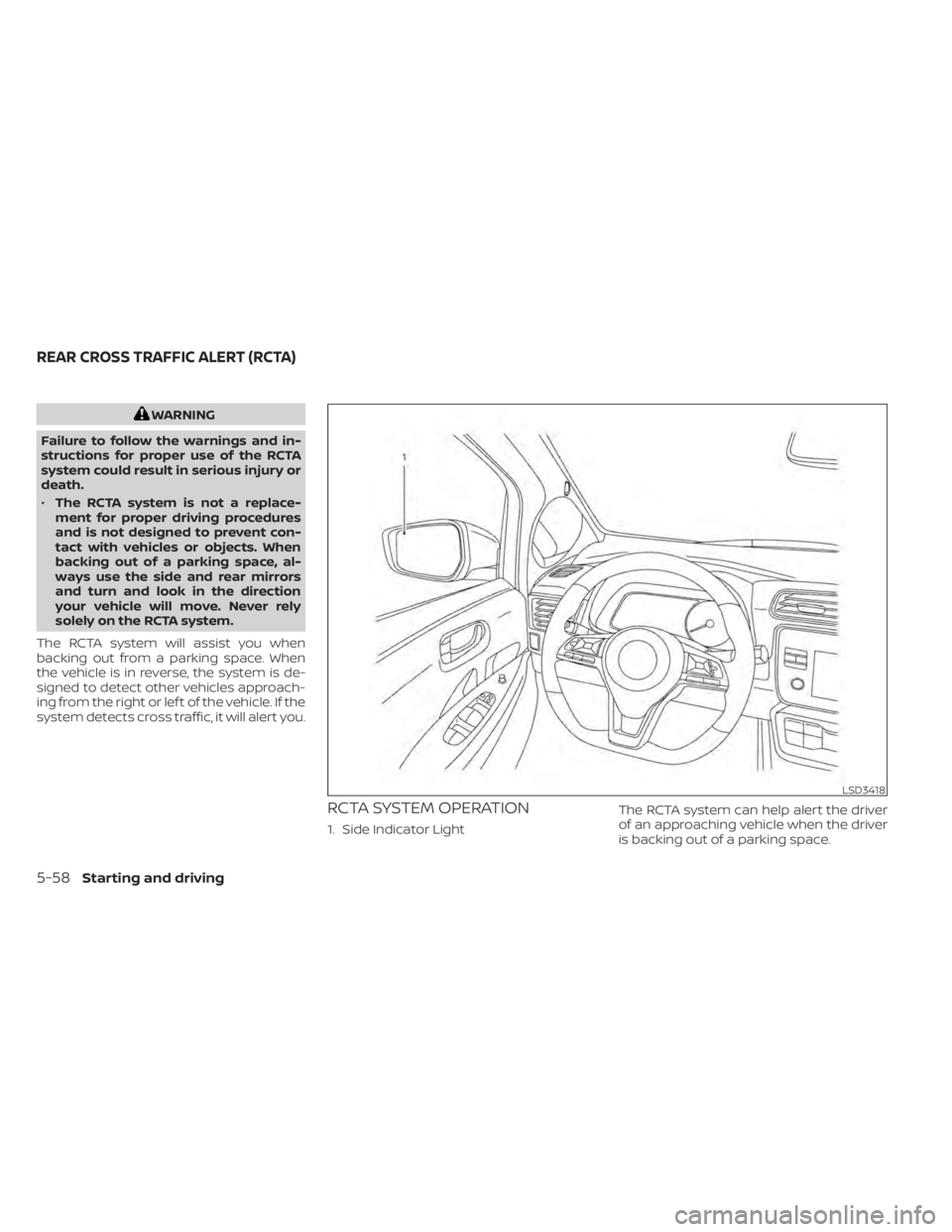
The RCTA system will assist you when
backing out from a parking space. When
the vehicle is in reverse, the system is de-
signed to detect other vehicles approach-
ing from the right or lef t of the vehicle. If the
system detects cross traffic, it will alert you.
RCTA SYSTEM OPERATION
1. Side Indicator Light The RCTA system can help alert the driver
of an approaching vehicle when the driver
is backing out of a parking space.
LSD3418
REAR CROSS TRAFFIC ALERT (RCTA)
5-58Starting and driving
Page 410 of 602
• When the parking brake is applied
• When the VDC operates (including thetraction control system)
• When a wheel slips
When the system is not operating properly,
the chime sounds and the color of the
cruise indicator will change to orange.
Action to take
If the color of the cruise indicator changes
to orange, stop the vehicle in a safe place
and place the shif t lever in the P (Park) po-
sition. Turn the EV system off, restart the EV
system, resume driving, and then perform
the setting again.
If it is not possible to set or the indicator
stays on, it may indicate that the system
is malfunctioning. Although the vehicle
is still drivable under normal conditions,
have the vehicle checked. It is recom-
mended that you visit a NISSAN certified
LEAF dealer for this service.WARNING
Failure to follow the warnings and in-
structions for proper use of the ProPI-
LOT Assist system could result in seri-
ous injury or death.
• ProPILOT Assist is not a self-driving
system. Within the limits of its capa-
bilities, as described in this manual, it
helps the driver with certain driving
activities.
• The ProPILOT Assist system is not a
replacement for proper driving pro-
cedures and is not designed to cor-
rect careless, inattentive or absent-
minded driving. ProPILOT Assist will
not always steer the vehicle to keep it
in the lane. The ProPILOT Assist sys-
tem is not designed to prevent loss of
control. It is the driver’s responsibility
to stay alert, drive safely, keep the
vehicle in the traveling lane, and be in
control of the vehicle at all times. •
There are limitations to the ProPILOT
Assist system capability. The ProPI-
LOT Assist system does not function
in all driving, traffic, weather, and
road conditions. It is the driver’s re-
sponsibility to stay alert, drive safely,
keep the vehicle in the traveling lane,
and be in control of the vehicle at all
times.
• The ProPILOT Assist system is only an
aid to assist the driver and is not a
collision warning or avoidance
device.
• The ProPILOT Assist system is for
highway use only and is not intended
for city driving. Failure to apply the
brake or steer the vehicle when nec-
essary may result in a serious
accident.
• Always observe posted speed limits
and do not set the speed over them.
• Never take your hands off the steer-
ing wheel when driving. Always keep
your hands on the steering wheel
and drive your vehicle safely.
• Never unfasten your safety belt
when using ProPILOT Assist. Doing so
automatically cancels the ProPILOT
Assist system.
PROPILOT ASSIST (if so equipped)
Starting and driving5-91
Page 417 of 602
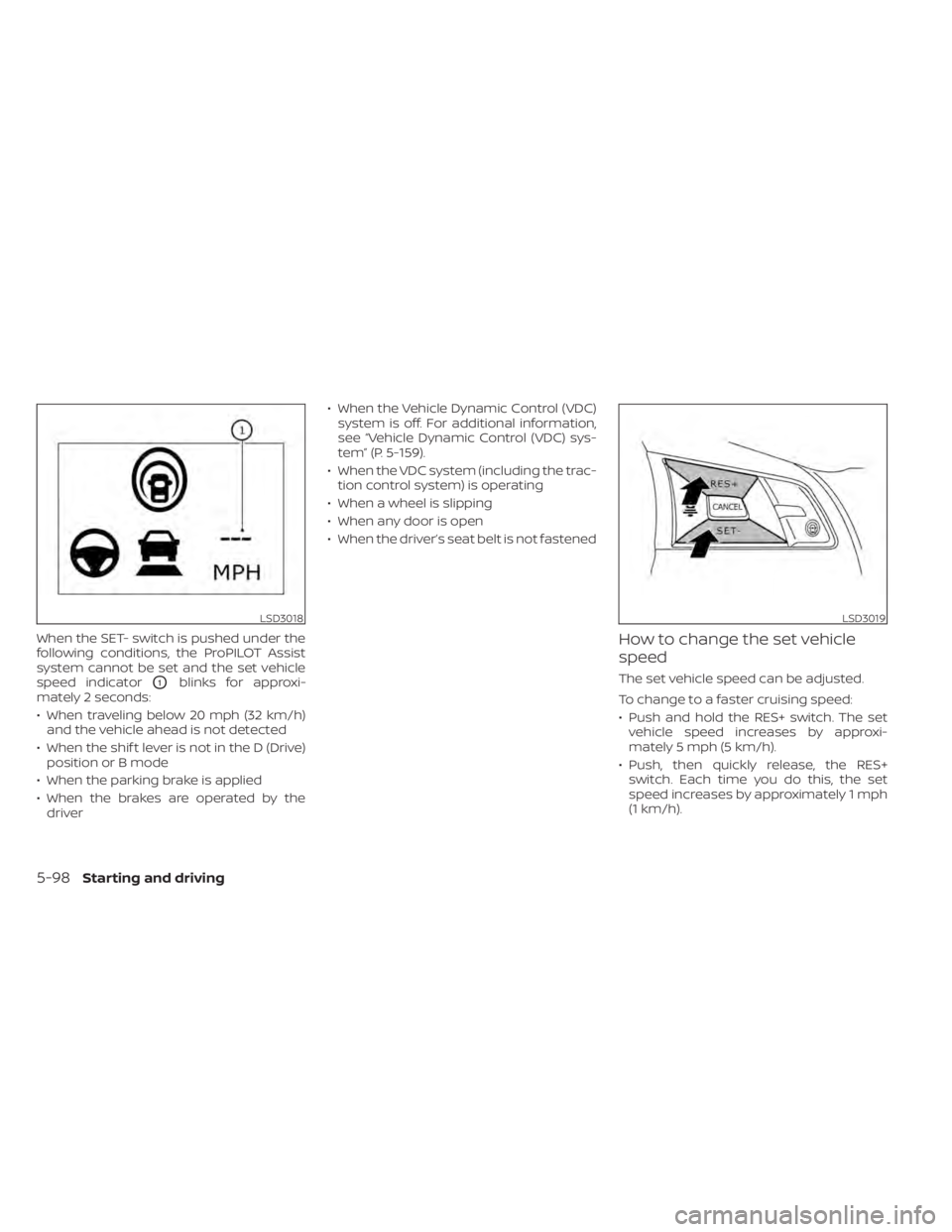
When the SET- switch is pushed under the
following conditions, the ProPILOT Assist
system cannot be set and the set vehicle
speed indicator
O1blinks for approxi-
mately 2 seconds:
• When traveling below 20 mph (32 km/h) and the vehicle ahead is not detected
• When the shif t lever is not in the D (Drive) position or B mode
• When the parking brake is applied
• When the brakes are operated by the driver • When the Vehicle Dynamic Control (VDC)
system is off. For additional information,
see “Vehicle Dynamic Control (VDC) sys-
tem” (P. 5-159).
• When the VDC system (including the trac- tion control system) is operating
• When a wheel is slipping
• When any door is open
• When the driver’s seat belt is not fastened
How to change the set vehicle
speed
The set vehicle speed can be adjusted.
To change to a faster cruising speed:
• Push and hold the RES+ switch. The set vehicle speed increases by approxi-
mately 5 mph (5 km/h).
• Push, then quickly release, the RES+ switch. Each time you do this, the set
speed increases by approximately 1 mph
(1 km/h).
LSD3018LSD3019
5-98Starting and driving