battery NISSAN LEAF 2021 Owner´s Manual
[x] Cancel search | Manufacturer: NISSAN, Model Year: 2021, Model line: LEAF, Model: NISSAN LEAF 2021Pages: 602, PDF Size: 4.22 MB
Page 81 of 602
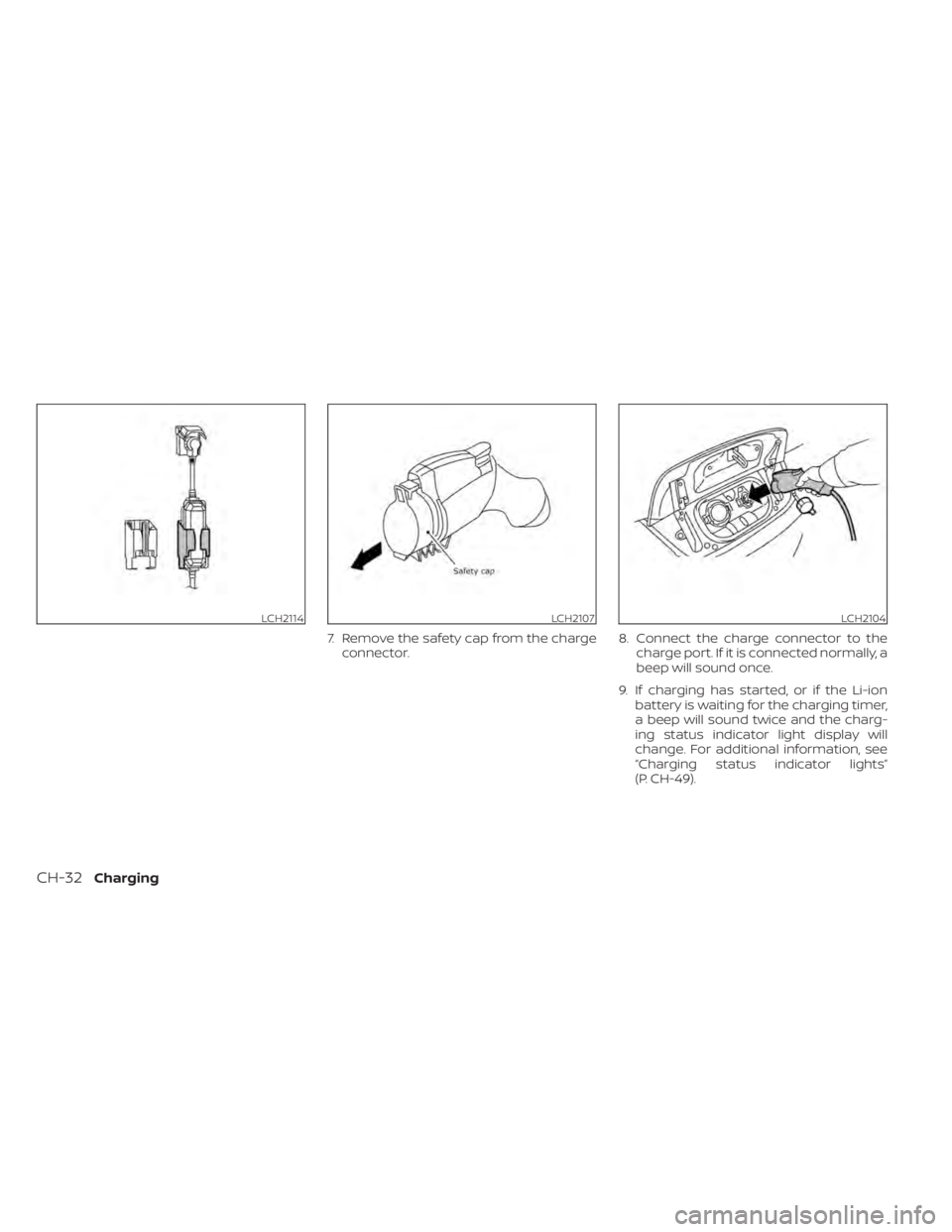
7. Remove the safety cap from the chargeconnector. 8. Connect the charge connector to the
charge port. If it is connected normally, a
beep will sound once.
9. If charging has started, or if the Li-ion battery is waiting for the charging timer,
a beep will sound twice and the charg-
ing status indicator light display will
change. For additional information, see
“Charging status indicator lights”
(P. CH-49).
LCH2114LCH2107LCH2104
CH-32Charging
Page 84 of 602
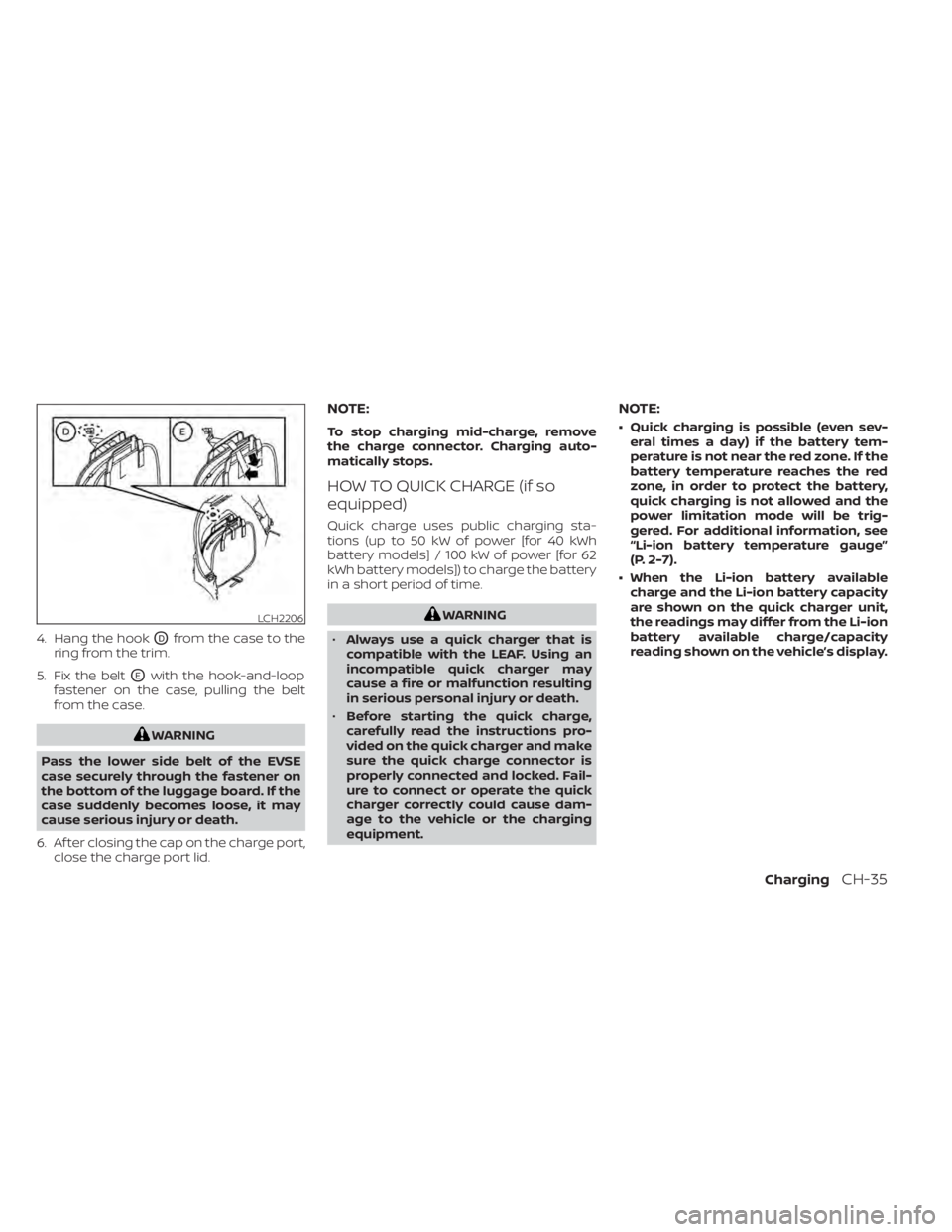
4. Hang the hookODfrom the case to the
ring from the trim.
5. Fix the belt
OEwith the hook-and-loop
fastener on the case, pulling the belt
from the case.
WARNING
Pass the lower side belt of the EVSE
case securely through the fastener on
the bottom of the luggage board. If the
case suddenly becomes loose, it may
cause serious injury or death.
6. Af ter closing the cap on the charge port, close the charge port lid.
NOTE:
To stop charging mid-charge, remove
the charge connector. Charging auto-
matically stops.
HOW TO QUICK CHARGE (if so
equipped)
Quick charge uses public charging sta-
tions (up to 50 kW of power [for 40 kWh
battery models] / 100 kW of power [for 62
kWh battery models]) to charge the battery
in a short period of time.
WARNING
• Always use a quick charger that is
compatible with the LEAF. Using an
incompatible quick charger may
cause a fire or malfunction resulting
in serious personal injury or death.
• Before starting the quick charge,
carefully read the instructions pro-
vided on the quick charger and make
sure the quick charge connector is
properly connected and locked. Fail-
ure to connect or operate the quick
charger correctly could cause dam-
age to the vehicle or the charging
equipment.
NOTE:
• Quick charging is possible (even sev- eral times a day) if the battery tem-
perature is not near the red zone. If the
battery temperature reaches the red
zone, in order to protect the battery,
quick charging is not allowed and the
power limitation mode will be trig-
gered. For additional information, see
“Li-ion battery temperature gauge”
(P. 2-7).
• When the Li-ion battery available charge and the Li-ion battery capacity
are shown on the quick charger unit,
the readings may differ from the Li-ion
battery available charge/capacity
reading shown on the vehicle’s display.
LCH2206
ChargingCH-35
Page 85 of 602
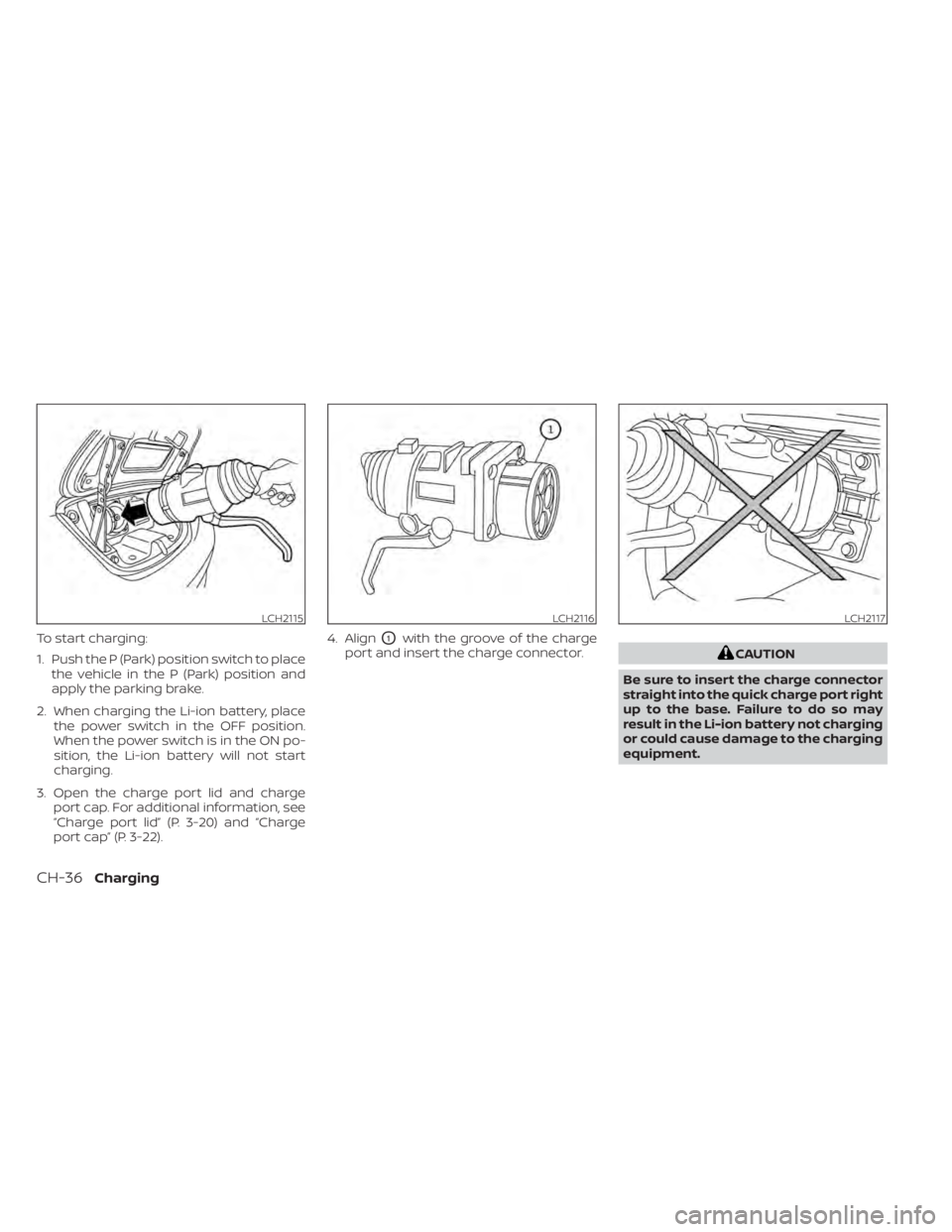
To start charging:
1. Push the P (Park) position switch to placethe vehicle in the P (Park) position and
apply the parking brake.
2. When charging the Li-ion battery, place the power switch in the OFF position.
When the power switch is in the ON po-
sition, the Li-ion battery will not start
charging.
3. Open the charge port lid and charge port cap. For additional information, see
“Charge port lid” (P. 3-20) and “Charge
port cap” (P. 3-22). 4. AlignO1with the groove of the charge
port and insert the charge connector.
CAUTION
Be sure to insert the charge connector
straight into the quick charge port right
up to the base. Failure to do so may
result in the Li-ion battery not charging
or could cause damage to the charging
equipment.
LCH2115LCH2116LCH2117
CH-36Charging
Page 86 of 602
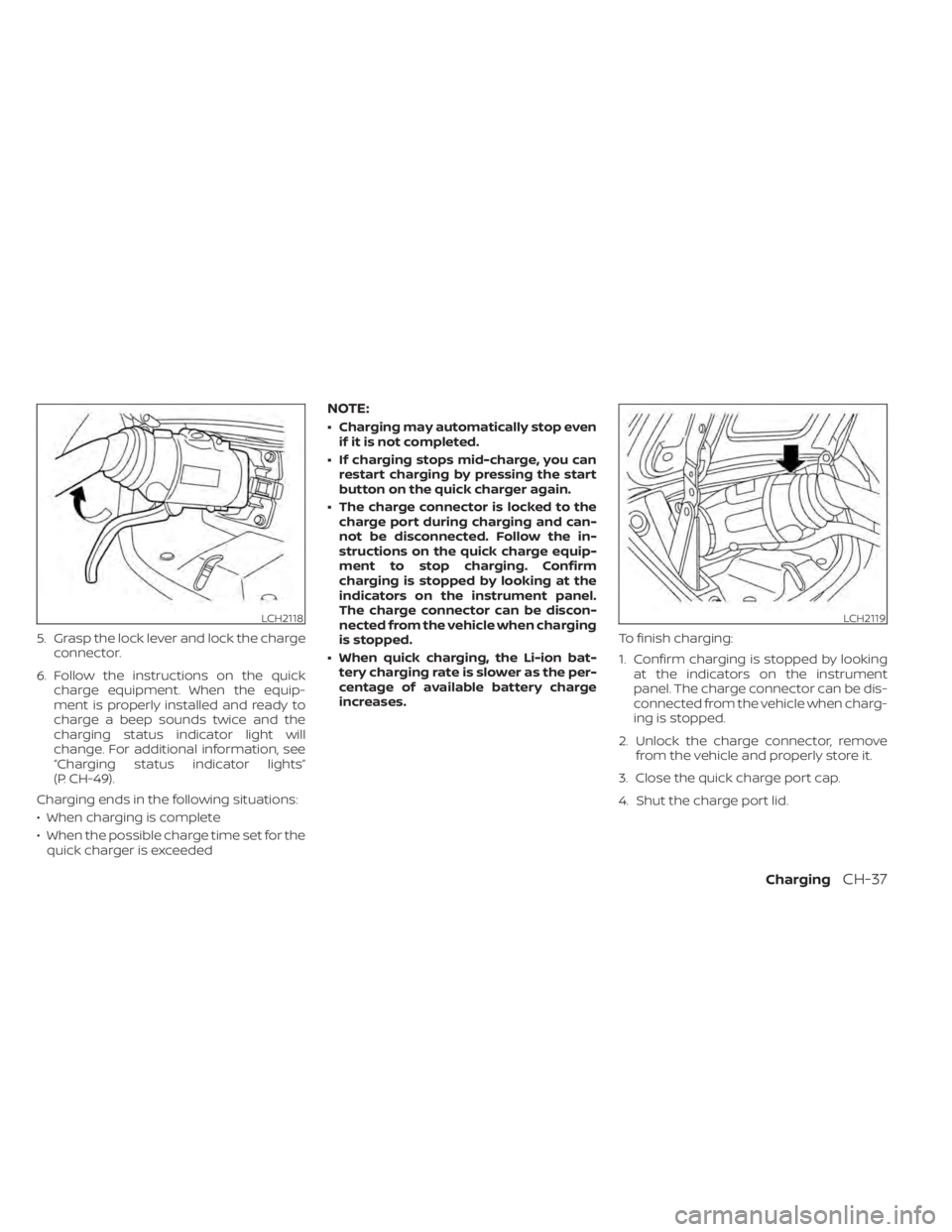
5. Grasp the lock lever and lock the chargeconnector.
6. Follow the instructions on the quick charge equipment. When the equip-
ment is properly installed and ready to
charge a beep sounds twice and the
charging status indicator light will
change. For additional information, see
“Charging status indicator lights”
(P. CH-49).
Charging ends in the following situations:
• When charging is complete
• When the possible charge time set for the quick charger is exceeded
NOTE:
• Charging may automatically stop even if it is not completed.
• If charging stops mid-charge, you can restart charging by pressing the start
button on the quick charger again.
• The charge connector is locked to the charge port during charging and can-
not be disconnected. Follow the in-
structions on the quick charge equip-
ment to stop charging. Confirm
charging is stopped by looking at the
indicators on the instrument panel.
The charge connector can be discon-
nected from the vehicle when charging
is stopped.
• When quick charging, the Li-ion bat- tery charging rate is slower as the per-
centage of available battery charge
increases. To finish charging:
1. Confirm charging is stopped by looking
at the indicators on the instrument
panel. The charge connector can be dis-
connected from the vehicle when charg-
ing is stopped.
2. Unlock the charge connector, remove from the vehicle and properly store it.
3. Close the quick charge port cap.
4. Shut the charge port lid.
LCH2118LCH2119
ChargingCH-37
Page 87 of 602
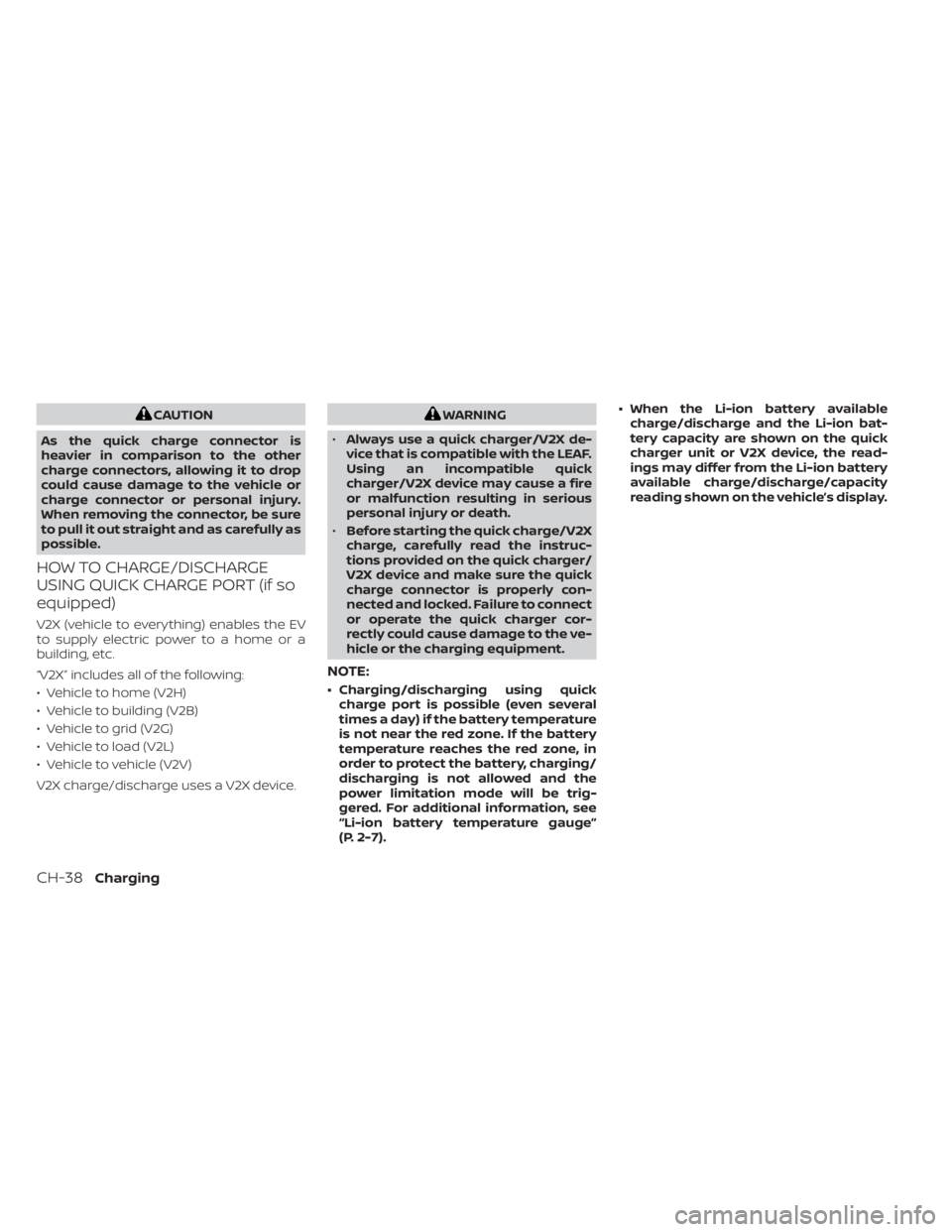
CAUTION
As the quick charge connector is
heavier in comparison to the other
charge connectors, allowing it to drop
could cause damage to the vehicle or
charge connector or personal injury.
When removing the connector, be sure
to pull it out straight and as carefully as
possible.
HOW TO CHARGE/DISCHARGE
USING QUICK CHARGE PORT (if so
equipped)
V2X (vehicle to everything) enables the EV
to supply electric power to a home or a
building, etc.
“V2X ” includes all of the following:
• Vehicle to home (V2H)
• Vehicle to building (V2B)
• Vehicle to grid (V2G)
• Vehicle to load (V2L)
• Vehicle to vehicle (V2V)
V2X charge/discharge uses a V2X device.
WARNING
• Always use a quick charger/V2X de-
vice that is compatible with the LEAF.
Using an incompatible quick
charger/V2X device may cause a fire
or malfunction resulting in serious
personal injury or death.
• Before starting the quick charge/V2X
charge, carefully read the instruc-
tions provided on the quick charger/
V2X device and make sure the quick
charge connector is properly con-
nected and locked. Failure to connect
or operate the quick charger cor-
rectly could cause damage to the ve-
hicle or the charging equipment.
NOTE:
• Charging/discharging using quick charge port is possible (even several
times a day) if the battery temperature
is not near the red zone. If the battery
temperature reaches the red zone, in
order to protect the battery, charging/
discharging is not allowed and the
power limitation mode will be trig-
gered. For additional information, see
“Li-ion battery temperature gauge”
(P. 2-7). • When the Li-ion battery available
charge/discharge and the Li-ion bat-
tery capacity are shown on the quick
charger unit or V2X device, the read-
ings may differ from the Li-ion battery
available charge/discharge/capacity
reading shown on the vehicle’s display.
CH-38Charging
Page 88 of 602
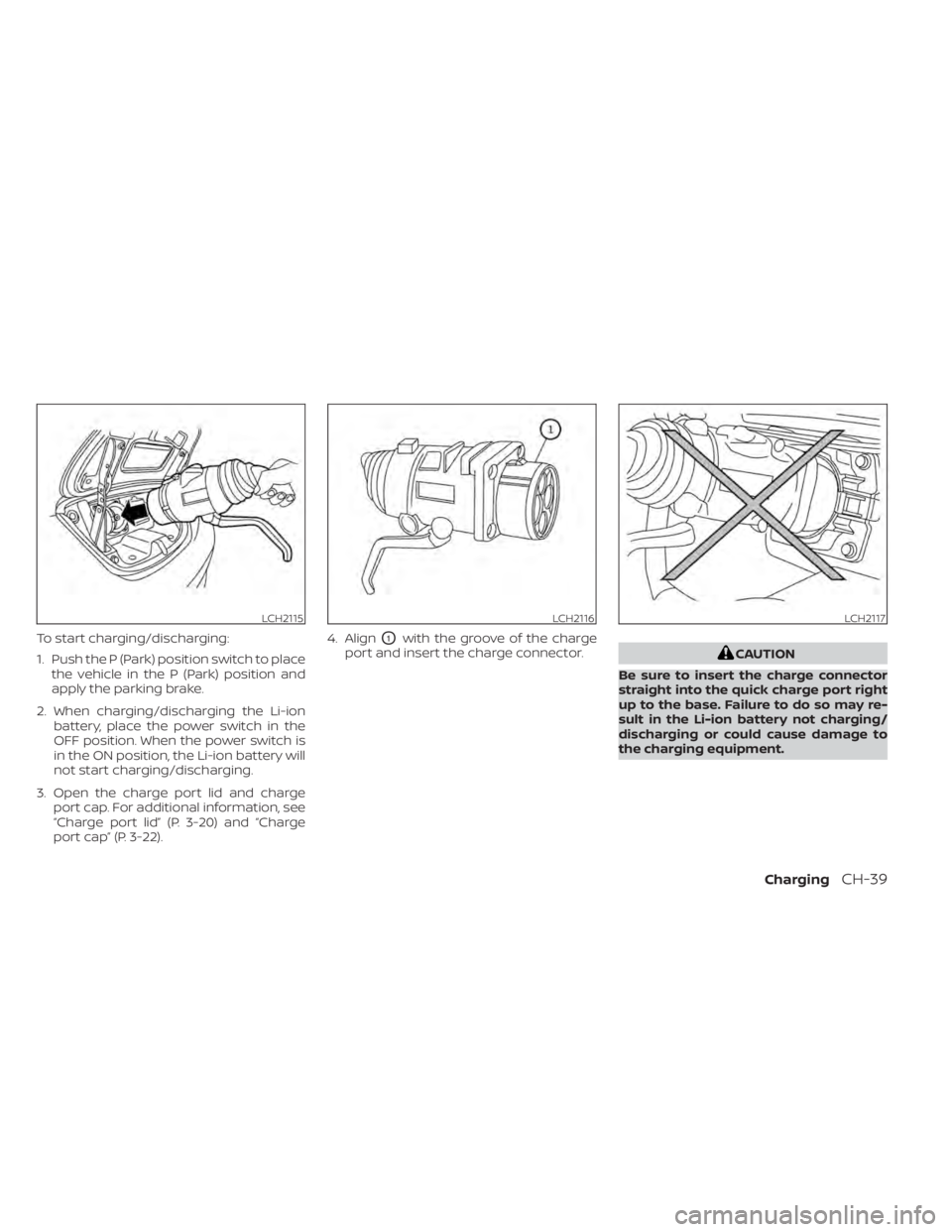
To start charging/discharging:
1. Push the P (Park) position switch to placethe vehicle in the P (Park) position and
apply the parking brake.
2. When charging/discharging the Li-ion battery, place the power switch in the
OFF position. When the power switch is
in the ON position, the Li-ion battery will
not start charging/discharging.
3. Open the charge port lid and charge port cap. For additional information, see
“Charge port lid” (P. 3-20) and “Charge
port cap” (P. 3-22). 4. AlignO1with the groove of the charge
port and insert the charge connector.
CAUTION
Be sure to insert the charge connector
straight into the quick charge port right
up to the base. Failure to do so may re-
sult in the Li-ion battery not charging/
discharging or could cause damage to
the charging equipment.
LCH2115LCH2116LCH2117
ChargingCH-39
Page 89 of 602
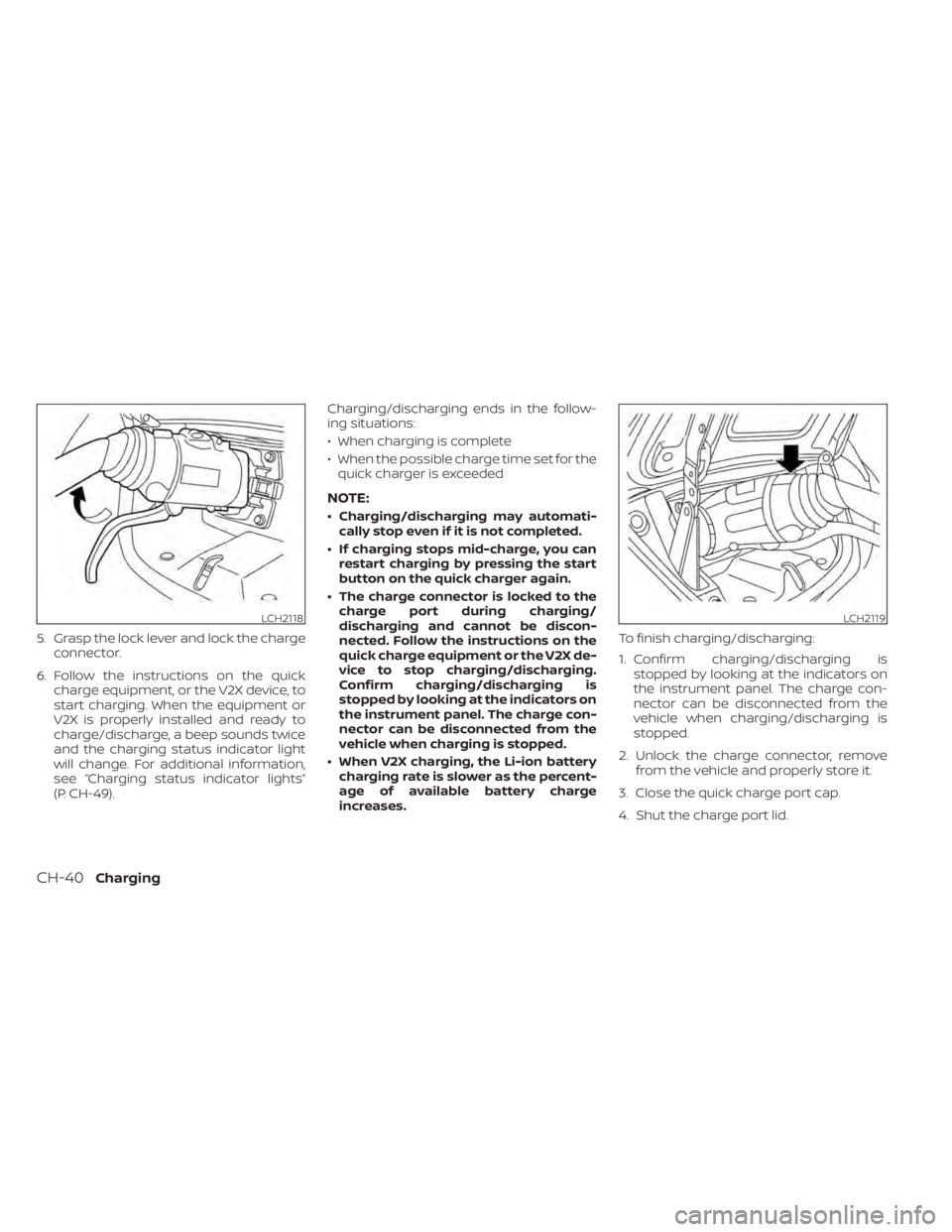
5. Grasp the lock lever and lock the chargeconnector.
6. Follow the instructions on the quick charge equipment, or the V2X device, to
start charging. When the equipment or
V2X is properly installed and ready to
charge/discharge, a beep sounds twice
and the charging status indicator light
will change. For additional information,
see “Charging status indicator lights”
(P. CH-49). Charging/discharging ends in the follow-
ing situations:
• When charging is complete
• When the possible charge time set for the
quick charger is exceeded
NOTE:
• Charging/discharging may automati- cally stop even if it is not completed.
• If charging stops mid-charge, you can restart charging by pressing the start
button on the quick charger again.
• The charge connector is locked to the charge port during charging/
discharging and cannot be discon-
nected. Follow the instructions on the
quick charge equipment or the V2X de-
vice to stop charging/discharging.
Confirm charging/discharging is
stopped by looking at the indicators on
the instrument panel. The charge con-
nector can be disconnected from the
vehicle when charging is stopped.
• When V2X charging, the Li-ion battery charging rate is slower as the percent-
age of available battery charge
increases. To finish charging/discharging:
1. Confirm charging/discharging is
stopped by looking at the indicators on
the instrument panel. The charge con-
nector can be disconnected from the
vehicle when charging/discharging is
stopped.
2. Unlock the charge connector, remove from the vehicle and properly store it.
3. Close the quick charge port cap.
4. Shut the charge port lid.
LCH2118LCH2119
CH-40Charging
Page 92 of 602
NOTE:
• Depending on the charging station, thelock mechanism established by local
standards may not be compatible with
your vehicle. It may not be possible for
the charge connector to lock to your
vehicle.
• When the power source is cut off while charging in AUTO mode, the connector
will be continuously locked for 5 min-
utes, then it will be released.
• When timer charging is set with AUTO mode, the connector will not lock until
charging is started.
• When the following system(s) are oper- ated individually or the 12-volt battery
is being charged, the charging connec-
tor lock will not lock:– Climate Ctrl. Timer
– Remote climate control (if so equipped)
– Li-ion battery warmer (if so equipped)
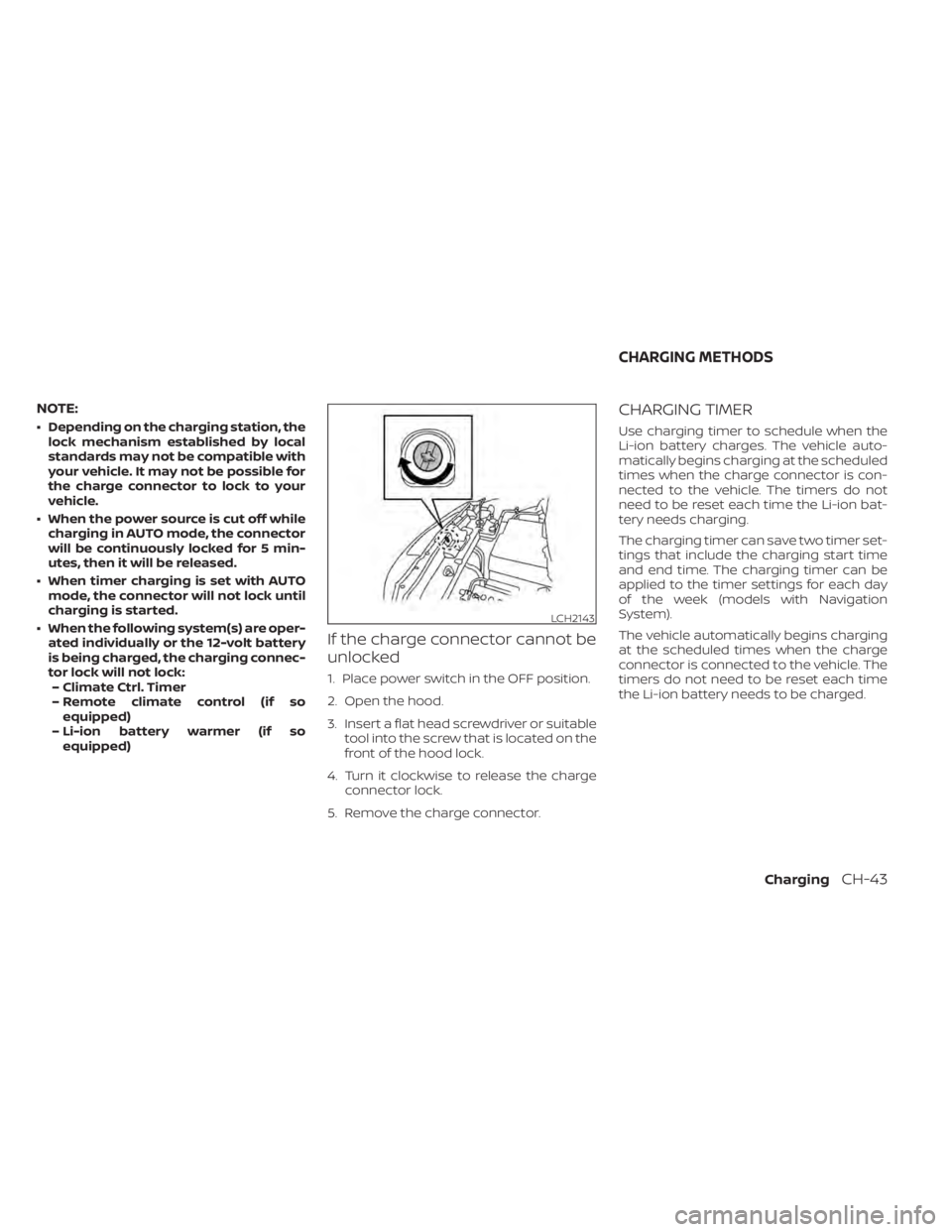
If the charge connector cannot be
unlocked
1. Place power switch in the OFF position.
2. Open the hood.
3. Insert a flat head screwdriver or suitable tool into the screw that is located on the
front of the hood lock.
4. Turn it clockwise to release the charge connector lock.
5. Remove the charge connector.
CHARGING TIMER
Use charging timer to schedule when the
Li-ion battery charges. The vehicle auto-
matically begins charging at the scheduled
times when the charge connector is con-
nected to the vehicle. The timers do not
need to be reset each time the Li-ion bat-
tery needs charging.
The charging timer can save two timer set-
tings that include the charging start time
and end time. The charging timer can be
applied to the timer settings for each day
of the week (models with Navigation
System).
The vehicle automatically begins charging
at the scheduled times when the charge
connector is connected to the vehicle. The
timers do not need to be reset each time
the Li-ion battery needs to be charged.
LCH2143
CHARGING METHODS
ChargingCH-43
Page 93 of 602
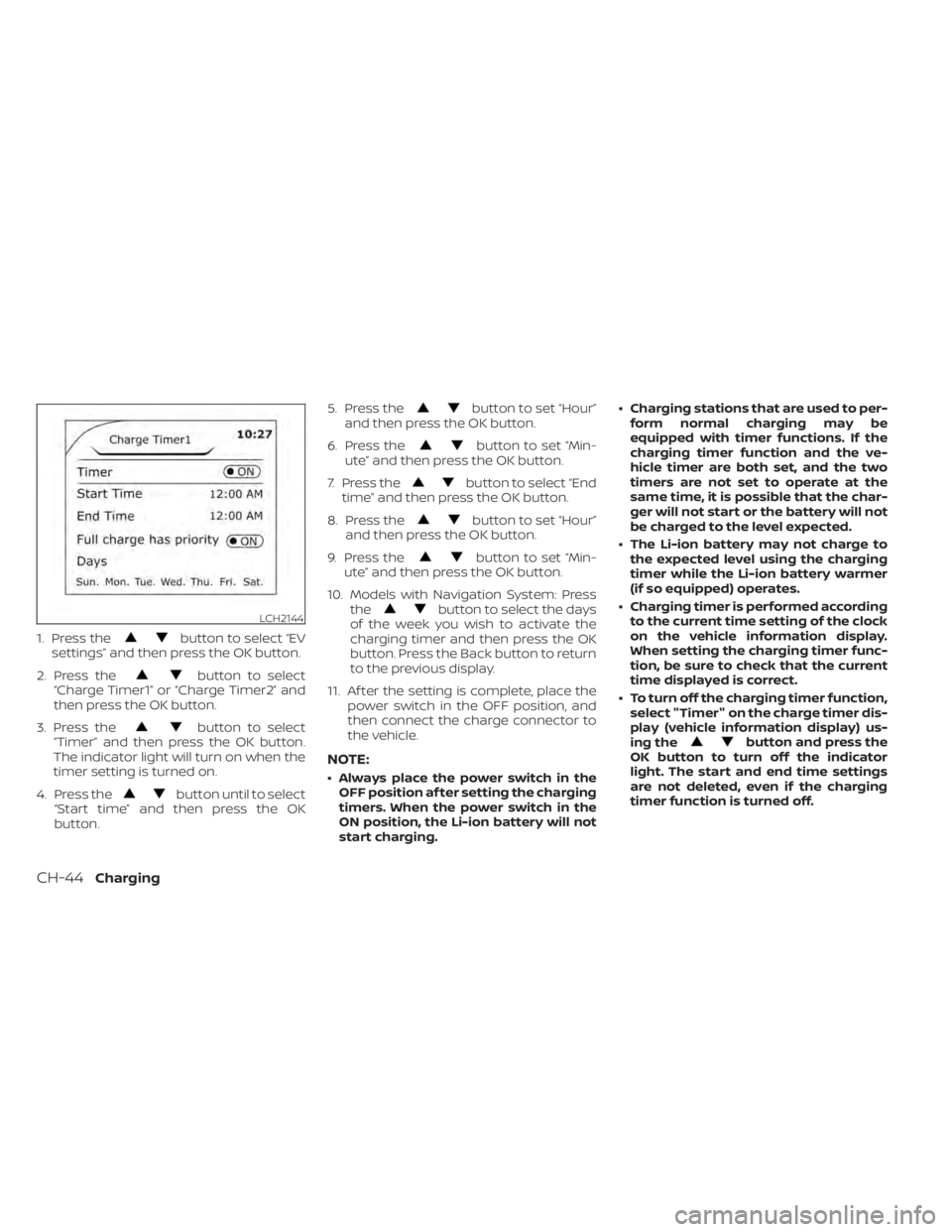
1. Press thebutton to select “EV
settings” and then press the OK button.
2. Press the
button to select
“Charge Timer1” or “Charge Timer2” and
then press the OK button.
3. Press the
button to select
“Timer” and then press the OK button.
The indicator light will turn on when the
timer setting is turned on.
4. Press the
button until to select
“Start time” and then press the OK
button. 5. Press the
button to set “Hour”
and then press the OK button.
6. Press the
button to set “Min-
ute” and then press the OK button.
7. Press the
button to select “End
time” and then press the OK button.
8. Press the
button to set “Hour”
and then press the OK button.
9. Press the
button to set “Min-
ute” and then press the OK button.
10. Models with Navigation System: Press the
button to select the days
of the week you wish to activate the
charging timer and then press the OK
button. Press the Back button to return
to the previous display.
11. Af ter the setting is complete, place the power switch in the OFF position, and
then connect the charge connector to
the vehicle.
NOTE:
• Always place the power switch in theOFF position af ter setting the charging
timers. When the power switch in the
ON position, the Li-ion battery will not
start charging. • Charging stations that are used to per-
form normal charging may be
equipped with timer functions. If the
charging timer function and the ve-
hicle timer are both set, and the two
timers are not set to operate at the
same time, it is possible that the char-
ger will not start or the battery will not
be charged to the level expected.
• The Li-ion battery may not charge to the expected level using the charging
timer while the Li-ion battery warmer
(if so equipped) operates.
• Charging timer is performed according to the current time setting of the clock
on the vehicle information display.
When setting the charging timer func-
tion, be sure to check that the current
time displayed is correct.
• To turn off the charging timer function, select "Timer" on the charge timer dis-
play (vehicle information display) us-
ing the
button and press the
OK button to turn off the indicator
light. The start and end time settings
are not deleted, even if the charging
timer function is turned off.
LCH2144
CH-44Charging
Page 94 of 602
• If the day of the week is not selected onthe timer charge setting screen, the
charging timer will not operate on that
day. The system will wait until the next
set charging time to perform charging
(models with Navigation System).
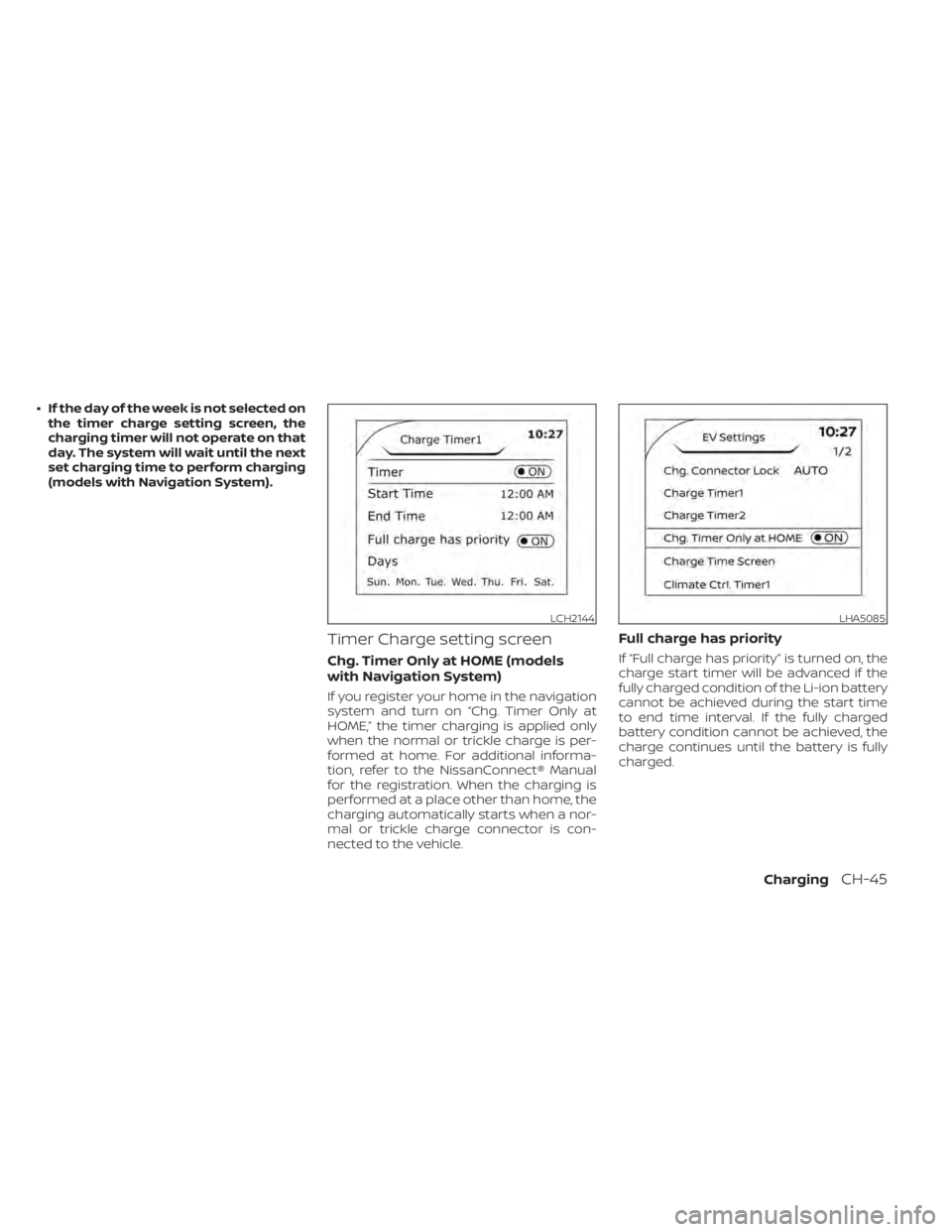
Timer Charge setting screen
Chg. Timer Only at HOME (models
with Navigation System)
If you register your home in the navigation
system and turn on “Chg. Timer Only at
HOME,” the timer charging is applied only
when the normal or trickle charge is per-
formed at home. For additional informa-
tion, refer to the NissanConnect® Manual
for the registration. When the charging is
performed at a place other than home, the
charging automatically starts when a nor-
mal or trickle charge connector is con-
nected to the vehicle.
Full charge has priority
If “Full charge has priority” is turned on, the
charge start timer will be advanced if the
fully charged condition of the Li-ion battery
cannot be achieved during the start time
to end time interval. If the fully charged
battery condition cannot be achieved, the
charge continues until the battery is fully
charged.
LCH2144LHA5085
ChargingCH-45