phone NISSAN LEAF 2021 Owner´s Manual
[x] Cancel search | Manufacturer: NISSAN, Model Year: 2021, Model line: LEAF, Model: NISSAN LEAF 2021Pages: 602, PDF Size: 4.22 MB
Page 314 of 602
5. Press thebutton to select “De-
parture time” and then press the OK
button.
6. Press the
button to set “Hour”
and then press the OK button.
7. Press the
button to set “Minute”
and then press the OK button. The set-
ting can be changed with an increment
step of 10 minutes.
8. Press the
button to select
“Climate Temperature” and then press
the OK button.
9. Press the
button to set Cli-
mate Temperature and then press the
OK button.
10. * Press the
button to select
"Days" and then press the OK button.
The current day of the week is dis-
played with an underline.
Press the
button to select the
days of the week you wish to activate
the Climate Control system and then
press the OK button. The indicator light
of the selected button will turn on. 11. * Af ter setting the day of the week, press
the Back button and return to the pre-
vious screen.
The set day of the week is lit in white.
12. Af ter the setting is complete, place the power switch in the OFF position, and
then connect the charge connector to
the vehicle.
* models with Navigation System
Info
The Climate Ctrl. Timer does not activate if
the charge connector is not connected to
the vehicle. When the “Battery Operation
OK” is turned on and the charging connec-
tor is not connected to the vehicle, the Cli-
mate Ctrl. Timer will activate for 15 minutes.
When the outside temperature is high, the
interior temperature may not reach the set
temperature within the 15 minutes.
Turn "Battery Operation OK" to OFF when it
is not necessary to operate air condition-
ing timer in order to prevent Li-ion battery
from discharging.
For models without Navigation System, the
Climate Ctrl. Timer operates repeatedly ev-
ery day once it is turned on.
Operating tips for using Climate
Ctrl. Timer
• The Climate Ctrl. Timer will only start when the power switch is in the LOCK/
OFF or ACC position.
• To turn off the Climate Ctrl. Timer func- tion, turn off the “Climate Ctrl. Timer1” and
"Climate Ctrl. Timer2" setting in the video
information display using the
button on the steering wheel. The start
and stop time settings will not be deleted
even if the Climate Ctrl. Timer function is
turned off.
• While the Climate Ctrl. Timer is operating, the Climate Ctrl. Timer indicator and the
charging status indicator lights flash. If
the Climate Ctrl. Timer is set to activate,
the Climate Ctrl. Timer indicator
illuminates.*
• If the Climate Ctrl. Timer starts operating while the vehicle is being charged, the
time required for charging will be longer.
• Operating the Climate Ctrl. Timer or re- mote climate control in an environment
where the temperature is low may de-
crease the rate of battery charge.
Monitor, climate, audio, phone and voice recognition systems4-37
Page 315 of 602
• Timer setting can also be changed whileClimate Ctrl. Timer is operated. When the
power position is switched to OFF, the air
conditioner starts or enters waiting
mode depending on the new timer
settings.
• When the difference in temperature be- tween the air conditioner setting tem-
perature and the temperature outside
the vehicle is large, the temperature in-
side the vehicle may not be maintained
at the setting temperature.
• The charging status indicator lights illu- minate in a specific pattern when the Li-
ion battery warmer operates. The charg-
ing status indicator lights use the same
pattern to indicate 12–volt battery charg-
ing, Climate Ctrl. Timer operation or Re-
mote Climate Control operation. The
charging status indicator lights do not
change if the Li-ion battery warmer oper-
ates at the same time as the above
features.
• The temperature in the passenger com- partment may not be comfortable if en-
tering the vehicle too soon before or too
long af ter the scheduled time of
departure. • Air conditioning is limited to the capacity
of the electric power when the charge
connector is connected. Therefore, the
temperature may not reach the set tem-
perature due to limitations in air condi-
tioning performance, if ambient tem-
perature is excessively high or low, or if
the charge connector is connected to a
120–volt plug outlet.
• The Climate Ctrl. Timer operates the cli- mate control function so that a comfort-
able temperature is provided in the pas-
senger compartment at the scheduled
time of departure. The climate control is
set to stop at the scheduled time of
departure.
• Depending on the facilities of charging station, there may be time when it is not
available for charging. Confirm the avail-
ability of the charging facility before set-
ting the Climate Ctrl. Timer. Be sure that
the power switch of the charger is turned
on when setting the Climate Ctrl. Timer.
• When the power switch is turned OFF af- ter changing the setting, the new setting
will be applied.
*models with Navigation SystemRemote climate control
This vehicle incorporates a communica-
tion device that is called a TCU (Telematics
Control Unit). The communication connec-
tion between this unit and Nissan Data
Center allows for various remote function
services.
Even when away from the vehicle, climate
control can be started by accessing the
Web Owner Portal using a cellular phone or
a personal computer.
When operation is started, or at the set
start time, the Nissan Data Center ac-
cesses the vehicle. When the vehicle re-
ceives a command for remote operation,
the climate control immediately turns ON
and operates for the specified period of
time. Confirmation of the ON/OFF of the
climate control operation can be checked
by accessing the Web Owner Portal, or by
e-mail.
Completing registration for the
NissanConnect® EV Services is necessary
before using the service. For additional in-
formation, refer to the NissanConnect®
Manual.
4-38Monitor, climate, audio, phone and voice recognition systems
Page 316 of 602
WARNING
• Radio waves could adversely affect
electric medical equipment. For ad-
ditional information, refer to your
electric medical equipment manu-
facturer for the possible effect on
pacemakers before using the remote
climate control.
• Even if the remote climate control is
set, the temperature in the passen-
ger room may become high if the
system automatically stops. Do not
leave children or adults who would
normally require the support of oth-
ers alone in your vehicle. Pets should
not be lef t alone either. On hot, sunny
days, temperatures in a closed ve-
hicle could quickly become high
enough to cause severe or possibly
fatal injuries to people or animals.
NOTE:
• To check the Li-ion battery charging status using an internet enabled smart
phone or personal computer.– The vehicle must be located in a cel- lular phone coverage area.
– The cellular phone must be located in an area with cellular phone
coverage. – The computer must be connected to
the internet.
• Some cellular phones are not compat- ible with this system and cannot be
used to check the Li-ion battery charg-
ing status. Confirm this beforehand.
Operating tips
• When the charge connector is con-nected, the climate control operates us-
ing electric power. When the charge con-
nector is disconnected from the vehicle,
the climate control operates using ve-
hicle battery electric power.
• The climate control can be operated for a maximum of 2 hours when the charge
connector is connected to the vehicle, or
a maximum of 15 minutes when the
charge connector is disconnected.
• The remote climate control will only start to operate when the power switch is in
the LOCK/OFF or ACC position.
• Remote climate control operation is not available when the vehicle is in an area of
cellular communication range. • Communication becomes unavailable
when the vehicle is not used for two
weeks or more. When the power switch is
placed in the ON position, communica-
tion with the Nissan Data Center can be
restored.
• Air conditioning is limited to the capacity of the electric power when the charge
connector is connected to the vehicle.
Therefore, the temperature may not
reach a comfortable level due to perfor-
mance of the air conditioning being lim-
ited, if the outside temperature is exces-
sively high or low, or if the charge
connector is connected to a 110 – 120-volt
outlet.
• If the power switch is in the ON position or the charge connector is disconnected,
while the remote climate control is being
operated, remote climate control opera-
tion is automatically stopped and an
e-mail is sent.
• If remote climate control operation is started while the vehicle is in normal
charge mode, the climate control oper-
ates in climate control priority mode and
charging is continued.
Monitor, climate, audio, phone and voice recognition systems4-39
Page 317 of 602
• If remote climate control operation isstarted and charging is stopped while
the vehicle is in quick charge mode, cli-
mate control operation is also stopped.
• If the quick charge connector is con- nected and charging is not performed,
remote climate control operation starts
using the battery electric power of the
vehicle.
Servicing climate control
The climate control system in your NISSAN
is charged with a refrigerant designed with
the environment in mind. This refrigerant
will not harm the earth’s ozone layer. Spe-
cial charging equipment and lubricant are
required when servicing your NISSAN cli-
mate control. Using improper refrigerants
or lubricants will cause severe damage to
your climate control system. For additional
information, see “Recommended fluids/
lubricants and capacities” (P. 10-2).
It is recommended that you visit a NISSAN
certified LEAF dealer to service your envi-
ronmentally friendly climate control
system. There are USB/iPod® charging ports lo-
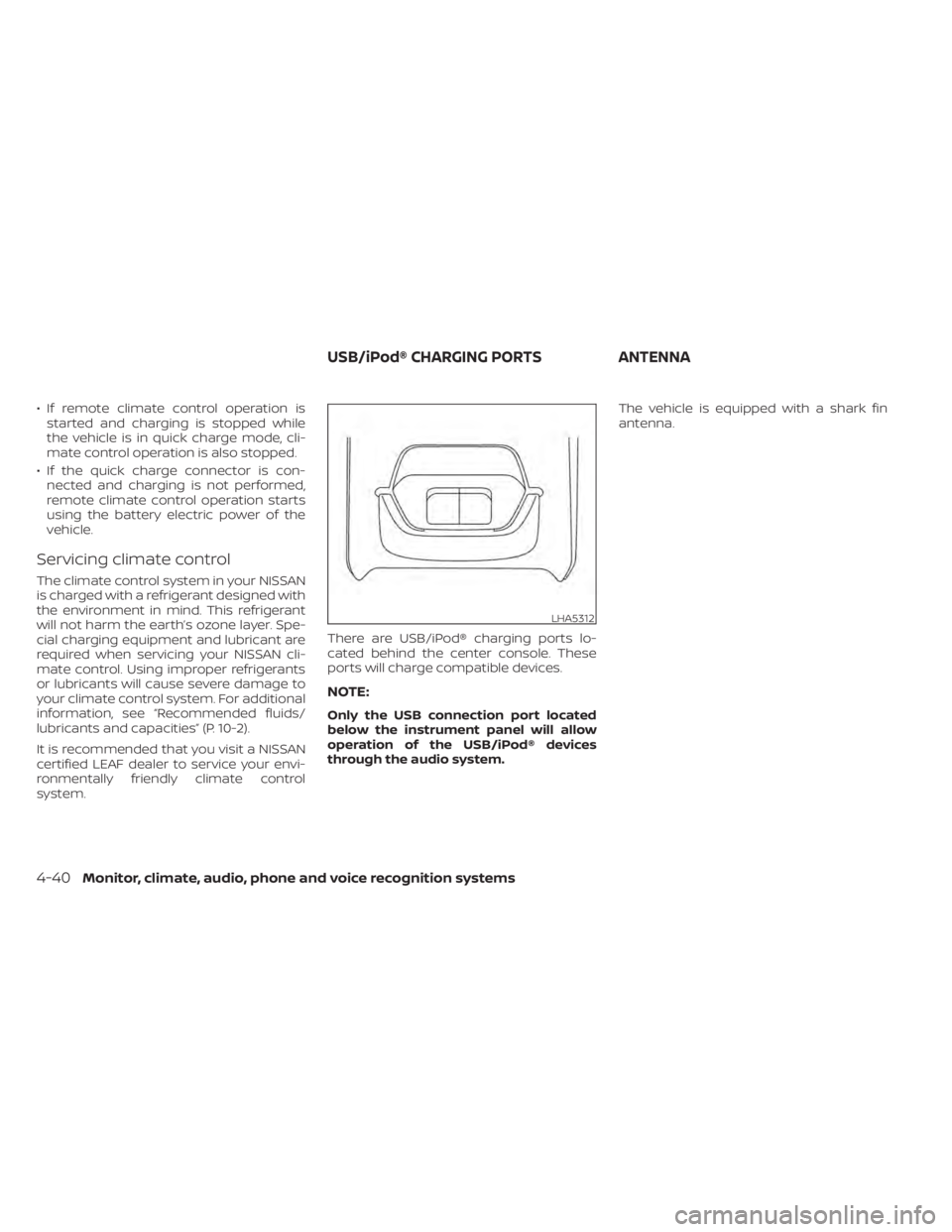
cated behind the center console. These
ports will charge compatible devices.
NOTE:
Only the USB connection port located
below the instrument panel will allow
operation of the USB/iPod® devices
through the audio system.The vehicle is equipped with a shark fin
antenna.
LHA5312
USB/iPod® CHARGING PORTS
ANTENNA
4-40Monitor, climate, audio, phone and voice recognition systems
Page 318 of 602
When installing a CB, ham radio or car
phone in your vehicle, be sure to observe
the following precautions; otherwise, the
new equipment may adversely affect the
EV control system and other electronic
parts.
WARNING
• A cellular phone should not be used
for any purpose while driving so full
attention may be given to vehicle op-
eration. Some jurisdictions prohibit
the use of cellular phones while
driving.
• If you must make a call while your
vehicle is in motion, the hands-free
cellular phone operational mode is
highly recommended. Exercise ex-
treme caution at all times so full at-
tention may be given to vehicle
operation.
• If you are unable to devote full atten-
tion to vehicle operation while talk-
ing on the phone, pull off the road to
a safe location and stop your vehicle.
CAUTION
• Keep the antenna as far away as pos-
sible from the electronic control
modules.
• Keep the antenna wire more than 8 in
(20 cm) away from the electronic
control system harnesses. Do not
route the antenna wire next to any
harness.
• Adjust the antenna standing-wave
ratio as recommended by the
manufacturer.
• Connect the ground wire from the CB
radio chassis to the body.
• For additional information, it is rec-
ommended that you visit a NISSAN
certified LEAF dealer. “Made for iPod”, “Made for iPhone” and
“Made for iPad” mean that an electronic
accessory has been designed to connect
specifically to iPod, iPhone or iPad, respec-
tively, and has been certified by the devel-
oper to meet Apple performance stan-
dards. Apple is not responsible for the
operation of this device or its compliance
with safety and regulatory standards.
Please note that the use of this accessory
with iPod, iPhone or iPad may affect wire-
less performance.
iPad, iPhone, iPod classic, iPod nano, iPod
shuffle and iPod touch are trademarks of
Apple Inc., registered in the U.S. and other
countries. Lightning is a trademark of
Apple Inc.
CAR PHONE OR CB RADIO
iPod®/IPHONE®
Monitor, climate, audio, phone and voice recognition systems4-41
Page 333 of 602
1. Confirm the parking brake is applied.
2. Confirm that the vehicle is in the P (Park)position.
When the power switch is placed in the
ON position, the EV is designed not to
operate unless the shif t lever is in the P
(Park) or N (Neutral) position.
The Intelligent Key must be carried
with you when operating the power
switch.
3. Depress the brake pedal and push the power switch to place the EV system in
the READY to drive position.
To place the vehicle in the READY to drive
position immediately, push and release
the power switch while depressing the
brake pedal with the power switch in any
position. The READY to drive indicator
light
in the meter illuminates.
4. To stop the EV system, push the P (Park) position switch on the shif t lever, and
place the power switch in the OFF
position.
NOTE:
Care should be taken to avoid situations
that can lead to potential battery dis-
charge and potential no-start conditions
such as:
1. Installation or extended use of elec-tronic accessories that consume bat-
tery power when the EV system is not
running (phone chargers, GPS, DVD
players, etc.).
2. The vehicle is not driven regularly and/or only driven short distances.
In these cases, the battery may need to
be charged to maintain battery health.
ELECTRIC SHIFT CONTROL
SYSTEM
This vehicle is electronically controlled to
produce maximum available power and
smooth operation.
The recommended operating procedures
for this vehicle are shown on the following
pages.
Starting the vehicle
1. Af ter placing the vehicle in the READY to drive position, fully depress the foot
brake pedal before moving the shif t lever
to the D (Drive) position.
The shif t lever of this vehicle is de-
signed so that the foot brake pedal
must be depressed before shif ting
from the P (Park) position to any driv-
ing position while the power switch is
in the ON position.
The shif t lever cannot be moved out of
the P (Park) position and into any of
the other positions if the power switch
is placed in the LOCK, OFF or ACC posi-
tion or if the Intelligent Key is
removed.
STARTING THE EV SYSTEM DRIVING THE VEHICLE
5-14Starting and driving
Page 523 of 602
• Keep the 12-volt battery surface cleanand dry. Clean the 12-volt battery with a
solution of baking soda and water.
• Make certain the terminal connections are clean and securely tightened.
NOTE:
Care should be taken to avoid situations
that can lead to potential battery dis-
charge and potential no-start conditions
such as:
1. Installation or extended use of elec- tronic accessories that consume bat-
tery power when the EV system is not
running (Phone chargers, GPS, DVD
players, etc.)
2. Vehicle is not driven regularly and/or only driven short distances.
In these cases, the battery may need to
be charged to maintain battery health
WARNING
• Do not expose the 12-volt battery to
flames or electrical sparks. Hydrogen
gas generated by the 12-volt battery
is explosive. Do not allow 12-volt bat-
tery fluid to contact your skin, eyes,
fabrics or painted surfaces. Af ter
touching a 12-volt battery or 12-volt
battery cap, do not touch or rub your
eyes. Thoroughly wash your hands. If
the acid contacts your eyes, skin or
clothing, immediately flush with wa-
ter for at least 15 minutes and seek
medical attention.
• Do not operate the vehicle if the fluid
in the 12-volt battery is low. Low 12-
volt battery fluid can cause a higher
load on the 12-volt battery which can
generate heat, reduce battery life,
and in some cases lead to an
explosion. •
When working on or near a 12-volt
battery, always wear suitable eye
protection and remove all jewelry.
• 12-volt battery posts, terminals and
related accessories contain lead and
lead compounds. Wash hands af ter
handling.
• Keep the 12-volt battery out of the
reach of children.
8-10Do-it yourself
Page 555 of 602
Electric shif t P (Park) position mecha-
nism:On a steep hill check that the vehicle
is held securely while the vehicle is in the P
(Park) position without applying any
brakes.
Parking brake: Check the parking brake
operation regularly. The vehicle should be
securely held on a steep hill with only the
parking brake applied. If the parking brake
cannot keep a vehicle position, it is recom-
mended that you visit a NISSAN certified
LEAF dealer for this service.
Seats: Check seat position controls such
as seat adjusters, seatback recliner, etc., to
ensure they operate smoothly and all
latches lock securely in every position.
Check that the head restraints/headrests
move up and down smoothly and the locks
(if so equipped) hold securely in all latched
positions.
Seat belts: Check that all parts of the seat
belt system (for example, buckles, anchors,
adjusters and retractors) operate properly
and smoothly, and are installed securely.
Check the belt webbing for cuts, fraying,
wear or damage. Steering wheel:
Check for changes in the
steering conditions, such as excessive free
play, hard steering or strange noises.
Warning lights and chimes: Make sure all
warning lights and chimes are operating
properly.
Windshield defroster: Check that the air
emits from the defroster outlets properly
and in sufficient quantity when operating
the heater or air conditioner.
Windshield wiper and washer*: Check
that the wipers and washer operate prop-
erly and that the wipers do not streak.
Under the hood and vehicle
The maintenance items listed here should
be checked periodically.
12–volt battery (except for maintenance
free batteries)*: Check the fluid level in
each cell. The fluid should be at the bottom
of the filler opening. Vehicles operated in
high temperatures or under severe condi-
tions require frequent checks of the 12–volt
battery fluid level.
NOTE:
Care should be taken to avoid situations
that can lead to potential battery dis-
charge and potential no-start conditions
such as:
1. Installation or extended use of elec- tronic accessories that consume bat-
tery power when the EV system is not
running (Phone chargers, GPS, DVD
players, etc.)
2. Vehicle is not driven regularly and/or only driven short distances.
In these cases, the battery may need to
be charged to maintain battery health
Brake fluid level*: Make sure that the brake
fluid levels are between the MAX and MIN
lines on the reservoir.
Coolant level*: Check the coolant level
when the high voltage parts are cold. Make
sure that the coolant level is between the
MAX and MIN lines on the reservoir.
Fluid leaks: Check under the vehicle for
water or other fluid leaks af ter the vehicle
has been parked for a while. Water dripping
from the air conditioner af ter use is normal.
If you should notice any leaks, check for
cause and have it corrected immediately.
9-4Maintenance and schedules
Page 585 of 602

NissanConnect® EV with Services powered
by SiriusXM®, Vehicle Information Sharing
with NISSAN. Note, turning off “Vehicle Infor-
mation Sharing with NISSAN” will only dis-
able the automatic sharing of information
at vehicle start-up. Certain categories of
data may still be transmitted if vehicle tele-
matics features are accessed either in the
vehicle or remotely.
Your agreement to the transmission and
use of data by NISSAN can be provided in
various ways. The vehicle is equipped with
a “pop up” screen on the vehicle navigation
system that will ask for your consent to this
data transfer. A version of the following
message will appear: “Pursuant to sub-
scription agreement, your vehicle wire-
lessly transmits recorded vehicle data to
NISSAN for various purposes, including
NissanConnect® EV with Services powered
by SiriusXM®, product evaluation, research
and development. By touching OK, you
consent to the transmission and use of
your vehicle data. See Owner's Manual or
NISSAN Owner's portal webpage for terms
and details.” If you touch [OK], your vehicle
will transmit data as designed in connec-
tion with the vehicle telematics system. If
you touch [Decline] your vehicle will not
transmit data. However, the telematics fea-
tures referenced above, and perhaps oth-ers, will not be available to you. The vehicle’s
static navigation system will remain opera-
tional, and you will be able to access your
radio and climate controls.
Telematics features are dependent on cel-
lular data transmission. Some areas may
have limited or no cellular connectivity, re-
sulting in a loss or interruption of data
transmission and, as a result, certain fea-
tures may be temporarily unavailable. Even
if areas with good signal reception, cellular
connectivity can be adversely affected by
things such as tall buildings, apartments,
tunnels, underground parking, mountain-
ous areas, etc. Even if the signal strength
bar of the in-vehicle data communication
module indicates good reception, connec-
tivity may be disrupted. This does not indi-
cate a malfunction. Operate the system
again af ter a few minutes to restore con-
nectivity. NissanConnect® EV with Services
powered by SiriusXM® features are offered
as a convenience to the vehicle owner.
NISSAN is not responsible for, and owner
assumes all risk of, interruptions in service
or errors based on incomplete or inaccu-
rate data. NissanConnect® EV with Services
powered by SiriusXM® communications
may be received at a verified e-mail ad-
dress or by SMS/text messaging-enabled
mobile phone. Standard text rates and/or
data usage may apply depending on your
carrier.
If your vehicle’s telematics account is ac-
tive, and you are not the original owner,
please contact NISSAN at the website or
phone number above as soon as possible
to update the telematics enrollment infor-
mation. Upon sale of the vehicle, please
contact NISSAN at the website or phone
number above so that NISSAN’s records
may be updated. NissanConnect® EV with
Services powered by SiriusXM® subscrip-
tion services will automatically terminate
at the end of the initial free term if you do
not wish to renew your subscription agree-
ment at the prices then in effect.
10-18Technical and consumer information
Page 588 of 602
• Detection status of a vehicle ahead andlane markers
• Vehicle information including distance to vehicle ahead and lateral position
• Information on the operation of the Pro- PILOT Assist and other crash avoidance
features
• ProPILOT Assist malfunction diagnosis information
• External images from the multi-sensing front camera (Available only when the
SRS air bag or IEB system is activated)
The ProPILOT Assist does not record con-
versations, sounds or images of the inside
of the vehicle.
To read this supplemental data, special
equipment is required and access to the
vehicle or the recording unit is needed. This
supplemental data will only be accessed
with the consent of the vehicle owner or
lessee or as otherwise required or permit-
ted by law. If downloaded, NISSAN and third
parties entrusted by
NISSAN may use the data recorded for the
purpose of improving NISSAN’s vehicle
safety performance. NISSAN and third parties entrusted by
NISSAN will not disclose/provide the re-
corded data to a third party except:
– With the consent of the vehicle owner or
with the consent of the lessee
– In response to an official request from law enforcement, court order, govern-
mental agency, or other legally enforce-
able request.
– For research purposes af ter the data is modified such that it is no longer tied to a
specific vehicle or vehicle owner
(anonymized)
- With the consent of the vehicle owner or
with the consent of the lessee
- In response to an official request from law
enforcement, court order, governmental
agency, or other legally enforceable
request.
- For research purposes af ter the data is
modified such that it is no longer tied to a
specific vehicle or vehicle owner
(anonymized) Genuine NISSAN Service Manuals for this
model year and prior can be purchased. A
Genuine NISSAN Service Manual is the best
source of service and repair information for
your vehicle. This manual is the same one
used by the factory trained technicians
working at a NISSAN certified LEAF dealer.
Genuine NISSAN Owner’s Manuals can also
be purchased.
For USA:
For current pricing and availability of Genu-
ine
NISSAN Service Manuals, contact:
www.nissan-techinfo.com
For current pricing and availability of Genu-
ine NISSAN Owner’s Manuals, contact:
1-800-247-5321
For Canada:
To purchase a copy of a Genuine NISSAN
Service Manual or Owner’s Manual for this
model year and prior, please contact a
NISSAN certified LEAF dealer. For the phone
number and location of a NISSAN certified
LEAF dealer in your area, call the NISSAN
Information Center at 1-800-387-0122 and
a bilingual NISSAN representative will assist
you.
OWNER'S MANUAL/SERVICE
MANUAL ORDER INFORMATION
Technical and consumer information10-21