ECO mode NISSAN LEAF 2021 Owner´s Manual
[x] Cancel search | Manufacturer: NISSAN, Model Year: 2021, Model line: LEAF, Model: NISSAN LEAF 2021Pages: 602, PDF Size: 4.22 MB
Page 471 of 602
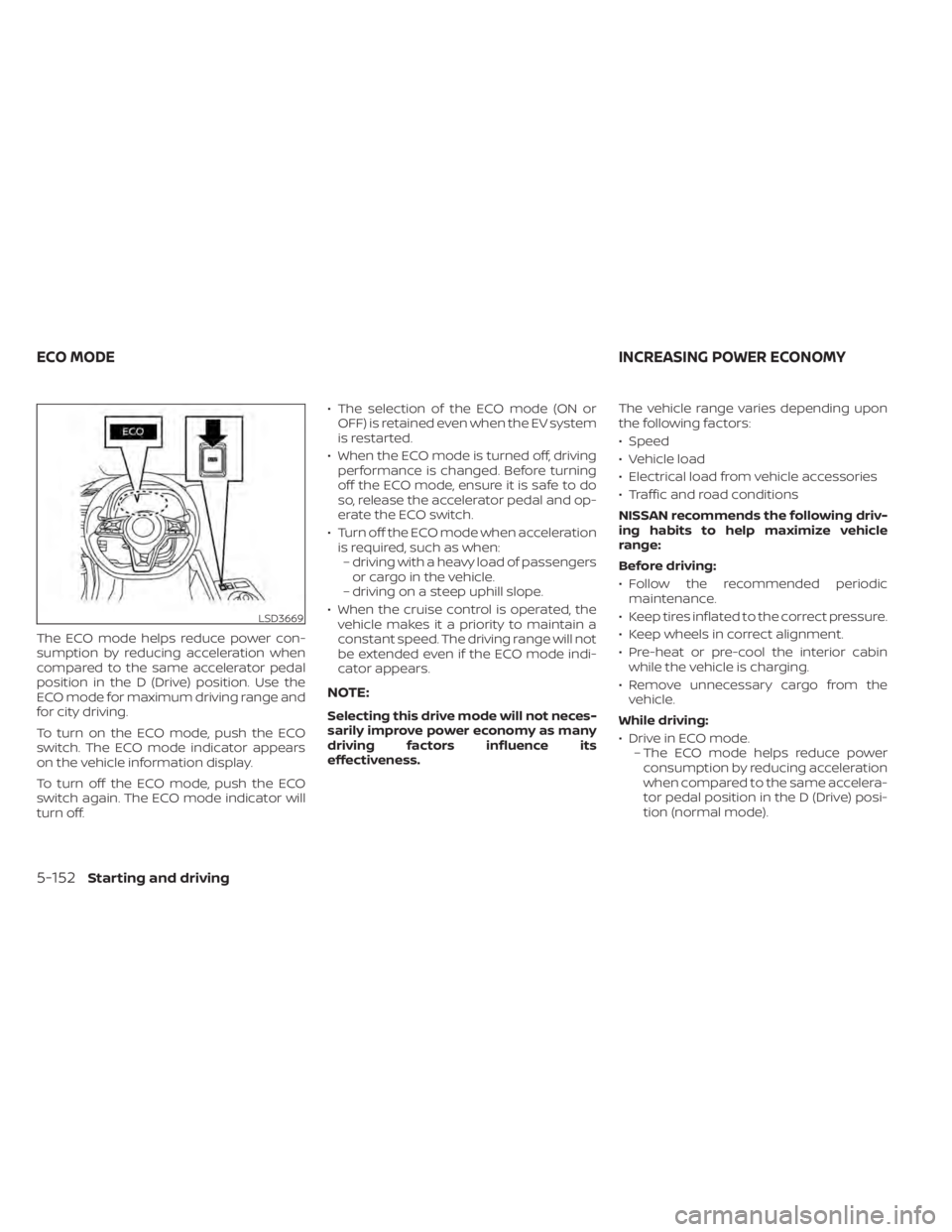
The ECO mode helps reduce power con-
sumption by reducing acceleration when
compared to the same accelerator pedal
position in the D (Drive) position. Use the
ECO mode for maximum driving range and
for city driving.
To turn on the ECO mode, push the ECO
switch. The ECO mode indicator appears
on the vehicle information display.
To turn off the ECO mode, push the ECO
switch again. The ECO mode indicator will
turn off.• The selection of the ECO mode (ON or
OFF) is retained even when the EV system
is restarted.
• When the ECO mode is turned off, driving performance is changed. Before turning
off the ECO mode, ensure it is safe to do
so, release the accelerator pedal and op-
erate the ECO switch.
• Turn off the ECO mode when acceleration is required, such as when:– driving with a heavy load of passengers or cargo in the vehicle.
– driving on a steep uphill slope.
• When the cruise control is operated, the vehicle makes it a priority to maintain a
constant speed. The driving range will not
be extended even if the ECO mode indi-
cator appears.
NOTE:
Selecting this drive mode will not neces-
sarily improve power economy as many
driving factors influence its
effectiveness. The vehicle range varies depending upon
the following factors:
• Speed
• Vehicle load
• Electrical load from vehicle accessories
• Traffic and road conditions
NISSAN recommends the following driv-
ing habits to help maximize vehicle
range:
Before driving:
• Follow the recommended periodic
maintenance.
• Keep tires inflated to the correct pressure.
• Keep wheels in correct alignment.
• Pre-heat or pre-cool the interior cabin while the vehicle is charging.
• Remove unnecessary cargo from the vehicle.
While driving:
• Drive in ECO mode. – The ECO mode helps reduce powerconsumption by reducing acceleration
when compared to the same accelera-
tor pedal position in the D (Drive) posi-
tion (normal mode).
LSD3669
ECO MODE INCREASING POWER ECONOMY
5-152Starting and driving
Page 472 of 602
• Drive at a constant speed. Maintain cruis-ing speeds with a constant accelerator
position or by using cruise control when
appropriate.
• Accelerate slowly and smoothly. Gently press and release the accelerator pedal
for acceleration and deceleration.
• Drive at moderate speeds on the highway.
• Avoid frequent stopping and braking. Maintain a safe distance behind other
vehicles.
• Turn off the air conditioner/heater when it is not necessary.
• Select a moderate temperature setting for heating or cooling to help reduce
power consumption.
• Use the air conditioner/heater and close windows to reduce drag when cruising at
a highway speed. • Release the accelerator pedal to slow
down and do not apply the brakes when
traffic and road conditions allow.– This vehicle is equipped with a regen- erative brake system. The primary pur-
pose of the regenerative brake system
is to provide some power to recharge
the Li-ion battery and extend driving
range. A secondary benefit is “engine
braking” that operates based on Li-ion
battery conditions. In the D (Drive) posi-
tion, when the accelerator pedal is re-
leased, the regenerative brake system
provides some deceleration and some
power to the Li-ion battery. The ECO Drive Report appears for approxi-
mately 30 seconds af ter placing the power
switch in the OFF position, driving the ve-
hicle for more than 0.3 miles (500 m), and
pressing the
button on the steering
wheel.
ECO DRIVE REPORT
Starting and driving5-153
Page 473 of 602
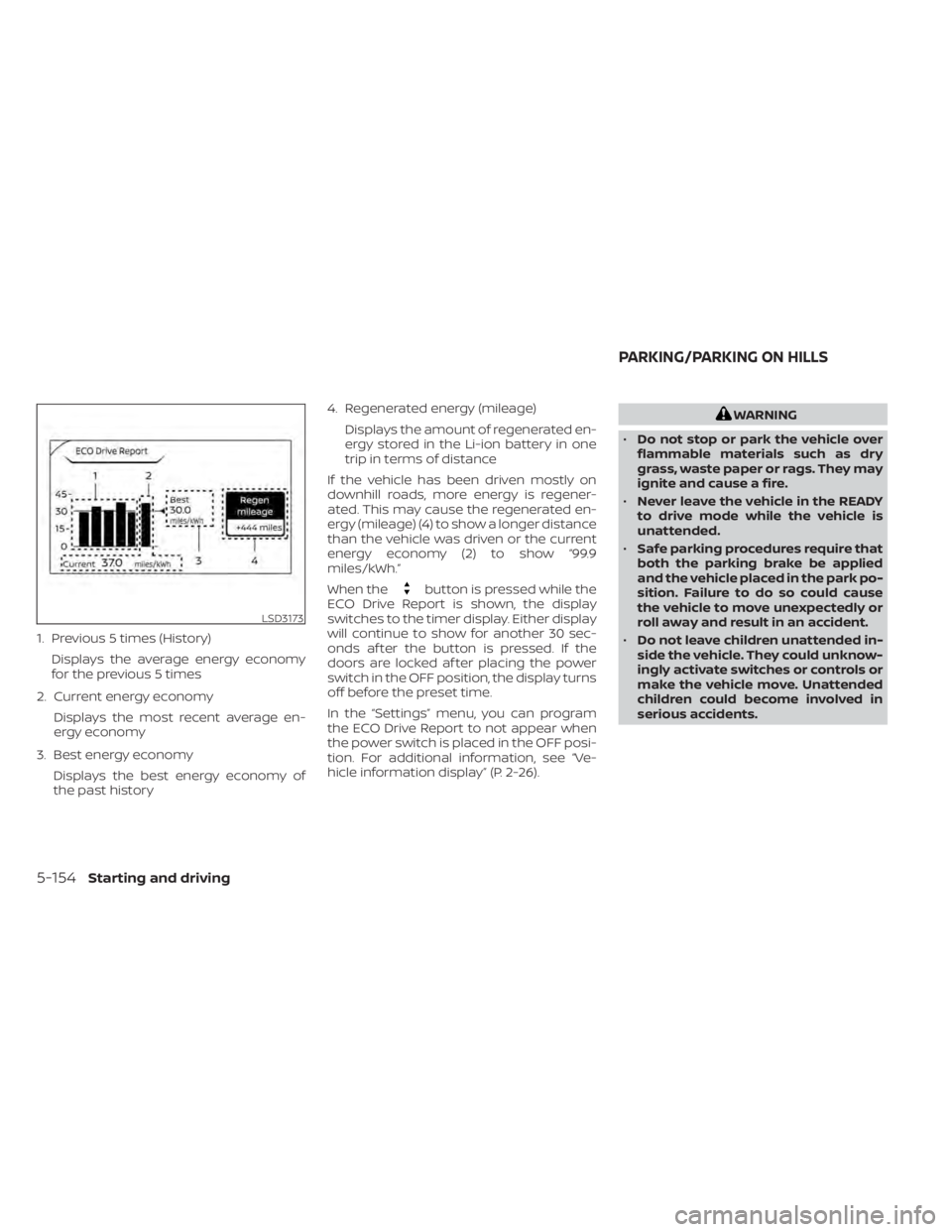
1. Previous 5 times (History)Displays the average energy economy
for the previous 5 times
2. Current energy economy Displays the most recent average en-
ergy economy
3. Best energy economy Displays the best energy economy of
the past history 4. Regenerated energy (mileage)
Displays the amount of regenerated en-
ergy stored in the Li-ion battery in one
trip in terms of distance
If the vehicle has been driven mostly on
downhill roads, more energy is regener-
ated. This may cause the regenerated en-
ergy (mileage) (4) to show a longer distance
than the vehicle was driven or the current
energy economy (2) to show “99.9
miles/kWh.”
When the
button is pressed while the
ECO Drive Report is shown, the display
switches to the timer display. Either display
will continue to show for another 30 sec-
onds af ter the button is pressed. If the
doors are locked af ter placing the power
switch in the OFF position, the display turns
off before the preset time.
In the “Settings” menu, you can program
the ECO Drive Report to not appear when
the power switch is placed in the OFF posi-
tion. For additional information, see “Ve-
hicle information display” (P. 2-26).
WARNING
• Do not stop or park the vehicle over
flammable materials such as dry
grass, waste paper or rags. They may
ignite and cause a fire.
• Never leave the vehicle in the READY
to drive mode while the vehicle is
unattended.
• Safe parking procedures require that
both the parking brake be applied
and the vehicle placed in the park po-
sition. Failure to do so could cause
the vehicle to move unexpectedly or
roll away and result in an accident.
• Do not leave children unattended in-
side the vehicle. They could unknow-
ingly activate switches or controls or
make the vehicle move. Unattended
children could become involved in
serious accidents.
LSD3173
PARKING/PARKING ON HILLS
5-154Starting and driving
Page 476 of 602
When you put the shif t lever in the B mode
and take your foot off the accelerator
pedal, more regenerative brake is applied
than in the D (Drive) position. However, dur-
ing high-speed driving you may feel that
regenerative brake provides less decelera-
tion than the engine braking in an ordinary
vehicle. This is normal.
Less deceleration is provided by the regen-
erative brake system when the Li-ion bat-
tery is fully charged. Regenerative brake is
automatically reduced when the Li-ion
battery is fully charged to prevent the Li-ion
battery from becoming overcharged. Re-
generative brake is also automatically re-
duced when the battery temperature is
high/low (indicated by the red/blue zones
on the battery temperature gauge) to pre-
vent Li-ion battery damage.
The brake pedal should be used to slow or
stop the vehicle depending on traffic or
road conditions. The vehicle brakes are not
affected by regenerative brake system
operation.NOTE:
• When applying the regenerativebrakes, you may hear a sound coming
from the regenerative brake system.
This is a normal operating characteris-
tic of an EV.
• If the power switch position is in a po- sition other than ON or READY to drive,
you can stop the vehicle by depressing
the brake pedal. However, greater foot
pressure on the brake pedal will be re-
quired to stop the vehicle, and the
stopping distance will be longer.
• When depressing the brake pedal, the brake pedal feel will not be smooth or
may change when the cooperative re-
generative brake system activates.
However, the electronically controlled
brake system is operating normally
and this does not indicate a
malfunction.
Using the brakes
Avoid resting your foot on the brake pedal
while driving. This will cause overheating of
the brakes, wearing out of the brake pads
and shoes faster, and will reduce driving
range. To help reduce brake wear, and to prevent
the brakes from overheating, reduce speed
and select B mode before going down a
slope or long grade. Overheated brakes
may reduce braking performance and
could result in loss of vehicle control.
WARNING
• While driving on a slippery surface,
be careful when braking or accelerat-
ing. Abrupt braking or accelerating
could cause the wheels to skid, which
could result in an accident.
• If the brake pedal is depressed with
the EV system OFF, you may feel an
increased brake pedal effort and a
decreased pedal stroke. If the BRAKE
warning light does not illuminate
and the brake pedal feels like it has
returned to its normal state af ter the
EV system is started, this indicates
that there is no malfunction and the
vehicle can be operated normally.
Starting and driving5-157
Page 481 of 602
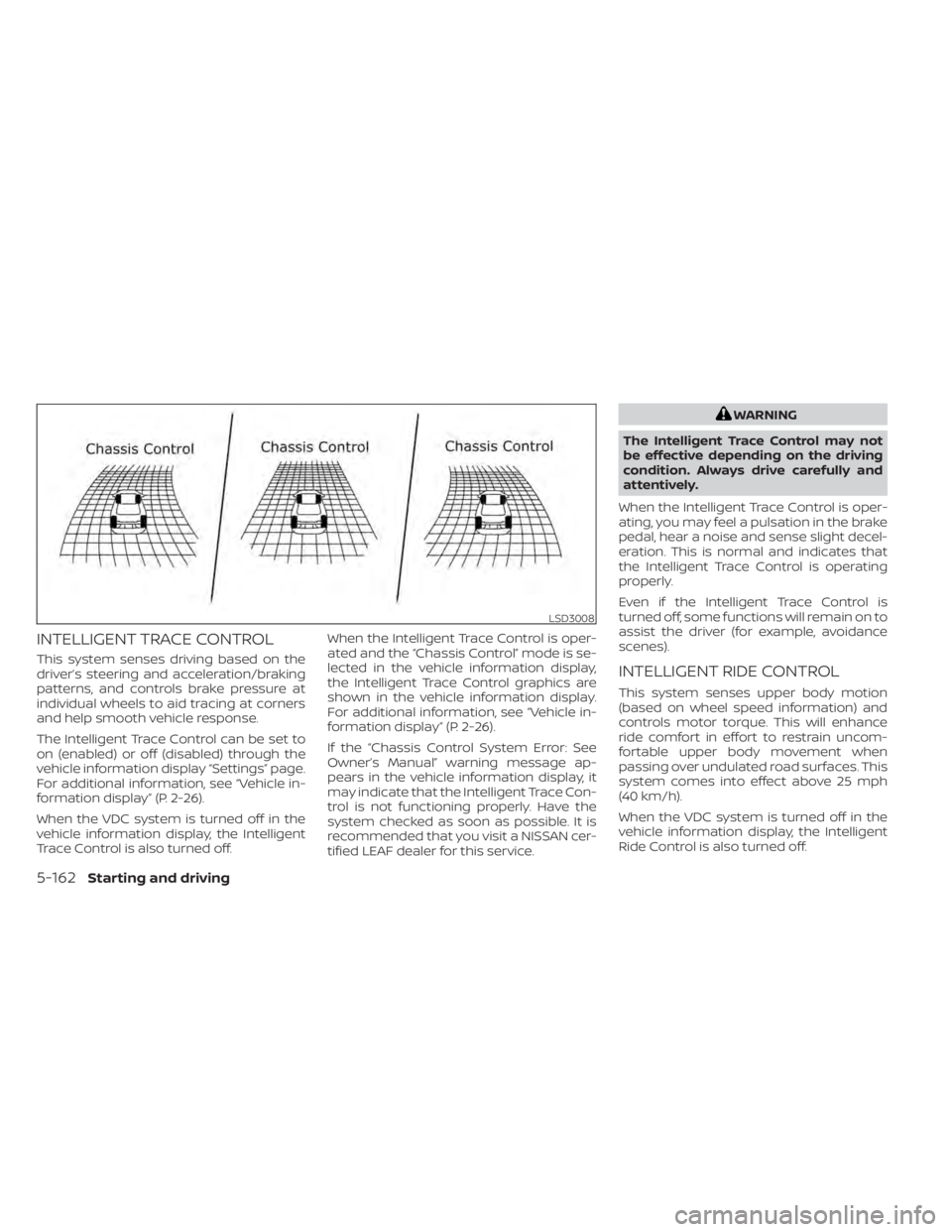
INTELLIGENT TRACE CONTROL
This system senses driving based on the
driver’s steering and acceleration/braking
patterns, and controls brake pressure at
individual wheels to aid tracing at corners
and help smooth vehicle response.
The Intelligent Trace Control can be set to
on (enabled) or off (disabled) through the
vehicle information display “Settings” page.
For additional information, see “Vehicle in-
formation display” (P. 2-26).
When the VDC system is turned off in the
vehicle information display, the Intelligent
Trace Control is also turned off.When the Intelligent Trace Control is oper-
ated and the “Chassis Control” mode is se-
lected in the vehicle information display,
the Intelligent Trace Control graphics are
shown in the vehicle information display.
For additional information, see “Vehicle in-
formation display” (P. 2-26).
If the “Chassis Control System Error: See
Owner’s Manual” warning message ap-
pears in the vehicle information display, it
may indicate that the Intelligent Trace Con-
trol is not functioning properly. Have the
system checked as soon as possible. It is
recommended that you visit a NISSAN cer-
tified LEAF dealer for this service.
WARNING
The Intelligent Trace Control may not
be effective depending on the driving
condition. Always drive carefully and
attentively.
When the Intelligent Trace Control is oper-
ating, you may feel a pulsation in the brake
pedal, hear a noise and sense slight decel-
eration. This is normal and indicates that
the Intelligent Trace Control is operating
properly.
Even if the Intelligent Trace Control is
turned off, some functions will remain on to
assist the driver (for example, avoidance
scenes).
INTELLIGENT RIDE CONTROL
This system senses upper body motion
(based on wheel speed information) and
controls motor torque. This will enhance
ride comfort in effort to restrain uncom-
fortable upper body movement when
passing over undulated road surfaces. This
system comes into effect above 25 mph
(40 km/h).
When the VDC system is turned off in the
vehicle information display, the Intelligent
Ride Control is also turned off.
LSD3008
5-162Starting and driving
Page 487 of 602
Do not attach stickers (including transpar-
ent material), install accessories or apply
additional paint near the sonar sensors.
Do not strike or damage the area around
the sonar sensors. It is recommended that
you visit a NISSAN dealer if the area around
the sonar sensors is damaged due to a
collision.WARNING
• Never rely solely on the hill start as-
sist system to prevent the vehicle
from moving backward on a hill. Al-
ways drive carefully and attentively.
Depress the brake pedal when the
vehicle is stopped on a steep hill. Be
especially careful when stopped on a
hill on frozen or muddy roads. Failure
to prevent the vehicle from rolling
backwards may result in a loss of
control of the vehicle and possible
serious injury or death.
• The hill start assist system is not de-
signed to hold the vehicle at a stand-
still on a hill. Depress the brake pedal
when the vehicle is stopped on a
steep hill. Failure to do so may cause
the vehicle to roll backwards and
may result in a collision or serious
personal injury.
• The hill start assist may not prevent
the vehicle from rolling backwards
on a hill under all load or road condi-
tions. Always be prepared to depress
the brake pedal to prevent the ve-
hicle from rolling backwards. Failure
to do so may result in a collision or
serious personal injury. The hill start assist system automatically
keeps the brakes applied to help prevent
the vehicle from rolling backwards in the
time it takes the driver to release the brake
pedal and apply the accelerator when the
vehicle is stopped on a hill.
Hill start assist will operate automatically
under the following conditions:
• The shif t lever is placed in the D (Drive), B
mode, or R (Reverse) position.
• The vehicle is stopped completely on a hill by applying the brake.
The maximum holding time is 2 seconds.
Af ter 2 seconds the vehicle will begin to roll
back and hill start assist will stop operating
completely.
Hill start assist will not operate when the
shif t lever is placed in the N (Neutral) or P
(Park) position or on a flat and level road.
HILL START ASSIST SYSTEM
5-168Starting and driving
Page 493 of 602
•When using a wheel without the
TPMS such as the spare tire, the TPMS
will not function and the low tire
pressure warning light will flash for
approximately 1 minute. The light will
remain on af ter 1 minute. Have your
tires replaced and/or TPMS system
reset as soon as possible. It is recom-
mended that you visit a NISSAN cer-
tified LEAF dealer for these services.
• Replacing tires with those not origi-
nally specified by NISSAN could af-
fect the proper operation of the
TPMS.
• The Genuine NISSAN Emergency Tire
Repair Sealant or equivalent can be
used for temporarily repairing a tire.
Do not inject any other tire liquid or
aerosol tire sealant into the tires, as
this may cause a malfunction of tire
pressure sensors. •
NISSAN recommends using only
Genuine NISSAN Emergency Tire
Sealant provided with your vehicle.
Other tire sealants may damage the
valve stem seal which can cause the
tire to lose air pressure. It is recom-
mended that you visit a NISSAN cer-
tified LEAF dealer as soon as possible
af ter using tire repair sealant (for
models equipped with the emer-
gency tire puncture repair kit).
REPAIRING FLAT TIRE
WARNING
• Af ter using Genuine NISSAN Emer-
gency Tire Sealant to repair a minor
tire puncture, do not drive the vehicle
at speeds faster than 50 mph (80
km/h).
• Immediately af ter using the Genuine
NISSAN Emergency Tire Sealant to
repair a minor tire puncture, it is rec-
ommended that you visit a NISSAN
certified LEAF dealer. The Genuine
NISSAN Emergency Tire Sealant can-
not permanently seal a punctured
tire. Continuing operation of the ve-
hicle without a permanent tire repair
can lead to a crash. •
If you used the Genuine NISSAN
Emergency Tire Sealant to repair a
minor tire puncture, it is recom-
mended that you visit a NISSAN cer-
tified LEAF dealer to replace the
TPMS sensor in addition to repairing
or replacing the tire.
• NISSAN recommends using only
Genuine NISSAN Emergency Tire
Sealant provided with your vehicle.
Other tire sealants may damage the
valve stem seal which can cause the
tire to lose air pressure.
This vehicle does not have a spare tire. The
emergency tire puncture repair kit (Genu-
ine NISSAN Emergency Tire Sealant) is sup-
plied with the vehicle instead of a spare tire.
It can be used to temporarily repair minor
tire punctures.
If possible, have the vehicle towed to a fa-
cility that can repair or replace the flat tire.
Using the emergency tire puncture repair
kit may cause a malfunction of the tire
pressure sensor and cause the low tire
pressure warning light to illuminate.
6-4In case of emergency
Page 510 of 602
CAUTION
• Never use benzine, thinner, or any
similar material.
• Small dirt particles can be abrasive
and damaging to the leather sur-
faces (if so equipped) and should be
removed promptly. Do not use saddle
soap, car waxes, polishes, oils, clean-
ing fluids, solvents, detergents or
ammonia-based cleaners as they
may damage the leather’s natural
finish.
• Never use fabric protectors unless
recommended by the manufacturer.
• Do not use glass or plastic cleaner on
meter or gauge lens covers. It may
damage the lens cover.
AIR FRESHENERS
Most air fresheners use a solvent that
could affect the vehicle interior. If you use
an air freshener, take the following
precautions:
• Hanging-type air fresheners can cause permanent discoloration when they con-
tact vehicle interior surfaces. Place the air
freshener in a location that allows it to
hang free and not contact an interior
surface. • Liquid-type air fresheners typically clip on
the vents. These products can cause im-
mediate damage and discoloration
when spilled on interior surfaces.
Carefully read and follow the manufactur-
er’s instructions before using air
fresheners.
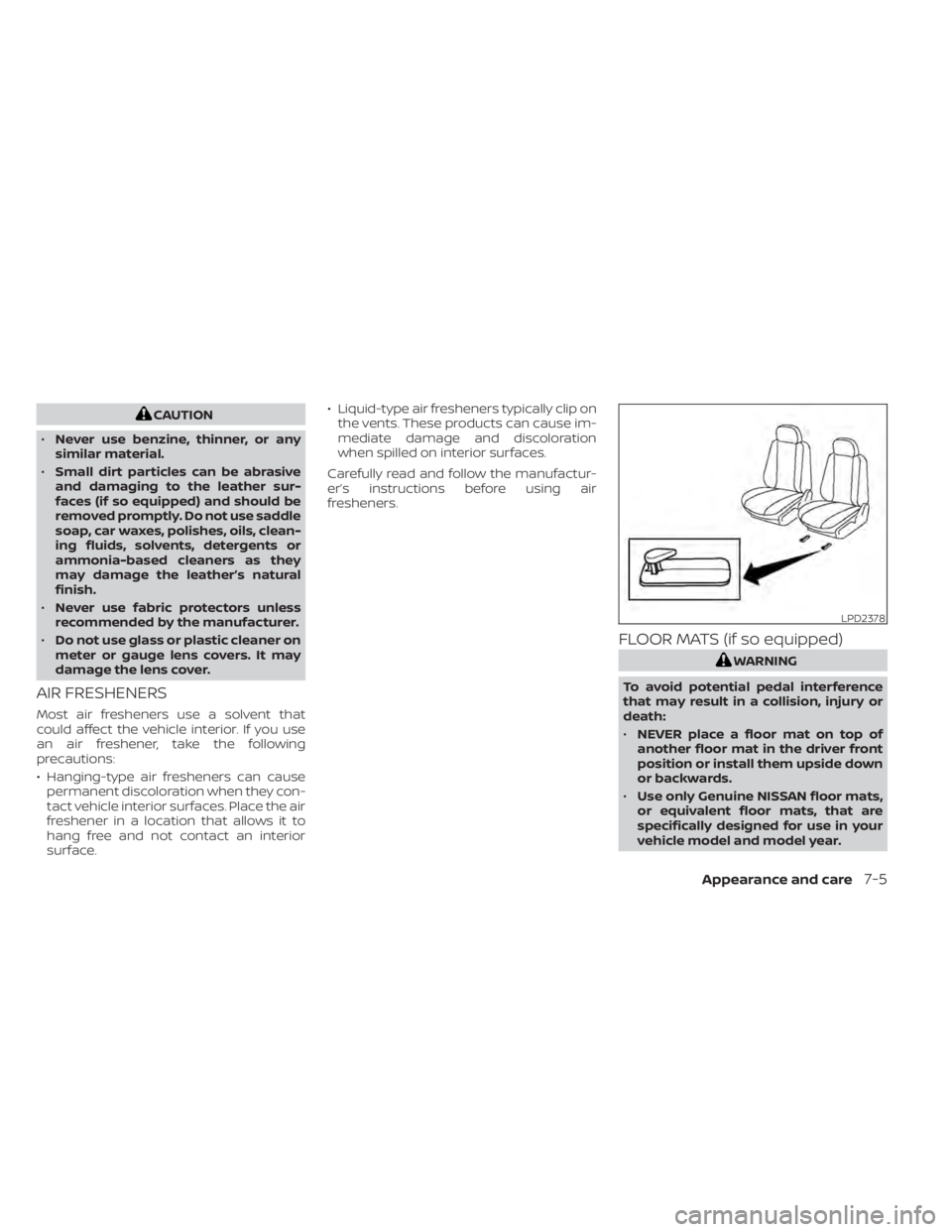
FLOOR MATS (if so equipped)
WARNING
To avoid potential pedal interference
that may result in a collision, injury or
death:
• NEVER place a floor mat on top of
another floor mat in the driver front
position or install them upside down
or backwards.
• Use only Genuine NISSAN floor mats,
or equivalent floor mats, that are
specifically designed for use in your
vehicle model and model year.
LPD2378
Appearance and care7-5
Page 527 of 602
REAR WINDOW WIPER BLADE
It is recommended that you visit a NISSAN
certified LEAF dealer if checking or replace-
ment is required.If the brakes do not operate properly, have
the brakes checked. It is recommended
that you visit a NISSAN certified LEAF dealer
for this service.
WARNING
Do not adjust the height of the brake
pedal. Doing so could alter the effec-
tiveness of the brakes, which could re-
sult in a serious accident and personal
injury. If adjustment is required, it is
recommended that you visit a NISSAN
certified LEAF dealer for this service.
BRAKE PAD WEAR WARNING
The disc brake pads have audible wear
warnings. When a brake pad requires re-
placement, it will make a high–pitched
scraping sound when the vehicle is in mo-
tion. This scraping sound will first occur
only when the brake pedal is depressed.
Af ter more wear of the brake pad, the
sound will always be heard even if the
brake pedal is not depressed. Have the
brakes checked as soon as possible if the
wear warning sound is heard. Under some driving or climate conditions,
occasional brake squeak, squeal or other
noise may be heard. Occasional brake
noise during light to moderate stops is nor-
mal and does not affect the function or
performance of the brake system.
Proper brake inspection intervals should
be followed.
For additional information, re-
fer to the “Maintenance and schedules”
section of this manual.
BRAKES
8-14Do-it yourself
Page 539 of 602
The TPMS will activate only when the
vehicle is driven at speeds above 16
mph (25 km/h). Also, this system
may not detect a sudden drop in tire
pressure (for example a flat tire while
driving).
For additional information, see “Low
tire pressure warning light” (P. 2-20),
“Tire Pressure Monitoring System
(TPMS)” (P. 5-4) and “Tire Pressure
Monitoring System (TPMS)” (P. 6-3).
Tire inflation pressure
Check the pressure of the tires of ten
and always prior to long distance
trips. The recommended tire pres-
sure specifications are shown on the
F.M.V.S.S/C.M.V.S.S certification label
or Tire and Loading Information la-
bel under the “Cold Tire Pressure”
heading. The Tire and Loading Infor-
mation label is affixed to the driverside center pillar. Tire pressures
should be checked regularly
because:
• Most tires naturally lose air over
time.
• Tires can lose air suddenly when driven over potholes or other ob-
jects or if the vehicle strikes a curb
while parking.
The tire pressures should be
checked when the tires are cold. The
tires are considered COLD af ter the
vehicle has been parked for 3 or
more hours, or driven less than 1 mile
(1.6 km) at moderate speeds.
The TPMS with Easy-Fill Tire Alert
also provides visual and audible sig-
nals outside the vehicle for inflating
the tires to the recommended COLD
tire pressure. For additional informa-
tion, see “TPMS with Easy-Fill Tire
Alert” (P. 5-7). Incorrect tire pressure, including
under inflation, may adversely af-
fect tire life and vehicle handling.
WARNING
•
Improperly inflated tires can
fail suddenly and cause an
accident.
8-26
Do-it yourself