ABS NISSAN LEAF 2022 Owner´s Manual
[x] Cancel search | Manufacturer: NISSAN, Model Year: 2022, Model line: LEAF, Model: NISSAN LEAF 2022Pages: 618, PDF Size: 4.3 MB
Page 464 of 618
RAB SYSTEM LIMITATIONS
WARNING
Listed below are the system limitations
for the RAB system. Failure to follow the
warnings and instructions for proper
use of the RAB system could result in
serious injury or death.
• When the vehicle approaches an ob-
stacle while the accelerator or brake
pedal is depressed, the function may
not operate or the start of operation
may be delayed. The RAB system
may not operate or may not perform
sufficiently due to vehicle conditions,
driving conditions, the traffic envi-
ronment, the weather, road surface
conditions, etc. Do not wait for the
system to operate. Operate the brake
pedal by yourself as soon as
necessary.
• If it is necessary to override RAB op-
eration, strongly press the accelera-
tor pedal. •
Always check your surroundings and
turn to check what is behind you be-
fore and while backing up. The RAB
system detects stationary objects
behind the vehicle. The RAB system
does not detect the following ob-
jects:
– Moving objects
– Low objects
– Narrow objects
– Wedge-shaped objects
– Objects close to the bumper (less
than approximately 1 f t [30 cm])
– Objects that suddenly appear
– Thin objects such as rope, wire,
chain, etc.
• The RAB system may not operate for
the following obstacles:
– Obstacles located high off the
ground
– Obstacles in a position offset from
your vehicle
– Obstacles, such as spongy materi-
als or snow, that have sof t outer
surfaces and can easily absorb a
sound wave •
The RAB system may not operate in
the following conditions:
– There is rain, snow, ice, dirt, etc.,
attached to the sonar sensors.
– A loud sound is heard in the area
around the vehicle.
– The surface of the obstacle is di-
agonal to the rear of the vehicle.
• The RAB system may unintentionally
operate in the following conditions:
– There is overgrown grass in the
area around the vehicle.
– There is a structure (e.g., a wall, toll
gate equipment, a narrow tunnel,
a parking lot gate) near the side of
the vehicle.
– There are bumps, protrusions, or
manhole covers on the road
surface.
– The vehicle drives through a
draped flag or a curtain.
– There is an accumulation of snow
or ice behind the vehicle.
– An ultrasonic wave source, such as
another vehicle’s sonar, is near
the vehicle.
Starting and driving5-139
Page 488 of 618
To dry brakes, drive the vehicle at a safe
speed while lightly tapping the brake pedal
to heat up the brakes. Do this until the
brakes return to normal. Avoid driving the
vehicle at high speeds until the brakes
have dried.
Parking brake break-in
Break in the parking brake shoes whenever
the stopping effect of the parking brake is
weakened or whenever the parking brake
shoes and/or rotors are replaced, in order
to assure the best braking performance.
This procedure is described in the Genuine
NISSAN Service Manual, and it can be per-
formed by a certified repair facility. It is rec-
ommended that you visit a NISSAN certi-
fied LEAF dealer.
ANTI-LOCK BRAKING SYSTEM (ABS)
WARNING
• The ABS is a sophisticated device, but
it cannot prevent accidents resulting
from careless or dangerous driving
techniques. It can help maintain ve-
hicle control during braking on slip-
pery surfaces. Remember that stop-
ping distances on slippery surfaces
will be longer than on normal sur-
faces even with ABS. Stopping dis-
tances may also be longer on rough,
gravel or snow covered roads, or if
you are using tire chains. Always
maintain a safe distance from the ve-
hicle in front of you. Ultimately, the
driver is responsible for safety.
• Tire type and condition may also af-
fect braking effectiveness.
– When replacing tires, install the
specified size of tires on all four
wheels.
– For additional information, see
“Wheels and tires” (P. 8-25). The ABS controls the brakes so the wheels
do not lock during hard braking or when
braking on slippery surfaces. The system
detects the rotation speed at each wheel
and varies the brake fluid pressure to pre-
vent each wheel from locking and sliding.
By preventing each wheel from locking, the
system helps the driver maintain steering
control and helps to minimize swerving
and spinning on slippery surfaces.
Using the system
Depress the brake pedal and hold it down.
Depress the brake pedal with firm steady
pressure, but do not pump the brakes. The
Anti-lock Braking System will operate to
prevent the wheels from locking up. Steer
the vehicle to avoid obstacles.
WARNING
Do not pump the brake pedal. Doing so
may result in increased stopping
distances.
Starting and driving5-163
Page 489 of 618

Self-test feature
The Anti-lock Braking System (ABS) in-
cludes electronic sensors, electric pumps,
hydraulic solenoids and a computer. The
computer has a built-in diagnostic feature
that tests the system each time you place
the power switch in the READY to drive po-
sition and move the vehicle at a low speed
in forward or reverse. When the self-test
occurs, you may hear a “clunk” noise
and/or feel a pulsation in the brake pedal.
This is normal and does not indicate a mal-
function. If the computer senses a mal-
function, it switches the ABS off and illumi-
nates the ABS warning light on the
instrument panel. The brake system then
operates normally, but without anti-lock
assistance.
If the ABS warning light illuminates during
the self-test or while driving, have the ve-
hicle checked. It is recommended that you
visit a NISSAN certified LEAF dealer for this
service.
Normal operation
The Anti-lock Braking System (ABS) oper-
ates at speeds above 3 to 6 mph (5 to 10
km/h). The speed varies according to road
conditions.When the ABS senses that one or more
wheels are close to locking up, the actuator
rapidly applies and releases hydraulic pres-
sure. This action is similar to pumping the
brakes very quickly. You may feel a pulsa-
tion in the brake pedal and hear a noise
from under the hood or feel a vibration
from the actuator when it is operating. This
is normal and indicates that the ABS is op-
erating properly. However, the pulsation
may indicate that road conditions are haz-
ardous and extra care is required while
driving.
BRAKE ASSIST
When the force applied to the brake pedal
exceeds a certain level, the Brake Assist is
activated generating greater braking force
than a conventional brake booster even
with light pedal force.
WARNING
The Brake Assist is only an aid to assist
braking operation and is not a collision
warning or avoidance device. It is the
drivers responsibility to stay alert, drive
safely and be in control of the vehicle at
all times. The VDC system uses various sensors to
monitor driver inputs and vehicle motion.
Under certain driving conditions, the VDC
system helps to perform the following
functions.
• Controls brake pressure to reduce wheel
slip on one slipping drive wheel so power
is transferred to a drive wheel on the
same axle that is not slipping.
• Controls brake pressure and traction motor output to reduce drive wheel slip
based on vehicle speed (traction control
function).
• Controls brake pressure at individual wheels and traction motor output to help
the driver maintain control of the vehicle
in the following conditions:– Understeer (vehicle tends to not follow the steered path despite increased
steering input).
– Oversteer (vehicle tends to spin due to certain road or driving conditions).
The VDC system can help the driver main-
tain control of the vehicle, but it cannot
prevent loss of vehicle control in all driving
situations.
VEHICLE DYNAMIC CONTROL (VDC)
SYSTEM
5-164Starting and driving
Page 490 of 618
When the VDC system operates, theindicator light in the instrument panel
flashes. When the indicator light flashes,
note the following items:
• The road may be slippery or the systemmay determine some action is required
to help keep the vehicle on the steered
path.
• You may feel a pulsation in the brake pedal and hear a noise or vibration from
under the hood. This is normal and indi-
cates that the VDC system is working
properly.
• Adjust your speed and driving according to the road conditions.
For additional information, see “Slip indica-
tor light” (P. 2-23) and “Vehicle Dynamic Con-
trol (VDC) OFF indicator light” (P. 2-24).
If a malfunction occurs in the system, the
indicator light illuminates in the ve-
hicle information display. The VDC system
automatically turns off when this indicator
light is lit. The vehicle information display is used to
turn off the VDC system. The VDC OFF indi-
cator light
, along with the AEB with
Pedestrian Detection and RAB warning
lights illuminate to indicate that the VDC,
AEB with Pedestrian Detection, and RAB
systems are off. When the vehicle informa-
tion display is used to turn off the system,
the VDC system still operates to prevent
one drive wheel from slipping by transfer-
ring power to a non-slipping wheel. The
indicator light flashes if this occurs. All
other VDC functions are off and the
indicator light will not flash. The VDC sys-
tem is automatically reset to on when the
power switch is placed in the OFF position
then back to the ON position. For additional
information, see “Vehicle information dis-
play ” (P. 2-26).
The computer has a built-in diagnostic fea-
ture that tests the system each time you
start the EV and move the vehicle forward
or in reverse at a slow speed. When the
self-test occurs, you may hear a “clunk”
noise and/or feel a pulsation in the brake
pedal. This is normal and is not an indica-
tion of a malfunction.
WARNING
• The VDC system is designed to help
the driver maintain stability but does
not prevent accidents due to abrupt
steering operation at high speeds or
by careless or dangerous driving
techniques. Reduce vehicle speed
and be especially careful when driv-
ing and cornering on slippery sur-
faces and always drive carefully.
•
Do not modif y the vehicle’s suspen-
sion. If suspension parts such as shock
absorbers, struts, springs, stabilizer
bars, bushings and wheels are not
NISSAN recommended for your vehicle
or are extremely deteriorated the VDC
system may not operate properly.
This could adversely affect vehicle
handling performance, and the
indicator light may flash or the
indicator light may illuminate.
•If brake related parts such as brake
pads, rotors and calipers are not
NISSAN recommended or are ex-
tremely deteriorated, the VDC system
may not operate properly and the
indicator light may illuminate.
Starting and driving5-165
Page 544 of 618
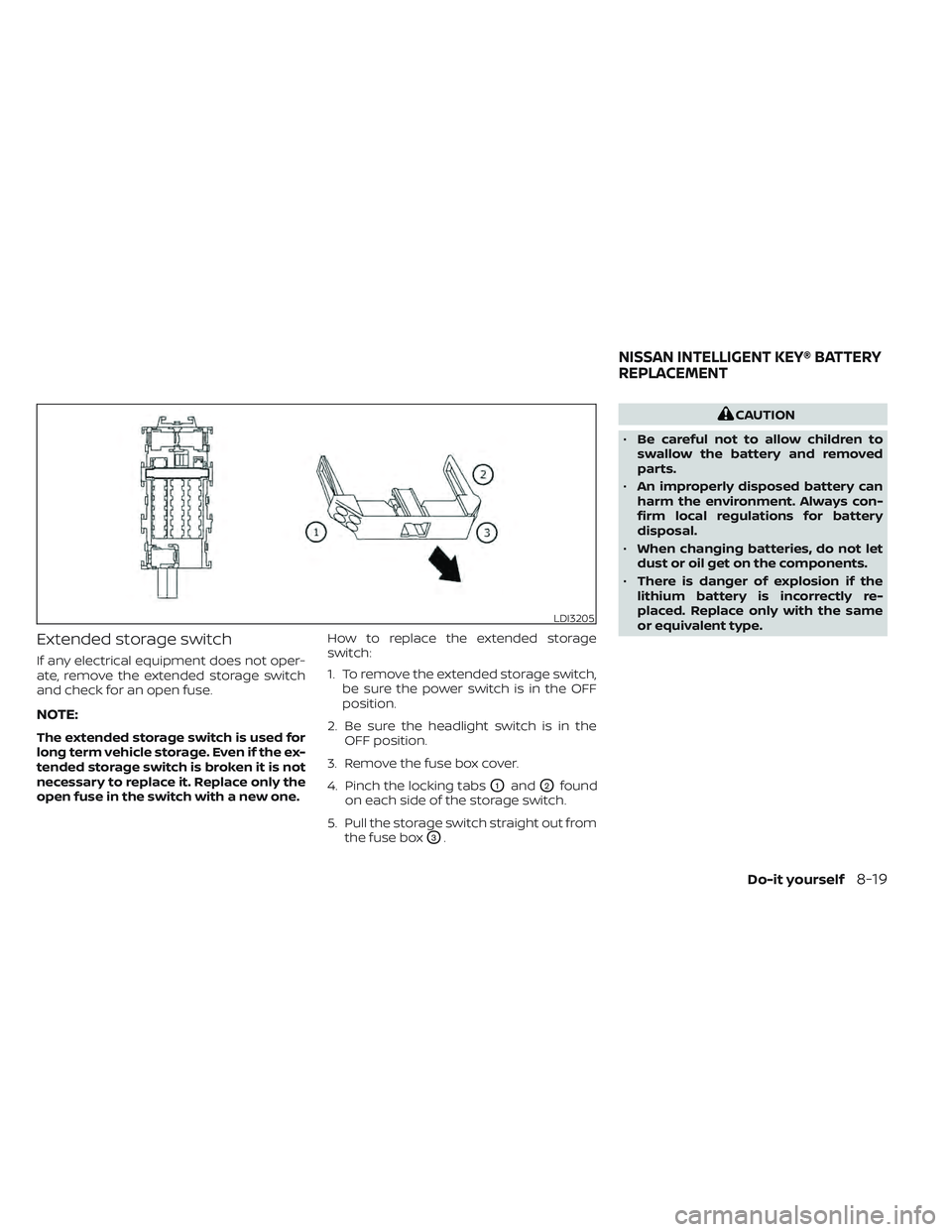
Extended storage switch
If any electrical equipment does not oper-
ate, remove the extended storage switch
and check for an open fuse.
NOTE:
The extended storage switch is used for
long term vehicle storage. Even if the ex-
tended storage switch is broken it is not
necessary to replace it. Replace only the
open fuse in the switch with a new one.How to replace the extended storage
switch:
1. To remove the extended storage switch,
be sure the power switch is in the OFF
position.
2. Be sure the headlight switch is in the OFF position.
3. Remove the fuse box cover.
4. Pinch the locking tabs
O1andO2found
on each side of the storage switch.
5. Pull the storage switch straight out from the fuse box
O3.
CAUTION
• Be careful not to allow children to
swallow the battery and removed
parts.
• An improperly disposed battery can
harm the environment. Always con-
firm local regulations for battery
disposal.
• When changing batteries, do not let
dust or oil get on the components.
• There is danger of explosion if the
lithium battery is incorrectly re-
placed. Replace only with the same
or equivalent type.
LDI3205
NISSAN INTELLIGENT KEY® BATTERY
REPLACEMENT
Do-it yourself8-19
Page 606 of 618
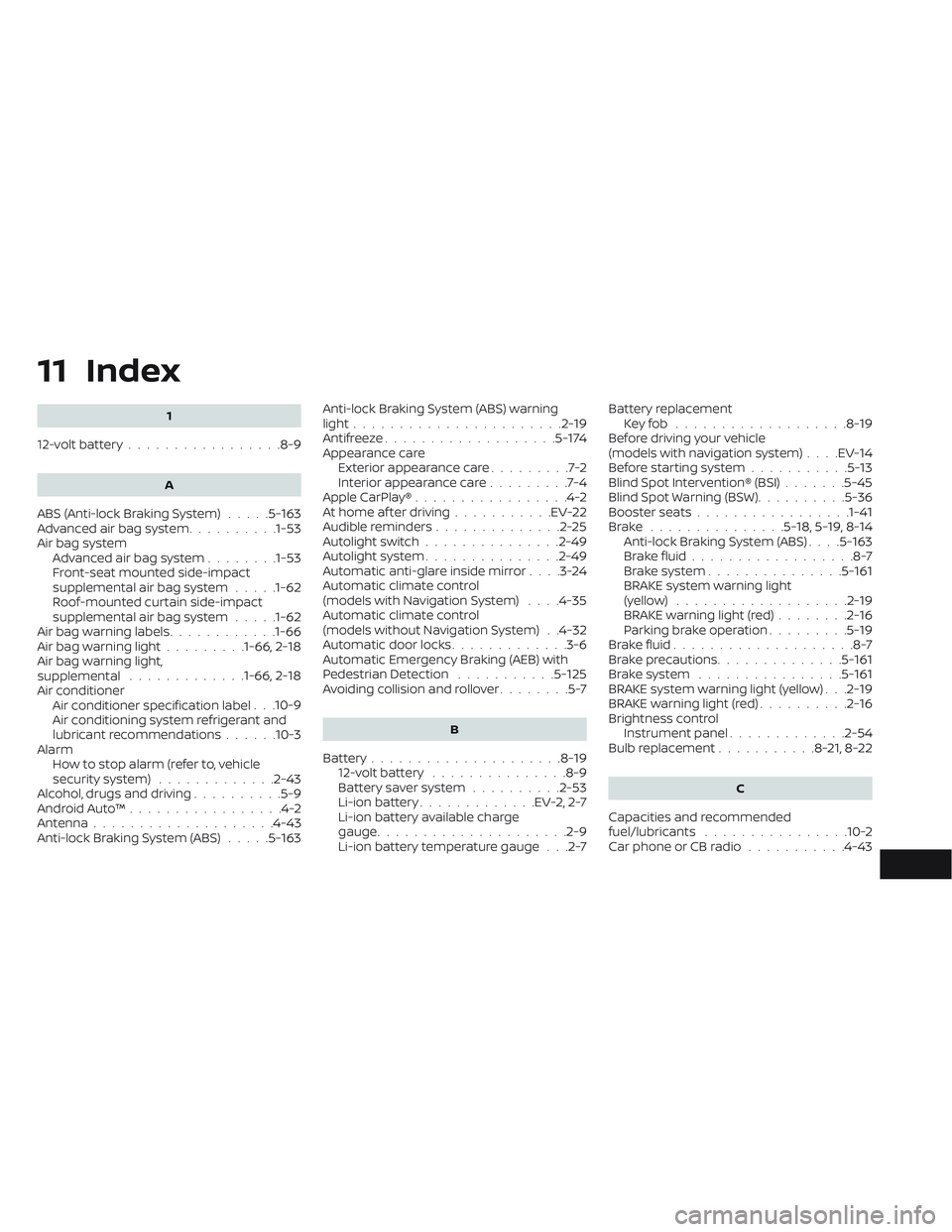
11 Index
1
12-volt battery.................8-9
A
ABS (Anti-lock Braking System).....5-163Advanced air bag system..........1-53Air bag system
Advanced air bag system........1-53Front-seat mounted side-impact
supplemental air bag system.....1-62Roof-mounted curtain side-impact
supplemental air bag system.....1-62Air bag warning labels............1-66Air bag warning light.........1-66, 2-18Air bag warning light,
supplemental.............1-66, 2-18Air conditionerAir conditioner specification label. . .10-9Air conditioning system refrigerant and
lubricant recommendations......10-3AlarmHow to stop alarm (refer to, vehicle
security system)
.............2-43Alcohol, drugs and driving..........5-9Android Auto™.................4-2Antenna................... .4-43Anti-lock Braking System (ABS).....5-163
Anti-lock Braking System (ABS) warning
light.......................2-19Antifreeze...................5-174Appearance care
Exterior appearance care.........7-2Interior appearance care.........7-4Apple CarPlay®.................4-2At home af ter driving...........EV-22Audible reminders..............2-25Autolight switch...............2-49Autolight system...............2-49Automatic anti-glare inside mirror. . . .3-24Automatic climate control
(models with Navigation System). . . .4-35Automatic climate control
(models without Navigation System). .4-32Automatic door locks.............3-6Automatic Emergency Braking (AEB) with
Pedestrian Detection...........5-125Avoiding collision and rollover........5-7
B
Battery.....................8-1912-volt battery...............8-9Battery saver system..........2-53Li-ion battery.............EV-2, 2-7Li-ion battery available charge
gauge.................... .2-9Li-ion battery temperature gauge. . .2-7
Battery replacement
Key fob...................8-19Before driving your vehicle
(models with navigation system). . . .EV-14Before starting system...........5-13Blind Spot Intervention® (BSI).......5-45Blind Spot Warning (BSW)..........5-36Booster seats................ .1-41Brake...............5-18,5-19,8-14Anti-lock Braking System (ABS). . . .5-163Brake fluid..................8-7Brake system...............5-161BRAKE system warning light
(yellow)...................2-19BRAKE warning light (red)........2-16Parking brake operation.........5-19Brake fluid....................8-7Brake precautions..............5-161Brake system................5-161BRAKE system warning light (yellow). . .2-19BRAKE warning light (red)..........2-16Brightness control
Instrument panel.............2-54Bulb replacement...........8-21,8-22
C
Capacities and recommended
fuel/lubricants................10-2Car phone or CB radio...........4-43
Page 612 of 618
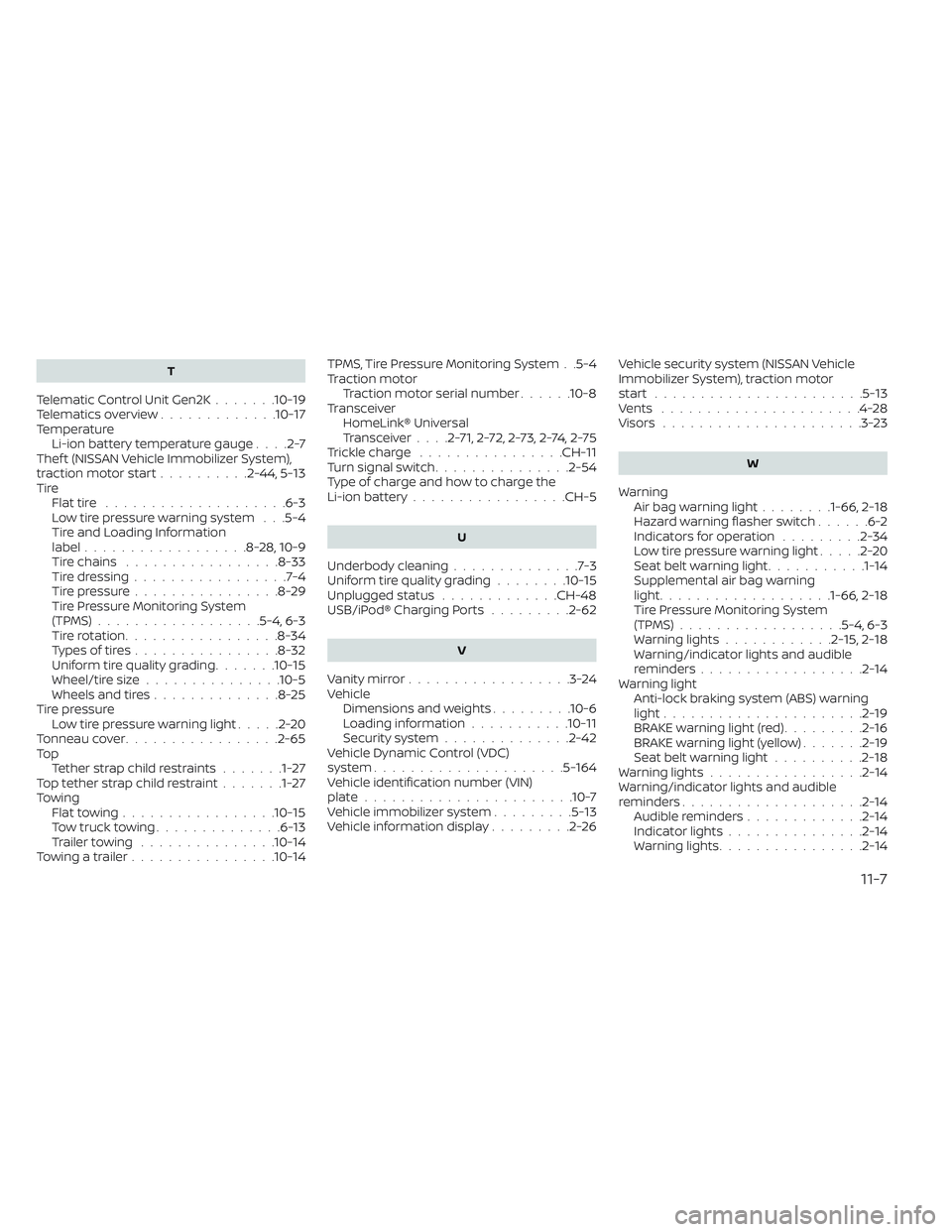
T
Telematic Control Unit Gen2K.......10-19Telematics overview.............10-17TemperatureLi-ion battery temperature gauge. . . .2-7Thef t (NISSAN Vehicle Immobilizer System),
traction motor start..........2-44, 5-13TireFlat tire................... .6-3Low tire pressure warning system. . .5-4Tire and Loading Information
label..................8-28, 10-9Tire chains.................8-33Tire dressing.................7-4Tire pressure................8-29Tire Pressure Monitoring System
(TPMS)................. .5-4, 6-3Tire rotation.................8-34Types of tires................8-32Uniform tire quality grading.......10-15Wheel/tire size...............10-5Wheels and tires..............8-25Tire pressure
Low tire pressure warning light.....2-20Tonneau cover................ .2-65To p
Tether strap child restraints.......1-27Top tether strap child restraint.......1-27TowingFlat towing................ .10-15Tow truck towing..............6-13Trailer towing...............10-14Towing a trailer................10-14
TPMS, Tire Pressure Monitoring System. .5-4Traction motor
Traction motor serial number......10-8TransceiverHomeLink® Universal
Transceiver
. . . .2-71, 2-72, 2-73, 2-74, 2-75Trickle charge................CH-11Turn signal switch...............2-54Type of charge and how to charge the
Li-ion battery................ .CH-5
U
Underbody cleaning..............7-3Uniform tire quality grading........10-15Unplugged status.............CH-48USB/iPod® Charging Ports.........2-62
V
Vanity mirror..................3-24Vehicle
Dimensions and weights.........10-6Loading information...........10-11Security system..............2-42Vehicle Dynamic Control (VDC)
system.....................5-164Vehicle identification number (VIN)
plate...................... .10-7Vehicle immobilizer system.........5-13Vehicle information display.........2-26
Vehicle security system (NISSAN Vehicle
Immobilizer System), traction motor
start
.......................5-13Vents......................4-28Visors......................3-23
W
Warning
Air bag warning light........1-66, 2-18Hazard warning flasher switch......6-2Indicators for operation.........2-34Low tire pressure warning light.....2-20Seat belt warning light...........1-14Supplemental air bag warning
light.................. .1-66, 2-18Tire Pressure Monitoring System
(TPMS)..................5-4, 6-3Warning lights............2-15,2-18Warning/indicator lights and audible
reminders..................2-14Warning light
Anti-lock braking system (ABS) warning
light
......................2-19BRAKE warning light (red).........2-16BRAKE warning light (yellow).......2-19Seat belt warning light..........2-18Warning lights.................2-14Warning/indicator lights and audible
reminders....................2-14Audible reminders.............2-14Indicator lights...............2-14Warning lights................2-14
11-7