climate control NISSAN LEAF 2022 Owner´s Manual
[x] Cancel search | Manufacturer: NISSAN, Model Year: 2022, Model line: LEAF, Model: NISSAN LEAF 2022Pages: 618, PDF Size: 4.3 MB
Page 53 of 618
• For your safety, if the charge connectoris connected to the vehicle while the
power switch is in the READY to drive,
the vehicle will automatically switch to
the ON position. Because charging will
not be started while the power switch
is in this position, be sure to place the
power switch in the OFF position.
• When the ambient temperature is 32°F (0°C) or less, charging time may be lon-
ger than normal and the level to which
the Li-ion battery can be charged may
be less than at higher temperatures.
• Do not operate the charging timer re- peatedly while the charge connector is
connected to the vehicle af ter the Li-
ion battery charging is completed. Do-
ing so may discharge the 12-volt bat-
tery. For additional information, see
“Charging timer” (P. CH-43). If the Li-ion
battery becomes discharged, charge it
immediately. • The power switch can be set to the ON
position and the climate control and
navigation system (if so equipped) can
be used while the Li-ion battery is
charging. However, because these op-
erations consume Li-ion battery
power, it will take longer for the Li-ion
battery to become fully charged. Place
the power switch in the OFF position to
help reduce Li-ion battery charge time.
• If electrical power is interrupted while charging, charging restarts automati-
cally when the electrical power is
restored.
• It is recommended to keep the charge cable connected to save Li-ion battery
power, when the heater and air condi-
tioner are operating with remote op-
eration (models with Navigation
System).
• If the charge port is frozen, melt the ice using a hair dryer. Af ter the ice has
melted, charge the Li-ion battery. Forc-
ing the charge connector to connect
may cause a malfunction. • If foreign materials have entered the
charge connector and charge port and
it is not possible to connect it, do not
attempt to force the connection. It is
recommended that you visit a NISSAN
certified LEAF dealer. Forcing the
charge connector to connect may
cause damage to the charging equip-
ment and vehicle.
• There is a hole on the charge port for water drainage. If the water drainage
hole becomes blocked, or if water gets
trapped inside the charge port, do not
charge. It is recommended that you
visit a NISSAN certified LEAF dealer.
CH-4Charging
Page 59 of 618

CAUTION
Do not use any charging equipment
that is not compatible with the LEAF.
Doing so could prevent the Li-ion bat-
tery from charging properly or could
result in damage to the vehicle or Li-ion
battery.
• Normal charge uses the charging device (AC 220 - 240 volt, 16A or 32A) that can be
installed in your home to charge the Li-
ion battery.
• Immediate charge, charging timer and remote charge (models with Navigation
System) can be performed in the normal
charge mode. For additional information,
see “Charging methods” (P. CH-43).
• The charging equipment communicates with the vehicle before Li-ion battery
charging starts. If this communication
does not occur because other equip-
ment is used, the Li-ion battery will not
charge. • NISSAN recommends that you connect
the charging device when getting out of
the vehicle, even if it is not going to be
used. By doing this, you can get the most
out of the remote climate control (mod-
els with Navigation System) and Climate
Ctrl. Timer functions the next time you
use the vehicle.
To start normal charge:
1. Push the P (Park) position switch to place the vehicle in the P (Park) position and
apply the parking brake.
2. When charging the Li-ion battery, place the power switch in the OFF position.
When the power switch is in the ON po-
sition, the Li-ion battery will not start
charging.
3. Open the charge port lid and charge port cap. For additional information, see
“Charge port lid” (P. 3-20) and “Charge
port cap” (P. 3-22). 4. Connect the charge connector to the
charge port. If it is connected normally, a
beep will sound once.
5. If charging has started or if the battery is waiting for the charging timer, a beep
will sound twice and the charging status
indicator light display will change. For
additional information, see “Charging
status indicator lights” (P. CH-49).
LCH2104
CH-10Charging
Page 92 of 618
NOTE:
• Depending on the charging station, thelock mechanism established by local
standards may not be compatible with
your vehicle. It may not be possible for
the charge connector to lock to your
vehicle.
• When the power source is cut off while charging in AUTO mode, the connector
will be continuously locked for 5 min-
utes, then it will be released.
• When timer charging is set with AUTO mode, the connector will not lock until
charging is started.
• When the following system(s) are oper- ated individually or the 12-volt battery
is being charged, the charging connec-
tor lock will not lock:– Climate Ctrl. Timer
– Remote climate control (if so equipped)
– Li-ion battery warmer (if so equipped)
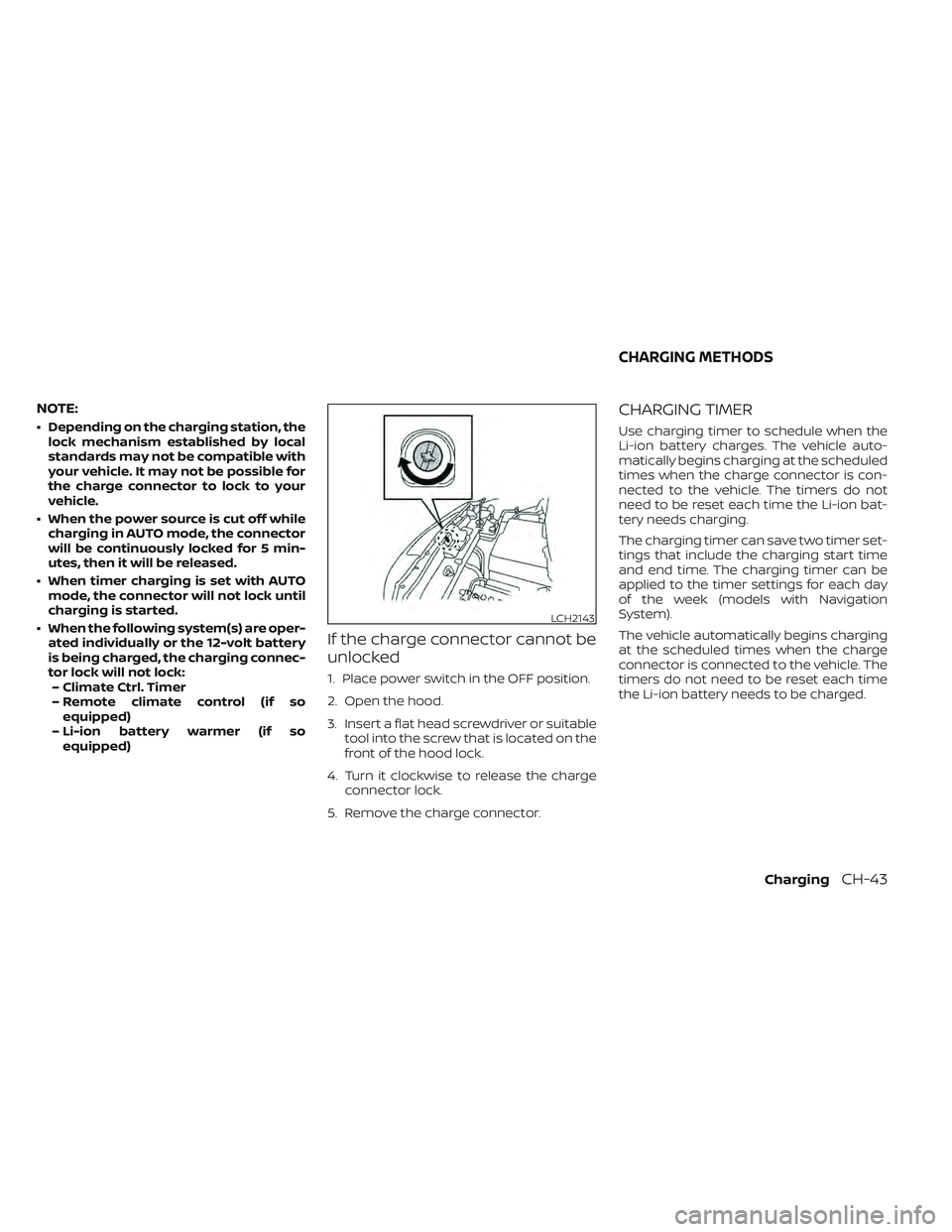
If the charge connector cannot be
unlocked
1. Place power switch in the OFF position.
2. Open the hood.
3. Insert a flat head screwdriver or suitable tool into the screw that is located on the
front of the hood lock.
4. Turn it clockwise to release the charge connector lock.
5. Remove the charge connector.
CHARGING TIMER
Use charging timer to schedule when the
Li-ion battery charges. The vehicle auto-
matically begins charging at the scheduled
times when the charge connector is con-
nected to the vehicle. The timers do not
need to be reset each time the Li-ion bat-
tery needs charging.
The charging timer can save two timer set-
tings that include the charging start time
and end time. The charging timer can be
applied to the timer settings for each day
of the week (models with Navigation
System).
The vehicle automatically begins charging
at the scheduled times when the charge
connector is connected to the vehicle. The
timers do not need to be reset each time
the Li-ion battery needs to be charged.
LCH2143
CHARGING METHODS
ChargingCH-43
Page 101 of 618
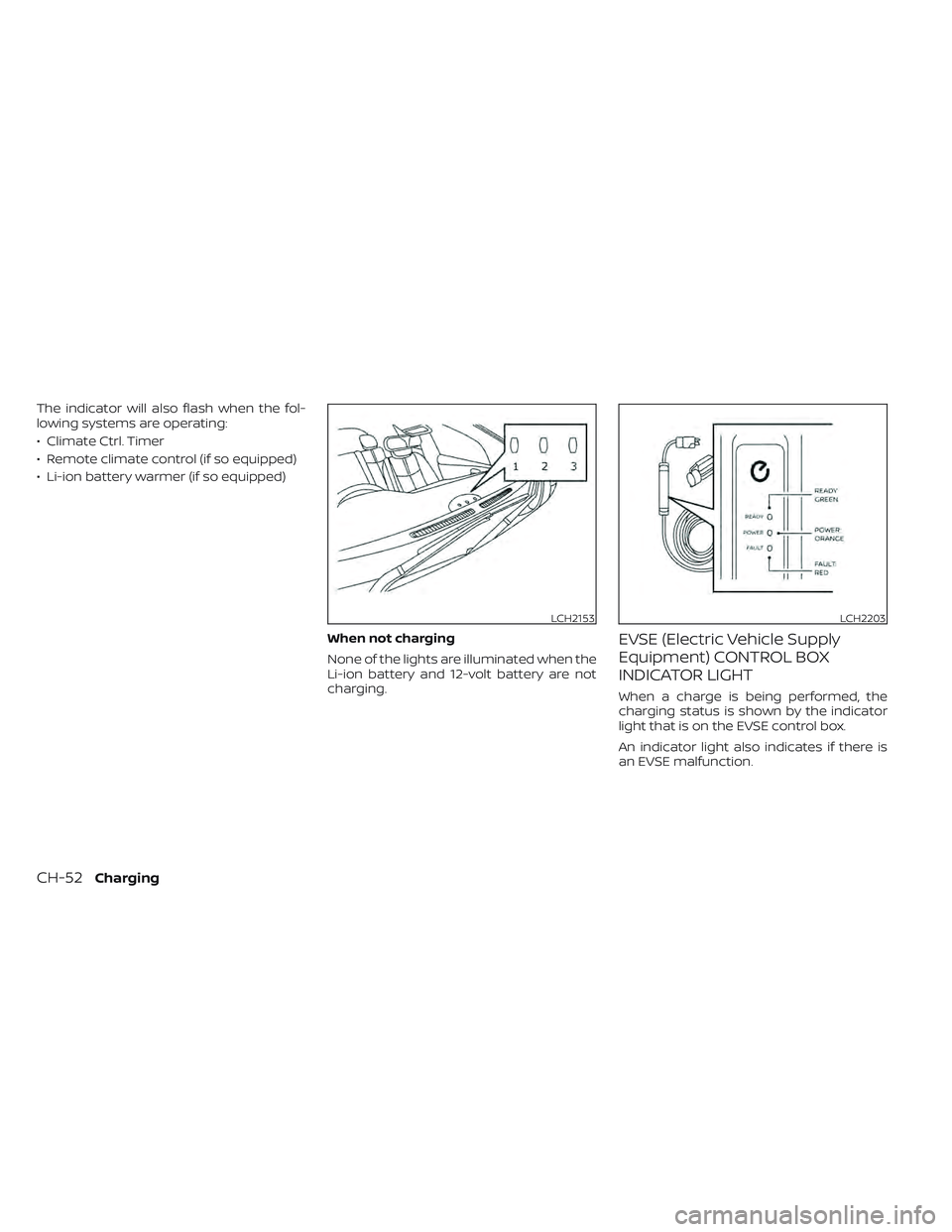
The indicator will also flash when the fol-
lowing systems are operating:
• Climate Ctrl. Timer
• Remote climate control (if so equipped)
• Li-ion battery warmer (if so equipped)When not charging
None of the lights are illuminated when the
Li-ion battery and 12-volt battery are not
charging.
EVSE (Electric Vehicle Supply
Equipment) CONTROL BOX
INDICATOR LIGHT
When a charge is being performed, the
charging status is shown by the indicator
light that is on the EVSE control box.
An indicator light also indicates if there is
an EVSE malfunction.
LCH2153LCH2203
CH-52Charging
Page 209 of 618
EV Settings
The EV settings menu allows the user to change the settings for charging the vehicle.
Some menu items shown below may not be equipped on your vehicle.
Menu ItemExplanation
Chg. Connector Lock Allows user to lock or unlock the charging connection.
Charge Timer1 Allows user to set charge timer 1.
Charge Timer2 Allows user to set charge timer 2.
Chg. Timer Only at HOME Allows user to set charging timer only at home.
Charge Time Screen Allows user to select the display time screen based on charge method.
Climate Ctrl. Timer1 Allows user to set climate control timer 1.
Climate Ctrl. Timer2 Allows user to set climate control timer 2.
TPMS Settings
The TPMS settings menu allows the user to change the tire pressure units displayed in the vehicle information display.
Some menu items shown below may not be equipped on your vehicle.
Menu Item Explanation
Tire Pressure Unit Allows user to select the tire pressure units that will display in the vehicle information display.
Maintenance
The maintenance menu allows the user to set reminders for various vehicle maintenance items.
Some menu items shown below may not be equipped on your vehicle.
Menu Item Explanation
Maintenance Displays available maintenance reminder options.
Tire Allows user to set a reminder at a specific interval or reset the current one.
Other Allows user to set a reminder at a specific interval or reset the current one.
2-32Instruments and controls
Page 235 of 618
Push the switch again to turn the heated
steering wheel system off manually. The
indicator light turns off.
NOTE:
• If the surface temperature of the steer-ing wheel is above 68°F (20°C) when the
switch is turned on, the system will not
heat the steering wheel. This is not a
malfunction.
• If the outside temperature is low (ap- proximately 50°F (10°C) or less) and the
Climate Control Timer or Remote Cli-
mate Control are used, the steering
wheel heater will automatically oper-
ate in the following conditions.– When using the Climate Control Timer: Operates from approximately
15 minutes before the set departure
time until the set departure time.
– When using Remote Climate Control: Operates 15 minutes af ter Remote
Climate Control starts.
• The heated steering wheel consumes less power than the heater and can be
used to either help extend vehicle
range by reducing heater use or to
maximize comfort by supplementing
the heater. The Emergency Call (SOS) system button
is used in combination with a
NissanConnect® Services powered by
SiriusXM® subscription to call for assis-
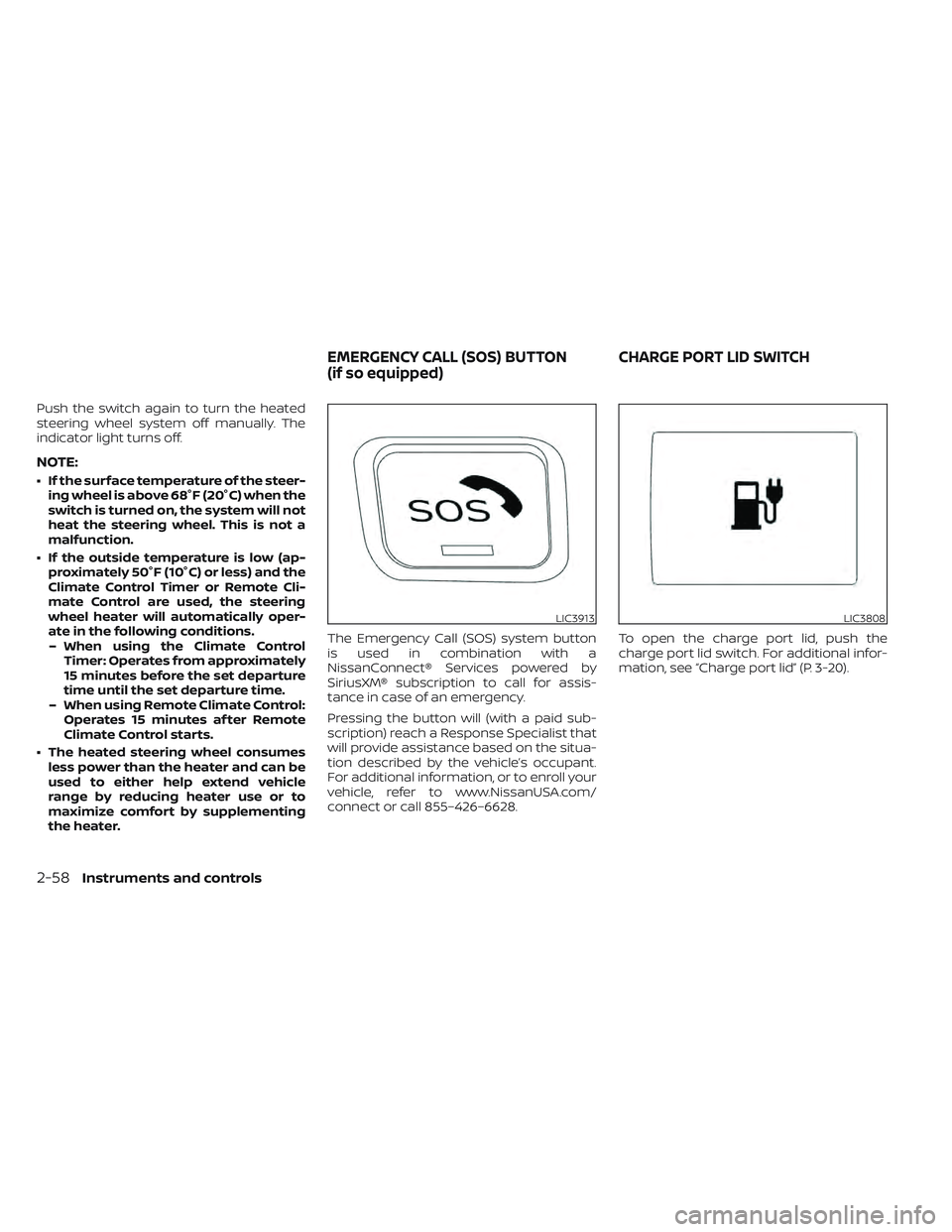
tance in case of an emergency.
Pressing the button will (with a paid sub-
scription) reach a Response Specialist that
will provide assistance based on the situa-
tion described by the vehicle’s occupant.
For additional information, or to enroll your
vehicle, refer to www.NissanUSA.com/
connect or call 855–426–6628.
To open the charge port lid, push the
charge port lid switch. For additional infor-
mation, see “Charge port lid” (P. 3-20).
LIC3913LIC3808
EMERGENCY CALL (SOS) BUTTON
(if so equipped)
CHARGE PORT LID SWITCH
2-58Instruments and controls
Page 280 of 618
4 Monitor, climate, audio, phone and
voice recognition systems
NissanConnect® Manual........................4-2
RearView Monitor (if so equipped) ...............4-3
RearView Monitor system operation ..........4-4
How to read the displayed lines ..............4-5
Difference between predicted and
actual distances .............................4-5
How to park with predicted course
lines ..........................................4-7
Adjusting the screen .........................4-8
How to turn on and off predicted
course lines ..................................4-9
RearView Monitor system limitations .........4-9
System maintenance ....................... 4-10
Intelligent Around View Monitor
(if so equipped) .................................. 4-11
Intelligent Around View Monitor system
operation ................................... 4-12
Difference between predicted and
actual distances ............................ 4-16
How to park with predicted course
lines ......................................... 4-17
How to switch the display ...................4-18
Adjusting the screen ........................ 4-19
Intelligent Around View Monitor system
limitations .................................. 4-20System maintenance
.......................4-22
Moving Object Detection (MOD)
(if so equipped) ................................. 4-23
MOD system operation ......................4-24
Turning MOD ON and OFF ...................4-26
MOD system limitations .....................4-26
System maintenance .......................4-27
Vents .......................................... 4-28
Heater and air conditioner (automatic) .........4-29
Displaying climate control system
status screen (models with navigation
system) ..................................... 4-30
Operating tips ............................... 4-30
In-cabin microfilter .......................... 4-31
Automatic climate control
(models without Navigation System) ........4-32
Automatic climate control
(models with Navigation System) ............4-35
Climate ctrl. timer ........................... 4-38
Antenna ........................................ 4-43
Car phone or CB radio .......................... 4-43
iPod®/iPhone® ................................. 4-44
Page 305 of 618
A blue MOD iconO3is displayed in the view
where the MOD system is operative. A gray
MOD icon is displayed in the view where the
MOD system is not operative.
If the MOD system is turned off, the MOD
icon
O3is not displayed.
TURNING MOD ON AND OFF
Some vehicles include the option to allow
the MOD system to be turned on or off in
the vehicle information display.
To turn the MOD system on or off:
1. Use either the
ormenu control
switch on the steering wheel to select
“Settings”.
2. Select “Driver Assistance” and press the OK button.
3. Select “Parking Aids” and press the OK button.
4. Toggle ON or OFF “Moving Object” using the OK button.
MOD SYSTEM LIMITATIONS
WARNING
Listed below are the system limitations
for MOD. Failure to operate the vehicle
in accordance with these system limi-
tations could result in serious injury or
death.
• Excessive noise (for example, audio
system volume or open vehicle win-
dow) will interfere with the chime
sound, and it may not be heard.
• The MOD system performance will be
limited according to environmental
conditions and surrounding objects
such as:
– When there is low contrast be-
tween background and the mov-
ing objects.
– When there is a blinking source of
light.
– When strong light such as another
vehicle’s headlight or sunlight is
present.
– When camera orientation is not in
its usual position, such as when a
mirror is folded. –
When there is dirt, water drops or
snow on the camera lens.
– When the position of the moving
objects in the display is not
changed.
• The MOD system might detect flow-
ing water droplets on the camera
lens, white smoke from the muffler,
moving shadows, etc.
• The MOD system may not function
properly depending on the speed, di-
rection, distance or shape of the
moving objects.
• If your vehicle sustains damage to
the parts where the camera is in-
stalled, leaving it misaligned or bent,
the sensing zone may be altered and
the MOD system may not detect ob-
jects properly.
• When the temperature is extremely
high or low, the screen may not dis-
play objects clearly. This is not a
malfunction.
4-26Monitor, climate, audio, phone and voice recognition systems
Page 308 of 618
WARNING
• The air conditioning cooling function
operates only when the power
switch is in the ON position or when
the READY to drive indicator light is
ON.
• Do not leave children or adults who
would normally require the assis-
tance of others alone in your vehicle.
Pets should also not be lef t alone.
They could accidentally injure them-
selves or others through inadvertent
operation of the vehicle. Also, on hot,
sunny days, temperatures in a closed
vehicle could quickly become high
enough to causes severe or possibly
fatal injuries to people or animals. •
Do not use the recirculation mode for
long periods as it may cause the inte-
rior air to become stale and the win-
dows to fog up.
NOTE:
• Odors from inside and outside the ve- hicle can build up in the air conditioner
unit. Odor can enter the passenger
compartment through the vents.
• When parking, set the heater or air conditioner controls to turn off air re-
circulation to allow fresh air into the
passenger compartment. This should
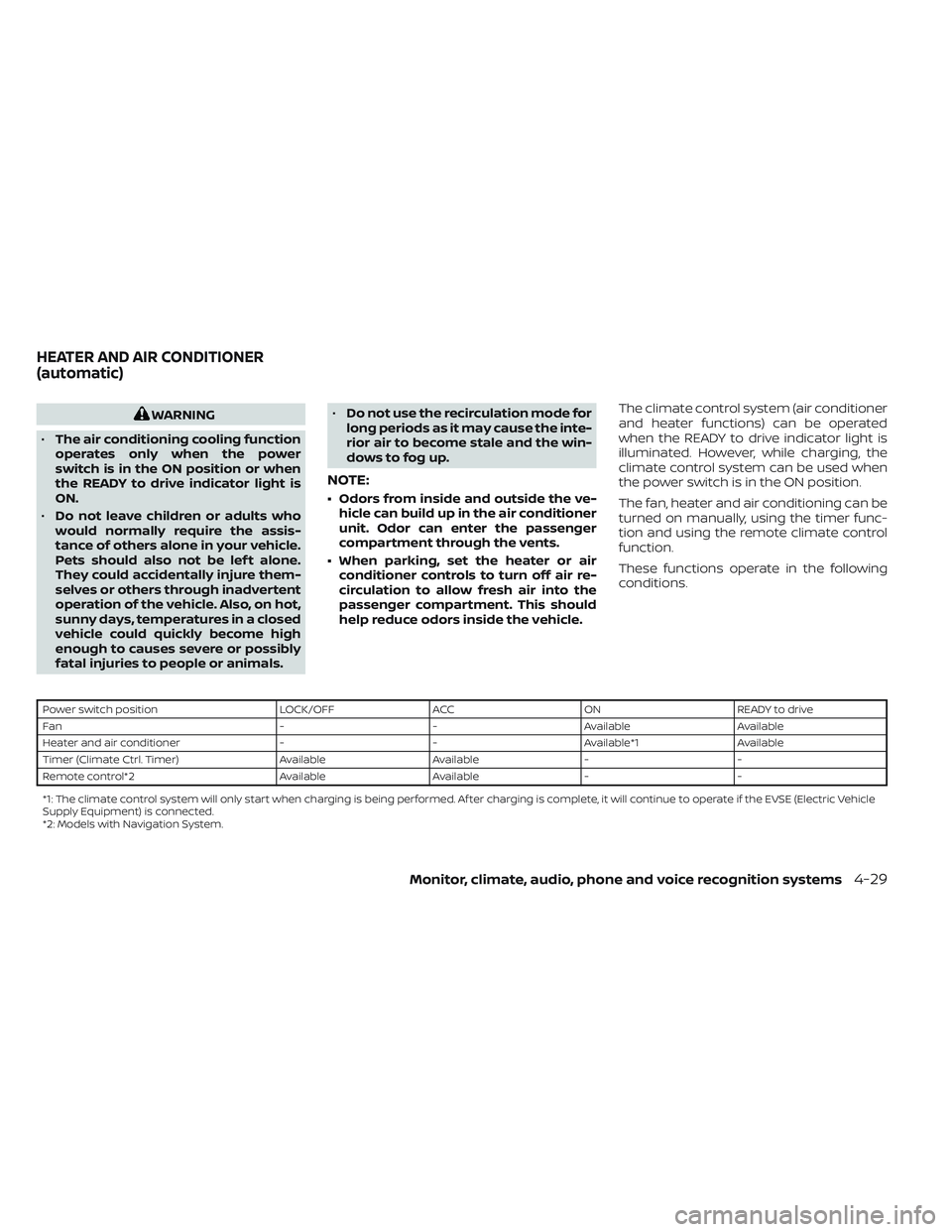
help reduce odors inside the vehicle. The climate control system (air conditioner
and heater functions) can be operated
when the READY to drive indicator light is
illuminated. However, while charging, the
climate control system can be used when
the power switch is in the ON position.
The fan, heater and air conditioning can be
turned on manually, using the timer func-
tion and using the remote climate control
function.
These functions operate in the following
conditions.
Power switch position
LOCK/OFFACCON READY to drive
Fan --Available Available
Heater and air conditioner --Available*1 Available
Timer (Climate Ctrl. Timer) AvailableAvailable- -
Remote control*2 AvailableAvailable- -
*1: The climate control system will only start when charging is being performed. Af ter charging is complete, it will continue to operate if the EVSE (El ectric Vehicle
Supply Equipment) is connected.
*2: Models with Navigation System.
HEATER AND AIR CONDITIONER
(automatic)
Monitor, climate, audio, phone and voice recognition systems4-29
Page 309 of 618
NOTE:
• A series of operation sounds may beheard immediately af ter climate con-
trol ON/OFF operation. This is not a
malfunction.
• Compressor and motor fan may sud- denly start to operate during charging
operation. This is not a malfunction.
• Condensation forms inside the air con- ditioning unit when the air conditioner
is running, and is safely discharged un-
derneath your vehicle. Traces of water
on the ground are therefore normal.
Water may drop underneath the ve-
hicle when climate control is operating.
DISPLAYING CLIMATE CONTROL
SYSTEM STATUS SCREEN (models
with navigation system)
The climate control system status screen
can be displayed as a widget. For details of
the widget, refer to the NissanConnect®
Manual.
NOTE:
• If the READY to drive indicator light isilluminated and the EVSE (Electric Ve-
hicle Supply Equipment) is connected
to the vehicle, the power switch will
change to the ON position. At the same
time, the climate control system will
stop operating. However, the fan will
continue to operate. If you want to turn
on climate control again, place the
power switch in the OFF position and
then place it in the ON position again
af ter confirming that the vehicle has
started charging.
• When the power switch is in the ON position, if the power supply from the
EVSE (Electric Vehicle Supply Equip-
ment) is interrupted due to an electri-
cal outage, etc., the system will operate
in the following ways.– If it occurs while charging is being performed:
The climate control system will stop
once. If the power supply is restored
within approximately 5 minutes, the
climate control system will restart.
However, if more than 5 minutes have
elapsed, the climate control system
will not restart.
–
If it occurs af ter charging has finished:The climate control system will stop.
OPERATING TIPS
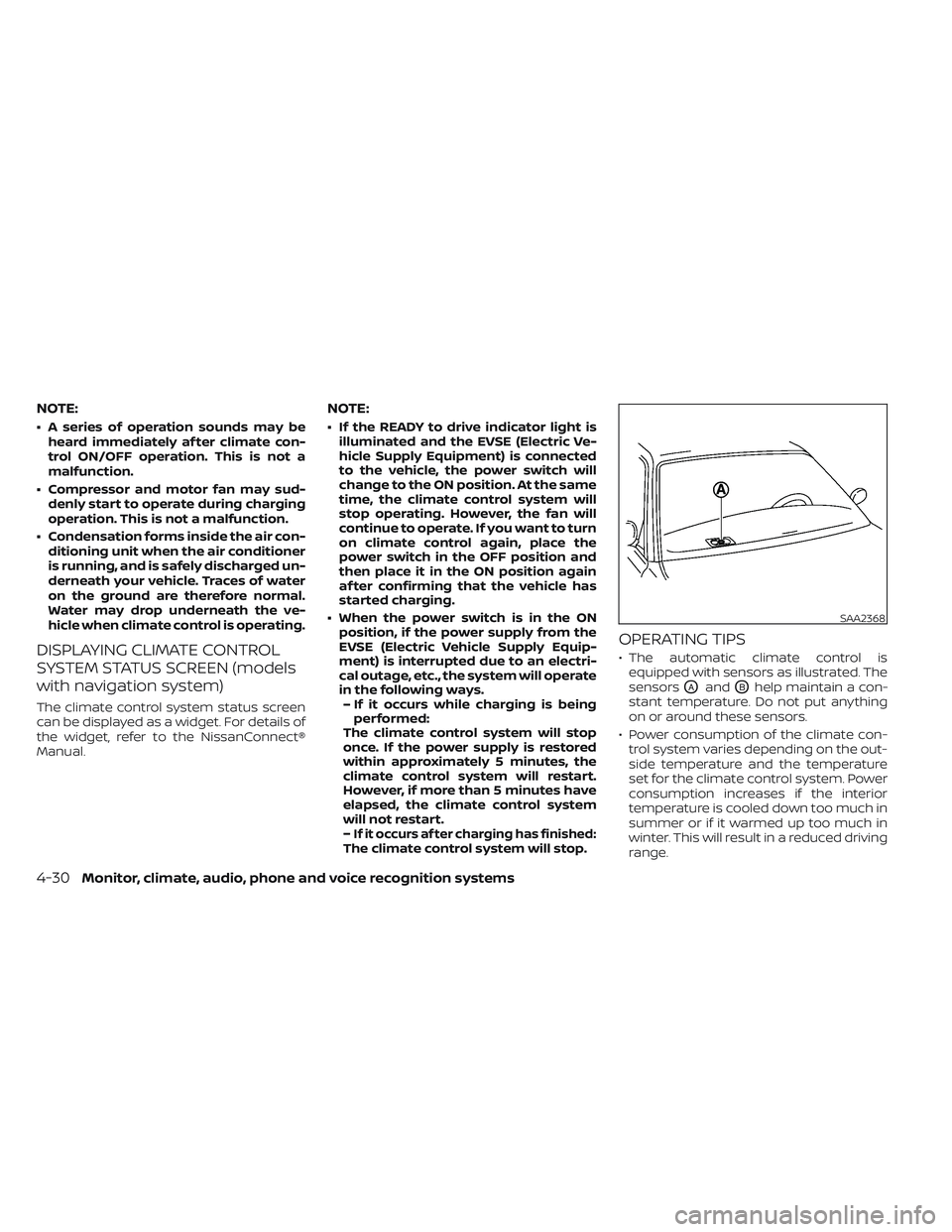
• The automatic climate control is
equipped with sensors as illustrated. The
sensors
OAandOBhelp maintain a con-
stant temperature. Do not put anything
on or around these sensors.
• Power consumption of the climate con- trol system varies depending on the out-
side temperature and the temperature
set for the climate control system. Power
consumption increases if the interior
temperature is cooled down too much in
summer or if it warmed up too much in
winter. This will result in a reduced driving
range.
SAA2368
4-30Monitor, climate, audio, phone and voice recognition systems