air condition NISSAN LEAF 2023 Owner's Guide
[x] Cancel search | Manufacturer: NISSAN, Model Year: 2023, Model line: LEAF, Model: NISSAN LEAF 2023Pages: 612, PDF Size: 7.42 MB
Page 219 of 612
If one or more of these warning appears,
have the system checked. It is recom-
mended that you visit a NISSAN certified
LEAF dealer for this service.
Not Available Bad Weather
This message may appear when the Steer-
ing Assist system is engaged.
When the wiper (HI) operates, the Steering
Assist system is automatically canceled.
The system will be available when the
above conditions no longer exist.
Not Available Parking Brake On
This message may appear when the Intel-
ligent Cruise Control (ICC) (with ProPILOT
Assist) system is engaged.
Under the following conditions, the ICC
(with ProPILOT Assist) system is automati-
cally canceled:
• The electronic parking brake is applied.
The above system cannot be used when
the electronic parking brake is activated.
Not Available Poor Road Conditions
This message may appear when the Intel-
ligent Cruise Control (ICC) (with ProPILOT
Assist) system, the ICC system, Intelligent
Blind Spot Intervention (I-BSI) or Intelligent
Lane Intervention (I-LI) is engaged.Under the following conditions, the ICC
(with ProPILOT Assist) system, ICC system,
Intelligent Blind Intervention (I-BSI) or Intel-
ligent Lane Intervention (I-LI) is automati-
cally canceled:
• When the VDC operates.
• When a wheel slips.
The above system cannot be used in some
situations (VDC operates and wheel slip).
Not Available Seat Belt Not Fastened
This indicator appears when the ProPILOT
Assist system will not engage because the
driver’s seat belt is not fastened. For addi-
tional information, see “ProPILOT Assist”
(P. 5-92).
Not Available System Malfunction
This warning appears when one or more of
the following systems (if so equipped) are
not functioning properly:
• Intelligent Blind Spot Intervention (I-BSI)
• Blind Spot Warning (BSW)
• ProPILOT Assist
If one or more of these warning appears,
have the system checked. It is recom-
mended that you visit a NISSAN certified
LEAF dealer for this service.
Not Available Visibility is Impaired
This message may appear when the Intel-
ligent Cruise Control (ICC) (with ProPILOT
Assist) system is engaged.
Under the following conditions, the ICC
(with ProPILOT Assist) system is automati-
cally canceled:
• The camera area of the windshield is
fogged up or covered with dirt, water, ice,
snow, etc.
• Strong light, such as sunlight or high beams from oncoming vehicles, enters
the front camera
The system will be available when the
above conditions no longer exist.
If the warning message continues to ap-
pear, stop the vehicle in a safe location, turn
the EV system off and clean the windshield.
Parking Sensor
This indicator illuminates when the sensor
is activated. Pressing the OK button while
the sonar screen is displayed will dismiss
this message until the next time the sen-
sors are activated. The Parking Sensor sys-
tem will remain on, unless it is disabled in
the vehicle information display. For addi-
tional information, see “Rear Sonar System
(RSS) (P. 5-169).
2-42Instruments and controls
Page 241 of 612
CAUTION
• The outlet and plug may be hot dur-
ing or immediately af ter use.
• Do not use with accessories that ex-
ceed a 12-volt, 120W (10A) power
draw.
• Do not use double adapters or more
than one electrical accessory.
• Use the power outlet with the power
switch is in the ON or READY to Drive
position to avoid discharging the 12-
volt battery. •
Avoid using the power outlet when
the air conditioner, headlights or rear
window defroster are on.
• This power outlet is not designed for
use with a cigarette lighter unit.
• Push the plug in as far as it will go. If
good contact is not made, the plug
may overheat or the internal tem-
perature fuse may open.
• Before inserting or disconnecting a
plug, make sure that the electrical
accessory being used is turned OFF.
• When not in use, be sure to close the
cap. Do not allow water to contact
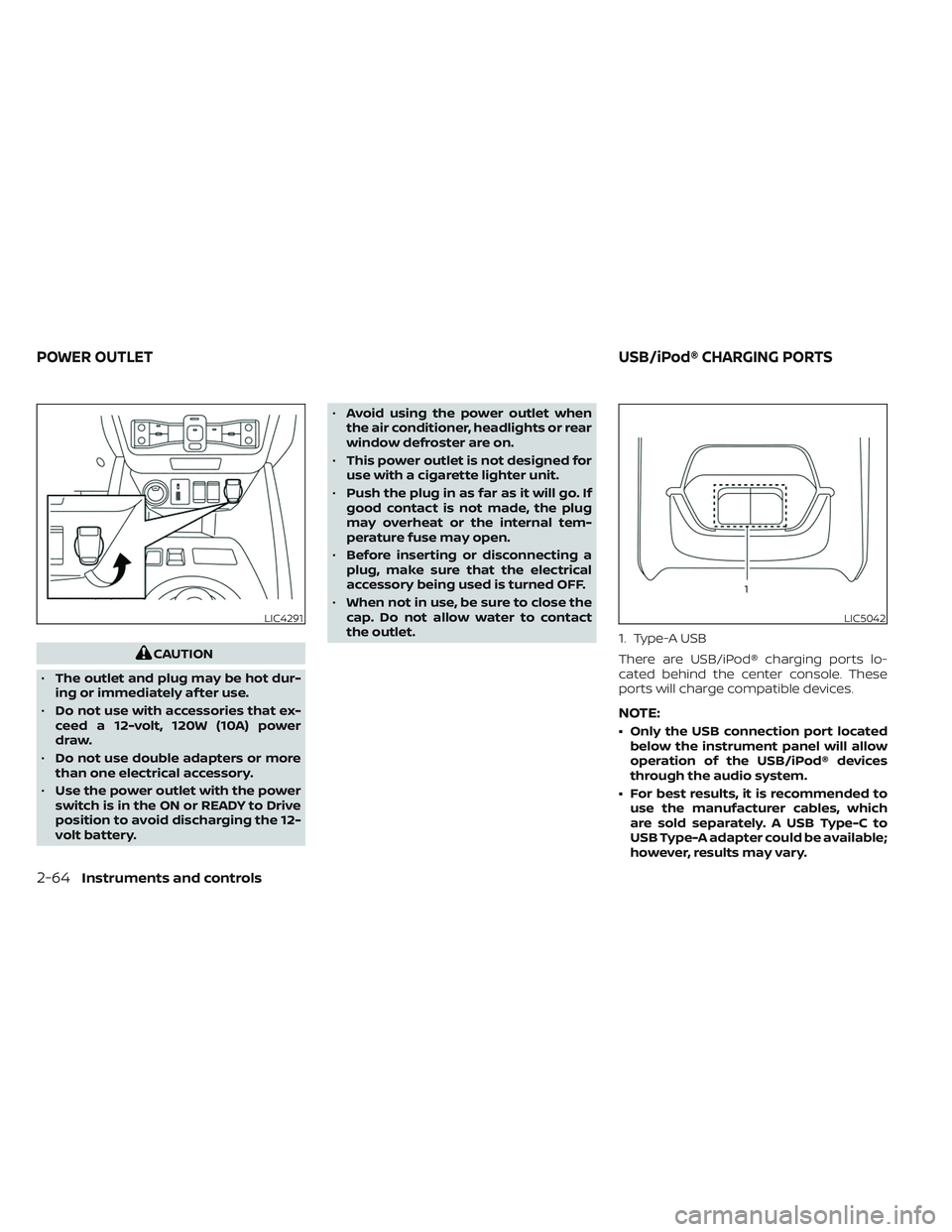
the outlet. 1. Type-A USB
There are USB/iPod® charging ports lo-
cated behind the center console. These
ports will charge compatible devices.
NOTE:
• Only the USB connection port located
below the instrument panel will allow
operation of the USB/iPod® devices
through the audio system.
• For best results, it is recommended to use the manufacturer cables, which
are sold separately. A USB Type-C to
USB Type-A adapter could be available;
however, results may vary.
LIC4291LIC5042
POWER OUTLET USB/iPod® CHARGING PORTS
2-64Instruments and controls
Page 257 of 612
Lockout protection
When any door is open and the power door
lock switch is moved to the lock position, all
doors will lock. If the Intelligent Key is lef t in
the vehicle af ter all the doors are closed, all
doors will unlock automatically and a
chime will sound.
These functions help to prevent the Intelli-
gent Key from being accidentally locked
inside the vehicle.
AUTOMATIC DOOR LOCKS
• All doors lock automatically when the ve-hicle speed reaches 15 mph (24 km/h).
• All doors unlock automatically when the power switch is placed in the OFF
position.
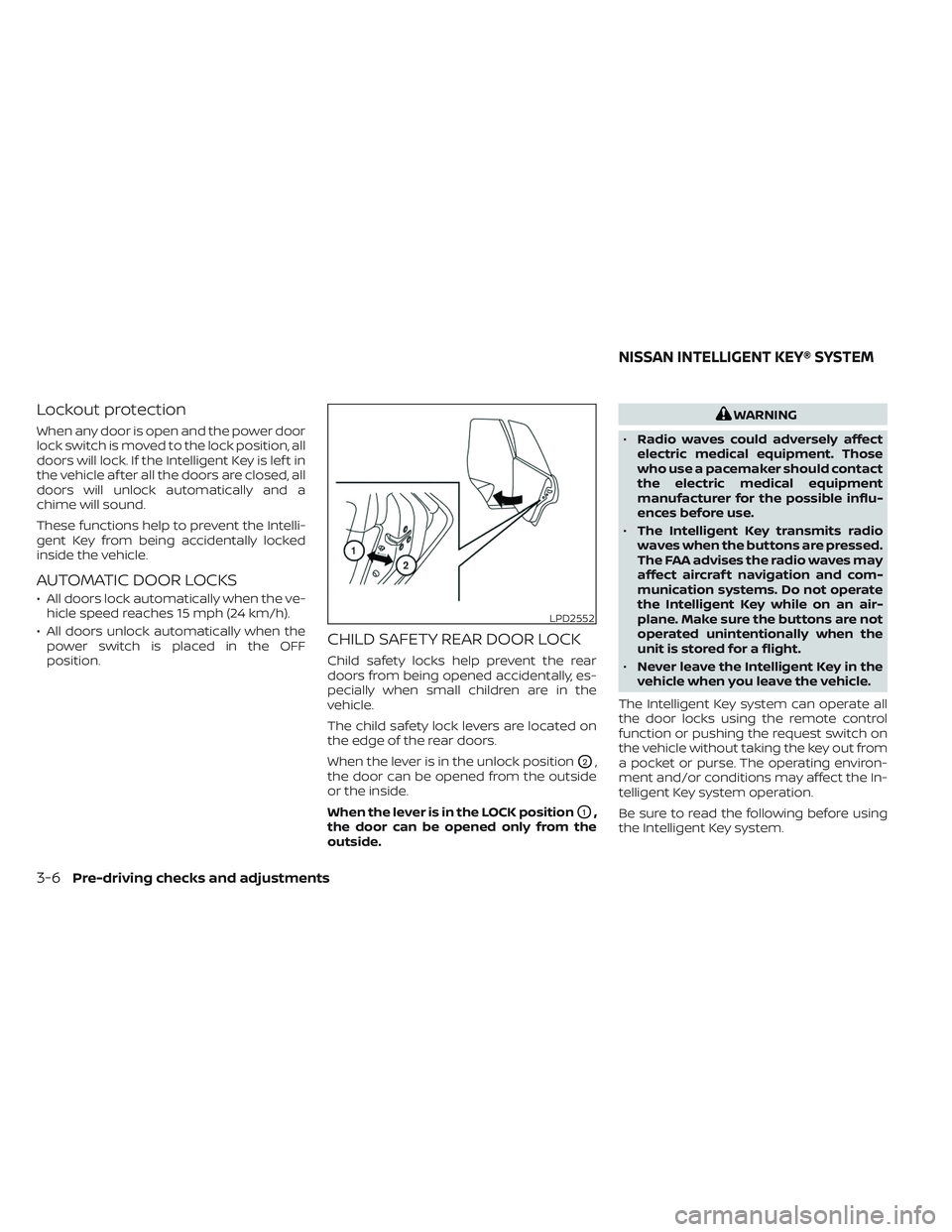
CHILD SAFETY REAR DOOR LOCK
Child safety locks help prevent the rear
doors from being opened accidentally, es-
pecially when small children are in the
vehicle.
The child safety lock levers are located on
the edge of the rear doors.
When the lever is in the unlock position
O2,
the door can be opened from the outside
or the inside.
When the lever is in the LOCK position
O1,
the door can be opened only from the
outside.
WARNING
• Radio waves could adversely affect
electric medical equipment. Those
who use a pacemaker should contact
the electric medical equipment
manufacturer for the possible influ-
ences before use.
• The Intelligent Key transmits radio
waves when the buttons are pressed.
The FAA advises the radio waves may
affect aircraf t navigation and com-
munication systems. Do not operate
the Intelligent Key while on an air-
plane. Make sure the buttons are not
operated unintentionally when the
unit is stored for a flight.
• Never leave the Intelligent Key in the
vehicle when you leave the vehicle.
The Intelligent Key system can operate all
the door locks using the remote control
function or pushing the request switch on
the vehicle without taking the key out from
a pocket or purse. The operating environ-
ment and/or conditions may affect the In-
telligent Key system operation.
Be sure to read the following before using
the Intelligent Key system.
LPD2552
NISSAN INTELLIGENT KEY® SYSTEM
3-6Pre-driving checks and adjustments
Page 263 of 612
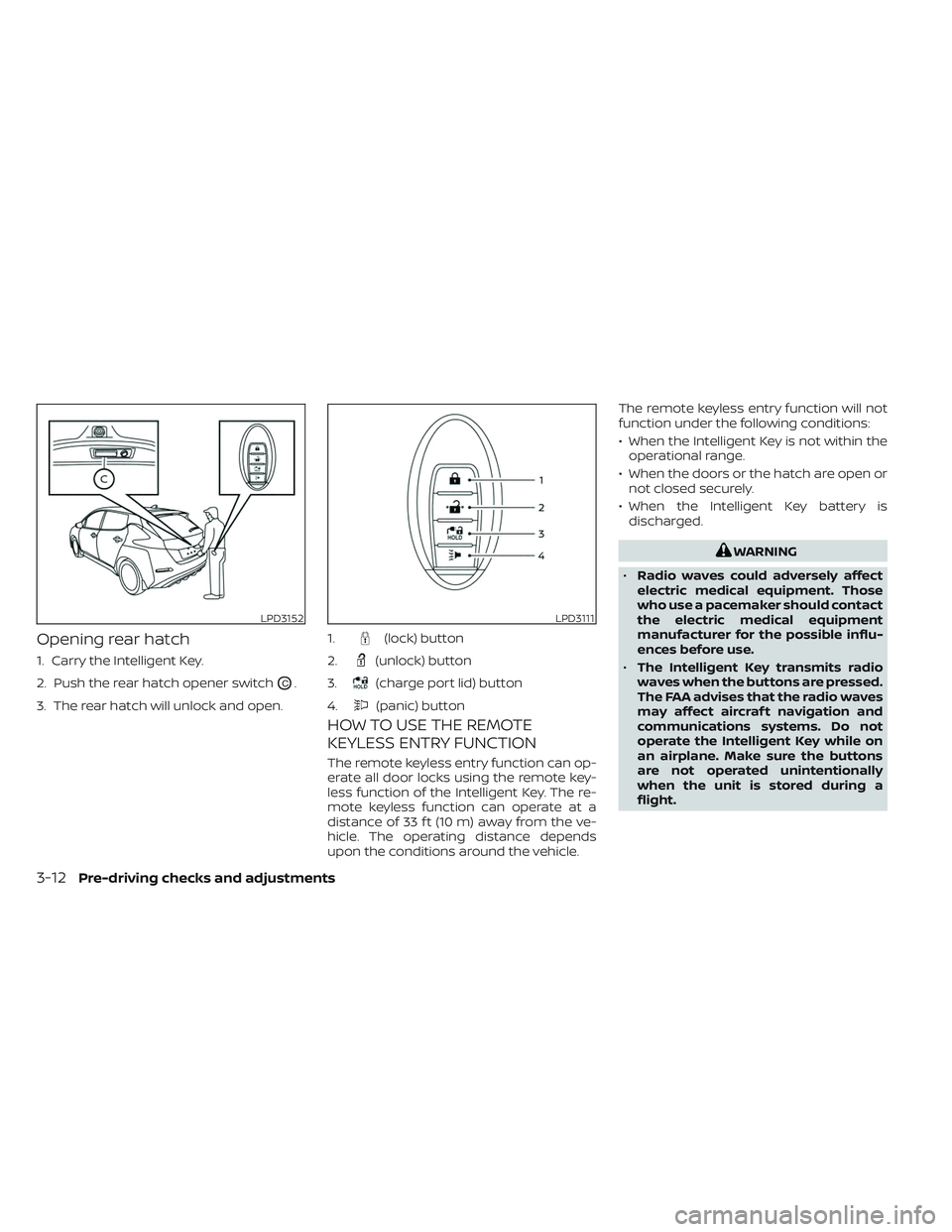
Opening rear hatch
1. Carry the Intelligent Key.
2. Push the rear hatch opener switch
OC.
3. The rear hatch will unlock and open.
HOW TO USE THE REMOTE
KEYLESS ENTRY FUNCTION
The remote keyless entry function can op-
erate all door locks using the remote key-
less function of the Intelligent Key. The re-
mote keyless function can operate at a
distance of 33 f t (10 m) away from the ve-
hicle. The operating distance depends
upon the conditions around the vehicle. The remote keyless entry function will not
function under the following conditions:
• When the Intelligent Key is not within the
operational range.
• When the doors or the hatch are open or not closed securely.
• When the Intelligent Key battery is discharged.
WARNING
• Radio waves could adversely affect
electric medical equipment. Those
who use a pacemaker should contact
the electric medical equipment
manufacturer for the possible influ-
ences before use.
• The Intelligent Key transmits radio
waves when the buttons are pressed.
The FAA advises that the radio waves
may affect aircraf t navigation and
communications systems. Do not
operate the Intelligent Key while on
an airplane. Make sure the buttons
are not operated unintentionally
when the unit is stored during a
flight.
LPD3152LPD3111
1.(lock) button
2.
(unlock) button
3.
(charge port lid) button
4.
(panic) button
3-12Pre-driving checks and adjustments
Page 278 of 612
4 Monitor, climate, audio, phone and
voice recognition systems
NissanConnect® Manual........................4-2
RearView Monitor (if so equipped) ...............4-3
RearView Monitor system operation ..........4-4
How to read the displayed lines ..............4-5
Difference between predicted and
actual distances .............................4-5
How to park with predicted course
lines ..........................................4-7
Adjusting the screen .........................4-8
How to turn on and off predicted
course lines ..................................4-9
RearView Monitor system limitations .........4-9
System maintenance ....................... 4-10
Intelligent Around View® Monitor
(if so equipped) .................................. 4-11
Intelligent Around View® Monitor
system operation ........................... 4-12
Difference between predicted and
actual distances ............................ 4-16
How to park with predicted course
lines ......................................... 4-17
How to switch the display ...................4-18
Adjusting the screen ........................ 4-19
Intelligent Around View® Monitor
system limitations .......................... 4-20System maintenance
.......................4-22
Moving Object Detection (MOD)
(if so equipped) ................................. 4-23
MOD system operation ......................4-24
Turning MOD ON and OFF ...................4-26
MOD system limitations .....................4-26
System maintenance .......................4-27
Vents .......................................... 4-28
Heater and air conditioner (automatic) .........4-29
Displaying climate control system
status screen (models with navigation
system) ..................................... 4-30
Operating tips ............................... 4-30
In-cabin microfilter .......................... 4-31
Automatic climate control
(models without Navigation System) ........4-32
Automatic climate control
(models with Navigation System) ............4-35
Climate ctrl. timer ........................... 4-38
Antenna ........................................ 4-43
Car phone or CB radio .......................... 4-43
iPod®/iPhone® ................................. 4-44
Page 306 of 612
WARNING
• The air conditioning cooling function
operates only when the power
switch is in the ON position or when
the READY to drive indicator light is
ON.
• Do not leave children or adults who
would normally require the assis-
tance of others alone in your vehicle.
Pets should also not be lef t alone.
They could accidentally injure them-
selves or others through inadvertent
operation of the vehicle. Also, on hot,
sunny days, temperatures in a closed
vehicle could quickly become high
enough to causes severe or possibly
fatal injuries to people or animals. •
Do not use the recirculation mode for
long periods as it may cause the inte-
rior air to become stale and the win-
dows to fog up.
NOTE:
• Odors from inside and outside the ve- hicle can build up in the air conditioner
unit. Odor can enter the passenger
compartment through the vents.
• When parking, set the heater or air conditioner controls to turn off air re-
circulation to allow fresh air into the
passenger compartment. This should
help reduce odors inside the vehicle. The climate control system (air conditioner
and heater functions) can be operated
when the READY to drive indicator light is
illuminated. However, while charging, the
climate control system can be used when
the power switch is in the ON position.
The fan, heater and air conditioning can be
turned on manually, using the timer func-
tion and using the remote climate control
function.
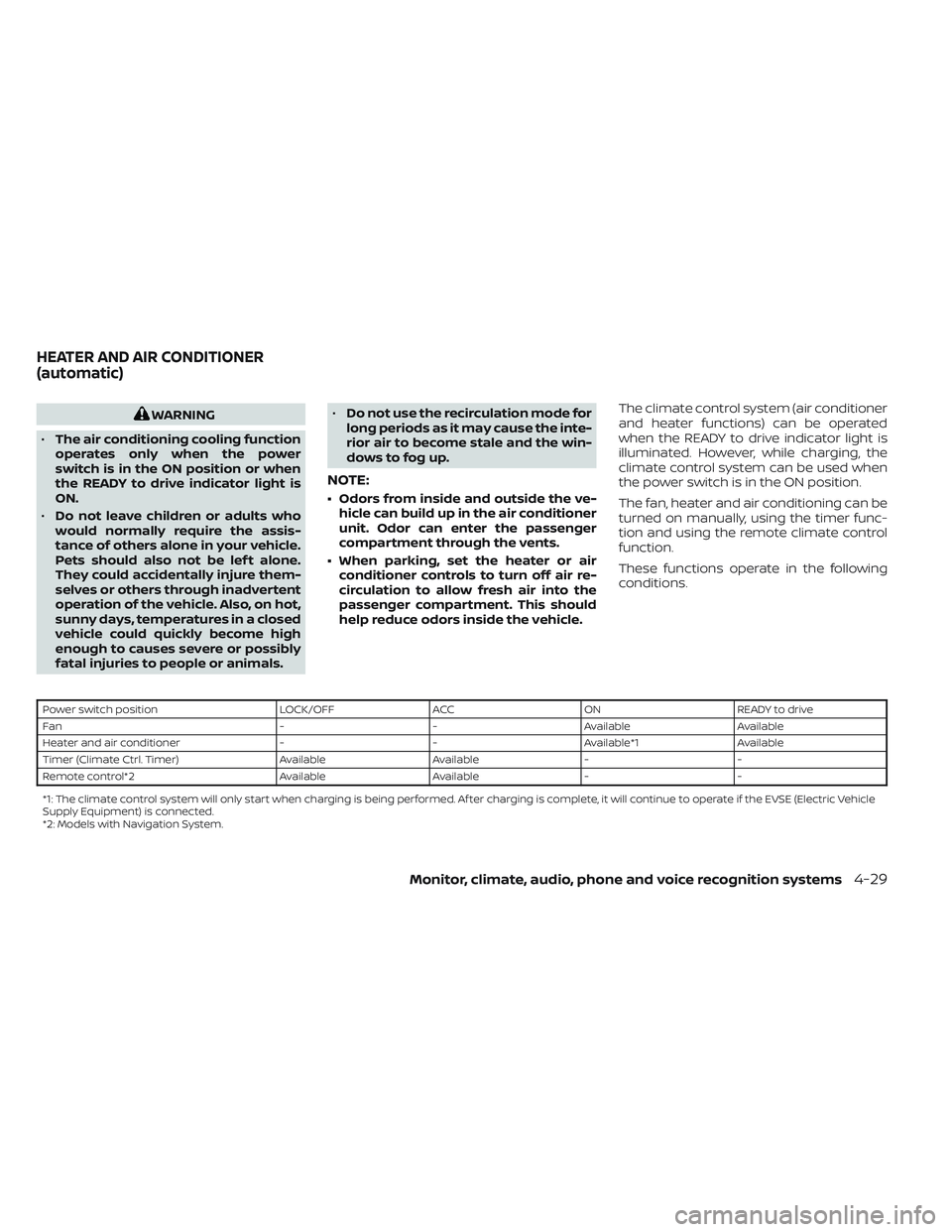
These functions operate in the following
conditions.
Power switch position
LOCK/OFFACCON READY to drive
Fan --Available Available
Heater and air conditioner --Available*1 Available
Timer (Climate Ctrl. Timer) AvailableAvailable- -
Remote control*2 AvailableAvailable- -
*1: The climate control system will only start when charging is being performed. Af ter charging is complete, it will continue to operate if the EVSE (El ectric Vehicle
Supply Equipment) is connected.
*2: Models with Navigation System.
HEATER AND AIR CONDITIONER
(automatic)
Monitor, climate, audio, phone and voice recognition systems4-29
Page 307 of 612
NOTE:
• A series of operation sounds may beheard immediately af ter climate con-
trol ON/OFF operation. This is not a
malfunction.
• Compressor and motor fan may sud- denly start to operate during charging
operation. This is not a malfunction.
• Condensation forms inside the air con- ditioning unit when the air conditioner
is running, and is safely discharged un-
derneath your vehicle. Traces of water
on the ground are therefore normal.
Water may drop underneath the ve-
hicle when climate control is operating.
DISPLAYING CLIMATE CONTROL
SYSTEM STATUS SCREEN (models
with navigation system)
The climate control system status screen
can be displayed as a widget. For details of
the widget, refer to the NissanConnect®
Manual.
NOTE:
• If the READY to drive indicator light isilluminated and the EVSE (Electric Ve-
hicle Supply Equipment) is connected
to the vehicle, the power switch will
change to the ON position. At the same
time, the climate control system will
stop operating. However, the fan will
continue to operate. If you want to turn
on climate control again, place the
power switch in the OFF position and
then place it in the ON position again
af ter confirming that the vehicle has
started charging.
• When the power switch is in the ON position, if the power supply from the
EVSE (Electric Vehicle Supply Equip-
ment) is interrupted due to an electri-
cal outage, etc., the system will operate
in the following ways.– If it occurs while charging is being performed:
The climate control system will stop
once. If the power supply is restored
within approximately 5 minutes, the
climate control system will restart.
However, if more than 5 minutes have
elapsed, the climate control system
will not restart.
–
If it occurs af ter charging has finished:The climate control system will stop.
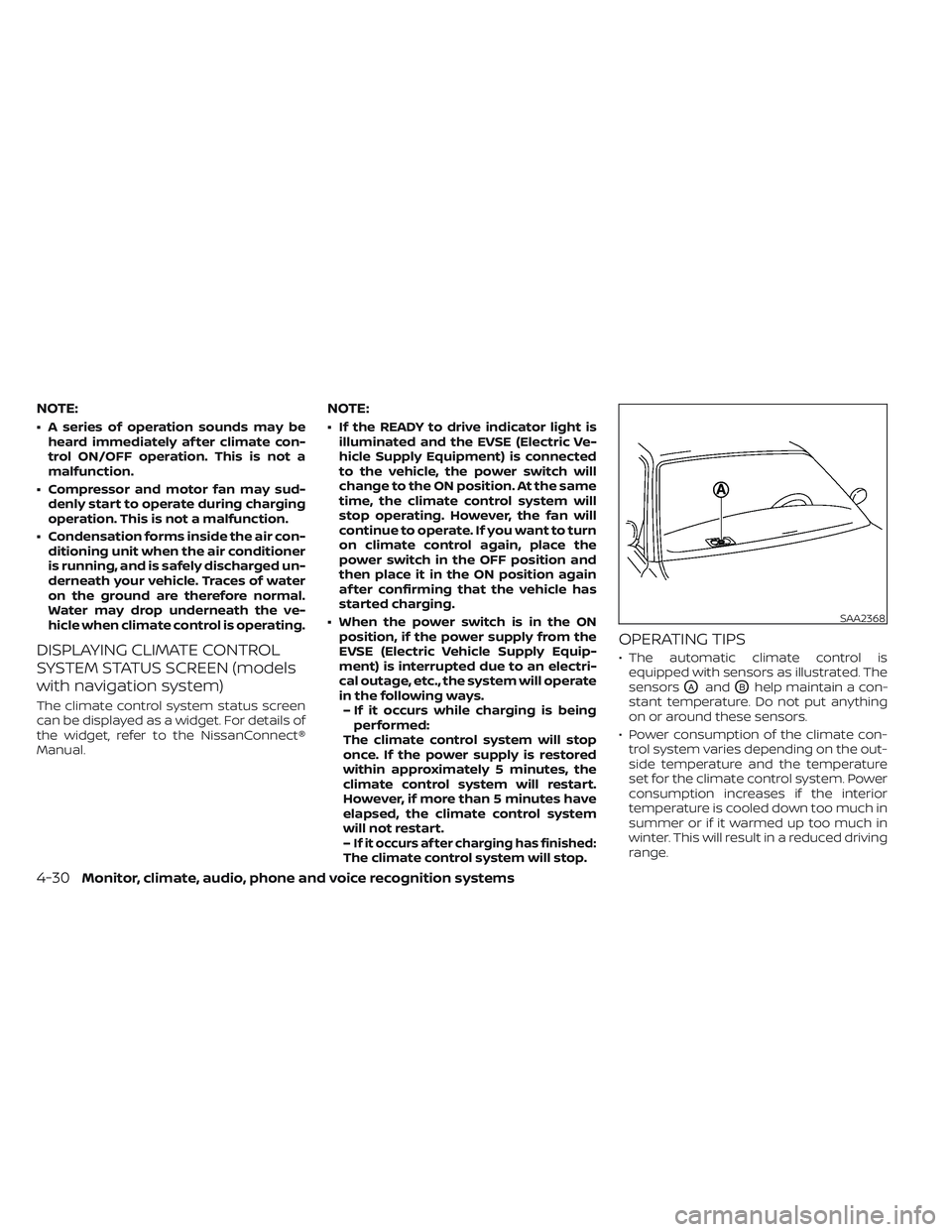
OPERATING TIPS
• The automatic climate control is equipped with sensors as illustrated. The
sensors
OAandOBhelp maintain a con-
stant temperature. Do not put anything
on or around these sensors.
• Power consumption of the climate con- trol system varies depending on the out-
side temperature and the temperature
set for the climate control system. Power
consumption increases if the interior
temperature is cooled down too much in
summer or if it warmed up too much in
winter. This will result in a reduced driving
range.
SAA2368
4-30Monitor, climate, audio, phone and voice recognition systems
Page 308 of 612
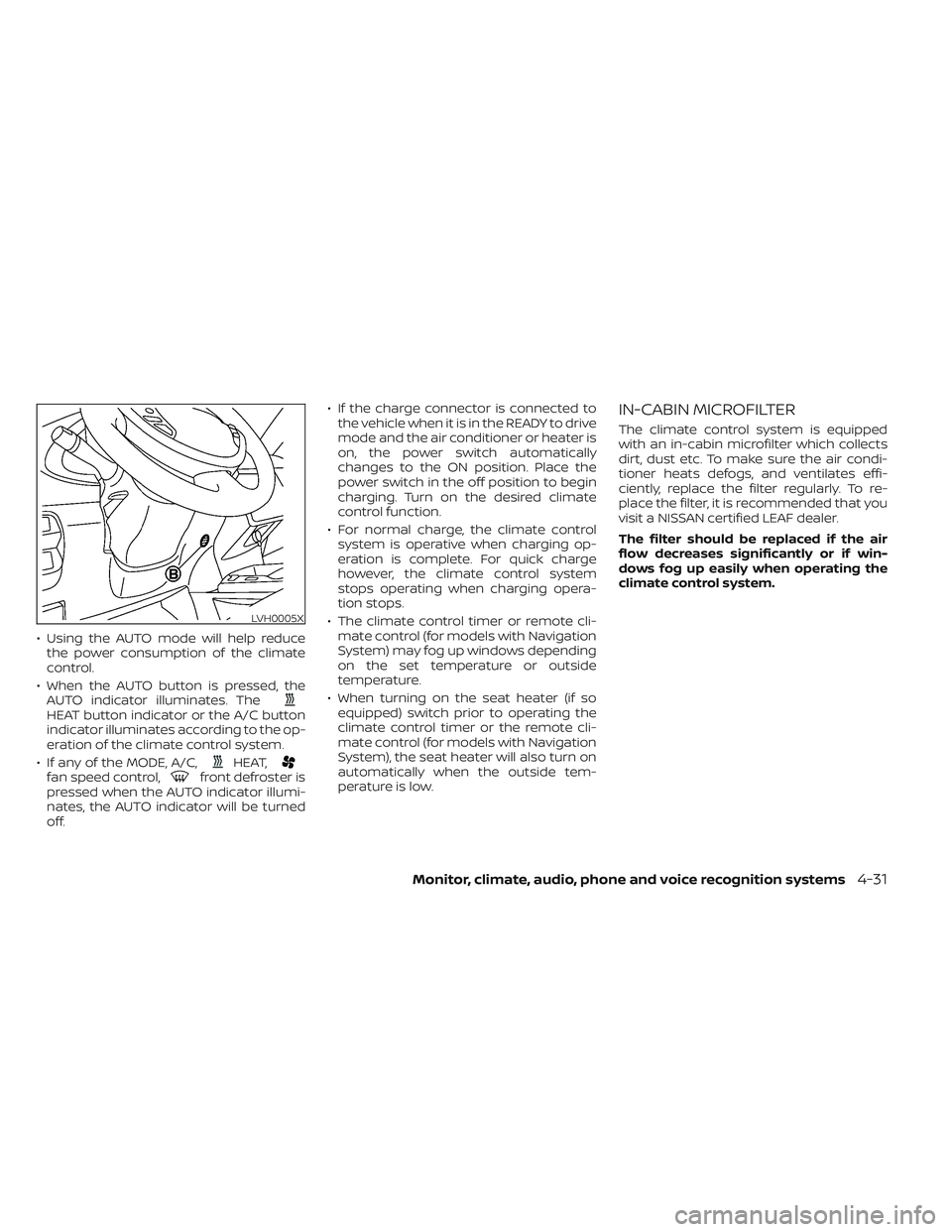
• Using the AUTO mode will help reducethe power consumption of the climate
control.
• When the AUTO button is pressed, the AUTO indicator illuminates. The
HEAT button indicator or the A/C button
indicator illuminates according to the op-
eration of the climate control system.
• If any of the MODE, A/C,
HEAT,fan speed control,front defroster is
pressed when the AUTO indicator illumi-
nates, the AUTO indicator will be turned
off. • If the charge connector is connected to
the vehicle when it is in the READY to drive
mode and the air conditioner or heater is
on, the power switch automatically
changes to the ON position. Place the
power switch in the off position to begin
charging. Turn on the desired climate
control function.
• For normal charge, the climate control system is operative when charging op-
eration is complete. For quick charge
however, the climate control system
stops operating when charging opera-
tion stops.
• The climate control timer or remote cli- mate control (for models with Navigation
System) may fog up windows depending
on the set temperature or outside
temperature.
• When turning on the seat heater (if so equipped) switch prior to operating the
climate control timer or the remote cli-
mate control (for models with Navigation
System), the seat heater will also turn on
automatically when the outside tem-
perature is low.
IN-CABIN MICROFILTER
The climate control system is equipped
with an in-cabin microfilter which collects
dirt, dust etc. To make sure the air condi-
tioner heats defogs, and ventilates effi-
ciently, replace the filter regularly. To re-
place the filter, it is recommended that you
visit a NISSAN certified LEAF dealer.
The filter should be replaced if the air
flow decreases significantly or if win-
dows fog up easily when operating the
climate control system.
LVH0005X
Monitor, climate, audio, phone and voice recognition systems4-31
Page 309 of 612
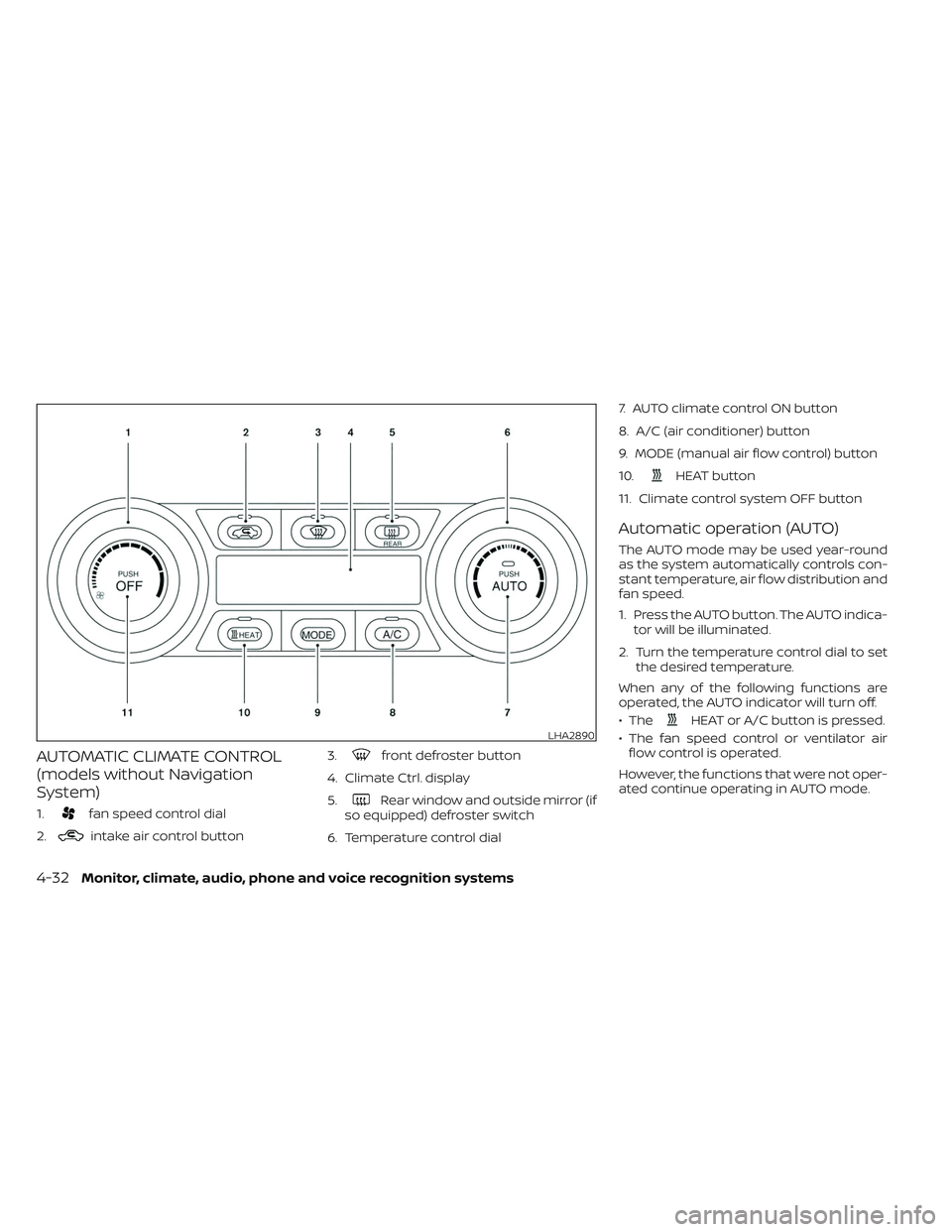
AUTOMATIC CLIMATE CONTROL
(models without Navigation
System)
1.fan speed control dial
2.
intake air control button 3.
front defroster button
4. Climate Ctrl. display
5.
Rear window and outside mirror (if
so equipped) defroster switch
6. Temperature control dial 7. AUTO climate control ON button
8. A/C (air conditioner) button
9. MODE (manual air flow control) button
10.
HEAT button
11. Climate control system OFF button
Automatic operation (AUTO)
The AUTO mode may be used year-round
as the system automatically controls con-
stant temperature, air flow distribution and
fan speed.
1. Press the AUTO button. The AUTO indica- tor will be illuminated.
2. Turn the temperature control dial to set the desired temperature.
When any of the following functions are
operated, the AUTO indicator will turn off.
• The
HEAT or A/C button is pressed.
• The fan speed control or ventilator air flow control is operated.
However, the functions that were not oper-
ated continue operating in AUTO mode.LHA2890
4-32Monitor, climate, audio, phone and voice recognition systems
Page 310 of 612
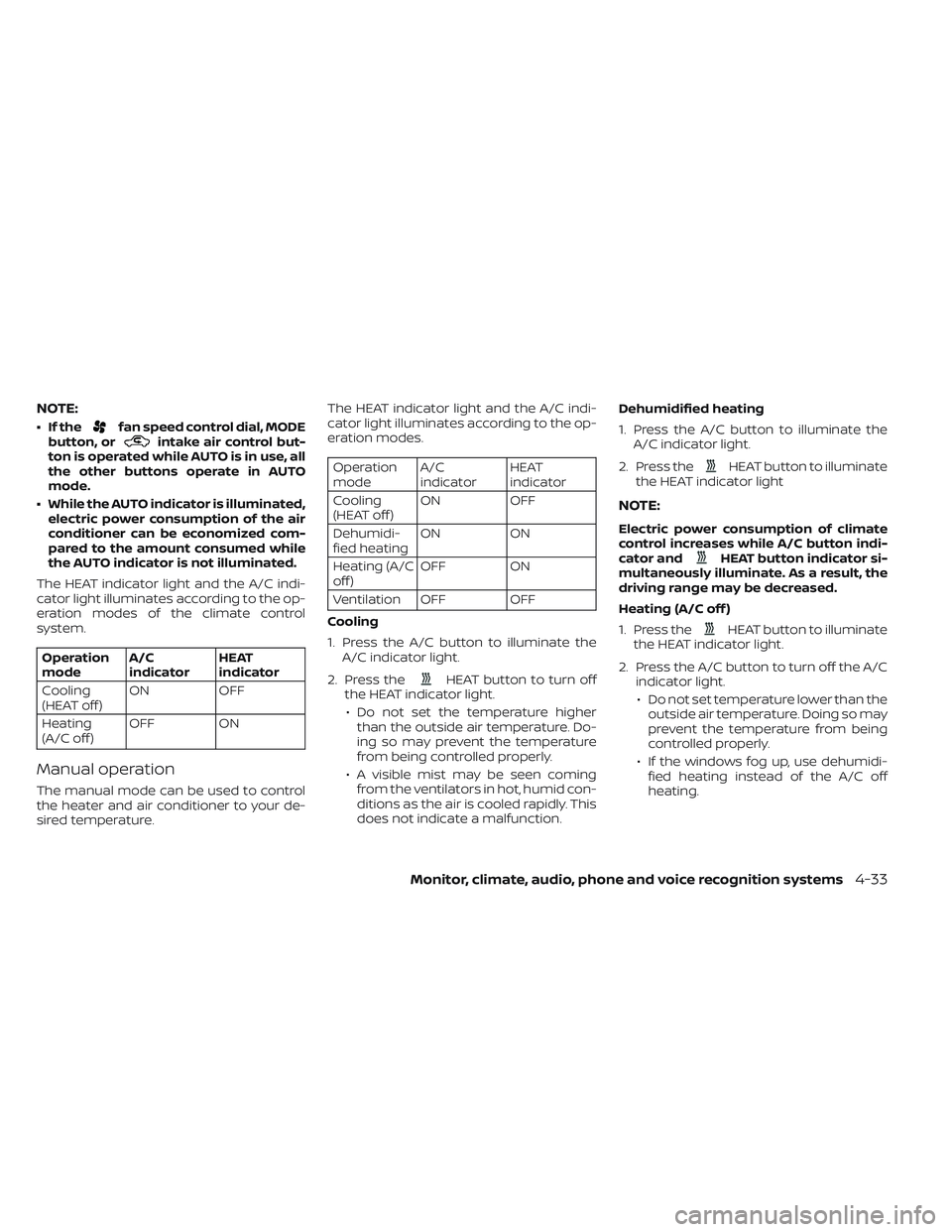
NOTE:
• If thefan speed control dial, MODE
button, orintake air control but-
ton is operated while AUTO is in use, all
the other buttons operate in AUTO
mode.
• While the AUTO indicator is illuminated, electric power consumption of the air
conditioner can be economized com-
pared to the amount consumed while
the AUTO indicator is not illuminated.
The HEAT indicator light and the A/C indi-
cator light illuminates according to the op-
eration modes of the climate control
system.
Operation
mode A/C
indicator HEAT
indicator
Cooling
(HEAT off ) ON
OFF
Heating
(A/C off ) OFF ON
Manual operation
The manual mode can be used to control
the heater and air conditioner to your de-
sired temperature. The HEAT indicator light and the A/C indi-
cator light illuminates according to the op-
eration modes.
Operation
mode
A/C
indicator HEAT
indicator
Cooling
(HEAT off ) ON
OFF
Dehumidi-
fied heating ON
ON
Heating (A/C
off ) OFF ON
Ventilation OFF OFF
Cooling
1. Press the A/C button to illuminate the A/C indicator light.
2. Press the
HEAT button to turn off
the HEAT indicator light.
• Do not set the temperature higher than the outside air temperature. Do-
ing so may prevent the temperature
from being controlled properly.
• A visible mist may be seen coming from the ventilators in hot, humid con-
ditions as the air is cooled rapidly. This
does not indicate a malfunction. Dehumidified heating
1. Press the A/C button to illuminate the
A/C indicator light.
2. Press the
HEAT button to illuminate
the HEAT indicator light
NOTE:
Electric power consumption of climate
control increases while A/C button indi-
cator and
HEAT button indicator si-
multaneously illuminate. As a result, the
driving range may be decreased.
Heating (A/C off )
1. Press the
HEAT button to illuminate
the HEAT indicator light.
2. Press the A/C button to turn off the A/C indicator light.
• Do not set temperature lower than the outside air temperature. Doing so may
prevent the temperature from being
controlled properly.
• If the windows fog up, use dehumidi- fied heating instead of the A/C off
heating.
Monitor, climate, audio, phone and voice recognition systems4-33