Heat NISSAN LEAF 2023 Owners Manual
[x] Cancel search | Manufacturer: NISSAN, Model Year: 2023, Model line: LEAF, Model: NISSAN LEAF 2023Pages: 612, PDF Size: 7.42 MB
Page 16 of 612
11. Lower instrument panel switchesCharge port lid switch (P. 2-61)
Immediate charge switch (P. 2-61)
Heated steering wheel switch
(if so equipped) (P. 2-60)
Steering Assist switch (if so equipped)
(P. 2-62)
Dynamic driver assistance switch
(if so equipped) (P. 5-25, 5-30, 5-45, 2-61)
12. Fuse box cover (P. 8-15)
*For additional information, refer to the
NissanConnect® Manual
Illustrated table of contents0-7
Page 17 of 612

1. Vents (P. 4-28)
2. Meters and gauges (P. 2-5)Vehicle information display (P. 2-26)
3. Center multi-function control panel* 4. Hazard warning flasher switch (P. 6-2)
5. Rear window and outside mirror
(if so equipped) defroster switch (P. 2-49) 6. Front passenger supplemental air bag
(P. 1-44)
7. Glove box (P. 2-66)
8. Front passenger supplemental knee
airbag (P. 1-63)
9. Heater and air conditioner control
(P. 4-29)
10. Power outlet (P. 2-64)
11. Front heated seat switches
(if so equipped) (P. 2-58)
12. USB connection port*
13. Push-button power switch (P. 5-9)
14. Front passenger air bag status light
(P. 1-55)
15. Driver supplemental knee air bag
(P. 1-63)
16. Hood release handle (P. 3-18)
LII2625
INSTRUMENT PANEL
0-8Illustrated table of contents
Page 33 of 612
•Leaks or damage to the Li-ion bat-
tery may result in a fire. If you dis-
cover them, contact emergency ser-
vices immediately. Since the fluid
leak may be lithium manganate from
the Li-ion battery, never touch the
fluid leak inside or outside the ve-
hicle. If the fluid contacts your skin or
eyes, wash it off immediately with a
large amount of water and receive
immediate medical attention to help
avoid serious injury.
• If a fire occurs in the EV, leave the
vehicle as soon as possible. Only use
a type ABC, BC or C fire extinguisher
that is meant for use on electrical
fires. Using a small amount of water
or the incorrect fire extinguisher can
result in serious injury or death from
electrical shock.
• If your vehicle needs to be towed, do
it with the front wheels raised. If the
front wheels are on the ground when
towing, the traction motor may gen-
erate electricity. This may damage
the components of the EV system
and cause a fire. •
If you are not able to safely assess
the vehicle due to vehicle damage, do
not touch the vehicle. Leave the ve-
hicle and contact emergency ser-
vices. Advise first responders that
this is an electric vehicle.
• In the event of an accident that re-
quires body repair and painting, the
Li-ion battery pack and high voltage
parts such as the inverter, including
the wire harness, should be removed
prior to painting. It is recommended
that you visit a NISSAN certified LEAF
dealer for this service. Li-ion battery
packs exposed to heat in the paint
booth will experience capacity loss.
Damaged Li-ion battery packs may
also pose safety risks to untrained
mechanics and repair personnel.
EMERGENCY SHUT-OFF SYSTEM
The emergency shut-off system is acti-
vated and the high-voltage system auto-
matically turns off in the following
conditions:
- Front and side collisions in which the air
bags are deployed.
- Certain rear collisions.
- Certain EV system malfunctions. For the above collisions and certain other
EV system malfunctions, the READY to drive
indicator light will turn off. For additional
information, see “Warning lights, indicator
lights and audible reminders” (P. 2-14).
The emergency shut-off activates for the
above collisions to minimize risk of an
event that could cause injury or an acci-
dent. If the emergency shut-off system ac-
tivates, the EV system may not be switched
to the READY to drive position; it is recom-
mended that you visit a NISSAN certified
LEAF dealer. Even if the power switch is
switched to the READY to drive position, the
system may shut-off suddenly. Therefore,
drive cautiously to the nearest certified re-
pair facility; it is recommended that you
visit a NISSAN certified LEAF dealer for
service.
EV-10EV Overview
Page 37 of 612
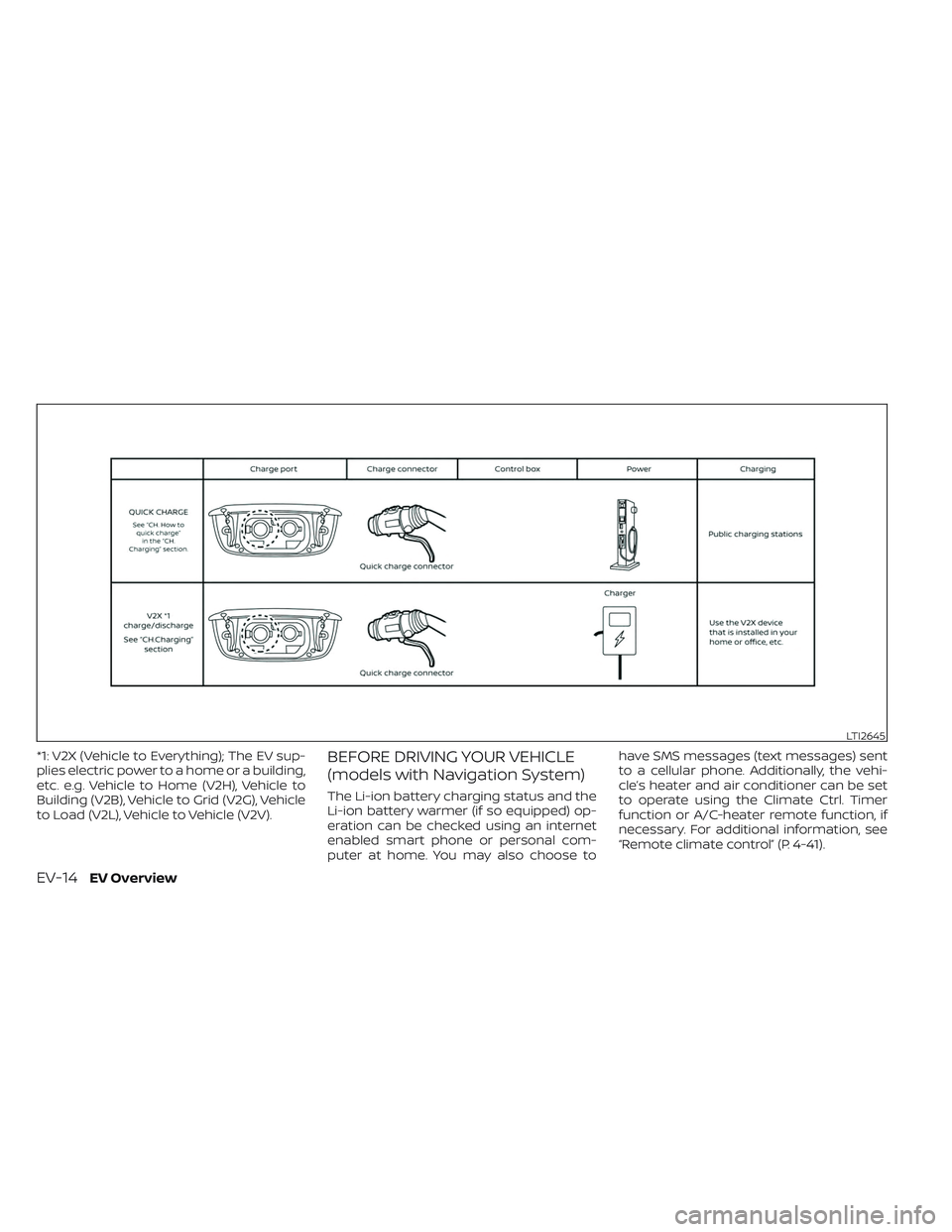
*1: V2X (Vehicle to Everything); The EV sup-
plies electric power to a home or a building,
etc. e.g. Vehicle to Home (V2H), Vehicle to
Building (V2B), Vehicle to Grid (V2G), Vehicle
to Load (V2L), Vehicle to Vehicle (V2V).BEFORE DRIVING YOUR VEHICLE
(models with Navigation System)
The Li-ion battery charging status and the
Li-ion battery warmer (if so equipped) op-
eration can be checked using an internet
enabled smart phone or personal com-
puter at home. You may also choose tohave SMS messages (text messages) sent
to a cellular phone. Additionally, the vehi-
cle’s heater and air conditioner can be set
to operate using the Climate Ctrl. Timer
function or A/C-heater remote function, if
necessary. For additional information, see
“Remote climate control” (P. 4-41).
LTI2645
EV-14EV Overview
Page 38 of 612
NOTE:
• To check the Li-ion battery chargingstatus or to use the remote heater and
air conditioner using an internet en-
abled smart phone or personal com-
puter, the following conditions must be
met:– The vehicle must be located in a cel- lular phone or smart phone cover-
age area.
– The internet enabled cellular phone or smart phone must be located in a
cellular phone or smart phone cov-
erage area.
– The computer must be connected to the internet.
– A cellular phone must be used to communicate with the vehicle.
– A cellular phone capable of text mes- saging must be used to receive text
message regarding vehicle charge
status.
• The remote heater and cooler can ad- just the in-cabin temperature.
• When the charge connector is discon- nected from the vehicle, the heater and
air conditioner operates using vehicle
Li-ion battery electric power. • If the remote heater and air condi-
tioner function and Li-ion battery
charging are performed at the same
time, Li-ion battery charging will take
longer than usual due to the power
used to heat or cool the vehicle.
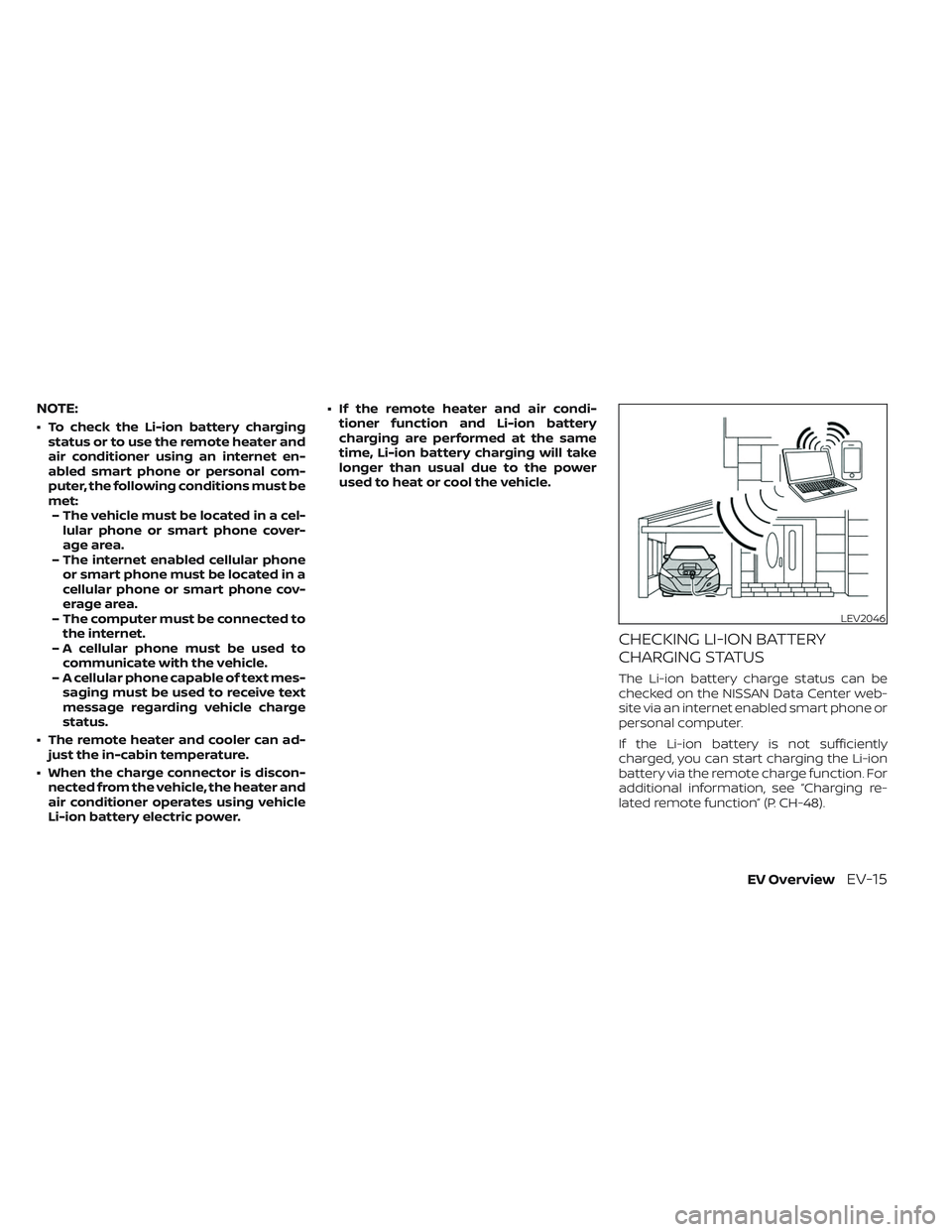
CHECKING LI-ION BATTERY
CHARGING STATUS
The Li-ion battery charge status can be
checked on the NISSAN Data Center web-
site via an internet enabled smart phone or
personal computer.
If the Li-ion battery is not sufficiently
charged, you can start charging the Li-ion
battery via the remote charge function. For
additional information, see “Charging re-
lated remote function” (P. CH-48).
LEV2046
EV OverviewEV-15
Page 39 of 612
OPERATING THE CLIMATE
CONTROL SYSTEM BEFORE
DRIVING
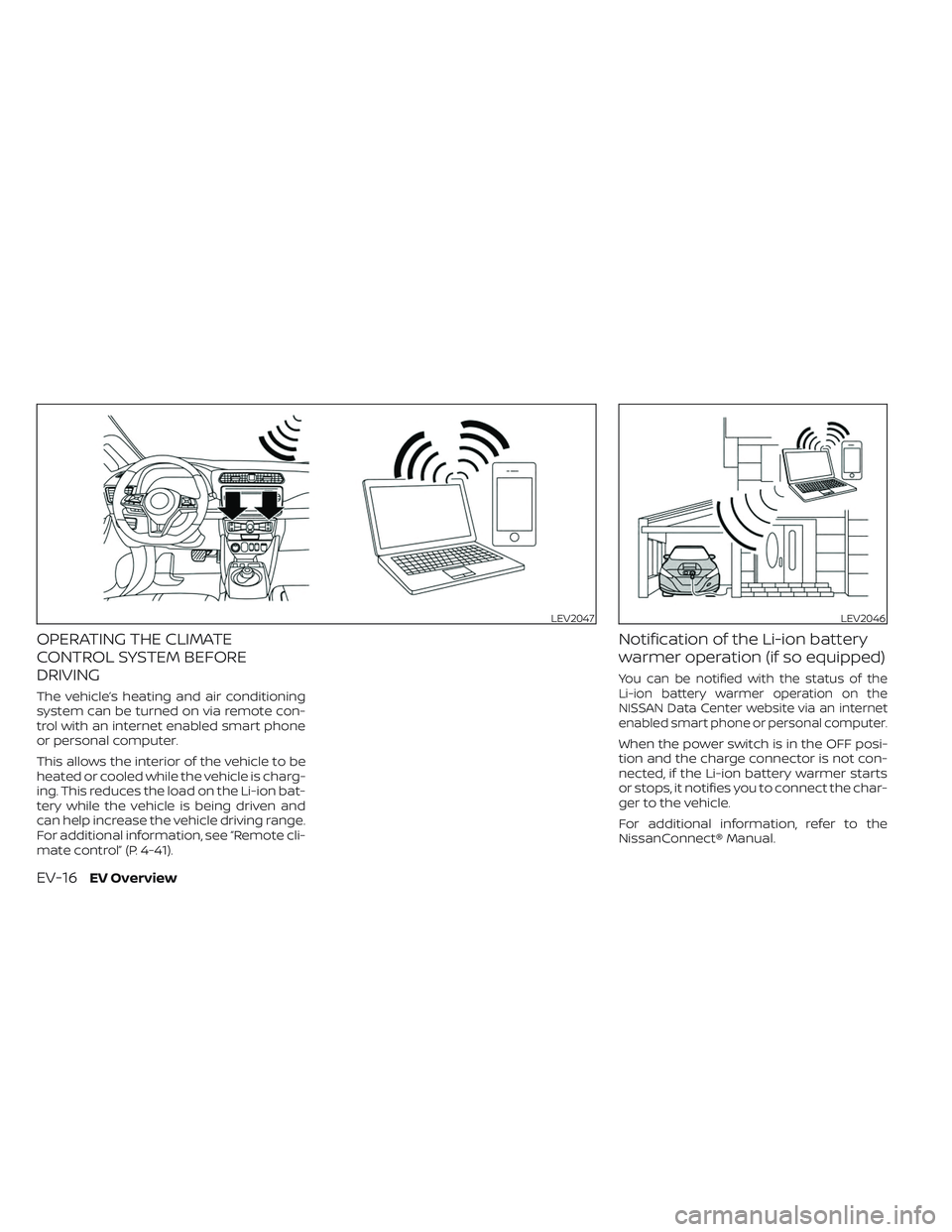
The vehicle’s heating and air conditioning
system can be turned on via remote con-
trol with an internet enabled smart phone
or personal computer.
This allows the interior of the vehicle to be
heated or cooled while the vehicle is charg-
ing. This reduces the load on the Li-ion bat-
tery while the vehicle is being driven and
can help increase the vehicle driving range.
For additional information, see “Remote cli-
mate control” (P. 4-41).
Notification of the Li-ion battery
warmer operation (if so equipped)
You can be notified with the status of the
Li-ion battery warmer operation on the
NISSAN Data Center website via an internet
enabled smart phone or personal computer.
When the power switch is in the OFF posi-
tion and the charge connector is not con-
nected, if the Li-ion battery warmer starts
or stops, it notifies you to connect the char-
ger to the vehicle.
For additional information, refer to the
NissanConnect® Manual.
LEV2047LEV2046
EV-16EV Overview
Page 46 of 612
RANGE
The distance you can drive the vehicle
(range) varies considerably depending
upon available charge, weather, tempera-
ture, usage, battery age, topography, and
driving style.
Refer to the Monroney label (window
sticker) for the official EPA range. Your ac-
tual range will vary and could be signifi-
cantly less, either initially or as the battery
ages and with use over time. For additional
information, see “Improve driving range”
(P. EV-23) for information on the factors that
affect vehicle range and how to use the
vehicle to maximize vehicle range.
IMPROVE DRIVING RANGE
Vehicle range depends on a number of
factors.
Actual vehicle range will vary depending
upon:
• Speed,
• Vehicle load,
• Electrical load from vehicle accessories,
• Traffic and road conditions,
• Distance driven without stopping,
• Usage,
• Driving style,• Battery age,
• Weather or temperature,
• Topography,
• Charging habits.
NISSAN recommends the following driv-
ing habits to help maximize vehicle
range:
Before driving:
• Follow recommended periodic
maintenance.
• Keep tires inflated to correct pressure.
• Keep wheels in correct alignment.
• Pre-heat or pre-cool the interior cabin while the vehicle is charging.
• Remove unnecessary cargo from the vehicle.
While driving:
• Drive in ECO mode –– The ECO mode helps reduce power
consumption by reducing acceleration
when compared to the same accelera-
tor pedal position in the D (Drive) posi-
tion (normal mode).
• Drive at a constant speed. Maintain cruis- ing speeds with constant accelerator po-
sitions or by using cruise control when
appropriate. • Accelerate slowly and smoothly. Gently
press and release the accelerator pedal
for acceleration and deceleration.
• Drive at moderate speeds on the highway.
• Avoid extending highway driving with multiple quick charges.
• Avoid frequent stopping and braking. Maintain a safe distance behind other
vehicles.
• Turn off the air conditioner/heater when it is not necessary.
• Select a moderate temperature setting for heating or cooling to help reduce
power consumption.
• Use the air conditioner/heater and close windows to reduce drag when cruising at
highway speed.
• Vehicle range may be substantially re- duced in extremely cold conditions (for
example, -4°F (-20°C)).
• Using the climate control system to heat the cabin when the outside temperature
is below 32°F (0°C) uses more electricity
and affects vehicle range more than
when using the heater when the tem-
perature is above 32°F (0°C).
EFFICIENT USE OF YOUR VEHICLE
EV OverviewEV-23
Page 47 of 612
• When it is cold, use the steering wheelheater in substitution for the heater/air
conditioner. The steering wheel heater
consumes less power than the heater/
air conditioner.
• Release the accelerator pedal to slow down and do not apply the brakes when
traffic and road conditions allow.– – This vehicle is equipped with a regen-
erative brake system. The primary pur-
pose of the regenerative brake system
is to provide some power to recharge
the Li-ion battery and extend driving
range. A secondary benefit is “engine
braking” that operates based on Li-ion
battery conditions. In the D (Drive) posi-
tion, when the accelerator is released,
the regenerative brake system pro-
vides some deceleration and some
power to the Li-ion battery.
LI-ION BATTERY LIFE
The Li-ion battery's ability to hold a charge,
like all batteries, decreases with battery
age and usage which results in decreased
vehicle range when compared to the ve-
hicle range when the vehicle was new. This
is normal and expected, and does not indi-
cate a malfunction of the vehicle or Li-ion
battery. The Li-ion battery's ability to hold a charge
can be affected by how you drive the ve-
hicle, store the vehicle, how you charge the
Li-ion battery and Li-ion battery tempera-
ture during vehicle operation and charging.
To maximize the battery's useful life, use
the following driving and charging habits
where possible:
• Avoid exposing a vehicle to extreme am-
bient temperatures for extended periods.
•
Avoid storing a vehicle in temperatures be-
low −13°F (−25°C) for more than seven days.
• Avoid leaving your vehicle for more than 14 days where the Li-ion battery available
charge gauge reaches a zero or near zero
(state of charge).
• Allow the vehicle and Li-ion battery to cool down af ter use before charging.
• Park/store your vehicle in cool locations out of direct sunlight and away from heat
sources.
• Avoid sustained high battery tempera- tures (caused, for example, by exposure
to very high ambient temperatures or ex-
tending highway driving with multiple
quick charges.
• Use the normal charging or trickle charg- ing methods to charge the Li-ion battery
and minimize the use of public Fast
Charge or Quick Charger. • Moderate driving.
• Use of ECO mode.
• Do not operate the charging timer re-
peatedly while the charge connector is
connected to the vehicle af ter the Li-ion
battery charging is completed. Doing so
may discharge the 12-volt battery.
• The power of the Li-ion battery can be checked on the Li-ion battery available
charge gauge. For additional information,
see “Li-ion battery available charge
gauge” (P. 2-9).LI-ION BATTERY MAINTENANCE
In addition to the regular maintenance rec-
ommended by NISSAN, the LEAF requires
some special Li-ion battery inspections.
• For additional information, refer to theNISSAN Warranty Information Booklet for
significant limitations, exclusions and
possible voiding of your warranty result-
ing from failure to have these necessary
inspections, repairs and/or adjustments
performed.
• For a detailed explanation of the Li-ion battery inspection and intervals, see “EV
maintenance schedules (EM57 electric
motor) (P. 9-7).
EV-24EV Overview
Page 55 of 612
• For your safety, if the charge connectoris connected to the vehicle while the
power switch is in the READY to drive,
the vehicle will automatically switch to
the ON position. Because charging will
not be started while the power switch
is in this position, be sure to place the
power switch in the OFF position.
• When the ambient temperature is 32°F (0°C) or less, charging time may be lon-
ger than normal and the level to which
the Li-ion battery can be charged may
be less than at higher temperatures.
• Do not operate the charging timer re- peatedly while the charge connector is
connected to the vehicle af ter the Li-
ion battery charging is completed. Do-
ing so may discharge the 12-volt bat-
tery. For additional information, see
“Charging timer” (P. CH-43). If the Li-ion
battery becomes discharged, charge it
immediately. • The power switch can be set to the ON
position and the climate control and
navigation system (if so equipped) can
be used while the Li-ion battery is
charging. However, because these op-
erations consume Li-ion battery
power, it will take longer for the Li-ion
battery to become fully charged. Place
the power switch in the OFF position to
help reduce Li-ion battery charge time.
• If electrical power is interrupted while charging, charging restarts automati-
cally when the electrical power is
restored.
• It is recommended to keep the charge cable connected to save Li-ion battery
power, when the heater and air condi-
tioner are operating with remote op-
eration (models with Navigation
System).
• If the charge port is frozen, melt the ice using a hair dryer. Af ter the ice has
melted, charge the Li-ion battery. Forc-
ing the charge connector to connect
may cause a malfunction. • If foreign materials have entered the
charge connector and charge port and
it is not possible to connect it, do not
attempt to force the connection. It is
recommended that you visit a NISSAN
certified LEAF dealer. Forcing the
charge connector to connect may
cause damage to the charging equip-
ment and vehicle.
• There is a hole on the charge port for water drainage. If the water drainage
hole becomes blocked, or if water gets
trapped inside the charge port, do not
charge. It is recommended that you
visit a NISSAN certified LEAF dealer.
CH-4Charging
Page 60 of 612
Charging stations or V2X charging/
discharging devices using this standard
are UL certified and safe to use in the US.
While supported by NISSAN, this connector
may not become the US SAE standard. V2X
charging/discharging is possible (even
several times a day). If the battery tempera-
ture is near the red zone, in order to protect
the battery, power of the V2X charging/
discharging will be limited.
For additional information, consult a V2X
device manufacturer or a V2X charging/
discharging service provider.
Power limitation mode
This mode protects the health and opera-
tion of the vehicle's Li-ion battery. This
mode operates in certain extreme condi-
tions (heat, cold, low state of charge). Power
available to vehicle systems, including its
traction motor, is limited resulting in limited
performance, acceleration and top speed.
Charging may be automatically termi-
nated, especially with repeated quick
charging in extreme hot weather.Checking Li-ion battery charge
The three methods for checking the
amount of charge are as follows:
• Check by using the Li-ion battery avail-
able charge gauge on the vehicle infor-
mation display when the power switch is
placed in the ON position. For additional
information, see “Li-ion battery available
charge gauge” (P. 2-9) and “Low battery
charge indicator” (P. 2-38).
• Check by using an internet enabled smart phone or personal computer. For
additional information, refer to the
“NissanConnect® Manual”.
• Check by using the charging status indi- cator light. For additional information, see
“Charging status indicator lights”
(P. CH-49).
NOTE:
• During the charge operation, charge continues when the power switch is
placed in the ON position.
• The Li-ion battery cannot be charged if the quick charge connector and the
normal charge connector are con-
nected at the same time. If another
charge connector is connected mid-
charge, charging will stop. • For safety reasons, it is not possible to
switch to the READY to drive position
while a charge connector is connected.
• During charging, it is possible that the radio may be inaudible due to noise by
the electromagnetic wave.
HOW TO NORMAL CHARGE (AC
220–240 volt) BY CHARGING
DEVICE
WARNING
• If you use any medical electric de-
vices, such as an implantable cardiac
pacemaker or an implantable cardio-
vascular defibrillator, check with the
electric medical device manufac-
turer concerning the effects that
charging may have on implanted de-
vices before starting the charge op-
eration. Charging may affect the
operation.
• Be sure to follow the precautions for
using the charging device that can be
installed in your home. Failing to do
so could result in serious injury or
death.
ChargingCH-9