light NISSAN MAXIMA 2002 A33 / 5.G Repair Manual
[x] Cancel search | Manufacturer: NISSAN, Model Year: 2002, Model line: MAXIMA, Model: NISSAN MAXIMA 2002 A33 / 5.GPages: 247, PDF Size: 1.98 MB
Page 147 of 247

IWhen the vehicle is stopped for a
period of time, for example at a stop
light, shift to N (Neutral) and release
the clutch pedal with the foot brake
applied.Suggested up-shift speedsShown below are suggested vehicle speeds
for shifting into a higher gear. These sugges-
tions relate to fuel economy and vehicle per-
formance. Actual up-shift speeds will vary ac-
cording to road conditions, the weather and
individual driving habits.
For normal acceleration in low altitude areas
[less than 4,000 ft (1,219 m)]:
Gear changeACCEL shift
point
MPH (km/h)CRUISE shift
point
MPH (km/h)
1st to 2nd 13 (21) 13 (21)
2nd to 3rd 23 (37) 16 (26)
3rd to 4th 33 (53) 27 (43)
4th to 5th 39 (63) 36 (58)
5th to 6th 50 (80) 50 (80)
For quick acceleration when the engine is cold
or in high altitude areas [over 4,000 ft (1,219
m)]:Gear change MPH (km/h)
1st to 2nd 15 (24)
2nd to 3rd 25 (40)
3rd to 4th 40 (64)
4th to 5th 45 (72)
5th to 6th 50 (80)
Suggested maximum speed in each
gearDownshift to a lower gear if the engine is not
running smoothly, or if you need to accelerate.
Do not exceed the maximum suggested speed
(shown below) in any gear. For level road
driving, use the highest gear suggested for
that speed. Always observe posted speed
limits, and drive according to the road condi-
tions, which will ensure safe operation. Do not
over-rev the engine when shifting to a lower
gear as it may cause engine damage or loss of
vehicle control.
Gear MPH (km/h)
1st 30 (48)
2nd 55 (88)
3rd 80 (128)
4th Ð
5th Ð
6th ÐTo apply:pull the lever up.
To release:
1. Firmly apply foot brake.
2.Automatic transmission models:
Move the selector lever to the P (Park)
position.
Manual transmission models:
Place the shift lever in the N (Neutral)
position.
3. While pulling up on the lever slightly, push
the button and lower completely.
SSD0018
PARKING BRAKE
5-12
Starting and driving
Z
01.9.21/A33-D/V5.0
X
Page 148 of 247

4. Before driving, be sure the brake warning
light goes out.
WARNING
IBe sure the parking brake is fully
released before driving. Failure to do
so can cause brake failure and lead to
an accident.
IDo not release the parking brake from
outside the vehicle.
IDo not use the gear shift in place of
the parking brake. When parking, be
sure the parking brake is fully en-
gaged.
IDo not leave children unattended in a
vehicle. They could release the park-
ing brake and cause an accident.
WARNING
Do not use the cruise control when driv-
ing under the following conditions:
Iit is not possible to keep the vehicle
at a set speed.
Iin heavy traffic or in traffic that varies
in speed.
Ion winding or hilly roads.
Ion slippery roads (rain, snow, ice,
etc.).
Iin very windy areas.
Doing so could cause a loss of vehicle
control and result in an accident.
CAUTION
On manual transmission models, do not
shift into N (Neutral) without depressing
the clutch pedal when the cruise control
is set. Should this occur, depress the
clutch pedal and turn the main switch off
immediately. Failure to do so may causeengine damage.
PRECAUTIONS ON CRUISE
CONTROLIIf the cruise control system malfunctions, it
cancels automatically. The SET indicator
light on the meter panel then blinks to warn
the driver.
IIf the SET indicator light blinks, turn the
cruise control main switch off and have the
system checked by your NISSAN dealer.
IThe SET indicator light may blink when the
cruise control main switch is turned on
while pushing the RES/ACCEL, COAST/
SET, or CANCEL switch (located on the
steering wheel). To properly set the cruise
control system, perform the preceding
steps in the order indicated.
CRUISE CONTROL
Starting and driving
5-13
Z
01.9.21/A33-D/V5.0
X
Page 149 of 247

CRUISE CONTROL OPERATIONSThe cruise control allows driving at a speed
between 25 to 89 MPH (40 to 144 km/h)
without keeping your foot on the accelerator
pedal.
To turn on the cruise control,push the main
switch on. The CRUISE indicator light on the
meter panel will come on.
To set at cruising speed,accelerate your
vehicle to the desired speed, push the
COAST/SET switch and release it. (The SET
indicator light will come on.) Take your foot off
the accelerator pedal. Your vehicle will main-
tain the set speed.ITo pass another vehicle,depress the
accelerator pedal. When you release the
pedal, the vehicle will return to the previ-
ously set speed.
IThe vehicle may not maintain the set speed
when going up or down steep hills. If this
happens, drive without the cruise control.
To cancel the preset speed,follow either of
these three methods:
a) Push the cancel switch; The SET indicator
light will go out.
b) Tap the brake pedal; The SET indicator
light will go out.
c) Turn the main switch off. Both the CRUISE
indicator and SET indicator lights will go
out.
IIf you depress the brake pedal while push-
ing the RES/ACCEL set switch and reset at
the cruising speed, turn the main switch off
once and then turn it on again.
IThe cruise control will automatically be can-
celled if the vehicle slows down below
approximately 8 MPH (13 km/h).
IDepress the clutch pedal (manual transmis-
sion), or move the selector lever to N (Neu-
tral) position (automatic transmission). The
SET indicator light will go out.To reset at a faster cruising speed,use one
of the following three methods:
a) Depress the accelerator pedal. When the
vehicle attains the desired speed, push and
release the COAST/SET switch.
b) Push and hold the RES/ACCEL set switch.
When the vehicle attains the speed you
desire, release the switch.
c) Push, then quickly release the RES/ACCEL
set switch. Each time you do this, the set
speed will increase by about 1 MPH (1.6
km/h).
To reset at a slower cruising speed,use one
of the following three methods:
a) Lightly tap the brake pedal. When the ve-
hicle attains the desired speed, push the
COAST/SET switch and release it.
b) Push and hold the COAST/SET switch.
Release the switch when the vehicle slows
down to the desired speed.
c) Push, then quickly release the COAST/
SET switch. Each time you do this, the set
speed will decrease by about 1 MPH (1.6
km/h).
To resume the preset speed,push and re-
lease the RES/ACCEL set switch. The vehicle
will resume the last set cruising speed when
SSD0193
5-14
Starting and driving
Z
01.9.21/A33-D/V5.0
X
Page 153 of 247

BRAKING PRECAUTIONSThe brake system has two separate hydraulic
circuits. If one circuit malfunctions, you will still
have braking at two wheels.
Vacuum assisted brake
The brake booster aids braking by using en-
gine vacuum. If the engine stops, you can stop
the vehicle by depressing the brake pedal.
However, greater foot pressure on the brake
pedal will be required to stop the vehicle and
the stopping distance will be longer.
Wet brakes
When the vehicle is washed or driven through
water, the brakes may get wet. As a result,
your braking distance will be longer and the
vehicle may pull to one side during braking.
To dry brakes, drive the vehicle at a safe
speed while lightly pressing the brake pedal to
heat-up the brakes. Do this until the brakes
return to normal. Avoid driving the vehicle at
high speeds until the brakes function correctly.
Using the brakes
Avoid resting your foot on the brake pedal
while driving. This overheats the brakes, in-
creases wear on the brake linings and pads,
and reduces gas mileage.To help save the brakes and to prevent the
brakes from overheating, reduce speed and
downshift to a lower gear before going down a
slope or long grade. Overheated brakes may
reduce braking performance and could result
in loss of vehicle control.
WARNING
IWhile driving on a slippery surface,
be careful when braking, accelerating
or downshifting. Abrupt braking or
accelerating could cause the wheels
to skid and result in an accident.
IIf the engine is not running or is
turned off while driving, the power
assist for the brakes will not work.
Braking will be harder.ANTI-LOCK BRAKE SYSTEM (ABS)The anti-lock brake system controls the brakes
at each wheel so the wheels will not lock when
braking abruptly or when braking on slippery
surfaces. The system detects the rotation
speed at each wheel and varies the brake fluid
pressure to prevent each wheel from locking
and sliding. By preventing wheel lockup, thesystem helps the driver maintain steering con-
trol and helps to minimize swerving and spin-
ning on slippery surfaces.
Using the systemDepress the brake pedal and hold it down.
WARNING
Do not pump the brake pedal. Doing so
may result in increased stopping dis-
tances.Normal operationThe anti-lock brake system will not operate at
speeds below 3 to 6 MPH (5 to 10 km/h) to
completely stop the vehicle. (The speeds will
vary according to road conditions.) When the
anti-lock system senses that one or more
wheels are close to locking up, the actuator
(under the hood) rapidly applies and releases
hydraulic pressure (like pumping the brakes
very quickly). While the actuator is working,
you may feel a pulsation in the brake pedal
and hear a noise or vibration from the actuator
under the hood. This is normal and indicates
that the anti-lock system is working properly.
However, the pulsation may indicate that road
BRAKE SYSTEM5-18
Starting and driving
Z
01.9.21/A33-D/V5.0
X
Page 154 of 247
conditions are hazardous and extra care is
required while driving.Self-test featureThe anti-lock brake system consists of elec-
tronic sensors, electric pumps, and hydraulic
solenoids controlled by a computer. The com-
puter has a built-in diagnostic feature that tests
the system each time you start the engine and
move the vehicle at a low speed in forward or
reverse. When the self-test occurs, you may
hear a clunk noise and/or feel a pulsation in
the brake pedal. This is normal and is not an
indication of any malfunction. If the computer
senses any malfunction, it switches the anti-
lock brake system OFF and turns on the ABS
warning light in the dashboard. The brake
system will then behave normally, but without
anti-lock assistance.
If the light comes on during the self check, or
while you are driving, you should take your
vehicle to your NISSAN dealer for repair at
your earliest convenience.
WARNING
The anti-lock brake system is a sophis-
ticated device, but it cannot prevent ac-cidents resulting from careless or dan-
gerous driving techniques. It can help
maintain vehicle control during braking
on slippery surfaces, but remember that
the stopping distance on slippery sur-
faces will be longer than on normal
surfaces, even with the anti-lock sys-
tem. Stopping distances may also be
longer on rough, gravel or snow covered
roads, or if you are using tire chains.
Always maintain a safe distance from
the vehicle in front of you. Ultimately,
the responsibility for safety of self and
others rests in the hands of the driver.
Tire type and condition of tires may also
affect braking effectiveness.
IWhen replacing tires, install the
specified size of tires on all four
wheels.
IWhen installing a spare tire, make
sure it is the proper size and type as
specified on the tire placard. See ªVe-
hicle identificationº in the ª10. Tech-
nical and consumer informationº sec-
tion for tire placard location.On slippery surfaces such as wet asphalt
roads, vehicle wheels may spin when the
vehicle is accelerated. This wheel spin re-
duces acceleration, or causes the vehicle to
swerve, thus decreasing vehicle stability.
The traction control system helps limit wheel
spin on slippery roads. The system operates
only if it senses one or both of the front wheels
spinning or beginning to lose traction. When
this happens, the system reduces engine
power and may also upshift the transmission
to help limit wheel spin.
IIndicator light
If a malfunction occurs in the traction con-
trol system, the SLIP and
indicator
lights come on in the meter panel.
As long as these warning lights are on, the
traction control function is canceled. The
vehicle will behaves like a model without
the traction control system.
CAUTION
IThe traction control system is most
effective when the transmission gear
selector is in the D position.
IIf you drive in gear 1 or 2 with the TCSTRACTION CONTROL SYSTEM (if
so equipped)
Starting and driving
5-19
Z
01.9.21/A33-D/V5.0
X
Page 164 of 247

IThe booster battery must be rated at
12 volts. Use of an improperly rated
battery can damage your vehicle.
IWhenever working on or near a bat-
tery, always wear suitable eye protec-
tors (for example, goggles or indus-
trial safety spectacles) and remove
rings, metal bands, or any other jew-
elry. Do not lean over the battery
when jump starting.
IDo not attempt to jump start a frozen
battery. It could explode and cause
serious injury.
IYour vehicle has an automatic engine
cooling fan. It could come on at any
time. Keep hands and other objects
away from it.
WARNING
Always follow the instructions below.
Failure to do so could result in damage
to the charging system and cause per-
sonal injury.
1. If the booster battery is in another vehicle,
position the two vehicles to bring their bat-
teries into close proximity to each other.
Do not allow the two vehicles to touch.
2. Apply parking brake. Move the shift lever tothe N (Neutral) position (On automatic
transmission models, move the selector
lever to the P (Park) position). Switch off all
unnecessary electrical systems (light,
heater, air conditioner, etc.).
3. Remove vent caps on the battery (if so
equipped). Cover the battery with an old
cloth to reduce explosion hazard.
4. Connect jumper cables in the sequence as
illustrated.
SCE0154A
In case of emergency
6-7
Z
01.9.21/A33-D/V5.0
X
Page 171 of 247
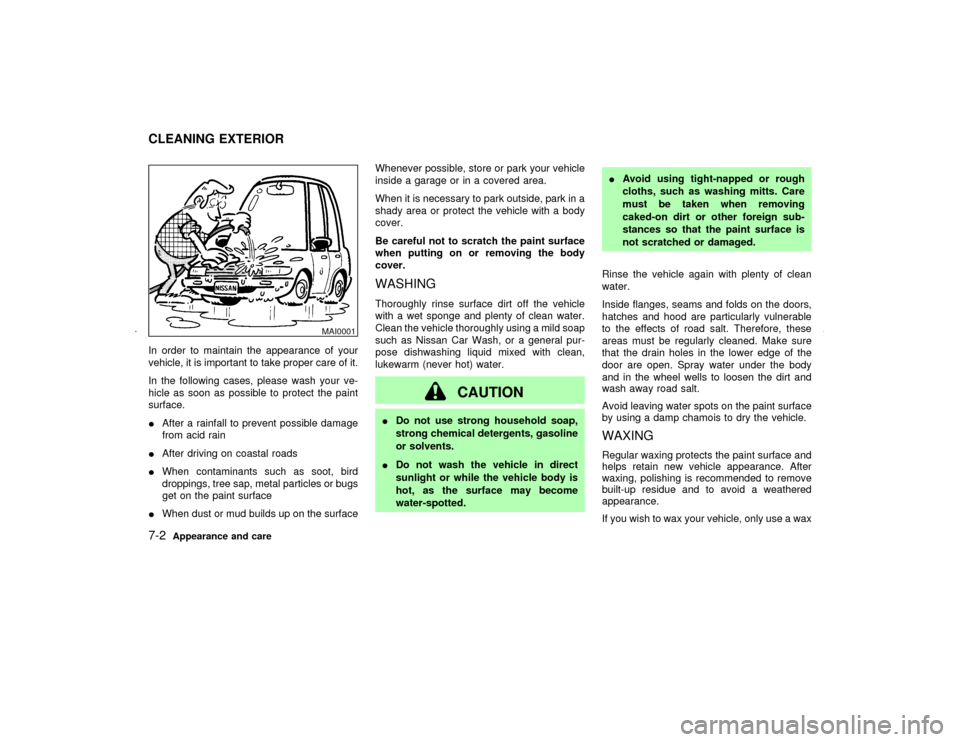
In order to maintain the appearance of your
vehicle, it is important to take proper care of it.
In the following cases, please wash your ve-
hicle as soon as possible to protect the paint
surface.
IAfter a rainfall to prevent possible damage
from acid rain
IAfter driving on coastal roads
IWhen contaminants such as soot, bird
droppings, tree sap, metal particles or bugs
get on the paint surface
IWhen dust or mud builds up on the surfaceWhenever possible, store or park your vehicle
inside a garage or in a covered area.
When it is necessary to park outside, park in a
shady area or protect the vehicle with a body
cover.
Be careful not to scratch the paint surface
when putting on or removing the body
cover.
WASHINGThoroughly rinse surface dirt off the vehicle
with a wet sponge and plenty of clean water.
Clean the vehicle thoroughly using a mild soap
such as Nissan Car Wash, or a general pur-
pose dishwashing liquid mixed with clean,
lukewarm (never hot) water.
CAUTION
IDo not use strong household soap,
strong chemical detergents, gasoline
or solvents.
IDo not wash the vehicle in direct
sunlight or while the vehicle body is
hot, as the surface may become
water-spotted.IAvoid using tight-napped or rough
cloths, such as washing mitts. Care
must be taken when removing
caked-on dirt or other foreign sub-
stances so that the paint surface is
not scratched or damaged.
Rinse the vehicle again with plenty of clean
water.
Inside flanges, seams and folds on the doors,
hatches and hood are particularly vulnerable
to the effects of road salt. Therefore, these
areas must be regularly cleaned. Make sure
that the drain holes in the lower edge of the
door are open. Spray water under the body
and in the wheel wells to loosen the dirt and
wash away road salt.
Avoid leaving water spots on the paint surface
by using a damp chamois to dry the vehicle.
WAXINGRegular waxing protects the paint surface and
helps retain new vehicle appearance. After
waxing, polishing is recommended to remove
built-up residue and to avoid a weathered
appearance.
If you wish to wax your vehicle, only use a wax
MAI0001
CLEANING EXTERIOR7-2
Appearance and care
Z
01.9.21/A33-D/V5.0
X
Page 172 of 247

specified for use over clear coats, such as
Nissan Liquid or Spray Wax. Your Nissan
dealer can assist you in choosing the proper
product.
IWax your vehicle only after a thorough
washing. Follow the instructions supplied
with the wax.
IDo not use a wax containing any abrasives,
cutting compounds or cleaners that may
damage the vehicle finish.
IIf the surface does not polish easily, use a
road tar remover and wax again.
Machine compounding or aggressive pol-
ishing on a base coat/clear coat paint finish
may dull the finish or leave swirl marks.REMOVING SPOTSRemove tar and oil spots, industrial dust, in-
sects, and tree sap as quickly as possible from
the surface of the paint to avoid lasting dam-
age or staining. Special cleaning products are
available at your NISSAN dealer or any auto-
motive accessory store.UNDERBODYIn areas where road salt is used in winter, the
underbody must be cleaned regularly. This will
prevent dirt and salt from building up andcausing underbody and suspension corrosion.
Before the winter period and again in the
spring, the underseal must be checked and, if
necessary, re-treated.
GLASSWhen cleaning the rear window, it may be
easier to clean if the high-mounted stop light is
removed first.
Be careful when removing the high-mounted
stop light to reduce the risk of damaging the
high-mounted stop light wires.
The high-mounted stop light must be properly
reinstalled before driving your vehicle.
Use glass cleaner to remove smoke and dust
film from the glass surfaces. It is normal for
glass to become coated with a film after the
vehicle is parked in the hot sun. Glass cleaner
SAI0014A
Appearance and care
7-3
Z
01.9.21/A33-D/V5.0
X
Page 176 of 247

8 Maintenance and do-it-yourselfMaintenance requirements ........................................ 8-2
General maintenance ................................................ 8-2
Explanation of general maintenance items .......... 8-2
Maintenance precautions .......................................... 8-5
Engine compartment check locations ....................... 8-7
Engine cooling system .............................................. 8-8
Checking engine coolant level ............................. 8-8
Changing engine coolant ..................................... 8-9
Engine oil ................................................................ 8-10
Checking engine oil level ................................... 8-10
Changing engine oil ........................................... 8-11
Changing engine oil filter ................................... 8-12
Automatic transmission fluid ................................... 8-12
Temperature conditions for checking ................. 8-13
Power steering fluid ................................................ 8-14
Brake and clutch fluid ............................................. 8-14
Window washer fluid ............................................... 8-15
Battery ..................................................................... 8-15
Drive belts ............................................................... 8-17
Spark plugs ............................................................. 8-17
Replacing spark plugs ........................................ 8-18Air cleaner ............................................................... 8-18
Windshield wiper blades ......................................... 8-19
Cleaning ............................................................. 8-19
Replacing............................................................ 8-20
Parking brake and brake pedal ............................... 8-21
Checking parking brake ..................................... 8-21
Checking brake pedal ........................................ 8-21
Brake booster ..................................................... 8-22
Clutch pedal ............................................................ 8-22
Fuses....................................................................... 8-22
Engine compartment .......................................... 8-23
Passenger compartment .................................... 8-24
Keyfob battery replacement .................................... 8-24
Lights ....................................................................... 8-26
Headlights........................................................... 8-27
Exterior and interior lights .................................. 8-28
Wheels and tires ..................................................... 8-33
Tire pressure ...................................................... 8-33
Types of tires...................................................... 8-33
Tire chains .......................................................... 8-34
Changing wheels and tires ................................. 8-35
Z
01.9.21/A33-D/V5.0
X
Page 178 of 247

Tire rotation*:Tires should be rotated every
7,500 miles (12,000 km).
Wheel alignment and balance:If the vehicle
pulls to either side while driving on a straight
and level road, or if you detect uneven or
abnormal tire wear, there may be a need for
wheel alignment.
If the steering wheel or seat vibrates at normal
highway speeds, wheel balancing may be
needed.
For additional information regarding tires, refer
to ªImportant Tire Safety Informationº in the
Warranty Information Booklet (US) or ªTire
Safety Informationº in the Warranty and Road-
side Assistance Information booklet (Canada).
Windshield:Clean the windshield on a regu-
lar basis. Check the windshield at least every
six months for cracks or other damage. Have a
damaged windshield repaired by a qualified
repair facility.
Windshield wiper blades*:Check for cracks
or wear if they do not wipe properly.
Doors and engine hood:Check that all doors
and the engine hood operate smoothly as well
as the trunk lid or back hatch. Also make sure
that all latches lock securely. Lubricate if nec-
essary. Make sure that the secondary latchkeeps the hood from opening when the pri-
mary latch is released.
When driving in areas using road salt or other
corrosive materials, check lubrication fre-
quently.
Lights*:Clean the headlights on a regular
basis. Make sure that the headlights, stop
lights, tail lights, turn signal lights, and other
lights are all operating properly and installed
securely. Also check headlight aim.
Inside the vehicleThe maintenance items listed here should be
checked on a regular basis, such as when
performing periodic maintenance, cleaning the
vehicle, etc.
Warning lights and chimes:Make sure that
all warning lights and chimes are operating
properly.
Windshield wiper and washer*:Check that
the wipers and washer operate properly and
that the wipers do not streak.
Windshield defroster:Check that the air
comes out of the defroster outlets properly and
in good quantity when operating the heater or
air conditioner.
Steering wheel:Check for changes in the
steering conditions, such as excessive freeplay, hard steering or strange noises.
Seats:Check seat position controls such as
seat adjusters, seatback recliner, etc. to en-
sure they operate smoothly and that all latches
lock securely in every position. Check that the
head restraints move up and down smoothly
and that the locks (if equipped) hold securely
in all latched positions.
Seat belts:Check that all parts of the seat belt
system (for example, buckles, anchors, adjust-
ers and retractors) operate properly and
smoothly, and are installed securely. Check
the belt webbing for cuts, fraying, wear or
damage.
Accelerator pedal:Check the pedal for
smooth operation and make sure the pedal
does not catch or require uneven effort. Keep
the floor mats away from the pedal.
Clutch pedal*:Make sure the pedal operates
smoothly and check that it has the proper free
play.
Brakes:Check that the brakes do not pull the
vehicle to one side when applied.
Brake pedal and booster*:Check the pedal
for smooth operation and make sure it has the
proper distance under it when depressed fully.
Check the brake booster function. Be sure to
keep floor mats away from the pedal.
Maintenance and do-it-yourself
8-3
Z
01.9.21/A33-D/V5.0
X