audio NISSAN MAXIMA 2010 Owner´s Manual
[x] Cancel search | Manufacturer: NISSAN, Model Year: 2010, Model line: MAXIMA, Model: NISSAN MAXIMA 2010Pages: 457, PDF Size: 4.66 MB
Page 322 of 457
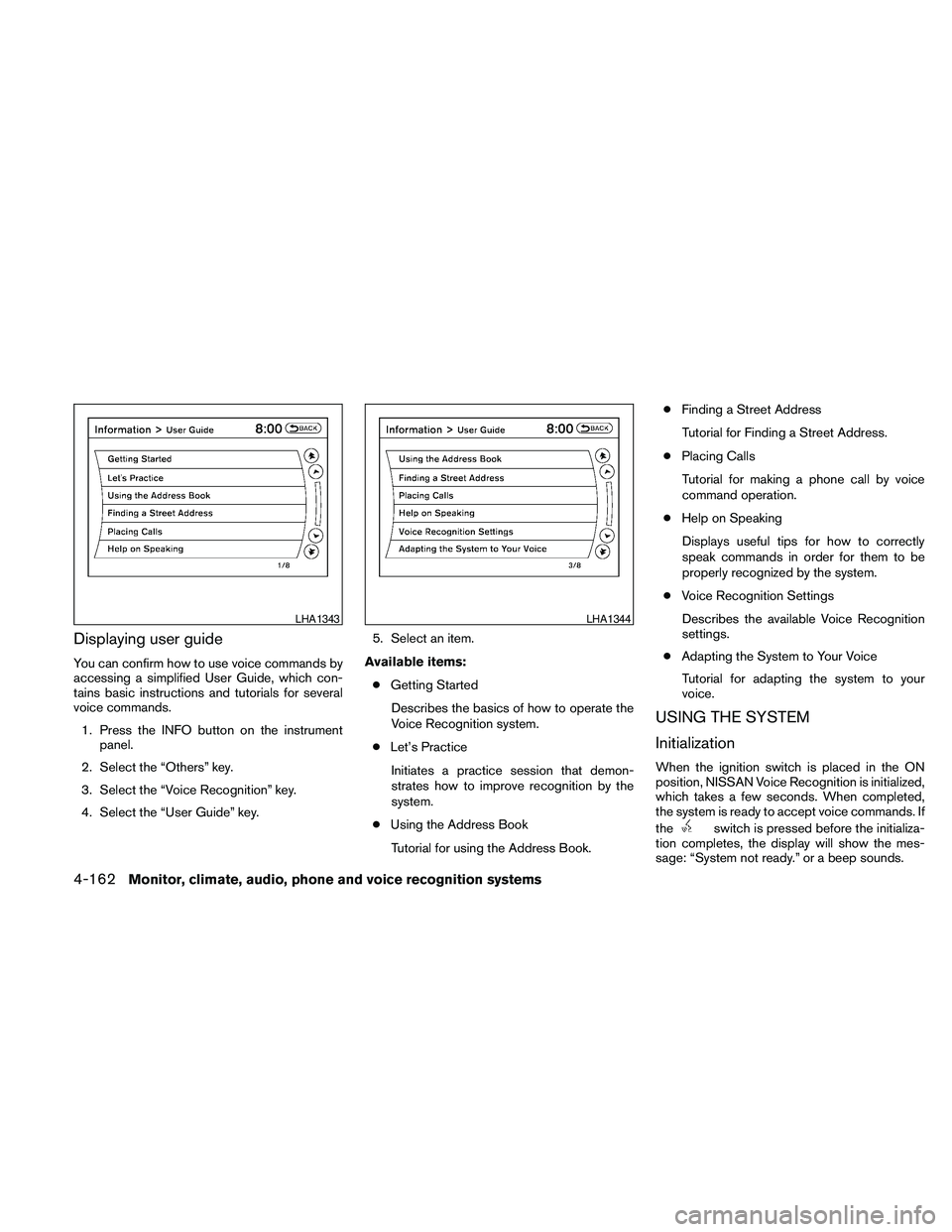
Displaying user guide
You can confirm how to use voice commands by
accessing a simplified User Guide, which con-
tains basic instructions and tutorials for several
voice commands.
1. Press the INFO button on the instrument
panel.
2. Select the “Others” key.
3. Select the “Voice Recognition” key.
4. Select the “User Guide” key.5. Select an item.
Available items:
cGetting Started
Describes the basics of how to operate the
Voice Recognition system.
cLet’s Practice
Initiates a practice session that demon-
strates how to improve recognition by the
system.
cUsing the Address Book
Tutorial for using the Address Book.cFinding a Street Address
Tutorial for Finding a Street Address.
cPlacing Calls
Tutorial for making a phone call by voice
command operation.
cHelp on Speaking
Displays useful tips for how to correctly
speak commands in order for them to be
properly recognized by the system.
cVoice Recognition Settings
Describes the available Voice Recognition
settings.
cAdapting the System to Your Voice
Tutorial for adapting the system to your
voice.
USING THE SYSTEM
Initialization
When the ignition switch is placed in the ON
position, NISSAN Voice Recognition is initialized,
which takes a few seconds. When completed,
the system is ready to accept voice commands. If
the
switch is pressed before the initializa-
tion completes, the display will show the mes-
sage: “System not ready.” or a beep sounds.
LHA1343LHA1344
4-162Monitor, climate, audio, phone and voice recognition systems
Page 323 of 457
Before starting
To get the best performance from NISSAN Voice
Recognition, observe the following:
cKeep the interior of the vehicle as quiet as
possible. Close the windows to eliminate the
surrounding noises (traffic noises, vibration
sounds, etc.) , which may prevent the system
from recognizing the voice commands cor-
rectly.
cWhen the climate control is in the AUTO
mode, the fan speed decreases automati-
cally for easy recognition.
cWait until a tone sounds before speaking a
command.
cSpeak in a natural voice without pausing
between words.
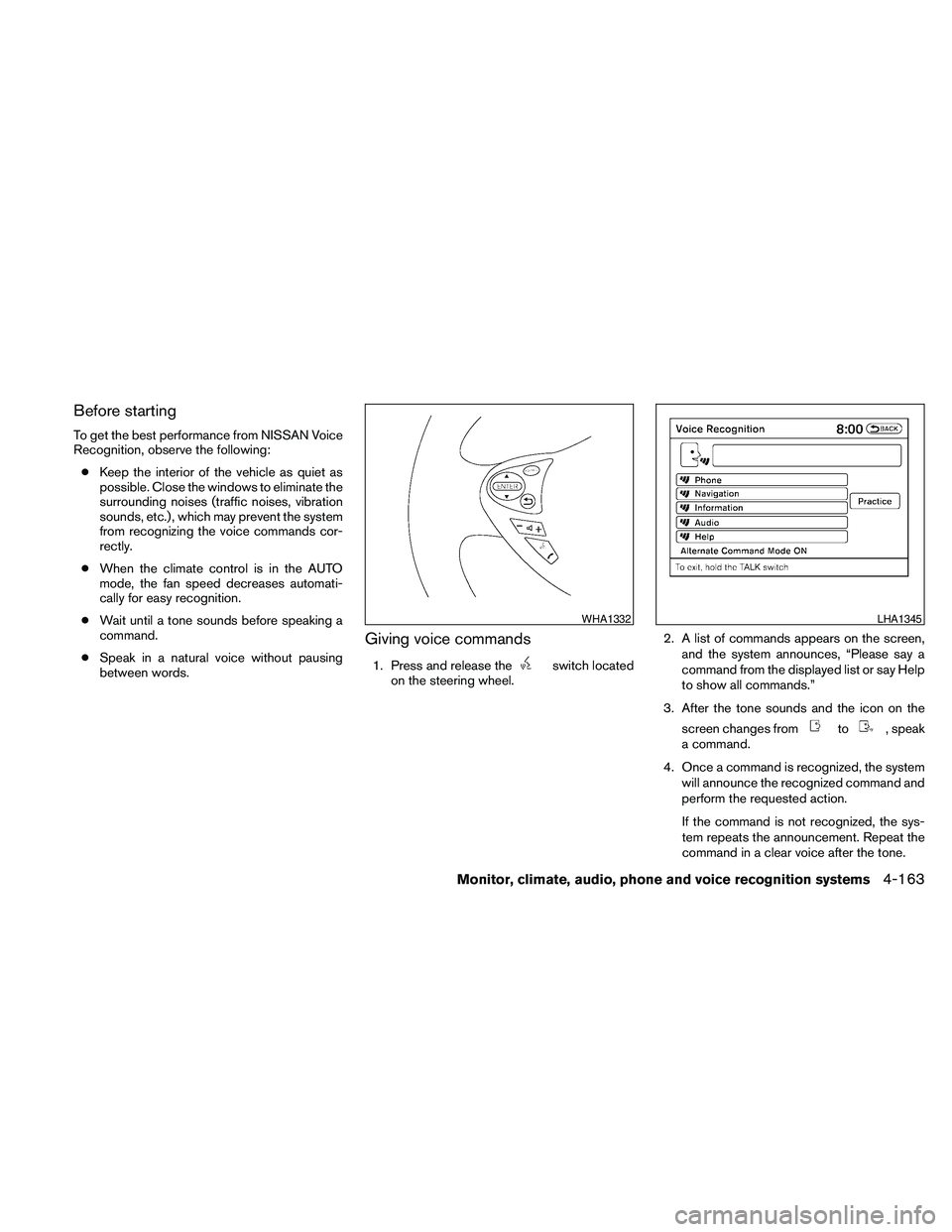
Giving voice commands
1. Press and release theswitch located
on the steering wheel.2. A list of commands appears on the screen,
and the system announces, “Please say a
command from the displayed list or say Help
to show all commands.”
3. After the tone sounds and the icon on the
screen changes from
to, speak
a command.
4. Once a command is recognized, the system
will announce the recognized command and
perform the requested action.
If the command is not recognized, the sys-
tem repeats the announcement. Repeat the
command in a clear voice after the tone.
WHA1332LHA1345
Monitor, climate, audio, phone and voice recognition systems4-163
Page 324 of 457
Operating tips
cSay a command after the tone. Voice com-
mands cannot be accepted when the icon
is
.
cIf the command is not recognized, the sys-
tem repeats the announcement. Repeat the
command in a clear voice.
cPress the
switch on the steering
wheel to return to the previous screen.
cIf you want to cancel the command, press
and hold the
switch. The message,
“Voice cancelled” will be announced.
cIf you want to adjust the volume of the sys-
tem feedback, push the volume control
switch on the steering wheel or use the
audio system volume knob while the system
is making an announcement.cTo minimize the amount of prompts spoken
by the system in Alternate Command Mode,
use the Minimize Voice Feedback function.
To access the Minimize Voice Feedback
function press the SETTING button, then
select the “Others” key. Then select the
“Voice Recognition” key.
How to speak numbers
Voice Recognition requires a certain way to
speak numbers when giving voice commands.
Refer to the following examples.
General rule:
cOnly single digits 0 (zero) to 9 can be used.
cWhen saying the phone number 800-662-
6200, the system will accept “eight-
hundred” in addition to “eight zero zero” or
“eight oh oh”. 500, 700, and 900 are also
supported.
Examples:
c1-800-662-6200
– “One eight zero zero six six two six two
zero zero”
– “One eight hundred six six two six two
zero zero”Improving Recognition of Phone numbers:
You can improve the recognition of phone num-
bers by saying the phone number in three groups
of numbers. For example, when you try to call
800-662-6200, say “eight zero zero” first, and
the system will then ask you for the next three
digits. Then, say “six six two”. After recognition,
the system will then ask for the last four digits.
Say, “six two zero zero”. Using this method of
phone digit entry can improve recognition perfor-
mance.
NOTE:
When speaking a house number, speak the
number “0” as “zero” or “oh”. If the letter
“O” is included in the house number, it will
not be recognized as “0” even if you speak
“oh” instead of “zero”.
Settings menu
The content of the Settings Menu differs when
the system is in the Alternate Command Mode.
Command List:
Displays the command list for Alternate Com-
mand Mode.
4-164Monitor, climate, audio, phone and voice recognition systems
Page 325 of 457
User Guide:
The user guide provides basic instructions for
using Voice Recognition and accessing some
voice commands.
NOTE:
The user guide can also be accessed from
within the INFO menu after pressing the
INFO button.
Speaker Adaptation:
Starts a system training procedure to learn the
specific sounds of your voice. See “Speaker ad-
aptation function” in this section.
Alternate Command Mode:
For advanced operation, an Alternate Command
Mode is provided. This setting enables control of
the Audio and Climate Control systems in addi-
tion to additional commands for the Phone and
Navigation systems. With this setting active, the
system does not announce or display the avail-
able commands at each step. When this mode is
activated, the Voice Recognition Settings will
change to show more options.
Minimize Voice Feedback:
Reduces the amount of the information spoken
for each voice instruction.
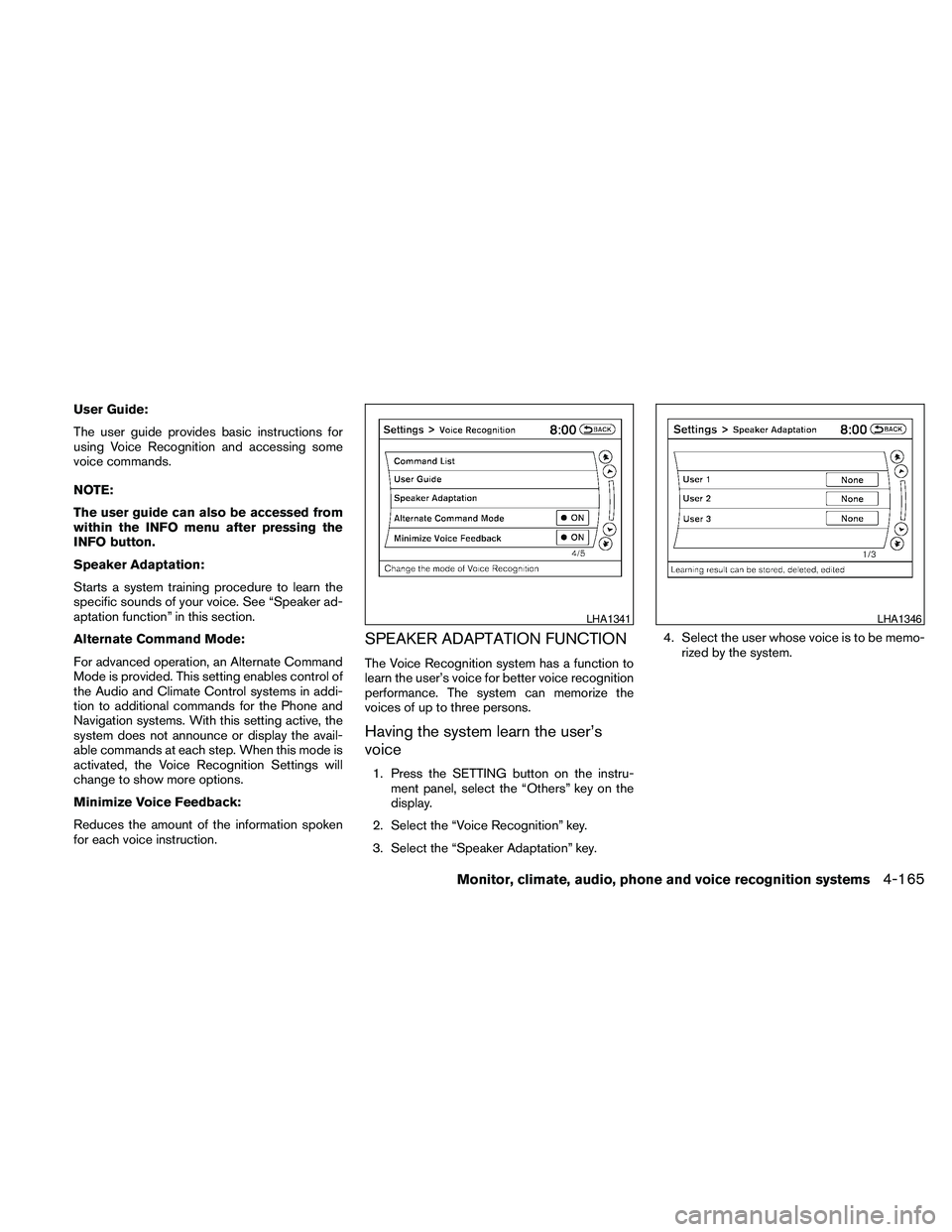
SPEAKER ADAPTATION FUNCTION
The Voice Recognition system has a function to
learn the user’s voice for better voice recognition
performance. The system can memorize the
voices of up to three persons.
Having the system learn the user’s
voice
1. Press the SETTING button on the instru-
ment panel, select the “Others” key on the
display.
2. Select the “Voice Recognition” key.
3. Select the “Speaker Adaptation” key.4. Select the user whose voice is to be memo-
rized by the system.
LHA1341LHA1346
Monitor, climate, audio, phone and voice recognition systems4-165
Page 326 of 457
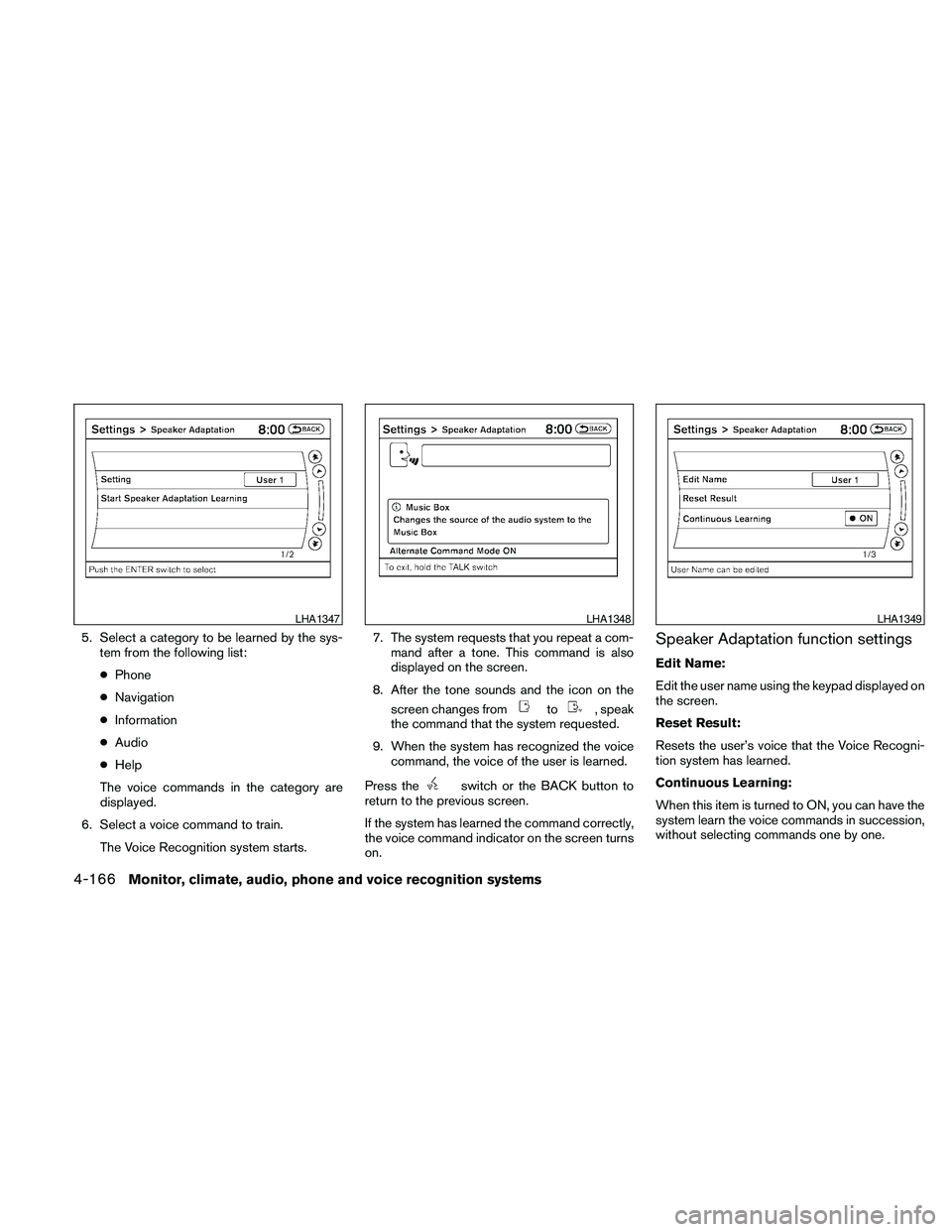
5. Select a category to be learned by the sys-
tem from the following list:
cPhone
cNavigation
cInformation
cAudio
cHelp
The voice commands in the category are
displayed.
6. Select a voice command to train.
The Voice Recognition system starts.7. The system requests that you repeat a com-
mand after a tone. This command is also
displayed on the screen.
8. After the tone sounds and the icon on the
screen changes from
to, speak
the command that the system requested.
9. When the system has recognized the voice
command, the voice of the user is learned.
Press the
switch or the BACK button to
return to the previous screen.
If the system has learned the command correctly,
the voice command indicator on the screen turns
on.
Speaker Adaptation function settings
Edit Name:
Edit the user name using the keypad displayed on
the screen.
Reset Result:
Resets the user’s voice that the Voice Recogni-
tion system has learned.
Continuous Learning:
When this item is turned to ON, you can have the
system learn the voice commands in succession,
without selecting commands one by one.
LHA1347LHA1348LHA1349
4-166Monitor, climate, audio, phone and voice recognition systems
Page 327 of 457
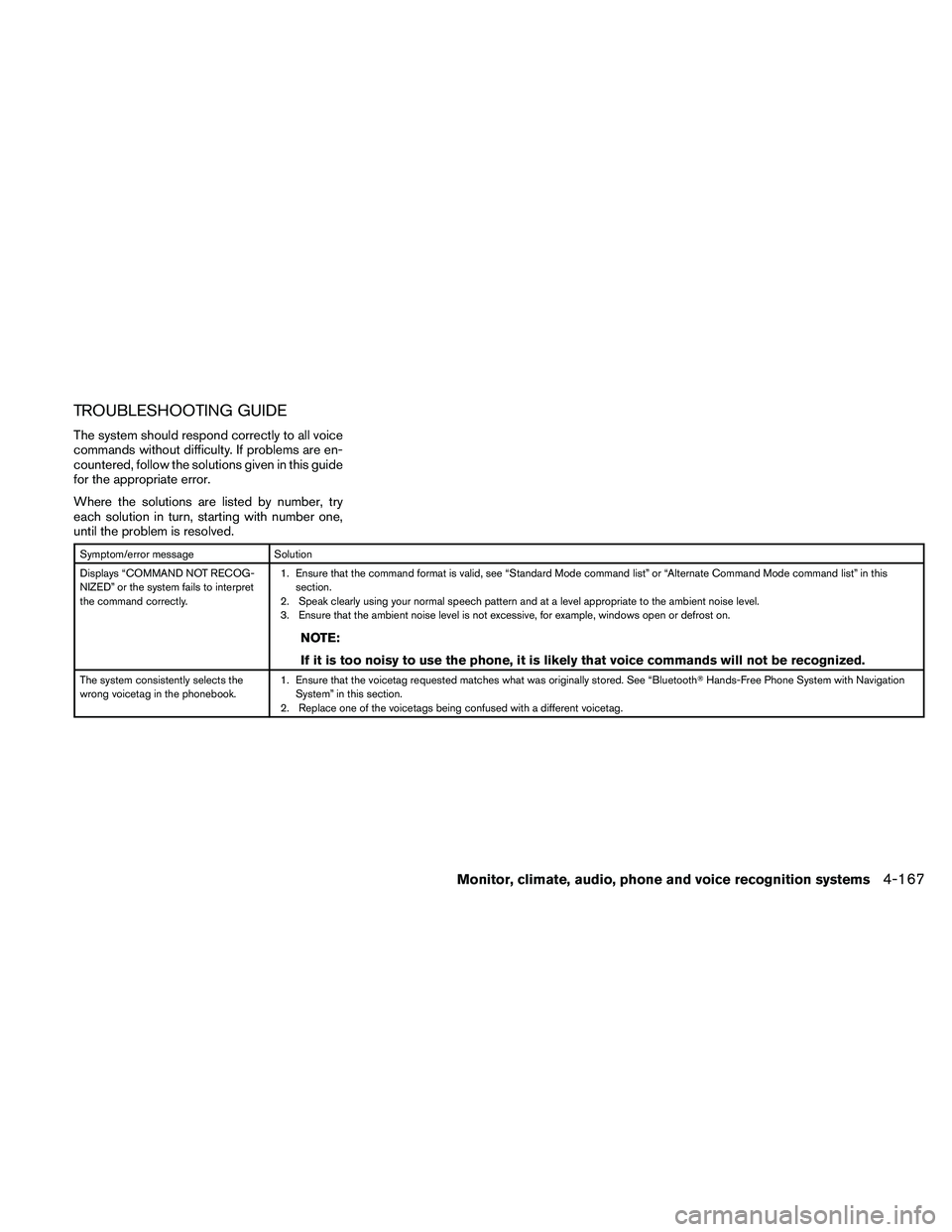
TROUBLESHOOTING GUIDE
The system should respond correctly to all voice
commands without difficulty. If problems are en-
countered, follow the solutions given in this guide
for the appropriate error.
Where the solutions are listed by number, try
each solution in turn, starting with number one,
until the problem is resolved.
Symptom/error message Solution
Displays “COMMAND NOT RECOG-
NIZED” or the system fails to interpret
the command correctly.1. Ensure that the command format is valid, see “Standard Mode command list” or “Alternate Command Mode command list” in this
section.
2. Speak clearly using your normal speech pattern and at a level appropriate to the ambient noise level.
3. Ensure that the ambient noise level is not excessive, for example, windows open or defrost on.
NOTE:
If it is too noisy to use the phone, it is likely that voice commands will not be recognized.
The system consistently selects the
wrong voicetag in the phonebook.1. Ensure that the voicetag requested matches what was originally stored. See “BluetoothTHands-Free Phone System with Navigation
System” in this section.
2. Replace one of the voicetags being confused with a different voicetag.
Monitor, climate, audio, phone and voice recognition systems4-167
Page 328 of 457

MEMO
4-168Monitor, climate, audio, phone and voice recognition systems
Page 408 of 457
If you have a flat tire, see “Flat tire” in the
“In case of emergency” section of this
manual.
TIRE PRESSURE
Tire Pressure Monitoring System
(TPMS)
This vehicle is equipped with the Tire
Pressure Monitoring System (TPMS) . It
monitors tire pressure of all tires except
the spare. When the low tire pressure
warning light is lit, one or more of your
tires is significantly under-inflated. If
equipped, the system also displays pres-
sure of all tires (except the spare tire) on
the display screen by sending a signal
from a sensor that is installed in each
wheel.
The TPMS will activate only when the
vehicle is driven at speeds above 16 MPH
(25 km/h) . Also, this system may not de-
tect a sudden drop in tire pressure (for
example a flat tire while driving) .
For more details, refer to “Low tire pres-
sure warning light” in the “Instruments and
controls” section, “Tire pressure informa-tion” in the “Monitor, climate, audio, phone
and voice recognition” section, “Tire
Pressure Monitoring System (TPMS)” in
the “Starting and driving” section, and
“Flat tire” in the “In case of emergency”
section.Tire inflation pressure
Check the tire pressures (including the
spare) often and always prior to long dis-
tance trips. The recommended tire pres-
sure specifications are shown on the
F.M.V.S.S./C.M.V.S.S. certification label
or the Tire and Loading Information label
under the9Cold Tire Pressure9heading.
The Tire and Loading Information label is
affixed to the driver side center pillar. Tire
pressures should be checked regularly
because:
cMost tires naturally lose air over time.
cTires can lose air suddenly when
driven over potholes or other objects
or if the vehicle strikes a curb while
parking.The tire pressures should be checked
when the tires are cold. The tires are
considered COLD after the vehicle has
been parked for 3 or more hours, or driven
less than 1 mile (1.6 km) at moderate
speeds.
Set the tire pressure to the normal cold
tire inflation pressure when the vehicle
speed or load is reduced.
Incorrect tire pressure, including un-
der inflation, may adversely affect
tire life and vehicle handling.
WARNING
cImproperly inflated tires can fail
suddenly and cause an accident.
WHEELS AND TIRES
8-30Maintenance and do-it-yourself
Page 449 of 457
10 Index
A
Air bag
(See supplemental restraint system).....1-39
Air bag system
Front (See supplemental front impact
air bag system)...............1-46
Air bag warning light...........1-53, 2-14
Air cleaner housing filter............8-17
Air conditioner
Air conditioner service...........4-48
Air conditioner specification label.....9-11
Air conditioner system refrigerant and
oil recommendations.............9-6
Heater and air conditioner
controls................4-41, 4-44
Rear seat air conditioner..........4-47
Servicing air conditioner..........4-48
Alarm system
(See vehicle security system).........2-24
Anchor point locations.............1-25
Antenna....................4-116
Anti-lock brake warning light......2-10, 2-11
Anti-lock Braking System (ABS)........5-23
Armrests.....................1-7
Audible reminders...............2-16
Audio system..................4-48
BluetoothTaudio.............4-109
Compact Disc (CD) changer.......4-66
Compact disc (CD) player.....4-72, 4-79
FM-AM radio with compact disc (CD)
changer...................4-64FM/AM/SAT radio with CD/DVD player . .4-75
FM/AM/SAT radio with compact disc
(CD) player.................4-69
Audio System
iPodTPlayer.............4-92, 4-93
Music Box hard-disk drive audio
system...............4-96, 4-102
Audio system
Radio....................4-48
Rear audio controls............4-115
Audio System
Settings...............4-70, 4-76
Audio system
Steering wheel audio control switch . . .4-113
USB interface............4-87, 4-88
Autolight switch.................2-30
Automatic
Automatic drive positioner.........3-29
Automatic power window switch.....2-43
Automatic transmission position indicator
light.....................2-14
Transmission selector lever lock
release....................5-16
Automatic anti-glare inside mirror.......3-25
Automatic door locks..............3-6
AUX jack....................4-68
B
Battery......................8-13
Charge warning light............2-11
Before starting the engine...........5-10Belt (See drive belt)..............8-15
Block heater
Engine....................5-27
BluetoothTaudio...............4-109
BluetoothThands-free phone
system.................4-117, 4-132
Booster seats..................1-36
Brake
Anti-lock Braking System (ABS)......5-23
Brake fluid..................8-12
Brake light (See stop light).........8-26
Brake system................5-22
Brake warning light.............2-11
Brake wear indicators........2-16, 8-19
Parking brake operation..........5-17
Self-adjusting brakes............8-19
Brakes......................8-19
Break-in schedule...............5-19
Brightness control
Instrument panel..............2-32
Brightness/contrast button.......4-15, 4-31
Bulb check/instrument panel..........2-10
Bulb replacement................8-26
C
Capacities and recommended
fuel/lubricants...................9-2
Car phone or CB radio............4-117
Cargo net....................2-41
Cargo (See vehicle loading information) . . .9-12
CD care and cleaning.............4-112
Page 450 of 457
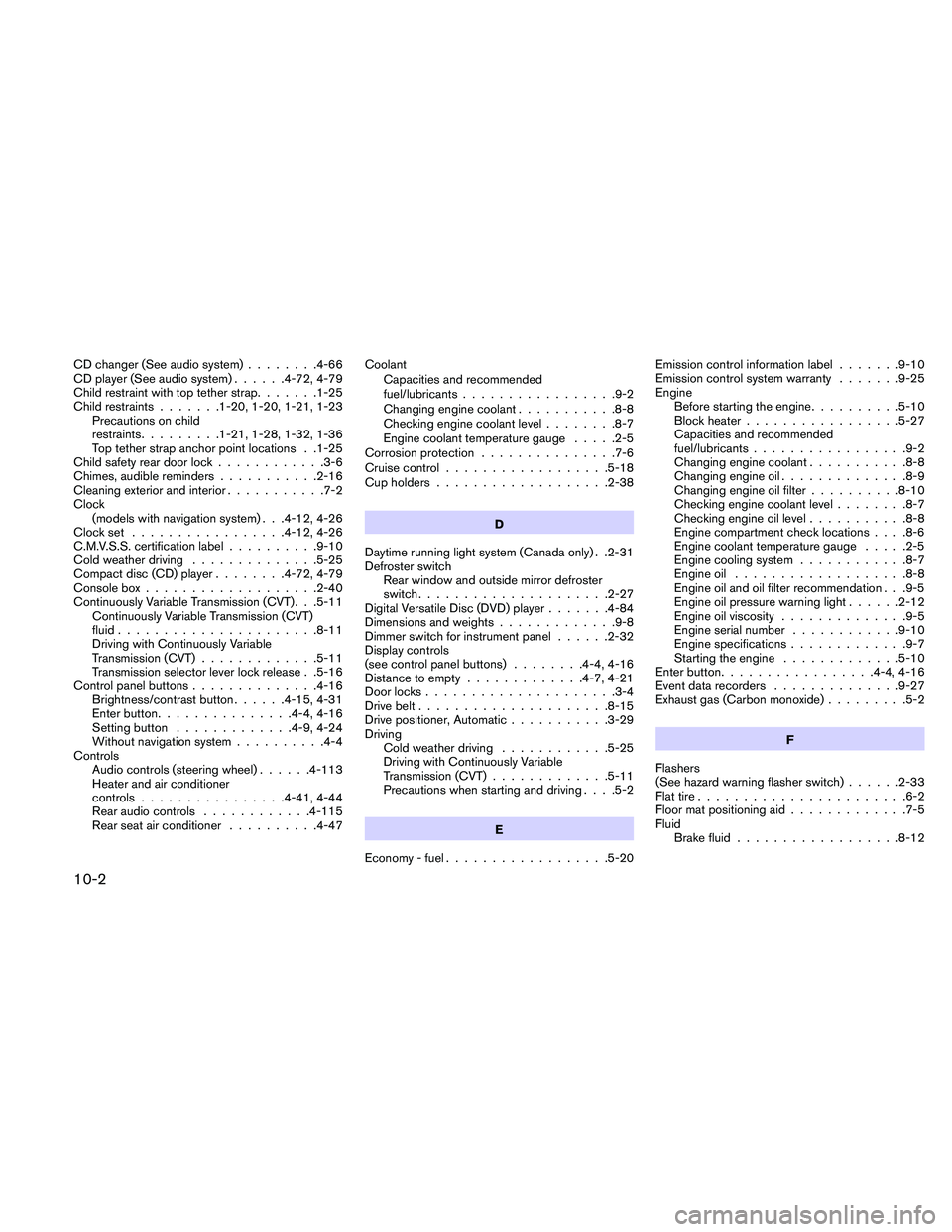
CD changer (See audio system)........4-66
CD player (See audio system)......4-72, 4-79
Child restraint with top tether strap.......1-25
Child restraints.......1-20, 1-20, 1-21, 1-23
Precautions on child
restraints.........1-21, 1-28, 1-32, 1-36
Top tether strap anchor point locations . .1-25
Child safety rear door lock............3-6
Chimes, audible reminders...........2-16
Cleaning exterior and interior...........7-2
Clock
(models with navigation system) . . .4-12, 4-26
Clock set.................4-12, 4-26
C.M.V.S.S. certification label..........9-10
Cold weather driving..............5-25
Compact disc (CD) player........4-72, 4-79
Console box...................2-40
Continuously Variable Transmission (CVT). . .5-11
Continuously Variable Transmission (CVT)
fluid......................8-11
Driving with Continuously Variable
Transmission (CVT).............5-11
Transmission selector lever lock release . .5-16
Control panel buttons..............4-16
Brightness/contrast button......4-15, 4-31
Enter button...............4-4, 4-16
Setting button.............4-9, 4-24
Without navigation system..........4-4
Controls
Audio controls (steering wheel)......4-113
Heater and air conditioner
controls................4-41, 4-44
Rear audio controls............4-115
Rear seat air conditioner..........4-47Coolant
Capacities and recommended
fuel/lubricants.................9-2
Changing engine coolant...........8-8
Checking engine coolant level........8-7
Engine coolant temperature gauge.....2-5
Corrosion protection...............7-6
Cruise control..................5-18
Cup holders...................2-38
D
Daytime running light system (Canada only) . .2-31
Defroster switch
Rear window and outside mirror defroster
switch.....................2-27
Digital Versatile Disc (DVD) player.......4-84
Dimensions and weights.............9-8
Dimmer switch for instrument panel......2-32
Display controls
(see control panel buttons)........4-4, 4-16
Distance to empty.............4-7, 4-21
Door locks.....................3-4
Drive belt.....................8-15
Drive positioner, Automatic...........3-29
Driving
Cold weather driving............5-25
Driving with Continuously Variable
Transmission (CVT).............5-11
Precautions when starting and driving. . . .5-2
E
Economy - fuel..................5-20Emission control information label.......9-10
Emission control system warranty.......9-25
Engine
Before starting the engine..........5-10
Block heater.................5-27
Capacities and recommended
fuel/lubricants.................9-2
Changing engine coolant...........8-8
Changing engine oil..............8-9
Changing engine oil filter..........8-10
Checking engine coolant level........8-7
Checking engine oil level...........8-8
Engine compartment check locations. . . .8-6
Engine coolant temperature gauge.....2-5
Engine cooling system............8-7
Engine oil...................8-8
Engine oil and oil filter recommendation . . .9-5
Engine oil pressure warning light......2-12
Engine oil viscosity..............9-5
Engine serial number............9-10
Engine specifications.............9-7
Starting the engine.............5-10
Enter button.................4-4, 4-16
Event data recorders..............9-27
Exhaust gas (Carbon monoxide).........5-2
F
Flashers
(See hazard warning flasher switch)......2-33
Flat tire.......................6-2
Floor mat positioning aid.............7-5
Fluid
Brake fluid..................8-12
10-2