door lock NISSAN MAXIMA 2010 Owner´s Manual
[x] Cancel search | Manufacturer: NISSAN, Model Year: 2010, Model line: MAXIMA, Model: NISSAN MAXIMA 2010Pages: 457, PDF Size: 4.66 MB
Page 138 of 457

cTo prevent the Intelligent Key from being left
inside the vehicle, make sure you carry the
Intelligent Key with you and then lock the
doors.
cDo not pull the door handle before pushing
the door handle request switch. The door
will be unlocked but will not open. Release
the door handle once and pull it again to
open the door.
NISSAN INTELLIGENT KEY™
OPERATION
You can lock or unlock the doors without taking
the Intelligent Key out of your pocket or bag.
When you carry the Intelligent Key with you, you
can lock or unlock all doors by pushing the door
handle request switch within the range of opera-
tion.
Locking doors
1. Move the shift selector to the “P” position.
Place the ignition switch in the LOCK posi-
tion. Make sure the Intelligent Key is not left
in the vehicle.
2. Close all doors.
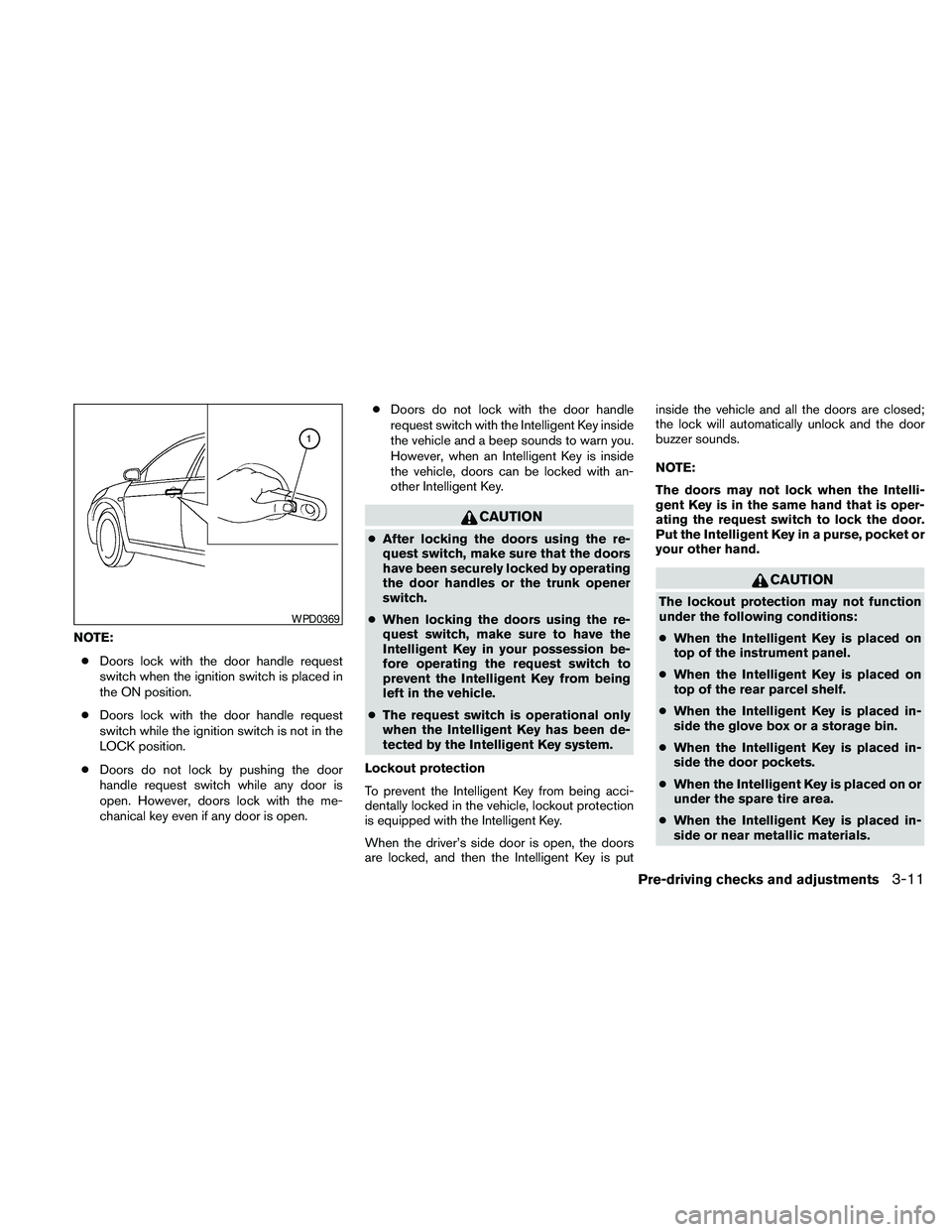
3. Push any door handle request switch
s1
while carrying the Intelligent Key with you.
4. All doors and the trunk will lock.
5. The hazard warning lights flash twice and
the outside buzzer sounds twice.
WPD0376WPD0377
3-10Pre-driving checks and adjustments
Page 139 of 457
NOTE:
cDoors lock with the door handle request
switch when the ignition switch is placed in
the ON position.
cDoors lock with the door handle request
switch while the ignition switch is not in the
LOCK position.
cDoors do not lock by pushing the door
handle request switch while any door is
open. However, doors lock with the me-
chanical key even if any door is open.cDoors do not lock with the door handle
request switch with the Intelligent Key inside
the vehicle and a beep sounds to warn you.
However, when an Intelligent Key is inside
the vehicle, doors can be locked with an-
other Intelligent Key.
CAUTION
cAfter locking the doors using the re-
quest switch, make sure that the doors
have been securely locked by operating
the door handles or the trunk opener
switch.
cWhen locking the doors using the re-
quest switch, make sure to have the
Intelligent Key in your possession be-
fore operating the request switch to
prevent the Intelligent Key from being
left in the vehicle.
cThe request switch is operational only
when the Intelligent Key has been de-
tected by the Intelligent Key system.
Lockout protection
To prevent the Intelligent Key from being acci-
dentally locked in the vehicle, lockout protection
is equipped with the Intelligent Key.
When the driver’s side door is open, the doors
are locked, and then the Intelligent Key is putinside the vehicle and all the doors are closed;
the lock will automatically unlock and the door
buzzer sounds.
NOTE:
The doors may not lock when the Intelli-
gent Key is in the same hand that is oper-
ating the request switch to lock the door.
Put the Intelligent Key in a purse, pocket or
your other hand.
CAUTION
The lockout protection may not function
under the following conditions:
cWhen the Intelligent Key is placed on
top of the instrument panel.
cWhen the Intelligent Key is placed on
top of the rear parcel shelf.
cWhen the Intelligent Key is placed in-
side the glove box or a storage bin.
cWhen the Intelligent Key is placed in-
side the door pockets.
cWhen the Intelligent Key is placed on or
under the spare tire area.
cWhen the Intelligent Key is placed in-
side or near metallic materials.
WPD0369
Pre-driving checks and adjustments3-11
Page 140 of 457
Unlocking doors
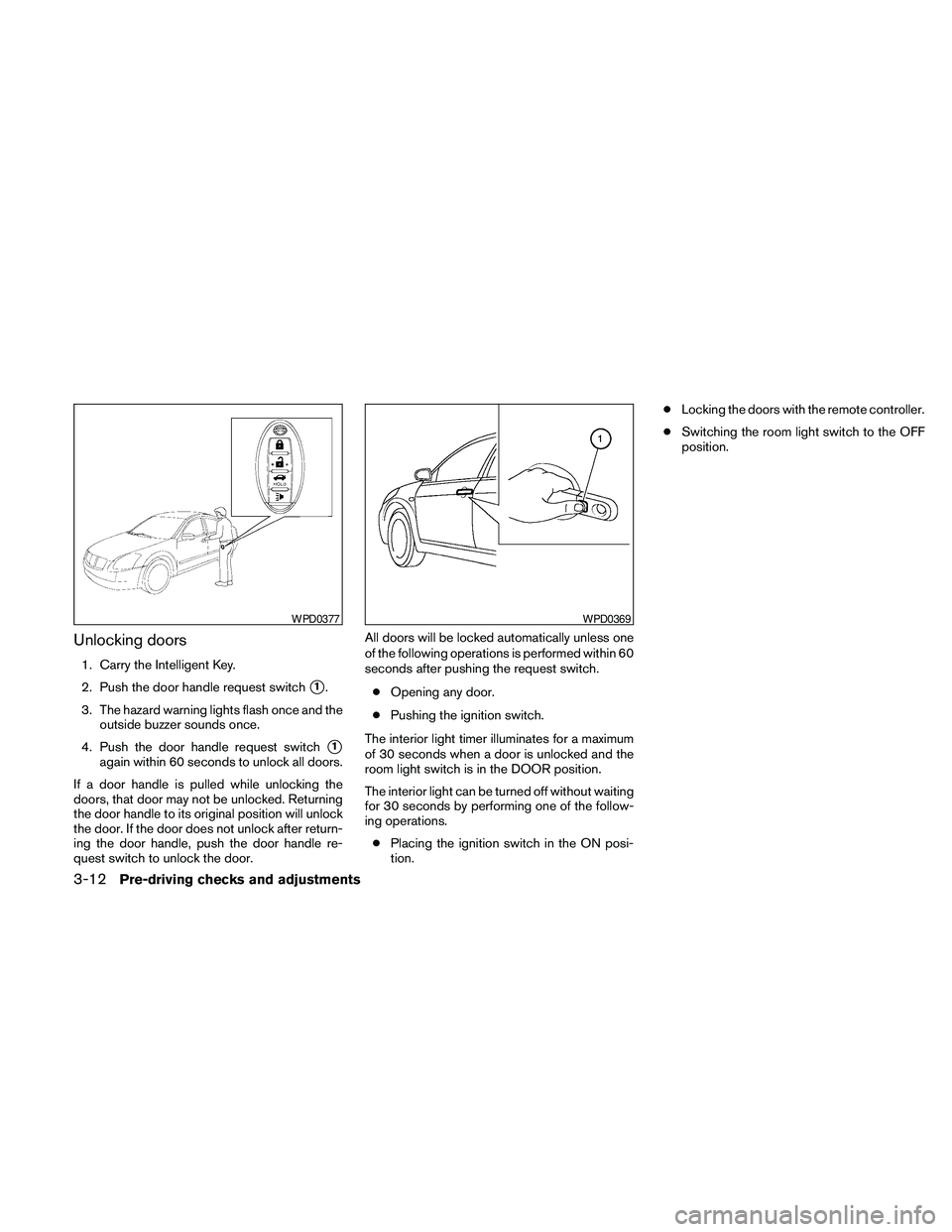
1. Carry the Intelligent Key.
2. Push the door handle request switch
s1.
3. The hazard warning lights flash once and the
outside buzzer sounds once.
4. Push the door handle request switch
s1
again within 60 seconds to unlock all doors.
If a door handle is pulled while unlocking the
doors, that door may not be unlocked. Returning
the door handle to its original position will unlock
the door. If the door does not unlock after return-
ing the door handle, push the door handle re-
quest switch to unlock the door.All doors will be locked automatically unless one
of the following operations is performed within 60
seconds after pushing the request switch.
cOpening any door.
cPushing the ignition switch.
The interior light timer illuminates for a maximum
of 30 seconds when a door is unlocked and the
room light switch is in the DOOR position.
The interior light can be turned off without waiting
for 30 seconds by performing one of the follow-
ing operations.
cPlacing the ignition switch in the ON posi-
tion.cLocking the doors with the remote controller.
cSwitching the room light switch to the OFF
position.
WPD0377WPD0369
3-12Pre-driving checks and adjustments
Page 141 of 457
Opening the trunk lid
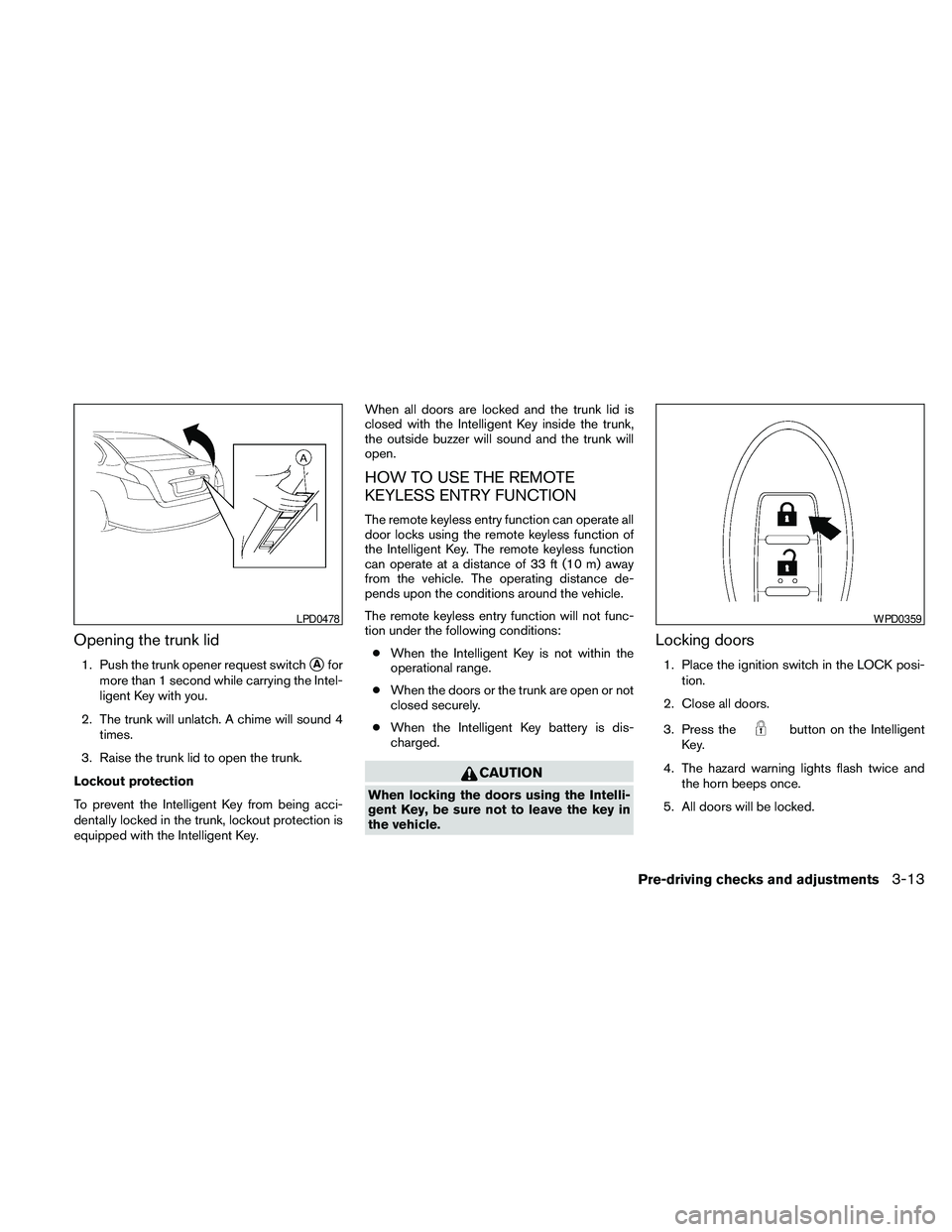
1. Push the trunk opener request switchsAfor
more than 1 second while carrying the Intel-
ligent Key with you.
2. The trunk will unlatch. A chime will sound 4
times.
3. Raise the trunk lid to open the trunk.
Lockout protection
To prevent the Intelligent Key from being acci-
dentally locked in the trunk, lockout protection is
equipped with the Intelligent Key.When all doors are locked and the trunk lid is
closed with the Intelligent Key inside the trunk,
the outside buzzer will sound and the trunk will
open.
HOW TO USE THE REMOTE
KEYLESS ENTRY FUNCTION
The remote keyless entry function can operate all
door locks using the remote keyless function of
the Intelligent Key. The remote keyless function
can operate at a distance of 33 ft (10 m) away
from the vehicle. The operating distance de-
pends upon the conditions around the vehicle.
The remote keyless entry function will not func-
tion under the following conditions:
cWhen the Intelligent Key is not within the
operational range.
cWhen the doors or the trunk are open or not
closed securely.
cWhen the Intelligent Key battery is dis-
charged.
CAUTION
When locking the doors using the Intelli-
gent Key, be sure not to leave the key in
the vehicle.
Locking doors
1. Place the ignition switch in the LOCK posi-
tion.
2. Close all doors.
3. Press the
button on the Intelligent
Key.
4. The hazard warning lights flash twice and
the horn beeps once.
5. All doors will be locked.
LPD0478WPD0359
Pre-driving checks and adjustments3-13
Page 142 of 457
CAUTION
After locking the doors using the Intelli-
gent Key, be sure that the doors have been
securely locked by operating the door
handles.
Unlocking doors
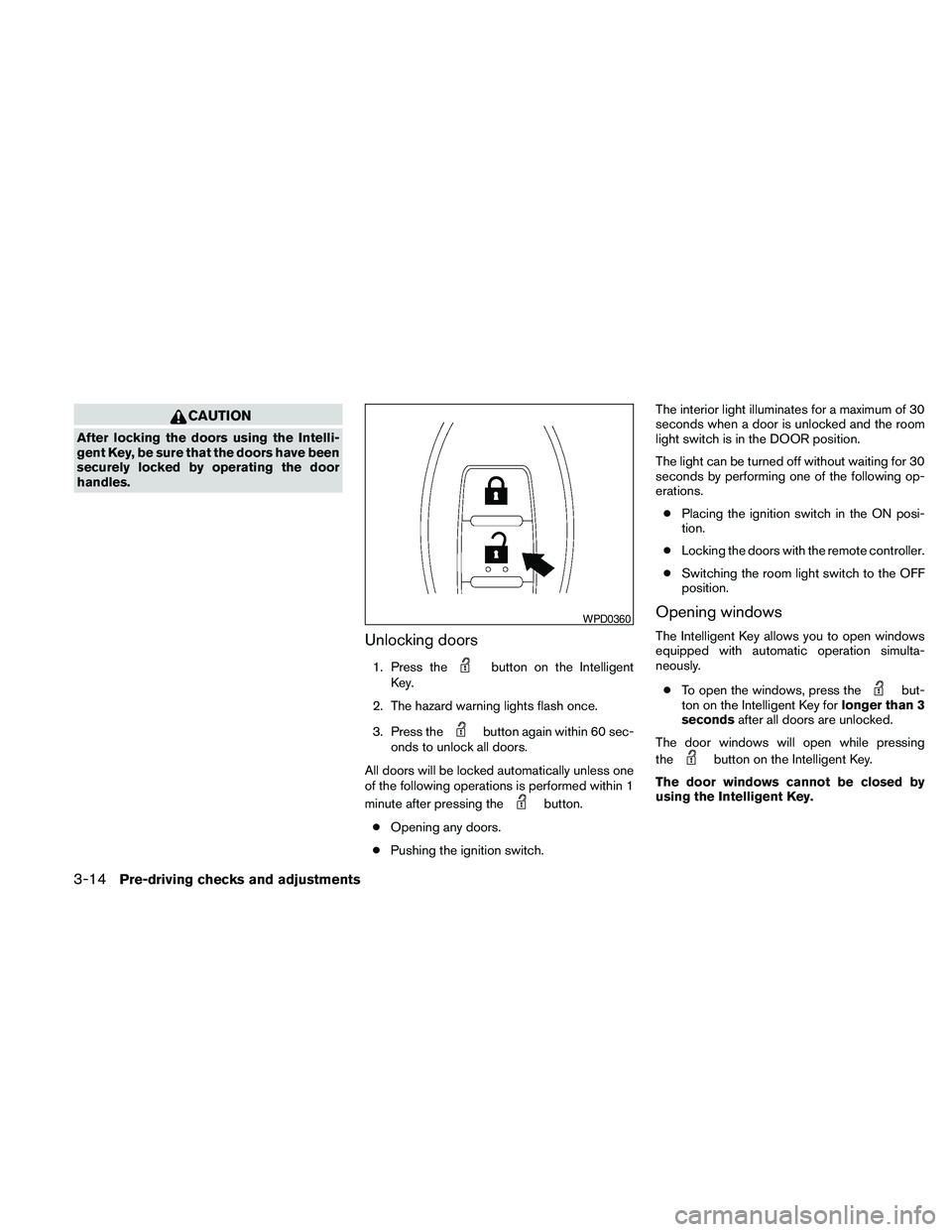
1. Press thebutton on the Intelligent
Key.
2. The hazard warning lights flash once.
3. Press the
button again within 60 sec-
onds to unlock all doors.
All doors will be locked automatically unless one
of the following operations is performed within 1
minute after pressing the
button.
cOpening any doors.
cPushing the ignition switch.The interior light illuminates for a maximum of 30
seconds when a door is unlocked and the room
light switch is in the DOOR position.
The light can be turned off without waiting for 30
seconds by performing one of the following op-
erations.
cPlacing the ignition switch in the ON posi-
tion.
cLocking the doors with the remote controller.
cSwitching the room light switch to the OFF
position.
Opening windows
The Intelligent Key allows you to open windows
equipped with automatic operation simulta-
neously.
cTo open the windows, press the
but-
ton on the Intelligent Key forlonger than 3
secondsafter all doors are unlocked.
The door windows will open while pressing
the
button on the Intelligent Key.
The door windows cannot be closed by
using the Intelligent Key.
WPD0360
3-14Pre-driving checks and adjustments
Page 145 of 457
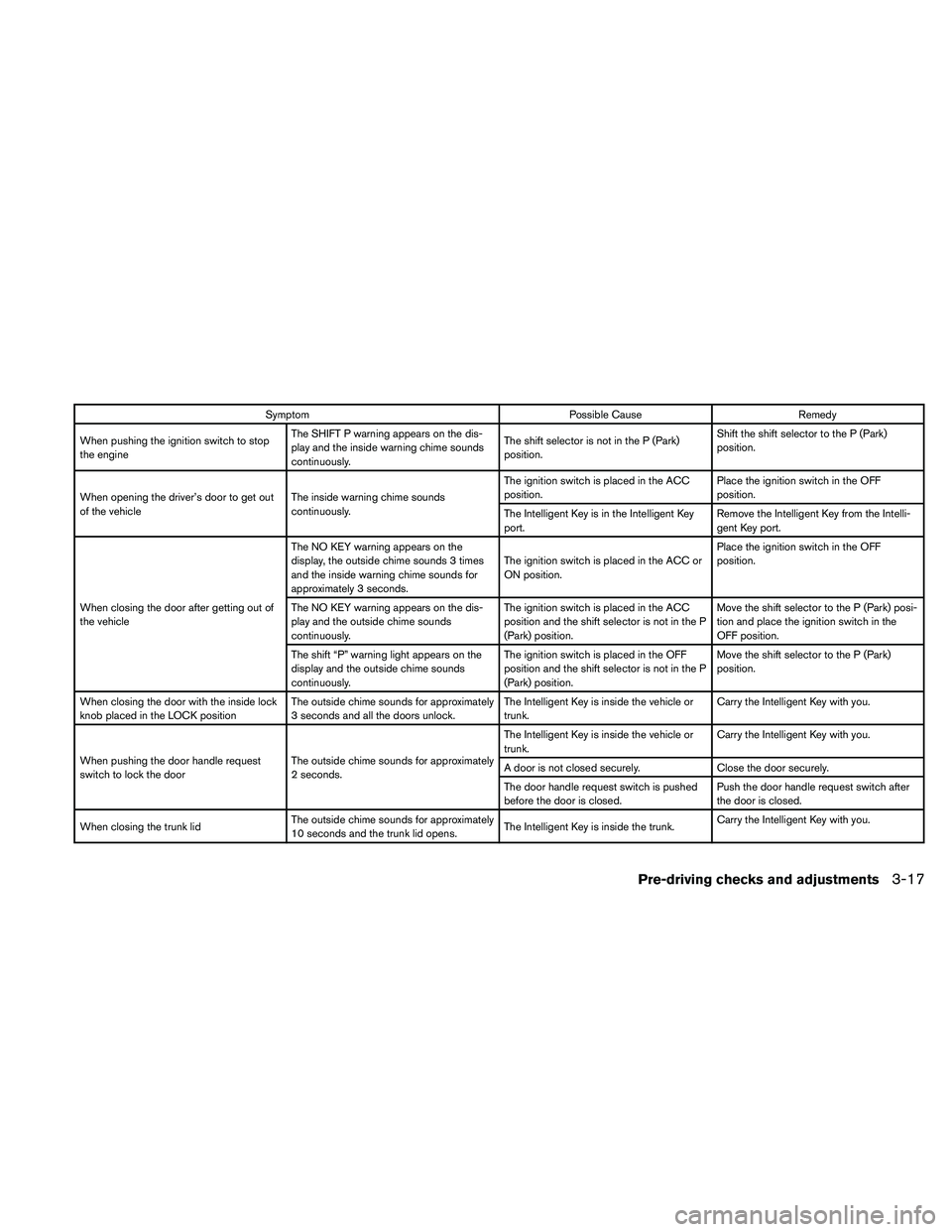
Symptom Possible Cause Remedy
When pushing the ignition switch to stop
the engineThe SHIFT P warning appears on the dis-
play and the inside warning chime sounds
continuously.The shift selector is not in the P (Park)
position.Shift the shift selector to the P (Park)
position.
When opening the driver’s door to get out
of the vehicleThe inside warning chime sounds
continuously.The ignition switch is placed in the ACC
position.Place the ignition switch in the OFF
position.
The Intelligent Key is in the Intelligent Key
port.Remove the Intelligent Key from the Intelli-
gent Key port.
When closing the door after getting out of
the vehicleThe NO KEY warning appears on the
display, the outside chime sounds 3 times
and the inside warning chime sounds for
approximately 3 seconds.The ignition switch is placed in the ACC or
ON position.Place the ignition switch in the OFF
position.
The NO KEY warning appears on the dis-
play and the outside chime sounds
continuously.The ignition switch is placed in the ACC
position and the shift selector is not in the P
(Park) position.Move the shift selector to the P (Park) posi-
tion and place the ignition switch in the
OFF position.
The shift “P” warning light appears on the
display and the outside chime sounds
continuously.The ignition switch is placed in the OFF
position and the shift selector is not in the P
(Park) position.Move the shift selector to the P (Park)
position.
When closing the door with the inside lock
knob placed in the LOCK positionThe outside chime sounds for approximately
3 seconds and all the doors unlock.The Intelligent Key is inside the vehicle or
trunk.Carry the Intelligent Key with you.
When pushing the door handle request
switch to lock the doorThe outside chime sounds for approximately
2 seconds.The Intelligent Key is inside the vehicle or
trunk.Carry the Intelligent Key with you.
A door is not closed securely. Close the door securely.
The door handle request switch is pushed
before the door is closed.Push the door handle request switch after
the door is closed.
When closing the trunk lidThe outside chime sounds for approximately
10 seconds and the trunk lid opens.The Intelligent Key is inside the trunk.Carry the Intelligent Key with you.
Pre-driving checks and adjustments3-17
Page 149 of 457

OPENING THE FUEL-FILLER DOOR
The fuel-filler door automatically unlocks when all
doors are unlocked.
1. Unlock the fuel-filler door using one of the
following operations.
cUnlock all doors with the keyfob.
cUnlock all doors with the key.
cPush the power door lock switch to the
unlock position.
2. To open the fuel filler door, push the right
side of the fuel filler door to release.To lock, close the fuel-filler door securely and
lock the doors.
FUEL-FILLER CAP
The fuel-filler cap is a ratcheting type. Turn the
cap counterclockwise to remove. To tighten, turn
the cap clockwise until ratcheting clicks are
heard.
Put the fuel-filler cap on the cap holder
s1while
refueling.
WPD0454LPD0482
FUEL-FILLER DOOR
Pre-driving checks and adjustments3-21
Page 151 of 457
WARNING
Do not adjust the steering wheel while
driving. You could lose control of your
vehicle and cause an accident.
CAUTION
Do not adjust the steering wheel any
closer to you than is necessary for proper
steering operation and comfort. The driv-
er’s air bag inflates with great force. If you
are unrestrained, leaning forward, sitting
sideways or out of position in any way, you
are at greater risk of injury or death in a
crash. You may also receive serious or
fatal injuries from the air bag if you are up
against it when it inflates. Always sit back
against the seatback and as far away as
practical from the steering wheel. Always
use the seat belts.
AUTOMATIC OPERATION (if so
equipped)
Tilt operation
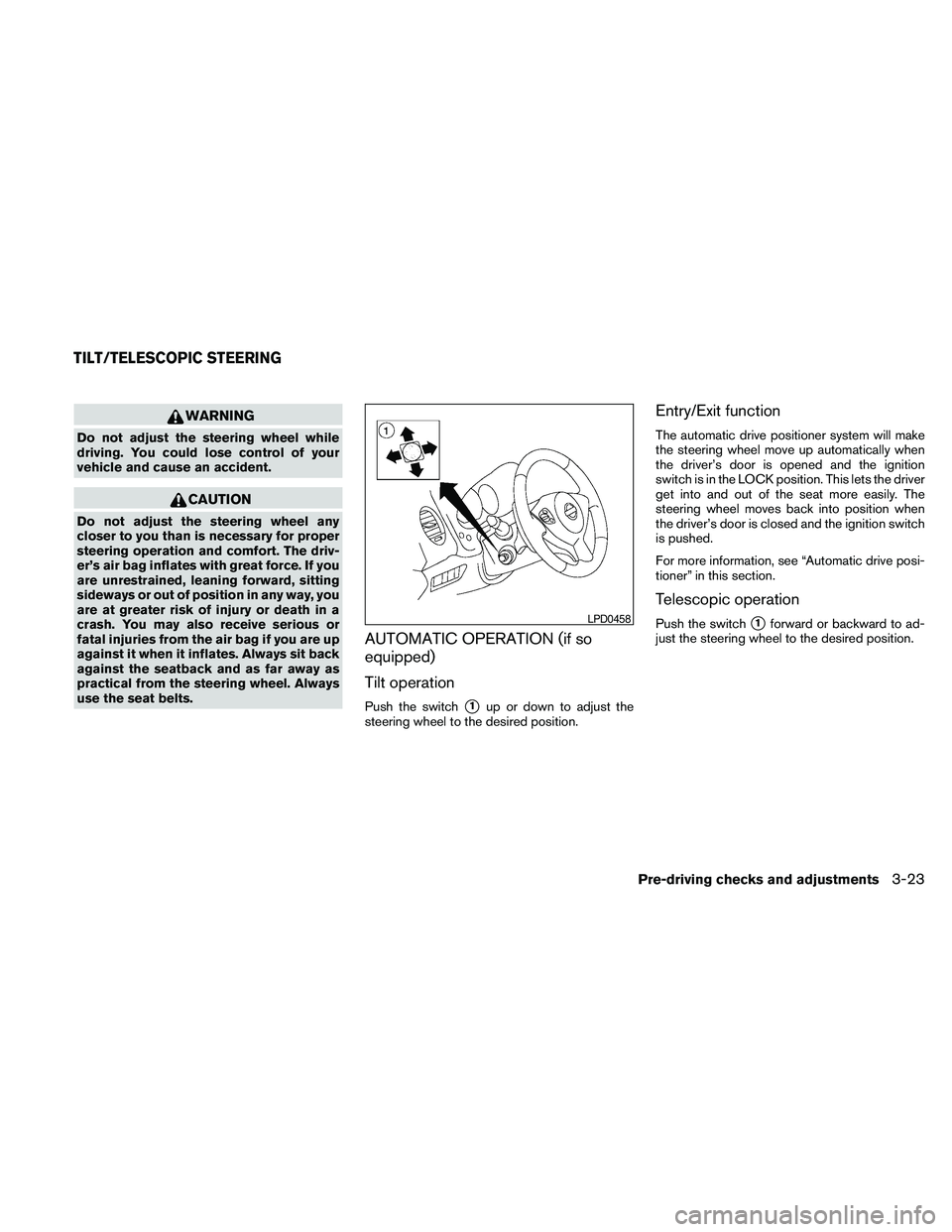
Push the switchs1up or down to adjust the
steering wheel to the desired position.
Entry/Exit function
The automatic drive positioner system will make
the steering wheel move up automatically when
the driver’s door is opened and the ignition
switch is in the LOCK position. This lets the driver
get into and out of the seat more easily. The
steering wheel moves back into position when
the driver’s door is closed and the ignition switch
is pushed.
For more information, see “Automatic drive posi-
tioner” in this section.
Telescopic operation
Push the switchs1forward or backward to ad-
just the steering wheel to the desired position.LPD0458
TILT/TELESCOPIC STEERING
Pre-driving checks and adjustments3-23
Page 158 of 457
3. Adjust the driver’s seat, steering column,
and outside mirrors to the desired positions
by manually operating each adjusting
switch. For additional information, see
“Seats” in the “Safety—Seats, seat belts and
supplemental restraint system” section and
“Outside mirrors” in this section.
During this step, do not place the ignition
switch in any position other than ON.
4. Push the SET switch and, within 5 seconds,
push the memory switch (1 or 2) .
The indicator light for the pushed memory
switch will come on and stay on for approxi-
mately 5 seconds after pushing the switch.
After the indicator light goes off, the se-
lected positions are stored in the selected
memory (1 or 2) .
If a new memory is stored in the same memory
switch, the previous memory will be deleted.
Linking a keyfob to a stored memory
position
Each keyfob can be linked to a stored memory
position (memory switch 1 or 2) with the follow-
ing procedure.
1. Follow the steps for storing a memory posi-
tion.2. While the indicator light for the memory
switch being set is illuminated for 5 sec-
onds, press the
button on the keyfob.
The indicator light will blink. After the indica-
tor light goes off, the keyfob is linked to that
memory setting.
With the ignition switch placed in the OFF posi-
tion, press the
button on the keyfob. The
driver’s seat and outside mirrors will move to the
memorized position.
NOTE:
If a new memory position is saved to the
memory switch, the keyfob automatically
re-links.
Confirming memory storage
cPlace the ignition switch in the ON position
and push the SET switch. If the main memory
has not been stored, the indicator light will
come on for approximately 0.5 seconds.
When the memory has stored the position,
the indicator light will stay on for approxi-
mately 5 seconds.cIf the battery cable is disconnected, or if the
fuse opens, the memory storage function will
be canceled and must be restarted before a
stored memory position can be set again.
Drive the vehicle over 25 MPH (40 km/h) to
restart the memory storage function. You
can also restart the memory storage function
using the following procedure.
1. Connect the battery cable or replace the
fuse.
2. Open and close the driver’s door more than
2 times with the ignition switch in the LOCK
position.
Once the memory storage function has been
restarted, you can store a memory position.
See “Memory storage function” in this sec-
tion.Selecting the memorized position
Set the shift selector to the P (Park) position,
then:
cWithin 45 seconds of opening the driver’s
door, push the memory switch (1 or 2) or
cPlace the ignition switch in the ON position
and push the memory switch (1 or 2) .
3-30Pre-driving checks and adjustments
Page 159 of 457
The driver’s seat, steering column, and outside
mirrors will move to the memorized position with
the indicator light blinking, and then the light will
stay on for approximately 5 seconds.
ENTRY/EXIT FUNCTION
This system is designed so that the driver’s seat
and automatic operation steering column will au-
tomatically move when the shift selector is in the
P (Park) position. This allows the driver to get into
and out of the driver’s seat more easily.
The driver’s seat will slide backward and the
steering wheel will move up when the driver’s
door is opened and the ignition switch is in the
LOCK position.
The driver’s seat and steering wheel will return to
the previous position when the driver’s door is
closed and the ignition switch is pushed.
The entry/exit function can be adjusted or can-
celed. See “Comfort & Convenience settings” in
the “Monitor, climate, audio, phone and voice
recognition systems” section of this manual.
Restarting the entry/exit function
If the battery cable is disconnected or if the fuse
opens, the entry/exit function will be disabled.
Drive the vehicle over 25 MPH (40 km/h) to
restart the entry/exit function. You can also restart
the entry/exit function using the following proce-
dure.
1. Connect the battery cable or replace the
fuse.
2. Open and close the driver’s door more than
2 times with the ignition switch in the LOCK
position.
The entry/exit function should now work properly.
SYSTEM OPERATION
The automatic drive positioner system will not
work or will stop operating under the following
conditions:
cWhen the vehicle speed is above 4 MPH (7
km/h) .
cWhen any of the memory switches are
pushed while the automatic drive positioner
is operating.cWhen the adjusting switch for the driver’s
seat is turned on while the automatic drive
positioner is operating.
cWhen the seat has been already moved to
the memorized position.
cWhen no seat position is stored in the
memory switch.
cWhen the shift selector is moved from P
(Park) to any other position.
cWhen the driver’s door remains open more
than 45 seconds and the ignition switch is
not in the ON position.
The automatic drive positioner system can be
adjusted and canceled for vehicles with naviga-
tion system. See “Comfort & Convenience set-
tings” in the “Monitor, climate, audio, phone and
voice recognition systems” section of this
manual.
Pre-driving checks and adjustments3-31