power steering NISSAN MAXIMA 2010 Owner´s Manual
[x] Cancel search | Manufacturer: NISSAN, Model Year: 2010, Model line: MAXIMA, Model: NISSAN MAXIMA 2010Pages: 457, PDF Size: 4.66 MB
Page 14 of 457
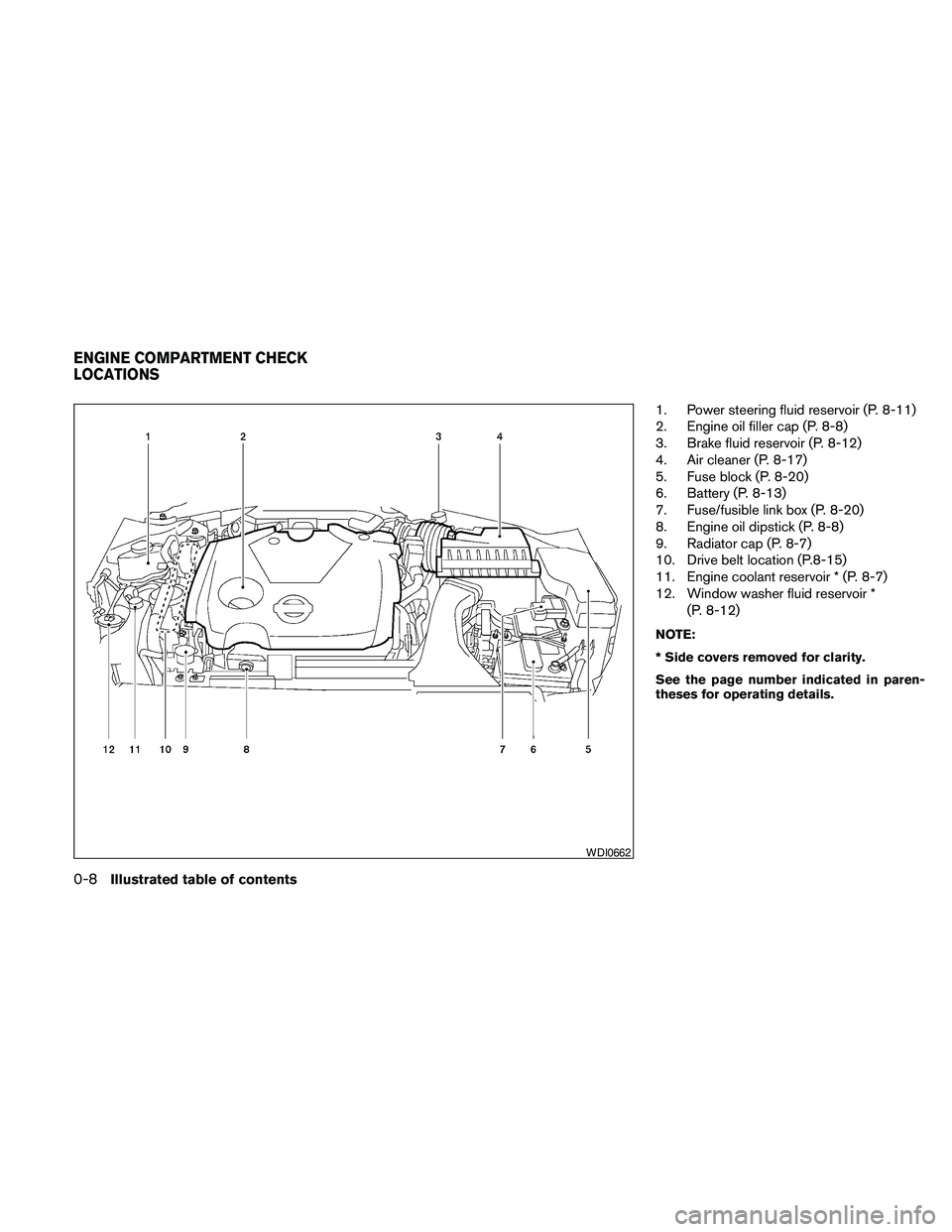
1. Power steering fluid reservoir (P. 8-11)
2. Engine oil filler cap (P. 8-8)
3. Brake fluid reservoir (P. 8-12)
4. Air cleaner (P. 8-17)
5. Fuse block (P. 8-20)
6. Battery (P. 8-13)
7. Fuse/fusible link box (P. 8-20)
8. Engine oil dipstick (P. 8-8)
9. Radiator cap (P. 8-7)
10. Drive belt location (P.8-15)
11. Engine coolant reservoir * (P. 8-7)
12. Window washer fluid reservoir *
(P. 8-12)
NOTE:
* Side covers removed for clarity.
See the page number indicated in paren-
theses for operating details.
WDI0662
ENGINE COMPARTMENT CHECK
LOCATIONS
0-8Illustrated table of contents
Page 72 of 457
2 Instruments and controls
Instrument panel...................................2-2
Meters and gauges................................2-3
Speedometer and odometer.....................2-4
Tachometer....................................2-5
Engine coolant temperature gauge...............2-5
Fuel gauge....................................2-6
Compass display (if so equipped)...................2-6
Compass display...............................2-7
Warning/indicator lights and audible reminders......2-10
Checking bulbs...............................2-10
Warning lights................................2-10
Indicator lights................................2-14
Audible reminders.............................2-16
Vehicle information display.........................2-17
How to use the vehicle information display.......2-17
Security systems.................................2-24
Vehicle security system.........................2-24
NISSAN vehicle immobilizer system.............2-25
Windshield wiper and washer switch...............2-26
Switch operation..............................2-26
Rear window and outside mirror (if so equipped)
defroster switch..................................2-27
Headlight and turn signal switch....................2-28Xenon headlights (if so equipped)...............2-28
Headlight control switch........................2-29
Daytime running light system (Canada only)......2-31
Instrument brightness control...................2-32
Turn signal switch.............................2-32
Fog light switch (if so equipped)................2-32
Hazard warning flasher switch.....................2-33
Horn............................................2-33
Climate control seat switch (if so equipped).........2-34
Heated seats (if so equipped)......................2-35
Heated steering wheel (if so equipped).............2-35
Vehicle Dynamic Control (VDC) OFF switch.........2-36
Power outlet.....................................2-36
Storage.........................................2-37
Map pockets..................................2-37
Seatback pockets.............................2-37
Sunglasses holder (if so equipped)..............2-38
Cup holders..................................2-38
Glove box....................................2-39
Console box..................................2-40
Grocery hooks................................2-40
Cargo net (if so equipped)......................2-41
Windows........................................2-42
Page 96 of 457
NISSAN Intelligent Key™ insertion indica-
tor
This indicator illuminates when the Intelligent Key
needs to be inserted into the Intelligent Key port.
(For example, the Intelligent Key battery is dis-
charged.)
If this indicator illuminates, insert the Intelligent
Key into the Intelligent Key port in the correct
direction. See “Push-button ignition switch” in
the “Starting and driving” section.
NISSAN Intelligent Key™ removal indicator
This indicator illuminates when the driver’s door
is opened with the ignition switch placed in the
OFF position and the Intelligent Key placed in the
Intelligent Key port. A key reminder chime also
sounds.
If this indicator illuminates, remove the Intelligent
Key from the Intelligent Key port and take it with
you when leaving the vehicle.
NISSAN Intelligent Key™ battery discharge
indicator
This indicator illuminates when the Intelligent Key
battery is running out of power.
If this indicator illuminates, replace the battery
with a new one. See “NISSAN Intelligent Key™” in
the “Maintenance and do-it-yourself” section.Steering lock release malfunction indica-
tor (if so equipped)
This indicator illuminates when the steering
wheel cannot be released from the LOCK posi-
tion.
If this indicator illuminates, push the ignition
switch while lightly turning the steering wheel
right and left.
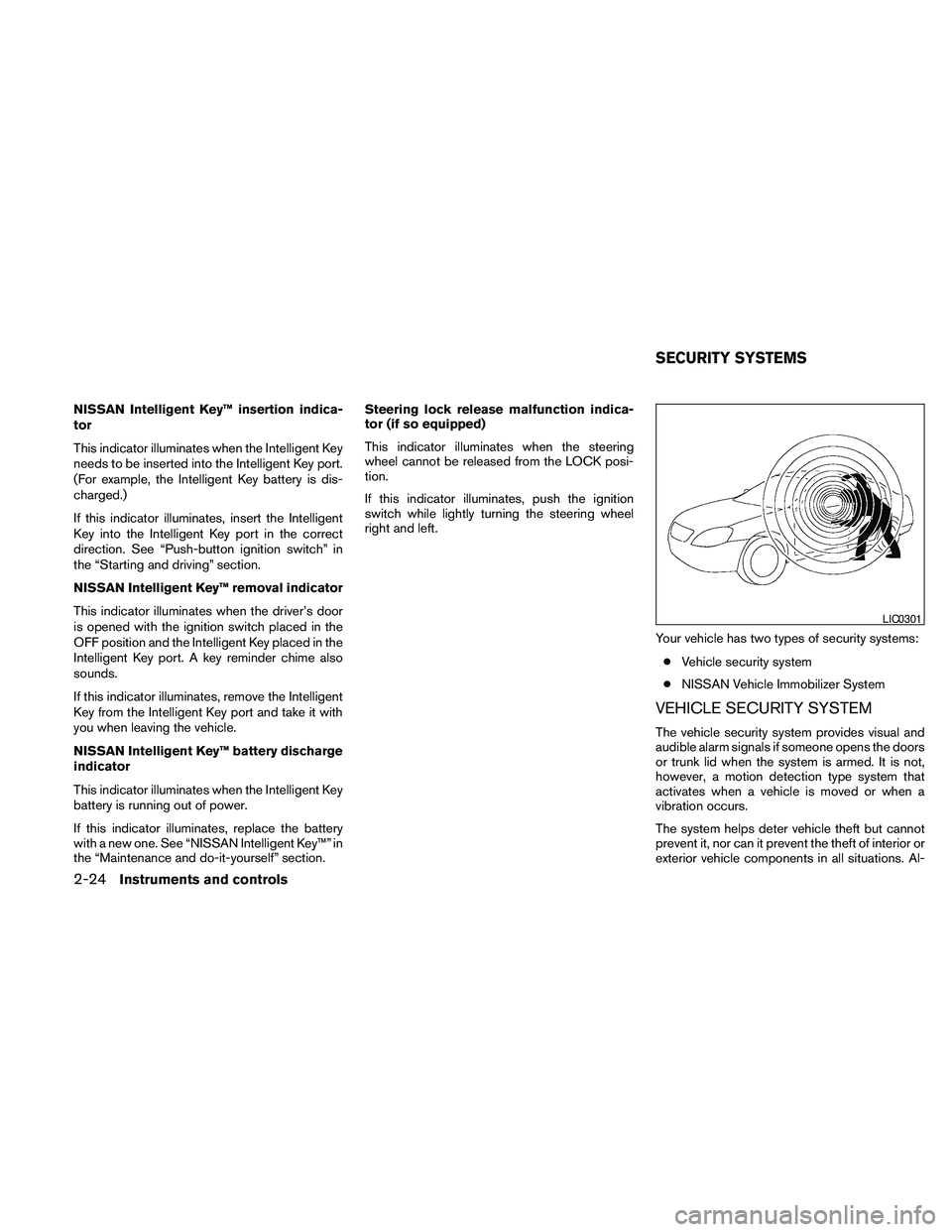
Your vehicle has two types of security systems:
cVehicle security system
cNISSAN Vehicle Immobilizer System
VEHICLE SECURITY SYSTEM
The vehicle security system provides visual and
audible alarm signals if someone opens the doors
or trunk lid when the system is armed. It is not,
however, a motion detection type system that
activates when a vehicle is moved or when a
vibration occurs.
The system helps deter vehicle theft but cannot
prevent it, nor can it prevent the theft of interior or
exterior vehicle components in all situations. Al-
LIC0301
SECURITY SYSTEMS
2-24Instruments and controls
Page 108 of 457
NOTE:
If the surface temperature of the steering
wheel is above 68°F (20°C) when the switch
is turned on, the system will not heat the
steering wheel. This is not a malfunction.
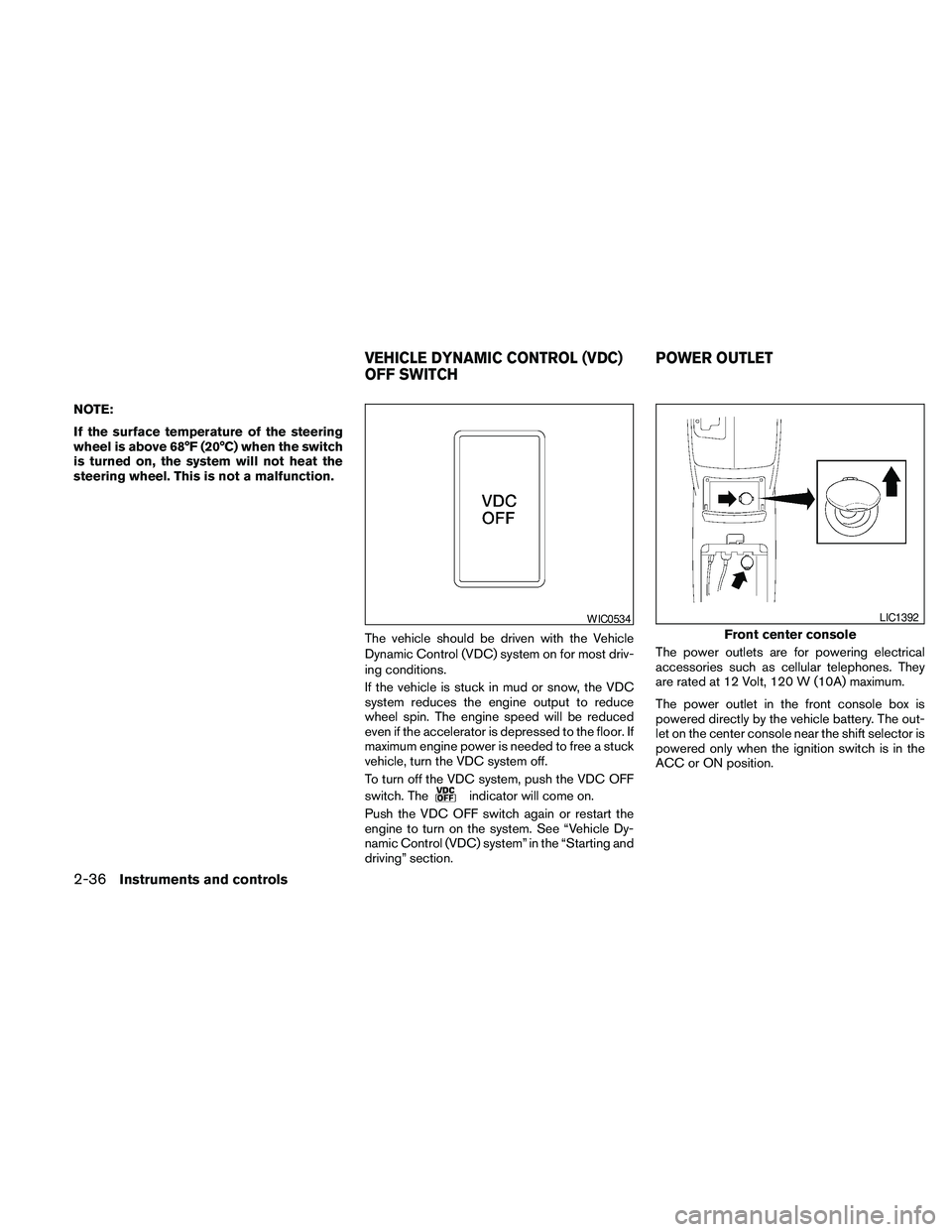
The vehicle should be driven with the Vehicle
Dynamic Control (VDC) system on for most driv-
ing conditions.
If the vehicle is stuck in mud or snow, the VDC
system reduces the engine output to reduce
wheel spin. The engine speed will be reduced
even if the accelerator is depressed to the floor. If
maximum engine power is needed to free a stuck
vehicle, turn the VDC system off.
To turn off the VDC system, push the VDC OFF
switch. The
indicator will come on.
Push the VDC OFF switch again or restart the
engine to turn on the system. See “Vehicle Dy-
namic Control (VDC) system” in the “Starting and
driving” section.The power outlets are for powering electrical
accessories such as cellular telephones. They
are rated at 12 Volt, 120 W (10A) maximum.
The power outlet in the front console box is
powered directly by the vehicle battery. The out-
let on the center console near the shift selector is
powered only when the ignition switch is in the
ACC or ON position.
WIC0534
Front center console
LIC1392
VEHICLE DYNAMIC CONTROL (VDC)
OFF SWITCHPOWER OUTLET
2-36Instruments and controls
Page 129 of 457
3 Pre-driving checks and adjustments
Keys .............................................3-2
NISSAN Intelligent Key™........................3-2
NISSAN Vehicle Immobilizer System keys.........3-3
Doors............................................3-4
Locking with key................................3-4
Locking with inside lock knob....................3-5
Locking with power door lock switch.............3-5
Automatic door locks...........................3-6
Child safety rear door lock.......................3-6
NISSAN Intelligent Key™...........................3-7
Operating range................................3-9
Door locks/unlocks precaution...................3-9
NISSAN Intelligent Key™ Operation..............3-10
How to use the remote keyless entry
function......................................3-13
Warning signals...............................3-16
Troubleshooting guide.........................3-16
Hood...........................................3-18
Trunk lid.........................................3-18Opener operation..............................3-19
Secondary trunk lid release.....................3-20
Interior trunk lid release........................3-20
Fuel-filler door...................................3-21
Opening the fuel-filler door.....................3-21
Fuel-filler cap.................................3-21
Tilt/telescopic steering............................3-23
Automatic operation (if so equipped).............3-23
Manual operation (if so equipped)...............3-24
Sun visors.......................................3-24
Vanity mirrors.................................3-25
Mirrors..........................................3-25
Automatic anti-glare rearview mirror.............3-25
Outside mirrors...............................3-27
Automatic drive positioner (if so equipped)..........3-29
Memory storage function.......................3-29
Entry/exit function.............................3-31
System operation..............................3-31
Page 273 of 457
cA new disc may be rough on the inner and
outer edges. Remove the rough edges by
rubbing the inner and outer edges with the
side of a pen or pencil as illustrated.
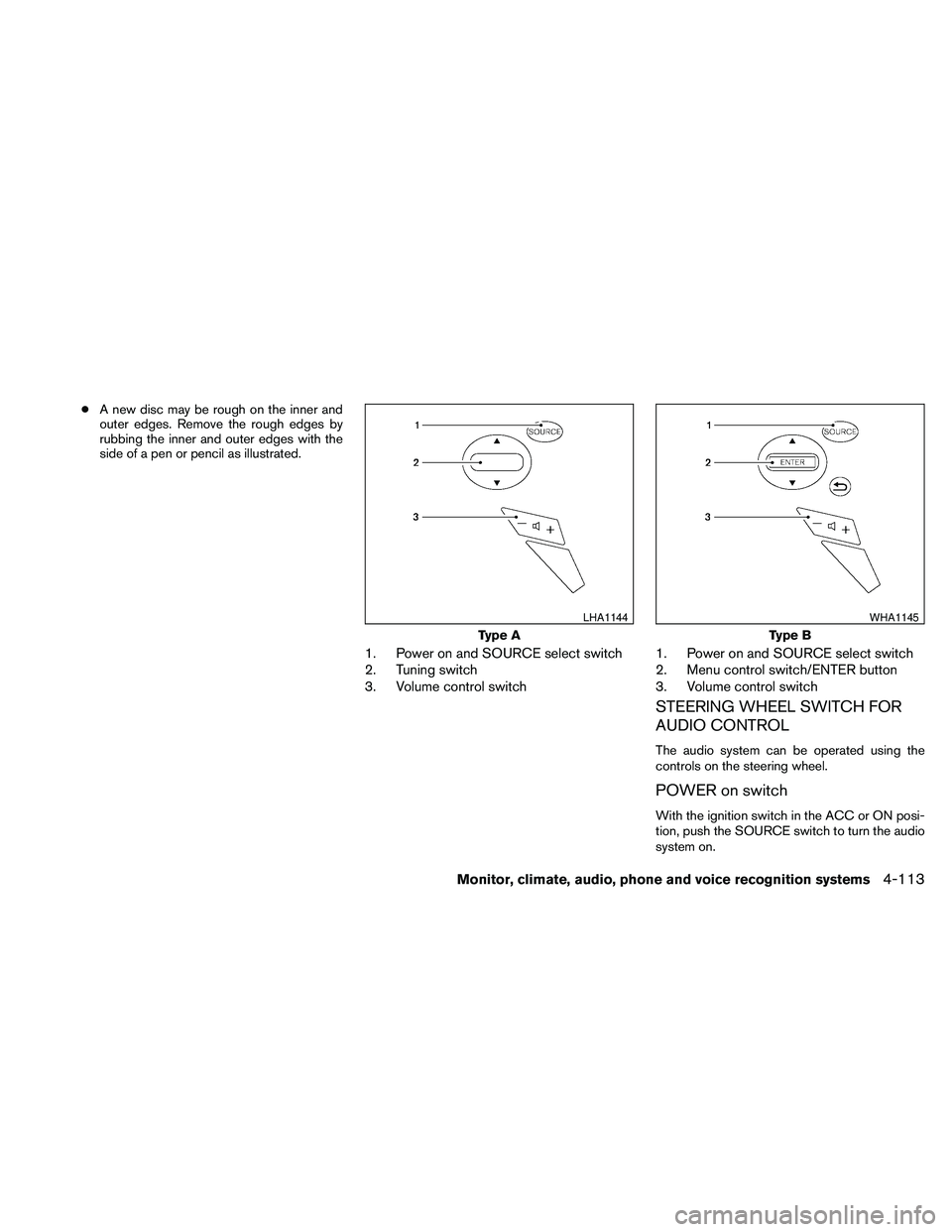
1. Power on and SOURCE select switch
2. Tuning switch
3. Volume control switch1. Power on and SOURCE select switch
2. Menu control switch/ENTER button
3. Volume control switch
STEERING WHEEL SWITCH FOR
AUDIO CONTROL
The audio system can be operated using the
controls on the steering wheel.
POWER on switch
With the ignition switch in the ACC or ON posi-
tion, push the SOURCE switch to turn the audio
system on.
Type A
LHA1144
Type B
WHA1145
Monitor, climate, audio, phone and voice recognition systems4-113
Page 329 of 457
5 Starting and driving
Precautions when starting and driving................5-2
Exhaust gas (carbon monoxide)..................5-2
Three-way catalyst..............................5-2
Tire pressure monitoring system (TPMS)..........5-3
Avoiding collision and rollover....................5-5
Off-road recovery...............................5-5
Rapid air pressure loss..........................5-6
Drinking alcohol/drugs and driving................5-6
Push-Button Ignition Switch........................5-7
Push-button ignition switch positions.............5-8
NISSAN Intelligent key™ battery discharge........5-8
Nissan vehicle immobilizer system................5-9
Before starting the engine.........................5-10
Starting the engine...............................5-10
Driving the vehicle................................5-11
Continuously Variable Transmission (CVT)........5-11
Parking brake....................................5-17
Cruise control....................................5-18
Precautions on cruise control...................5-18Cruise control operations.......................5-18
Break-in schedule................................5-19
Increasing fuel economy...........................5-20
Parking/parking on hills............................5-21
Power steering...................................5-22
Brake system....................................5-22
Brake precautions.............................5-22
Anti-lock Braking System (ABS).................5-23
Vehicle Dynamic Control (VDC) system.............5-24
Cold weather driving..............................5-25
Freeing a frozen door lock......................5-25
Anti-freeze....................................5-25
Battery.......................................5-25
Draining of coolant water.......................5-26
Tire equipment................................5-26
Special winter equipment.......................5-26
Driving on snow or ice.........................5-26
Engine block heater (if so equipped).............5-27
Page 344 of 457
Shift lock release
If the battery charge is low or discharged, the
shift selector may not be moved from the P (Park)
position even with the brake pedal depressed
and the shift selector button pushed.
For models with a steering lock mechanism: If the
battery is discharged completely, the steering
wheel cannot be locked or unlocked. Do not
move the vehicle with the steering wheel locked.
It will be necessary to jump start or have your
battery charged, see “Jump starting” in the “In
case of emergency” section. Contact your
NISSAN dealer or a professional towing service.It will be necessary to jump start or have your
battery charged, see “Jump starting” in the “In
case of emergency” section. Contact your
NISSAN dealer or a professional towing service.
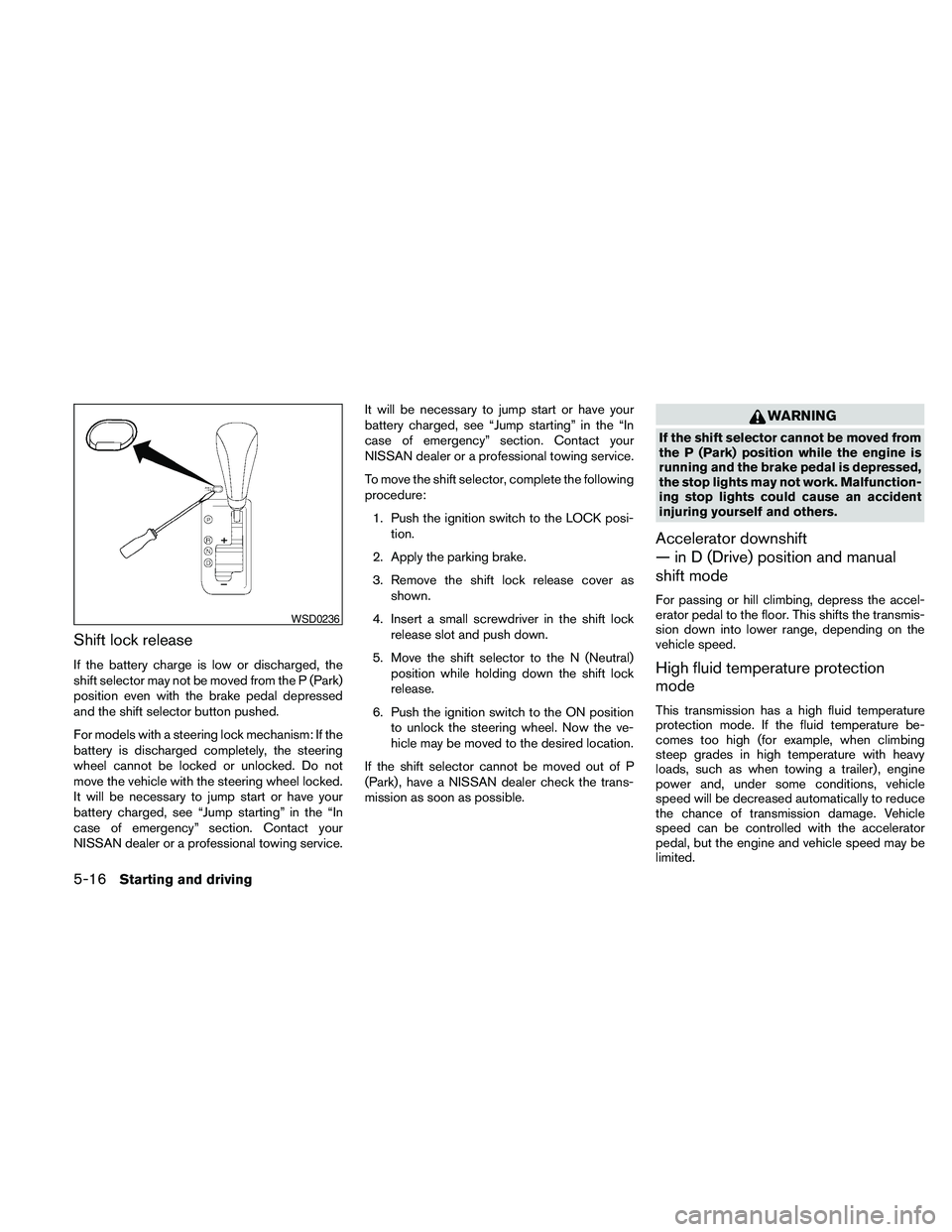
To move the shift selector, complete the following
procedure:
1. Push the ignition switch to the LOCK posi-
tion.
2. Apply the parking brake.
3. Remove the shift lock release cover as
shown.
4. Insert a small screwdriver in the shift lock
release slot and push down.
5. Move the shift selector to the N (Neutral)
position while holding down the shift lock
release.
6. Push the ignition switch to the ON position
to unlock the steering wheel. Now the ve-
hicle may be moved to the desired location.
If the shift selector cannot be moved out of P
(Park) , have a NISSAN dealer check the trans-
mission as soon as possible.
WARNING
If the shift selector cannot be moved from
the P (Park) position while the engine is
running and the brake pedal is depressed,
the stop lights may not work. Malfunction-
ing stop lights could cause an accident
injuring yourself and others.
Accelerator downshift
— in D (Drive) position and manual
shift mode
For passing or hill climbing, depress the accel-
erator pedal to the floor. This shifts the transmis-
sion down into lower range, depending on the
vehicle speed.
High fluid temperature protection
mode
This transmission has a high fluid temperature
protection mode. If the fluid temperature be-
comes too high (for example, when climbing
steep grades in high temperature with heavy
loads, such as when towing a trailer) , engine
power and, under some conditions, vehicle
speed will be decreased automatically to reduce
the chance of transmission damage. Vehicle
speed can be controlled with the accelerator
pedal, but the engine and vehicle speed may be
limited.
WSD0236
5-16Starting and driving
Page 350 of 457
The power assisted steering uses a hydraulic
pump, driven by the engine, to assist steering.
If the engine stops or the drive belt breaks, you
will still have control of the vehicle. However,
much greater steering effort is needed, especially
in sharp turns and at low speeds.
WARNING
If the engine is not running or is turned off
while driving, the power assist for the
steering will not work. Steering will be
harder to operate.The brake system has two separate hydraulic
circuits. If one circuit malfunctions, you will still
have braking at 2 wheels.
BRAKE PRECAUTIONS
Vacuum assisted brakes
The brake booster aids braking by using engine
vacuum. If the engine stops, you can stop the
vehicle by depressing the brake pedal. However,
greater foot pressure on the brake pedal will be
required to stop the vehicle and stopping dis-
tance will be longer.
Using the brakes
Avoid resting your foot on the brake pedal while
driving. This will overheat the brakes, wear out the
brake pads faster, and reduce gas mileage.
To help reduce brake wear and to prevent the
brakes from overheating, reduce speed and
downshift to a lower gear before going down a
slope or long grade. Overheated brakes may
reduce braking performance and could result in
loss of vehicle control.
WARNING
cWhile driving on a slippery surface, be
careful when braking, accelerating or
downshifting. Abrupt braking or accel-
erating could cause the wheels to skid
and result in an accident.
cIf the engine is not running or is turned
off while driving, the power assist for
the brakes will not work. Braking will be
harder.
Wet brakes
When the vehicle is washed or driven through
water, the brakes may get wet. As a result, your
braking distance will be longer and the vehicle
may pull to one side during braking.
To dry the brakes, drive the vehicle at a safe
speed while lightly pressing the brake pedal to
heat up the brakes. Do this until the brakes return
to normal. Avoid driving the vehicle at high
speeds until the brakes function correctly.
Parking brake break-in
Break-in the parking brake shoes whenever the
stopping effect of the parking brake is weakened
or whenever the parking brake shoes and/or
drum/rotors are replaced, in order to assure the
best brake performance.
POWER STEERING BRAKE SYSTEM
5-22Starting and driving
Page 367 of 457
When towing your vehicle, all State (Provincial in
Canada) and local regulations for towing must be
followed. Incorrect towing equipment could dam-
age your vehicle. Towing instructions are avail-
able from a NISSAN dealer. Local service opera-
tors are generally familiar with the applicable laws
and procedures for towing. To assure proper
towing and to prevent accidental damage to your
vehicle, NISSAN recommends having a service
operator tow your vehicle. It is advisable to have
the service operator carefully read the following
precautions:
WARNING
cNever ride in a vehicle that is being
towed.
cNever get under your vehicle after it has
been lifted by a tow truck.
CAUTION
cWhen towing, make sure that the trans-
mission, axles, steering system and
powertrain are in working condition. If
any of these conditions apply, dollies or
a flatbed tow truck must be used.
cAlways attach safety chains before
towing.For information about towing your vehicle behind
a recreational vehicle (RV) , refer to “Flat towing”
in the “Technical and consumer information” sec-
tion of this manual.
TOWING RECOMMENDED BY
NISSAN
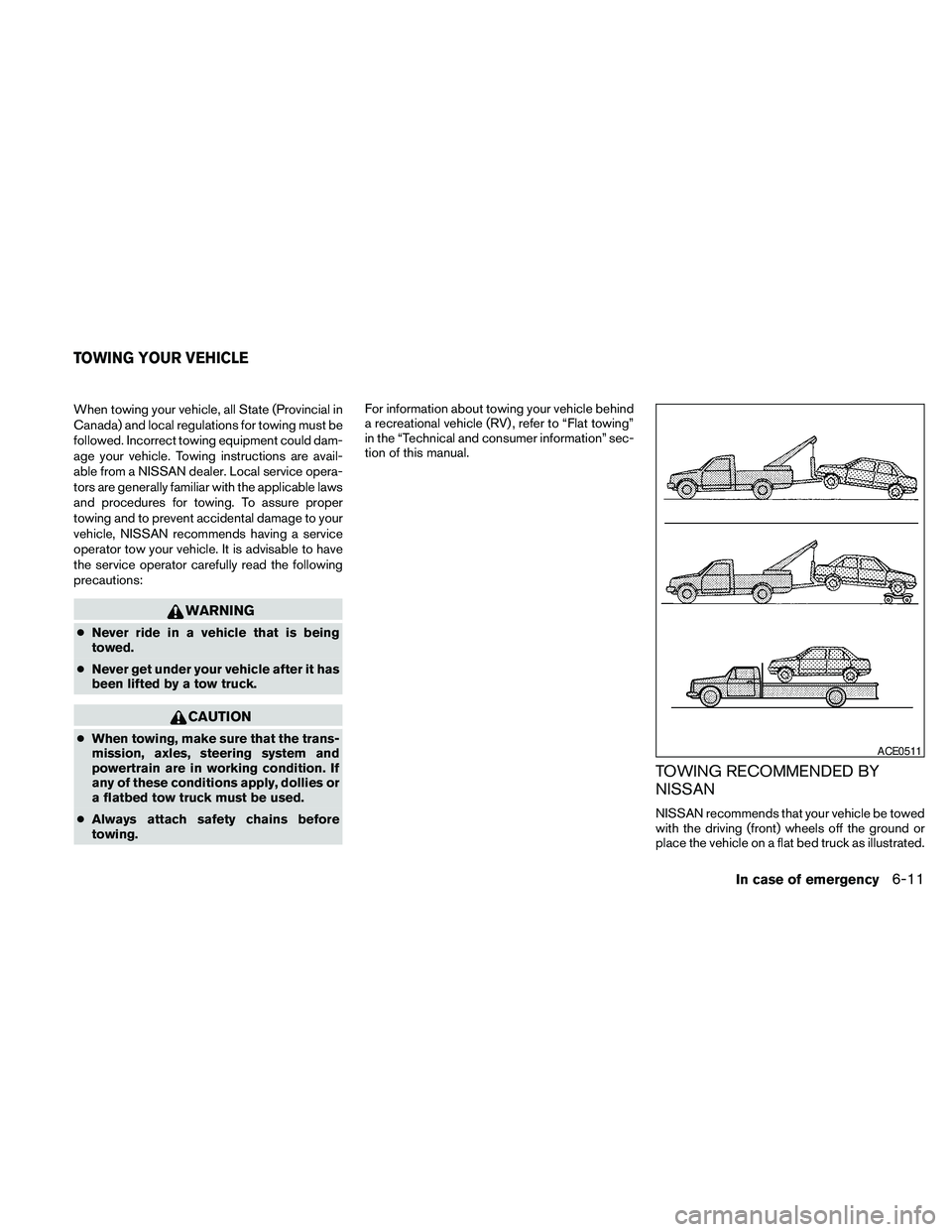
NISSAN recommends that your vehicle be towed
with the driving (front) wheels off the ground or
place the vehicle on a flat bed truck as illustrated.
ACE0511
TOWING YOUR VEHICLE
In case of emergency6-11