lock NISSAN MAXIMA 2016 A36 / 8.G Owner's Manual
[x] Cancel search | Manufacturer: NISSAN, Model Year: 2016, Model line: MAXIMA, Model: NISSAN MAXIMA 2016 A36 / 8.GPages: 401, PDF Size: 4.66 MB
Page 56 of 401
All U.S. states and Canadian provinces or
territories require that infants and small
children be restrained in an approved child
restraint at all times while the vehicle is
being operated.
The instructions in this section apply to booster
seat installation in the rear seats or the front
passenger seat.
Booster seat installation
CAUTION
To avoid injury to child, do not use the
lap/shoulder belt in the Automatic Lock-
ing Retractor (ALR) mode when using a
booster seat with the seat belts.
For additional information, refer to all Warnings
and Cautions in the “Child safety,” “Child re-
straint” and “Booster seats” sections of this
manual before installing a child restraint.
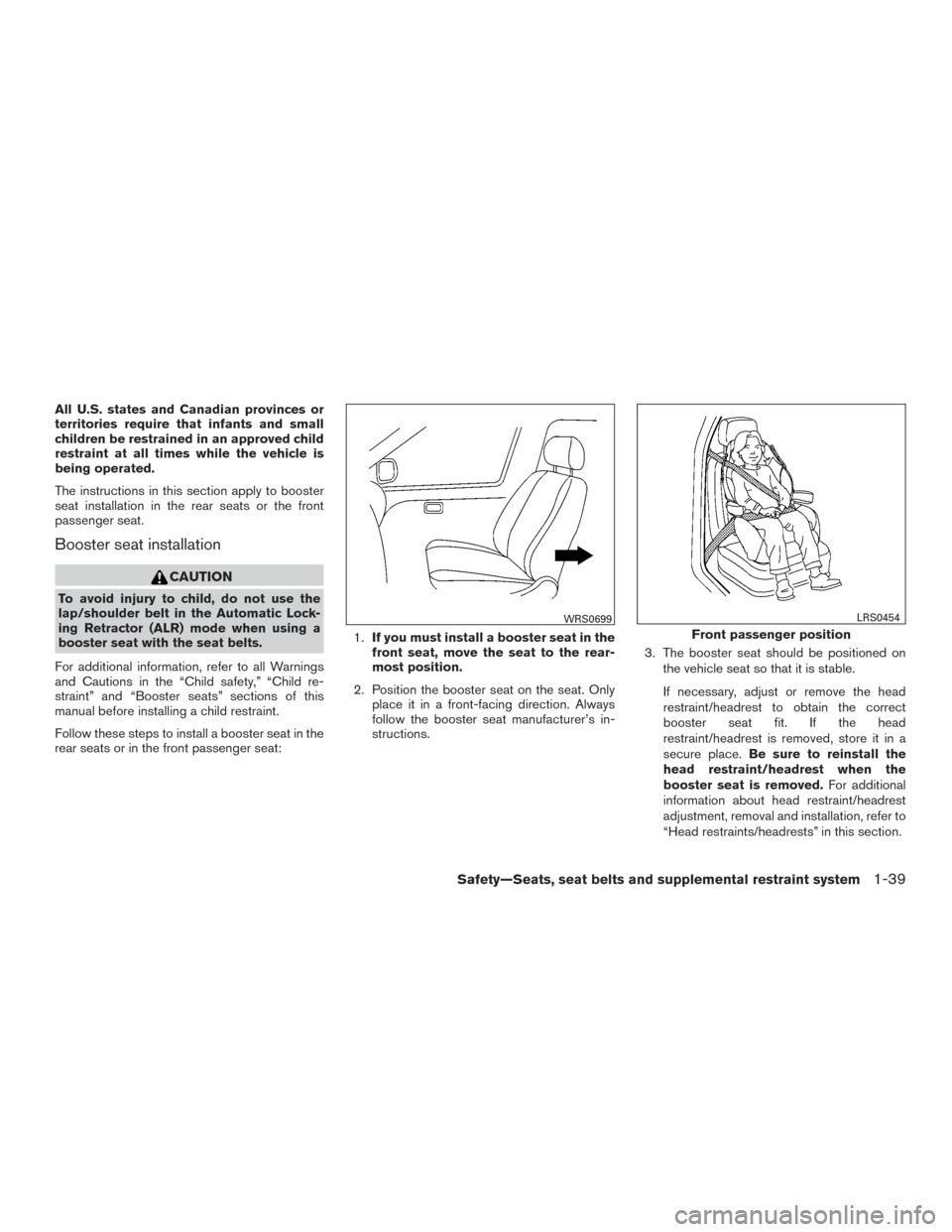
Follow these steps to install a booster seat in the
rear seats or in the front passenger seat: 1.
If you must install a booster seat in the
front seat, move the seat to the rear-
most position.
2. Position the booster seat on the seat. Only place it in a front-facing direction. Always
follow the booster seat manufacturer’s in-
structions. 3. The booster seat should be positioned on
the vehicle seat so that it is stable.
If necessary, adjust or remove the head
restraint/headrest to obtain the correct
booster seat fit. If the head
restraint/headrest is removed, store it in a
secure place. Be sure to reinstall the
head restraint/headrest when the
booster seat is removed. For additional
information about head restraint/headrest
adjustment, removal and installation, refer to
“Head restraints/headrests” in this section.
WRS0699
Front passenger position
LRS0454
Safety—Seats, seat belts and supplemental restraint system1-39
Page 69 of 401
NOTE:
This vehicle’s occupant classification sen-
sor system locks the classification during
driving so it is important that you confirm
that the front passenger is properly classi-
fied prior to driving. Also, the occupant
classification sensor system may recalcu-
late the weight of the occupant when the
vehicle comes to a stop (i.e. stop light, stop
sign, etc.) , so front passenger seat occu-
pants should continue to remain seated as
outlined above.
Troubleshooting
If you think the front passenger air bag status light
is incorrect:1. If the light is ON with no front passenger and no objects on the front passenger seat:
This may be due to the following conditions that
may be interfering with the weight sensors: ● An object weighing over 2.2 lbs (1 kg) hang-
ing on the seat or placed in the seatback
pocket.
● A child restraint or other object pressing
against the rear of the seatback.
● A rear passenger pushing or pulling on the
back of the front passenger seat. ●
Forcing the front seat or seatback against an
object on the seat or floor behind it.
● An object placed under the front passenger
seat.
● An object placed between the seat cushion
and center console or between the seat
cushion and the door.
If the vehicle is moving, please come to a stop
when it is safe to do so. Check and correct any of
the above conditions. Restart the vehicle and
wait 1 minute.
NOTE:
A system check will be performed during
which the front passenger air bag status
light will remain lit for about 7 seconds
initially.
If the light is still ON after this, the vehicle should
be checked by a NISSAN dealer as soon as
possible. 2. If the light is ON with an adult occupying the front passenger seat:
● Occupant is a small adult — the air bag light
is functioning as intended. The front passen-
ger air bag is suppressed. However, if the occupant is not a small adult, then
this may be due to the following conditions that
may be interfering with the weight sensors:
● Occupant is not sitting upright, leaning
against the seatback, and centered on the
seat cushion with his/her feet comfortably
extended to the floor.
● A child restraint or other object pressing
against the rear of the seatback.
● A rear passenger pushing or pulling on the
back of the front passenger seat.
● Forcing the front seat or seatback against an
object on the seat or floor behind it.
● An object placed under the front passenger
seat.
● An object placed between the seat cushion
and center console or between the seat
cushion and the door.
If the vehicle is moving, please come to a stop
when it is safe to do so. Check and correct any of
the above conditions. Restart the vehicle and
wait 1 minute.
1-52Safety—Seats, seat belts and supplemental restraint system
** Click HERE to see "Owner's Manual Supplement" **
Page 75 of 401
If any of the following conditions occur, the front
air bag, side air bag, curtain air bag and preten-
sioner systems need servicing:● The supplemental air bag warning light re-
mains on after approximately 7 seconds.
● The supplemental air bag warning light
flashes intermittently.
● The supplemental air bag warning light does
not come on at all.
Under these conditions, the front air bag, side air
bag, curtain air bag or pretensioner systems may
not operate properly. They must be checked and
repaired. Take your vehicle to the nearest
NISSAN dealer.
WARNING
If the supplemental air bag warning light
is on, it could mean that the front air bag,
side air bag, curtain air bag and/or preten-
sioner systems will not operate in an acci-
dent. To help avoid injury to yourself or
others, have your vehicle checked by a
NISSAN dealer as soon as possible.
Repair and replacement procedure
The front air bags, side air bags, curtain air bags
and pretensioners are designed to inflate on a
one-time-only basis. As a reminder, unless it is
damaged, the supplemental air bag warning light
remains illuminated after inflation has occurred.
Repair and replacement of these supplemental
air bag systems should be done only by a
NISSAN dealer.
When maintenance work is required on the ve-
hicle, the front air bags, side air bags, curtain air
bags, pretensioners and related parts should be
pointed out to the person performing the mainte-
nance. The ignition switch should always be
placed in the LOCK position when working under
the hood or inside the vehicle.
WARNING
● Once a front air bag, side air bag, or
curtain air bag has inflated, the air bag
module will not function again and
must be replaced. Additionally, the acti-
vated pretensioners must also be re-
placed. The air bag module and preten-
sioners should be replaced by a
NISSAN dealer. The air bag module and
pretensioners cannot be repaired. ●
The front air bag, side air bag, curtain
air bag systems and the pretensioner
system should be inspected by a
NISSAN dealer if there is any damage to
the front end or side portion of the
vehicle.
● If you need to dispose of the supple-
mental air bag or pretensioner systems
or scrap the vehicle, contact a NISSAN
dealer. Incorrect disposal procedures
could cause personal injury.
● If there is an impact to your vehicle from
any direction, your Occupant Classifica-
tion Sensor (OCS) should be checked
by a NISSAN dealer to verify it is still
functioning correctly. The OCS should
be checked even if no air bags deploy as
a result of the impact. Failure to verify
proper OCS function may result in an
improper air bag deployment resulting
in injury or death.
1-58Safety—Seats, seat belts and supplemental restraint system
Page 84 of 401
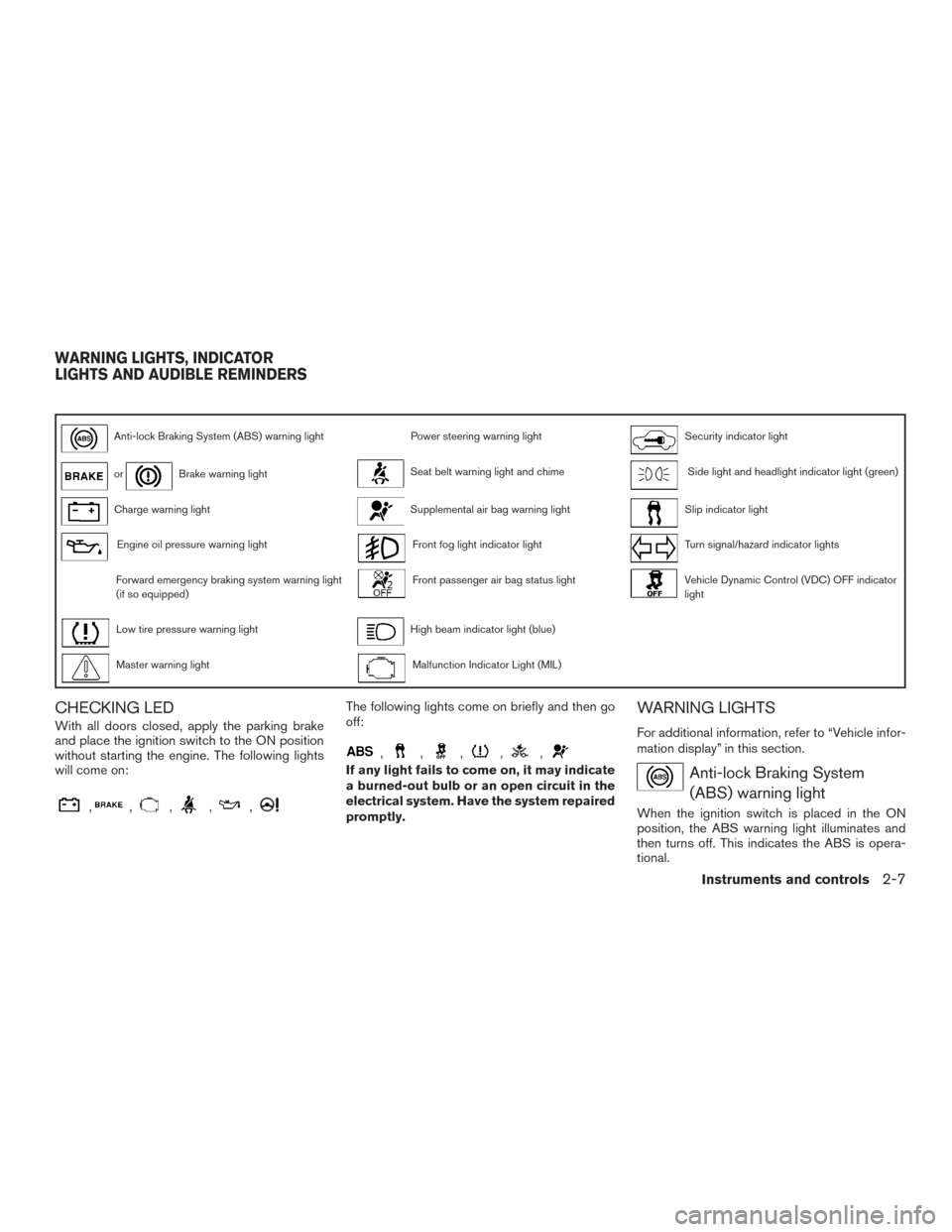
Anti-lock Braking System (ABS) warning lightPower steering warning lightSecurity indicator light
orBrake warning lightSeat belt warning light and chimeSide light and headlight indicator light (green)
Charge warning lightSupplemental air bag warning lightSlip indicator light
Engine oil pressure warning lightFront fog light indicator lightTurn signal/hazard indicator lights
Forward emergency braking system warning light
(if so equipped)Front passenger air bag status lightVehicle Dynamic Control (VDC) OFF indicator
light
Low tire pressure warning lightHigh beam indicator light (blue)
Master warning lightMalfunction Indicator Light (MIL)
CHECKING LED
With all doors closed, apply the parking brake
and place the ignition switch to the ON position
without starting the engine. The following lights
will come on:
,,,,,
The following lights come on briefly and then go
off:
,,,,,
If any light fails to come on, it may indicate
a burned-out bulb or an open circuit in the
electrical system. Have the system repaired
promptly.
WARNING LIGHTS
For additional information, refer to “Vehicle infor-
mation display” in this section.
Anti-lock Braking System(ABS) warning light
When the ignition switch is placed in the ON
position, the ABS warning light illuminates and
then turns off. This indicates the ABS is opera-
tional.
WARNING LIGHTS, INDICATOR
LIGHTS AND AUDIBLE REMINDERS
Instruments and controls2-7
Page 85 of 401
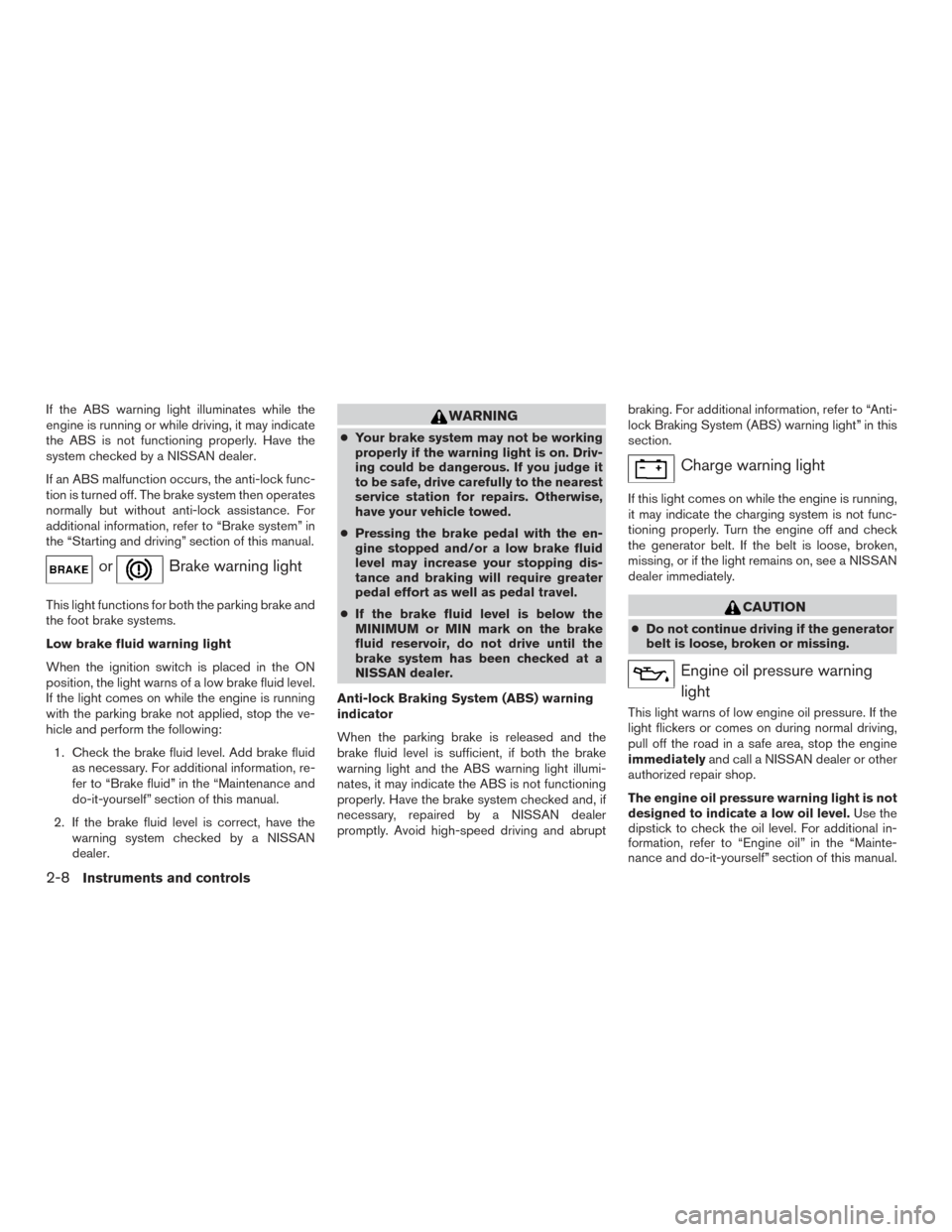
If the ABS warning light illuminates while the
engine is running or while driving, it may indicate
the ABS is not functioning properly. Have the
system checked by a NISSAN dealer.
If an ABS malfunction occurs, the anti-lock func-
tion is turned off. The brake system then operates
normally but without anti-lock assistance. For
additional information, refer to “Brake system” in
the “Starting and driving” section of this manual.
orBrake warning light
This light functions for both the parking brake and
the foot brake systems.
Low brake fluid warning light
When the ignition switch is placed in the ON
position, the light warns of a low brake fluid level.
If the light comes on while the engine is running
with the parking brake not applied, stop the ve-
hicle and perform the following:1. Check the brake fluid level. Add brake fluid as necessary. For additional information, re-
fer to “Brake fluid” in the “Maintenance and
do-it-yourself” section of this manual.
2. If the brake fluid level is correct, have the warning system checked by a NISSAN
dealer.
WARNING
●Your brake system may not be working
properly if the warning light is on. Driv-
ing could be dangerous. If you judge it
to be safe, drive carefully to the nearest
service station for repairs. Otherwise,
have your vehicle towed.
● Pressing the brake pedal with the en-
gine stopped and/or a low brake fluid
level may increase your stopping dis-
tance and braking will require greater
pedal effort as well as pedal travel.
● If the brake fluid level is below the
MINIMUM or MIN mark on the brake
fluid reservoir, do not drive until the
brake system has been checked at a
NISSAN dealer.
Anti-lock Braking System (ABS) warning
indicator
When the parking brake is released and the
brake fluid level is sufficient, if both the brake
warning light and the ABS warning light illumi-
nates, it may indicate the ABS is not functioning
properly. Have the brake system checked and, if
necessary, repaired by a NISSAN dealer
promptly. Avoid high-speed driving and abrupt braking. For additional information, refer to “Anti-
lock Braking System (ABS) warning light” in this
section.
Charge warning light
If this light comes on while the engine is running,
it may indicate the charging system is not func-
tioning properly. Turn the engine off and check
the generator belt. If the belt is loose, broken,
missing, or if the light remains on, see a NISSAN
dealer immediately.
CAUTION
●
Do not continue driving if the generator
belt is loose, broken or missing.
Engine oil pressure warning
light
This light warns of low engine oil pressure. If the
light flickers or comes on during normal driving,
pull off the road in a safe area, stop the engine
immediately and call a NISSAN dealer or other
authorized repair shop.
The engine oil pressure warning light is not
designed to indicate a low oil level. Use the
dipstick to check the oil level. For additional in-
formation, refer to “Engine oil” in the “Mainte-
nance and do-it-yourself” section of this manual.
2-8Instruments and controls
Page 87 of 401
WARNING
●Radio waves could adversely affect
electric medical equipment. Those who
use a pacemaker should contact the
electric medical equipment manufac-
turer for the possible influences before
use.
● If the light does not illuminate with the
ignition switch placed in the ON posi-
tion, have the vehicle checked by a
NISSAN dealer as soon as possible.
● If the light illuminates while driving,
avoid sudden steering maneuvers or
abrupt braking, reduce vehicle speed,
pull off the road to a safe location and
stop the vehicle as soon as possible.
Driving with under-inflated tires may
permanently damage the tires and in-
crease the likelihood of tire failure. Se-
rious vehicle damage could occur and
may lead to an accident and could result
in serious personal injury or death.
Check the tire pressure for all four tires. Adjust the tire pressure to the recom-
mended COLD tire pressure shown on
the Tire and Loading Information label
located in the driver’s door opening to
turn the low tire pressure warning light
OFF. If the light still illuminates while
driving after adjusting the tire pressure,
a tire may be flat or the TPMS may be
malfunctioning. If you have a flat tire,
replace it wit ha spare tire as soon as
possible. If no tire is flat and all tires are
properly inflated, have the vehicle
checked by a NISSAN dealer.
● Since the spare tire is not equipped with
TPMS, when mounted or a wheel is re-
placed tire pressure will not be indi-
cated, the TPMS will not function and
the low tire pressure warning light will
flash for approximately 1 minute. The
light will remain on after 1 minute. Con-
tact a NISSAN dealer as soon as pos-
sible for tire replacement and/or sys-
tem resetting.
● Replacing tires with those not originally
specified by NISSAN could affect the
proper operation of the TPMS.
CAUTION
● TPMS is not a substitute for the regular
tire pressure check. Be sure to check
the tire pressure regularly.
● If the vehicle is being driven at speeds
of less than 16 mph (25 km/h), the
TPMS may not operate correctly.
● Be sure to install the specified size of
tires to the four wheels correctly.
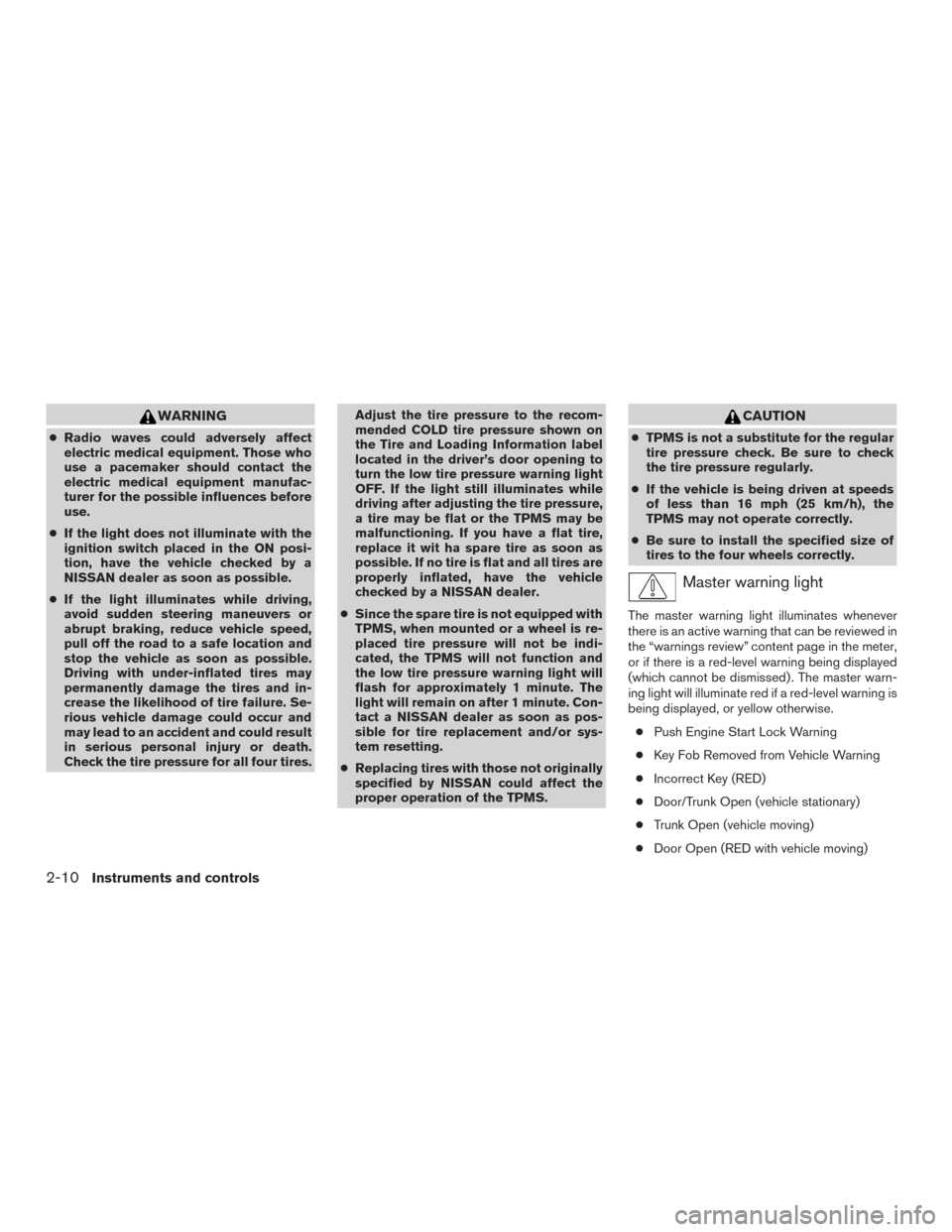
Master warning light
The master warning light illuminates whenever
there is an active warning that can be reviewed in
the “warnings review” content page in the meter,
or if there is a red-level warning being displayed
(which cannot be dismissed) . The master warn-
ing light will illuminate red if a red-level warning is
being displayed, or yellow otherwise.
● Push Engine Start Lock Warning
● Key Fob Removed from Vehicle Warning
● Incorrect Key (RED)
● Door/Trunk Open (vehicle stationary)
● Trunk Open (vehicle moving)
● Door Open (RED with vehicle moving)
2-10Instruments and controls
Page 90 of 401
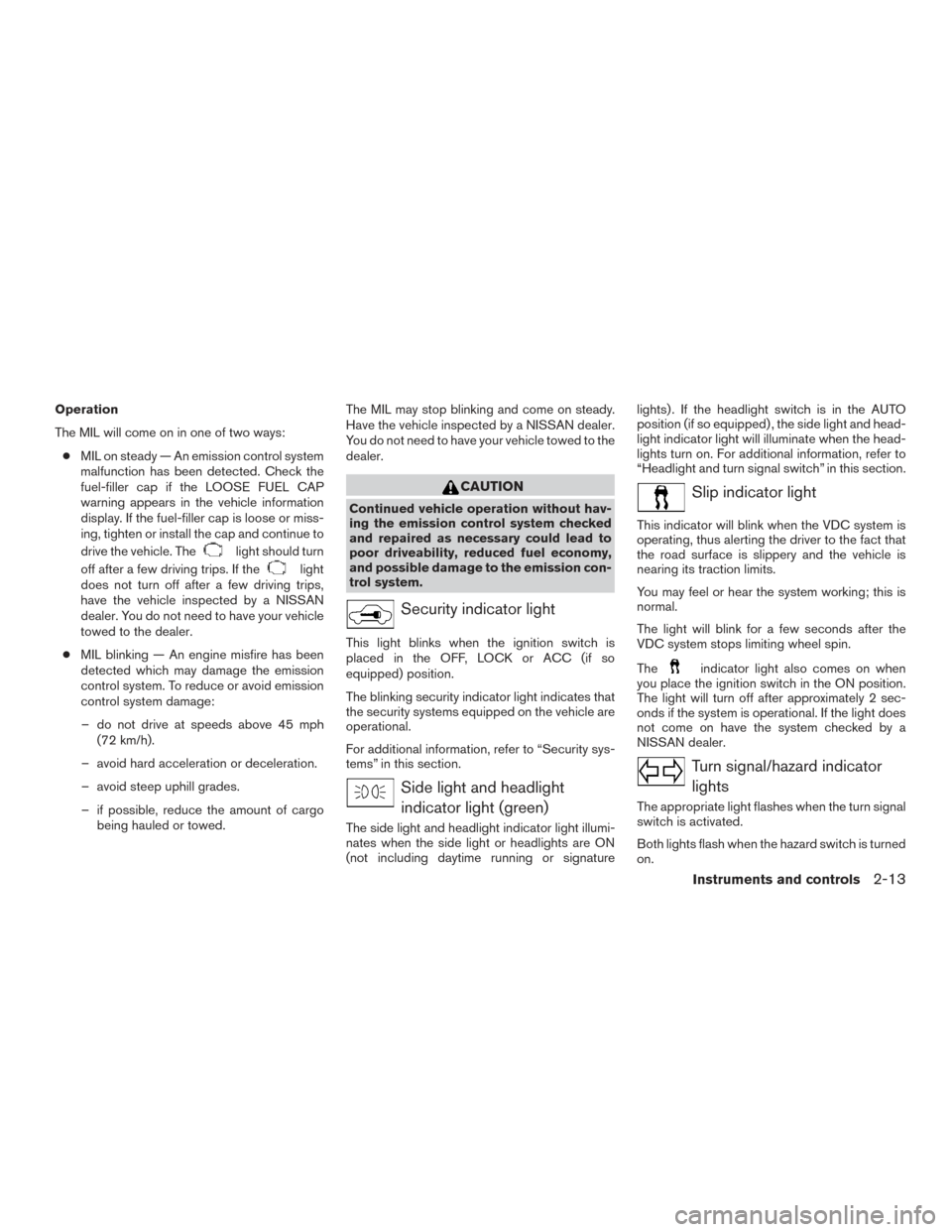
Operation
The MIL will come on in one of two ways:● MIL on steady — An emission control system
malfunction has been detected. Check the
fuel-filler cap if the LOOSE FUEL CAP
warning appears in the vehicle information
display. If the fuel-filler cap is loose or miss-
ing, tighten or install the cap and continue to
drive the vehicle. The
light should turn
off after a few driving trips. If the
light
does not turn off after a few driving trips,
have the vehicle inspected by a NISSAN
dealer. You do not need to have your vehicle
towed to the dealer.
● MIL blinking — An engine misfire has been
detected which may damage the emission
control system. To reduce or avoid emission
control system damage:
– do not drive at speeds above 45 mph (72 km/h).
– avoid hard acceleration or deceleration.
– avoid steep uphill grades.
– if possible, reduce the amount of cargo being hauled or towed. The MIL may stop blinking and come on steady.
Have the vehicle inspected by a NISSAN dealer.
You do not need to have your vehicle towed to the
dealer.
CAUTION
Continued vehicle operation without hav-
ing the emission control system checked
and repaired as necessary could lead to
poor driveability, reduced fuel economy,
and possible damage to the emission con-
trol system.
Security indicator light
This light blinks when the ignition switch is
placed in the OFF, LOCK or ACC (if so
equipped) position.
The blinking security indicator light indicates that
the security systems equipped on the vehicle are
operational.
For additional information, refer to “Security sys-
tems” in this section.
Side light and headlight
indicator light (green)
The side light and headlight indicator light illumi-
nates when the side light or headlights are ON
(not including daytime running or signature lights) . If the headlight switch is in the AUTO
position (if so equipped) , the side light and head-
light indicator light will illuminate when the head-
lights turn on. For additional information, refer to
“Headlight and turn signal switch” in this section.
Slip indicator light
This indicator will blink when the VDC system is
operating, thus alerting the driver to the fact that
the road surface is slippery and the vehicle is
nearing its traction limits.
You may feel or hear the system working; this is
normal.
The light will blink for a few seconds after the
VDC system stops limiting wheel spin.
The
indicator light also comes on when
you place the ignition switch in the ON position.
The light will turn off after approximately 2 sec-
onds if the system is operational. If the light does
not come on have the system checked by a
NISSAN dealer.
Turn signal/hazard indicator
lights
The appropriate light flashes when the turn signal
switch is activated.
Both lights flash when the hazard switch is turned
on.
Instruments and controls2-13
Page 91 of 401
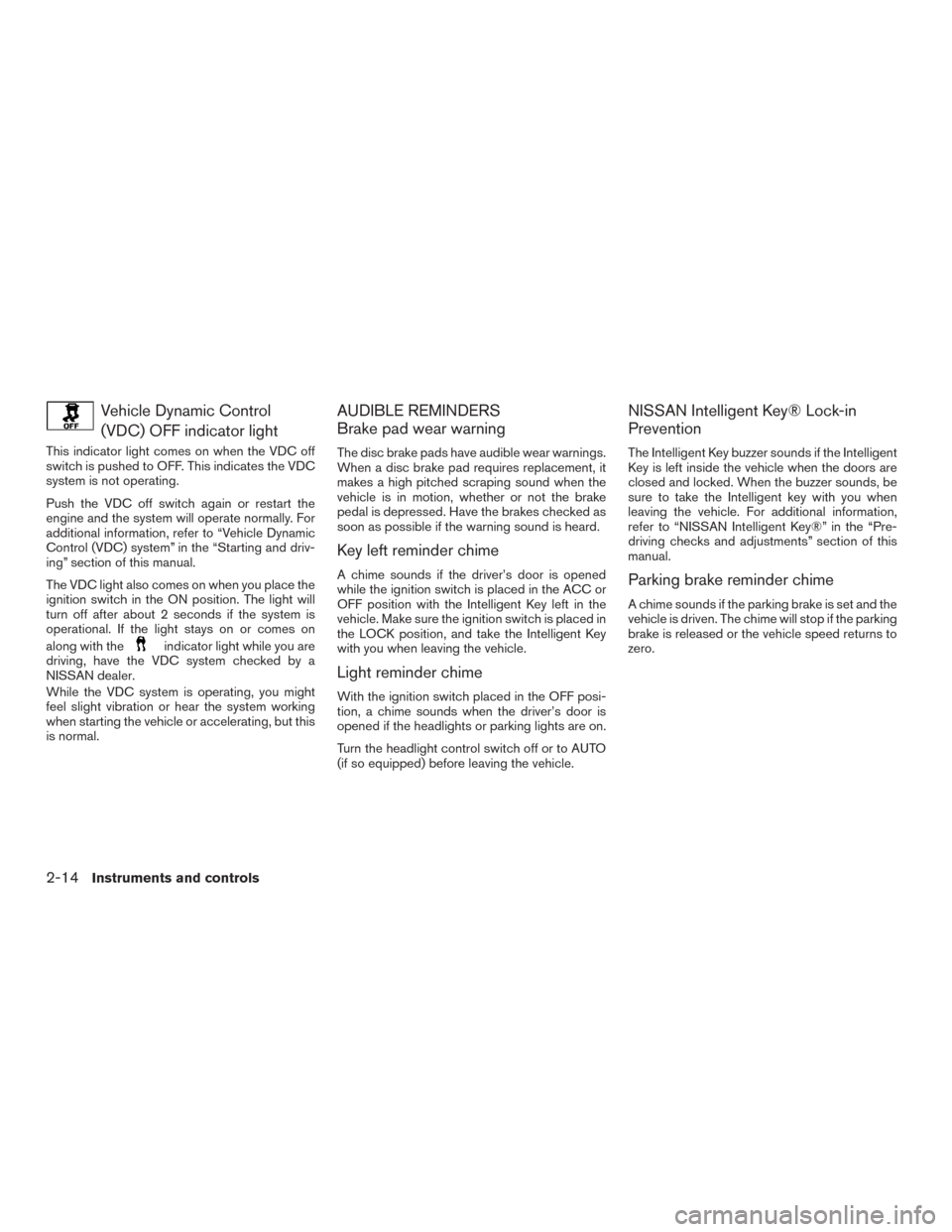
Vehicle Dynamic Control(VDC) OFF indicator light
This indicator light comes on when the VDC off
switch is pushed to OFF. This indicates the VDC
system is not operating.
Push the VDC off switch again or restart the
engine and the system will operate normally. For
additional information, refer to “Vehicle Dynamic
Control (VDC) system” in the “Starting and driv-
ing” section of this manual.
The VDC light also comes on when you place the
ignition switch in the ON position. The light will
turn off after about 2 seconds if the system is
operational. If the light stays on or comes on
along with the
indicator light while you are
driving, have the VDC system checked by a
NISSAN dealer.
While the VDC system is operating, you might
feel slight vibration or hear the system working
when starting the vehicle or accelerating, but this
is normal.
AUDIBLE REMINDERS
Brake pad wear warning
The disc brake pads have audible wear warnings.
When a disc brake pad requires replacement, it
makes a high pitched scraping sound when the
vehicle is in motion, whether or not the brake
pedal is depressed. Have the brakes checked as
soon as possible if the warning sound is heard.
Key left reminder chime
A chime sounds if the driver’s door is opened
while the ignition switch is placed in the ACC or
OFF position with the Intelligent Key left in the
vehicle. Make sure the ignition switch is placed in
the LOCK position, and take the Intelligent Key
with you when leaving the vehicle.
Light reminder chime
With the ignition switch placed in the OFF posi-
tion, a chime sounds when the driver’s door is
opened if the headlights or parking lights are on.
Turn the headlight control switch off or to AUTO
(if so equipped) before leaving the vehicle.
NISSAN Intelligent Key® Lock-in
Prevention
The Intelligent Key buzzer sounds if the Intelligent
Key is left inside the vehicle when the doors are
closed and locked. When the buzzer sounds, be
sure to take the Intelligent key with you when
leaving the vehicle. For additional information,
refer to “NISSAN Intelligent Key®” in the “Pre-
driving checks and adjustments” section of this
manual.
Parking brake reminder chime
A chime sounds if the parking brake is set and the
vehicle is driven. The chime will stop if the parking
brake is released or the vehicle speed returns to
zero.
2-14Instruments and controls
Page 94 of 401
SETTINGS
The setting mode allows you to change the infor-
mation displayed in the vehicle information dis-
play as well as the model for several vehicle
functions:● Driver Assistance
● Customize Display
● Vehicle Settings
● Maintenance
● Clock
● TPMS Settings
● Unit/Language
● Key-Linked Settings
● Factory Reset
Driver Assistance
To change the status, warnings or turn on or off
any of the systems/warnings displayed in the
“Driver Assistance” menu:
Use the
button to select and the OK but-
ton to change a menu item:
● Blind Spot (if so equipped) ON/OFF
● Parking Aids ●
Emergency Brake (if so equipped)
● Driver Attention Alert (if so equipped)
ON/OFF
● Timer Alert
● Low Temperature Alert ON/OFF
● Integrated Dynamics-control Module - Ac-
tive Trace Control ON/OFF (if so equipped)
● Integrated Dynamics-control Module - Ac-
tive Engine Brake ON/OFF (if so equipped)
● Integrated Dynamics-control Module - Ac-
tive Ride Control ON/OFF (if so equipped)
Customize Display
The Customize Display allows the customer to
choose from various meter selections.
The meter settings can be changed using
the
and the OK button.
Main Menu Selection
The items that display can be enabled/disabled
when the ignition switch is placed in the ON
position. To change the items that display.
Use the
button to select and the OK but-
ton to change a menu item:
● Home
● Audio ●
Navigation
● Drive computer
● Fuel Economy
● Driving Aids (if so equipped)
● Tire Pressure
● SPORT
Car Icon Color
The color of the vehicle that displays in the ve-
hicle information display can be changed. The
vehicle icon shown in some warnings and
screens will change to the color selected.
ECO Info Settings
The following information can be
enabled/disabled to display in the vehicle infor-
mation display when the ignition switch is placed
in the ON position.
From the “Customize Display” select “ECO Info
Settings” to display the information when the
ignition switch is placed in the ON position. ● ECO Drive Report – Select ON or OFF to
display the information when the ignition
switch is placed in the OFF position. If the
fuel economy is improved from the recorded
best, the opportunity to update that value is
possible during that time.
Instruments and controls2-17
Page 95 of 401
●View History - Select to display the vehicle’s
recorded fuel economy information history.
To reset the information, press the OK but-
ton and confirm the reset by pressing the OK
button again when prompted.
Navigation Settings
This setting allows the customer to configure the
navigation options in the vehicle information dis-
play as well as the navigation display mode in the
meter.
1. Use the
buttons to select “Navigation
Setting”.
2. Press the OK button to turn ON/OFF the Navigation alert that appears in the meter.
3. Press the OK button to change the “View Mode” between “City” and “Arrow” which
changes how the road intersection is dis-
played when a route is set.
Welcome Effect
The welcome screen display can be adjusted
when the ignition switch is placed in the ACC or
ON position. Press the
button to toggle
through the menu options. Press the OK button
to turn on/off the following:
● Gauges - Enables/disables the needle
movement at startup. ●
Animation - Enables/disables the vehicle
video at startup.
Vehicle Settings
The vehicle settings allows the customer to
change settings for interior lights, turn signals,
intelligent key settings, unlock settings and other
vehicle settings.
The vehicle settings can be changed using
the
,, and the OK buttons.
Lighting
Select the Lighting menu option to adjust the
following: ● Auto Room Lamp
● Accent Lighting
● Light Sensitivity - The light sensitivity can be
set to illuminate earlier based on the bright-
ness outside the vehicle. Press OK to
change the sensitivity timing.
● Light Off Delay - The duration of the auto-
matic headlights can be changed from 0 to
180 seconds. Press OK to change the du-
ration. Turn Indicator
The 3 flash pass can be set to be ON or OFF.
From the Turn Indicator menu, select “3 Flash
On”. Use the OK button to turn this feature ON or
OFF.
Locking
Select the “Locking” menu option to turn on/off
the following locking indicators:
● Ext. Door Switch — When this item is turned
on, the request switches are activated for
door locking and unlocking. From the Ve-
hicle Settings menu, select “Ext. Door
Switch”. Use the OK button to toggle be-
tween ON and OFF. When “ON” is high-
lighted, Ext. Door Switch is turned on.
2-18Instruments and controls