Av control NISSAN MAXIMA 2017 A36 / 8.G Owners Manual
[x] Cancel search | Manufacturer: NISSAN, Model Year: 2017, Model line: MAXIMA, Model: NISSAN MAXIMA 2017 A36 / 8.GPages: 406, PDF Size: 4.66 MB
Page 2 of 406
Welcome to the growing family of new NISSAN
owners. This vehicle is delivered to you with
confidence. It was produced using the latest
techniques and strict quality control.
This manual was prepared to help you under-
stand the operation and maintenance of your
vehicle so that you may enjoy many miles (kilome-
ters) of driving pleasure. Please read through this
manual before operating your vehicle.
A separate Warranty Information Booklet
explains details about the warranties cov-
ering your vehicle. The “Maintenance and
schedules” section of this manual explains
details about maintaining and servicing
your vehicle. You will also receive a sepa-
rate Customer Care/Lemon Law Booklet
(U.S. only) will explain how to resolve any
concerns you may have with your vehicle,
and clarify your rights under your state’s
lemon law. Additionally, you may receive a
separate Navigation Manual (if so
equipped) that will explain the various fea-
tures and functions your system may have.
A NISSAN dealership knows your vehicle best.
When you require any service or have any ques-
tions, they will be glad to assist you with the
extensive resources available to them.In addition to factory-installed options, your ve-
hicle may also be equipped with additional ac-
cessories installed by NISSAN or by a NISSAN
dealer prior to delivery. It is recommended that
you visit a NISSAN dealer for details concerning
the particular accessories with which your ve-
hicle is equipped. It is important that you familiar-
ize yourself with all disclosures, warnings, cau-
tions and instructions concerning proper use of
such accessories prior to operating the vehicle
and/or accessory. It is recommended that you
visit a NISSAN dealer for details concerning the
particular accessories with which your vehicle is
equipped.
Before driving your vehicle, please read this
Owner’s Manual carefully. This will ensure famil-
iarity with controls and maintenance require-
ments assisting you in the safe operation of your
vehicle.
WARNING
IMPORTANT SAFETY INFORMATION
REMINDERS!
Follow these important driving rules to
help ensure a safe and comfortable trip
for you and your passengers!
●
NEVER drive under the influence of al-
cohol or drugs.
● ALWAYS observe posted speed limits
and never drive too fast for conditions.
●
ALWAYS give your full attention to driving
and avoid using vehicle features or taking
other actions that could distract you.
●ALWAYS use your seat belts and appro-
priate child restraint systems. Preteen
children should be seated in the rear seat.
● ALWAYS provide information about the
proper use of vehicle safety features to
all occupants of the vehicle.
● ALWAYS review this Owner’s Manual
for important safety information.
FOREWORD READ FIRST—THEN DRIVE SAFELY
Page 6 of 406
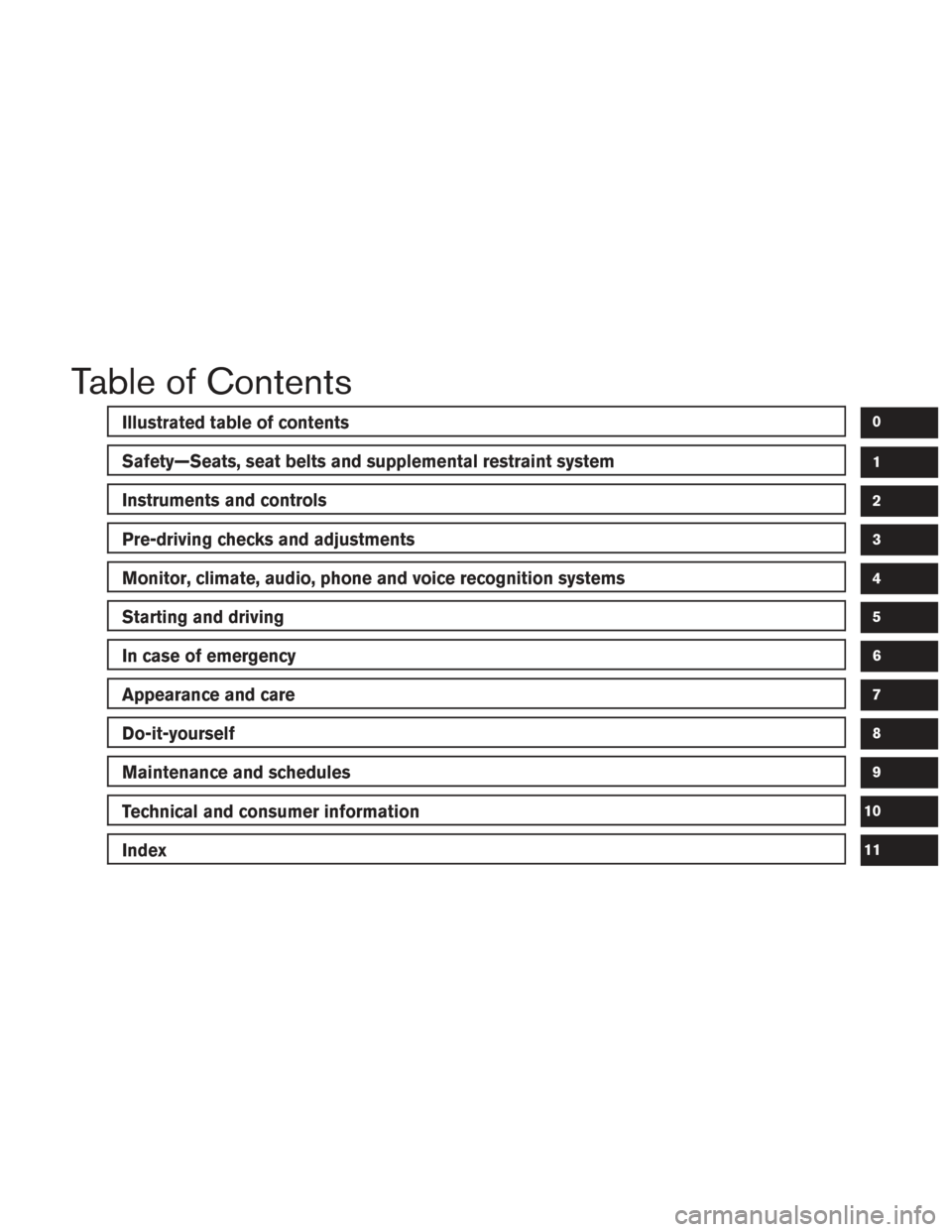
Table of Contents
Illustrated table of contents
Safety—Seats, seat belts and supplemental restraint system
Instruments and controls
Pre-driving checks and adjustments
Monitor, climate, audio, phone and voice recognition systems
Starting and driving
In case of emergency
Appearance and care
Do-it-yourself
Maintenance and schedules
Technical and consumer information
Index
0
1
2
3
4
5
6
7
8
9
10
11
Page 13 of 406
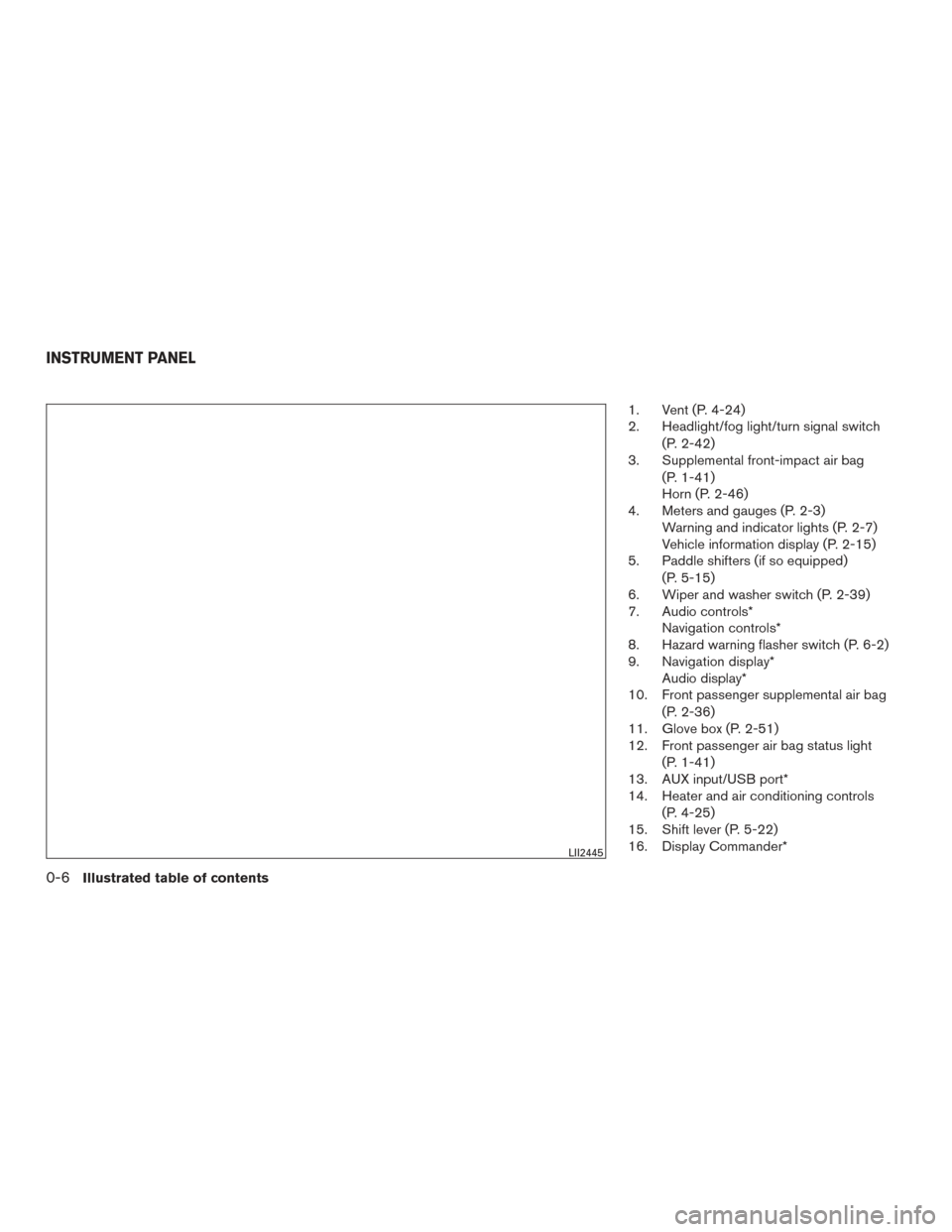
1. Vent (P. 4-24)
2. Headlight/fog light/turn signal switch(P. 2-42)
3. Supplemental front-impact air bag
(P. 1-41)
Horn (P. 2-46)
4. Meters and gauges (P. 2-3) Warning and indicator lights (P. 2-7)
Vehicle information display (P. 2-15)
5. Paddle shifters (if so equipped)
(P. 5-15)
6. Wiper and washer switch (P. 2-39)
7. Audio controls* Navigation controls*
8. Hazard warning flasher switch (P. 6-2)
9. Navigation display* Audio display*
10. Front passenger supplemental air bag
(P. 2-36)
11. Glove box (P. 2-51)
12. Front passenger air bag status light
(P. 1-41)
13. AUX input/USB port*
14. Heater and air conditioning controls
(P. 4-25)
15. Shift lever (P. 5-22)
16. Display Commander*
LII2445
INSTRUMENT PANEL
0-6Illustrated table of contents
Page 14 of 406
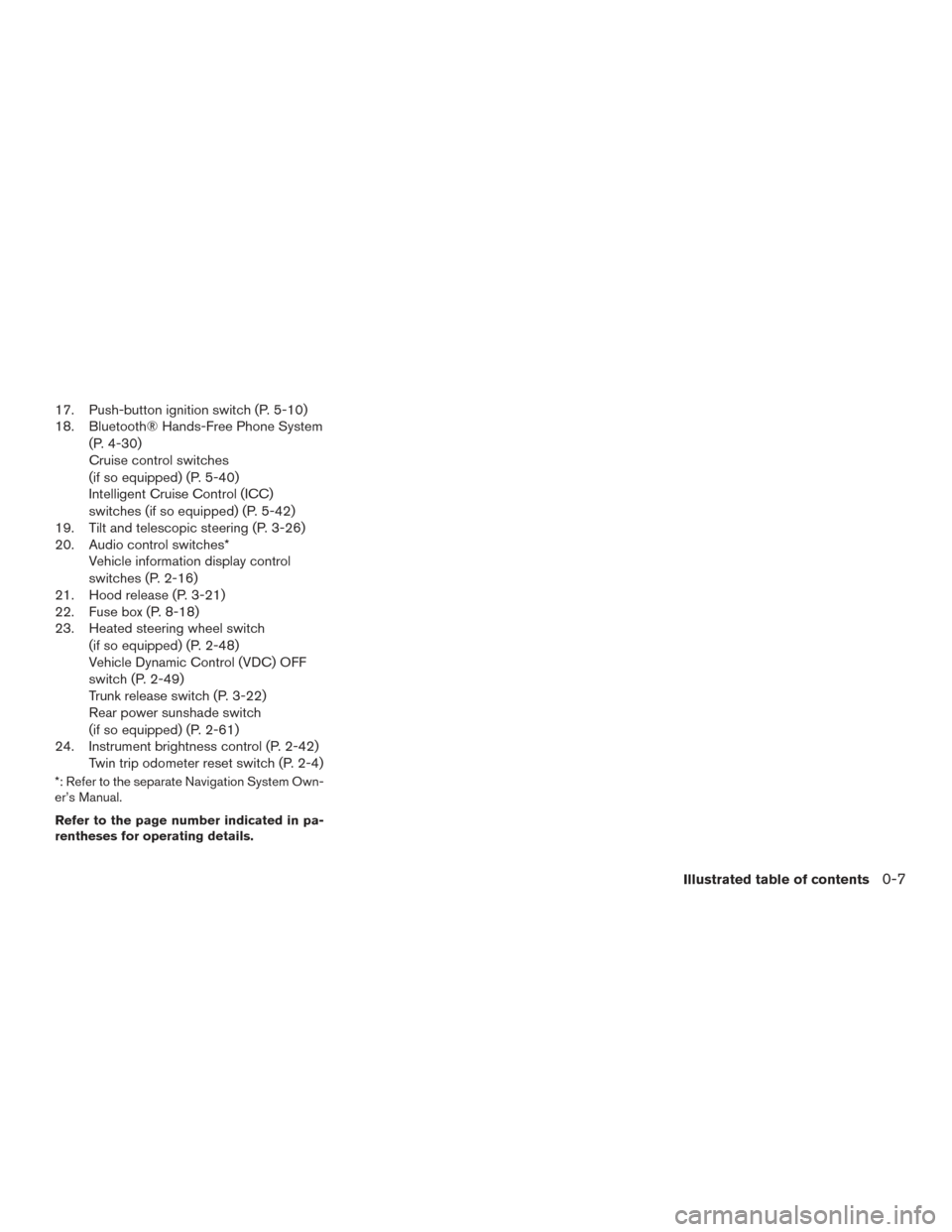
17. Push-button ignition switch (P. 5-10)
18. Bluetooth® Hands-Free Phone System(P. 4-30)
Cruise control switches
(if so equipped) (P. 5-40)
Intelligent Cruise Control (ICC)
switches (if so equipped) (P. 5-42)
19. Tilt and telescopic steering (P. 3-26)
20. Audio control switches* Vehicle information display control
switches (P. 2-16)
21. Hood release (P. 3-21)
22. Fuse box (P. 8-18)
23. Heated steering wheel switch
(if so equipped) (P. 2-48)
Vehicle Dynamic Control (VDC) OFF
switch (P. 2-49)
Trunk release switch (P. 3-22)
Rear power sunshade switch
(if so equipped) (P. 2-61)
24. Instrument brightness control (P. 2-42) Twin trip odometer reset switch (P. 2-4)
*: Refer to the separate Navigation System Own-
er’s Manual.
Refer to the page number indicated in pa-
rentheses for operating details.
Illustrated table of contents0-7
Page 16 of 406
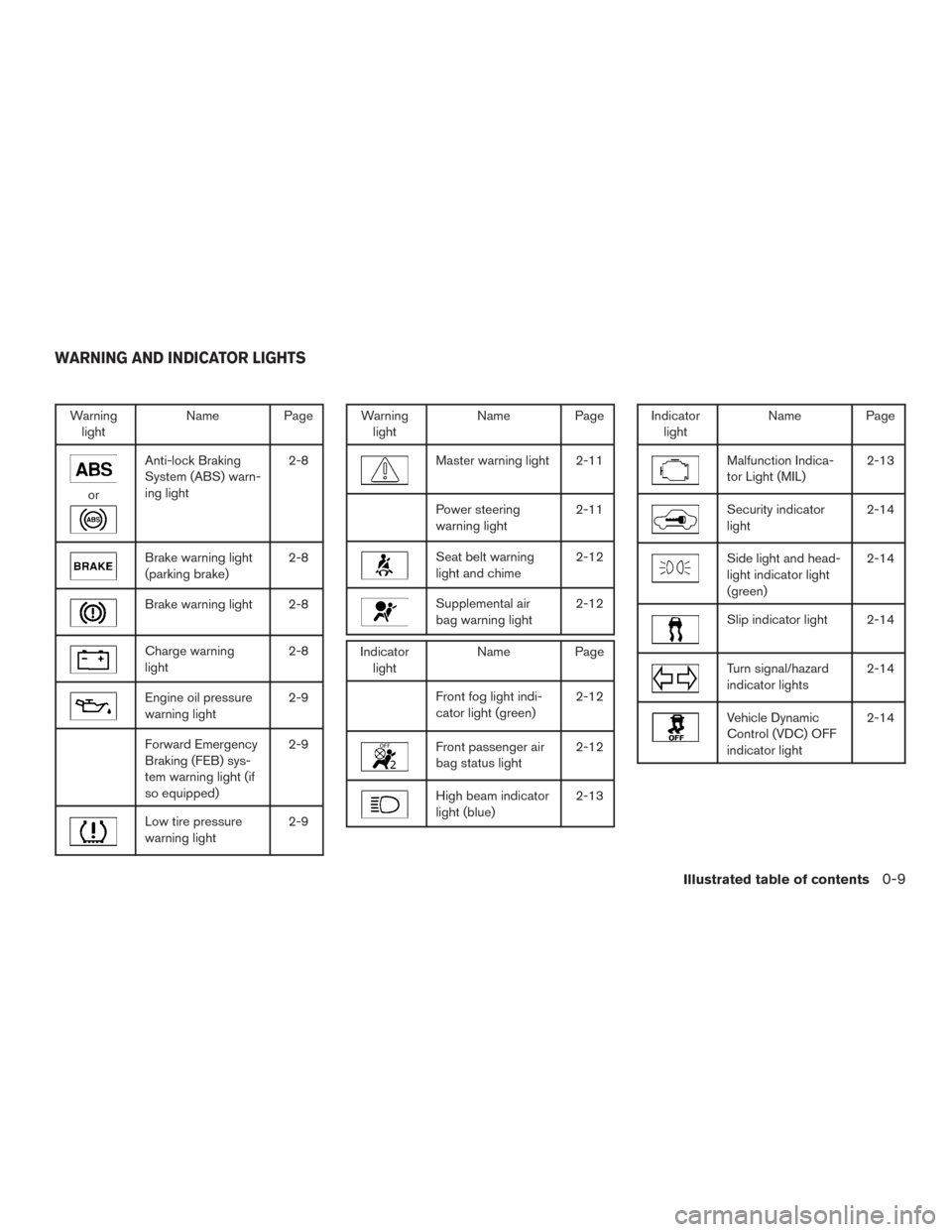
Warninglight Name Page
or
Anti-lock Braking
System (ABS) warn-
ing light 2-8
Brake warning light
(parking brake)
2-8
Brake warning light 2-8
Charge warning
light2-8
Engine oil pressure
warning light2-9
Forward Emergency
Braking (FEB) sys-
tem warning light (if
so equipped)2-9
Low tire pressure
warning light
2-9
Warning
light Name Page
Master warning light 2-11
Power steering
warning light 2-11
Seat belt warning
light and chime2-12
Supplemental air
bag warning light2-12
Indicator
light Name Page
Front fog light indi-
cator light (green) 2-12
Front passenger air
bag status light2-12
High beam indicator
light (blue)2-13
Indicator
light Name Page
Malfunction Indica-
tor Light (MIL) 2-13
Security indicator
light2-14
Side light and head-
light indicator light
(green)2-14
Slip indicator light 2-14
Turn signal/hazard
indicator lights
2-14
Vehicle Dynamic
Control (VDC) OFF
indicator light2-14
WARNING AND INDICATOR LIGHTS
Illustrated table of contents0-9
Page 19 of 406
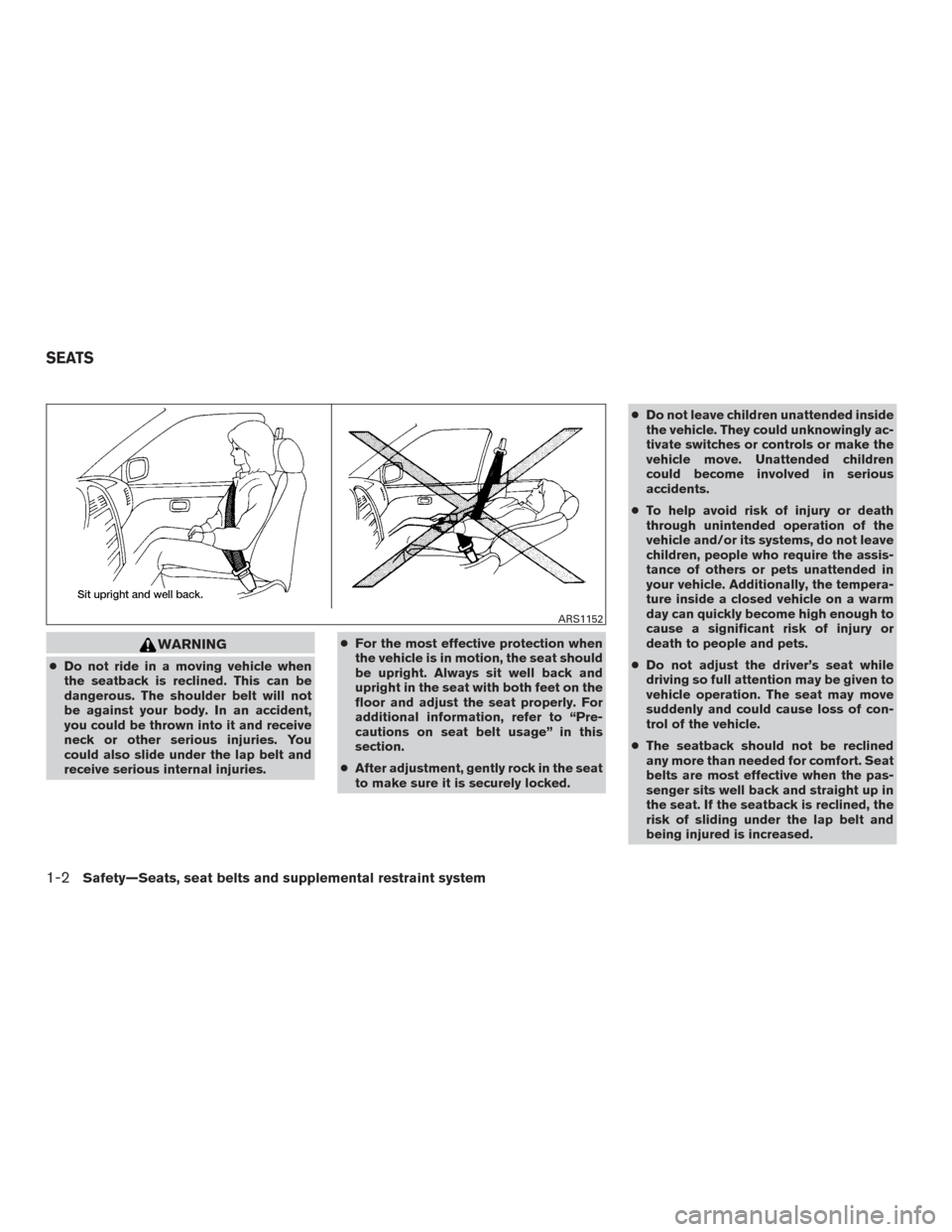
WARNING
●Do not ride in a moving vehicle when
the seatback is reclined. This can be
dangerous. The shoulder belt will not
be against your body. In an accident,
you could be thrown into it and receive
neck or other serious injuries. You
could also slide under the lap belt and
receive serious internal injuries. ●
For the most effective protection when
the vehicle is in motion, the seat should
be upright. Always sit well back and
upright in the seat with both feet on the
floor and adjust the seat properly. For
additional information, refer to “Pre-
cautions on seat belt usage” in this
section.
● After adjustment, gently rock in the seat
to make sure it is securely locked. ●
Do not leave children unattended inside
the vehicle. They could unknowingly ac-
tivate switches or controls or make the
vehicle move. Unattended children
could become involved in serious
accidents.
● To help avoid risk of injury or death
through unintended operation of the
vehicle and/or its systems, do not leave
children, people who require the assis-
tance of others or pets unattended in
your vehicle. Additionally, the tempera-
ture inside a closed vehicle on a warm
day can quickly become high enough to
cause a significant risk of injury or
death to people and pets.
● Do not adjust the driver’s seat while
driving so full attention may be given to
vehicle operation. The seat may move
suddenly and could cause loss of con-
trol of the vehicle.
● The seatback should not be reclined
any more than needed for comfort. Seat
belts are most effective when the pas-
senger sits well back and straight up in
the seat. If the seatback is reclined, the
risk of sliding under the lap belt and
being injured is increased.
ARS1152
SEATS
1-2Safety—Seats, seat belts and supplemental restraint system
Page 31 of 406
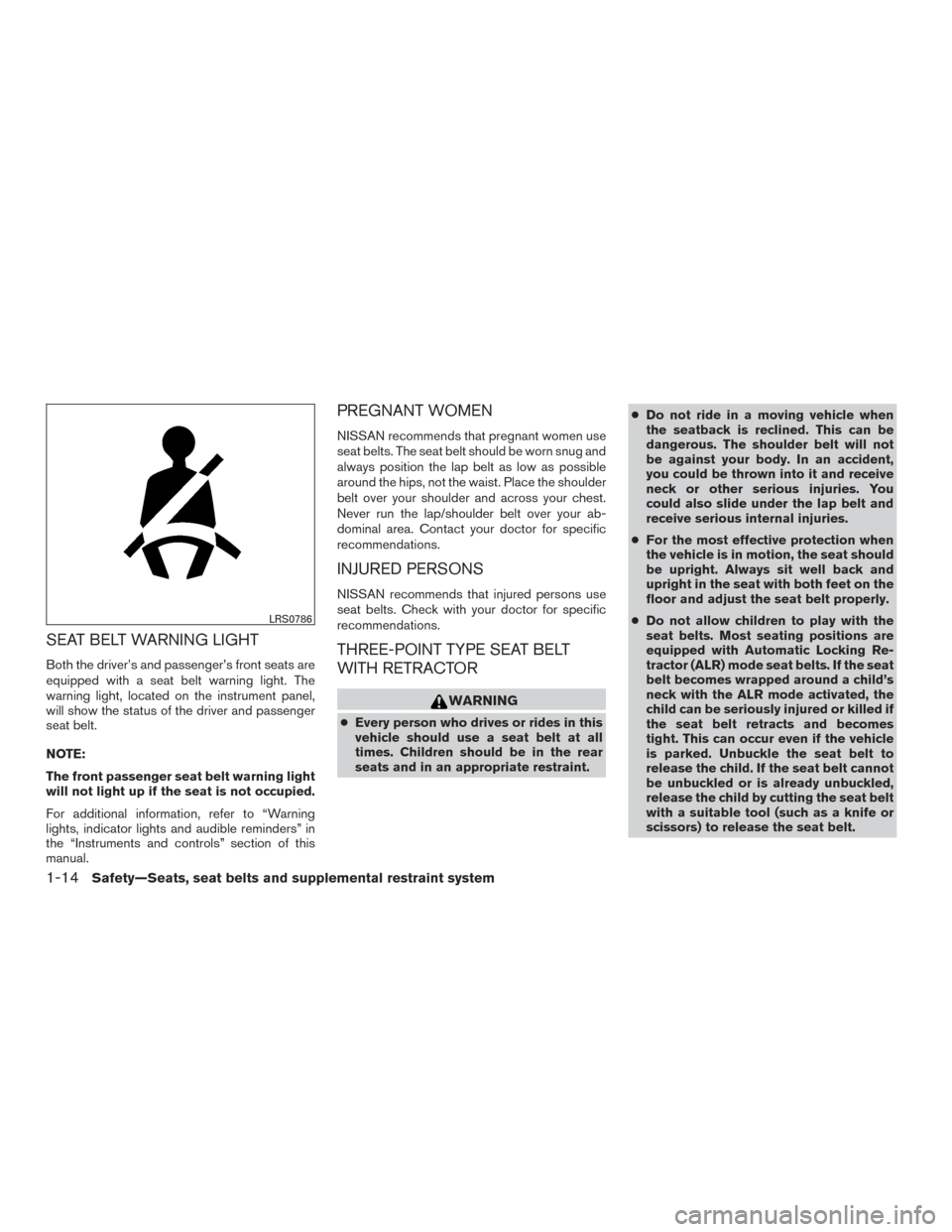
SEAT BELT WARNING LIGHT
Both the driver’s and passenger’s front seats are
equipped with a seat belt warning light. The
warning light, located on the instrument panel,
will show the status of the driver and passenger
seat belt.
NOTE:
The front passenger seat belt warning light
will not light up if the seat is not occupied.
For additional information, refer to “Warning
lights, indicator lights and audible reminders” in
the “Instruments and controls” section of this
manual.
PREGNANT WOMEN
NISSAN recommends that pregnant women use
seat belts. The seat belt should be worn snug and
always position the lap belt as low as possible
around the hips, not the waist. Place the shoulder
belt over your shoulder and across your chest.
Never run the lap/shoulder belt over your ab-
dominal area. Contact your doctor for specific
recommendations.
INJURED PERSONS
NISSAN recommends that injured persons use
seat belts. Check with your doctor for specific
recommendations.
THREE-POINT TYPE SEAT BELT
WITH RETRACTOR
WARNING
●Every person who drives or rides in this
vehicle should use a seat belt at all
times. Children should be in the rear
seats and in an appropriate restraint. ●
Do not ride in a moving vehicle when
the seatback is reclined. This can be
dangerous. The shoulder belt will not
be against your body. In an accident,
you could be thrown into it and receive
neck or other serious injuries. You
could also slide under the lap belt and
receive serious internal injuries.
● For the most effective protection when
the vehicle is in motion, the seat should
be upright. Always sit well back and
upright in the seat with both feet on the
floor and adjust the seat belt properly.
● Do not allow children to play with the
seat belts. Most seating positions are
equipped with Automatic Locking Re-
tractor (ALR) mode seat belts. If the seat
belt becomes wrapped around a child’s
neck with the ALR mode activated, the
child can be seriously injured or killed if
the seat belt retracts and becomes
tight. This can occur even if the vehicle
is parked. Unbuckle the seat belt to
release the child. If the seat belt cannot
be unbuckled or is already unbuckled,
release the child by cutting the seat belt
with a suitable tool (such as a knife or
scissors) to release the seat belt.
LRS0786
1-14Safety—Seats, seat belts and supplemental restraint system
Page 65 of 406
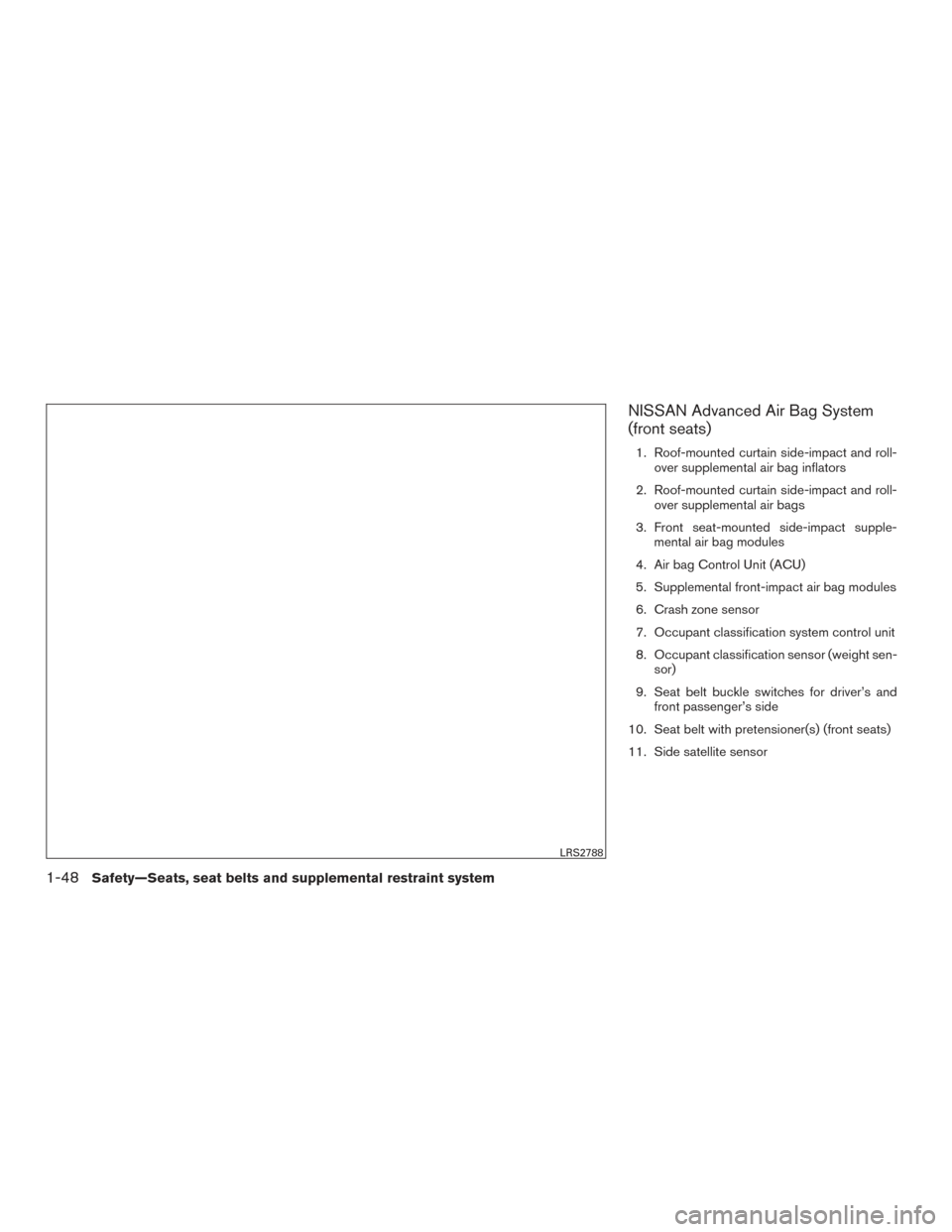
NISSAN Advanced Air Bag System
(front seats)
1. Roof-mounted curtain side-impact and roll-over supplemental air bag inflators
2. Roof-mounted curtain side-impact and roll- over supplemental air bags
3. Front seat-mounted side-impact supple- mental air bag modules
4. Air bag Control Unit (ACU)
5. Supplemental front-impact air bag modules
6. Crash zone sensor
7. Occupant classification system control unit
8. Occupant classification sensor (weight sen- sor)
9. Seat belt buckle switches for driver’s and front passenger’s side
10. Seat belt with pretensioner(s) (front seats)
11. Side satellite sensor
LRS2788
1-48Safety—Seats, seat belts and supplemental restraint system
Page 67 of 406
The NISSAN Advanced Air Bag System monitors
information from the crash zone sensor, the Air
bag Control Unit (ACU) , seat belt buckle sensors
and occupation classification sensor (weight
sensor) . Inflator operation is based on the sever-
ity of a collision and seat belt usage for the driver.
For the front passenger, the occupant classifica-
tion sensor is also monitored. Based on informa-
tion from the sensor, only one front air bag may
inflate in a crash, depending on the crash severity
and whether the front occupants are belted or
unbelted. Additionally, the front passenger air
bag may be automatically turned off under some
conditions, depending on the weight detected on
the front passenger seat and how the seat belt is
used. If the front passenger air bag is OFF, the
front passenger air bag status light will be illumi-
nated. For additional information, refer to “Front
passenger air bag and status light” in this section.
One front air bag inflating does not indicate im-
proper performance of the system.
If you have any questions about your air bag
system, it is recommended that you visit a
NISSAN dealer to obtain information about the
system. If you are considering modification of
your vehicle due to a disability, you may also
contact NISSAN. Contact information is con-
tained in the front of this Owner’s Manual.When a front air bag inflates, a fairly loud noise
may be heard, followed by the release of smoke.
This smoke is not harmful and does not indicate a
fire. Care should be taken to not inhale it, as it may
cause irritation and choking. Those with a history
of a breathing condition should get fresh air
promptly.
Front air bags, along with the use of seat belts,
help to cushion the impact force on the face and
chest of the front occupants. They can help save
lives and reduce serious injuries. However, an
inflating front air bag may cause facial abrasions
or other injuries. Front air bags do not provide
restraint to the lower body.
Even with NISSAN Advanced Air Bags, seat
belts should be correctly worn and the driver and
front passenger seated upright as far as practical
away from the steering wheel or instrument
panel. The front air bags inflate quickly in order to
help protect the front occupants. Because of this,
the force of the front air bag inflating can increase
the risk of injury if the occupant is too close to, or
is against, the front air bag module during infla-
tion.
The front air bags deflate quickly after a collision.
The front air bags operate only when the
ignition switch is in the ON position.
After placing the ignition switch in the ON
position, the supplemental air bag warning
light illuminates. The supplemental air bag
warning light will turn off after about 7 sec-
onds if the system is operational.
1-50Safety—Seats, seat belts and supplemental restraint system
Page 79 of 406
2 Instruments and controls
Instrument Panel..................................2-2
Meters and gauges ................................2-3
Speedometer and odometer .....................2-4
Tachometer ....................................2-5
Engine coolant temperature gauge ...............2-5
Fuel gauge ....................................2-6
Warning lights, indicator lights and audible
reminders .........................................2-7
Checking lights ................................2-7
Warning lights .................................2-7
Indicator lights ................................ 2-12
Audible reminders ............................. 2-14
Vehicle information display ......................... 2-15
How to use the vehicle information display .......2-16
Startup display ................................ 2-16
Drive computer ................................ 2-17
Settings ...................................... 2-17
Vehicle information display warnings and
indicators ..................................... 2-25
Control Panel and vehicle information display
Interaction ....................................... 2-29
Audio ........................................ 2-29
Receiving a call ............................... 2-30
Text Messaging ............................... 2-31Navigation System
............................. 2-33
Navigation Swipe to Meter ......................2-36
Security systems ................................. 2-36
Vehicle security system ......................... 2-36
NISSAN vehicle immobilizer system .............2-37
Wiper and washer switch ......................... 2-39
Switch operation .............................. 2-39
Rain-sensing auto wiper system
(if so equipped) ............................... 2-40
Rear window and outside mirror (if so equipped)
defroster switch .................................. 2-41
Headlight and turn signal switch ....................2-42
Headlight control switch ........................ 2-42
Daytime running light system ....................2-44
Instrument brightness control ...................2-45
Turn signal switch ............................. 2-45
Fog light switch ............................... 2-46
Horn ............................................ 2-46
Climate
controlled seat switches (if so equipped) ....2-46
Heated seat switches (if so equipped) ..............2-47
Heated steering wheel switch (if so equipped) .......2-48
Vehicle Dynamic Control (VDC) off switch ...........2-49
E-call (SOS) switch (if so equipped) ................2-49