driver seat adjustment NISSAN MAXIMA 2019 Owner´s Manual
[x] Cancel search | Manufacturer: NISSAN, Model Year: 2019, Model line: MAXIMA, Model: NISSAN MAXIMA 2019Pages: 492, PDF Size: 5.82 MB
Page 202 of 492
Once step 4 is completed, every time the
ignition is switched from ON to OFF, the
memory positions of the driver’s seat, au-
tomatic steering wheel and the outside
mirrors are linked to the Intelligent Key.
Follow the same procedure if you want
to link the 2nd, 3rd or 4th Intelligent Key.
NOTE:
If new memory positions are set prior to
turning the ignition from ON to OFF, the
previously linked memory positions for
the respective key will be overwritten by
new positions.
Recalling Intelligent Key memory
positions
If the “Key-Linked Settings” are enabled in
the vehicle information display for that par-
ticular key, every time you enter the vehicle
the driver’s seat, automatic steering wheel,
and outside mirrors will automatically
move to the driver’s last position of the
respective Intelligent Key.
NOTE:
The key-linked memory positions can be
different from the positions stored in the
memory switch (1 or 2).
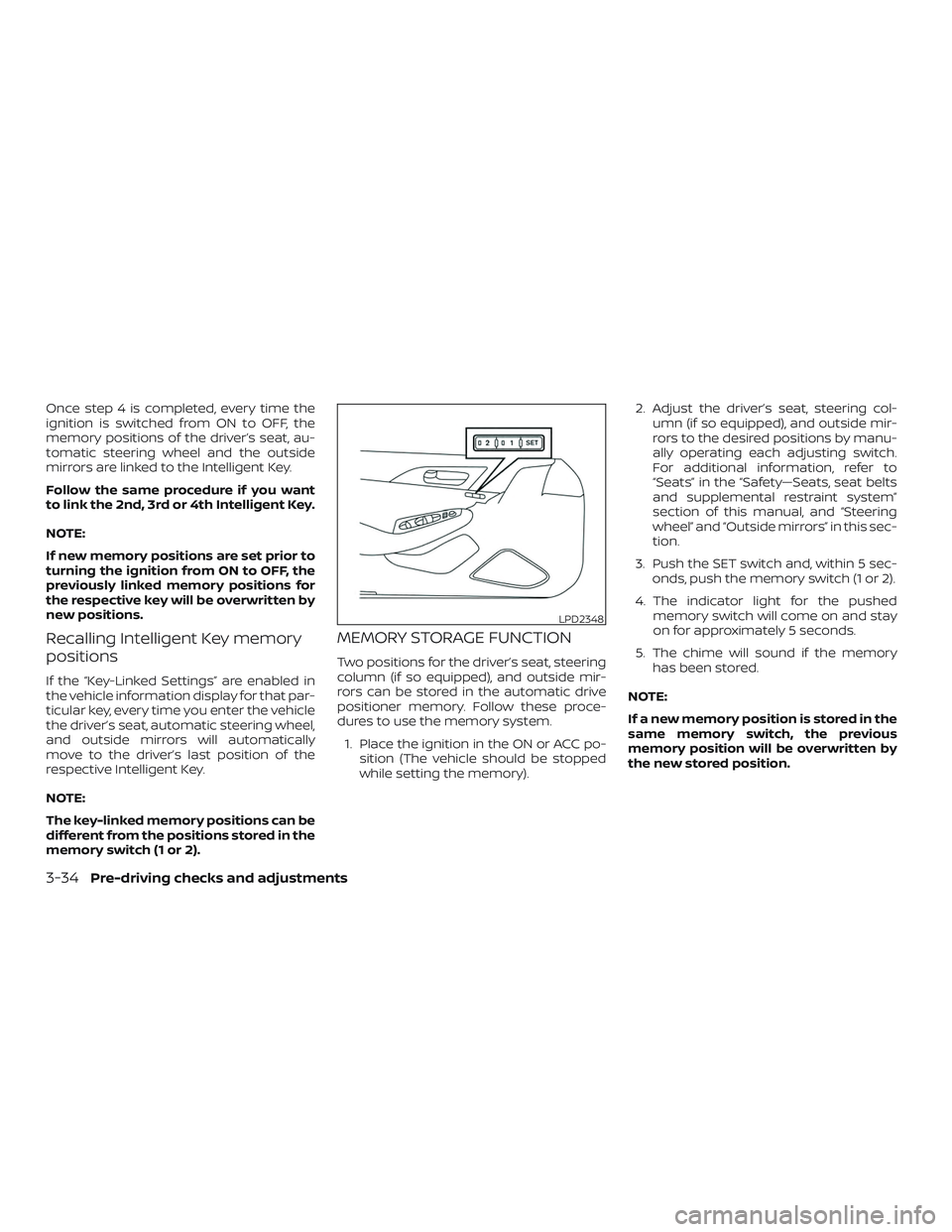
MEMORY STORAGE FUNCTION
Two positions for the driver’s seat, steering
column (if so equipped), and outside mir-
rors can be stored in the automatic drive
positioner memory. Follow these proce-
dures to use the memory system.1. Place the ignition in the ON or ACC po- sition (The vehicle should be stopped
while setting the memory). 2. Adjust the driver’s seat, steering col-
umn (if so equipped), and outside mir-
rors to the desired positions by manu-
ally operating each adjusting switch.
For additional information, refer to
“Seats” in the “Safety—Seats, seat belts
and supplemental restraint system”
section of this manual, and “Steering
wheel” and “Outside mirrors” in this sec-
tion.
3. Push the SET switch and, within 5 sec- onds, push the memory switch (1 or 2).
4. The indicator light for the pushed memory switch will come on and stay
on for approximately 5 seconds.
5. The chime will sound if the memory has been stored.
NOTE:
If a new memory position is stored in the
same memory switch, the previous
memory position will be overwritten by
the new stored position.
LPD2348
3-34Pre-driving checks and adjustments
Page 203 of 492
Confirming memory storage
Push the SET switch.∙ If a memory position has not been stored in the switch (1 or 2) the indicator
light for the respective switch will come
on for approximately 0.5 seconds.
∙ If a memory position has been stored in the switch (1 or 2) then the indicator light
for the respective switch will stay on for
approximately 5 seconds.
Linking an Intelligent Key to the
meter display (if so equipped)
Each Intelligent Key, up to a maximum of
four, can be linked to the meter display.
1. When the system is enabled, the recog- nized Intelligent Key is displayed at start
up, as well as within “Key-Linked Set-
tings”.
2. When the system is active, the meter setting items are memorized for each
Intelligent Key that has been enabled in
the system. 3. The auto drive positioner system is
memorized automatically when the ig-
nition switch is turned from ON to OFF
by the Intelligent Key with no need to
set separate buttons for recalling and
memorizing positions.
4. If two Intelligent Keys are in the vehicle, the system will recognize the Intelli-
gent Key that was used most recently,
such as to unlock/lock the door.
5. If there is a desire to change to another Intelligent Key while in the vehicle, the
user must place the ignition switch in
the OFF position and initiate communi-
cation from the desired Intelligent Key.
a. Ignition from ON position to the OFF
b. Unlock door with the desired Intelli- gent Key
c. The desired Intelligent Key number should appear on the meter display.
ENTRY/EXIT FUNCTION
This system is designed so that the driver’s
seat and steering column will automati-
cally move when the shif t lever is in the P
(Park) position. This allows the driver to
easily get in and out of the driver’s seat.
The driver’s seat will slide backward and
the steering wheel will move up:
∙ When the driver’s door is openedand the ignition switch is in the
OFF position.
∙ When the ignition switch is turned from ACC to OFF with the driver’s door open.
The driver’s seat and steering wheel will
return to the previous position: ∙ When the ignition switch is turned to ACC or ON while the shif t lever is in the P
(Park) position.
The entry/exit function can be adjusted or
canceled through the “Vehicle Settings” in
the vehicle information display by perform-
ing the following: ∙ Switch the Exit Seat Slide from ON to OFF.
∙ Switch the Exit Steering Up from ON to OFF.
Pre-driving checks and adjustments3-35
Page 204 of 492
Restarting the entry/exit function
If the battery cable is disconnected or if the
fuse opens, the stored memory positions
may be lost and some of the functions will
be restricted.1. Drive the vehicle over 25 mph (40 km/h).
OR 2. Open and close the driver’s door more than two times with the ignition switch
in the OFF position.
The entry/exit function should now work
properly.
SYSTEM OPERATION
The automatic drive positioner system will
not work or will stop operating under the
following conditions: ∙ When the vehicle speed is above 4 mph (7 km/h).
∙ When any of the memory switches are pushed while the automatic drive posi-
tioner is operating.
∙ When the switch for the driver’s seat and steering column is pushed while
the automatic drive positioner is oper-
ating. ∙ When the seat has already been moved
to the memorized position.
∙ When no seat position is stored in the memory switch.
∙ When the shif t lever is moved from P (Park) to any other position.
3-36Pre-driving checks and adjustments