maintenance NISSAN MAXIMA 2021 Owner´s Manual
[x] Cancel search | Manufacturer: NISSAN, Model Year: 2021, Model line: MAXIMA, Model: NISSAN MAXIMA 2021Pages: 476, PDF Size: 3.32 MB
Page 1 of 476
For your safety, read carefully and keep in this vehicle.
2021 MAXIMA
OWNER’S MANUAL
and MAINTENANCE INFORMATION
Page 3 of 476
This manual was prepared to help you un-
derstand the operation and maintenance
of your vehicle so that you may enjoy many
miles (kilometers) of driving pleasure.
Please read through this manual before
operating your vehicle.
A separate Warranty Information Book-
let explains details about the warranties
covering your vehicle. The “Maintenance
and schedules” section of this manual
explains details about maintaining and
servicing your vehicle. You will also re-
ceive a separate Customer Care/Lemon
Law Booklet (U.S. only) that will explain
how to resolve any concerns you may
have with your vehicle, and clarif y your
rights under your state's lemon law. Ad-
ditionally, you may receive a separate
NissanConnect
®Owner’s Manual that
will explain the various features and
functions your system may have.
A NISSAN dealership knows your vehicle
best. When you require any service or have
any questions, they will be glad to assist
you with the extensive resources available
to them. In addition to factory-installed options,
your vehicle may also be equipped with
additional accessories installed by NISSAN
or by a NISSAN dealer prior to delivery. It is
recommended that you visit a NISSAN
dealer for details concerning the particular
accessories with which your vehicle is
equipped. It is important that you familiar-
ize yourself with all disclosures, warnings,
cautions and instructions concerning
proper use of such accessories prior to op-
erating the vehicle and/or accessory. It is
recommended that you visit a NISSAN
dealer for details concerning the particular
accessories with which your vehicle is
equipped.
Before driving your vehicle, please read this
Owner's Manual carefully. This will ensure
familiarity with controls and maintenance
requirements assisting you in the safe op-
eration of your vehicle.
WARNING
IMPORTANT SAFETY INFORMATION
REMINDERS!
Follow these important driving rules to
help ensure a safe and comfortable trip
for you and your passengers!
• NEVER drive under the influence of
alcohol or drugs.
•
ALWAYS observe posted speed limits
and never drive too fast for conditions.
• ALWAYS give your full attention to
driving and avoid using vehicle fea-
tures or taking other actions that
could distract you.
• ALWAYS use your seat belts and ap-
propriate child restraint systems.
Preteen children should be seated in
the rear seat.
• ALWAYS provide information about
the proper use of vehicle safety fea-
tures to all occupants of the vehicle.
• ALWAYS review this Owner’s Manual
for important safety information.
FOREWORD READ FIRST—THEN DRIVE SAFELY
Page 7 of 476
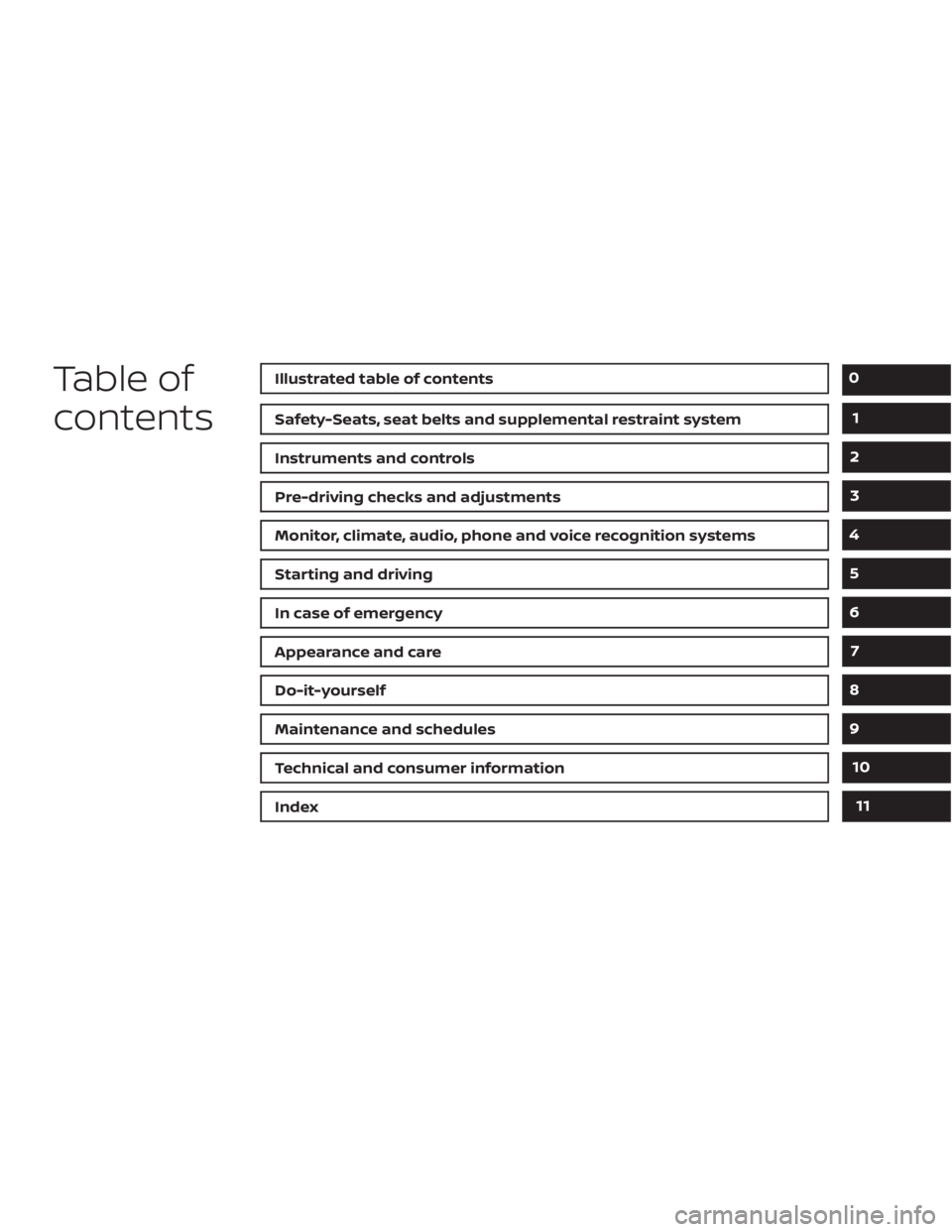
Table of
contentsIllustrated table of contents
Safety-Seats, seat belts and supplemental restraint system
Instruments and controls
Pre-driving checks and adjustments
Monitor, climate, audio, phone and voice recognition systems
Starting and driving
In case of emergency
Appearance and care
Do-it-yourself
Maintenance and schedules
Technical and consumer information
Index
0
1
2
3
4
5
6
7
8
9
10
11
Page 19 of 476
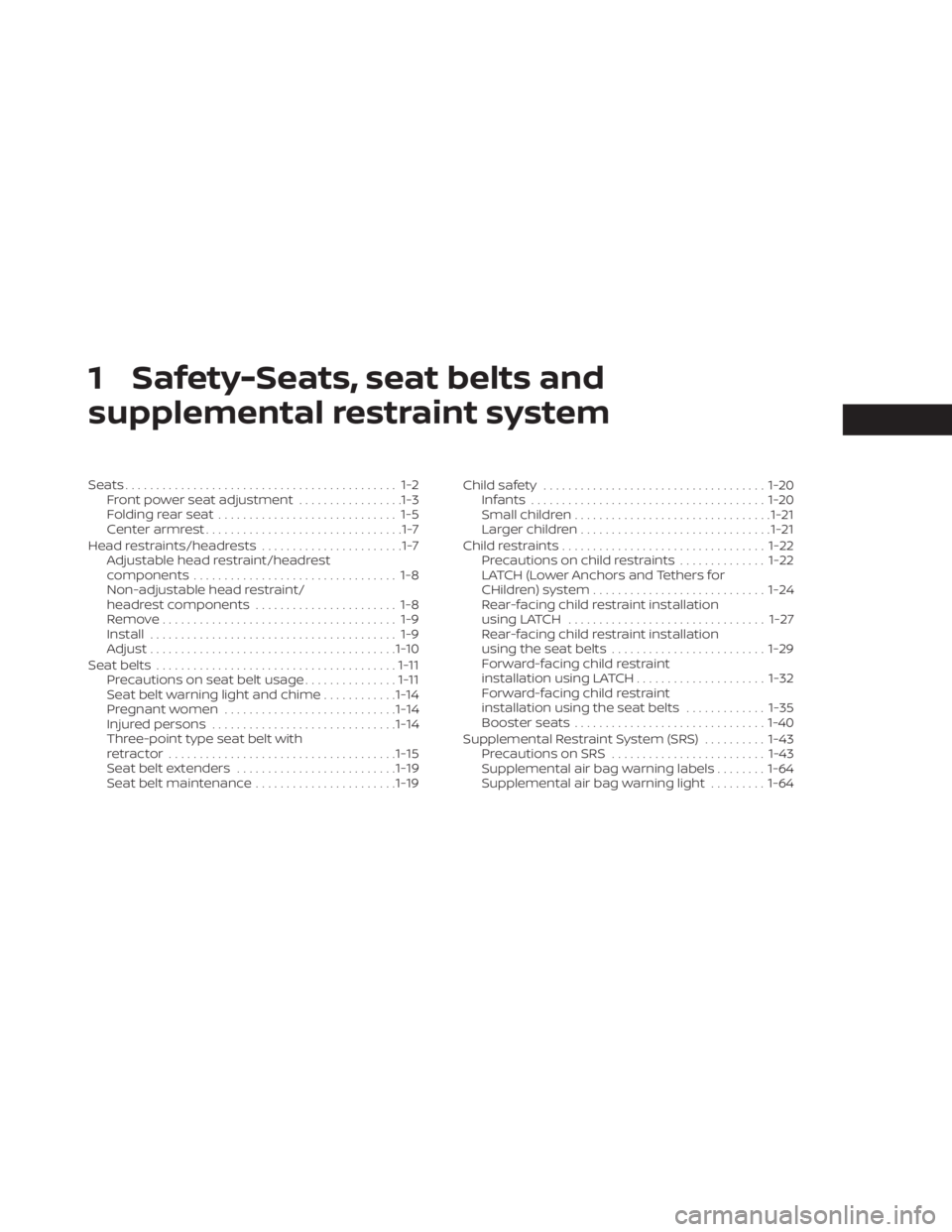
1 Safety-Seats, seat belts and
supplemental restraint system
Seats............................................ 1-2Front power seat adjustment .................1-3
Folding rear seat ............................. 1-5
Center armrest ................................1-7
Head restraints/headrests .......................1-7
Adjustable head restraint/headrest
components ................................. 1-8
Non-adjustable head restraint/
headrest components ....................... 1-8
Remove...................................... 1-9
Install ........................................ 1-9
Adjust ........................................ 1-10
Seatbelts ....................................... 1-11
Precautions on seat belt usage ...............1-11
Seat belt warning light and chime ............1-14
Pregnant women ............................ 1-14
Injured persons .............................. 1-14
Three-point type seat belt with
retractor ..................................... 1-15
Seat belt extenders .......................... 1-19
Seat belt maintenance .......................1-19Child safety
.................................... 1-20
Infants ...................................... 1-20
Small children ................................ 1-21
Larger children ............................... 1-21
Child restraints ................................. 1-22
Precautions on child restraints ..............1-22
LATCH (Lower Anchors and Tethers for
CHildren) system ............................ 1-24
Rear-facing child restraint installation
using LATCH ................................ 1-27
Rear-facing child restraint installation
using the seat belts ......................... 1-29
Forward-facing child restraint
installation using LATCH .....................1-32
Forward-facing child restraint
installation using the seat belts .............1-35
Booster seats ............................... 1-40
Supplemental Restraint System (SRS) ..........1-43
Precautions on SRS ......................... 1-43
Supplemental air bag warning labels ........1-64
Supplemental air bag warning light .........1-64
Page 37 of 476
WARNING
• Af ter adjustment, release the adjust-
ment button and try to move the
shoulder belt anchor up and down to
make sure it is securely fixed in
position.
• The shoulder belt anchor height
should be adjusted to the position
best for you. Failure to do so may re-
duce the effectiveness of the entire
restraint system and increase the
chance or severity of injury in an
accident.
SEAT BELT EXTENDERS
If, because of body size or driving position, it
is not possible to properly fit the lap/
shoulder belt and fasten it, an extender
that is compatible with the installed seat
belts is available for purchase. The ex-
tender adds approximately 8 in (200 mm)
of length and may be used for either the
driver or front passenger seating position.
It is recommended that you visit a NISSAN
dealer for assistance with purchasing an
extender if an extender is required.
WARNING
• Only NISSAN seat belt extenders,
made by the same company which
made the original equipment seat
belts, should be used with NISSAN
seat belts.
• Adults and children who can use the
standard seat belt should not use an
extender. Such unnecessary use
could result in serious personal injury
in the event of an accident.
• Never use seat belt extenders to in-
stall child restraints. If the child re-
straint is not secured properly, the
child could be seriously injured or
killed in a collision or a sudden stop.
SEAT BELT MAINTENANCE
• To clean the seat belt webbing, apply a
mild soap solution or any solution rec-
ommended for cleaning upholstery or
carpet. Then wipe with a cloth and allow
the seat belts to dry in the shade. Do not
allow the seat belts to retract until they
are completely dry. •
If dirt builds up in the shoulder belt
guide of the seat belt anchors, the seat
belts may retract slowly. Wipe the shoul-
der belt guide with a clean, dry cloth.
• Periodically check to see that the seat
belt and the metal components, such
as buckles, tongues, retractors, flexible
wires and anchors, work properly. If loose
parts, deterioration, cuts or other dam-
age on the webbing is found, the entire
seat belt assembly should be replaced.
Safety-Seats, seat belts and supplemental restraint system1-19
Page 83 of 476
If any of the following conditions occur, the
front air bag, side air bag, curtain air bag,
knee air bag and pretensioner systems
need servicing:
• The supplemental air bag warning lightremains on af ter approximately 7
seconds.
• The supplemental air bag warning light flashes intermittently.
• The supplemental air bag warning light does not come on at all.
Under these conditions, the front air bag,
side air bag, curtain air bag, knee air bag or
pretensioner systems may not operate
properly. They must be checked and re-
paired. It is recommended that you visit a
NISSAN dealer for this service.
WARNING
If the supplemental air bag warning
light is on, it could mean that the front
air bag, side air bag, curtain air bag,
knee air bag and/or pretensioner sys-
tems will not operate in an accident. To
help avoid injury to yourself or others,
have your vehicle checked as soon as
possible. It is recommended that you
visit a NISSAN dealer for this service.
Repair and replacement
procedure
The front air bags, side air bags, curtain air
bags, knee air bags and pretensioner(s) are
designed to inflate on a one-time-only ba-
sis. As a reminder, unless it is damaged, the
supplemental air bag warning light re-
mains illuminated af ter inflation has oc-
curred. These systems should be repaired
and/or replaced as soon as possible. It is
recommended that you visit a NISSAN
dealer for this service.
When maintenance work is required on the
vehicle, the front air bags, side air bags,
curtain air bags, knee air bags, pretension-
er(s) and related parts should be pointed
out to the person performing the mainte-
nance. The ignition switch should always
be placed in the LOCK position when work-
ing under the hood or inside the vehicle.
WARNING
• Once a front air bag, side air bag, cur-
tain air bag or knee air bag has in-
flated, the air bag module will not
function again and must be replaced.
Additionally, the activated preten-
sioner(s) must also be replaced. The
air bag module and pretensioner(s)
should be replaced. It is recom-
mended that you visit a NISSAN
dealer for this service. However, the
air bag module and pretensioner(s)
cannot be repaired.
• The front air bag, side air bag, curtain
air bag, knee air bag systems and the
pretensioner system should be in-
spected if there is any damage to the
front end or side portion of the ve-
hicle. It is recommended that you
visit a NISSAN dealer for this service.
• If you need to dispose of the supple-
mental air bag or pretensioner sys-
tems or scrap the vehicle, it is recom-
mended that you contact a NISSAN
dealer for this service. Incorrect dis-
posal procedures could cause per-
sonal injury.
Safety-Seats, seat belts and supplemental restraint system1-65
Page 99 of 476

•If the light illuminates while driving,
avoid sudden steering maneuvers or
abrupt braking, reduce vehicle
speed, pull off the road to a safe loca-
tion and stop the vehicle as soon as
possible. Driving with under-inflated
tires may permanently damage the
tires and increase the likelihood of
tire failure. Serious vehicle damage
could occur and may lead to an acci-
dent and could result in serious per-
sonal injury or death. Check the tire
pressure for all four tires. Adjust the
tire pressure to the recommended
COLD tire pressure show on the Tire
and Loading Information label lo-
cated in the driver’s door opening to
turn the low tire pressure warning
light off. If the light still illuminates
while driving af ter adjusting the tire
pressure, a tire may be flat or the
TPMS may be malfunctioning. If you
have a flat tire, replace it with a spare
tire as soon as possible. If no tire is
flat and all tires are properly inflated,
have the vehicle checked. It is recom-
mended that you visit a NISSAN
dealer for this service. •
When using a wheel without the
TPMS such as the spare tire, the TPMS
will not function and the low tire
pressure warning light will flash for
approximately 1 minute. The light will
remain on af ter 1 minute. Have your
tires replaced and/or TPMS system
reset as soon as possible. It is recom-
mended that you visit a NISSAN
dealer for these services.
• Replacing tires with those not origi-
nally specified by NISSAN could af-
fect the proper operation of the
TPMS.
CAUTION
• The TPMS is not a substitute for the
regular tire pressure check. Be sure
to check the tire pressure regularly.
• If the vehicle is being driven at
speeds of less than 16 mph (25 km/h),
the TPMS may not operate correctly.
• Be sure to install the specified size of
tires to the four wheels correctly.
Malfunction Indicator Light
(MIL)
If this indicator light comes on steady or
blinks while the engine is running, it may
indicate a potential emission control
malfunction.
The MIL may also come on steady if the
fuel-filler cap is loose or missing, or if the
vehicle runs out of fuel. Check to make sure
the fuel-filler cap is installed and closed
tightly, and that the vehicle has at least 3
gallons (11.4 liters) of fuel in the fuel tank.
Af ter a few driving trips, the
light
should turn off if no other potential emis-
sion control system malfunction exists.
If this indicator light comes on steady for 20
seconds and then blinks for 10 seconds
when the engine is not running, it indicates
that the vehicle is not ready for an emission
control system inspection/maintenance
test. For additional information, see “Readi-
ness for Inspection/Maintenance (I/M) test”
(P. 10-21).
Instruments and controls2-13
Page 105 of 476
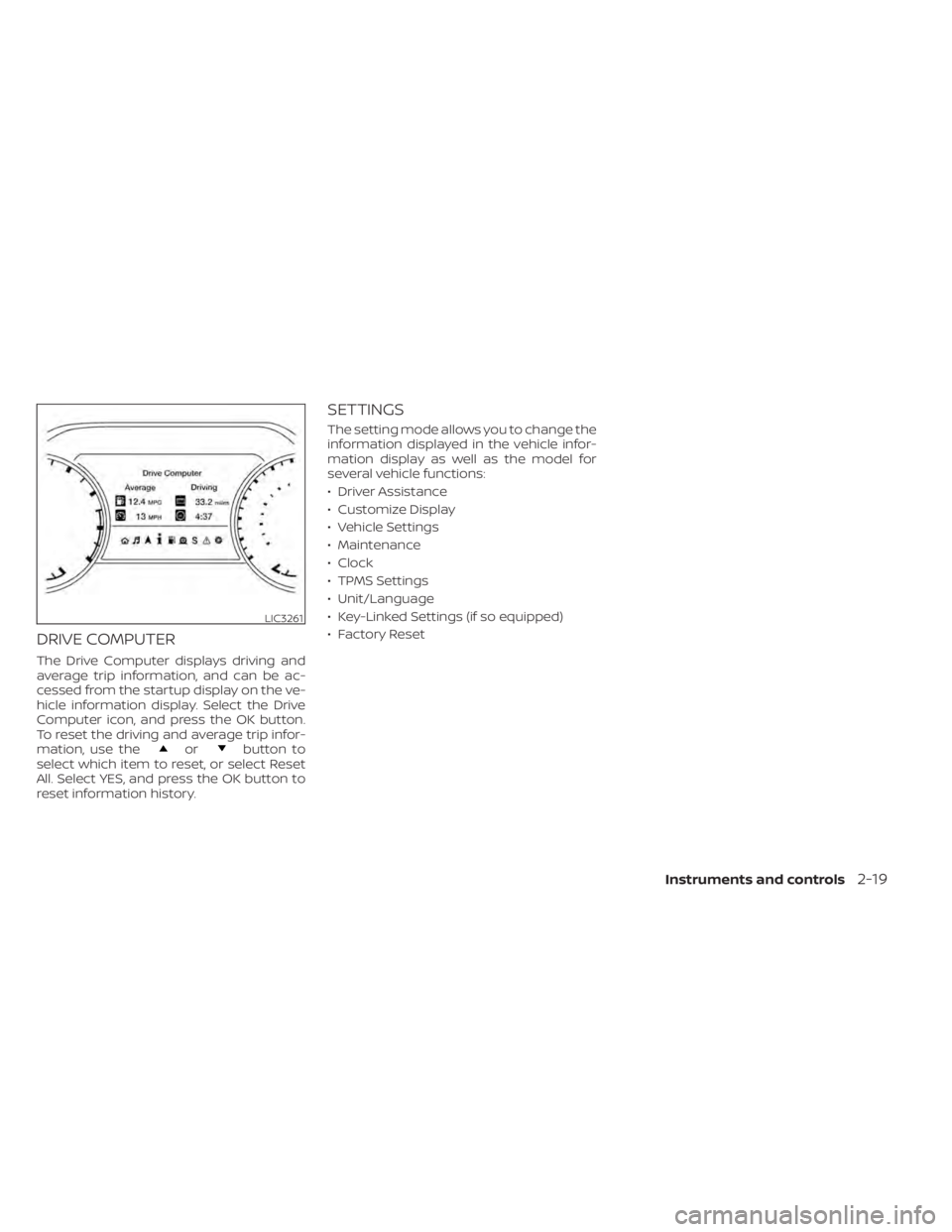
DRIVE COMPUTER
The Drive Computer displays driving and
average trip information, and can be ac-
cessed from the startup display on the ve-
hicle information display. Select the Drive
Computer icon, and press the OK button.
To reset the driving and average trip infor-
mation, use the
orbutton to
select which item to reset, or select Reset
All. Select YES, and press the OK button to
reset information history.
SETTINGS
The setting mode allows you to change the
information displayed in the vehicle infor-
mation display as well as the model for
several vehicle functions:
• Driver Assistance
• Customize Display
• Vehicle Settings
• Maintenance
• Clock
• TPMS Settings
• Unit/Language
• Key-Linked Settings (if so equipped)
• Factory Reset
LIC3261
Instruments and controls2-19
Page 109 of 476

Menu itemExplanation
OFF Doors will have to be manually unlocked.
Ignition OFF Doors will unlock when the ignition is turned off.
Shif t into Park Doors will unlock when the vehicle is shif ted into Park.
Wipers Displays the various wipers settings. For additional information, see “Wiper and washer switch” (P. 2-42).
Speed Dependent Allows user to turn the speed dependent feature on or off.
Rain Sensor Allows user to turn the rain sensor feature on or off.
Driving Position Displays the various driving position settings.
Exit Seat Slide Allows user to turn the exit seat slide on or off. For additional information, see “Memory seat” (P. 3-30).
Exit Steering Up Allows user to turn the exit steering up on or off. For additional information, see “Memory seat” (P. 3-30).
Remote Engine Start Allows user to turn the Remote Engine Start feature on or off. When turned on, the engine can be restarted
remotely. For additional information, see “Remote Engine Start” (P. 3-18).
Maintenance
The maintenance menu allows the user to set reminders for various vehicle maintenance items.
WARNING
The tire replacement indicator is not a substitute for regular tire checks, including tire pressure checks. For additional informa-
tion, see “Changing wheels and tires” (P. 8-34). Many factors including tire inflation, alignment, driving habits and road conditions
affect tire wear and when tires should be replaced. Setting the tire replacement indicator for a certain driving distance does not
mean your tires will last that long. Use the tire replacement indicator as a guide only and always perform regular tire checks.
Failure to perform regular tire checks, including tire pressure checks could result in tire failure. Serious vehicle damage could
occur and may lead to a collision, which could result in serious personal injury or death.
Menu item Explanation
Maintenance Displays various maintenance reminder options.
Oil and Filter Allows user to set a reminder at a specific interval or reset the current one.
Tire Allows user to set a reminder at a specific interval or reset the current one.
Other Allows user to set a reminder at a specific interval or reset the current one.
Instruments and controls2-23
Page 114 of 476
Oil and Filter
This indicator appears when the customer
set distance comes for changing the en-
gine oil and filter. You can set or reset the
distance for checking or replacing these
items. For scheduled maintenance items
and intervals, see “Maintenance and
schedules” (P. 9-2).
Other
This indicator appears when the customer
set distance is reached for checking or re-
placing maintenance items other than the
engine oil, oil filter and tires. Other mainte-
nance items can include such things as air
filter or tire rotation. The distance for
checking or replacing the items can be set
or reset.
Outside Temperature
Display
The outside temperature display appears
in the center region of the vehicle informa-
tion display.
Power turned off to save the battery
This message appears af ter the ignition
switch is automatically turned off. For addi-
tional information, see “Push-button igni-
tion switch positions” (P. 5-10).
Power will turn off to save the battery
This message appears in the vehicle infor-
mation display af ter a period of time if the
ignition switch is in the ACC or the ON po-
sition and if the vehicle is in P (Park). For
additional information, see “Push-button
ignition switch positions” (P. 5-10).
Push brake and start
switch to drive
This indicator appears when the shif t lever
is in the P (Park) position.
This indicator also appears when the ve-
hicle has been started using the Remote
Engine Start function.
This indicator means that the engine will
start by pushing the ignition switch with
the brake pedal depressed. You can start
the engine from any position of the ignition
switch.
Push ignition to OFF
Af ter the Push ignition to OFF warning ap-
pears, the warning will appear if the ignition
switch is placed in the ACC position when
the shif t lever is moved to the P (Park)
position.
To turn off the Push warning, place the ig-
nition switch in the ON position and then in
the LOCK position.
Release Parking Brake
This warning appears when the parking
brake is set and the vehicle is driven.
Reminder: Turn OFF
Headlights
This warning appears when the headlights
are lef t in the ON position when exiting the
vehicle. Place the headlight switch in the
OFF (if so equipped) or AUTO position. For
additional information, see “Headlight and
turn signal switch” (P. 2-45).
Rotate the steering and
push the start switch
This warning appears when the steering
lock cannot be unlocked or is malfunction-
ing. This warning may appear if the steer-
ing wheel is not aligned with the locking
2-28Instruments and controls